Introduction
A Pharmacy Management System (PMS) is a specialized software solution designed to automate and streamline the diverse operations of a pharmacy. Far beyond a simple point-of-sale (POS) tool, a modern PMS acts as the central nervous system of the practice, handling everything from prescription intake and clinical verification to inventory procurement and insurance adjudication. By integrating patient health records with real-time billing and supply chain data, these systems ensure that pharmacists can provide high-quality care while maintaining operational profitability.
In the fast-paced healthcare landscape, a PMS is essential for navigating the complexities of regulatory compliance, such as HIPAA and DSCSA (Drug Supply Chain Security Act). Real-world use cases include automated refill synchronization for chronic patients, DIR fee tracking to manage insurance reimbursements, and integrated e-prescribing to reduce transcription errors. When evaluating a system, practitioners should prioritize workflow flexibility, depth of integration with wholesalers, clinical decision support tools, and the ability to scale as the pharmacy adds services like compounding or long-term care (LTC).
Best for: Independent community pharmacies, large retail chains, hospital outpatient departments, and long-term care facilities. It is a critical tool for pharmacists, pharmacy technicians, and owners who need to balance clinical safety with business efficiency.
Not ideal for: General retail stores without a prescription department or small holistic wellness shops that do not handle pharmaceutical-grade medications or medical insurance claims.
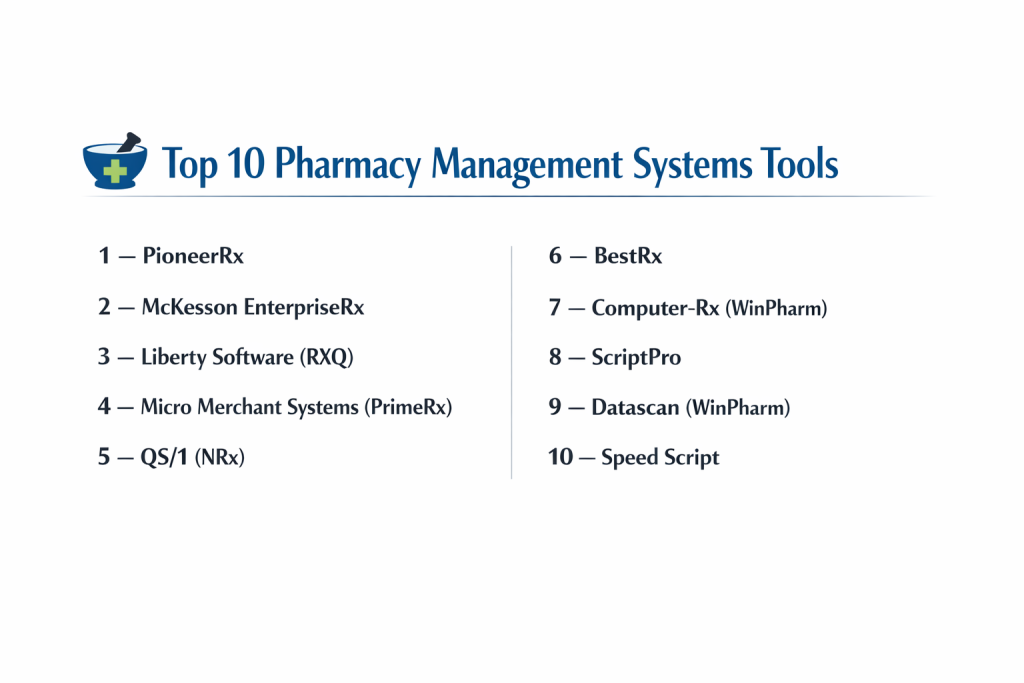
Top 10 Pharmacy Management Systems Tools
1 — PioneerRx
PioneerRx is widely considered the most innovative and widely installed software for independent pharmacies. It focuses on clinical services and “patient-centered” care rather than just dispensing.
- Key features:
- Clinical eCare Plans: Allows pharmacists to document and bill for clinical services.
- Integrated Medication Synchronization: Automated tools to align all of a patient’s refills for a single monthly pickup.
- Advanced DIR Fee Management: Real-time visibility into insurance clawbacks and reimbursement trends.
- Integrated POS: A seamless transition from the fill queue to the cash register.
- Customizable Workflow: Ability to build specific queues for different staff roles.
- Pros:
- Highly responsive to user feedback and constant software updates.
- Robust community of users who share best practices and “workarounds.”
- Cons:
- The interface can be overwhelming for new users due to high feature density.
- Implementation and hardware costs can be higher than budget-friendly competitors.
- Security & compliance: HIPAA compliant, features encrypted data at rest, and provides detailed audit logs for every transaction.
- Support & community: Exceptional support with dedicated account managers and a large annual user conference.
2 — McKesson EnterpriseRx
As a product of one of the largest pharmaceutical wholesalers, EnterpriseRx is built for high-volume environments and pharmacy chains that require centralized management.
- Key features:
- Centralized Data Management: View and manage multiple locations from a single corporate dashboard.
- Automated Refill Workflows: Smart logic to prioritize urgent fills and manage staff workload.
- Supply Chain Integration: Deep integration with McKesson Connect for seamless ordering and returns.
- Cloud-Based Deployment: No need for on-site servers, reducing IT maintenance overhead.
- Patient Engagement Tools: Built-in SMS and email notifications for “ready” prescriptions.
- Pros:
- Unmatched scalability for pharmacies planning to grow into a regional chain.
- Excellent reliability with very high uptime for large-scale operations.
- Cons:
- Can feel less personal or “clunky” for a small, solo independent pharmacy.
- Customization options are more rigid compared to boutique software vendors.
- Security & compliance: HIPAA and SOC 2 Type II compliant; uses bank-level encryption for all patient health information (PHI).
- Support & community: Enterprise-grade support with 24/7 availability for critical issues.
3 — Liberty Software (RXQ)
Liberty Software is known for its “pharmacist-first” design philosophy. Its flagship product, RXQ, is praised for having one of the most intuitive and clean interfaces in the industry.
- Key features:
- One-Screen Workflow: Designed to minimize clicks and keep all relevant info in one view.
- Integrated Patient Communications: Built-in two-way texting without needing third-party add-ons.
- Advanced Compounding Module: Robust tools for formula management and label generation.
- Custom Reporting Engine: Easy-to-use “drag and drop” report builder for business analytics.
- Multi-Store Synchronization: Real-time visibility into inventory across all locations.
- Pros:
- Extremely fast learning curve; new technicians can be proficient in days.
- Outstanding customer service with “real people” answering the phones.
- Cons:
- Fewer integrations with third-party apps compared to the PioneerRx ecosystem.
- Lacks some of the ultra-high-end clinical documentation features.
- Security & compliance: HIPAA compliant; features robust user-permission sets and automated off-site backups.
- Support & community: Renowned for high-touch support and a proactive onboarding process.
4 — Micro Merchant Systems (PrimeRx)
PrimeRx is a powerhouse in the Northeast and is rapidly expanding. It is a highly flexible platform that accommodates retail, compounding, LTC, and specialty pharmacy workflows.
- Key features:
- Flexible Dispensing Queues: Customizable stages from intake to delivery.
- PrimePOS Integration: Full-featured point-of-sale that handles OTC items and Rx simultaneously.
- DocuTrack Integration: Seamless connection for document management and workflow tracking.
- Nursing Home/LTC Module: Specialized tools for multi-dose packaging and eMAR integration.
- Automated Claim Re-submission: Automatically identifies and resubmits rejected claims.
- Pros:
- Excellent versatility; can handle almost any niche pharmacy business model.
- Very strong reporting for managing complex billing and inventory scenarios.
- Cons:
- The user interface can feel a bit “Windows 95” compared to modern web-based apps.
- Some modules (like LTC) come at an additional licensing cost.
- Security & compliance: HIPAA compliant, supports multi-factor authentication (MFA) and SSO.
- Support & community: Reliable tech support and a growing library of training videos and webinars.
5 — QS/1 (NRx)
QS/1 has been a staple in the pharmacy industry for decades. Its NRx platform is built for reliability and depth, serving community and outpatient pharmacies with a focus on comprehensive data.
- Key features:
- Integrated IVR: Native interactive voice response for automated phone refills.
- HealthView Analytics: Powerful business intelligence tools to track margin and production.
- Flexible Billing: Handles complex split-billing and coordination of benefits (COB).
- Medication Therapy Management (MTM): Built-in prompts to identify clinical opportunities.
- SQL-Based Architecture: High-speed data processing for large patient databases.
- Pros:
- One of the most stable and “battle-tested” systems on the market.
- Exceptional depth in handling complex third-party billing issues.
- Cons:
- The software can feel heavy and may require high-end hardware to run smoothly.
- Not as “agile” in releasing modern features as newer, smaller competitors.
- Security & compliance: HIPAA compliant, features advanced encryption for data at rest and in transit.
- Support & community: Strong established community and extensive on-site training options.
6 — BestRx
BestRx is the “value leader” of the pharmacy world. It is designed for independent pharmacies that want a powerful system without the enterprise price tag.
- Key features:
- User-Friendly Dashboard: Simple, clean layout that focuses on the task at hand.
- Electronic Signature Capture: Integrated at both the pharmacy counter and mobile delivery.
- Multi-Wholesale Interface: Compare prices across multiple wholesalers in real-time.
- Patient Messaging: Integrated SMS alerts for refills and pickup reminders.
- BestPOS: A lightweight but effective POS system that syncs perfectly with the PMS.
- Pros:
- One of the most affordable high-quality systems available.
- Very easy to set up and requires minimal IT knowledge to maintain.
- Cons:
- Lacks some of the deeper clinical features found in PioneerRx or EnterpriseRx.
- Reporting is good but not as granular as the top-tier enterprise systems.
- Security & compliance: HIPAA compliant; uses cloud-sync for secure data redundancy.
- Support & community: Highly rated for being accessible and friendly to small business owners.
7 — Computer-Rx (WinPharm)
WinPharm by Computer-Rx is a popular choice for community pharmacies that value a balance between power and ease of use. It is part of the Transaction Data Systems (TDS) family.
- Key features:
- Inventory Optimization: Smart tools to reduce “dead stock” and improve turn rates.
- Centralized Management: Easy to manage patient profiles across multiple sites.
- Integrated Clinical Services: Prompts for vaccines, MTM, and point-of-care testing.
- Customizable Workflow Stages: Allows the pharmacy to define its own “bottle-neck” points.
- E-Prescribing Integration: Fast, reliable processing of Surescripts incoming data.
- Pros:
- Very intuitive design that makes sense to pharmacists “on the bench.”
- Strong integration with a wide variety of robotic dispensing hardware.
- Cons:
- Occasionally experiences “sluggishness” during peak volume hours.
- The mobile delivery app is not as feature-rich as some competitors.
- Security & compliance: HIPAA compliant, featuring encrypted backups and user-level access controls.
- Support & community: Active user forums and a helpful customer support portal.
8 — ScriptPro
ScriptPro is a leader in pharmacy automation and robotics. Their PMS is designed to be the “brain” that coordinates complex hardware and high-volume dispensing.
- Key features:
- Direct Robotic Control: Seamlessly manages pill-counting robots and packaging machines.
- Case Management: Specialized tools for specialty pharmacy and patient adherence programs.
- 340B Management: Robust compliance and tracking for 340B covered entities.
- Inventory Precision: Real-time tracking down to the pill level for high-cost medications.
- Telepharmacy Support: Built-in tools for remote verification and pharmacist consultation.
- Pros:
- The best option for pharmacies that are heavily invested in automation hardware.
- Superior precision and accuracy in inventory and financial tracking.
- Cons:
- Very expensive compared to software-only solutions.
- Overkill for a small pharmacy that doesn’t use robotics.
- Security & compliance: HIPAA and SOC 2 compliant; focuses heavily on data integrity and safety.
- Support & community: High-end, technical support that understands both hardware and software.
9 — Datascan (WinPharm)
Datascan remains one of the few independently owned software companies in the space. They are highly protective of the “independent pharmacy” and offer very competitive pricing.
- Key features:
- Independently Owned: No wholesale or PBM ownership, ensuring unbiased software development.
- Automated Coupons: Automatically finds and applies manufacturer coupons to lower copays.
- Custom Mobile App: A branded app for your pharmacy to engage patients.
- LTC & Cycle Fill: Advanced modules for long-term care facilities included at low cost.
- Zero-Fee Features: Many features that others charge for (like MTM) are included.
- Pros:
- One of the best “bang-for-your-buck” systems on the market.
- The President of the company is often personally involved in high-level support.
- Cons:
- The look and feel are more traditional and less “web-modern.”
- A smaller development team means feature requests can take longer to implement.
- Security & compliance: HIPAA compliant; features local and cloud-based redundancy.
- Support & community: Known for “treating customers like family” with personalized attention.
10 — Speed Script
Speed Script provides an all-in-one PMS and POS solution that is tailored for community and long-term care pharmacies. They focus on “flexible technology” that fits the customer’s specific needs.
- Key features:
- Flexible Deployment: Offers both local server and cloud-based options.
- LTC E-MAR Integration: Seamlessly talks to long-term care facility records.
- Customized Development: Known for building specific features for unique pharmacy workflows.
- Integrated POS: Full retail and Rx management in one database.
- Mobile Delivery App: Real-time tracking of drivers and signature capture.
- Pros:
- Extremely flexible; if you need a specific feature, they will often build it for you.
- High reliability with a focus on simplicity and uptime.
- Cons:
- Smaller market share means fewer third-party integrations (like AI tools).
- Not as well-suited for massive retail chains with hundreds of stores.
- Security & compliance: HIPAA compliant; features robust encryption and secure data tunnels.
- Support & community: Personalized support with a high level of technician expertise.
Comparison Table
| Tool Name | Best For | Platform(s) Supported | Standout Feature | Rating (G2/Gartner) |
| PioneerRx | Independent Pharmacies | Windows / Cloud | Clinical eCare Plans | 4.7 / 5 |
| McKesson Ent.Rx | High-Volume Chains | Cloud-Based | Wholesaler Integration | 4.4 / 5 |
| Liberty (RXQ) | Speed & Ease of Use | Windows / Local | One-Screen Workflow | 4.8 / 5 |
| PrimeRx | Multi-Specialty (LTC) | Windows / Cloud | Automated Re-submission | 4.5 / 5 |
| QS/1 (NRx) | Comprehensive Data | Windows / Local | Integrated IVR | 4.3 / 5 |
| BestRx | Budget-Conscious | Windows / Cloud | Value & Simplicity | 4.6 / 5 |
| Computer-Rx | Robotic Integration | Windows / Local | Inventory Optimization | 4.4 / 5 |
| ScriptPro | High Automation | Windows / Local | Direct Robotic Control | 4.5 / 5 |
| Datascan | Independent Advocacy | Windows / Local | Coupon Auto-Discovery | 4.8 / 5 |
| Speed Script | Custom Workflows | Cloud / Local | Specialized Development | N/A |
Evaluation & Scoring of Pharmacy Management Systems
The following scoring rubric evaluates systems based on the critical requirements of a modern pharmacy environment.
| Category | Weight | Score | Reasoning |
| Core Features | 25% | 9.5 / 10 | Most top systems handle the basics (fill, bill, label) flawlessly. |
| Ease of Use | 15% | 8.2 / 10 | Clinical systems are complex; newer cloud apps (Liberty/BestRx) lead here. |
| Integrations | 15% | 9.0 / 10 | PioneerRx and McKesson have the largest ecosystem of partners. |
| Security & Compliance | 10% | 10 / 10 | Non-negotiable in healthcare; all top tools meet high standards. |
| Performance | 10% | 8.8 / 10 | Cloud systems are more agile, but local servers are faster for imaging. |
| Support & Community | 10% | 9.2 / 10 | High-touch support is the hallmark of the pharmacy tech industry. |
| Price / Value | 15% | 8.5 / 10 | Competitive landscape ensures good value, though hardware costs remain high. |
Which Pharmacy Management System Tool Is Right for You?
Choosing the right PMS is a decision that will impact your practice for the next 5 to 10 years. Here is how to navigate the choice:
Solo Users vs SMB vs Mid-Market vs Enterprise
If you are an Independent Solo Owner, look at BestRx or Datascan. They provide the essential tools without the “corporate” complexity. For Growing SMBs with 2-5 locations, Liberty Software or PioneerRx offer the best balance of features and scalability. Enterprise organizations (chains or hospital networks) should prioritize McKesson EnterpriseRx or ScriptPro for their centralized data and automation capabilities.
Budget-conscious vs Premium Solutions
If Budget is your primary concern, BestRx offers a highly functional system with one of the lowest total costs of ownership. If you are willing to pay for a Premium experience that drives clinical revenue and includes every “bell and whistle,” PioneerRx is the industry standard for a reason.
Feature Depth vs Ease of Use
If you have high staff turnover or want a system that anyone can learn in a day, Liberty (RXQ) is the gold standard for Ease of Use. If you have a highly trained clinical team that wants to do advanced MTM, eCare plans, and DIR fee mitigation, you need the Feature Depth of a system like PioneerRx or QS/1.
Integration and Scalability Needs
Do you plan to add a robot? Do you want to sync with a specific wholesaler? PioneerRx and Computer-Rx have the widest array of hardware “bridges.” If you plan to scale rapidly across states, a Cloud-Native system like EnterpriseRx ensures you don’t have to manage 50 different servers.
Security and Compliance Requirements
Every tool on this list is HIPAA compliant. However, if you are a specialty pharmacy or part of a hospital system, you may require SOC 2 Type II or HITRUST certification. In these cases, look toward the larger enterprise players like McKesson or Oracle Cerner, which maintain the highest levels of third-party security audits.
Frequently Asked Questions (FAQs)
1. How long does a pharmacy software implementation take?
Typically, it takes 30 to 60 days from signing the contract to the “Go-Live” date. This includes data conversion, hardware installation, and staff training.
2. Can I keep my old patient data when I switch?
Yes. Modern vendors are experts at “data conversion.” They can usually migrate patient profiles, prescription history, and doctor lists from your old system to the new one.
3. Do these systems work on a Mac?
Most traditional PMS tools are Windows-based. However, cloud-based systems like EnterpriseRx or BestRx (cloud version) can be accessed via a web browser on a Mac.
4. What hardware do I need for a PMS?
At a minimum, you need a server (if local), workstations, label printers, thermal receipt printers, and a 2D barcode scanner. Many vendors provide “certified” hardware bundles.
5. How much does a PMS cost?
Costs vary widely. A small independent might pay $500–$800/month, while a larger clinic with robotics could pay thousands per month plus significant upfront hardware costs.
6. Is cloud-based better than local-server?
Cloud-based is better for remote access and lower IT maintenance. Local-server is often faster for high-volume scanning and is not dependent on your internet connection.
7. Can these systems handle compounding?
Most have basic compounding features, but if your practice is 50%+ compounding, you should look for a system with a specialized module like Micro Merchant or Liberty.
8. What is a DIR fee and why does my software need to track it?
DIR (Direct and Indirect Remuneration) fees are clawbacks from insurance companies. A good PMS tracks these so you know your actual profit, not just the number shown at the register.
9. Do I need a separate POS system?
Ideally, no. Using an integrated POS (like PioneerRx or BestRx) ensures that your inventory and patient records are updated in real-time across both systems.
10. What is DSCSA and does my software help?
The Drug Supply Chain Security Act requires tracking medications from the factory to the pharmacy. Modern systems include barcode tools to help you stay compliant with these tracking rules.
Conclusion
Selecting a Pharmacy Management System is a strategic investment that defines how your team interacts with patients and how your business interacts with the healthcare ecosystem. While PioneerRx leads for clinical innovation and McKesson for enterprise scale, the “best” system is ultimately the one that aligns with your specific patient demographic and business goals.
Prioritize a system that offers robust support, clear security protocols, and the flexibility to adapt to the ever-changing world of pharmacy reimbursement and clinical care. By choosing a partner rather than just a vendor, you set your pharmacy up for long-term growth and stability.