Introduction
A therapy practice management tool is a type of specialized software designed to handle the day-to-day administrative, clinical, and business tasks of a mental health practice. Think of it as a central command center for your practice. Instead of using a mix of calendars, paper files, spreadsheets, and separate billing services, this software brings everything together in one place.
These tools are important because they free up a therapist’s most valuable resource: time. By automating scheduling, billing, note-taking, and communication, you can spend less time on paperwork and more time focusing on your clients. Real-world use includes clients booking their own appointments online, sending secure messages to their therapist, automatically processing insurance claims, and creating progress notes with built-in templates.
When choosing a tool, you should look for a few key things: how easy it is to use, whether it handles insurance billing smoothly, the quality of its telehealth features, how well it keeps client data secure and private, and finally, if the cost fits your practice’s budget.
Best for: This software is best for solo practitioners, group practices, and mental health clinics of all sizes—any licensed professional who needs to manage client records, appointments, and billing efficiently. This includes psychologists, clinical social workers (LCSWs), marriage and family therapists (LMFTs), and licensed professional counselors (LPCs).
Not ideal for: These tools are generally not the best fit for large hospitals or multi-specialty medical centers that need enterprise-level systems, or for life coaches or unlicensed wellness practitioners who do not require strict clinical documentation or insurance billing features. A simple scheduling and payment app might suffice in those cases.
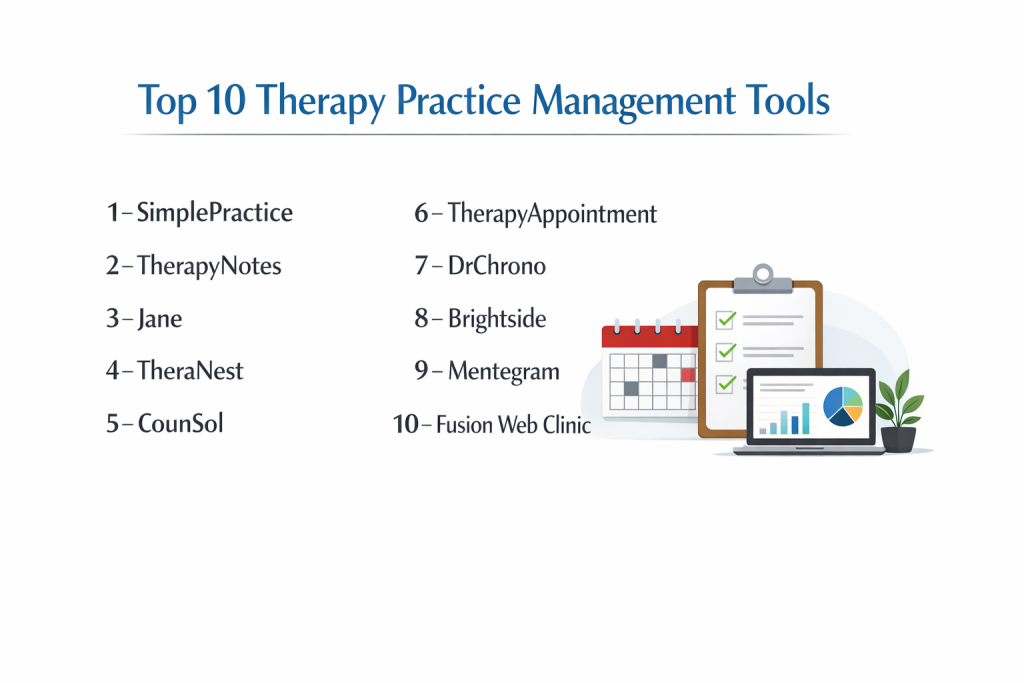
Top 10 Therapy Practice Management Tools
1 — SimplePractice
SimplePractice is an all-in-one platform built specifically for health and wellness practitioners. It is designed to help solo practitioners and small to medium-sized groups run their entire practice smoothly.
Key features:
- A fully customizable client portal for booking, paperwork, and messaging.
- Integrated, HIPAA-compliant telehealth video sessions.
- Robust insurance billing with electronic claim filing and tracking.
- Customizable documentation templates for progress notes, treatment plans, and intakes.
- Automated appointment reminders via text and email.
- Mobile app for managing your practice on the go.
- Online payment processing and invoicing.
Pros:
- Extremely user-friendly and intuitive, with a shallow learning curve for new users.
- The “all-in-one” nature reduces the need for multiple other software subscriptions.
Cons:
- Can become expensive as you add clinicians or premium features.
- Some users report that customer support response times can be slow during peak hours.
Security & compliance: HIPAA-compliant with Business Associate Agreement (BAA), data encryption, and secure, HIPAA-compliant telehealth.
Support & community: Offers email and phone support, a comprehensive help center, and a large user community on social media and forums. Onboarding resources are available.
2 — TherapyNotes
TherapyNotes is a powerful, clinically-focused practice management system known for its exceptional note-taking and insurance billing capabilities, popular among insurance-based practices.
Key features:
- Industry-leading, detailed clinical note templates (SOAP, DAP, etc.) with integrated coding.
- Unmatched insurance billing tools with automatic error checking and clearinghouse integration.
- Scheduling with color-coded calendars and waitlist management.
- Client portal for secure messaging and document sharing.
- Treatment plan library and outcome tracking questionnaires.
- Reliable, built-in telehealth functionality.
Pros:
- Arguably the best in the business for streamlined insurance billing and clinical documentation.
- Highly reliable and stable platform with a strong reputation.
Cons:
- The interface is more clinical and functional, less modern than some competitors.
- Less customizable than some other options, following a more structured workflow.
Security & compliance: Fully HIPAA-compliant with a BAA, SOC 2 Type II certification, and data encryption.
Support & community: Renowned for excellent, knowledgeable US-based phone support. Strong documentation and training webinars.
3 — Jane
Jane is a clean, modern, and intuitive platform popular in Canada and growing rapidly in the US. It is beloved for its beautiful design and seamless user experience for both practitioners and clients.
Key features:
- Visually appealing, easy-to-use scheduling with online booking.
- Integrated charting, with notes that link directly to appointments.
- Built-in, secure telehealth and video appointment functionality.
- Auto-generated insurance receipts and direct billing options (strong in Canada).
- Inventory management for selling products.
- An elegant and simple client-facing experience.
Pros:
- One of the most intuitive and visually pleasing interfaces on the market.
- Transparent, all-inclusive pricing with most features in every plan.
Cons:
- US-specific insurance billing features are not as deep as dedicated tools like TherapyNotes.
- While growing, its community and third-party integrations are smaller than older platforms.
Security & compliance: HIPAA and PIPEDA compliant, with a BAA, data encryption, and secure hosting.
Support & community: Known for very responsive and friendly customer support via chat and email. Active user community and detailed guides.
4 — TheraNest
TheraNest is a comprehensive practice management solution that scales well from solo practitioners to large group practices and non-profit organizations, offering a strong feature set for the price.
Key features:
- Client & case management with custom fields and tracking.
- Scheduling with waitlist and group session management.
- Billing and invoicing with robust insurance claim management.
- Built-in telehealth and a client portal.
- Outcome and assessment tracking with standardized tools.
- Detailed reporting for clinical and business insights.
Pros:
- Excellent value, often more affordable for larger teams compared to some competitors.
- Scales effectively for midsize to large practices with advanced reporting needs.
Cons:
- The interface can feel a bit dated and less streamlined than newer platforms.
- Some features may have a steeper learning curve due to the breadth of options.
Security & compliance: HIPAA-compliant with a BAA, SSL encryption, and optional two-factor authentication.
Support & community: Provides phone, email, and chat support along with a help center and live training webinars.
5 — CounSol
CounSol is a web-based practice management system that emphasizes a strong, customizable client portal and communication tools to enhance client engagement between sessions.
Key features:
- Highly customizable website and client portal that can match your brand.
- Secure messaging, journaling, and assignment features for clients.
- Scheduling, billing, and credit card processing.
- Teletherapy and secure video conferencing.
- Form and document creation and storage.
- To-do lists and reminders for clinicians.
Pros:
- Unmatched customization options for the client portal and practice website.
- Strong focus on tools that support ongoing client engagement and homework.
Cons:
- The administrative backend is not as modern or intuitive as some other tools.
- Can be overwhelming for practitioners who want a simpler, out-of-the-box solution.
Security & compliance: HIPAA-compliant with a BAA and secure data storage.
Support & community: Offers support via phone and email, with setup assistance available.
6 — TherapyAppointment
TherapyAppointment is a straightforward, reliable practice management tool that focuses on the core essentials: scheduling, billing, notes, and telehealth, without unnecessary complexity.
Key features:
- Simple online scheduling and appointment reminders.
- Integrated credit card processing and insurance billing.
- Electronic health records (EHR) with note templates.
- HIPAA-compliant telehealth and a client portal.
- Practice management reporting.
Pros:
- Clean, no-fuss interface that is easy to learn and navigate.
- Predictable, straightforward pricing without hidden fees.
Cons:
- Lacks some of the advanced features and customization of more comprehensive platforms.
- The design and user experience are functional but basic.
Security & compliance: HIPAA-compliant with data encryption and a BAA.
Support & community: Provides support via phone and email. Resources include video tutorials and a knowledge base.
7 — DrChrono
DrChrono is an EHR and medical practice platform that, while serving broader healthcare, has strong adoption among therapy practices, especially those that value deep customization and a wide app ecosystem.
Key features:
- Highly customizable clinical note templates and forms.
- Medical billing service and insurance revenue cycle management.
- Patient scheduling and a patient portal.
- Integrated telehealth visits.
- e-Prescribing capabilities (with additional approval).
- A marketplace of third-party app integrations.
Pros:
- Extensive customization allows you to tailor the EHR to your specific workflow.
- Strong billing features and optional full-service billing management.
Cons:
- Can be overly complex for a solo therapy practice that doesn’t need medical-level features.
- The learning curve is steeper due to its wide range of capabilities.
Security & compliance: HIPAA-compliant with a BAA, data encryption, and audit logs.
Support & community: Offers support tiers, an extensive help center, and an active user community.
8 — Brightside
Brightside Practice is a management platform developed alongside a national psychiatry service, offering a modern, efficient system built for high-quality mental health care delivery.
Key features:
- Intelligent scheduling and calendar management.
- Customizable documentation and treatment planning.
- Integrated, high-quality telehealth platform.
- Client outcome tracking and measurement-based care tools.
- Secure client communication and a portal.
- Billing and payment processing.
Pros:
- Modern, clean design with a focus on measurement-based care and outcomes.
- Developed with insights from a large-scale clinical service, ensuring practical workflow.
Cons:
- A newer player in the general market, so long-term track record is still developing.
- May be better suited for practices aligned with a more structured, outcomes-focused model.
Security & compliance: HIPAA-compliant with a BAA and enterprise-grade security protocols.
Support & community: Dedicated customer success and support, with training provided.
9 – Mentegram
Mentegram is a unique platform that combines practice management tools with a strong emphasis on client engagement, outcome tracking, and relapse prevention between sessions.
Key features:
- Client engagement tools like mood tracking, journal prompts, and skill practice.
- Automated check-ins and alerts for risk assessment.
- Practice management basics: scheduling, notes, and billing.
- Client portal and telehealth capabilities.
- Detailed reporting on client progress and engagement.
Pros:
- Excellent for practitioners who prioritize homework, skill-building, and monitoring client progress between appointments.
- Proactive tools that can help improve client outcomes and retention.
Cons:
- The core practice management features (scheduling, billing) are not as robust as dedicated tools.
- The engagement-focused model may not suit all therapeutic styles or client populations.
Security & compliance: HIPAA-compliant with a BAA and data encryption.
Support & community: Offers onboarding support and customer service via email and phone.
10 — Fusion Web Clinic
Fusion Web Clinic is a specialized practice management system built specifically for pediatric therapy practices (OT, PT, SLP) but is also used by some mental health groups, particularly those with complex scheduling needs.
Key features:
- Powerful scheduling for managing rooms, equipment, and multiple clinicians.
- Detailed documentation with customizable templates and goal tracking.
- Billing and claims management.
- Reporting tools for productivity and compliance.
- Client portal and communication tools.
Pros:
- Unmatched for group practices with complex logistical needs (like shared spaces/resources).
- Extremely detailed documentation and reporting capabilities.
Cons:
- Overkill for a standard talk therapy solo practitioner; complexity is its strength and weakness.
- Pricing and structure are geared towards multi-clinician practices.
Security & compliance: HIPAA-compliant with a BAA. Security practices vary based on practice setup.
Support & community: Provides implementation support and training, with a focus on larger practice setups.
Comparison Table
| Tool Name | Best For | Platform(s) Supported | Standout Feature | Rating |
|---|---|---|---|---|
| SimplePractice | Solo practitioners & small groups wanting an all-in-one, easy-to-use system. | Web, iOS, Android | User-friendly design & complete feature integration. | N/A |
| TherapyNotes | Insurance-based practices that prioritize clinical notes and billing efficiency. | Web | Best-in-class insurance billing & clinical documentation. | N/A |
| Jane | Practitioners who value beautiful design and a seamless client/practitioner experience. | Web, iOS, Android | Intuitive, visually pleasing interface & transparent pricing. | N/A |
| TheraNest | Growing group practices and non-profits needing strong reporting and value. | Web | Scalability and detailed practice analytics. | N/A |
| CounSol | Therapists who want deep customization and strong client engagement tools. | Web | Highly customizable client portal and website. | N/A |
| TherapyAppointment | Practitioners seeking a straightforward, reliable system for core tasks. | Web | Simplicity and predictable, no-fuss operation. | N/A |
| DrChrono | Practices wanting deep EHR customization and a large app marketplace. | Web, iOS, Android | High customizability and extensive third-party integrations. | N/A |
| Brightside | Modern practices focused on measurement-based care and outcomes. | Web | Outcomes tracking & modern workflow design. | N/A |
| Mentegram | Therapists focused on between-session engagement and relapse prevention. | Web, iOS (client app) | Client engagement and progress monitoring tools. | N/A |
| Fusion Web Clinic | Multi-clinician practices or clinics with complex scheduling/logistics. | Web | Complex scheduling for rooms, equipment, and groups. | N/A |
Evaluation & Scoring of Therapy Practice Management Tools
To help you compare objectively, here is a weighted scoring rubric. You can rate each tool you try on a scale of 1-10 in each category.
| Evaluation Category | Weight | What to Look For |
|---|---|---|
| Core Features | 25% | Does it have all you need? Scheduling, billing, notes, telehealth, portal. How well do these core features work? |
| Ease of Use | 15% | Is the interface intuitive? How quickly can you and your clients learn to use it without frustration? |
| Integrations & Ecosystem | 15% | Does it connect to other tools you use (e.g., accounting software, payment processors, Google Calendar)? |
| Security & Compliance | 10% | Is it fully HIPAA-compliant with a BAA? What specific security certifications does it hold? |
| Performance & Reliability | 10% | Is the platform consistently fast and available? Is downtime rare and communicated well? |
| Support & Community | 10% | Is help accessible (phone, chat, email)? Are resources helpful? Is there an active user community? |
| Price / Value | 15% | Does the cost align with the features provided and the size of your practice? Are there hidden fees? |
Which Therapy Practice Management Tool Is Right for You?
Choosing the right tool is about matching the software’s strengths to your practice’s unique needs. Here’s a guide to help you decide:
- Solo Users vs. Groups: If you are a solo practitioner, prioritize ease of use and all-in-one value (SimplePractice, Jane, TherapyAppointment are great starting points). For groups, look for robust scheduling, reporting, and scalability (TheraNest, TherapyNotes, Fusion Web Clinic).
- Budget-Conscious vs. Premium: If budget is the primary concern, look for tools with transparent pricing and solid core features without extras you won’t use. If you need premium features like exceptional billing or custom outcomes tracking, invest in a specialized tool (TherapyNotes for billing, Brightside for outcomes).
- Feature Depth vs. Ease of Use: You often trade one for the other. Tools with incredibly deep features (DrChrono, Fusion) have steeper learning curves. Tools that are famously easy to use (Jane, SimplePractice) may offer less in-depth customization. Be honest about how much complexity you will actually use.
- Integration and Scalability Needs: Do you use specific accounting, marketing, or assessment tools? Check the integration marketplace. Are you planning to grow? Ask about pricing tiers for adding clinicians and if the system can handle more clients and more complex operations.
- Security and Compliance Requirements: For almost all therapy practices, HIPAA compliance with a signed BAA is non-negotiable. Every tool listed here offers this. If you work in certain institutions or with specific populations, you may also need to ask about other standards like SOC 2.
Frequently Asked Questions (FAQs)
1. How much do these tools typically cost?
Prices vary widely, from around $50 per month for a solo practitioner to several hundred per month for a group practice. Most charge a monthly base fee plus a per-clinician add-on cost.
2. Can I try a tool before committing?
Almost all reputable practice management software offers a free trial, typically ranging from 14 to 30 days. This is the best way to test the workflow.
3. What is the most difficult part of switching systems?
Migrating your existing client data (demographics, notes, future appointments) is the biggest challenge. Ask any potential new provider about their data import process and assistance.
4. Is the built-in telehealth as good as dedicated platforms?
For most therapeutic purposes, yes. The convenience of having it fully integrated with your calendar and client records often outweighs any minor feature differences from standalone video apps.
5. How long does it take to fully implement a new system?
For a solo practitioner, you can be up and running in a week or two. For a group practice, a phased implementation over 1-2 months is more realistic, allowing time for training and data migration.
6. What happens to my client data if I cancel my subscription?
Policies vary, but ethical companies will provide you with a way to export your client records in a usable format (like PDFs or CSV files) before your account closes.
7. Do these tools help with insurance credentialing?
No, they help you bill insurance once you are credentialed. The credentialing process itself is separate and usually handled by you or a specialized service.
8. Can my clients use these tools on their phones?
In most cases, yes. Clients typically access their portal via a mobile web browser. Some platforms also offer dedicated client-facing mobile apps.
9. What’s a common mistake people make when choosing?
Choosing based on price or a single flashy feature alone, without considering the overall workflow and whether it will actually save time for you and your staff.
10. Do I still need a separate website?
While some platforms (like CounSol) offer strong website builders, many practitioners prefer to maintain a separate, professional website for marketing and use the tool’s portal for client-specific interactions.
Conclusion
Selecting the right therapy practice management tool is a significant decision that impacts your daily workflow, your client experience, and the financial health of your practice. The key is to focus on the core needs of your specific situation. An elegant, easy-to-use platform might be the perfect productivity boost for a solo practitioner, while a growing group practice will likely prioritize robust billing and deep scheduling capabilities.
Remember, the “best” tool is not a universal title. It is entirely dependent on your practice size, therapeutic approach, budget, and growth plans. The most expensive or most feature-rich option is not automatically the right fit. By clearly defining your needs, taking advantage of free trials, and thoughtfully weighing the pros and cons outlined here, you can confidently choose a system that becomes a seamless foundation for your work, allowing you to focus on what matters most: providing excellent care to your clients.