Introduction
A patient portal platform is a secure online website or mobile application that gives patients 24-hour access to personal health information from anywhere with an internet connection. By providing a bridge between the patient and the healthcare provider, these platforms transform the traditional healthcare experience from a passive one into an active partnership. Through a patient portal, individuals can view lab results, download medical records, schedule appointments, pay bills, and communicate directly with their care team via secure messaging. This digital integration is the cornerstone of modern patient engagement, moving beyond the “phone tag” era of medical administration.
The importance of these platforms lies in their ability to improve clinical outcomes and operational efficiency. When patients have easy access to their health data, they are more likely to adhere to treatment plans and engage in preventative care. Key real-world use cases include managing chronic conditions through remote monitoring, reducing administrative burdens by automating appointment bookings, and enhancing transparency in medical billing. When evaluating a patient portal, users should look for intuitive user interfaces (UI), seamless EHR integration, mobile accessibility, and robust security protocols that protect sensitive health data.
Best for: Healthcare systems, private medical practices, specialized clinics, and clinical research organizations. It is essential for providers who want to comply with “Meaningful Use” or “Promoting Interoperability” requirements while improving patient satisfaction and reducing front-desk workload.
Not ideal for: Organizations that do not handle long-term patient care, such as emergency diagnostic centers without follow-up needs, or very small wellness studios that operate on a cash-only basis without a requirement for clinical record integration.
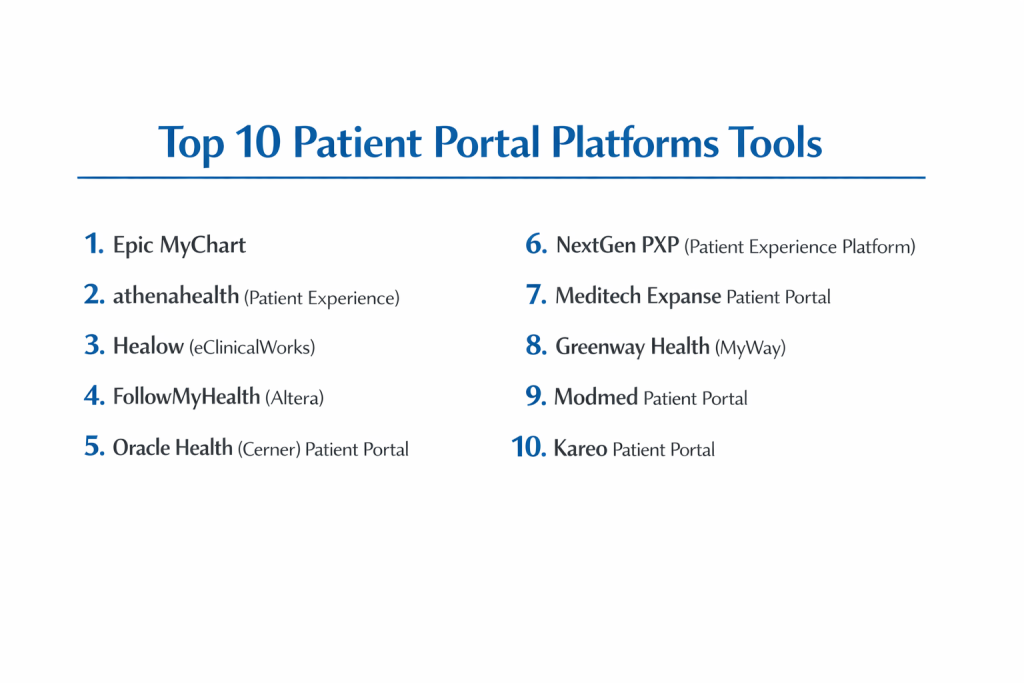
Top 10 Patient Portal Platforms Tools
1 — Epic MyChart
Epic MyChart is widely considered the industry leader in patient engagement, used by some of the largest and most prestigious healthcare systems globally. It offers an incredibly deep feature set integrated directly into the Epic EHR ecosystem.
- Key features:
- Personal Health Record (PHR) Access: Comprehensive view of medications, allergies, and immunizations.
- Bedside Access: Specialized version for inpatient stays, allowing patients to see their daily schedule and care team.
- Proxy Access: Robust management for parents or legal guardians to manage family health.
- Telehealth Integration: Native video visits without requiring third-party app downloads.
- Self-Scheduling: Direct integration with provider calendars for real-time booking.
- Pros:
- Unmatched depth of features; almost every clinical need is addressed within the app.
- High patient adoption rates due to the platform’s widespread use across different health systems.
- Cons:
- Only available to organizations already using Epic’s expensive EHR system.
- The interface can feel overwhelming due to the sheer volume of available tabs and menus.
- Security & compliance: HIPAA, HITECH, ONC-ATCB certified; features advanced biometrics and MFA.
- Support & community: Extensive documentation, professional implementation services, and a massive community of institutional users.
2 — athenahealth (Patient Experience)
The athenahealth patient portal is a cloud-based solution that excels in simplicity and automated communication. It is designed to minimize the workload on administrative staff through smart workflows.
- Key features:
- Automated Outreach: Sends reminders for appointments, lab results, and preventative care gaps.
- Seamless Billing: Patients can view statements and pay via Apple Pay, Google Pay, or credit card.
- Digital Check-In: Allows patients to complete “paperwork” on their own device before arriving.
- Mobile-Optimized Web Portal: No app download required for a full functional experience.
- Health Records Portability: Easy sharing of records with outside specialists.
- Pros:
- Excellent at reducing “no-show” rates through automated, multi-channel reminders.
- Very clean, modern design that is easy for elderly patients to navigate.
- Cons:
- Customization options for the UI are somewhat limited compared to enterprise systems.
- Heavily reliant on the athenahealth ecosystem for full functionality.
- Security & compliance: SOC 1, SOC 2, HIPAA, and ISO 27001 compliant; data encrypted at rest and in transit.
- Support & community: High-touch account management and a robust online “AthenaNation” community.
3 — Healow (eClinicalWorks)
Healow (Health and Online Wellness) is the patient-facing brand for eClinicalWorks. It is a highly versatile platform that focuses on the mobile experience and wearable data integration.
- Key features:
- Wheel of Health: A visual tool for patients to track wellness goals and chronic conditions.
- Wearable Integration: Syncs data from Fitbit, Apple Health, and Garmin directly to the provider.
- Find-a-Doc: Integrated search for finding and booking new providers within the network.
- Messenger: Secure, asynchronous chat between patients and clinical staff.
- Healow Kids: Specialized module for pediatric growth charts and immunization tracking.
- Pros:
- Strongest focus on wellness and “active” health tracking among all major portals.
- Multi-lingual support makes it a great choice for diverse patient populations.
- Cons:
- The setup process for patients linking multiple providers can be technical.
- Interface can occasionally feel cluttered with wellness advertisements.
- Security & compliance: HIPAA, SOC 2 Type II, and ONC certified; utilizes high-level data encryption.
- Support & community: Extensive video library for patient onboarding and professional technical support for practices.
4 — FollowMyHealth (Altera)
FollowMyHealth is a vendor-neutral patient portal platform that can integrate with various EHR systems, making it a flexible choice for fragmented health networks.
- Key features:
- Universal Health Record: Aggregates data from multiple different providers into a single view.
- Customizable Dashboard: Practices can brand the portal and choose which features to enable.
- Educational Resources: Integrated health library based on the patient’s specific diagnoses.
- Pharmacy Integration: Allows patients to request refills and track prescription status.
- Virtual Care: Support for both scheduled and on-demand telehealth sessions.
- Pros:
- Exceptional interoperability; works well in regions where patients see many different doctors.
- Highly customizable for practices that want a specific “look and feel.”
- Cons:
- As a “third-party” portal, data syncing can occasionally experience lag compared to native portals.
- The mobile app performance is sometimes rated lower than MyChart or athenahealth.
- Security & compliance: HIPAA, HITECH, and PCI-DSS compliant; supports SSO and granular audit logs.
- Support & community: Strong professional service team and a well-documented API for developers.
5 — Oracle Health (Cerner) Patient Portal
Formerly known as the Cerner Patient Portal, this Oracle-backed platform is built for massive scale, serving large health systems and government healthcare projects.
- Key features:
- Clinical Record Viewing: Detailed access to notes, pathology, and radiology reports.
- Self-Enrollment: Streamlined process for patients to sign up during or after a visit.
- Secure Messaging: Direct-to-provider communication with file attachment capabilities.
- Health Education: Contextual links to clinical information regarding medications.
- Multi-facility Management: One login for patients to access different hospitals in the same network.
- Pros:
- Highly stable and reliable, capable of handling millions of concurrent users.
- Strong integration with hospital-side clinical workflows (e.g., nurse task lists).
- Cons:
- The user interface has historically been described as more “functional” than “beautiful.”
- Updates to the patient-facing side can be slower than cloud-native competitors.
- Security & compliance: ISO 27001, SOC 2, HIPAA, and GDPR compliant; uses Oracle’s enterprise security stack.
- Support & community: Global support infrastructure and a deep academic user base.
6 — NextGen PXP (Patient Experience Platform)
NextGen PXP focuses on the “patient journey,” combining the portal with digital intake and self-service tools to create a comprehensive front-door experience.
- Key features:
- Digital Intake: Patients complete history and consent forms before they step into the office.
- Self-Scheduling: Advanced logic allows for complex scheduling (e.g., matching patients to specific equipment).
- Virtual Visits: Integrated telehealth with “virtual waiting room” capabilities.
- Payment Plans: Allows patients to set up recurring payments for large balances.
- Secure Document Sharing: Easy two-way exchange of insurance cards and identification.
- Pros:
- Excellent at automating the “front desk” tasks that cause office bottlenecks.
- Strong focus on specialty-specific workflows (e.g., orthopedics, ophthalmology).
- Cons:
- Can be expensive to implement for smaller practices.
- Requires significant configuration to get the scheduling logic exactly right.
- Security & compliance: HIPAA, NIST 800-53, and SOC 2 Type II compliant.
- Support & community: Dedicated client success managers and a large library of self-service training.
7 — Meditech Expanse Patient Portal
Meditech Expanse is a web-based portal designed for high visibility and accessibility. It is a favorite among community and rural hospitals.
- Key features:
- Home-Based Monitoring: Integration with home health devices for chronic disease management.
- Health Summary: A one-page “at-a-glance” view of the most critical health data.
- Appointment Pre-registration: Minimizes time spent in the waiting room.
- On-Demand Results: Real-time push notifications when lab results are ready.
- Proxy Management: Easy switching between family member profiles.
- Pros:
- Very intuitive for non-technical users; uses a clear, high-contrast interface.
- Strong focus on the “community” aspect of care coordination.
- Cons:
- Less “feature-rich” in terms of wellness and third-party app integrations than Healow.
- Primarily limited to the Meditech customer base.
- Security & compliance: HIPAA compliant and ONC certified; supports encrypted data storage.
- Support & community: Known for high customer loyalty and responsive technical support.
8 — Greenway Health (MyWay)
Greenway MyWay is a focused patient portal that emphasizes the physician-patient relationship through secure communication and easy record access.
- Key features:
- Secure Email: Encrypted messaging that meets all regulatory standards.
- Online Bill Pay: Simple interface for managing outstanding healthcare costs.
- Prescription Refills: One-click requests sent directly to the physician’s queue.
- Health History Access: View historical data from past office visits and procedures.
- Lab Results View: Secure access to diagnostic data with provider comments.
- Pros:
- Straightforward and no-nonsense; does exactly what a portal needs to do without bloat.
- Good integration with Greenway’s Intergy and Prime Suite EHRs.
- Cons:
- Lacks some of the more advanced mobile features found in MyChart.
- Not as “patient-centric” in terms of wellness or educational content.
- Security & compliance: HIPAA and HITECH compliant; features robust audit trails.
- Support & community: Professional consulting services and a structured training program for practices.
9 — Modmed (Modernizing Medicine) Patient Portal
Modmed is a specialty-specific portal (primarily Dermatology, Ophthalmology, and Orthopedics) that offers a highly tailored experience for specific clinical paths.
- Key features:
- Image Upload: Patients can send photos of skin conditions or injuries for review.
- Specialty Forms: Intake forms tailored to the specific reason for the visit (e.g., joint pain).
- Patient Education: Content curated specifically for the practice’s specialty.
- Payment Integration: Modern, sleek interface for settling accounts.
- Appointment History: Detailed view of past and future specialized treatments.
- Pros:
- The most “relevant” portal for specialists; patients don’t see unnecessary general health fields.
- Exceptional mobile experience with high-resolution image support.
- Cons:
- Not a good fit for general primary care or large multi-specialty hospitals.
- Premium pricing reflecting its specialized nature.
- Security & compliance: HIPAA and PCI-DSS compliant; features modern MFA.
- Support & community: Excellent specialized support team and a very modern online help center.
10 — Kareo (by Tebra) Patient Portal
Kareo offers a portal designed for the independent, smaller practice. It focuses on the business side of medicine as much as the clinical side.
- Key features:
- Online Payments: Integrated with Kareo’s billing suite for seamless collections.
- Appointment Requests: Simple interface for patients to ask for specific times.
- Document Library: Allows practices to share educational PDFs and prep instructions.
- Lab Results Sharing: Securely push results to patients with a single click.
- Mobile-Friendly: Works well on all smartphone browsers without an app.
- Pros:
- Very low cost of entry; great for solo practitioners.
- Simplifies the billing and collection process significantly for small offices.
- Cons:
- Limited feature depth for complex clinical needs or research.
- Does not support deep integration with home health devices.
- Security & compliance: HIPAA compliant; uses 256-bit AES encryption and SOC 2 Type II certification.
- Support & community: Robust “Kareo University” and active online user forums.
Comparison Table
| Tool Name | Best For | Platform(s) Supported | Standout Feature | Rating |
| Epic MyChart | Large Enterprise Systems | iOS / Android / Web | Bedside & Proxy Access | 4.8 / 5 |
| athenahealth | Ease of Use & Billing | Web / Mobile Web | Automated Outreach | 4.7 / 5 |
| Healow | Wellness & Wearables | iOS / Android / Web | Wearable Data Sync | 4.6 / 5 |
| FollowMyHealth | Interoperability | iOS / Android / Web | Universal Health Record | 4.4 / 5 |
| Oracle Health | Government & Scale | Web / iOS / Android | Enterprise Reliability | 4.5 / 5 |
| NextGen PXP | Digital Front Door | Web / iOS / Android | Digital Intake Forms | 4.6 / 5 |
| Meditech Expanse | Community Care | Web-based | Chronic Disease Tracking | 4.3 / 5 |
| Greenway MyWay | Mid-size Practices | Web / Mobile | Simplified Interface | 4.2 / 5 |
| Modmed | Medical Specialists | iOS / Android / Web | Clinical Photo Upload | 4.7 / 5 |
| Kareo | Solo Practitioners | Web / Mobile | Billing & Payment Focus | 4.1 / 5 |
Evaluation & Scoring of Patient Portal Platforms
| Category | Weight | Score | Evaluation Notes |
| Core Features | 25% | 9.4/10 | Identification, messaging, and lab access are near-universal and robust. |
| Ease of Use | 15% | 8.0/10 | Mobile apps are great, but legacy web portals still struggle with UX. |
| Integrations | 15% | 8.8/10 | Native EHR integrations are excellent; third-party syncing is improving. |
| Security & Compliance | 10% | 9.9/10 | This is the strongest area due to strict federal HIPAA regulations. |
| Performance | 10% | 9.2/10 | Cloud-based systems offer exceptional uptime and speed. |
| Support & Community | 10% | 8.5/10 | Large vendors have great communities; smaller vendors offer more personal help. |
| Price / Value | 15% | 7.8/10 | High implementation costs for enterprise systems remain a significant barrier. |
Which Patient Portal Platforms Tool Is Right for You?
Solo Users vs SMB vs Mid-Market vs Enterprise
If you are an Enterprise health system, Epic MyChart and Oracle Health are the clear winners. They are built for high volumes and complex care teams. For Mid-Market and SMB practices, athenahealth or NextGen PXP offer the right balance of automation and clinical depth. Solo users (individual physicians) will find Kareo the most accessible in terms of cost and technical requirements.
Budget-conscious vs Premium Solutions
If you are budget-conscious, look for portals included with your EHR. athenahealth often includes its portal in its overall percentage-based pricing, making it predictable. If you want a premium solution, Modmed or NextGen offer highly specialized features (like AI intake or image uploads) that command a higher price but provide significant clinical value.
Feature Depth vs Ease of Use
If you prioritize Ease of Use (especially for elderly patients), athenahealth and Meditech are the leaders. They avoid clutter. If you require Feature Depth—such as giving patients the ability to see their own surgical schedule or participate in research—Epic MyChart is the only real choice.
Integration and Scalability Needs
For those with Scalability as a top priority—perhaps a growing urgent care chain—athenahealth or Kareo are the easiest to scale because they are cloud-native and require no on-site hardware. For Integration into a complex existing ecosystem of lab and radiology software, FollowMyHealth offers the best “agnostic” connectivity.
Security and Compliance Requirements
All platforms listed are HIPAA compliant. However, if your institution handles clinical research or government contracts, Oracle Health and Epic offer the most robust, battle-tested compliance frameworks that extend beyond patient care into data governance and institutional research standards.
Frequently Asked Questions (FAQs)
1. What is the difference between a Patient Portal and an EHR?
An EHR (Electronic Health Record) is the software used by doctors to document care. A Patient Portal is the secure extension of that software that allows patients to see their own data and communicate with the office.
2. Are patient portals actually secure?
Yes. They use the same level of encryption as online banking (AES-256). Unlike regular email, secure messaging within a portal is fully encrypted from end to end, meeting strict HIPAA standards.
3. Do patient portals improve patient health?
Studies show that patients who use portals are more engaged, more likely to show up for appointments, and have better management of chronic conditions like diabetes and hypertension.
4. How much do patient portals cost for a practice?
Most are bundled with the EHR subscription. Separately, they can cost between $50 and $200 per provider per month, plus potential one-time setup and integration fees.
5. Why do some patients refuse to use portals?
Common barriers include “portal fatigue” (having too many logins for different doctors), lack of digital literacy, or concerns about privacy. Simple, mobile-friendly portals like athenahealth have the highest adoption.
6. Can a patient download their medical records from the portal?
Yes. Under federal law (Cures Act), patients have the right to access and download their data in a machine-readable format from their portal.
7. Can I manage my child’s health through a portal?
Yes, this is called “Proxy Access.” It allows a parent or guardian to see a child’s or dependent adult’s records while maintaining a separate login for themselves.
8. What is “Secure Messaging”?
Unlike standard email, secure messaging occurs entirely within the portal’s encrypted environment. It allows for the exchange of Protected Health Information (PHI) without violating privacy laws.
9. Can I pay my medical bills through the portal?
Almost all modern portals (Kareo, athenahealth, NextGen) have integrated payment processing, allowing patients to view statements and pay balances instantly.
10. Do I need to download an app to use a portal?
While many offer apps (like MyChart or Healow), most portals are also “responsive web apps,” meaning you can log in through any browser on your phone or computer without downloading anything.
Conclusion
Patient portal platforms have evolved from simple “results viewers” into comprehensive digital hubs for the modern healthcare consumer. Whether you are a large hospital system utilizing the deep clinical integration of Epic MyChart, a specialist clinic leveraging the tailored features of Modmed, or a small practice focusing on the ease of use offered by athenahealth, the goal remains the same: empowering the patient.
The “best” portal is ultimately the one that your patients actually use. By selecting a platform that balances security with a frictionless user experience, healthcare providers can foster stronger patient relationships, improve clinical outcomes, and streamline their administrative operations for years to come.