Introduction
Bioinformatics workflow managers are specialized software systems designed to orchestrate complex computational pipelines used in biological data analysis. In a field where a single analysis—such as a whole-genome sequence alignment—involves dozens of individual software tools, massive datasets, and intensive high-performance computing (HPC) resources, these managers act as the “conductor” of the orchestra. They automate the execution of tasks, handle data dependencies, and manage software environments using containers like Docker or Singularity. By formalizing these processes, workflow managers ensure that scientific results are reproducible, portable across different cloud or local infrastructures, and scalable enough to handle thousands of samples simultaneously.
The significance of these tools lies in their ability to solve the “reproducibility crisis” in science. Key real-world use cases include large-scale population genomics studies, personalized medicine pipelines in clinical diagnostics, and the rapid processing of transcriptomic data in pharmaceutical drug discovery. When evaluating a workflow manager, users should look for portability (cloud vs. on-premise), support for containerization, error handling and checkpointing (the ability to resume failed runs), and the depth of the community-contributed library.
Best for: Computational biologists, bioinformaticians, data scientists, and systems administrators in academic research institutes, biotech startups, and large pharmaceutical companies. It is ideal for teams needing to run standardized, high-volume data processing pipelines.
Not ideal for: Laboratory technicians performing one-off, simple data visualizations or researchers who prefer “point-and-click” interfaces without the need for high-throughput automation. For these users, a graphical workbench might be more appropriate than a programmatic workflow manager.
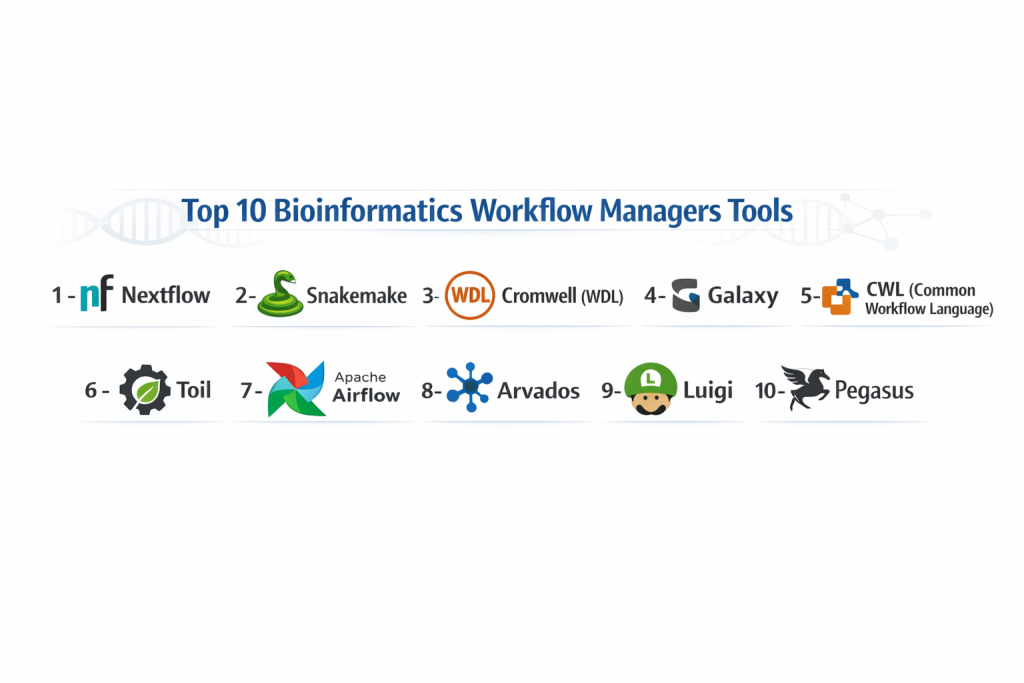
Top 10 Bioinformatics Workflow Managers Tools
1 — Nextflow
Nextflow is a highly popular, reactive workflow framework based on the Dataflow programming model. It is designed to empower bioinformaticians to write complex, highly portable pipelines using the Groovy programming language.
- Key features:
- Dataflow Programming: Tasks are executed as soon as their input data is available, maximizing parallelization.
- Built-in Container Support: Seamless integration with Docker, Singularity, Podman, and Conda.
- Native Cloud Support: Direct execution on AWS Batch, Google Cloud Life Sciences, and Azure Batch.
- Modular DSL2: Supports a highly modular “Domain Specific Language” for code reuse.
- nf-core Integration: Access to a vast community of peer-reviewed, ready-to-use pipelines.
- Pros:
- Exceptional scalability from a single laptop to massive cloud clusters.
- The most vibrant and active community in the bioinformatics space today.
- Cons:
- Requires learning Groovy/DSL2 syntax, which can be challenging for Python-only users.
- Troubleshooting “Race conditions” in complex dataflows can be difficult for beginners.
- Security & compliance: Supports SSO (via Tower), encryption at rest/transit, and detailed audit logs.
- Support & community: Massive Slack community, extensive nf-core documentation, and professional support through Seqera Labs.
2 — Snakemake
Snakemake is a Python-based workflow management system that uses a human-readable, rule-based logic. It is widely favored in academia for its readability and integration with the Python data science ecosystem.
- Key features:
- Python-Centric: Workflows are essentially Python scripts, making it accessible to most researchers.
- Automatic Parallelization: Intelligently determines task dependencies and executes them in parallel.
- Conda Integration: Automatically creates and manages isolated software environments for every rule.
- Modularization: Support for “Wrappers” that allow users to share and reuse common tool commands.
- Cloud Compatibility: Supports execution on Kubernetes and major cloud storage backends.
- Pros:
- Very low barrier to entry for anyone who knows basic Python.
- Excellent for “Exploratory” bioinformatics where pipelines change frequently.
- Cons:
- Scaling to extremely large cloud clusters can feel less “native” than Nextflow.
- Large, complex Snakefiles can become difficult to maintain without strict discipline.
- Security & compliance: Varies; generally relies on the underlying HPC/Cloud security infrastructure.
- Support & community: Very active GitHub community, extensive academic tutorials, and a strong presence on StackOverflow.
3 — Cromwell (WDL)
Cromwell is an execution engine designed specifically to run workflows written in the Workflow Description Language (WDL). It was developed by the Broad Institute to power the GATK Best Practices pipelines.
- Key features:
- WDL Support: Uses a simple, focused language designed specifically for bioinformatics.
- Call Caching: Automatically skips steps that have already been completed with the same inputs.
- Backend Agnostic: Runs on local servers, HPC (Slurm/SGE), and Google Cloud (Terra).
- Workflow Visualization: Generates visual graphs of the execution path.
- Standardized Metadata: Collects detailed metrics on memory and CPU usage for every task.
- Pros:
- The “Official” engine for GATK, ensuring 100% compatibility with Broad Institute pipelines.
- Very reliable for massive, production-grade genomic processing.
- Cons:
- Setting up Cromwell as a server can be complex for a single user.
- WDL is less flexible than Nextflow or Snakemake for general-purpose programming.
- Security & compliance: HIPAA and GDPR compliant when used within the Terra platform; supports OAuth and encryption.
- Support & community: Deeply supported by the Broad Institute; strong documentation but a smaller “General” community compared to Nextflow.
4 — Galaxy
Galaxy is a web-based platform that provides a “no-code” interface for bioinformatics. While it serves as a portal, its underlying workflow engine is a powerful manager used by thousands of researchers worldwide.
- Key features:
- Web GUI: Build complex pipelines using a drag-and-drop visual interface.
- Tool Shed: A massive repository of thousands of pre-configured bioinformatics tools.
- History Tracking: Automatically records every parameter and version for full reproducibility.
- Public Servers: Access to free, high-performance computing resources via UseGalaxy.org.
- Interactive Environments: Launch Jupyter or RStudio sessions directly within a workflow.
- Pros:
- The most accessible tool for biologists without programming skills.
- Exceptional for teaching and collaborative research in small labs.
- Cons:
- Not suitable for high-throughput, automated industrial pipelines.
- Customizing “under-the-hood” code is more difficult than with programmatic managers.
- Security & compliance: Private instances can be made HIPAA compliant; standard version includes basic user permissions.
- Support & community: Massive global community with yearly conferences and extensive “Galaxy Training Network” tutorials.
5 — CWL (Common Workflow Language)
CWL is not a single piece of software, but a specification for describing workflows. Engines like CWL-runner, Toil, or Arvados use this standard to ensure absolute vendor neutrality.
- Key features:
- Declarative Syntax: Workflows are defined in YAML/JSON, focusing on what to do rather than how.
- Standardized Metadata: Allows for rich description of tools and data types.
- Implementation Diversity: Can be run by many different engines (Toil, Cromwell, Rabbit).
- Provenance Tracking: Built-in support for Research Objects to track data lineage.
- Strong Typing: Ensures that the output of one tool matches the input requirements of the next.
- Pros:
- Absolute protection against “Vendor Lock-in”—the most portable standard.
- Favored by national health systems and large-scale data repositories.
- Cons:
- Writing CWL by hand is extremely verbose and time-consuming.
- The learning curve for the specification itself is very steep.
- Security & compliance: Varies by engine; usually enterprise-grade (e.g., Arvados is highly compliant).
- Support & community: Backed by a diverse consortium; highly professional documentation but less “Social” than nf-core.
6 — Toil
Toil is a cross-platform workflow engine written in Python that supports CWL, WDL, and its own Python-based workflow API. It is designed for massive scale on the cloud.
- Key features:
- Multi-Language Support: Run WDL, CWL, and Python pipelines in one engine.
- Leader/Worker Architecture: Optimized for handling thousands of concurrent nodes on AWS/Azure.
- Autoscaling: Automatically spins up and shuts down cloud instances based on the queue.
- Atomic File Store: Ensures data integrity even if cloud nodes fail.
- HPC Integration: Strong support for Grid Engine, Slurm, and Torque.
- Pros:
- One of the best engines for handling extremely large-scale cloud deployments.
- Highly flexible for Python developers who want to stay within a single language.
- Cons:
- Documentation can be more technical and less “User-friendly” than Snakemake.
- Smaller community footprint compared to the “Big Three” (Nextflow, Snakemake, Cromwell).
- Security & compliance: Supports encryption for data in transit; compliant with standard cloud security practices.
- Support & community: Maintained by the UC Santa Cruz Genomics Institute; very responsive GitHub support.
7 — Apache Airflow
While not bioinformatics-specific, Airflow is increasingly used in “Industrial” bioinformatics for managing data engineering pipelines and ML-ready datasets.
- Key features:
- Dynamic Pipeline Generation: Use Python to programmatically generate complex workflows.
- Extensible Provider System: Connectors for almost every database and cloud service.
- Rich Monitoring UI: Comprehensive views of task status, logs, and historical performance.
- Task Retries & Alerts: Sophisticated logic for handling failures in production.
- Kubernetes Executor: Scales workloads by launching each task in its own pod.
- Pros:
- The industry standard for “Data Engineering”—highly transferable skills to other sectors.
- Exceptional for long-running, recurring pipelines (e.g., weekly database updates).
- Cons:
- Lacks native “Bioinformatics-aware” features like Conda/Singularity integration.
- “Overkill” for standard sequence analysis compared to Nextflow.
- Security & compliance: SOC 2, SSO, LDAP, and fine-grained Role-Based Access Control (RBAC).
- Support & community: Massive general data science community; professional support through Astronomer.io.
8 — Arvados
Arvados is an open-source platform for managing, processing, and sharing genomic and other large scientific datasets, using CWL as its core workflow engine.
- Key features:
- Keep Content-Addressable Storage: Ensures that data is never lost or duplicated.
- Automated Provenance: Every result is linked back to the exact code and data that created it.
- Federated Clusters: Run workflows across multiple data centers or clouds.
- Workbench UI: Provides a graphical interface for managing files and launching CWL workflows.
- Enterprise Security: Built specifically for clinical and regulated environments.
- Pros:
- Excellent for “Big Data” management—handles petabytes of storage with ease.
- Strongest focus on data integrity and “Reproducibility as a Service.”
- Cons:
- High technical overhead for installation and maintenance.
- Primarily designed for enterprise/institutional use rather than solo researchers.
- Security & compliance: HIPAA, GDPR, ISO 27001, and SOC 2; designed for clinical data.
- Support & community: Professional support available through Curii Corporation; dedicated enterprise documentation.
9 — Luigi
Luigi is a Python package (developed by Spotify) that helps you build complex pipelines of batch jobs. It is often used in bioinformatics for simpler, ETL-style tasks.
- Key features:
- Dependency Management: Focuses on the “Target” of the work (e.g., a specific output file).
- Visualizer: A simple web UI to see the status of your tasks.
- Hadoop Integration: Strong support for MapReduce and HDFS.
- Minimalist Design: Much lighter weight than Airflow or Cromwell.
- Pythonic: Very easy to extend and customize using standard Python.
- Pros:
- Very easy to understand for small-to-mid-sized data processing tasks.
- Stable and mature with years of production use.
- Cons:
- Lacks the advanced container/cloud features of Nextflow or Snakemake.
- No native support for bioinformatics standards like WDL or CWL.
- Security & compliance: Basic; relies on the security of the host machine.
- Support & community: Large general Python community; stable but less “Innovative” than newer tools.
10 — Pegasys
Pegasys is a user-friendly workflow management system that bridges the gap between the “Command Line” and “No-Code” by providing a visual builder for programmatic engines.
- Key features:
- Visual Workflow Designer: Connect nodes to build pipelines that then export to Nextflow/Snakemake.
- Integrated Tool Management: Search and select tools from major bioinformatics repositories.
- Execution Tracking: Real-time feedback on job progress within the GUI.
- Template Library: Access to standardized pipelines for common tasks like RNA-seq.
- Cloud-Ready: Simplifies the process of launching jobs on cloud providers.
- Pros:
- Great for teams that want the power of Nextflow without writing all the code manually.
- Speeds up the “Prototyping” phase of pipeline development.
- Cons:
- Still a relatively newer player compared to the established engines.
- Advanced customization still eventually requires diving into the code.
- Security & compliance: Varies; supports standard cloud authentication protocols.
- Support & community: Growing community; documentation is focused on the visual interface.
Comparison Table
| Tool Name | Best For | Platform(s) Supported | Standout Feature | Rating |
| Nextflow | High-throughput Cloud | All / Cloud / HPC | DSL2 & nf-core Community | 4.9/5 |
| Snakemake | Python-based Research | Linux / macOS / HPC | Python Readability | 4.8/5 |
| Cromwell | GATK/WDL Pipelines | Google Cloud / HPC | Official GATK Support | 4.6/5 |
| Galaxy | Non-programmers | Web-based | Browser-based GUI | 4.4/5 |
| CWL | Vendor Neutrality | Any (Spec-based) | JSON/YAML Portability | 4.5/5 |
| Toil | Large-scale Python | AWS / Azure / HPC | Cloud Autoscaling | 4.3/5 |
| Airflow | Data Engineering | Cloud / Kubernetes | Dynamic Python Generation | 4.7/5 |
| Arvados | Clinical/Big Data | Hybrid Cloud / On-Prem | Content-Addressable Storage | N/A |
| Luigi | Simple ETL tasks | Linux / macOS | Task Dependency Logic | N/A |
| Pegasys | Visual Prototyping | Cloud / Web | GUI-to-Code Export | N/A |
Evaluation & Scoring of Bioinformatics Workflow Managers
| Category | Weight | Score | Reasoning |
| Core Features | 25% | 9.5/10 | Modern tools have mastered containerization and error handling. |
| Ease of Use | 15% | 7.5/10 | Programmatic tools still have a steep learning curve for biologists. |
| Integrations | 15% | 9.0/10 | Cloud and HPC integrations are now industry standards. |
| Security & Compliance | 10% | 8.8/10 | Shift toward clinical genomics has improved security features. |
| Performance | 10% | 9.2/10 | Nextflow and Toil lead the way in massive parallelization. |
| Support & Community | 10% | 9.0/10 | Open-source communities in this space are exceptionally helpful. |
| Price / Value | 15% | 8.5/10 | Most are free/open-source; value is found in reduced compute time. |
Which Bioinformatics Workflow Managers Tool Is Right for You?
Solo Users vs SMB vs Mid-Market vs Enterprise
For solo researchers or PhD students, Snakemake is the most intuitive path, especially if they are already comfortable with Python. SMBs and biotech startups should gravitate toward Nextflow; the access to the nf-core library allows a small team to run “World-class” pipelines without a large dedicated bioinformatics staff. Enterprises and clinical organizations should look at Cromwell or Arvados, where the focus on rigorous compliance and standardized WDL/CWL workflows is paramount.
Budget-conscious vs Premium Solutions
The vast majority of these tools are open-source and free. The real “Cost” is in the compute and the human hours spent on setup. If you have zero budget, use Galaxy on their public servers or Snakemake on your local machine. If you are a premium enterprise, investing in Seqera Platform (for Nextflow) or Arvados provides the management GUI and support that saves expensive engineering time in the long run.
Feature Depth vs Ease of Use
If Ease of Use is the only concern, Galaxy is the undisputed winner. However, if you need Feature Depth—such as the ability to customize exactly how much RAM each step of a 50-step pipeline uses—Nextflow and Snakemake provide the programmatic depth required to optimize performance and save on cloud costs.
Integration and Scalability Needs
For those with extreme scaling needs (e.g., thousands of genomes), Nextflow and Toil are built for the cloud’s “Elastic” nature. If your data is trapped in a specific “Corporate” database, Airflow provides the best integrations for general data engineering. If you are deeply tied to the Broad Institute’s ecosystem, Cromwell is the natural choice.
Security and Compliance Requirements
If you are handling human clinical data, security is not optional. Arvados and DNAnexus (a platform using these engines) are built specifically for HIPAA and GDPR compliance. For open-source deployments, ensuring you use SSO and encryption-at-rest within your cloud provider is essential when using tools like Nextflow.
Frequently Asked Questions (FAQs)
1. Why can’t I just use a Bash script for my bioinformatics?
Bash scripts are difficult to resume if they fail halfway through. Workflow managers provide “Checkpointing,” allowing you to restart from the exact failed step, saving time and compute costs.
2. What is the difference between WDL and Nextflow?
WDL is a declarative language (you describe what you want). Nextflow is a functional language (you describe the logic). WDL is simpler to read, but Nextflow is more powerful for complex, dynamic logic.
3. Do I need to learn coding to use a workflow manager?
For most, yes. However, Galaxy provides a web-based GUI that requires no coding, and Pegasys provides a visual builder that helps bridge the gap.
4. What are “Containers” like Docker/Singularity?
They are “Wrappers” for software. A workflow manager uses them to ensure the exact same version of a tool (e.g., BWA 0.7.17) is used every time, regardless of which computer the pipeline is running on.
5. How much do these tools cost?
Almost all the engines themselves (Nextflow, Snakemake, Cromwell) are open-source and free. You only pay for the cloud or server hardware you use to run them.
6. Which one is best for RNA-seq?
Both Nextflow (via nf-core/rnaseq) and Snakemake have world-class, pre-built RNA-seq pipelines. Your choice should depend on which language (Groovy vs. Python) you prefer.
7. Can I run these on my Windows computer?
Most are designed for Linux/macOS. However, you can run them on Windows using the Windows Subsystem for Linux (WSL), or via cloud-based platforms.
8. What is “nf-core”?
It is a community-driven effort to create a set of high-quality, peer-reviewed bioinformatics pipelines using Nextflow. It is a major reason for Nextflow’s dominance in the field.
9. Is Apache Airflow good for bioinformatics?
It is great for “Orchestrating” data (moving files around, updating databases), but it is less optimized for “Processing” biological data compared to Nextflow or Snakemake.
10. What is the biggest mistake people make when choosing a manager?
Choosing a manager based on what is “Trendy” rather than what their team can actually support. If your lab only knows Python, choosing a WDL/Java-based engine will lead to a high maintenance burden.
Conclusion
Bioinformatics workflow managers have matured from niche scripts into the robust infrastructure that powers modern genomic science. While Nextflow and Snakemake dominate the programmatic landscape with their massive communities and flexible logic, Galaxy remains the vital gateway for non-programming biologists to access high-powered analysis.
The “best” tool is rarely about the engine itself and more about the ecosystem around it. If you need 100% reproducibility and access to dozens of ready-made pipelines, the Nextflow/nf-core combination is currently unbeatable. If you need to build custom, exploratory research pipelines quickly, Snakemake is your best friend. Whichever you choose, the transition from manual scripts to a formal workflow manager is the single most important step you can take toward reliable, world-class science.