Introduction
Credential Issuance Platforms are specialized software solutions that allow organizations to create, distribute, and manage digital certificates, badges, and professional licenses. Unlike traditional paper-based systems or static PDFs, modern platforms leverage Verifiable Credentials (VCs) and often blockchain technology to ensure that once a credential is issued, it is tamper-proof, instantly verifiable, and easily shareable. These platforms act as the “source of truth,” providing a secure bridge between an issuer (like a university or an employer) and a recipient (like a student or an employee), who can then present these credentials to third parties (like recruiters or regulatory bodies) for instant validation.
The importance of these platforms has grown exponentially as the global workforce becomes more mobile and digital-first. Fraudulent degrees and forged certifications are a rising risk for employers; credential issuance platforms eliminate this risk by providing a cryptographic proof of authenticity. For the recipient, these tools offer “digital portability,” allowing them to carry their entire professional history in a digital identity wallet. For issuers, it streamlines the administrative nightmare of manual verification requests, saving thousands of hours in back-office labor while enhancing the prestige and security of their certifications.
Key Real-World Use Cases
Credential issuance platforms are utilized across diverse high-stakes environments:
- Academic Degrees: Universities issuing digital diplomas that graduates can instantly share on LinkedIn or with potential employers.
- Professional Licensing: Medical boards or legal associations issuing practice licenses that can be verified in real-time by hospitals or clients.
- Corporate Training: Companies providing digital badges for internal upskilling, allowing employees to build a verified “skills passport.”
- Government ID Digitization: Public agencies issuing digital versions of driver’s licenses or specialized permits.
- Event & Membership Verification: Issuing secure, non-transferable digital passes or membership status for professional organizations.
What to Look For (Evaluation Criteria)
When choosing a credential issuance platform, organizations should prioritize these factors:
- Standard Compliance: Does the platform support W3C Verifiable Credentials and Open Badges standards to ensure the credentials work in different wallets?
- Ease of Integration: Can the platform pull data directly from your existing LMS (Learning Management System) or HRIS (HR Information System)?
- Recipients’ Experience: How easy is it for the student or employee to claim, store, and share their badge?
- Revocation Capabilities: If a certification is withdrawn or an employee leaves, can the issuer instantly revoke the digital credential?
Best for:
- Educational Institutions: Universities, K-12 schools, and coding bootcamps looking to modernize their graduation processes.
- Certification Bodies: Industry associations (e.g., Project Management, Healthcare) that issue high-value professional designations.
- Enterprise L&D Departments: Corporate HR teams managing internal training and leadership development programs.
- Government Agencies: Departments tasked with issuing permits, licenses, or social benefit credentials.
Not ideal for:
- Casual One-Off Events: Small, local community gatherings where a simple email confirmation or paper ticket is sufficient.
- Internal Informal Praise: If you just want to say “Good Job” to an employee, a standard Slack integration or email is better than a cryptographic credential.
- Firms with Low-Security Needs: Businesses that do not require verification of their certificates may find the cost of a dedicated platform unnecessary.
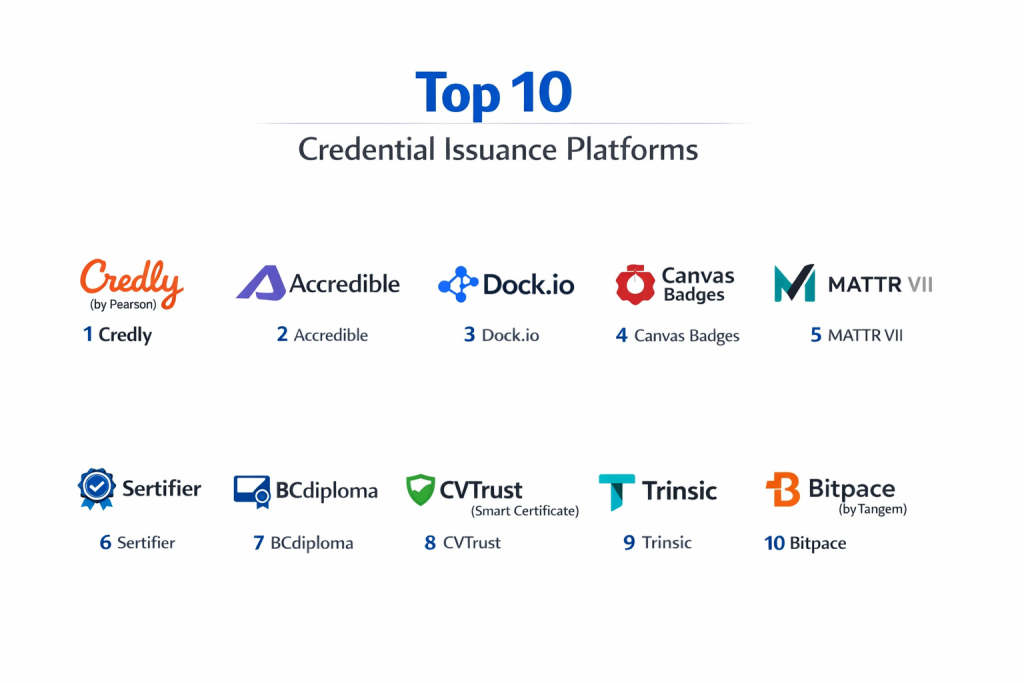
Top 10 Credential Issuance Platforms
1 — Credly (by Pearson)
Credly is widely considered the market leader in the digital credential space, boasting a massive ecosystem that connects issuers, individuals, and recruiters.
Key features:
- Comprehensive Badge Design: Tools to create professional-looking digital badges that carry rich metadata.
- Labor Market Insights: Connects earners to job opportunities based on the specific skills listed in their credentials.
- Enterprise Scaling: Designed to handle millions of issuances for global companies like IBM and Microsoft.
- Automated Sharing: One-click sharing to social media platforms and digital resumes.
- Verification Portal: A dedicated space for employers to verify the authenticity of a badge without contacting the issuer.
Pros:
- The most recognized name in the industry, which adds immediate credibility to the badges you issue.
- Exceptional integration with major LMS platforms like Canvas and Blackboard.
Cons:
- Premium pricing makes it less accessible for small non-profits or local trainers.
- The “walled garden” feel can sometimes make it harder to export data to non-partner systems.
Security & compliance: SOC 2 Type II, GDPR compliant, and uses high-level data encryption for all metadata.
Support & community: Extensive knowledge base, 24/7 technical support for enterprise clients, and a massive community of users.
2 — Accredible
Accredible is a powerful, highly customizable platform known for its focus on beautiful, functional digital certificates and badges.
Key features:
- Digital Certificates & Badges: Offers both visual certificates for printing and digital badges for social sharing.
- White-Labeling: Comprehensive options to brand the entire recipient experience with your organization’s logos and colors.
- Dynamic Content: Certificates can be updated even after they are issued (e.g., if a name is corrected).
- SEO Optimized Pages: Each credential lives on a dedicated, indexed page that can drive traffic back to the issuer.
- Expiration Management: Automated workflows to remind recipients when it is time to renew their certification.
Pros:
- Offers some of the best visual design flexibility in the category.
- Very user-friendly dashboard for administrators to track engagement and sharing metrics.
Cons:
- Advanced features like custom domains are often locked behind higher-tier plans.
- Some users find the initial setup of complex automated workflows slightly technical.
Security & compliance: SOC 2, ISO 27001, and fully GDPR compliant with robust audit logs.
Support & community: Highly rated customer success team, detailed API documentation, and regular webinars for admins.
3 — Dock.io
Dock.io is a blockchain-based platform that specializes in decentralized, high-integrity verifiable credentials at a fraction of the cost of legacy providers.
Key features:
- Blockchain Verifiability: Credentials are anchored to the Dock blockchain for permanent, tamper-proof security.
- W3C Standards: Fully compliant with global standards for Verifiable Credentials (VCs).
- Developer-First API: Highly flexible API that allows for custom-built issuance experiences.
- Low Transaction Fees: Uses a specialized blockchain to keep the cost per issuance extremely low.
- White-Label Wallet: Options to provide recipients with a branded mobile app to store their credentials.
Pros:
- Exceptional value for money, especially for organizations issuing high volumes of certificates.
- Provides “Self-Sovereign Identity” (SSI) capabilities, giving users true ownership of their data.
Cons:
- Being a blockchain-based platform, it may require more education for non-technical stakeholders.
- Lacks some of the “job board” and “labor market” features found in Credly.
Security & compliance: GDPR compliant, decentralized security model, and encrypted data storage.
Support & community: Active GitHub community, comprehensive developer docs, and direct technical support for business accounts.
4 — Canvas Badges (Badgr)
Part of the Instructure family, Canvas Badges (formerly Badgr) is the go-to solution for academic environments already using the Canvas LMS.
Key features:
- LMS Integration: Seamlessly issues badges based on course completion or specific module milestones within Canvas.
- Stackable Credentials: Allows students to “stack” smaller badges into a larger “Pathway” or micro-credential.
- Open Badges 2.0: Fully compliant with the most widely used technical standard for digital badges.
- Leaderboards: Gamification features to encourage student participation and completion.
- Free Entry Tier: Offers a robust “Pro” version alongside a capable free version for basic needs.
Pros:
- The best choice for schools and universities already embedded in the Instructure ecosystem.
- “Pathways” feature is excellent for visualizing a student’s progress through a complex curriculum.
Cons:
- The UI can feel a bit “academic” and may not suit high-end corporate branding as well as others.
- Customer support for the free tier is limited primarily to self-service documentation.
Security & compliance: FERPA, COPPA, and GDPR compliant, making it safe for K-12 and higher education.
Support & community: Large user community of educators and extensive help center articles.
5 — MATTR VII
MATTR VII is a sophisticated, infrastructure-level platform designed for governments and large enterprises needing to build entire “Trust Ecosystems.”
Key features:
- Mobile Driving License (mDL) Support: Built to handle the highest levels of government-grade digital identity.
- Bespoke SDKs: Provides the tools to build custom issuance and verification apps from scratch.
- Privacy-Preserving Tech: Uses Zero-Knowledge Proofs (ZKP) to allow users to prove facts without sharing underlying data.
- Multi-Protocol Support: Compatible with various decentralized identity protocols (Aries, OIDC4VC).
- Enterprise Mediation: Highly scalable architecture designed for national-level deployments.
Pros:
- The highest level of technical flexibility and security in the market.
- Ideal for complex use cases like digital health passes or national IDs.
Cons:
- Not a “plug-and-play” solution; requires a dedicated engineering team to implement.
- Overkill for simple corporate training badges or university diplomas.
Security & compliance: ISO 27001, SOC 2 Type II, and designed for eIDAS and other global identity mandates.
Support & community: High-touch professional services and specialized technical support for enterprise partners.
6 — Sertifier
Sertifier is a rapidly growing platform that combines credential issuance with advanced data analytics to help organizations understand the impact of their certifications.
Key features:
- Intuitive Design Tool: A drag-and-drop certificate and badge creator with pre-built templates.
- Skill Mapping: Automatically maps the skills within a certificate to global industry standards.
- Social Media Automation: Automated tools to encourage earners to share their achievements.
- Detailed Analytics: Track which certificates are being shared most and where they are being viewed.
- Integration Library: Connects with Zapier, HubSpot, Canvas, and Zoom.
Pros:
- Very competitive pricing for mid-market companies.
- The skill-mapping feature is excellent for aligning corporate training with actual job roles.
Cons:
- The platform is newer than Credly, so the “brand recognition” for earners is still catching up.
- Some advanced customization options are still in development.
Security & compliance: GDPR compliant and uses SSL encryption for all data transfers.
Support & community: Fast response times via live chat and a helpful library of video tutorials.
7 — BCdiploma
BCdiploma focuses on “One-Click” verification, using patented blockchain technology to provide high-security diplomas for schools and recruiters.
Key features:
- Patented Blockchain Tech: Stores the actual data on the blockchain, not just a link, ensuring 100% durability.
- No Database Needed: The recipient’s link is the only thing needed to verify the data; the issuer doesn’t need to maintain a server.
- Multilingual Support: Easily issue credentials in multiple languages for international students.
- Custom URL: Credentials can be hosted on the institution’s own domain.
- Recruiter-Friendly: One-click verification that requires no login or special software for the recruiter.
Pros:
- Offers a very high level of “data permanence”—even if the company goes out of business, the credential remains.
- Extremely simple experience for the person verifying the certificate.
Cons:
- The visual design of the certificates is a bit more static than Accredible.
- Primarily focused on diplomas; lacks some of the gamification features of badge-centric tools.
Security & compliance: GDPR compliant and uses the Ethereum and Polygon blockchains for security.
Support & community: Strong presence in Europe and Africa; dedicated account management for universities.
8 — CVTrust (Smart Certificate)
CVTrust is a premium platform favored by top-tier business schools and prestigious organizations like INSEAD and IMD.
Key features:
- Smart Certificate System: A secure digital vault where earners can manage their prestigious credentials.
- High-Security Standards: Features multiple layers of authentication to prevent identity theft.
- Corporate Dashboard: Allows partner companies to verify the credentials of potential hires directly.
- Paper-to-Digital Bridge: Tools to help organizations transition their legacy paper records into digital format.
- Global Recognition: Highly respected in the executive education and high-end professional space.
Pros:
- The “Smart Certificate” branding is very effective for high-prestige certifications.
- Exceptional focus on security and the prevention of credential fraud.
Cons:
- The user interface for administrators can feel a bit more “corporate” and less “modern” than Sertifier.
- Not the best choice for low-cost, high-volume micro-badges.
Security & compliance: SOC 2, ISO 27001, and fully HIPAA/GDPR compliant.
Support & community: White-glove service for elite institutions and 24/7 technical assistance.
9 — Trinsic
Trinsic is a developer-centric infrastructure platform that allows companies to build verifiable credential features into their own applications.
Key features:
- API-First Architecture: Designed to be invisible; it powers the “issuance” backend of other products.
- Multi-Ecosystem Support: Can issue credentials into Apple Wallet, Google Wallet, or specialized SSI wallets.
- No-Code Studio: A dashboard for non-developers to create templates while devs handle the API.
- Identity Verification (IDV) Integration: Allows you to verify a person’s real-world identity before issuing a credential.
- Privacy-First: Built on the latest decentralized identity standards.
Pros:
- The most flexible option for a tech company wanting to build its own credentialing product.
- Allows for the use of “Mainstream Wallets” (Apple/Google), which improves recipient adoption.
Cons:
- Lacks the out-of-the-box “sharing pages” and “social features” of Accredible or Credly.
- Requires a higher level of technical expertise to get the most out of the API.
Security & compliance: SOC 2 Type II, GDPR, and heavily audited open-source foundations.
Support & community: Excellent Slack community for developers and very clear technical documentation.
10 — Bitpace (by Tangem)
Bitpace offers a unique, hardware-integrated credentialing system that is becoming popular for high-security physical access and verified professional status.
Key features:
- Hardware-Linked Credentials: Can link a digital credential to a physical NFC-enabled card.
- Instant Verification: Tapping the card to a phone instantly pulls up the verified digital record.
- High-End Security: Uses bank-grade chip security to prevent the cloning of credentials.
- Hybrid Issuance: Simultaneously issues a digital badge and a physical card.
- Offline Verification: Some credential data can be verified without an active internet connection.
Pros:
- Perfect for “in-the-field” verification (e.g., a construction worker proving safety training on-site).
- The physical card provides a tangible “wow factor” for recipients.
Cons:
- Logistics of shipping physical hardware can be complex and expensive.
- Less focus on social media sharing and digital resume integration.
Security & compliance: EAL6+ chip security (bank-grade), GDPR compliant, and ISO 9001.
Support & community: Specialized technical support for hardware integration and logistics.
Comparison Table
| Tool Name | Best For | Platform(s) Supported | Standout Feature | Rating |
| Credly | Large Enterprises | SaaS / Mobile Web | Labor Market Insights | 4.7 |
| Accredible | Branding & Customization | SaaS / API | Automated Renewal Mgmt | 4.8 |
| Dock.io | Low-Cost / Blockchain | API / SaaS | Blockchain Price Efficiency | 4.6 |
| Canvas Badges | Higher Ed / K-12 | Canvas LMS / Web | Stackable Pathways | 4.4 |
| MATTR VII | Gov & National ID | SDK / API | Zero-Knowledge Proofs | N/A |
| Sertifier | Mid-Market Analytics | SaaS / API | Skill-to-Role Mapping | 4.7 |
| BCdiploma | Universities | Web / Blockchain | Data-on-Chain Permanence | N/A |
| CVTrust | Elite Exec Education | SaaS / Web | Smart Certificate Vault | 4.3 |
| Trinsic | App Developers | API / Cloud | Apple/Google Wallet Sync | 4.8 |
| Bitpace | Field Verification | Hardware / App | NFC Physical Card Link | N/A |
Evaluation & Scoring of Credential Issuance Platforms
| Criterion | Weight | Evaluation Focus |
| Core Features | 25% | VC support, badge/cert design, and revocation tools. |
| Ease of Use | 15% | Admin dashboard intuitive nature and recipient “claim” speed. |
| Integrations | 15% | LMS/HRIS connectivity and API quality for developers. |
| Security & Compliance | 10% | SOC 2/ISO status and data privacy (GDPR) adherence. |
| Performance | 10% | Uptime and speed of issuance/verification links. |
| Support | 10% | Help center quality and enterprise account management. |
| Price / Value | 15% | Cost per issuance vs. administrative time saved. |
Which Credential Issuance Platform Is Right for You?
Solo Users vs SMB vs Mid-Market vs Enterprise
Solo users or independent coaches should look at Sertifier or the free tier of Canvas Badges, as they offer the easiest entry point without massive upfront costs. SMBs needing a professional look with some automation will find Accredible to be the best balance of power and simplicity. Mid-Market organizations with a focus on cost-efficiency should evaluate Dock.io. Large Enterprises and Tier 1 Universities almost certainly require Credly, CVTrust, or MATTR VII to handle the scale, security, and global prestige requirements.
Budget-Conscious vs Premium Solutions
If Budget is your primary driver, Dock.io and Sertifier offer the most competitive per-issuance rates. For organizations that view their credentials as a “Premium” brand asset, the high licensing costs of Credly or CVTrust are justified by the built-in trust and the recruiter network that comes with those names.
Feature Depth vs Ease of Use
For those who want a “Set it and Forget it” experience, Accredible and Sertifier have the best out-of-the-box templates and automation. If you require Feature Depth—specifically around decentralized identity or national-level security—you will need to invest the time and technical resources into a platform like MATTR VII or Trinsic.
Integration and Scalability Needs
If you are already using Canvas or Blackboard, Canvas Badges is the logical choice for seamless Integration. If you need to build a custom credentialing engine into a proprietary mobile app, the API-first approach of Trinsic or Dock.io is much more scalable than trying to “skin” a SaaS dashboard.
Security and Compliance Requirements
Organizations in Europe must prioritize GDPR compliance, where Gataca, BCdiploma, and Sertifier have a strong local focus. Those in the US Healthcare or Education space should ensure their chosen vendor is HIPAA or FERPA compliant, areas where Credly and CVTrust excel.
Frequently Asked Questions (FAQs)
What is a Verifiable Credential (VC)?
It is a digital document that is cryptographically signed by the issuer, allowing anyone to verify its authenticity instantly without needing to contact the issuer or check a central database.
Is a digital badge the same as a PDF certificate?
No. A PDF is just a picture that can be easily forged. A digital badge contains “baked-in” data (metadata) and a cryptographic signature that proves it is real.
Can I revoke a credential after I issue it?
Yes, most top-tier platforms allow you to “revoke” or “expire” a credential. Once revoked, the link will show as “invalid” to anyone who tries to verify it.
Do recipients have to pay to keep their badges?
In almost all cases, no. The organization issuing the badge pays the platform fees, and the recipient keeps their digital certificates for free.
Can digital credentials be added to LinkedIn?
Yes, most platforms (especially Credly and Accredible) have direct “Add to Profile” buttons that allow the badge to appear in the “Licenses & Certifications” section.
What happens if the issuance platform goes out of business?
Blockchain-based platforms (like BCdiploma or Dock.io) ensure the credential stays valid even if the company vanishes. SaaS-only providers usually have “data escrow” or standard export features.
Are these tools compliant with privacy laws?
Leading platforms are SOC 2 and GDPR compliant. They allow recipients to choose exactly who can see their data and provide “Right to be Forgotten” features.
Can I move my data from one platform to another?
As long as the platform uses the “Open Badges” standard, you can usually export your data. However, moving the “verification links” themselves can be technically difficult.
How do recruiters verify these certificates?
Recruiters simply click a link or scan a QR code. The platform instantly confirms the status of the badge, the issuer’s identity, and the date it was awarded.
How much does it cost?
Pricing is typically based on the number of “Active Earners” or “Issuances per year.” It can range from $500/year for small groups to $50,000+/year for large universities.
Conclusion
The shift from physical certificates to Credential Issuance Platforms is a fundamental evolution in how we value and verify human skills. In 2026, a paper certificate is no longer enough to satisfy the security needs of modern employers or the portability needs of a digital-first workforce. Whether you are a university looking to boost your graduates’ employability with Credly, or a tech startup building a custom identity solution with Trinsic, the right platform acts as an engine of trust.
The “best” platform isn’t the one with the most features; it’s the one that aligns with your recipients’ needs and your organization’s technical maturity. By choosing a solution that prioritizes security, standards compliance, and user experience, you are not just issuing a badge—you are providing your people with a verified asset they can use to build their future.