Introduction
Legal research platforms are digital libraries and search engines designed specifically for lawyers, law students, and researchers. These tools contain vast collections of laws, court cases, regulations, and secondary legal opinions. In the past, finding a specific court ruling meant spending hours in a physical law library flipping through heavy books. Today, legal research platforms allow users to find the exact case they need in seconds. They use advanced algorithms and artificial intelligence to help users understand how a law is being applied by judges right now, making it much easier to build a winning legal argument.
The importance of these platforms cannot be overstated because the law is always changing. A single new ruling from a high court can change how every business in a country operates. Legal research platforms provide “citators,” which are tools that tell you if a case is still “good law” or if it has been overturned and should no longer be used. This protects lawyers from making mistakes in court and helps businesses stay compliant with the latest rules. By using these tools, legal professionals can work faster, provide better advice, and ensure they are looking at the most current information available.
Key Real-World Use Cases
Legal research platforms are used every day to solve practical problems:
- Case Law Analysis: A lawyer can search for cases similar to their own to see how judges ruled in the past, helping them predict the outcome of their own trial.
- Statutory Research: Business owners can look up the specific wording of a new labor law or environmental regulation to make sure their company is following the rules.
- Drafting Legal Documents: Many platforms provide templates and “standard clauses” that are already pre-vetted by experts, saving time when writing contracts.
- Expert Witness Vetting: Users can research the history of an expert witness to see every time they have testified in court and how their testimony was received.
What to Look For (Evaluation Criteria)
When choosing a legal research platform, you should evaluate it based on these factors:
- Database Breadth: Does the tool cover only federal laws, or does it include local state and city-level rules as well?
- AI Search Capabilities: Can you type a question in plain English, or do you have to learn complicated computer codes to find what you need?
- Citator Reliability: How fast does the tool update when a case is overturned? This is the most critical safety feature.
- Cost Structure: Is the pricing transparent, or are there “hidden” fees every time you click on a specific document?
- Secondary Sources: Does it include expert commentaries, law review articles, and practice guides that explain the law in simple terms?
Best for:
- Law Firms of All Sizes: From solo practitioners to global “Big Law” firms.
- Corporate Legal Departments: In-house teams that need to handle compliance and contract reviews.
- Government Agencies: Public defenders, prosecutors, and regulators who need to cite official laws.
- Law Students and Librarians: Those who need deep academic resources and historical legal context.
Not ideal for:
- The General Public: Most platforms are too expensive and technical for someone just looking for basic legal help.
- Non-Legal Professionals: Unless your job involves heavy regulatory compliance, a general search engine might be enough for basic questions.
- Extremely Budget-Constrained Users: The top-tier platforms are premium products with high subscription costs.
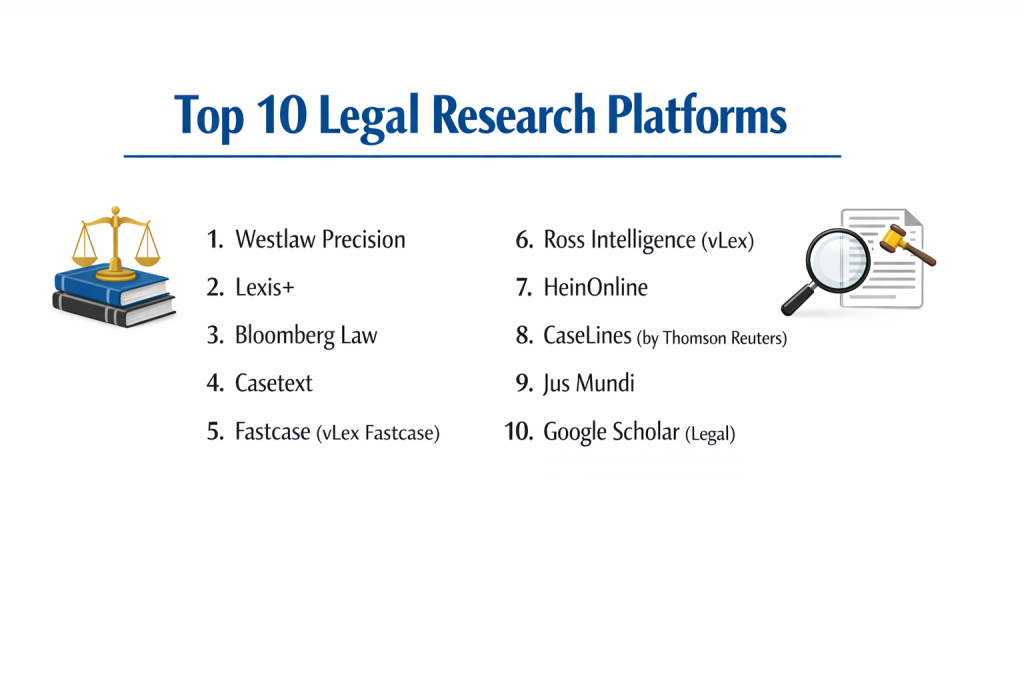
Top 10 Legal Research Platforms
1 — Westlaw Precision
Westlaw Precision is the most advanced version of the industry-leading platform from Thomson Reuters. It is known for its incredibly deep editorial content and its “Key Number System,” which organizes all of American law into specific topics.
Key features:
- KeyCite: A world-class citator that tells you if a case is still valid law.
- Precision Research: Allows you to filter cases by very specific facts, like “motion type” or “party type.”
- Westlaw Answers: An AI feature that lets you ask legal questions in plain, everyday language.
- Key Number System: A proprietary classification system that makes finding related cases very easy.
- Practical Law Integration: Access to thousands of checklists and templates for daily legal tasks.
Pros:
- The most comprehensive and accurate database of legal information in the world.
- The human-written summaries (Headnotes) make complex cases much easier to understand.
Cons:
- It is generally the most expensive option on the market.
- The platform has so many features that it can take a long time to learn them all.
Security & compliance: SOC 2, HIPAA, and GDPR compliant with high-level encryption.
Support & community: 24/7 access to “Reference Attorneys” who are actual lawyers ready to help you search.
2 — Lexis+
Lexis+ is the flagship platform from LexisNexis. It focuses on a “unified” experience, combining legal research, practical guidance, and litigation analytics into one single, modern interface.
Key features:
- Shepard’s Citations: The original and highly trusted citator for checking case validity.
- Context Analytics: Provides data-driven insights into the behavior of specific judges and courts.
- Search Tree: A visual map that shows you exactly how your search results were found.
- Brief Analysis: Upload your own legal document, and the AI will find cases you missed.
- Legal News: Integration with Law360 for real-time updates on legal developments.
Pros:
- Very intuitive and modern design that feels less “heavy” than older software.
- The litigation analytics are excellent for planning a strategy based on a judge’s past history.
Cons:
- The cost is high and often involves long-term, multi-year contracts.
- The search results can sometimes be overwhelming due to the sheer volume of data.
Security & compliance: ISO 27001 certified and GDPR compliant.
Support & community: Extensive online training modules and a very large global user network.
3 — Bloomberg Law
Bloomberg Law offers an “all-in” pricing model, which means you get access to everything—news, research, and analytics—for one flat fee. It is highly valued for its business and transactional legal data.
Key features:
- BCite Citator: A reliable tool for checking if cases are still good law.
- Dockets Search: Unrivaled access to federal and state court filings (dockets).
- Points of Law: AI that identifies the most important “rules” within a court opinion.
- Transaction Intelligence: Tools for researching mergers, acquisitions, and business deals.
- Integrated News: Access to Bloomberg’s world-class financial and legal news reporting.
Pros:
- No “hidden” costs—you won’t get a surprise bill for looking at a specific document.
- The best choice for corporate and financial lawyers who need business data alongside case law.
Cons:
- The search interface can feel a bit technical and less “human” than Lexis or Westlaw.
- Its collection of older, historical cases is sometimes not as deep as its rivals.
Security & compliance: SOC 2 Type II and data encryption at rest and in transit.
Support & community: Dedicated account managers and 24/7 live help desk.
4 — Casetext
Casetext gained fame by introducing “CARA AI,” a tool that reads your legal memos and finds relevant cases for you. It is a more affordable, tech-forward alternative to the “Big Two” platforms.
Key features:
- CoCounsel: An advanced AI assistant that can summarize documents and draft research memos.
- CARA AI: Simply upload a document to get a tailored list of matching case law.
- SmartCite: A simple-to-understand citator system for verifying law.
- Parallel Search: Uses AI to find cases that are conceptually similar, even if they don’t use the same keywords.
- Brief Vault: Access to thousands of actual briefs filed by other lawyers in similar cases.
Pros:
- Much more affordable for solo lawyers and small firms.
- The AI tools are very impressive and genuinely save hours of typing.
Cons:
- The database of secondary sources (treatises and commentaries) is smaller than Westlaw.
- It lacks the deep international coverage found in global platforms.
Security & compliance: SOC 2 and GDPR compliant.
Support & community: Very responsive online chat and a growing community of tech-savvy lawyers.
5 — Fastcase (vLex Fastcase)
Fastcase is known for being a high-quality, mid-range platform. Many state bar associations provide it for free to their members, making it one of the most widely used tools in the legal profession.
Key features:
- Interactive Timeline: A visual map of your search results that helps you find the most cited cases quickly.
- Forecite: Finds relevant cases that your search terms might have missed.
- Bad Law Bot: An automated tool that flags cases that have been treated negatively by other courts.
- Mobile App: One of the best mobile experiences for researching law on a phone or tablet.
- Cloud Linking: Automatically creates links to legal citations in your documents.
Pros:
- Extremely good value for the price, especially for solo practitioners.
- The visual search tools help you see trends in the law that text-only searches miss.
Cons:
- The citator (Bad Law Bot) is not as detailed or human-vetted as Shepard’s or KeyCite.
- The interface can feel a bit basic compared to the high-end premium tools.
Security & compliance: Varies by region; generally uses standard industry encryption.
Support & community: Strong support via email and phone, with many free webinars.
6 — Ross Intelligence (vLex)
Ross Intelligence was one of the first platforms to use IBM Watson’s AI. While it has gone through changes and is now part of the vLex family, it remains a powerful tool for natural language research.
Key features:
- Natural Language Processing: Allows you to search by asking a question just like you would to a colleague.
- Document Analyzer: Scans your motions to find legal weaknesses or missing citations.
- Case Summaries: Provides quick, AI-generated “gist” of long court opinions.
- vLex Global Database: Access to laws from over 100 countries.
- Personalized Alerts: Notifies you immediately when a new case matches your research topic.
Pros:
- The “Natural Language” search is very accurate and easy for beginners.
- The global reach of the vLex network is excellent for international law.
Cons:
- The transition between brands has made the pricing and features a bit confusing.
- It does not have the same level of practice guides as Westlaw or Lexis.
Security & compliance: ISO 27001 and GDPR compliant.
Support & community: Multilingual support and a broad international user base.
7 — HeinOnline
HeinOnline is the “academic’s choice.” It is a massive image-based database that focuses on law reviews, historical documents, and the most comprehensive collection of legal journals available.
Key features:
- Full Image View: Shows you the actual scanned pages of law journals and old books.
- Law Journal Library: Access to over 3,000 legal periodicals from their very first volume.
- U.S. Congressional Documents: Deep historical records of how laws were debated and passed.
- World Constitutions: A global collection of the founding documents of almost every country.
- ScholarCheck: A tool that shows how often an article or case has been cited in other academic works.
Pros:
- The best tool for deep, historical research and academic writing.
- The image-based format ensures that you are seeing exactly what was printed, which is great for court citations.
Cons:
- Not the best tool for “daily” case law research or finding a ruling that happened yesterday.
- The interface looks and feels like an old-fashioned library catalog.
Security & compliance: Standard web security and data privacy policies.
Support & community: Excellent help for librarians and researchers.
8 — Caselines (by Thomson Reuters)
Caselines is a specialized platform designed for evidence management and “in-court” research. It is used by judges and lawyers to manage the thousands of documents used during a trial.
Key features:
- Evidence Organization: Upload and tag thousands of exhibits, videos, and documents.
- Hyperlinked Bundles: Automatically creates links between your evidence and the relevant law.
- Courtroom Presentation: Allows you to present evidence on a screen for the judge and jury.
- Secure Collaboration: Private “notes” sections where legal teams can discuss evidence.
- Audit Trails: Tracks exactly who looked at which piece of evidence and when.
Pros:
- The absolute best for “paperless” trials and complex litigation.
- Saves hours of time that would usually be spent printing and organizing physical binders.
Cons:
- It is a tool for managing evidence, not a general search engine for finding new laws.
- Can be expensive to implement for smaller, one-off cases.
Security & compliance: CJIS (Criminal Justice Information Services) and GDPR compliant.
Support & community: High-level enterprise support for court systems and large firms.
9 — Jus Mundi
Jus Mundi is a highly specialized platform for international law and arbitration. If your work involves treaties between countries or global business disputes, this is the essential tool.
Key features:
- Arbitration Search: The world’s largest database of international arbitration awards and cases.
- Treaty Parser: AI that helps you compare the wording of different international treaties.
- Conflict of Interest Tool: Checks if a specific arbitrator or lawyer has a conflict in a global case.
- Multilingual Search: Find cases in English, French, Spanish, and more.
- Expert Directory: A curated list of international law experts and their histories.
Pros:
- The only tool that provides this level of detail for international and commercial arbitration.
- The AI-powered “Wiki” sections help explain complex international rules clearly.
Cons:
- Very niche; it is not useful for a lawyer doing simple local divorce or traffic law.
- Pricing is premium, reflecting the specialized nature of the data.
Security & compliance: GDPR compliant with secure data hosting in Europe.
Support & community: Strong community of international law professionals.
10 — Google Scholar (Legal)
Google Scholar is the best “free” tool for legal research. While it lacks the advanced features of paid platforms, it is an incredible resource for basic searches and for those who cannot afford a subscription.
Key features:
- Case Law Search: Access to federal and state court opinions for free.
- Cited By: See which other cases have mentioned the one you are reading.
- Alerts: Get an email whenever a new case is published that matches your keywords.
- Article Search: Find law review articles and academic papers (though some may be behind paywalls).
- Simple Interface: If you can use Google, you can use Google Scholar.
Pros:
- Completely free and accessible to everyone in the world.
- Extremely fast and covers a surprisingly large amount of American case law.
Cons:
- It has no “Citator”—it won’t tell you if a case is still valid law, which is very dangerous for professional use.
- There is no customer support and very few “advanced” filters.
Security & compliance: Standard Google privacy policy.
Support & community: No official support; user-driven help forums only.
Comparison Table
| Tool Name | Best For | Platform(s) Supported | Standout Feature | Rating |
| Westlaw Precision | High-Stakes Litigation | Web / Mobile | Key Number System | N/A |
| Lexis+ | Litigation Strategy | Web / Mobile | Shepard’s Citations | N/A |
| Bloomberg Law | Corporate / Business | Web | “All-In” Pricing | N/A |
| Casetext | AI-Driven Search | Web | CoCounsel AI Assistant | N/A |
| Fastcase | Small Firms / SMB | Web / Mobile | Interactive Timeline | N/A |
| vLex Fastcase | International Law | Web | 100+ Country Coverage | N/A |
| HeinOnline | Academics / History | Web | Image-based Archive | N/A |
| Caselines | Evidence Management | Web | Trial Presentation Tools | N/A |
| Jus Mundi | Int’l Arbitration | Web | Treaty Comparison AI | N/A |
| Google Scholar | Quick / Free Lookups | Web | 100% Free Access | N/A |
Evaluation & Scoring of Legal Research Platforms
| Criterion | Weight | What We Evaluate |
| Core Features | 25% | Citator accuracy, database size, and search algorithm quality. |
| Ease of Use | 15% | How simple it is to find a case without specialized training. |
| Integrations | 15% | Does it work with Word, Outlook, and case management tools? |
| Security | 10% | Encryption, SSO, and compliance with privacy laws (GDPR/HIPAA). |
| Performance | 10% | Speed of search results and mobile responsiveness. |
| Support | 10% | Access to live help and quality of tutorial documentation. |
| Price / Value | 15% | Is the feature set worth the cost compared to alternatives? |
Which Legal Research Platform Is Right for You?
Solo Users vs SMB vs Mid-Market vs Enterprise
For Solo Users or very small firms, Casetext or Fastcase are usually the best starting points. They provide professional-grade tools at a price that won’t break the bank. Mid-Market firms often choose Lexis+ because it offers a great balance of analytics and research. Large Enterprise firms and global companies almost always rely on Westlaw Precision because of its unmatched depth and the security of having 24/7 access to reference attorneys.
Budget-Conscious vs Premium Solutions
If you are strictly budget-conscious, Google Scholar is a great way to start your search, but you should always verify your findings on a paid platform before going to court. For those who want the best and have the budget, Westlaw and Lexis are the “premium” solutions. Bloomberg Law sits in the middle, offering a high-end experience with a predictable, flat-rate pricing model that avoids “per-search” charges.
Feature Depth vs Ease of Use
If you need deep, historical information or complex international law, you need the “Depth” of HeinOnline or Jus Mundi. However, if you want “Ease of Use,” Casetext is the winner. Its AI can essentially do the research for you if you provide it with a sample document, making it much easier for people who aren’t search experts.
Integration and Scalability Needs
If your law firm uses a lot of different software, you need a platform that integrates well. Westlaw and Lexis have the biggest ecosystems and can connect to almost any major legal software. For companies that are growing fast, Fastcase is very scalable because it is easy to add new users and is often already part of your bar association membership.
Security and Compliance Requirements
For government work or high-stakes corporate law, security is non-negotiable. Westlaw and Caselines are leaders here, offering the specific certifications (like CJIS) required for handling sensitive criminal or government data. Always ensure the tool you choose offers SSO (Single Sign-On) to keep your firm’s login process secure.
Frequently Asked Questions (FAQs)
What is a citator?
A citator is a tool that tracks the history of a court case. It tells you if the case has been overturned, questioned, or followed by other courts. It is the most important tool for ensuring your research is accurate.
Is Google Scholar enough for a real lawyer?
Generally, no. While it has the text of the law, it lacks a human-vetted citator. Using a case that has been overturned because you relied on a free search engine is a major professional risk.
Can I use these platforms on my phone?
Most modern platforms like Westlaw, Lexis, and Fastcase have excellent mobile apps that allow you to read cases and save research while you are in court or traveling.
How much does a subscription cost?
It varies widely. Simple platforms can cost $50 to $100 per month, while full enterprise access to Westlaw or Lexis for a large firm can cost thousands of dollars per month.
What are “Secondary Sources”?
These are documents written about the law, such as textbooks, practice guides, and law review articles. They help explain what the “primary law” (cases and statutes) actually means in practice.
Can AI replace human legal research?
AI is a powerful helper, but it is not a replacement. AI can find the data and summarize it, but a human lawyer must still apply that data to the specific facts of their client’s case.
Do these platforms cover international law?
Yes, but the level of coverage depends on the tool. vLex and Jus Mundi are the best for international law, while Westlaw and Lexis focus more heavily on the United States and UK.
What is “Natural Language” search?
It is the ability to type a question like “Can a landlord enter without notice in California?” instead of using complex search terms like “landlord /s enter /p notice.”
Why are some platforms so much more expensive?
The higher price usually pays for “editorial content.” This means human lawyers have read the cases, written summaries, and organized the information to make it easier for you to find.
How often is the law updated in these tools?
Top platforms like Westlaw and Lexis update their databases multiple times a day as new court rulings are released across the country.
Conclusion
In summary, selecting the right legal research platform is about choosing the best tool for your specific type of work. There is no “one size fits all” winner. If you are a trial lawyer handling complex litigation, the deep editorial insights of Westlaw Precision are worth the high price. If you are a solo attorney looking for efficiency, the AI-powered tools in Casetext can act like an extra assistant. And for those in the world of business and finance, Bloomberg Law offers the most practical integration of news and law.
The most important thing to remember is that legal research is the foundation of your legal work. Using a tool that is accurate, up-to-date, and easy to navigate is not just a matter of convenience—it is a matter of professional safety. Start by identifying the areas of law you work in most, set a clear budget, and take advantage of free trials to see which interface feels most natural to you. By picking the right platform, you are investing in your ability to provide the best possible service to your clients.