Introduction
Car rental management software is a specialized digital platform designed to help vehicle rental business owners handle their daily operations from a single dashboard. Instead of using paper logs or basic spreadsheets, this software automates everything from booking and fleet tracking to maintenance scheduling and invoicing. It acts as the central brain of the business, connecting your website’s booking engine with your physical inventory of cars.
The importance of this technology cannot be overstated in today’s fast-moving market. It reduces human error, prevents double-bookings, and ensures that vehicles are not sitting idle when they could be earning revenue. By automating repetitive tasks like sending rental agreements or processing payments, business owners can focus on growing their fleet rather than getting bogged down in paperwork.
Key Real-World Use Cases
- Fleet Tracking: Monitoring the location, mileage, and health of every vehicle in real-time.
- Automated Booking: Allowing customers to reserve cars through a website or mobile app without needing to call the office.
- Maintenance Management: Setting automatic alerts for oil changes, tire rotations, and insurance renewals to keep the fleet safe.
- Digital Paperwork: Using e-signatures for rental agreements, making the check-in and check-out process contactless and fast.
What to Look For (Evaluation Criteria)
When choosing a platform, focus on user experience, as your staff will use it every hour. Look for mobile compatibility so you can check cars in and out while standing in the parking lot. Scalability is also vital; you want a tool that grows from five cars to five hundred without requiring a total system change. Finally, ensure it has robust reporting so you can see which cars are making you the most money.
Best for: Small to large car rental agencies, peer-to-peer rental hosts, dealership loaner programs, and corporate fleet managers who need to track vehicle movement and revenue.
Not ideal for: Ride-sharing drivers who only operate one personal vehicle or logistics companies that focus purely on long-haul freight trucking rather than short-term passenger vehicle rentals.
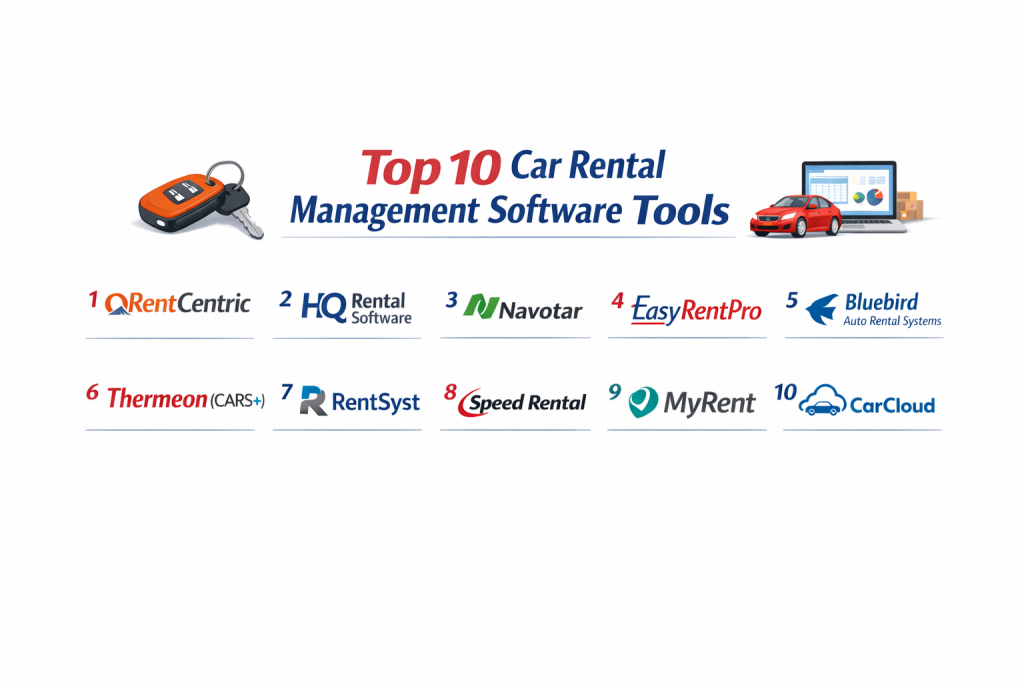
Top 10 Car Rental Management Software Tools
1 — RentCentric
RentCentric is a highly versatile platform that caters to traditional car rentals, car-sharing businesses, and even recreational vehicle rentals. It is designed for owners who want a high level of automation in their customer interactions.
- Key features:
- Mobile app for both operators and customers.
- Real-time GPS integration for fleet tracking.
- Automated billing and recurring payment processing.
- Digital signature capture for rental contracts.
- Advanced reporting for revenue and taxes.
- Insurance verification tools.
- Pros:
- Very flexible and works for many different types of vehicle rentals.
- Excellent automation reduces the need for manual data entry.
- Cons:
- The interface can feel a bit crowded for beginners.
- Initial setup requires a significant time investment.
- Security & compliance: Includes SSL encryption, PCI-compliant payment processing, and detailed user audit logs.
- Support & community: Offers comprehensive video tutorials, 24/7 technical support, and a dedicated account manager for larger fleets.
2 — HQ Rental Software
HQ Rental Software is built with a focus on a “web-first” approach, providing one of the best online booking engines in the industry to help businesses convert website visitors into paying customers.
- Key features:
- Plugin-based booking engine for easy website integration.
- Centralized calendar for managing all reservations.
- Maintenance module with automated service alerts.
- Third-party integrations with flight trackers and maps.
- Customer portal for managing reservations.
- Pros:
- Extremely user-friendly interface that requires little training.
- Excellent mobile responsiveness for managing the fleet on the go.
- Cons:
- Some advanced customization options are locked behind higher price tiers.
- The reporting features are less granular than some enterprise rivals.
- Security & compliance: GDPR compliant, utilizes secure cloud hosting, and features encrypted payment gateways.
- Support & community: Known for very responsive email and chat support and a helpful knowledge base.
3 — Navotar
Navotar is a cloud-based solution specifically designed to simplify the workflow of independent car rental agencies. It focuses on speed and efficiency during the “desk” part of the rental process.
- Key features:
- Single-page checkout process to save time.
- License plate recognition and driver’s license scanning.
- Damage tracking with photos and diagrams.
- Revenue management and dynamic pricing.
- Multi-location support for growing businesses.
- Pros:
- The license scanning feature significantly reduces check-in time.
- The visual damage tracker helps prevent disputes with customers.
- Cons:
- The mobile app can occasionally experience lag with large databases.
- Limited integrations with non-mainstream accounting software.
- Security & compliance: Offers SSO (Single Sign-On) capabilities and adheres to standard data protection laws.
- Support & community: Provides personalized onboarding and a steady stream of webinars for user education.
4 — EasyRentPro
EasyRentPro is a long-standing name in the industry, offering both cloud-based and on-premise solutions. It is best suited for small to medium-sized businesses looking for a cost-effective way to manage their fleet.
- Key features:
- Quick-view fleet availability calendar.
- Rate management for daily, weekly, and monthly rentals.
- Vehicle expense tracking and ROI analysis.
- Fine and traffic violation management.
- Multi-language support for international agencies.
- Pros:
- One of the most affordable options for smaller fleets.
- Reliable performance with very few technical glitches.
- Cons:
- The design looks a bit dated compared to modern web apps.
- Does not offer as many “smart” automated marketing features.
- Security & compliance: Standard database encryption and password-protected user roles.
- Support & community: Reliable email support and a very detailed user manual.
5 — Bluebird Auto Rental Systems
Bluebird is an enterprise-grade solution that has been around for decades. It is built to handle the complex needs of large franchises and dealerships.
- Key features:
- Comprehensive NetVu dashboard for high-level analytics.
- Deep integration with major dealership management systems (DMS).
- Advanced claims management and insurance billing.
- Automated credit card processing and authorization.
- Extensive fleet maintenance and lifecycle tracking.
- Pros:
- Incredibly robust; can handle thousands of vehicles without slowing down.
- Perfect for businesses with complex corporate structures.
- Cons:
- The learning curve is very steep for new employees.
- Pricing is generally higher, making it less ideal for “mom and pop” shops.
- Security & compliance: SOC 2 compliant and features high-level enterprise security protocols.
- Support & community: Large, established user base and professional on-site training options.
6 — Thermeon (CARS+)
Thermeon provides a premium system called CARS+ that is used by some of the biggest global brands. It is designed for high-volume environments like airports.
- Key features:
- High-speed transaction processing for busy counters.
- Integration with Global Distribution Systems (GDS).
- Sophisticated yield management to maximize profits.
- Corporate account management and billing.
- Electronic document storage.
- Pros:
- Exceptional at managing airport-specific logistics and fees.
- Highly customizable to fit specific regional laws and taxes.
- Cons:
- Requires a dedicated IT person or team to manage properly.
- Expensive setup and licensing costs.
- Security & compliance: Fully PCI-DSS compliant and supports international privacy standards.
- Support & community: Global support network with 24-hour coverage.
7 — RentSyst
RentSyst is a modern, sleek tool that focuses heavily on the “Internet of Things” (IoT). It connects directly to the vehicle’s hardware to provide live data without user input.
- Key features:
- VOS (Vehicle Optimization System) for live fuel and speed tracking.
- Auto-calculation of fines and mileage overages.
- Full CRM integration to manage customer relationships.
- Interactive task manager for cleaning and prep teams.
- Sleek, modern dashboard.
- Pros:
- The live vehicle data helps prevent theft and reckless driving.
- The interface is one of the most modern and beautiful on the market.
- Cons:
- Requires compatible GPS hardware in vehicles to use all features.
- The focus on tech might be overkill for simple daily rentals.
- Security & compliance: Uses advanced encryption for data transmission from vehicles to the cloud.
- Support & community: Active blog, help center, and direct chat support.
8 — Speed Rental
Speed Rental is designed to live up to its name by making the rental process as fast as possible. It is a mobile-first platform that works excellently on tablets.
- Key features:
- Quick mobile check-in/check-out with photo proof.
- Digital signature and instant email receipts.
- Daily, weekly, and monthly rental planners.
- Integrated payment gateway for instant deposits.
- Blacklist feature for problematic customers.
- Pros:
- Reduces customer wait times significantly.
- Very easy to use on a tablet while walking around the car.
- Cons:
- The desktop version is not as feature-rich as the mobile version.
- Limited advanced accounting features.
- Security & compliance: Standard cloud security and encrypted data backups.
- Support & community: Good documentation and responsive ticket-based support.
9 — MyRent
MyRent is a comprehensive management system that balances ease of use with deep functionality. It is particularly strong in its “multi-channel” booking approach.
- Key features:
- Channel manager to sync bookings from Expedia, Booking.com, etc.
- Visual fleet planning board.
- Automated email and SMS notifications.
- Vehicle purchase and sale tracking (Asset management).
- Mobile app for drivers.
- Pros:
- Excellent for businesses that get bookings from many different websites.
- Great balance of features for the price.
- Cons:
- Setting up the channel manager can be complex.
- Customer support response times can vary by region.
- Security & compliance: GDPR compliant and uses secure Amazon Web Services (AWS) hosting.
- Support & community: Helpful online community and a library of setup guides.
10 — CarCloud
CarCloud is a specialized tool that focuses on the digital marketing and booking side of car rentals. It is often used alongside other back-office tools or as a standalone for smaller fleets.
- Key features:
- High-converting booking engine.
- Managed hosting and security.
- Integration with marketing tools like Google Analytics.
- Flexible pricing rules and coupon codes.
- Mobile-optimized checkout.
- Pros:
- The best tool for driving more direct bookings through your website.
- No technical knowledge needed to get a professional booking site.
- Cons:
- Not as strong on the physical fleet management side (like maintenance).
- Focused more on the “front end” than the “back end.”
- Security & compliance: PCI compliance is handled by the platform.
- Support & community: Excellent support for marketing and web setup.
Comparison Table
| Tool Name | Best For | Platform(s) Supported | Standout Feature | Rating |
| RentCentric | Car Sharing & RVs | Web, iOS, Android | Automation Engine | N/A |
| HQ Rental | Web Bookings | Web, Mobile | Plugin Architecture | N/A |
| Navotar | Independent Agencies | Web, iOS, Android | License Scanning | N/A |
| EasyRentPro | Budget Conscious | Windows, Cloud | Cost-to-Value Ratio | N/A |
| Bluebird | Dealerships/Large Corp | Windows, Web | NetVu Analytics | N/A |
| Thermeon | Airport Locations | Web, Desktop | Yield Management | N/A |
| RentSyst | Tech-Heavy Fleets | Web, Mobile | IoT Vehicle Tracking | N/A |
| Speed Rental | Tablet Operations | Web, Tablet | Rapid Check-in | N/A |
| MyRent | Multi-channel Sales | Web, Mobile | Channel Manager | N/A |
| CarCloud | Marketing Focus | Web | Conversion Tools | N/A |
Evaluation & Scoring of Car Rental Management Software
The following scores represent how these tools generally perform against the most important industry needs.
| Category | Weight | Average Score | Description of Importance |
| Core Features | 25% | 9/10 | Includes booking, fleet tracking, and billing. |
| Ease of Use | 15% | 7/10 | How quickly staff can learn the system. |
| Integrations | 15% | 8/10 | Connection to GPS, Accounting, and Payment tools. |
| Security | 10% | 9/10 | Data protection and PCI compliance for payments. |
| Performance | 10% | 8/10 | System uptime and speed during peak hours. |
| Support | 10% | 7/10 | Quality of help desk and training materials. |
| Price / Value | 15% | 8/10 | The return on investment for the business. |
Which Car Rental Management Software Tool Is Right for You?
Solo Users vs. SMB vs. Mid-Market vs. Enterprise
If you are a solo user or a small family business, look for simplicity and low monthly costs. Tools like EasyRentPro or Osano (for privacy) are great. SMBs need more automation to replace manual labor, making HQ Rental a top choice. Enterprises and large franchises must prioritize stability and deep data; for them, Bluebird or Thermeon are the gold standards.
Budget-Conscious vs. Premium Solutions
If every dollar counts, a tool like EasyRentPro offers the essentials without the high price tag. However, if you have the budget, RentSyst or RentCentric provide “premium” features like IoT tracking and full automation that can actually save you more money in the long run by preventing theft and reducing staff hours.
Feature Depth vs. Ease of Use
There is always a trade-off. Bluebird has the most features but is hard to learn. Speed Rental is very easy to use but has fewer features. Choose based on your staff’s technical ability. If you have a high turnover of seasonal staff, pick the easiest tool possible to reduce training time.
Integration and Scalability Needs
Do you plan to grow from 10 cars to 100? If so, choose a cloud-based tool like Navotar or MyRent. These allow you to add new vehicles and even new locations with a few clicks. Also, ensure the tool integrates with the accounting software (like QuickBooks) that you already use.
Frequently Asked Questions (FAQs)
1. What is car rental management software?
It is a digital platform that automates the booking, billing, and tracking of rental vehicles. It replaces manual logs with a central database.
2. Is it hard to move my data from spreadsheets to a new software?
Most modern tools allow you to upload a CSV file of your fleet. Support teams usually help with this during the onboarding phase.
3. Does the software include GPS tracking?
Some tools like RentSyst have it built-in, while others integrate with third-party GPS providers. It depends on the specific software.
4. Can I use these tools on my phone?
Yes, most top-tier tools offer mobile apps or mobile-responsive websites so you can manage the fleet from the parking lot.
5. How does the software handle vehicle damage?
Most tools allow you to take photos of the car before and after a rental and mark damages on a digital diagram to avoid disputes.
6. Can I accept credit cards through the software?
Yes, they integrate with payment gateways like Stripe or PayPal to process payments and hold security deposits securely.
7. Does the software help with taxes?
Yes, most systems can be programmed with your local tax rates and will generate reports showing how much tax you have collected.
8. Can I manage multiple locations?
Enterprise and mid-market tools are specifically designed to sync data across different branches or city locations.
9. Is my customer data safe?
Reputable software uses encryption and secure cloud hosting to protect sensitive info like driver’s license numbers and credit card details.
10. What happens if the internet goes down?
Cloud-based tools require internet, but many have mobile apps that can work offline and sync once the connection is restored.
Conclusion
Selecting the right car rental management software is one of the most important decisions you will make for your business. The right tool acts as a silent partner, handling the boring paperwork and technical details while you focus on customer service and fleet growth.
The “best” tool is never a single winner for everyone. A small business will find an enterprise tool too complex and expensive, while a large agency will find a budget tool too limited. Focus on your specific needs: do you need better web bookings, faster check-ins, or better maintenance tracking? By matching your biggest “pain point” to the software’s strongest feature, you will find the perfect fit for your agency’s future.