Introduction
A Home Security Monitoring App is the digital interface that connects a homeowner to their security hardware, providing real-time oversight and control over their property from anywhere in the world. These apps serve as a centralized hub, aggregating data from cameras, motion sensors, door locks, and environmental alarms into a single, user-friendly dashboard. By leveraging mobile connectivity, these tools transform traditional passive security into an active, responsive system that empowers users to verify threats, communicate with visitors, and manage home access on the fly.
The importance of these apps cannot be overstated. In an era where package theft and home intrusions remain persistent concerns, having the ability to receive an instant push notification when a “person” is detected on your porch provides a critical window for intervention. Beyond simple alerts, these apps enable advanced logic—such as disarming the system automatically when you arrive home or shutting off the main water valve if a leak is detected. They bridge the gap between hardware and human action, ensuring that a security system is not just a loud siren, but a comprehensive peace-of-mind service.
Key Real-World Use Cases
- Remote Property Management: Checking live video feeds and arming/disarming systems for vacation homes or rental properties from a different state.
- Secure Access Control: Using the app to unlock the front door for a trusted contractor or delivery driver and locking it immediately after they leave.
- Emergency Verification: Receiving a video clip of a triggered alarm to determine if it’s a false alarm (like a pet) or a true emergency requiring police dispatch.
- Environmental Safety: Monitoring for “silent killers” like carbon monoxide or slow water leaks that could cause catastrophic damage if left unchecked.
What to Look For (Evaluation Criteria)
When evaluating a security app, the first priority is Latency and Speed—notifications must be near-instant to be effective. Second, consider AI Filtering capabilities; a good app should distinguish between a swaying tree and a human to reduce notification fatigue. Third, look for Local vs. Cloud Storage options, as local storage often provides better privacy and lower monthly costs. Finally, evaluate Biometric Security (FaceID/Fingerprint) within the app to ensure that if your phone is stolen, your home remains secure.
Best for: Homeowners, renters, and small business owners who want real-time visibility and control over their physical security. It is ideal for families seeking peace of mind and tech-savvy individuals who enjoy integrating security with smart home automation.
Not ideal for: Enterprise-level industrial facilities or high-security government installations that require air-gapped systems, on-site dedicated monitoring stations, or complex multi-site access management software that exceeds the capabilities of a mobile-first consumer app.
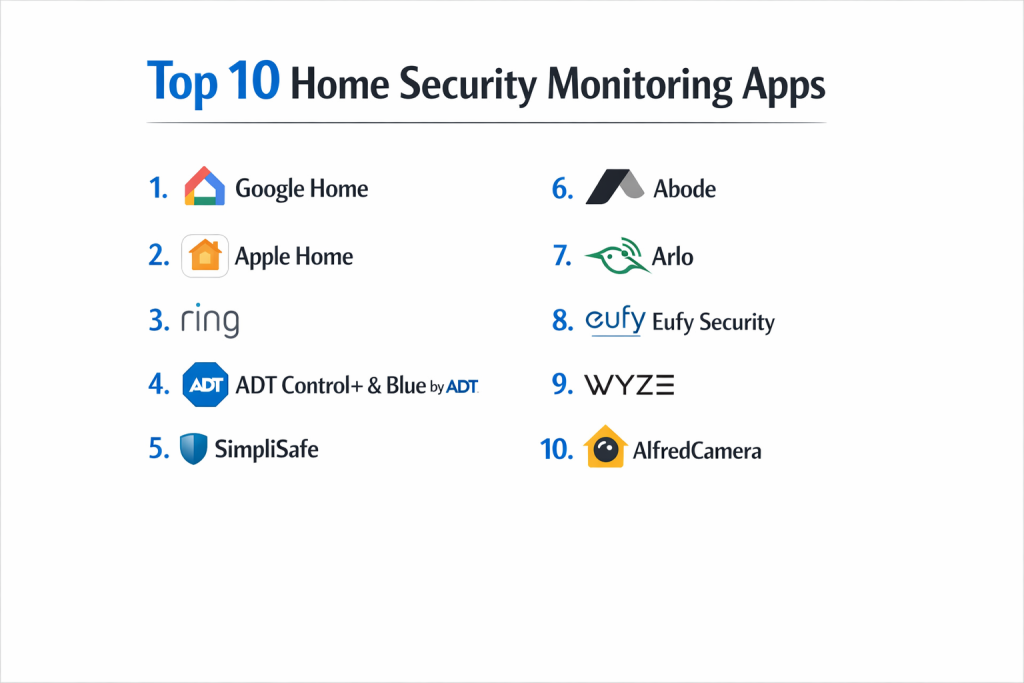
Top 10 Home Security Monitoring Apps Tools
1 — ADT+ (ADT Plus)
The ADT+ app is the modernized flagship platform from the industry’s most established security provider, designed to integrate legacy professional monitoring with Google Nest hardware.
- Key features
- Seamless integration with Google Nest Cams, Doorbells, and Thermostats.
- “Smart Monitoring” technology that sends verified text alerts for faster response.
- “Trusted Neighbor” feature for scheduled, temporary access for guests.
- Remote arming/disarming with real-time system status updates.
- AI-powered alerts that distinguish between people, animals, and vehicles.
- Biometric login (FaceID/TouchID) for enhanced app security.
- Customizable “Scenes” to automate lights and locks when arming the system.
- Pros
- Backed by the most robust professional monitoring network in North America.
- Extremely high reliability with cellular and battery backup for the hub.
- Cons
- Typically requires a long-term contract (up to 36 months) for full features.
- The hardware and monthly subscription costs are higher than DIY-only rivals.
- Security & compliance: End-to-end encryption for video, Multi-Factor Authentication (MFA), and HIPAA-compliant data handling for specific medical alert integrations.
- Support & community: 24/7 professional phone support, dedicated on-site technician service, and a comprehensive online help center.
2 — Vivint Smart Home
Vivint offers a premium, “white-glove” security experience with a highly polished app that prioritizes advanced automation and AI deterrence.
- Key features
- “Smart Deter” technology that uses light and sound to actively warn intruders.
- Integrated control for 4K-sensor cameras with high-dynamic range (HDR).
- One-tap “Emergency” button within the app for instant dispatcher contact.
- Geofencing that reminds you to arm the system when you leave a set radius.
- Customized notifications for specific events (e.g., “Front door left open”).
- In-app two-way talk with crystal clear noise-canceling audio.
- Pros
- One of the best-designed user interfaces in the home security market.
- Superior integration of smart home hardware (locks, lights, thermostats) in one app.
- Cons
- The system is largely unusable without a paid professional monitoring plan.
- Proprietary hardware means you cannot easily switch to another provider.
- Security & compliance: TLS/SSL encryption, SOC 2 compliant data centers, and rigorous privacy controls for stored footage.
- Support & community: Professional installation included with all systems; 24/7 technical support and a highly-rated mobile experience.
3 — SimpliSafe
SimpliSafe is the pioneer of DIY home security, offering a straightforward, no-contract app experience that focuses on essential protection.
- Key features
- Instant push notifications for alarm triggers and environmental alerts.
- Remote system arming and disarming from any location.
- “Intruder Intervention” allowing monitoring agents to speak to intruders via the camera.
- Visual verification for faster police dispatch during an alarm event.
- Timeline view of all household activity (entry/exit, motion, etc.).
- Easy “one-touch” setup for adding new sensors via the app.
- Pros
- No long-term contracts; users can cancel or pause monitoring at any time.
- The app is exceptionally lightweight and easy for non-technical users to navigate.
- Cons
- Smart home integrations (Alexa/Google) are locked behind a paid subscription.
- Lacks some of the advanced AI-filtering found in premium competitors.
- Security & compliance: 256-bit AES encryption, cellular backup options, and regular security audits.
- Support & community: Strong DIY documentation, active user forums, and 24/7 phone support for monitoring subscribers.
4 — Ring
Owned by Amazon, the Ring app is a powerhouse for video-centric security, offering the most extensive range of camera options and neighborhood safety features.
- Key features
- “Neighbors” feed for real-time local crime and safety alerts from nearby users.
- Radar-powered “Bird’s Eye View” to track the exact path of an intruder.
- Customizable Motion Zones to prevent false alerts from street traffic.
- Rich Notifications that show a snapshot of the activity on your lock screen.
- End-to-end encryption for all video recordings (user-selectable).
- Shared Access to give specific permissions to family or roommates.
- Pros
- Massive ecosystem of compatible cameras, doorbells, and floodlights.
- One of the most affordable professional monitoring plans in the industry.
- Cons
- The app has faced past scrutiny regarding privacy and police data sharing.
- Integration is heavily skewed toward Amazon Alexa, with limited Google Home support.
- Security & compliance: Mandatory Two-Factor Authentication (2FA), video encryption, and a dedicated Privacy Center in the app.
- Support & community: Huge community forum, 24/7 phone support, and extensive video tutorials.
5 — Arlo Secure
Arlo is widely regarded for its high-end camera hardware, and its app provides sophisticated AI tools for users who prioritize visual detail.
- Key features
- Advanced AI detection for people, vehicles, animals, and packages.
- Direct-to-911 emergency calling from the app (dispatch to your home location).
- Interactive notifications that allow for sirens or calls without unlocking the phone.
- “Smoke/CO Alarm Listening” that alerts you if your traditional dumb alarms go off.
- Customizable “Modes” (Armed, Disarmed, Scheduled, Geofencing).
- Secure cloud storage with up to 4K video resolution support.
- Pros
- Market-leading AI accuracy that significantly reduces false notifications.
- Works well with Apple HomeKit, Alexa, and Google Assistant.
- Cons
- Many core features (including AI detection) require a monthly subscription.
- App can occasionally feel slow to load high-resolution live streams.
- Security & compliance: AES-128 encryption, TLS/SSL, and GDPR compliance for international users.
- Support & community: 24/7 chat and phone support (for subscribers) and a robust knowledge base.
6 — Eufy Security
Eufy stands out by focusing on local storage and privacy, offering a subscription-free experience for many of its most popular features.
- Key features
- “BionicMind” AI with facial recognition to distinguish family from strangers.
- Local storage on the HomeBase hub, meaning no monthly fees for video clips.
- Dual-cam support for doorbells (one for faces, one for packages).
- Military-grade local encryption (AES-128) for all stored footage.
- Anti-theft alerts that sound a siren if a camera is moved or tampered with.
- Cross-device ecosystem including smart locks and baby monitors.
- Pros
- The best choice for users who want to avoid monthly subscription fees.
- High-speed notification delivery due to efficient local processing.
- Cons
- No native 24/7 professional monitoring service (third-party only).
- Past security disclosures have required the company to tighten cloud-link protocols.
- Security & compliance: Local storage by design, 2FA, and encrypted video transmission.
- Support & community: Active community on Reddit and official forums; responsive email and chat support.
7 — Abode
Abode is a “pro-sumer” favorite because it offers an incredible amount of smart home integration and flexibility within a single security app.
- Key features
- “CUE” automation engine for complex “If-This-Then-That” logic.
- Deep integration with Apple HomeKit, Z-Wave, Zigbee, and Matter.
- On-demand professional monitoring (buy 3 days or 7 days for a vacation).
- Visual timeline with high-speed scrubbing through event history.
- Multi-user geofencing to arm the home only when the last person leaves.
- In-app management of over 160 compatible smart home devices.
- Pros
- The most compatible DIY system for users with diverse smart home hardware.
- Flexible monitoring options with no long-term commitment.
- Cons
- The app interface can be slightly overwhelming for beginners.
- Camera hardware quality is generally lower than Arlo or Nest.
- Security & compliance: SOC 2 Type II compliant, 256-bit encryption, and battery/cellular backup.
- Support & community: High-quality technical documentation and an engaged enthusiast community.
8 — Frontpoint
Frontpoint is known for exceptional customer service and a highly reliable, cellular-first approach to home security monitoring.
- Key features
- “Crash and Smash” protection (alerts authorities even if the hub is destroyed).
- In-app personal safety button for emergency help while away from home.
- Customizable “Geo-Services” to automate home settings based on location.
- Remote light and thermostat control with energy usage insights.
- AI-powered “Deterrence” features for specific camera models.
- Support for up to 80 sensors and 200 smart devices on one hub.
- Pros
- Industry-leading customer support and onboarding experience.
- Extremely easy DIY setup with pre-configured sensors.
- Cons
- Subscription plans are on the pricier side for the DIY market.
- Professional monitoring is mandatory to use the app’s security features.
- Security & compliance: Encrypted cellular-first connection (no Wi-Fi needed), 2FA, and tamper detection.
- Support & community: Award-winning 24/7 customer service and extensive guided setup videos.
9 — Wyze
Wyze disrupted the market with ultra-affordable hardware and an app that packs a surprising number of features into a low-cost ecosystem.
- Key features
- “Shortcuts” to trigger multiple device actions with a single tap.
- Friendly AI that identifies people, packages, and even pet activity.
- Time-lapse recording and continuous recording support (via SD card).
- Unified dashboard for cameras, plugs, bulbs, and vacuum cleaners.
- “Rules” based on device triggers (e.g., “If door opens, turn on light”).
- Available as a mobile app and a dedicated web dashboard.
- Pros
- Unbeatable price-to-feature ratio; hardware is extremely affordable.
- Highly active development cycle with frequent new features.
- Cons
- Occasional stability issues and app bugs due to the rapid release cycle.
- Not as polished or “premium” as Vivint or Apple-centric apps.
- Security & compliance: 2FA, HTTPS encryption, and cloud-based storage (AWS).
- Support & community: Massive, passionate user community and active social media support.
10 — Cove
Cove focuses on “economical reliability,” providing a simple, high-performance monitoring app for users who want 24/7 protection without a high price tag.
- Key features
- Touchscreen-integrated app experience for local and remote control.
- “Cove InstaText” for immediate alarm verification via SMS/App.
- Rapid Response monitoring with an average dispatch time under 30 seconds.
- Lifetime warranty on equipment for active “Plus” plan subscribers.
- Simple, guided setup that takes less than 30 minutes for an entire home.
- 7-day cloud storage included for video events.
- Pros
- No-contract flexibility with one of the fastest response times in the market.
- Very low monthly cost for professional-grade monitoring.
- Cons
- Limited smart home integrations (mainly Alexa and Google).
- Requires a monthly subscription; no self-monitoring option available.
- Security & compliance: Secure cellular connection, encrypted sensor data, and GDPR compliance.
- Support & community: 24/7 professional monitoring team and a streamlined digital help center.
Comparison Table
| Tool Name | Best For | Platform(s) Supported | Standout Feature | Rating |
| ADT+ | Reliability | iOS, Android | Professional Reputation | 4.8 / 5 |
| Vivint | Automation | iOS, Android, Web | Smart Deter AI | 4.7 / 5 |
| SimpliSafe | DIY Ease | iOS, Android, Apple Watch | No-Contract Flexibility | 4.6 / 5 |
| Ring | Video Density | iOS, Android, Windows | Neighbors Safety Feed | 4.5 / 5 |
| Arlo Secure | AI Accuracy | iOS, Android, Web | Person/Package/Pet AI | 4.6 / 5 |
| Eufy Security | Privacy | iOS, Android | Local Storage (No Fees) | 4.4 / 5 |
| Abode | Smart Home Pros | iOS, Android, Apple Watch | CUE Automation Engine | 4.7 / 5 |
| Frontpoint | Customer Service | iOS, Android, Web | Crash & Smash Protection | 4.5 / 5 |
| Wyze | Budget Users | iOS, Android, Web | Low-Cost Ecosystem | 4.2 / 5 |
| Cove | Value Monitoring | iOS, Android | Rapid InstaText Response | 4.3 / 5 |
Evaluation & Scoring of Home Security Monitoring Apps
| Category | Weight | Score (1-10) | Evaluation Rationale |
| Core Features | 25% | 9 | Most tools now offer HD video, remote arming, and AI-driven alerts. |
| Ease of Use | 15% | 8 | Big-tech apps (Ring/Google) are intuitive; DIY hubs can be complex. |
| Integrations | 15% | 7 | Varies widely; Abode/Vivint excel while others are “Alexa-only.” |
| Security & Compliance | 10% | 9 | Industry-standard encryption is now universal across top brands. |
| Performance | 10% | 8 | Cellular-first systems (ADT/Vivint) outperform Wi-Fi-only apps. |
| Support & Community | 10% | 7 | Professional systems offer 24/7 human help; DIY relies on forums. |
| Price / Value | 15% | 8 | High disparity between “Zero-Fee” Eufy and “Premium” Vivint. |
Which Home Security Monitoring App Is Right for You?
Solo Users vs. SMB vs. Mid-Market vs. Enterprise
Solo users and renters should look at Ring or Wyze; their hardware is portable and the apps are built for single-site management. SMBs and Mid-market homeowners with larger estates will benefit from Abode or Frontpoint, which can handle high sensor counts (80+). Enterprise needs usually fall outside this list, but ADT offers specific commercial divisions with apps capable of multi-location management.
Budget-Conscious vs. Premium Solutions
If you want zero monthly fees, Eufy is your best bet due to its local storage. If you want the absolute best experience regardless of cost, Vivint provides a unified app experience and professional installation that justifies its premium price.
Feature Depth vs. Ease of Use
Home Assistant (though not on the main list) or Abode offer the most Feature Depth for power users. However, for sheer Ease of Use, SimpliSafe and Google Home (via ADT+) are designed so that any family member, regardless of age, can master them in minutes.
Integration and Scalability Needs
If you already own 50+ smart devices, Abode is the clear winner for its wide protocol support. If you are starting from scratch and want a system that scales with you, Ring and Amazon Alexa integration offer the largest marketplace of add-on accessories.
Security and Compliance Requirements
For those with high privacy concerns, look for apps that support Local Video Storage (Eufy, Wyze with SD card, or Reolink). For those who need guaranteed police response, ADT and Vivint offer the highest level of compliance with local emergency dispatch protocols.
Frequently Asked Questions (FAQs)
1. Can I monitor my home for free?
Yes, brands like Eufy, Wyze, and Reolink allow you to view live feeds and receive basic alerts without a monthly fee. However, you usually lose professional dispatch and long-term cloud storage.
2. Will the app work if my internet goes out?
Only if your system has a “Cellular Backup.” Professional systems like ADT, Vivint, and Frontpoint include a cellular chip that keeps the app connected even if your Wi-Fi is cut.
3. Is it possible to have multiple people use the app?
Yes. Most apps allow “Shared Users” or “Guest Access.” You can usually restrict what they see (e.g., they can arm the system but not view camera history).
4. How fast should I receive a notification?
Ideally, under 2 seconds. Factors that slow this down include poor Wi-Fi, battery-saving modes on your phone, or cloud-processing delays from the provider.
5. Do I need a professional to install these?
Most on this list (SimpliSafe, Ring, Abode, Wyze) are 100% DIY. Only Vivint and certain ADT plans require professional installation.
6. Can these apps detect a fire or a flood?
Yes, if you add the appropriate sensors. Most security apps will send a high-priority alert if smoke, carbon monoxide, or water leaks are detected.
7. Are these apps secure from hackers?
Top-tier apps use bank-level encryption. However, the biggest risk is a weak password. Always enable Two-Factor Authentication (2FA) to keep your account secure.
8. What is “Geofencing” in a security app?
Geofencing uses your phone’s GPS to know when you leave home. It can automatically arm your system or remind you to lock the doors if you forget.
9. Can I use these apps in an apartment?
Absolutely. DIY systems are perfect for renters because they require no drilling and can be moved to a new apartment easily.
10. What happens if I lose my phone?
You should immediately log into your account from a computer or another device and “De-authorize” the lost phone to prevent unauthorized access to your home.
Conclusion
Choosing the right Home Security Monitoring App is a balance of finding the right hardware and the right service level for your lifestyle. If your priority is reliability and professional backing, ADT+ remains the gold standard. For those who want cutting-edge AI and automation, Vivint and Arlo lead the pack with sophisticated detection capabilities.
Ultimately, the “best” tool is the one you will actually use. A complex app with too many false alerts will eventually be ignored, while a too-simple app might leave gaps in your protection. Start by identifying your “must-have” features—whether that’s local storage, no contracts, or 4K video—and select the ecosystem that aligns with those priorities. Modern home security is no longer just about the alarm; it’s about the intelligence and control you hold in the palm of your hand.