Introduction
A home automation hub is the central brain of a smart home. It is a dedicated device, sometimes software running on existing hardware, that connects all your different smart gadgets—like lights, locks, thermostats, and sensors—and allows them to work together as a single, unified system. Instead of controlling each device through its own separate app, a hub lets you create powerful automated routines and control everything from one place.
This centralization is crucial because it solves the problem of smart home fragmentation. Without a hub, you’re stuck with a collection of disconnected “islands” of automation. A hub bridges the gap between different wireless technologies (like Zigbee, Z-Wave, Wi-Fi, and Bluetooth) and brands, allowing you to set up advanced commands like, “When I come home after sunset, turn on the hallway lights and adjust the thermostat.”
In real life, home automation hubs enable use cases like creating a “Goodnight” scene that locks doors, turns off lights, and arms security with one voice command, or setting up a water leak sensor to automatically shut off the main water valve. They bring true automation to life. When choosing a hub, you must consider its supported wireless protocols, the size and quality of its device compatibility list, the power and flexibility of its automation engine, its user interface and ease of setup, and its approach to local vs. cloud processing for reliability and speed.
Best for: Home automation hubs are ideal for tech-savvy homeowners, renters, and smart home enthusiasts who want a cohesive and powerful automated home experience that goes beyond basic voice control. They are also essential for custom smart home installers and professionals.
Not ideal for: Someone who only wants to control one or two simple smart plugs or bulbs with their voice may not need a dedicated hub, as Wi-Fi devices controlled by a voice assistant (like an Amazon Echo) can suffice. They are also not ideal for users who want a completely plug-and-play, zero-configuration experience with no technical tinkering.
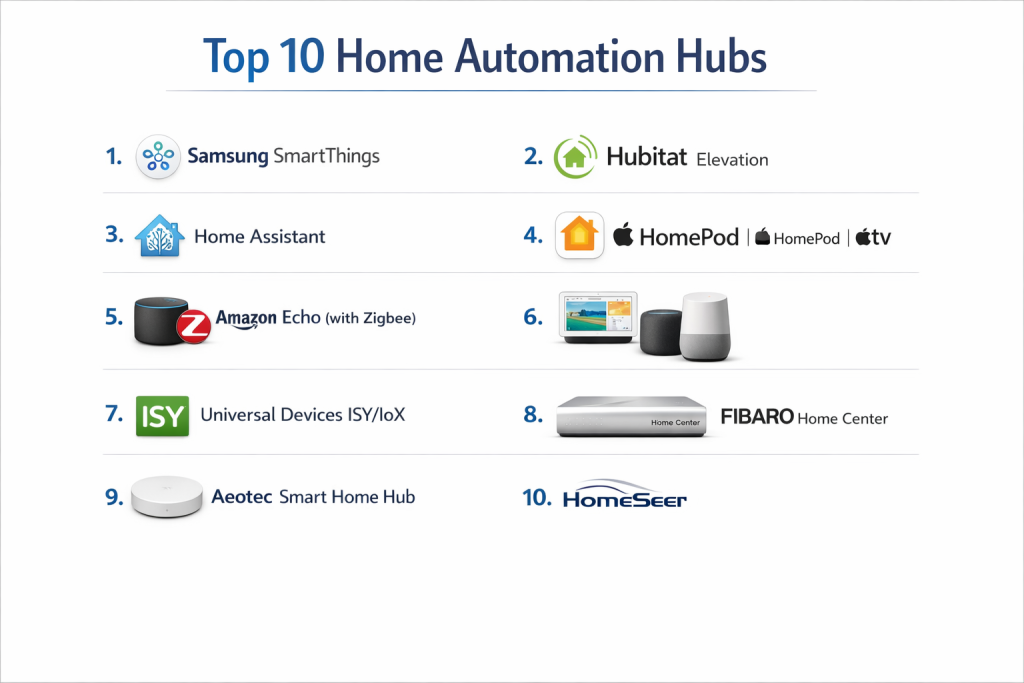
Top 10 Home Automation Hubs
This guide explores the leading platforms that serve as the command center for a modern smart home.
1 — Home Assistant
Home Assistant is a powerful, open-source home automation platform that runs on your own hardware (like a Raspberry Pi or a server). It is designed for maximum local control, privacy, and near-limitless customization for technically inclined users.
Key features:
- Completely local control; operates without an internet connection or cloud dependency.
- Massive compatibility with thousands of devices via a vast library of community-built “integrations.”
- Extremely powerful and flexible automation engine using a visual editor or YAML code.
- A customizable, user-created dashboard for controlling your home.
- Strong focus on data privacy and security by keeping everything in your home.
- Active development with frequent updates and new features.
Pros:
- Unparalleled device support and customization potential.
- No monthly fees and full ownership of your system and data.
- Incredibly reliable because it works locally, even if your internet goes down.
Cons:
- The steepest learning curve of any hub; requires technical comfort and time to set up.
- No official customer support; relies on community forums and documentation.
- User interface can feel complex and less polished compared to consumer products.
Security & compliance: Security is in your hands. It provides tools for local encryption and secure remote access, but the setup and maintenance are the user’s responsibility. Complies with user-managed data privacy.
Support & community: Entirely community-driven. It has one of the largest, most active, and helpful communities in smart home technology, with extensive forums, documentation, and YouTube tutorials.
2 — Samsung SmartThings
SmartThings is one of the most popular consumer-focused hubs. Now focused on its third-generation Hub and new app, it balances wide compatibility with a more user-friendly approach than fully DIY platforms.
Key features:
- Broad support for Zigbee, Z-Wave, and Wi-Fi devices (via cloud integrations).
- User-friendly mobile app with Scenes and Automations (now called “Routines”).
- Strong ecosystem with many first-party (Samsung) and third-party partner devices.
- Cloud-based processing for automations with some local execution for basic rules.
- Integration with Samsung’s broader ecosystem (TVs, appliances) and Bixby/Alexa/Google Assistant.
- “SmartThings Station” with built-in wireless charging and smart button.
Pros:
- Great balance of power and accessibility for mainstream users.
- Huge catalog of compatible devices, making it easy to find what works.
- Relatively easy to set up and create basic to intermediate automations.
Cons:
- Reliance on the cloud for advanced automations can mean delays or downtime if Samsung’s servers have issues.
- The platform has undergone significant changes, sometimes discontinuing features, which can frustrate long-time users.
- Less flexible and customizable than open-source platforms like Home Assistant.
Security & compliance: Samsung employs standard cloud security practices. Data is stored and processed in the cloud. They have privacy policies and security teams, but ultimate control is not local.
Support & community: Official support from Samsung. Has a large user community and developer ecosystem. Documentation is generally good for common tasks.
3 — Hubitat Elevation
Hubitat Elevation is a hub designed explicitly for users who want the local processing and reliability of Home Assistant but with a more packaged, user-friendly appliance-like experience.
Key features:
- 100% local processing; all automations and logic run directly on the hub hardware.
- Support for Zigbee and Z-Wave radios built-in.
- Powerful, rule-based automation engine (Rule Machine) and a simpler app creator.
- Web-based and mobile interfaces for control and setup.
- Focus on speed, reliability, and privacy.
- Active community that creates and shares custom “device drivers” and apps.
Pros:
- Lightning-fast automations and responses because everything is local.
- More approachable than Home Assistant for users who prefer a dedicated device with a web interface.
- No internet dependency for core functions and strong privacy stance.
Cons:
- The user interface, while functional, is less polished and modern than cloud-based apps.
- Adding some non-standard devices requires community-created drivers, which can be technical.
- Smaller overall market share than SmartThings or Home Assistant, so fewer first-party integrations.
Security & compliance: As a locally processed system, your data stays at home. The hub itself has security features, and the model minimizes cloud-based attack vectors.
Support & community: Official support is available. Has a dedicated, knowledgeable, and very helpful community forum where developers and users collaborate closely.
4 — Apple HomeKit / Home App
Apple’s HomeKit is not a physical hub you buy separately; it’s a framework and app built into iOS. The required “hub” function is provided by an always-on Apple device like a HomePod, HomePod mini, or Apple TV. It’s designed for users deeply invested in the Apple ecosystem who prioritize simplicity and security.
Key features:
- Tight integration with iOS, iPadOS, and macOS via the native Home app and Siri.
- Strong focus on security and privacy with end-to-end encryption for HomeKit data.
- “Matter” support built-in for future-proof device compatibility.
- User-friendly, visually appealing interface for creating scenes and automations.
- Reliable, consistent experience across Apple devices.
- Requires Apple-certified “Works with HomeKit” devices for seamless setup.
Pros:
- The most secure and privacy-focused mainstream ecosystem.
- Exceptionally easy and reliable setup for certified devices (using QR/NFC codes).
- Seamless experience for iPhone, iPad, and Mac users.
Cons:
- The most limited device ecosystem of the major platforms, though growing with Matter.
- Automations are less powerful and flexible than in advanced hubs (no complex conditional logic).
- Locked into Apple’s ecosystem; Android or Windows users have no control interface.
Security & compliance: Industry-leading with end-to-end encryption for all home automation commands and data. A key selling point for privacy-conscious users.
Support & community: Official support through Apple. The community is large but focused more on general Apple product use than deep automation tinkering.
5 — Amazon Alexa / Echo Hub
While Alexa is a voice assistant, the Echo ecosystem, particularly with devices like the Echo Hub or Echo Show 15, can function as a centralized control panel. Its “hub” capabilities are primarily for Zigbee devices and Matter, with most logic processed in the cloud.
Key features:
- Built-in Zigbee radio in many Echo devices (4th Gen, Echo Show 10, Echo Hub).
- Support for the new Matter smart home standard.
- Voice control as the primary interface, complemented by touch screens on Show devices.
- “Routines” allow for basic multi-device automations based on time, voice, or device triggers.
- Vast compatibility with Wi-Fi devices via “Skills” (cloud-to-cloud integrations).
- The Echo Hub provides a dedicated, wall-mounted dashboard.
Pros:
- Incredibly easy to start with if you already own an Echo speaker.
- The most natural voice control experience for many users.
- Huge number of compatible Wi-Fi devices via Skills.
Cons:
- Very limited local control; nearly everything requires an internet connection.
- Automation capabilities are basic and less reliable than dedicated hubs.
- Privacy concerns for users wary of an always-listening microphone from an advertising company.
Security & compliance: Amazon has robust cloud security infrastructure. Data and voice recordings are stored and processed by Amazon, subject to their privacy policy. Local processing is minimal.
Support & community: Official support from Amazon. A massive user base, but community development is less focused on deep automation compared to open-source platforms.
6 — Google Home / Nest Hub
Similar to Amazon, Google’s ecosystem uses Google Assistant and devices like the Nest Hub Max or Nest Hub (2nd Gen) as central points. It supports Matter and Thread and aims for simple, user-friendly setup through the Google Home app.
Key features:
- Support for Matter and Thread protocols for robust, local communication where supported.
- Google Assistant voice control integrated throughout.
- The Google Home app provides device control and basic “Routines.”
- Nest displays act as central touchscreen dashboards.
- Focus on smart home/display integration (e.g., doorbell camera feed on Nest Hub).
- Works best with Google/Nest products and “Works with Google” certified devices.
Pros:
- Clean, intuitive app interface that is easy for beginners to navigate.
- Excellent if you use Google services (Calendar, Photos) and want integration (e.g., “Hey Google, show my commute”).
- Strong visual feedback and controls on Nest Hub displays.
Cons:
- Automation features are even more basic and limited than Amazon’s Alexa routines.
- Historically less reliable and stable than competitors, with a history of discontinuing products/services.
- Heavy cloud dependency and data collection tied to Google’s advertising profile.
Security & compliance: Google has enterprise-level cloud security. User data is collected and used according to Google’s privacy policies. Local processing is increasing with Matter/Thread.
Support & community: Official support from Google. A large user base, but the platform changes frequently, and community development is minimal.
7 — Universal Devices ISY/Polisy/eisy
Universal Devices creates professional-grade hubs (ISY-994i, Polisy, eisy) that are incredibly robust and reliable. They are favored by custom installers and serious enthusiasts who need industrial-strength performance, especially for complex Z-Wave and Insteon networks.
Key features:
- Extreme stability and reliability, capable of managing very large device networks (hundreds of nodes).
- Deep, professional-grade Z-Wave support with advanced network healing tools.
- Powerful, programmable automation engine with a desktop admin console.
- Strong support for Insteon technology, a popular choice in professional installations.
- Can integrate with other systems (including Home Assistant) via Polyglot software.
- Built to run 24/7 for years without issue.
Pros:
- The most reliable and stable hub for mission-critical home automation.
- Unmatched control and diagnostics for Z-Wave networks.
- A trusted platform in the professional installer community.
Cons:
- The user interface is dated and very technical; not for casual users.
- Higher upfront cost than consumer hubs.
- Setup and configuration require a significant learning investment.
Security & compliance: Focuses on local network security and reliability. As a locally processed system, data stays in-home. Compliance is user-managed for the local network.
Support & community: Excellent, knowledgeable official support. Has a dedicated, professional-oriented community forum.
8 — Wink Hub
Wink was an early leader in user-friendly smart home hubs but has faced significant challenges. Its relevance today is limited, often mentioned as a cautionary tale about cloud-dependent business models.
Key features:
- At its peak, supported a wide array of protocols: Zigbee, Z-Wave, Bluetooth LE, Lutron Clear Connect, and Kidde.
- Clean, simple mobile app interface.
- “Robots” provided user-friendly automation creation.
- Cloud-dependent architecture.
Pros:
- Was once praised for its simple app and broad compatibility out of the box.
- Easy for beginners to understand.
Cons:
- Company instability; has declared bankruptcy, shifted to a mandatory subscription model, and services are considered unreliable.
- Total cloud dependency means the hub is a brick if the company’s servers go offline.
- Not recommended for new purchases due to extreme uncertainty.
Security & compliance: Cloud-based with standard practices, but company instability raises concerns about long-term data handling and security maintenance.
Support & community: Minimal. The user base has largely migrated to other platforms due to the company’s troubles.
9 — Fibaro Home Center
Fibaro is a premium smart home brand from Poland, and its Home Center hubs (like the HC3) are powerful, all-in-one systems that combine a robust hub with high-quality Z-Wave Plus devices. They are designed for whole-home automation with a focus on aesthetics and advanced functionality.
Key features:
- Beautiful, modern web and mobile interface.
- Built-in Z-Wave controller and support for other protocols via “Quick Apps.”
- Powerful visual scene creator and full LUA scripting engine for advanced users.
- Includes “Virtual Devices” to create custom logic and interfaces.
- Strong focus on security with built-in firewall and VPN.
- “Smart Implant” module for integrating non-smart devices (dry contacts, etc.).
Pros:
- Offers a premium, polished user experience from interface to hardware.
- A great choice for a high-end, integrated system using Fibaro’s own sensors and devices.
- Strong local processing with cloud options for remote access.
Cons:
- Expensive, both for the hub and Fibaro’s own devices.
- The ecosystem, while high-quality, can be more costly to build out than mix-and-match systems.
- More popular in Europe than North America, which can affect community support for regional devices.
Security & compliance: Strong emphasis on security with local processing, encryption, and built-in network security features. GDPR compliant as a European company.
Support & community: Official dealer and support network. Has an active user forum, though smaller than the largest open-source communities.
10 — OpenHAB
OpenHAB is a mature, open-source home automation platform similar to Home Assistant. It runs on local hardware (like a Raspberry Pi or server) and is designed for technical users who want a Java-based, highly modular system.
Key features:
- Open-source and runs locally on your own hardware.
- “Bindings” system for adding support for hundreds of different technologies and devices.
- Powerful rule engine that can be configured via text files or (in newer versions) a visual UI.
- Highly modular design; you install only the components you need.
- Customizable user interfaces (Main UI, HABPanel, etc.).
- Strong focus on stability and being a long-term, reliable platform.
Pros:
- Extremely stable and reliable for complex installations.
- Very flexible and modular architecture.
- Strong privacy and local control, like Home Assistant.
Cons:
- Steep learning curve, with a setup process that can be more technical than Home Assistant’s.
- The default user interfaces are less modern and intuitive than consumer apps.
- Smaller overall community and add-on library than Home Assistant.
Security & compliance: Security is user-managed, similar to Home Assistant. It provides the tools for a secure local system, but implementation is up to the user.
Support & community: Strong, knowledgeable community with good documentation and forums. The development pace can be slower and more conservative than Home Assistant’s.
Comparison Table
| Tool Name | Best For (Target User or Scenario) | Platform(s) Supported | Standout Feature | Rating |
|---|---|---|---|---|
| Home Assistant | Tech experts, tinkerers, privacy advocates, unlimited customization | Web, Mobile (via App) | Ultimate Local Control & Massive Open-Source Community | N/A |
| Samsung SmartThings | Mainstream users, wide compatibility, balance of power & ease | Mobile App, Web | User-Friendly with Broad 3rd-Party Device Support | N/A |
| Hubitat Elevation | Users wanting local reliability without Home Assistant’s complexity | Web, Mobile | Appliance-like Simplicity with 100% Local Processing | N/A |
| Apple HomeKit | Apple ecosystem users, priority on security & simplicity | iOS/iPadOS/macOS, HomePod/Apple TV | Best-in-Class Security & Seamless Apple Integration | N/A |
| Amazon Alexa | Voice-first users, starting simple with an Echo speaker | Echo Devices, Mobile App | Most Natural Voice Control & Vast Wi-Fi Device Support | N/A |
| Google Home | Google ecosystem users, clean app interface | Nest Displays, Mobile App | Intuitive App & Smart Display Integration | N/A |
| Universal Devices | Pros & enthusiasts, mission-critical reliability, large Z-Wave nets | Desktop Admin Console | Industrial-Grade Stability & Z-Wave Diagnostics | N/A |
| Wink Hub | Historical context; not recommended for new setups | Mobile App | (Historical) Simple App & Multi-Protocol Support | N/A |
| Fibaro Home Center | Premium whole-home systems, integrated high-end devices | Web, Mobile | Polished Premium Experience & Integrated Ecosystem | N/A |
| OpenHAB | Technical users preferring a modular, Java-based open-source platform | Web, Mobile | Modular Design & Long-Term Stability Focus | N/A |
Evaluation & Scoring of Home Automation Hubs
To find your perfect fit, score each hub you’re considering from 1 (Poor) to 5 (Excellent) in these key categories.
| Evaluation Criteria | Weight | Score (1-5) | Weighted Score | Notes on What to Look For |
|---|---|---|---|---|
| Core Features | 25% | Does it support your needed protocols (Zigbee/Z-Wave)? How powerful is its automation engine? | ||
| Ease of Use | 15% | Is the setup intuitive? Can you create automations without coding? Is the app easy for daily use? | ||
| Integrations & Ecosystem | 15% | Does it work with the specific brands and devices you own or want to buy? | ||
| Security & Compliance | 10% | Is processing local or cloud? Is data encrypted? (Critical for cameras/locks). | ||
| Performance & Reliability | 10% | Are automations fast? Does the system stay online? Does it need constant internet? | ||
| Support & Community | 10% | Can you get help when stuck? Are there guides for your devices? | ||
| Price / Value | 15% | Consider hub cost, potential subscriptions, and cost of compatible devices. | ||
| TOTAL SCORE | 100% | /100 |
Which Home Automation Hub Tool Is Right for You?
Your choice depends on your technical skill, desired level of control, and which smart devices you plan to use.
- Beginners / Non-Technical Users: Start within an existing ecosystem. If you use an iPhone/Mac, an Apple TV or HomePod with HomeKit is the safest, easiest choice. If you use Android or prefer voice, a Google Nest Hub or Amazon Echo with Zigbee can get you started with basics. Samsung SmartThings is the next step up for more features without major complexity.
- Intermediate / Enthusiast Users: You likely want more power and reliability. Hubitat Elevation is the perfect bridge, offering pro-level local control in a simpler package. If you enjoy tinkering and have time, Home Assistant is the ultimate playground.
- Advanced Users / Professionals: For rock-solid reliability in a large, complex home, Universal Devices (eisy/Polisy) is the gold standard. For a premium, integrated system with a beautiful interface, consider Fibaro Home Center. Home Assistant or OpenHAB remain top choices for maximum flexibility and self-hosting.
- Budget-Conscious vs. Premium: Home Assistant is free (hardware cost only). SmartThings and Hubitat offer great mid-range value. Apple HomeKit and Fibaro sit at the premium end due to device and accessory costs.
- Feature Depth vs. Ease of Use: Apple HomeKit and Google Home prioritize ease. Home Assistant, Hubitat, and Universal Devices offer immense depth. SmartThings tries to balance both.
- Integration & Scalability Needs: Check the hub’s official and community-supported compatibility lists for your specific devices. For scalability to 100+ devices, prioritize hubs known for stability like Universal Devices, Hubitat, or a well-tuned Home Assistant setup.
- Security & Compliance Requirements: If privacy is your #1 concern, Apple HomeKit (end-to-end encryption) or a 100% local hub (Home Assistant, Hubitat, Universal Devices) are the only choices. Avoid cloud-dependent hubs for sensitive devices like locks and interior cameras if you are privacy-focused.
Frequently Asked Questions (FAQs)
1. Do I really need a hub if my devices connect to Wi-Fi?
Maybe not for simple control. But for advanced automation (e.g., “if this, then that”), interoperability between brands, and improved reliability, a hub is essential. Wi-Fi devices can clog your network and often lack robust automation features when used alone.
2. What is the difference between Zigbee and Z-Wave?
Both are low-power, mesh networking protocols. Zigbee is an open standard, often cheaper, but can have interference issues with Wi-Fi. Z-Wave is a licensed standard, so devices have better interoperability, uses a different frequency to avoid Wi-Fi interference, but is often more expensive. Both are excellent; Z-Wave is often favored for larger, more reliable networks.
3. What is “local processing” and why does it matter?
Local processing means your automations run directly on the hub in your home, not on a company’s cloud server. It matters for speed (instant response), reliability (works if the internet is down), and privacy (your data doesn’t leave your house).
4. Can I use multiple hubs together?
Sometimes, but it’s not ideal. It’s better to choose one primary hub. However, advanced users might use a dedicated hub (like Universal Devices for Z-Wave) and integrate it into Home Assistant for a superior interface and additional features, using the best tool for each job.
5. What is Matter and how does it affect my hub choice?
Matter is a new, universal smart home standard backed by Apple, Google, Amazon, etc. It aims for interoperability. Choosing a hub that supports Matter and Thread (its accompanying network protocol) is a good way to future-proof your system. Most new hubs from major brands now include this.
6. What’s a common mistake when starting a smart home?
Buying devices without a plan. Decide on your hub/ecosystem first, then only buy devices that are natively compatible with it. Mixing too many brands and connection types without a hub leads to a fragmented, frustrating experience.
7. Are smart homes a security risk?
They can be if not set up properly. Best practices: Use a strong, unique password for your hub/app accounts. Keep hub firmware updated. Prefer devices/hubs with local processing, especially for security devices (locks, cameras). Use a separate Wi-Fi network (IoT VLAN) if possible.
8. Can I control my smart home when I’m away?
Yes, but the method varies. Cloud-based hubs (SmartThings, Alexa) do this automatically. Local hubs (Home Assistant, Hubitat) require you to set up secure remote access, which can involve configuring a VPN or using a secure cloud tunnel service the hub provides.
9. How hard is it to switch hubs later?
It can be time-consuming and sometimes require re-pairing all your devices to the new hub. It’s not a simple data transfer. This is why choosing the right hub from the start is so important.
10. Do these hubs require a monthly subscription?
Most do not. Home Assistant, Hubitat, Apple HomeKit, SmartThings, etc., have no mandatory fees. Some, like Wink, moved to a subscription. Always check the business model. Some offer optional cloud recording for cameras (like HomeKit Secure Video) for a fee.
Conclusion
Selecting a home automation hub is the most important decision in building a smart home. It defines what you can automate, how reliably it runs, and who has access to your data. The landscape offers a solution for every type of user, from the person who just wants to voice-control a lamp to the enthusiast building a fully autonomous house.
Remember that the most powerful system is useless if it’s too complex for you to manage, and the simplest system will disappoint if it can’t execute the automations you dream up. Your technical comfort, patience for tinkering, and specific device wishes should guide your choice above all else.
There is no single “best” hub for everyone. The winner is the platform that aligns with your skills, meets your needs for privacy and reliability, and brings together your chosen devices into a system that feels helpful, not burdensome. By investing time upfront to understand these options, you can choose a hub that will be the reliable, intelligent core of your home for years to come, transforming a collection of gadgets into a truly smart home.