Introduction
Facility Management Software (FMS), often referred to as a Computerized Maintenance Management System (CMMS) or an Integrated Workplace Management System (IWMS), is a digital solution designed to help organizations manage their entire physical infrastructure. From tracking maintenance requests and coordinating work orders to managing assets and ensuring regulatory compliance, FMS acts as the centralized command center for a building’s lifecycle. It bridges the gap between the physical environment and digital oversight, ensuring that facilities operate safely, efficiently, and at peak performance.
The importance of FMS has grown as buildings become smarter and more complex. Without a unified system, facility managers are forced to rely on fragmented spreadsheets, paper trails, and reactive maintenance, which inevitably lead to high operational costs and unexpected equipment failure. By utilizing FMS, organizations can shift to a preventative maintenance model, extending the life of multi-million dollar assets like HVAC systems and elevators. Furthermore, it provides the data transparency needed to meet ESG (Environmental, Social, and Governance) goals and optimize energy consumption.
Key Real-World Use Cases
- Preventative Maintenance: Scheduling recurring inspections for fire safety equipment to ensure zero lapses in compliance.
- Work Order Management: Allowing tenants or employees to submit a “leaky pipe” ticket via a mobile app that is instantly routed to the available technician.
- Asset Lifecycle Tracking: Monitoring the depreciation and repair history of manufacturing machinery to decide when to repair versus replace.
- Space Optimization: Analyzing floor plans and occupancy sensors to reduce the heating/cooling load in underutilized office wings.
What to Look For (Evaluation Criteria)
When choosing an FMS, you must evaluate Mobile Accessibility, as technicians need to update tickets from the field, not a desk. Look for Asset Hierarchy capabilities to organize complex equipment into parent-child relationships. Finally, prioritize Integration Depth with IoT sensors and accounting software to ensure your facility data informs your financial bottom line.
Best for: Facility managers, maintenance directors, and operations leads in manufacturing, healthcare, education, and corporate real estate. It is essential for organizations with significant physical footprints or high-value equipment.
Not ideal for: Micro-businesses with a single small office or retail units where the landlord handles all maintenance, as the administrative overhead of a full FMS would outweigh the operational benefits.
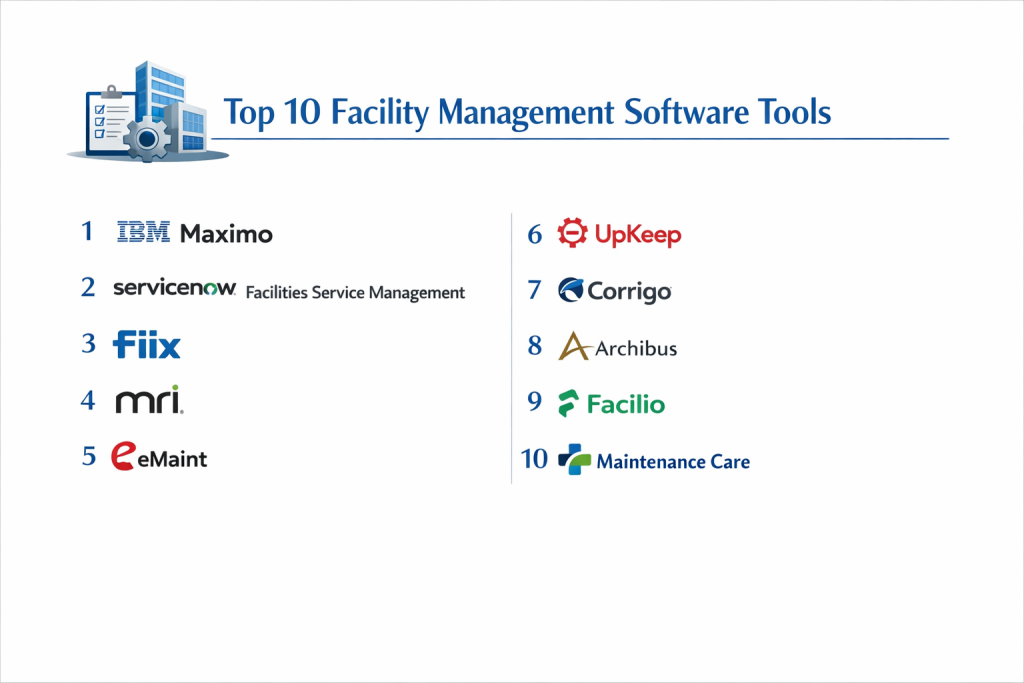
Top 10 Facility Management Software Tools
1 — UpKeep
UpKeep is a mobile-first CMMS and facility management tool designed to empower maintenance teams on the move. It is widely praised for its high adoption rate among frontline technicians.
- Key features
- Mobile-first work order management with photo and video attachments.
- Inventory management with barcode and QR code scanning.
- Preventative maintenance scheduling based on time or usage.
- Asset tracking with comprehensive maintenance history.
- IoT sensor integration for real-time equipment monitoring.
- Signature capture for completed work orders.
- Automated reporting and analytics dashboards.
- Pros
- The interface is incredibly intuitive, requiring minimal training for non-technical staff.
- The mobile app works offline, syncing data once the technician returns to Wi-Fi.
- Cons
- Advanced reporting features are restricted to the higher-priced “Professional” tiers.
- May lack some of the deeper “Space Planning” features found in full IWMS solutions.
- Security & compliance: SOC 2 Type II, GDPR compliant, SSO support, and data encryption at rest and in transit.
- Support & community: 24/7 customer support, a massive “Maintenance Community” Slack group, and a rich library of learning resources.
2 — MaintainX
MaintainX focuses on digitizing “deskless” workflows, offering a fast, modern experience for facility and asset management with a heavy emphasis on mobile communication.
- Key features
- Real-time chat and collaboration built into work orders.
- Digitized procedures and safety checklists for compliance.
- Automated preventative maintenance triggers.
- Inventory management with parts usage tracking.
- Vendor management portal for external contractors.
- API access for custom integrations.
- Anonymized “Global Benchmarking” for maintenance performance.
- Pros
- The built-in chat function eliminates the need for separate walkie-talkies or WhatsApp groups.
- Extremely fast setup; properties can be live in a matter of days.
- Cons
- Limited native support for complex floor-plan mapping.
- The free version is great but limits the number of repeatable “Procedures.”
- Security & compliance: SOC 2 Type II, ISO 27001, GDPR, and SSO integrations.
- Support & community: High-quality onboarding, responsive live chat, and a detailed knowledge base.
3 — Fiix (by Rockwell Automation)
Fiix is an AI-driven CMMS that focuses on taking the guesswork out of maintenance through predictive insights and deep asset data.
- Key features
- AI-powered “Fiix Foresight” to predict equipment failure.
- Multi-site management from a centralized dashboard.
- Work order rotation and automated technician assignment.
- Parts and inventory management with low-stock alerts.
- Customizable reporting with over 100 pre-built templates.
- Integration with industrial PLC and SCADA systems.
- Pros
- Backing by Rockwell Automation ensures high-tier industrial reliability.
- Exceptional for heavy manufacturing environments that need predictive analytics.
- Cons
- The platform can be complex for small teams with simple needs.
- Implementation requires more time due to the depth of the configuration.
- Security & compliance: SOC 2 Type II, GDPR, and secure data hosting in AWS.
- Support & community: Dedicated account managers, Fiix University for certification, and 24/5 support.
4 — FMX
FMX (Facilities Management eXpress) is a flexible, easy-to-use platform that is particularly popular in the K-12 education and public sector markets.
- Key features
- Schedule-based facility booking and community rentals.
- Maintenance request portal for all building users.
- Interactive floor plans for visual asset locating.
- Inventory and fleet management tracking.
- Energy and utility consumption monitoring.
- Staff and vendor performance tracking.
- Pros
- Superior at managing community use of facilities (e.g., gym or auditorium rentals).
- Highly configurable without needing a technical background.
- Cons
- Mobile app is functional but not as “modern” as UpKeep or MaintainX.
- Lacks some of the heavy-duty predictive AI found in industrial CMMS.
- Security & compliance: GDPR, SSO, and standard encryption.
- Support & community: Known for high-touch customer support and personalized training sessions.
5 — Hippo CMMS (by iOFFICE + SpaceIQ)
Hippo CMMS is a straightforward, visual tool that prioritizes clarity and simplicity, making it ideal for healthcare and hospitality facilities.
- Key features
- Interactive floor map displays for managing work orders.
- Simplified “Request Portal” for non-staff users.
- Preventative maintenance calendars with color-coded status.
- Asset management with storage for manuals and warranties.
- Customizable user permissions based on site location.
- Audit-ready compliance reporting.
- Pros
- The visual “floor plan” view makes it easy to orient new staff to the building layout.
- Excellent pricing for mid-market properties.
- Cons
- Integration ecosystem is slightly smaller than some competitors.
- Reporting can be somewhat rigid compared to enterprise tools.
- Security & compliance: SOC 2 Type II, GDPR, and SSO.
- Support & community: Extensive video tutorial library and responsive email/phone support.
6 — IBM Maximo
IBM Maximo is the undisputed heavyweight of Enterprise Asset Management (EAM). It is designed for massive operations like utilities, transport, and government infrastructure.
- Key features
- Enterprise-wide asset lifecycle management.
- IBM Watson AI for predictive maintenance and visual inspections.
- Deep vertical-specific solutions (Nuclear, Oil & Gas, Aviation).
- Inventory and supply chain integration.
- Health, Safety, and Environment (HSE) management.
- Real-time IoT data processing at scale.
- Pros
- Unrivaled scalability; can handle millions of assets across the globe.
- The “Gold Standard” for compliance in highly regulated industries.
- Cons
- Prohibitively expensive for anyone other than large enterprises.
- Requires a dedicated IT team or external consultant for implementation.
- Security & compliance: ISO 27001, SOC 2, GDPR, HIPAA, and FedRAMP authorized.
- Support & community: Global partner network, enterprise support, and a massive user group ecosystem.
7 — AkitaBox
AkitaBox is a visually-driven FMS that uses “digital twins” and location-based data to help facility teams manage their buildings more effectively.
- Key features
- Visual “Digital Twin” of the building layout.
- Location-based asset management (see assets on a map).
- Capital planning tools to forecast future building costs.
- Automated preventative maintenance workflows.
- Compliance and safety audit tracking.
- Mobile-friendly floor plan navigation for technicians.
- Pros
- The best tool for planners who need to “see” their data on a map.
- Saves significant time during the “building hand-off” phase from construction.
- Cons
- Initial mapping and data ingestion can be a heavy lift.
- Higher cost of entry due to the specialized mapping tech.
- Security & compliance: SOC 2 Type II, GDPR, and secure cloud storage.
- Support & community: High-touch onboarding and specialized data collection services.
8 — Facilio
Facilio is an “O&M” (Operations and Maintenance) platform that leverages IoT to centralize building performance, focusing on sustainability and efficiency.
- Key features
- Unified building automation (BMS) integration.
- Energy management and sustainability tracking.
- Workflow automation for reactive and preventative tasks.
- Tenant experience and visitor management modules.
- Vendor and inventory management.
- Real-time fault detection and diagnostics (FDD).
- Pros
- Excellent for “Smart Buildings” that have multiple legacy systems to unify.
- Strong focus on reducing the carbon footprint of the facility.
- Cons
- Strongest for commercial real estate; may be less fit for heavy industrial plants.
- The high level of automation requires a tech-savvy facility team.
- Security & compliance: SOC 2 Type II, ISO 27001, and GDPR compliant.
- Support & community: 24/7 global support and customized success plans.
9 — ServiceChannel
ServiceChannel is the leading platform for multi-location retail and restaurant chains that rely heavily on external service providers.
- Key features
- Massive marketplace of vetted commercial contractors.
- Automated work order dispatch based on provider ratings.
- Invoice automation and consolidated billing.
- Asset-level tracking of repair vs. replace costs.
- Mobile check-in for technicians using geo-fencing.
- Comprehensive vendor compliance and insurance tracking.
- Pros
- Unmatched for managing hundreds of sites with a small internal team.
- The “Contractor Marketplace” takes the pain out of finding local repair help.
- Cons
- Less focus on internal “in-house” maintenance teams.
- The platform’s value is heavily tied to its vendor network.
- Security & compliance: SOC 2 Type II, GDPR, and PCI compliance for payments.
- Support & community: 24/7 support and a large network of commercial service providers.
10 — Corrigo (by JLL)
Corrigo, owned by JLL, is a powerful facility management platform that connects facilities, service providers, and building owners in one ecosystem.
- Key features
- Smart routing of work orders based on technician skill and location.
- Advanced financial integration with ERP systems.
- Detailed asset documentation and warranty tracking.
- Mobile app for work order execution and status updates.
- Benchmarking data across JLL’s massive property portfolio.
- Comprehensive safety and risk management tools.
- Pros
- Highly stable and backed by JLL’s immense industry expertise.
- Excellent at handling the financial complexities of facilities management.
- Cons
- The UI can feel complex and a bit dated compared to mobile-first startups.
- Best suited for large portfolios rather than single properties.
- Security & compliance: SOC 1 & 2, ISO 27001, and GDPR.
- Support & community: Enterprise support and a professional user community.
Comparison Table
| Tool Name | Best For | Platform(s) Supported | Standout Feature | Rating |
| UpKeep | Mobile Maintenance | iOS, Android, Web | Mobile-First UX | 4.8 / 5 |
| MaintainX | Team Collaboration | iOS, Android, Web | Built-in Real-time Chat | 4.9 / 5 |
| Fiix | Industrial / AI | Web, iOS, Android | AI Predictive Analytics | 4.6 / 5 |
| FMX | Schools / Public Sec | Web, Mobile | Community Scheduling | 4.7 / 5 |
| Hippo CMMS | Healthcare / SMB | Web, Mobile | Visual Floor Plans | 4.4 / 5 |
| IBM Maximo | Global Enterprise | Web, iOS, Android | IBM Watson AI Integration | 4.2 / 5 |
| AkitaBox | Map-Based FM | Web, iOS, Android | Digital Twin Mapping | 4.5 / 5 |
| Facilio | Smart Buildings | Web, iOS, Android | IoT/BMS Unification | 4.6 / 5 |
| ServiceChannel | Retail / Restaurants | Web, iOS, Android | Contractor Marketplace | 4.4 / 5 |
| Corrigo | Portfolio Mgmt | Web, iOS, Android | Financial/ERP Depth | N/A |
Evaluation & Scoring of Facility Management Software
| Evaluation Criteria | Weight | Content & Scoring Logic |
| Core Features | 25% | Presence of work orders, PMs, asset tracking, and reporting. |
| Ease of Use | 15% | Adoption speed for frontline staff and mobile app quality. |
| Integrations | 15% | Connectivity with IoT, BMS, accounting, and ERP systems. |
| Security & Compliance | 10% | SOC 2 status, GDPR, SSO, and audit log availability. |
| Performance | 10% | System uptime, mobile offline mode, and data sync speed. |
| Support & Community | 10% | Support response times and training/onboarding quality. |
| Price / Value | 15% | ROI through asset longevity and reduced downtime. |
Which Facility Management Software Tool Is Right for You?
Small to Mid-Market vs. Enterprise
For Small to Mid-Market firms, the primary barrier is often staff adoption. If the software is too hard to use, the team won’t log their work. MaintainX and UpKeep are the winners here because they feel like consumer apps. Enterprise organizations, however, require the data-handling power of IBM Maximo or Corrigo, which can manage the complex financial and regulatory requirements of thousands of assets across international borders.
Budget and Value
If you are budget-conscious, FMX and Hippo CMMS offer great value-to-feature ratios. They cover the essentials of work orders and preventative maintenance without the high price tag of AI or marketplace features. If you are looking for maximum ROI through vendor savings, ServiceChannel is the choice, as it helps you optimize the spend on external contractors.
Technical Depth vs. Simplicity
Do you want to predict when a motor will fail using vibration sensors? Choose Fiix. Do you just want your janitorial team to see a checklist on their phone? Choose MaintainX. Selecting a tool with too much technical depth for a simple team often leads to “software abandonment,” where the tool is paid for but never used to its potential.
Security and Compliance Requirements
For facilities in healthcare or government, SOC 2 Type II and SSO are non-negotiable. IBM Maximo and UpKeep are particularly strong in these high-compliance environments. Ensure your chosen vendor can provide a full audit trail of who changed what and when—this is critical for passing safety inspections.
Frequently Asked Questions (FAQs)
1. What is the difference between CMMS and FMS/IWMS?
A CMMS (Computerized Maintenance Management System) focuses primarily on maintenance and assets. FMS (Facility Management Software) or IWMS is broader, often including space management, energy tracking, and real estate portfolio management.
2. Can I use these tools if I have no Wi-Fi in my basement/plant?
Yes, but you must choose a tool with a “native offline mode.” Tools like UpKeep and MaintainX allow technicians to complete work orders offline; the data syncs automatically once they re-enter a service area.
3. How long does implementation take?
For a simple CMMS, you can be up and running in 48 hours. For an enterprise EAM like Maximo, implementation can take 6–12 months due to data migration and system integrations.
4. Will this help me pass a safety audit?
Absolutely. FMS provides a digital paper trail showing exactly when every fire extinguisher, elevator, or HVAC unit was last inspected, making it easy to prove compliance to auditors.
5. How much does facility management software cost?
Most vendors charge per user, typically ranging from $30 to $100 per user per month. Some, like ServiceChannel, may use a per-location or volume-based pricing model.
6. Can I manage external contractors with this software?
Yes. Most modern FMS tools have a “Vendor Portal” where you can invite contractors to receive work orders, upload their insurance docs, and submit their invoices.
7. Does it integrate with my existing Building Management System (BMS)?
Modern platforms like Facilio and Fiix specialize in this. They use APIs or IoT gateways to pull data from your building sensors directly into the maintenance software.
8. What is “Preventative Maintenance” (PM)?
PM is the practice of performing regular maintenance on an asset to prevent it from failing. FMS automates this by scheduling tasks based on time (e.g., every 6 months) or usage (e.g., every 5,000 hours).
9. Can I track my inventory of spare parts?
Yes. High-quality FMS tools include inventory modules that alert you when stock is low, ensuring you never have downtime because a $5 belt was out of stock.
10. What is the most common reason FMS implementation fails?
Poor data quality at the start. If you upload “garbage” data (incorrect asset names or incomplete lists), your team won’t trust the system. Take the time to audit your assets before you go live.
Conclusion
Choosing the right Facility Management Software is the difference between a building that runs itself and a team that is constantly in “firefighting” mode. As we have seen, the market has shifted from clunky, desk-bound databases to sleek, mobile-first platforms like UpKeep and MaintainX, or data-rich digital twins like AkitaBox.
The “best” tool is the one your team will actually use. A technically perfect system that stays in a manager’s desk is worthless compared to a simple app that a technician uses every day. Focus on mobile usability, ensure the integration with your existing assets is seamless, and prioritize a vendor with a strong support community. By digitizing your facility operations, you aren’t just managing a building; you are protecting your organization’s most valuable physical assets and ensuring a safer, more efficient environment for everyone inside.