Introduction
Workspace analytics tools are software solutions that collect, measure, and analyze data about how people use their physical office space and digital work environment. Think of them as a combination of a building manager’s logbook and a digital dashboard, giving you clear insights into what’s happening in your workplace. They track things like which desks are used, how meeting rooms are booked, when people come into the office, and even how teams collaborate online.
This information is incredibly important because it helps move workplace management from guesswork to data-driven decisions. Instead of wondering if you have too many empty desks or why the third-floor printer is always jammed, you have hard facts. This allows organizations to use their real estate more efficiently, improve the employee experience, and save significant amounts of money.
In real-world use, companies employ these tools to optimize real estate costs by right-sizing their office footprint, enhance workplace experience by identifying and fixing pain points (like a perpetually cold conference room), and inform hybrid work policies by understanding actual office attendance patterns. When choosing a tool, you should evaluate its data collection methods (sensors, badge swipes, software integrations), depth of analytics and reporting, ease of use for facility managers and leadership, quality of integrations with your existing calendar and building systems, and how it handles employee privacy.
Best for: These tools are most beneficial for facility managers, workplace experience teams, real estate directors, IT administrators, and HR professionals in medium to large organizations, particularly those with hybrid work models. Industries with high real estate costs, like finance, technology, and professional services, see a strong return on investment.
Not ideal for: Workspace analytics tools are generally not needed for very small companies (under 50 people) where informal observation is sufficient, or for fully remote companies with no physical space to analyze. They are also not a replacement for project management or individual employee productivity tracking software.
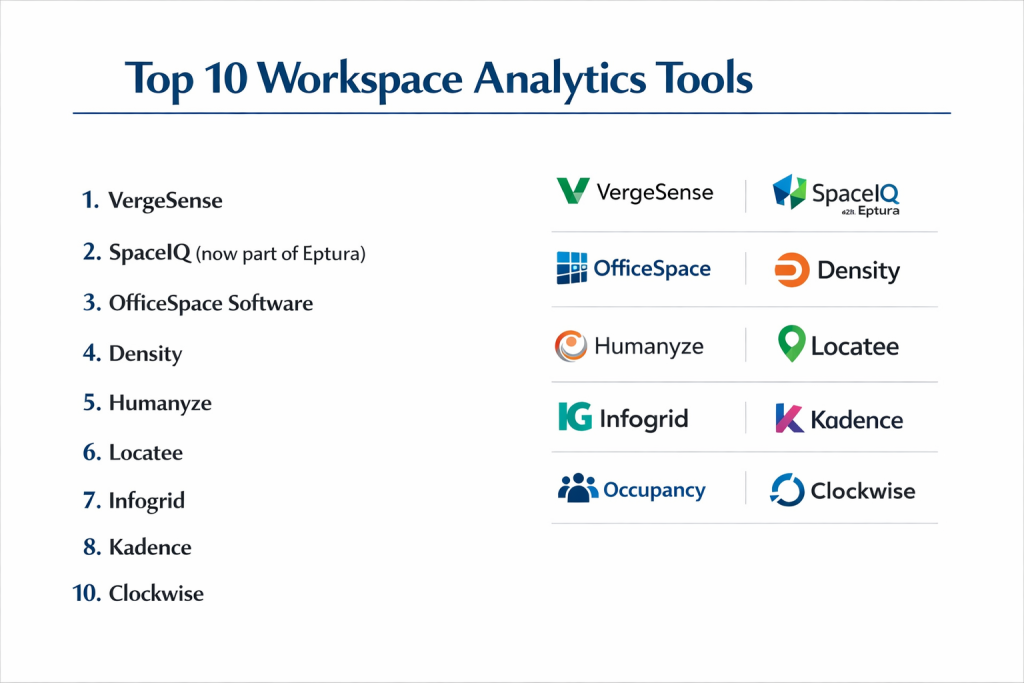
Top 10 Workspace Analytics Tools
Here is a detailed overview of the leading platforms that help organizations make sense of their workplace data.
1 — SpaceIQ (now part of Eptura)
SpaceIQ is a comprehensive workplace management platform that started with a strong focus on space analytics and optimization. It’s designed for facility and real estate managers who need to connect space data with asset management and maintenance.
Key features:
- Detailed space utilization tracking through integrations and sensors.
- Interactive, drag-and-drop floor plan management.
- Tools for managing moves, adds, and changes (MACD).
- Integrated asset management and maintenance work orders.
- Robust reporting on occupancy, costs per seat, and space efficiency.
- Employee experience features like a portal for booking desks and rooms.
Pros:
- Provides a single source of truth by connecting space, assets, and maintenance data.
- Powerful visualization through interactive floor plans makes data actionable.
- Scalable for large, multi-location portfolios.
Cons:
- Can be complex to implement and configure fully.
- The breadth of features means a steeper learning curve than point solutions.
- Pricing is oriented towards mid-market and enterprise budgets.
Security & compliance: Offers enterprise-grade security with SOC 2 Type II certification, GDPR compliance, and features like SSO and data encryption.
Support & community: Provides standard support channels, dedicated customer success managers for enterprise clients, and access to a knowledge base and training resources.
2 — OfficeSpace Software
OfficeSpace Software is a user-friendly platform focused on making it easy to manage flexible workplaces. It is known for its intuitive interface and strong tools for hybrid work planning, desk booking, and space analytics.
Key features:
- Simple visual desk and room booking system for employees.
- Real-time and historical space utilization analytics.
- Tools for planning and modeling office scenarios (e.g., “what if we add 50 people?”).
- Employee directory and team placement tools.
- Integrations with calendar systems, access control, and sensors.
- Mobile app for employees to book space on the go.
Pros:
- Exceptionally intuitive and easy for both admins and employees to use.
- Excellent for companies transitioning to or managing a hot-desking or hybrid model.
- Strong scenario planning tools help justify real estate decisions.
Cons:
- May lack some of the deepest, most granular asset and maintenance features of broader platforms.
- Advanced custom reporting may require support.
- Primarily focused on the employee experience and space, less on integrated facilities management.
Security & compliance: SOC 2 Type II compliant, GDPR ready, and offers data encryption and SSO. Regularly audited for security.
Support & community: Known for responsive customer support, comprehensive online help center, and an active user community with regular webinars.
3 — Accruent (Envoy Workplace)
Accruent’s solutions, including those from the acquired Envoy brand, are heavily focused on the workplace experience layer. They often start with visitor management and expand into desk booking, room scheduling, and the analytics that come with them.
Key features:
- Market-leading visitor management and sign-in system.
- Desk and meeting room booking capabilities.
- Analytics on visitor traffic, desk usage, and room utilization.
- Package tracking and delivery management.
- Integrated employee directories and wayfinding.
- Robust API for connecting to other workplace systems.
Pros:
- Creates a seamless, modern first impression for visitors and employees.
- The data collected from sign-ins and bookings provides clear, actionable analytics.
- Very easy to deploy and get value from quickly.
Cons:
- As a tool starting from the experience layer, it may not have the deep CAD/CAFM integration of legacy space management platforms.
- For pure, sensor-based utilization analytics without booking, other tools might be more specialized.
- Can be perceived as a suite of point solutions that need integrating.
Security & compliance: Takes data privacy seriously with GDPR compliance, data encryption, and secure cloud infrastructure. Specific enterprise certifications should be confirmed.
Support & community: Provides good support and has a large, established customer base. Resources and community are strong around the workplace experience use case.
4 — Archibus
Archibus is a veteran, enterprise-scale platform that is the backbone for many large organizations’ real estate and facility management. It is incredibly powerful and comprehensive but requires significant configuration.
Key features:
- Extremely comprehensive Integrated Workplace Management System (IWMS) covering real estate, projects, assets, and maintenance.
- Deep space management and occupancy analytics modules.
- Strong capital project planning and sustainability tracking.
- Can be heavily customized to fit complex organizational processes.
- Often integrates directly with building systems (BIM, BAS).
- On-premise or cloud deployment options.
Pros:
- Unmatched depth and breadth for managing massive, global real estate portfolios.
- Highly customizable to fit unique and complex business rules.
- Considered an industry standard for enterprise IWMS.
Cons:
- Noted for having a dated user interface that can be challenging to learn.
- Implementation is a major project requiring consultants and significant time.
- Can be prohibitively expensive and complex for mid-sized companies.
Security & compliance: Offers strong enterprise security controls. Compliance certifications (SOC 2, ISO) are available and should be discussed per deployment model (cloud vs. on-premise).
Support & community: Support is typically provided through a network of certified partners and integrators. There is a long-standing user community and annual conferences.
5 — Smartenvi
Smartenvi focuses on using Internet of Things (IoT) sensors to provide real-time, anonymous data on how spaces are actually used. It’s a pure-play analytics tool that feeds data into other systems.
Key features:
- Deployment of wireless, battery-powered occupancy sensors (desk, room, area).
- Real-time and historical utilization dashboards.
- Focus on anonymous, privacy-safe data collection (no personal identification).
- Data exports and API to feed utilization data into other platforms (like OfficeSpace or iOFFICE).
- Analytics on trends, peak usage times, and space efficiency.
- Easy-to-install, non-invasive sensor hardware.
Pros:
- Provides the most accurate “ground truth” of actual space use, beyond just bookings.
- Privacy-by-design approach addresses a major employee concern.
- Quick to deploy and start seeing data without major IT projects.
Cons:
- Is primarily a data source; needs to be paired with a management platform for action (booking, moves).
- Requires managing physical hardware (sensors and gateways).
- Doesn’t manage assets, maintenance, or other facility workflows.
Security & compliance: Emphasizes data privacy. Data is aggregated and anonymous. Cloud platform employs standard encryption. Specific certifications can be confirmed with the vendor.
Support & community: Support covers both the software and physical hardware. Community is more technical, focused on IoT and data integration.
6 — iOFFICE (now part of Eptura)
Along with SpaceIQ, iOFFICE is a major component of the Eptura workplace suite. It has traditionally had a very strong focus on employee-facing services and facilities management workflows, complemented by space management.
Key features:
- Employee service portal for submitting maintenance requests, booking rooms, etc.
- Facilities management tools for work orders and asset tracking.
- Space management and utilization reporting.
- Move management software.
- Visitor management and package tracking modules.
- Strong mobile experience for employees and technicians.
Pros:
- Excellent for improving the day-to-day employee experience and facility service delivery.
- Drives efficiency for internal facilities teams.
- Integrates space data with the service request workflow.
Cons:
- The space analytics and visualization can be less front-and-center than in dedicated tools.
- As part of a larger suite, it can be bundled in ways that are complex to price for smaller needs.
- The interface, while functional, can feel less modern than some newer competitors.
Security & compliance: As part of Eptura, it offers enterprise security standards, including SOC 2 Type II compliance, data encryption, and support for SSO.
Support & community: Provides standard customer support channels. As an established player, it has a large user base and partner network.
7 — Locatee
Locatee is an analytics-focused platform that specializes in turning raw data from various sources (Wi-Fi, sensors, badges, calendars) into clear, actionable insights about space utilization and workplace trends.
Key features:
- Advanced data aggregation from multiple source systems.
- Strong AI and predictive analytics to forecast space needs.
- Privacy-proof analytics that anonymize individual data.
- Clean, executive-ready dashboards and reports.
- Tools for analyzing collaboration and team proximity.
- Focus on helping optimize portfolios for hybrid work.
Pros:
- Powerful analytics engine that provides deep, predictive insights beyond simple counting.
- Excellent at creating compelling visual stories for leadership decision-making.
- Agnostic data collection works with many existing systems.
Cons:
- Less focus on the operational “doing” (like booking desks) and more on the “analyzing.”
- May require IT support to set up data integrations from source systems.
- Positioned as a premium, enterprise analytics solution.
Security & compliance: Designed with European data privacy (GDPR) as a core principle. Data is anonymized and aggregated. Offers enterprise-grade cloud security.
Support & community: Support includes help with data integration and analytics interpretation. Serves a primarily enterprise clientele.
8 — Robin Powered
Robin Powered is a workplace platform that started with meeting room scheduling and expanded into hybrid work planning. Its analytics are tightly linked to how people book and use spaces, particularly collaboration areas.
Key features:
- Room and desk booking software with interactive floor plans.
- Room panel displays and calendar integrations.
- Analytics on meeting room usage, no-shows, and desk occupancy.
- Tools to coordinate hybrid workweeks and team gatherings.
- Insights into how office presence supports planned meetings.
- Visitor management integration.
Pros:
- Very strong user experience, making adoption by employees easy.
- Excellent for understanding the relationship between meetings and space use.
- Fast to implement and provides immediate value in managing shared spaces.
Cons:
- Analytics are primarily driven by booking data, which may not reflect actual use without sensor integration.
- Less focused on pure real estate portfolio optimization or asset management.
- Can become expensive as you scale to every desk and room.
Security & compliance: SOC 2 Type II certified, GDPR compliant, and offers standard enterprise security features like SSO and encryption.
Support & community: Known for good customer support and an easy onboarding process. Has a helpful resource library.
9 — Density
Density provides a unique, privacy-centric approach to people counting using overhead depth sensors (not cameras). It gives highly accurate, anonymous foot traffic data for entrances, rooms, and areas.
Key features:
- Overhead people counting sensors that use depth data, not identifiable imagery.
- Real-time and historical occupancy data for any defined space.
- API-first platform designed to feed data into other systems.
- Analytics on entry/exit patterns, wait times, and space capacity.
- Focus on safety, capacity management, and trend analysis.
- Easy-to-interpret dashboards showing “Counts vs. Capacity.”
Pros:
- The highest standard of privacy; impossible to identify individuals.
- Provides exceptionally reliable and accurate people count data.
- Simple, powerful data that is easy to integrate and act upon.
Cons:
- It is specifically a people counting data source, not a full workplace management suite.
- Requires installation of physical hardware.
- Does not handle desk assignments, room bookings, or maintenance.
Security & compliance: Leader in privacy-by-design. Data is anonymous by nature. Platform is SOC 2 Type II certified and GDPR compliant.
Support & community: Support covers sensor installation and data integration. Serves a broad market from retail to corporate real estate.
10 — Kadence
Kadence is built specifically for the challenges of hybrid work. It focuses on helping teams coordinate their in-office days and book spaces together, with analytics that show how the office facilitates collaboration.
Key features:
- Team-based scheduling to coordinate who is in the office and when.
- Smart desk and meeting room booking that considers team proximity.
- Analytics on team cohesion, office attendance patterns, and space usage.
- Manager dashboards to view team schedules and office presence.
- Integrations with Google Calendar, Microsoft Outlook, and Slack.
- Mobile app for employees to manage their hybrid schedule.
Pros:
- Uniquely focuses on solving the team coordination problem in hybrid work.
- Analytics provide insight into how the office is used for collaboration, not just occupancy.
- User-friendly and built for the modern, flexible workplace.
Cons:
- Newer to the market than some established players.
- Its value is highest for organizations with a strong team-based hybrid model.
- Less focused on traditional facility management or real estate portfolio metrics.
Security & compliance: Employs standard cloud security practices, data encryption, and is GDPR compliant. SSO is available. Specific high-level certifications can be confirmed.
Support & community: Offers direct customer support and onboarding. Resources are geared towards HR and team leaders managing hybrid work.
Comparison Table
| Tool Name | Best For (Target User or Scenario) | Platform(s) Supported | Standout Feature | Rating |
|---|---|---|---|---|
| SpaceIQ (Eptura) | Large portfolio optimization, connecting space & assets | Web, Mobile | Integrated IWMS with Interactive Floor Plans | N/A |
| OfficeSpace Software | Hybrid work management & intuitive employee experience | Web, Mobile | User-Friendly Scenario Planning & Desk Booking | N/A |
| Accruent (Envoy) | Workplace experience, visitor & space management | Web, Mobile, iPad Kiosks | Seamless Visitor Management & Experience Layer | N/A |
| Archibus | Global enterprise real estate & facilities management | Web, Client-Server | Deep, Customizable Enterprise IWMS | N/A |
| Smartenvi | Accurate, privacy-safe occupancy data via IoT sensors | Web, API | Anonymous IoT Sensor-Based Utilization Data | N/A |
| iOFFICE (Eptura) | Employee services & facilities team workflow | Web, Mobile | Integrated Service Request & Facility Management | N/A |
| Locatee | Advanced, predictive analytics on workplace data | Web | AI-Powered Predictive Insights & Executive Reporting | N/A |
| Robin Powered | Meeting room efficiency & hybrid work coordination | Web, Mobile, Room Panels | Strong Meeting Room Analytics & User Experience | N/A |
| Density | Privacy-first people counting for capacity & trends | Web, API | Anonymous, Accurate People Counting with Depth Sensors | N/A |
| Kadence | Team coordination & collaboration analytics for hybrid work | Web, Mobile | Team-Based Scheduling & Collaboration Insights | N/A |
Evaluation & Scoring of Workspace Analytics Tools
To compare platforms objectively, use this rubric. Score each tool from 1 (Poor) to 5 (Excellent) in each category based on your needs.
| Evaluation Criteria | Weight | Score (1-5) | Weighted Score | Notes on What to Look For |
|---|---|---|---|---|
| Core Features | 25% | Does it track the metrics you need (utilization, bookings, costs) and offer tools to act on them? | ||
| Ease of Use | 15% | Is the interface intuitive for admins and employees who might book desks or rooms? | ||
| Integrations & Ecosystem | 15% | Does it connect to your access control, calendars, HR system, and sensors? | ||
| Security & Compliance | 10% | Does it meet your standards for data privacy (crucial for employee trust) and industry regulations? | ||
| Performance & Reliability | 10% | Is the data accurate and the platform consistently available? | ||
| Support & Community | 10% | Can you get help with setup, data interpretation, and troubleshooting? | ||
| Price / Value | 15% | Does the cost align with the features, scale, and business value it provides? | ||
| TOTAL SCORE | 100% | /100 |
Which Workspace Analytics Tool Is Right for You?
Your choice depends on your organization’s size, primary challenge, and workplace model.
- Solo Users / Very Small Businesses (Under 50): These tools are likely overkill. Use shared calendars for room booking and simple observation. Consider starting with a visitor management tool if that’s a primary need.
- Small to Mid-Sized Businesses (SMBs) / Mid-Market: Prioritize ease of use and clear ROI. OfficeSpace Software and Robin Powered are excellent starting points for managing hybrid work. For pure, accurate occupancy data to inform decisions, Smartenvi or Density are great sensor-based options.
- Large Enterprises: You need scalability, deep integration, and robust analytics. SpaceIQ and Archibus are comprehensive IWMS solutions. Locatee provides top-tier predictive analytics. Accruent and iOFFICE cover broad workplace experience and management needs.
- Budget-Conscious vs. Premium: Sensor-based data (Smartenvi, Density) has a clear cost per point. Platforms like OfficeSpace offer good mid-range value. Enterprise IWMS like Archibus and advanced analytics like Locatee command premium pricing.
- Feature Depth vs. Ease of Use: OfficeSpace and Robin excel in usability. Archibus and SpaceIQ offer immense depth but require more training. Kadence is easy to use but focused on a specific (team hybrid) problem.
- Integration & Scalability Needs: If you have a complex tech stack, check API strength and pre-built connectors. For scalability, ensure the platform can handle your number of locations, employees, and data points without performance loss.
- Security & Compliance Requirements: Employee privacy is paramount. Tools like Density and Smartenvi are designed to be anonymous. For regulated industries, require vendors to provide SOC 2, ISO 27001, or other relevant certifications. All enterprise-facing tools should be GDPR compliant.
Frequently Asked Questions (FAQs)
1. How do these tools protect employee privacy?
The best tools use aggregated and anonymized data. They track that “Desk 14A was occupied 60% of the time,” not “Jane Smith sat there.” Some, like Density, use sensors that cannot capture identifiable images. Always review the vendor’s privacy policy.
2. What’s the difference between booking data and sensor data?
Booking data tells you what people planned to do (e.g., book a desk). Sensor data tells you what actually happened (e.g., the desk was used). Sensor data is more accurate for true utilization but requires hardware. The most complete picture uses both.
3. Are these tools only for companies with hot-desking?
No. They are valuable for any company with underutilized space. Even with assigned seats, you can analyze meeting room use, common area traffic, and overall building occupancy to optimize cleaning, energy use, and future space planning.
4. How long does it take to implement a workspace analytics tool?
It varies widely. A cloud-based desk booking tool (Robin, OfficeSpace) can be live in weeks. A full sensor deployment (Smartenvi, Density) may take months to install. An enterprise IWMS (Archibus) can be a year-long project.
5. What’s a common mistake when starting with workspace analytics?
The biggest mistake is collecting data without a clear goal. Decide first what problem you’re solving: “Reduce real estate costs by 20%,” “Improve meeting room availability,” or “Support our new hybrid work policy.” Then, collect the data that informs that goal.
6. Can I use this data for individual employee performance tracking?
Absolutely not. This is a critical ethical line. These tools are for understanding space and group behavior to improve the workplace, not for monitoring individuals. Using them for performance review would destroy employee trust and likely violate privacy laws.
7. What are the main data sources for these tools?
Common sources include: Calendar systems (Outlook, Google), Access control/badge readers, Wi-Fi networks, IoT occupancy sensors, and manual employee bookings within the platform itself.
8. How much do these tools typically cost?
Pricing models vary: per user, per location, per seat, or per sensor. SMB platforms can start from a few hundred dollars per month. Enterprise deployments with sensors and deep integration can cost tens to hundreds of thousands annually.
9. What’s the ROI of a workspace analytics tool?
ROI primarily comes from: Reduced real estate costs (leasing less space), lower operational expenses (efficient cleaning, energy use), and increased employee productivity & satisfaction (a workplace that works better).
10. Do we need to hire a consultant to use these tools?
For point solutions focused on booking or sensors, often not. For enterprise IWMS platforms like Archibus, implementation almost always requires a certified partner or consultant due to the complexity and customization involved.
Conclusion
Workspace analytics tools have evolved from simple space managers to essential systems for navigating the modern, hybrid workplace. They provide the evidence needed to make confident decisions about one of a company’s largest costs—its real estate—and one of its most important assets—its employee experience.
The key to success lies in aligning the tool with a clear business objective, whether that’s cutting costs, improving collaboration, or simply understanding how your workplace is truly used. Remember that the most sophisticated data is useless if it isn’t trusted; prioritizing employee privacy and transparent communication about how data is used is non-negotiable.
There is no single “best” platform for everyone. The right tool for a tech startup coordinating hybrid teams will be very different from the right tool for a global bank managing a 10-million-square-foot portfolio. By carefully considering your organization’s size, primary challenges, and cultural values, you can select a platform that doesn’t just collect data, but turns it into actionable intelligence that creates a more efficient, effective, and engaging workplace for everyone.