Introduction
Restaurant Menu Engineering Tools are specialized software solutions designed to help restaurant owners and chefs analyze the profitability and popularity of their menu items. Unlike a basic spreadsheet, these tools look at the data behind every dish—specifically how much it costs to make (food cost) versus how often it sells (sales volume). By categorizing items into “stars” (high profit, high popularity) or “dogs” (low profit, low popularity), these tools guide businesses on exactly which prices to raise, which ingredients to swap, and which dishes to remove entirely to maximize their bottom line.
Using these tools is important because the restaurant industry operates on razor-thin margins. Without clear data, a chef might keep a “fan-favorite” dish on the menu that is actually losing the restaurant money every time it is ordered. Menu engineering software takes the guesswork out of the kitchen, allowing managers to see real-time fluctuations in ingredient prices and adjust their menu design accordingly. It bridges the gap between the culinary art of cooking and the cold, hard science of retail business management.
Key Real-World Use Cases
- Costing Out Recipes: Automatically calculating the exact cost of a burger down to the last slice of pickle based on current supplier invoices.
- Menu Design Strategy: Using “heat maps” or data to decide where to place the most profitable items on a physical or digital menu to catch the guest’s eye.
- Ingredient Substitution: Testing how much profit would increase if a restaurant switched from a premium imported cheese to a high-quality local alternative.
- Waste Tracking: Identifying which menu items lead to the most kitchen waste, helping to refine portion sizes.
What to Look For (Evaluation Criteria)
When searching for the right tool, prioritize POS Integration. Your menu engineering tool should pull sales data directly from your cash register so you don’t have to type it in manually. Look for Inventory Syncing, which updates your food costs as soon as a supplier changes their price for a case of tomatoes. Finally, the User Interface should be simple enough for a busy chef to use on a tablet in a hot kitchen, not just for an accountant in a quiet office.
Best for: Executive chefs, restaurant owners, and food and beverage directors at mid-sized bistros, large restaurant groups, and catering companies who need to protect their profit margins.
Not ideal for: Small food trucks with very limited menus (under 5 items) or seasonal pop-ups where the overhead of a software subscription might outweigh the potential savings.
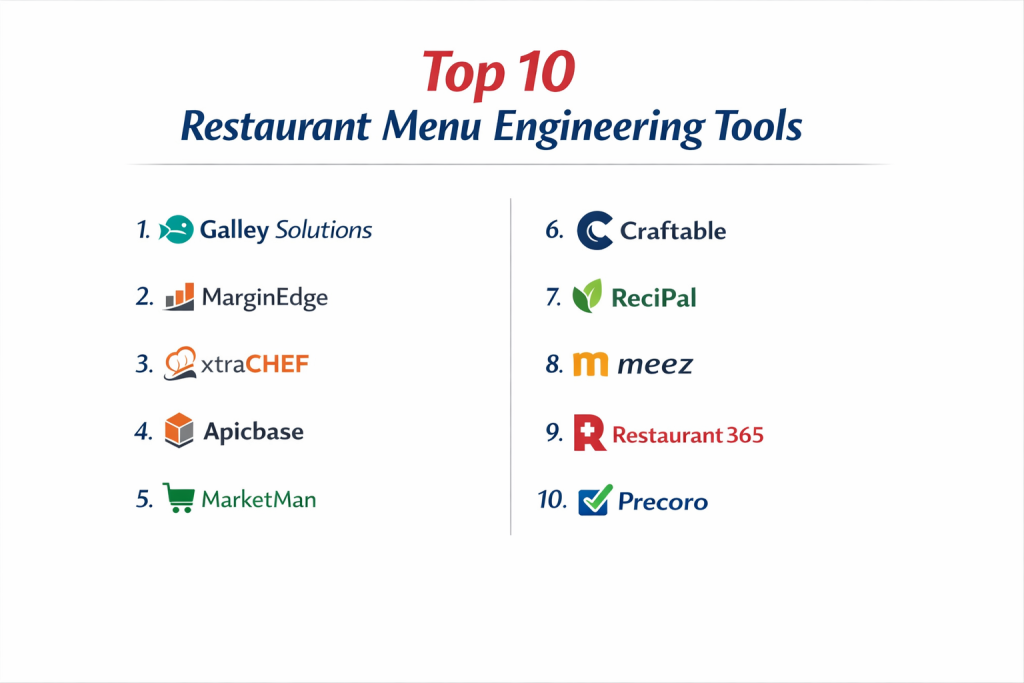
Top 10 Restaurant Menu Engineering Tools
1 — Galley Solutions
Galley Solutions is a modern, data-driven platform that focuses heavily on the “back-of-house” operations. It is designed to treat recipes as the core data point of a restaurant, making it ideal for high-growth kitchen operations.
- Key features
- Dynamic recipe costing that updates with every new invoice.
- Production planning tools to minimize food waste.
- Centralized ingredient database for multi-unit consistency.
- Inventory management that tracks “theoretical” vs “actual” usage.
- Detailed profitability analytics for every menu item.
- Nutritional and allergen labeling automation.
- Pros
- Very intuitive design that feels modern and easy to navigate.
- Excellent for scaling businesses that need to maintain the same food quality across locations.
- Cons
- Can be more expensive than basic inventory-only apps.
- Requires a significant initial time investment to input all recipe data.
- Security & compliance: Uses secure cloud encryption; GDPR compliant; SSO available for enterprise.
- Support & community: High-quality onboarding, responsive customer success team, and detailed digital documentation.
2 — MarginEdge
MarginEdge is a popular tool that bridges the gap between the kitchen and the accounting office. It is famous for its “invoice processing” feature, which takes the manual labor out of tracking food costs.
- Key features
- Automatic invoice scanning (just take a photo of the bill).
- Daily controllable P&L reports.
- Real-time theoretical food costing based on actual sales.
- Integration with over 50 POS systems and accounting software.
- Menu analysis “quadrants” (Stars, Puzzles, Plowhorses, Dogs).
- Price alerts when an ingredient price jumps unexpectedly.
- Pros
- Saves hours of manual data entry by “reading” your paper invoices.
- Gives you a daily look at your profit, rather than waiting for the end of the month.
- Cons
- The setup process for mapping ingredients can be tedious.
- Smaller venues might find the feature set more than they truly need.
- Security & compliance: SOC 2 Type II compliant; uses bank-level encryption for financial data.
- Support & community: Live chat support, dedicated account managers, and an active user webinar series.
3 — Xtachef
Xtachef (by Fourth) is a heavyweight in the industry, often used by larger chains and enterprise-level hospitality groups. It is a comprehensive tool for managing the entire lifecycle of a dish.
- Key features
- Deep-dive menu engineering analytics and profitability modeling.
- Advanced inventory management across multiple storage areas.
- Supplier management and electronic purchasing.
- Nutritional analysis and calorie counting for regulatory compliance.
- Recipe versioning for seasonal menu changes.
- Integration with labor management tools.
- Pros
- Incredibly robust and can handle the data of hundreds of locations.
- Provides some of the most detailed financial reporting in the industry.
- Cons
- The interface can feel a bit “corporate” and dated.
- Requires professional training to master all the complex features.
- Security & compliance: ISO 27001 certified; GDPR and CCPA compliant; advanced audit logs.
- Support & community: Global enterprise support, extensive training academy, and user community forums.
4 — Apicbase
Apicbase is a cloud-based platform that calls itself the “back-of-house” operating system. It is particularly strong for food businesses that focus on production, like ghost kitchens or hotel groups.
- Key features
- Visual recipe management with high-quality photo support.
- Automatic margin calculations for every plate.
- Stock management with automated reordering triggers.
- Menu engineering “star” charts based on POS sales.
- Centralized library for all kitchen SOPs (Standard Operating Procedures).
- Waste tracking and sustainability reporting.
- Pros
- Beautiful, visual interface that chefs actually enjoy using.
- Great for consistency; everyone sees the same photo of how a dish should be plated.
- Cons
- Higher price point compared to simple spreadsheet-style tools.
- Primarily focused on food; beverage management features are secondary.
- Security & compliance: Fully GDPR compliant; uses encrypted cloud servers (AWS).
- Support & community: Multi-language support, dedicated success managers, and a deep knowledge base.
5 — MarketMan
MarketMan is a widely-used cloud platform that simplifies the relationship between the kitchen and its suppliers. It is built to help managers control their food costs in real-time.
- Key features
- Seamless mobile app for inventory counting and ordering.
- Recipe costing that links directly to live supplier prices.
- Alerts for “COGS” (Cost of Goods Sold) spikes.
- POS integration for “de-pleting” inventory as items sell.
- Menu profitability reporting and “what-if” scenario planning.
- Credit book for tracking supplier errors or returns.
- Pros
- The mobile app is excellent for counting inventory in walk-in freezers.
- Very strong at preventing “theft” or “waste” by highlighting inventory gaps.
- Cons
- Can feel a bit “buggy” if your internet connection is weak in the kitchen.
- Reporting can be complex to customize for unique business needs.
- Security & compliance: PCI compliant for payments; standard web encryption.
- Support & community: Extensive video library, phone support, and a large global user base.
6 — Craftable
Craftable is often the choice for high-end bars and restaurants because of its superior beverage management and “beverage engineering” capabilities alongside food.
- Key features
- Deep-level beverage and spirit tracking.
- Integration with POS and accounting (QuickBooks, Sage).
- Recipe costing with a focus on “pour costs” and “plate costs.”
- Automated purchasing based on sales trends.
- Menu engineering analytics to identify high-margin items.
- Daily sales and labor tracking.
- Pros
- The best option for venues where alcohol sales are a huge part of the profit.
- High level of accuracy in tracking “per-ounce” costs.
- Cons
- Can be complex to set up for restaurants with very large wine lists.
- The interface has a slight learning curve for non-technical users.
- Security & compliance: SOC 2 compliant; multi-factor authentication (MFA) supported.
- Support & community: 24/7 technical support and a dedicated “onboarding specialist” for new venues.
7 — ReciPal
ReciPal is a more specialized, lightweight tool. While many use it for nutrition labels, its recipe costing and menu engineering features are perfect for smaller operations or bakeries.
- Key features
- Extremely simple recipe costing interface.
- Automated nutrition fact panel creation.
- Inventory tracking for small-scale production.
- Ingredient price tracking.
- Cloud-based access for multiple team members.
- Scalable pricing based on the number of recipes.
- Pros
- The most user-friendly tool for small business owners.
- Very affordable; you can pay per recipe or a small monthly fee.
- Cons
- Lacks deep integration with restaurant POS systems.
- Not designed for complex, multi-location table management.
- Security & compliance: Standard SSL encryption; GDPR compliant.
- Support & community: Excellent email support and a very helpful blog for small food businesses.
8 — Meez
Meez is a unique “recipe tool” built by chefs, for chefs. It focuses on the “craft” of cooking while providing the “math” of menu engineering in the background.
- Key features
- Interactive recipe viewer for kitchen tablets.
- Instant scaling of recipes for different batch sizes.
- Laser-accurate recipe costing including “yield” percentages.
- Ingredient “uniqueness” tracking to see where you over-order.
- Collaborative workspace for culinary teams.
- Training videos embedded directly into recipes.
- Pros
- Focuses on “yield” (e.g., how much of a carrot is actually usable), which is vital for true costing.
- The most “chef-centric” design on this list.
- Cons
- Not a full “inventory management” system; focuses mainly on the recipes.
- Some integrations with legacy POS systems are still in development.
- Security & compliance: Encrypted data storage; privacy focused.
- Support & community: Strong community of professional chefs and digital help desk.
9 — Restaurant365
Restaurant365 is an all-in-one “ERP” (Enterprise Resource Planning) software. It handles accounting, scheduling, and—most importantly—deep-level menu engineering.
- Key features
- Full integration between the kitchen, the bar, and the bank account.
- Menu engineering “Profitability Matrix.”
- Actual vs. Theoretical (AvT) food cost analysis.
- Supplier price tracking and electronic invoicing.
- Intelligent forecasting based on historical sales data.
- Waste management and portion control analytics.
- Pros
- Eliminates the need for separate accounting software.
- Provides a “single source of truth” for the entire business.
- Cons
- Very expensive and intended for larger operations.
- Requires a dedicated person or team to manage the software.
- Security & compliance: SOC 1 and SOC 2 certified; enterprise-grade security.
- Support & community: Extensive “R365 Academy,” professional consulting services, and 24/7 support.
10 — Precoro
While Precoro is a general procurement tool, it has become a favorite for restaurant groups to manage the “buying” side of menu engineering, ensuring costs stay low from the start.
- Key features
- Approval workflows for purchasing (prevents over-ordering).
- Real-time budget tracking for food and beverage.
- Supplier catalog management with pre-negotiated prices.
- Automatic invoice matching.
- Detailed spend analytics by category or location.
- Integration with various accounting and ERP systems.
- Pros
- Excellent for controlling “maverick spending” in large organizations.
- Very strong at keeping ingredient costs predictable.
- Cons
- Not a “recipe book” tool; you need another system for plating instructions.
- Lacks direct POS sales integration for “popularity” tracking.
- Security & compliance: SOC 2 Type II; GDPR and HIPAA compliant.
- Support & community: Dedicated success managers and high-quality technical documentation.
Comparison Table
| Tool Name | Best For | Platform(s) Supported | Standout Feature | Rating |
| Galley Solutions | Scaling Kitchens | Web, iOS | Data-First Recipe Logic | 4.8 / 5 |
| MarginEdge | Automated Costing | Web, Mobile | Photo Invoice Scanning | 4.7 / 5 |
| Xtachef | Enterprise Groups | Web, Tablet | Deep Financial Modeling | 4.2 / 5 |
| Apicbase | Visual Excellence | Web, iPad | Photo-Based SOPs | 4.6 / 5 |
| MarketMan | Inventory Control | Web, iOS, Android | Mobile Inventory Counting | 4.5 / 5 |
| Craftable | High-End Bars | Web, iOS | Ounce-Level Pour Costing | 4.4 / 5 |
| ReciPal | Bakeries/Small Biz | Web | Nutrition Label Creator | 4.7 / 5 |
| Meez | Executive Chefs | Web, Tablet | Yield & Training Focus | 4.9 / 5 |
| Restaurant365 | Full Accounting/ERP | Web, Mobile | Integrated Accounting | 4.3 / 5 |
| Precoro | Purchasing Control | Web | Approval Workflows | 4.6 / 5 |
Evaluation & Scoring of Restaurant Menu Engineering Tools
| Evaluation Criteria | Weight | Content & Scoring Logic |
| Core Features | 25% | Capacity for recipe costing, “star” charting, and inventory tracking. |
| Ease of Use | 15% | How simple it is for a chef to enter a recipe or scan an invoice. |
| Integrations | 15% | Direct links to POS systems (Toast, Square, etc.) and accounting. |
| Security/Compliance | 10% | Encryption levels and handling of supplier/financial data. |
| Performance | 10% | Speed of the cloud interface and accuracy of data sync. |
| Support | 10% | Availability of onboarding specialists and 24/7 technical help. |
| Price / Value | 15% | Does the profit increase justify the monthly subscription fee? |
Which Restaurant Menu Engineering Tool Is Right for You?
Solo users vs SMB vs mid-market vs enterprise
If you are a solo baker or run a small catering business, ReciPal or Meez are your best options. They focus on the recipes and costs without making you pay for enterprise features. SMBs (Small and Medium Businesses) with 1-3 locations will find MarginEdge or MarketMan to be the sweet spot for balancing cost and power. Mid-market and Enterprise groups with dozens of locations need the “all-in-one” power of Restaurant365 or Xtachef, which allow for central control over every ingredient across the whole country.
Budget-conscious vs premium solutions
For those on a tight budget, Meez offers a great entry-level tier, and ReciPal is very affordable. If you have the budget for a premium solution, Galley Solutions or Apicbase provide a much more visual and sophisticated experience that can save more money in the long run by significantly reducing kitchen waste and training time.
Feature depth vs ease of use
A tool like Restaurant365 has incredible depth, but it is very difficult to learn and requires an “expert” to run it. If you want something your staff can pick up in ten minutes, MarginEdge (with its simple photo-scanning) or Apicbase (with its visual recipes) are much better choices for high-turnover environments.
Integration and scalability needs
If you are already using a specific POS system like Toast, check which tools have a “direct” integration. MarginEdge and Craftable are excellent at “talking” to other software. If you plan to scale from one restaurant to ten, ensure you choose a platform like Galley or Apicbase, which are designed specifically to “push” recipe updates to multiple locations at once.
Security and compliance requirements
If you are a large corporation, SOC 2 compliance and SSO (Single Sign-On) are likely mandatory for your IT department. MarginEdge, Craftable, and Restaurant365 meet these high-level security standards. For smaller shops, standard GDPR compliance and encrypted data (which all the top 10 provide) are usually sufficient to protect your business data.
Frequently Asked Questions (FAQs)
1. What exactly is “theoretical” vs “actual” food cost?
Theoretical cost is what you should have spent based on your recipes and sales. Actual cost is what you really spent based on your inventory counts. The “gap” between the two shows you where waste or theft is happening.
2. Can these tools really “scan” a handwritten invoice?
Most modern tools like MarginEdge use “OCR” technology. While they work best with printed invoices, many can read clear handwriting, though you may need to double-check the numbers for accuracy.
3. Do I have to enter every single recipe myself?
Yes, but many premium tools offer “white glove” onboarding where they will enter your first 50 or 100 recipes for you to get you started.
4. Will this software tell me what to charge for a steak?
Yes. You can input your “target food cost percentage” (e.g., 30%), and the tool will calculate the exact price you need to charge to hit that goal.
5. How often do I need to count inventory for this to work?
For the most accurate menu engineering, a weekly count is best. However, even a monthly count will give you better data than no count at all.
6. Is my data safe in the cloud?
Yes. These companies use the same level of encryption as banks (SSL/AES). Your recipes and financial data are private and only accessible by people you authorize.
7. Can I track my bar costs with these tools too?
Most of them (like MarketMan or Craftable) handle both food and beverage. Some, like ReciPal, are better suited for food only.
8. What happens if a supplier changes their price for chicken?
The software will detect the price change on your next scanned invoice and automatically update the “cost per plate” for every dish that uses chicken.
9. Can I use these tools on a smartphone?
Most have “mobile-responsive” websites or dedicated apps specifically for inventory counting and scanning invoices, but the deep “analysis” is usually easier on a tablet or laptop.
10. Do these tools help with calorie counting?
Many (like Apicbase, ReciPal, and Xtachef) have built-in nutritional databases that automatically calculate calories and allergens based on your ingredients.
Conclusion
Menu engineering is no longer a luxury reserved for giant corporate chains. With the right Restaurant Menu Engineering Tool, even a local bistro can operate with the precision of a global brand. The key is to choose a tool that matches your “pain point.” If you are tired of manual data entry, a tool with invoice scanning like MarginEdge is your winner. If you want to empower your chefs to be more creative while staying profitable, a recipe-first platform like Meez or Galley is the way to go.
Ultimately, the “best” tool is the one that provides you with a clear “Star” and “Dog” chart that you actually act upon. Information is only valuable if it leads to a better menu. By taking the emotion out of the kitchen and replacing it with data, you ensure that your restaurant stays profitable, sustainable, and ready for the future.