Introduction
Experiment Tracking Tools are specialized platforms designed to log, organize, and visualize the vast array of variables involved in training machine learning models. In the iterative world of AI development, a single project might involve hundreds of “runs,” each with different hyperparameters, datasets, code versions, and hardware configurations. Experiment tracking tools act as a sophisticated “digital lab notebook,” automatically capturing these details so that data scientists can compare results, identify the best-performing models, and reproduce successful trials with mathematical precision.
The importance of these tools cannot be overstated for any team moving beyond simple academic exercises. Without centralized tracking, critical insights are often lost in scattered spreadsheets or ephemeral terminal logs. These platforms provide the necessary infrastructure to manage “model lineage”—the ability to trace a final production model back to the exact code and data that created it. By standardizing how experiments are recorded, teams can collaborate more effectively, avoid duplicating failed attempts, and significantly accelerate the path from research to deployment.
Key Real-World Use Cases
- Hyperparameter Optimization: Automatically logging results from thousands of variations in learning rates or batch sizes to find the “sweet spot” for accuracy.
- Comparative Analysis: Side-by-side visualization of loss curves and accuracy metrics to determine if a new architectural change actually improves performance.
- Reproducibility Audits: Ensuring that a model built six months ago can be perfectly recreated for regulatory or debugging purposes.
- Resource Monitoring: Tracking GPU and memory utilization during training to optimize cloud spend and detect hardware bottlenecks.
What to Look For (Evaluation Criteria)
When choosing an experiment tracking tool, you should prioritize Ease of Integration; the tool should require minimal code changes to start logging. Visualization Capabilities are vital for interpreting complex trends through interactive charts and parallel coordinate plots. You must also evaluate Metadata Management, specifically how well it handles large artifacts like model weights and dataset versions. Finally, consider Collaboration Features like shared workspaces and commenting, which are essential for teams working on shared goals.
Best for: Data scientists, machine learning researchers, and AI engineering teams across startups and large enterprises. It is indispensable for industries like autonomous driving, drug discovery, and algorithmic finance where small performance gains translate to massive real-world impact.
Not ideal for: Software engineers building traditional applications without an AI component, or business analysts performing basic statistical summaries. If your work doesn’t involve iterative model training, a standard project management or version control tool is sufficient.
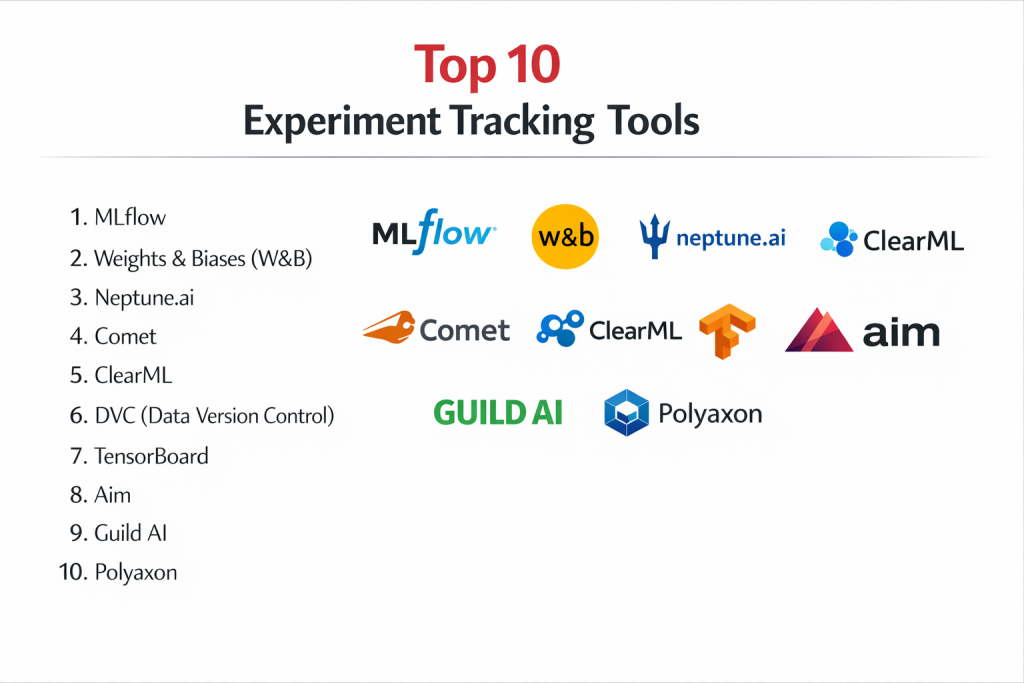
Top 10 Experiment Tracking Tools
1 — MLflow
MLflow is a versatile, open-source platform managed by Databricks that has become the industry standard for managing the machine learning lifecycle. It is designed to be library-agnostic and highly extensible.
- Key features:
- MLflow Tracking: API for logging parameters, code versions, metrics, and output files.
- MLflow Projects: Standard format for packaging reusable data science code.
- MLflow Models: A convention for packaging models for use in diverse downstream tools.
- Model Registry: Centralized store for collaborative model lifecycle management.
- Extensive Library Support: Native integrations with Scikit-learn, PyTorch, TensorFlow, and more.
- Pros:
- Completely open-source with no vendor lock-in; can be self-hosted for free.
- Massively popular, meaning a wealth of community-contributed plugins and help.
- Cons:
- The UI is functional but lacks the “polish” and advanced visualizations of some SaaS competitors.
- Setting up a secure, multi-user self-hosted server requires significant DevOps effort.
- Security & compliance: Supports SSO and RBAC when used via Databricks; self-hosted security depends on the implementation.
- Support & community: Massive open-source community on GitHub and Slack; professional support available through Databricks.
2 — Weights & Biases (W&B)
Weights & Biases is often cited as the favorite tool for deep learning teams. It offers a sleek, developer-first experience with a focus on high-end visualizations and collaboration.
- Key features:
- Dashboards: Highly interactive and customizable charts for real-time training monitoring.
- Artifacts: Version control for datasets, models, and dependencies.
- Sweeps: Automated hyperparameter tuning with sophisticated search strategies.
- Reports: Collaborative documents that live alongside your experiment data.
- Tables: Interactive tool for visualizing and querying rich media (images, video, audio).
- Pros:
- Exceptional user experience; arguably the most beautiful and intuitive UI in the category.
- Very easy to integrate with just a few lines of Python code.
- Cons:
- Can become expensive as teams grow and data artifact storage increases.
- The SaaS-first nature may be a hurdle for companies with strict “no-cloud” data policies.
- Security & compliance: SOC 2 Type II, GDPR, and HIPAA compliant; offers private cloud and on-premise options.
- Support & community: Very active community; high-quality technical documentation and responsive support.
3 — Neptune.ai
Neptune.ai positions itself as the “metadata store” for MLOps. It is built to be a lightweight but powerful hub where all experiment information can be stored and queried.
- Key features:
- Flexible Metadata Structure: Log anything from images and videos to custom HTML and interactive charts.
- Comparison View: Powerful table and chart views for comparing hundreds of runs.
- Group and Filter: Advanced organization tools to manage massive experiment volumes.
- Collaboration: Shared projects with granular access controls.
- Integration: Works seamlessly with over 25+ popular ML frameworks and tools.
- Pros:
- Very stable and performant, even when dealing with millions of logged data points.
- Offers a “no-nonsense” approach that stays out of the developer’s way.
- Cons:
- Does not include built-in hyperparameter tuning (requires external libraries).
- The learning curve for its advanced querying syntax can be a bit steep.
- Security & compliance: SOC 2 Type II compliant; provides SSO, data encryption, and audit logs.
- Support & community: Excellent documentation and very responsive customer support (often via dedicated Slack channels).
4 — Comet
Comet allows data scientists and teams to track, compare, explain, and optimize their machine learning models across the entire lifecycle, from training to production.
- Key features:
- Comet MP (Model Production): Specialized tools for monitoring models once they are deployed.
- Custom Panels: Use JavaScript to create entirely custom visualizations for your data.
- Artifacts: Robust versioning for datasets and model weights.
- Confusion Matrix: Specialized visualizers for classification model errors.
- Diff View: Compare code, hyperparameters, and environment variables side-by-side.
- Pros:
- Particularly strong in “Model Explainability,” helping teams understand why a model performed a certain way.
- Great for teams managing models that handle rich media like audio and video.
- Cons:
- The interface can feel crowded due to the high density of features.
- Pricing tiers can be a bit opaque for smaller teams.
- Security & compliance: SOC 2 Type II, GDPR compliant; supports on-premise and VPC deployments.
- Support & community: Strong professional support; active user community and regular webinars.
5 — ClearML
ClearML is a unique, unified open-source suite that combines experiment tracking, orchestration, and data management into a single “Swiss Army Knife” for AI.
- Key features:
- Automatic Logging: Captures git diffs, environment settings, and local changes without extra code.
- Orchestration: Integrated “Agent” system to move tasks from your laptop to cloud GPUs.
- Data Management: Versioned data storage with local caching for speed.
- Hyperparameter Optimization: Built-in “Optimizer” for automated tuning.
- Web UI: Comprehensive dashboard for managing runs, tasks, and resources.
- Pros:
- Incredible value for money; the open-source version is extremely feature-rich.
- Unique ability to handle both the “tracking” and the “computing” in one tool.
- Cons:
- Because it does “everything,” the initial setup and configuration can be complex.
- The documentation is extensive but can be difficult to navigate for beginners.
- Security & compliance: Features SSO, RBAC, and audit logs in the enterprise version; SOC 2 compliant.
- Support & community: Active Slack community; professional support available for enterprise tiers.
6 — DVC (Data Version Control)
DVC is not a traditional dashboard-based tool; it is a command-line utility that brings “Git-like” versioning to datasets and machine learning experiments.
- Key features:
- Data Versioning: Tracks large data files without checking them into Git.
- Pipelines: Defines reproducible steps for data prep and training.
- Experiment Management: Compare runs via the CLI or the “DVC Studio” web interface.
- Metrics Tracking: Simple JSON/YAML based logging that integrates with your code.
- Plotting: Generates HTML plots to visualize performance over time.
- Pros:
- The best choice for teams that want to keep everything in Git and the CLI.
- Extremely lightweight and doesn’t require a dedicated database server.
- Cons:
- Lacks the real-time “live” dashboards found in SaaS tools like W&B or Neptune.
- Requires a high degree of technical comfort with terminal-based workflows.
- Security & compliance: Inherits the security of your Git provider and cloud storage (S3/GCS); Varies.
- Support & community: Excellent open-source community; strong focus on “DataOps” best practices.
7 — TensorBoard
TensorBoard is the visualization toolkit for TensorFlow, though it now supports many other frameworks. It is the most widely used “standard” for basic experiment visualization.
- Key features:
- Scalars: Visualize loss and accuracy metrics over time.
- Graphs: View the actual structure of your neural network.
- Histograms: Track how weights and biases change during training.
- Projector: Visualize high-dimensional embeddings in 3D.
- Profiling: Identify performance bottlenecks in your training code.
- Pros:
- Completely free and comes pre-installed with many AI environments.
- Excellent for deep debugging of model architectures and gradients.
- Cons:
- Not designed for multi-user collaboration; it’s a “local” visualization tool.
- Lacks modern experiment management features like a model registry or dataset versioning.
- Security & compliance: N/A (Runs locally as a web server).
- Support & community: Backed by Google; massive library of tutorials and stack overflow answers.
8 — Aim
Aim is an open-source, ultra-fast experiment tracker designed to handle tens of thousands of runs with ease. It focuses on a clean, modern UI and high-performance querying.
- Key features:
- Run Explorer: Highly performant UI for searching and filtering through vast experiment logs.
- Metrics Grouping: Group metrics by any hyperparameter for aggregate analysis.
- Distribution Tracking: Visualize how distributions change across runs.
- Integration: Easy-to-use Python SDK that works with most frameworks.
- Self-Hosted: Designed to be run on your own infrastructure with minimal fuss.
- Pros:
- Very fast and responsive UI, even with heavy data loads.
- Completely free and open-source, offering a modern alternative to TensorBoard.
- Cons:
- The feature set is narrower than “all-in-one” platforms like Comet or W&B.
- Smaller community and fewer third-party integrations.
- Security & compliance: Varies / N/A (Self-hosted).
- Support & community: Growing GitHub community; well-written documentation.
9 — Guild AI
Guild AI is an open-source tool that focuses on “external” experiment tracking. It allows you to track experiments without modifying your source code at all.
- Key features:
- Zero Code Change: Track scripts just by running them through the
guildcommand. - Hyperparameter Tuning: Built-in support for grid search, random search, and Bayesian optimization.
- Remote Execution: Run experiments on remote servers as easily as local ones.
- Comparison: Compare runs using a built-in local web dashboard.
- Package Management: Treat models and experiments as deployable packages.
- Zero Code Change: Track scripts just by running them through the
- Pros:
- Perfect for researchers who don’t want to “pollute” their code with logging statements.
- Very lightweight and stays entirely within the local file system.
- Cons:
- Lacks the advanced “collaborative” SaaS features for large distributed teams.
- The UI is quite basic compared to premium competitors.
- Security & compliance: Varies / N/A (Local/Self-hosted).
- Support & community: Focused, high-quality community; excellent for “reproducibility” purists.
10 — Polyaxon
Polyaxon is an enterprise-grade platform for reproducible machine learning on Kubernetes. It is designed for large-scale cluster management and orchestration.
- Key features:
- Kubernetes Native: Built from the ground up to run on K8s clusters.
- Scheduling: Advanced scheduling for training jobs across multiple nodes.
- Experiment Tracking: Integrated logging of metrics, outputs, and logs.
- Hyperparameter Search: Native support for distributed tuning.
- Multi-Tenancy: Robust support for multiple teams sharing a single cluster.
- Pros:
- The go-to choice for companies that have committed to a Kubernetes infrastructure.
- Excellent for managing hardware resources and cost allocation.
- Cons:
- Significant overhead in terms of DevOps and cluster management knowledge.
- Overkill for solo researchers or small teams without a dedicated cluster.
- Security & compliance: RBAC, SSO, and audit logs; SOC 2 compliant enterprise version.
- Support & community: Strong enterprise support; comprehensive documentation for K8s administrators.
Comparison Table
| Tool Name | Best For | Platform(s) Supported | Standout Feature | Rating |
| MLflow | General ML Teams | Any / Open Source | Library Agnostic | 4.6/5 |
| Weights & Biases | Deep Learning / NLP | Cloud / Private | Interactive Dashboards | 4.8/5 |
| Neptune.ai | Large-Scale Metadata | Cloud / Private | Metadata Scalability | 4.7/5 |
| Comet | Explainability / Audio | Cloud / On-prem | Custom Visualization Panels | 4.5/5 |
| ClearML | MLOps Orchestration | Any / Open Source | Built-in GPU Agent | 4.6/5 |
| DVC | Git-Centric Data | CLI / Git | Data Versioning | 4.4/5 |
| TensorBoard | Local Debugging | Local | Architecture Visualization | 4.3/5 |
| Aim | Fast Open Source UI | Self-hosted | Query Performance | N/A |
| Guild AI | Zero-Code Logging | Local / CLI | Non-intrusive Tracking | N/A |
| Polyaxon | Kubernetes Orgs | Kubernetes | Cluster Orchestration | 4.4/5 |
Evaluation & Scoring of Experiment Tracking Tools
| Category | Weight | Evaluation Criteria |
| Core Features | 25% | Metrics logging, artifact versioning, and hyperparameter tuning. |
| Ease of Use | 15% | Onboarding speed and quality of the user interface. |
| Integrations | 15% | Support for PyTorch, TF, Scikit-learn, and cloud providers. |
| Security & Compliance | 10% | SOC 2, HIPAA, SSO, and data privacy options. |
| Performance | 10% | Speed of the UI and reliability of remote logging. |
| Support & Community | 10% | Active forums, documentation, and enterprise help. |
| Price / Value | 15% | ROI for team productivity vs. the licensing cost. |
Which Experiment Tracking Tool Is Right for You?
Solo Users vs. SMB vs. Mid-Market vs. Enterprise
Solo users and students should start with MLflow or TensorBoard. They are free, widely documented, and provide the fundamental skills needed in the industry. SMBs often find the most value in Weights & Biases or Neptune.ai; the time saved by having a managed SaaS dashboard outweighs the subscription cost. Mid-Market and Enterprise organizations generally require the governance and scale of ClearML, Comet, or Polyaxon, particularly when managing on-premise clusters or strict regulatory requirements.
Budget-Conscious vs. Premium Solutions
If your budget is zero, ClearML (Open Source) and MLflow are the kings. They offer nearly everything a paid tool does but require you to manage your own server. If you want a premium solution that “just works” and provides the best possible experience for your engineers, Weights & Biases is the consensus choice, provided you are comfortable with a SaaS-based pricing model.
Feature Depth vs. Ease of Use
For ease of use, Weights & Biases and Neptune.ai are unbeatable; you can be up and running in five minutes. For feature depth—specifically if you need to orchestrate hardware, manage data lakes, and track experiments all in one place—ClearML and Polyaxon offer a level of complexity and power that simpler tools cannot match.
Integration and Scalability Needs
If you have millions of experiments, Neptune.ai is specifically engineered for high-performance metadata querying. If you are a Kubernetes shop, Polyaxon and Kubeflow (not listed here but similar) are the only logical choices to ensure your experiments play nice with your existing container orchestration.
Security and Compliance Requirements
If you work in Finance or Healthcare, ensure the tool offers a VPC or On-Premise option. Domino Data Lab (Enterprise) and the self-hosted versions of MLflow, ClearML, or Comet allow you to keep all your sensitive model metadata behind your own firewall, ensuring you meet SOC 2 and HIPAA requirements.
Frequently Asked Questions (FAQs)
What is the difference between experiment tracking and version control?
Version control (like Git) tracks changes in code. Experiment tracking tracks the results of that code when combined with specific data and parameters. You need both to be truly reproducible.
Do these tools slow down my training?
Generally, no. Most tools log data asynchronously, meaning the “training” doesn’t wait for the “logging” to finish. The overhead is typically less than 1% of total training time.
Can I use these tools with my own custom AI models?
Yes. All these tools provide a simple Python API (usually log_metric or log_parameter) that can be inserted into any custom code, regardless of the framework you use.
Is it better to self-host or use a SaaS tool?
Self-hosting (like MLflow) is cheaper and keeps data private but requires a DevOps engineer to maintain. SaaS (like W&B) is more expensive but provides instant updates and zero maintenance.
What are “Hyperparameter Sweeps”?
A sweep is an automated process where the tool tries many different combinations of settings (like learning rates) to see which one works best, often using “Early Stopping” to kill bad trials early.
How much do these tools cost?
Open-source tools are free. SaaS tools usually have a free tier for individuals and charge $50–$100 per user per month for professional teams.
Do I need a GPU to use experiment tracking?
No. You can track experiments running on a simple laptop CPU just as easily as those running on a massive GPU cluster.
What is “Model Lineage”?
Lineage is the history of a model. It tells you exactly which dataset, which version of code, and which hyperparameters were used to create the specific file sitting in production.
Can these tools track non-tabular data?
Yes. Premium tools like Comet and W&B have specialized viewers for images, 3D point clouds, audio files, and video, allowing you to “see” what the model is learning.
What is the “Training-Serving Skew”?
It’s when a model performs great in your experiments but fails in the real world. Experiment tracking helps you identify this by letting you compare training metrics with production “ground truth.”
Conclusion
Selecting an Experiment Tracking Tool is one of the most impactful decisions an AI team can make. It is the difference between a “black box” approach where success is hard to repeat, and a “scientific” approach where every gain is documented and built upon. If you are starting out, MLflow provides the most solid foundation. If you want the cutting edge of visualization, Weights & Biases is the industry leader.
Ultimately, the best tool is the one that your data scientists actually enjoy using. If the logging process is too cumbersome, they won’t use it, and your organizational knowledge will vanish. Focus on ease of integration and reproducibility, and you will find that your AI development becomes faster, cheaper, and far more reliable.