Introduction
Feature Store Platforms are a critical piece of the modern machine learning stack, acting as a centralized data management layer for machine learning features. In the context of AI, a “feature” is an individual measurable property or characteristic of a phenomenon being observed—for example, a customer’s average spend over the last 30 days. Feature stores allow data scientists to define, store, and share these features across different models and teams. They solve the “training-serving skew” problem by ensuring that the exact same data used to train a model is available in real-time when the model is making predictions in a production environment.
The importance of these platforms has grown as companies move from batch processing to real-time AI. Without a feature store, engineering teams often have to rewrite data pipelines for every new model, leading to duplicated effort and inconsistent data. A feature store acts as a single source of truth, providing a catalog where features can be discovered and reused. This not only accelerates the time-to-market for new AI products but also improves model accuracy by providing high-quality, pre-computed data at millisecond speeds.
Key Real-World Use Cases
- Fraud Detection: Providing real-time aggregations (e.g., “number of transactions in the last 10 minutes”) to a model to block unauthorized payments instantly.
- Personalized Recommendations: Serving up-to-the-minute user preferences to a website’s recommendation engine to show relevant content.
- Credit Scoring: Combining historical financial records with recent activity to provide an instant loan approval or denial.
- Dynamic Pricing: Feeding real-time demand and inventory data into pricing models for ride-sharing or e-commerce.
What to Look For (Evaluation Criteria)
When choosing a feature store, you should prioritize Dual Database Support—an offline store for training (high throughput) and an online store for serving (low latency). Point-in-Time Correctness is essential to prevent “data leakage” during training. You should also evaluate Feature Lineage, which allows you to track where a piece of data came from, and Automation, which handles the complex orchestration of data pipelines without manual intervention. Finally, consider Interoperability with your existing cloud provider and data warehouse.
Best for: Data engineers, machine learning engineers (MLEs), and data science teams in mid-to-large enterprises. It is particularly valuable for industries like FinTech, e-commerce, and logistics, where real-time predictions and cross-team collaboration are vital.
Not ideal for: Small teams or individual researchers who only work on a single model with static data. If you aren’t deploying models to a live production environment or reusing data across different projects, the architectural complexity of a feature store may be overkill.
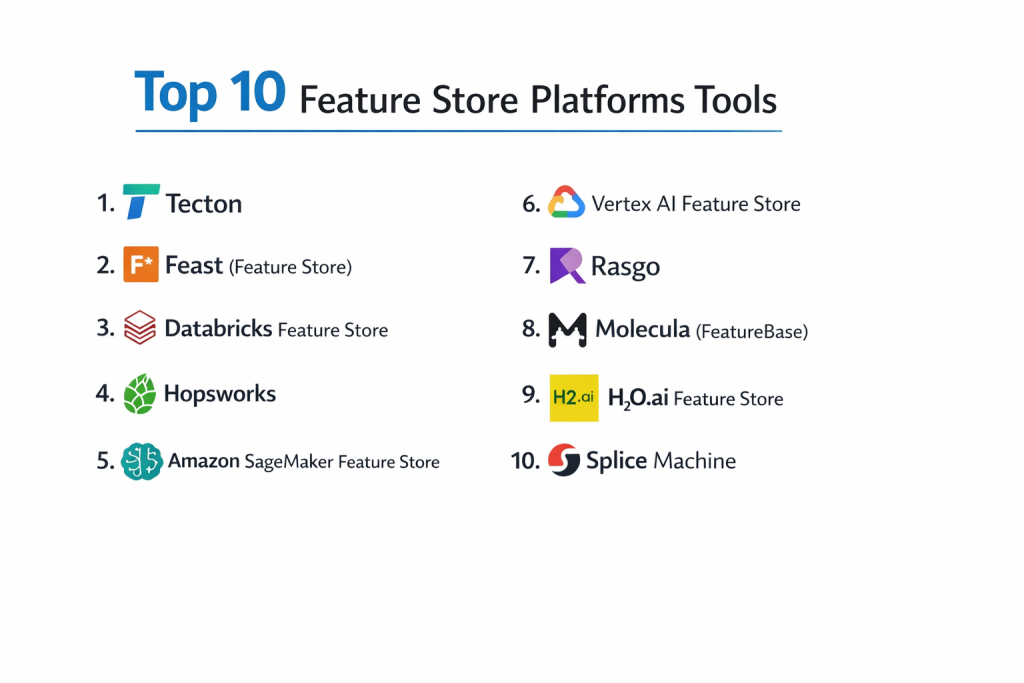
Top 10 Feature Store Platforms Tools
1 — Tecton
Tecton is a fully managed, enterprise-grade feature store created by the team that built Uber’s Michelangelo platform. It is designed to handle the entire feature lifecycle from engineering to production serving.
- Key features:
- Managed pipelines for batch, streaming, and real-time feature engineering.
- Integrated “On-Demand” transformations for features that require request-time data.
- Native support for point-in-time joins to eliminate data leakage.
- Advanced monitoring for data quality and feature drift.
- Seamless integration with Snowflake, Databricks, and Amazon S3.
- Pros:
- Arguably the most mature and “complete” feature store on the market.
- Exceptional developer experience with a “Features-as-Code” approach.
- Cons:
- High cost compared to open-source or cloud-native alternatives.
- Currently only available on AWS and GCP (limited multi-cloud support).
- Security & compliance: SOC 2 Type II, HIPAA, and GDPR compliant; supports SSO and encryption at rest/transit.
- Support & community: High-end enterprise support; excellent documentation and a growing community of MLE experts.
2 — Feast (Feature Store)
Feast is the industry-standard open-source feature store. It is highly flexible and designed to be integrated into existing infrastructure rather than replacing it.
- Key features:
- Lightweight architecture that can be deployed on top of existing databases (Redis, BigQuery, Snowflake).
- Unified Python SDK for both training data retrieval and online serving.
- Feature discovery through a simple CLI and web UI.
- Support for “Offline” and “Online” storage synchronization.
- Registry-based management for feature definitions.
- Pros:
- Completely free and open-source, eliminating vendor lock-in.
- Highly portable; can run on-premise or on any major cloud provider.
- Cons:
- Does not include a transformation engine; you must manage your own Spark or SQL jobs.
- Requires more manual DevOps effort to maintain and scale in production.
- Security & compliance: Varies / N/A (Depends on the underlying infrastructure it is deployed on).
- Support & community: Massive open-source community on Slack and GitHub; extensive third-party tutorials.
3 — Databricks Feature Store
Built directly into the Databricks Data Intelligence Platform, this tool allows users to create and manage features within the same environment where they process their data.
- Key features:
- Integrated with Unity Catalog for end-to-end data lineage and governance.
- Automated feature search and discovery via the Databricks UI.
- Deep integration with MLflow for tracking model and feature versions together.
- Support for “Feature Lookups” at inference time to simplify client-side code.
- Native compatibility with Delta Lake for high-performance offline storage.
- Pros:
- Zero setup required for existing Databricks users.
- Excellent performance for big data workloads thanks to the Spark backend.
- Cons:
- Only available within the Databricks ecosystem.
- Online serving performance can sometimes be slower than dedicated low-latency stores like Redis.
- Security & compliance: SOC 2, HIPAA, ISO 27001, and GDPR compliant via the Databricks platform.
- Support & community: Enterprise-grade support; huge user community and professional services availability.
4 — Hopsworks
Hopsworks is a specialized AI platform that includes the first ever commercially available feature store. It focuses heavily on modularity and “data-centric” AI.
- Key features:
- Unique “HSFS” (Hopsworks Feature Store) library for Python, Java, and Scala.
- Support for “Derived Features” and complex multi-stage pipelines.
- Built-in vector database capabilities for modern LLM applications.
- Automated data validation using Great Expectations integration.
- Multi-cloud and on-premise deployment options.
- Pros:
- One of the few enterprise platforms that can run entirely on-premise.
- Very strong focus on data governance and auditability for regulated industries.
- Cons:
- The UI can feel more complex than competitors like Tecton.
- Integration with non-Hopsworks MLOps tools can sometimes be clunky.
- Security & compliance: SOC 2 compliant; supports air-gapped environments and end-to-end encryption.
- Support & community: Professional support available; strong academic and research community roots.
5 — Amazon SageMaker Feature Store
Amazon’s native feature store is a fully managed repository to store, update, retrieve, and share machine learning features across the AWS ecosystem.
- Key features:
- Purpose-built “Online Store” for low-latency (milliseconds) real-time serving.
- “Offline Store” that automatically archives features in S3 for training.
- Integration with SageMaker Pipelines for automated feature engineering.
- Support for both “Batch” and “Streaming” ingestion.
- Fine-grained access control using AWS IAM.
- Pros:
- Seamless for teams already utilizing SageMaker for training and deployment.
- Highly cost-effective “pay-as-you-go” pricing model.
- Cons:
- Harder to use if your data resides in other clouds (e.g., BigQuery).
- Lacks the high-level “transformation” abstraction found in Tecton.
- Security & compliance: FedRAMP, HIPAA, GDPR, SOC 1/2/3, and PCI DSS compliant.
- Support & community: Backed by AWS enterprise support; vast documentation library.
6 — Vertex AI Feature Store (Google Cloud)
Vertex AI Feature Store provides a centralized repository for Google Cloud users to manage and serve features at scale for both big data and real-time AI.
- Key features:
- Fully managed infrastructure that scales automatically with demand.
- “Streaming Ingestion” to update features in real-time as events occur.
- Searchable catalog to discover and reuse features across different projects.
- Integration with BigQuery for high-performance offline feature storage.
- Support for “Entity-based” feature organization.
- Pros:
- Optimized for the Google Cloud ecosystem and BigQuery users.
- Robust scalability for massive datasets.
- Cons:
- Limited support for hybrid-cloud or on-premise data sources.
- Can be complex to configure for multi-project enterprise setups.
- Security & compliance: ISO 27001, SOC 2/3, HIPAA, and GDPR compliant; uses VPC Service Controls.
- Support & community: Google Cloud enterprise support; strong documentation and certification paths.
7 — Rasgo
Rasgo focuses on the “engineering” part of feature stores, emphasizing how data scientists can transform raw data into features using SQL and dbt.
- Key features:
- Native integration with dbt (data build tool) for feature engineering.
- Automated feature documentation and cataloging.
- High-performance serving layer designed for real-time applications.
- Data quality testing and observability built into the pipeline.
- Support for Snowflake, BigQuery, and Redshift.
- Pros:
- Excellent for teams that are already “dbt-heavy” in their data stack.
- Focuses on making SQL-based feature engineering fast and reproducible.
- Cons:
- Less focus on Python-centric deep learning compared to Tecton.
- Smaller enterprise footprint than the major cloud providers.
- Security & compliance: SOC 2 Type II compliant; features SSO and robust audit logs.
- Support & community: Responsive customer support; active Slack community for data engineers.
8 — Molecula (FeatureBase)
Molecula provides FeatureBase, a specialized feature store built on a unique bitmap technology that allows for ultra-fast queries without the need for traditional indexing.
- Key features:
- Real-time analytical engine designed for “extreme” scale and speed.
- Automated data ingestion and continuous synchronization.
- Drastic reduction in data footprint through optimized bitmap storage.
- Low-latency serving for highly concurrent applications.
- Support for complex, real-time filtering and aggregations.
- Pros:
- Unmatched speed for high-concurrency real-time feature lookups.
- Reduces cloud infrastructure costs by minimizing storage and compute requirements.
- Cons:
- Requires learning a specific architectural approach (bitmap-centric).
- Less focus on general “MLOps” features like experiment tracking.
- Security & compliance: Enterprise-grade security; SOC 2 compliant options available.
- Support & community: Dedicated professional support; strong focus on high-performance engineering users.
9 — H2O.ai Feature Store
H2O.ai offers a feature store that is designed to work seamlessly with its “Driverless AI” and “H2O-3” platforms, focusing on automation and ease of use.
- Key features:
- Integrated with H2O’s AutoML for automatic feature discovery.
- Support for data versioning and point-in-time recovery.
- Advanced governance tools for tracking feature ownership and usage.
- Low-latency serving engine for production APIs.
- Direct connectors to traditional databases and modern cloud warehouses.
- Pros:
- Great for users of the H2O.ai ecosystem.
- Strong emphasis on “Responsible AI” and feature interpretability.
- Cons:
- UI can feel a bit fragmented if not using the full H2O suite.
- Smaller open-source community than Feast.
- Security & compliance: SOC 2 compliant; supports encrypted communication and LDAP/AD.
- Support & community: High-quality enterprise support; active user group and training programs.
10 — Splice Machine (Feature Store)
Splice Machine offers a feature store built on top of a scale-out SQL database that supports both transactional and analytical workloads in one engine.
- Key features:
- Unified ACID-compliant database for both online and offline features.
- Native support for Jupyter notebooks and popular ML libraries.
- Real-time feature engineering using standard SQL.
- Integrated MLOps capabilities including model deployment.
- High availability and fault tolerance for mission-critical apps.
- Pros:
- Eliminates the need to sync two different databases (Online/Offline).
- Strong choice for legacy enterprises moving from SQL to AI.
- Cons:
- Higher administrative overhead than fully managed cloud-native tools.
- Not as “trendy” in the modern cloud-data community.
- Security & compliance: Enterprise-level security including RBAC and encryption; HIPAA ready.
- Support & community: Professional technical support and training; focused on industrial and financial sectors.
Comparison Table
| Tool Name | Best For | Platform(s) Supported | Standout Feature | Rating |
| Tecton | Enterprise Scale | AWS, GCP | Managed Transformations | 4.8/5 |
| Feast | Open-Source / Flexible | Any (Self-hosted) | Cloud-Agnostic Portability | 4.7/5 |
| Databricks | Existing Spark Users | Multi-Cloud | Unity Catalog Governance | 4.6/5 |
| Hopsworks | On-Premise / Research | Any / On-Prem | Integrated Vector DB | 4.4/5 |
| SageMaker | AWS Ecosystem | AWS Only | Native SageMaker Integration | 4.3/5 |
| Vertex AI | GCP Ecosystem | GCP Only | BigQuery Native Speed | 4.2/5 |
| Rasgo | dbt / SQL Users | Cloud Warehouses | dbt-Native Workflow | N/A |
| FeatureBase | Low-Latency / Scale | Cloud / On-Prem | Bitmap Storage Engine | N/A |
| H2O.ai | AutoML Enthusiasts | Cloud / Hybrid | Automatic Feature Insights | 4.1/5 |
| Splice Machine | SQL-Centric Orgs | Cloud / On-Prem | Unified Database Engine | 4.0/5 |
Evaluation & Scoring of Feature Store Platforms
| Category | Weight | Evaluation Criteria |
| Core Features | 25% | Point-in-time correctness, online/offline sync, and transformation engine. |
| Ease of Use | 15% | Quality of the UI, Python SDK, and the “Features-as-Code” experience. |
| Integrations | 15% | Connections to Snowflake, Databricks, Spark, and Cloud APIs. |
| Security & Compliance | 10% | SOC 2, HIPAA, RBAC, and data lineage/auditing depth. |
| Performance | 10% | Inference latency (ms) and batch training throughput. |
| Support & Community | 10% | Documentation quality and the size of the active user base. |
| Price / Value | 15% | Total cost of ownership relative to the time saved by automation. |
Which Feature Store Platform Is Right for You?
Solo Users vs. SMB vs. Mid-Market vs. Enterprise
Solo users and students should almost always start with Feast. It’s free, teaches the core concepts, and can run on a local machine. SMBs often find the best value in the native cloud offerings (SageMaker or Vertex AI) because they don’t require a separate platform contract. Mid-Market and Enterprise companies with high-volume real-time needs should look toward Tecton or Databricks, as the automation and governance features provide an ROI that far outweighs the licensing cost.
Budget and Value
If you have more time than money, Feast is your best friend. You’ll have to build your own transformation pipelines, but the software is free. If you have more money than time, Tecton is the gold standard for getting to production quickly without hiring five extra data engineers to manage infrastructure.
Technical Depth vs. Simplicity
For simplicity, Rasgo and Akkio (not listed, but similar) are excellent for SQL-savvy analysts. For technical depth, Hopsworks and Molecula offer the low-level architectural control that high-end performance engineers require to squeeze every millisecond out of their systems.
Integration and Scalability Needs
If your data is currently a “mess” across multiple clouds, a vendor-neutral tool like Feast or Tecton is best. However, if you are 100% committed to AWS, there is a strong argument for using SageMaker Feature Store purely for the reduction in latency and the simplified “single bill” at the end of the month.
Security and Compliance Requirements
For highly regulated industries (Banking, Healthcare), Hopsworks and Splice Machine are top choices because they can be deployed entirely behind your own firewall in a private data center. For standard enterprise security, Tecton and Databricks offer the most robust “lineage” tools to prove to a regulator exactly where a piece of data came from.
Frequently Asked Questions (FAQs)
What is the difference between a Feature Store and a Data Warehouse?
A Data Warehouse is designed for “Analytical” queries (aggregating millions of rows). A Feature Store is designed for “Operational” AI—it provides single-row lookups at millisecond speeds while ensuring the data is identical to what was used during training.
Does a feature store replace my database?
No. A feature store sits on top of your databases. It orchestrates the movement of data from your raw sources (like PostgreSQL or S3) into a format that models can easily consume.
What is “Data Leakage” and how does a feature store fix it?
Data leakage is when a model accidentally “sees” the future during training (e.g., using today’s price to predict yesterday’s trend). Feature stores use “point-in-time joins” to ensure a model only sees data that was available at a specific timestamp.
Is Feast really free?
The software is open-source and free, but you still have to pay for the cloud resources (like Redis or BigQuery) that Feast uses to store your features.
Do I need a feature store for Generative AI/LLMs?
Yes, increasingly so. Modern LLM apps use feature stores to store “User Context” or “Vector Embeddings” that are retrieved in real-time to personalize the AI’s response.
How fast is “real-time” serving?
In a professional feature store like Tecton or SageMaker, a feature lookup usually takes between 10ms and 50ms.
What language are features written in?
Most modern stores use Python or SQL. Some specialized tools also support Java or Scala for high-performance streaming.
Can I build my own feature store?
You can, but it is a massive undertaking. Companies like Uber and Airbnb spent years and millions of dollars building theirs. For most companies, buying a managed solution is much cheaper.
What is a “Feature Registry”?
It is the “catalog” part of the store. It allows a data scientist to search for a feature like “user_login_count” and see who created it, what it means, and if it’s safe to use.
How long does it take to implement?
A cloud-native store like SageMaker can be set up in a few days. An enterprise-wide rollout of Tecton or Databricks usually takes 2-4 months to fully integrate with all data sources.
Conclusion
The Feature Store Platform has evolved from a niche tool used only by “Big Tech” into a mandatory component of the enterprise AI stack. Whether you choose the open-source flexibility of Feast, the all-in-one power of Databricks, or the high-end automation of Tecton, the goal is the same: to make your data reliable, reusable, and ready for production.
As we move toward more complex AI applications, the companies that “win” will be those that treat their features as reusable assets rather than one-off scripts. By centralizing your feature logic today, you are building a foundation that allows you to deploy models faster and with significantly higher confidence.