Introduction
Machine Learning Platforms are cohesive, end-to-end software environments that allow data scientists and engineers to build, train, deploy, and manage machine learning models at scale. Think of these platforms as a complete factory for artificial intelligence. Instead of manually stitching together disparate coding tools, data storage units, and server configurations, these platforms provide a unified workspace. They handle the “heavy lifting” of the machine learning lifecycle—from data ingestion and preprocessing to model tuning and real-time monitoring.
The importance of these platforms has surged as businesses move beyond mere experimentation with AI. To remain competitive, companies need to deploy models that are reliable, reproducible, and secure. Machine learning platforms eliminate the “it works on my machine” problem by providing standardized environments that ensure a model developed in a lab performs identically in a real-world application. They facilitate collaboration across large teams, accelerate time-to-market, and provide the necessary governance to ensure AI decisions are ethical and transparent.
Key Real-World Use Cases
- Predictive Customer Analytics: Analyzing shopping patterns to predict future purchases and automate personalized marketing campaigns.
- Medical Image Analysis: Training deep learning models to assist radiologists in identifying anomalies in X-rays or MRIs with high precision.
- Supply Chain Optimization: Forecasting demand fluctuations to optimize inventory levels and reduce waste in global logistics.
- Autonomous Systems: Powering the computer vision and decision-making logic in self-driving vehicles and industrial robotics.
- Financial Risk Management: Scanning millions of transactions per second to identify fraudulent patterns and block unauthorized payments instantly.
What to Look For (Evaluation Criteria)
When selecting a machine learning platform, you must prioritize End-to-End Orchestration—the ability to move seamlessly from raw data to a live API. Look for AutoML capabilities to empower non-experts and speed up baseline model creation. Scalability is crucial; the platform must be able to spin up powerful GPUs for training and scale down to save costs when idle. Finally, consider Model Observability, which allows you to track “model drift” (when accuracy fades over time) and maintain long-term performance.
Best for: Data scientists, ML engineers, and enterprise IT departments in sectors like fintech, healthcare, retail, and manufacturing. It is ideal for organizations that want to transition from manual data research to automated, production-grade AI applications.
Not ideal for: Individual hobbyists with very small datasets or businesses that only require basic descriptive statistics (like simple bar charts). If your data fits easily into a standard spreadsheet and doesn’t require predictive logic, the complexity of an ML platform may be unnecessary overhead.
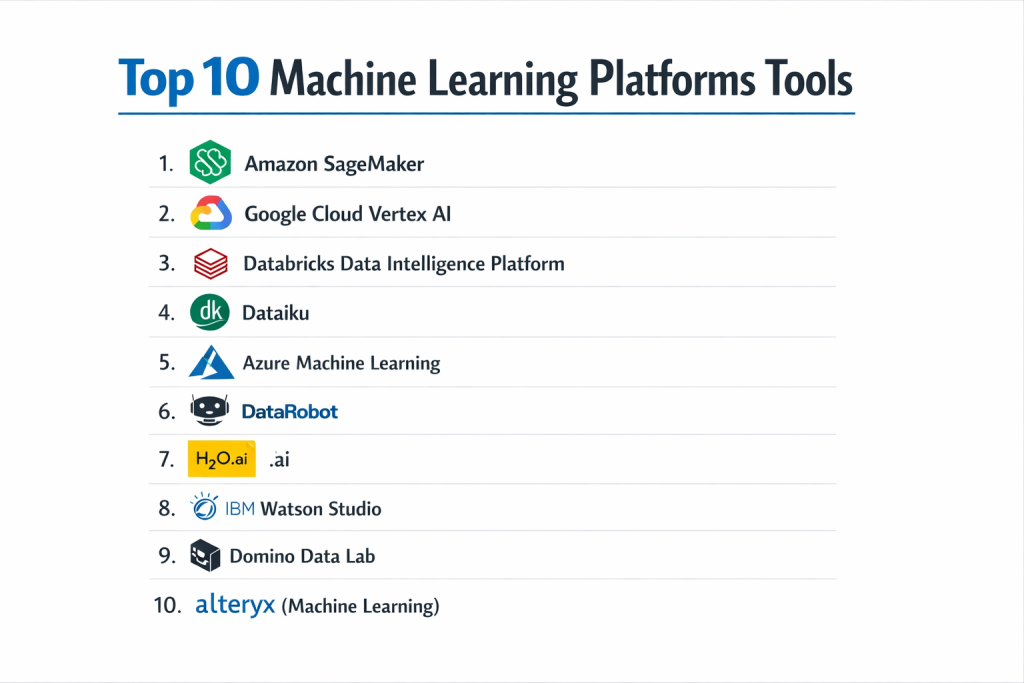
Top 10 Machine Learning Platforms Tools
1 — Amazon SageMaker
Amazon SageMaker is a fully managed service that provides every developer and data scientist with the ability to build, train, and deploy machine learning models quickly. It is the most comprehensive tool within the AWS ecosystem.
- Key features:
- SageMaker Studio: A unified web-based IDE for the entire ML workflow.
- Autopilot: Automatically builds, trains, and tunes models with full visibility.
- Data Wrangler: Simplifies data preparation and feature engineering with a visual interface.
- Managed Spot Training: Reduces training costs by up to 90% using idle AWS capacity.
- Edge Manager: Facilitates the deployment and management of models on edge devices.
- Model Monitor: Automatically detects drift in model quality in production.
- Pros:
- Deepest integration with the world’s largest cloud infrastructure (AWS).
- Extremely granular control over every aspect of the ML lifecycle.
- Cons:
- Steep learning curve due to the sheer number of features and settings.
- Can become very expensive if compute resources are not carefully managed.
- Security & compliance: HIPAA, GDPR, SOC 1/2/3, PCI DSS, and FedRAMP compliant; utilizes AWS IAM for robust access control.
- Support & community: Backed by Amazon’s extensive support network; vast library of tutorials and a massive global user base.
2 — Google Cloud Vertex AI
Vertex AI is Google’s unified machine learning platform that brings together all its cloud services for building and using AI. It is designed to leverage Google’s internal expertise in large-scale model training.
- Key features:
- AutoML: Industry-leading automated modeling for image, video, text, and tabular data.
- Vertex AI Search and Conversation: Tools for building generative AI applications.
- Matching Engine: A high-scale, low-latency vector similarity search service.
- Vertex Pipelines: Helps automate and monitor ML workflows using Kubeflow.
- Model Garden: A curated collection of first-party, open-source, and third-party models.
- Pros:
- Arguably the best AutoML performance for specialized data like vision and language.
- Seamlessly connects with BigQuery for “in-warehouse” machine learning.
- Cons:
- The interface can change frequently as Google consolidates its various AI brands.
- Heavy dependency on the Google Cloud Platform ecosystem.
- Security & compliance: ISO 27001, SOC 2/3, HIPAA, and GDPR compliant; features VPC Service Controls and CMEK.
- Support & community: Excellent documentation and strong support through the Google Cloud community and professional services.
3 — Databricks Data Intelligence Platform
Databricks provides a unified platform for data and AI, built on top of Apache Spark and MLflow. It is famous for its “Lakehouse” architecture, which simplifies the data foundation for ML.
- Key features:
- Collaborative Notebooks: Supports Python, R, SQL, and Scala in a single workspace.
- MLflow: Integrated tracking for experiments, model versions, and deployments.
- Unity Catalog: Centralized governance for all data and AI assets.
- Mosaic AI: Tools specifically designed for building and fine-tuning LLMs.
- Feature Store: Shared repository for data features to ensure consistency across models.
- Pros:
- Unrivaled for big data processing and engineering before the ML phase.
- Open-source foundations (Spark, MLflow) reduce vendor lock-in risks.
- Cons:
- Setup and cluster management can be complex for small teams.
- The platform can be overkill if you aren’t working with massive datasets.
- Security & compliance: SOC 2 Type II, ISO 27001, HIPAA, and GDPR; includes end-to-end encryption and SSO.
- Support & community: Significant open-source community support and high-end enterprise technical support.
4 — Dataiku
Dataiku is an “Everyday AI” platform designed for both technical and non-technical users. It focuses on collaboration and moving projects from the lab into production efficiently.
- Key features:
- Visual Flow: A drag-and-drop interface for data preparation and model building.
- AutoML and Expert Mode: Flexibility to use automated tools or write custom Python/R code.
- Scenario Automation: Automates the rebuilding of models based on data changes.
- Governance Dashboard: Centralized view to track model health and business value.
- App Designer: Allows users to turn ML models into interactive web applications.
- Pros:
- Excellent for “citizen data scientists” and business analysts.
- Strong focus on transparency and explainable AI (XAI).
- Cons:
- Enterprise licensing costs are high compared to basic cloud-native tools.
- Can be less “developer-centric” than platforms like SageMaker.
- Security & compliance: SSO, LDAP integration, audit logs, and SOC 2 compliance.
- Support & community: High-quality “Dataiku Academy” for training and a very engaged user community.
5 — Azure Machine Learning
Microsoft’s flagship ML service, Azure Machine Learning, is built to empower developers and data scientists with a wide range of productive experiences for building and deploying models.
- Key features:
- Azure ML Studio: A browser-based workbench for all skill levels.
- Designer: A drag-and-drop interface for building ML pipelines without code.
- Automated ML: Rapidly identifies the best algorithms and hyperparameters.
- Responsible AI Dashboard: Tools for fairness, interpretability, and error analysis.
- MLOps: Deep integration with Azure DevOps and GitHub for CI/CD.
- Pros:
- Seamless for organizations already utilizing Microsoft 365 and Azure.
- Best-in-class integration with Power BI for visualizing model outputs.
- Cons:
- Azure’s portal and naming conventions can be confusing for newcomers.
- Performance can vary depending on the specific region and cluster type.
- Security & compliance: ISO 27001, HIPAA, FedRAMP, SOC 1/2, and GDPR compliant; uses Microsoft Entra ID (formerly Azure AD).
- Support & community: Strong enterprise support and massive documentation library.
6 — DataRobot
DataRobot is a leader in Value-Driven AI, specializing in high-end automation that helps organizations deploy models in a fraction of the time traditional methods require.
- Key features:
- Predictive AI: Automated time-series forecasting and regression/classification.
- Generative AI: Tools to build, govern, and deploy LLM applications.
- No-Code App Builder: Rapidly turns insights into business-ready applications.
- Continuous AI: Automatically retrains models in production to maintain accuracy.
- Compliance Documentation: Automatically generates reports for regulatory review.
- Pros:
- Unbeatable speed for building baseline models through heavy automation.
- Superior support for regulatory compliance and audit trails.
- Cons:
- Premium pricing puts it out of reach for many startups and SMBs.
- “Black box” nature can occasionally frustrate researchers who want manual control.
- Security & compliance: SOC 2 Type II, HIPAA ready, and ISO 27001 compliant.
- Support & community: Dedicated customer success managers and extensive professional services.
7 — H2O.ai
H2O.ai is an open-source leader in AI and ML, known for its high-performance distributed machine learning platform used by nearly half of the Fortune 500.
- Key features:
- H2O-3: Open-source, distributed, in-memory machine learning.
- Driverless AI: Professional-grade AutoML that automates feature engineering.
- H2O Hydrogen Torch: No-code deep learning for images, text, and video.
- Wave: A low-code Python web framework for building AI apps.
- MOJO and POJO: Specialized formats for ultra-fast model deployment.
- Pros:
- Exceptional speed for large-scale “tabular” data (rows and columns).
- The open-source version is incredibly powerful and cost-effective.
- Cons:
- The enterprise version (Driverless AI) is expensive.
- UI and UX are more technical and less “polished” than Dataiku.
- Security & compliance: Supports LDAP, Kerberos, and encrypted communication; enterprise version is SOC 2 compliant.
- Support & community: Very active open-source community and high-quality technical support for paid customers.
8 — IBM Watson Studio
Watson Studio is part of IBM’s “Cloud Pak for Data,” offering a comprehensive environment for data scientists to collaboratively build and manage models across multi-cloud environments.
- Key features:
- AutoAI: Automates data preparation, model development, and feature engineering.
- Decision Optimization: A specialized tool for solving complex logic and scheduling.
- Watson OpenScale: Monitors and manages AI outcomes for bias and fairness.
- Refinery: A visual tool to discover, cleanse, and transform data.
- SPSS Modeler: Integrated for those moving from traditional statistical software.
- Pros:
- Strongest choice for “Hybrid Cloud” (running some things on-premise, some in cloud).
- Exceptional focus on AI ethics and model explainability.
- Cons:
- IBM’s overall ecosystem is perceived as complex and slow-moving.
- Steep pricing for the full suite of enterprise tools.
- Security & compliance: FedRAMP, HIPAA, GDPR, SOC 2, and ISO 27001 certified.
- Support & community: Massive global support network with deep expertise in legacy and modern systems.
9 — Domino Data Lab
Domino is an “open” ML platform designed specifically for sophisticated data science teams that want to use their favorite open-source tools without infrastructure headaches.
- Key features:
- Workspaces: One-click access to Jupyter, RStudio, VS Code, and SAS.
- Environment Management: Docker-based images to ensure code runs everywhere.
- Experiment Tracking: Automatically captures data, code, and results for every run.
- Model API Hosting: Simplifies turning a Python/R script into a production API.
- Knowledge Management: A searchable repository of all past work to prevent rework.
- Pros:
- Ultimate flexibility—data scientists can use whatever libraries they want.
- The best platform for “reproducible” research and regulatory auditing.
- Cons:
- Lacks the “out-of-the-box” AutoML power of DataRobot or Google.
- Requires a more technical team to manage the flexibility it offers.
- Security & compliance: SOC 2 Type II, HIPAA compliant, and supports air-gapped environments.
- Support & community: Highly responsive professional support and a community of high-end ML practitioners.
10 — Alteryx (Machine Learning)
Alteryx has expanded from data preparation into a full AI platform, offering a “human-centered” approach to machine learning that prioritizes ease of use.
- Key features:
- Alteryx Intelligence Suite: No-code machine learning and text mining.
- Designer: The industry-standard drag-and-drop data blending tool.
- Education Mode: Explains ML concepts to users as they build models.
- Auto Insights: Automatically discovers trends and outliers in your data.
- Cloud and Desktop versions: Flexibility in where you build and store data.
- Pros:
- The most intuitive tool for analysts transitioning from Excel or SQL.
- Superior data preparation capabilities—the “cleanup” is half the battle.
- Cons:
- Not ideal for deep learning or highly custom, cutting-edge AI research.
- Desktop-centric roots mean cloud features are still catching up to AWS/Google.
- Security & compliance: SSO, RBAC, and standard enterprise security protocols.
- Support & community: One of the most passionate and helpful user communities in the data world.
Comparison Table
| Tool Name | Best For | Platform(s) Supported | Standout Feature | Rating (Gartner) |
| Amazon SageMaker | AWS Ecosystem | AWS Only | Deepest ML Lifecycle Ops | 4.5/5 |
| Vertex AI | Google Cloud / AutoML | GCP Only | Google-Grade AI Models | 4.6/5 |
| Databricks | Big Data & AI | Multi-Cloud | Lakehouse Integration | 4.7/5 |
| Dataiku | Team Collaboration | Multi-Cloud / On-Prem | Visual “Everyday AI” | 4.6/5 |
| Azure ML | Microsoft Ecosystem | Azure Only | Responsible AI Dashboard | 4.4/5 |
| DataRobot | Rapid Automation | Multi-Cloud / On-Prem | Predictive & GenAI Speed | 4.5/5 |
| H2O.ai | High-Performance ML | Any (In-Memory) | Driverless AutoML | 4.6/5 |
| IBM Watson | Regulated Industries | IBM Cloud / Hybrid | AI Governance & Trust | 4.1/5 |
| Domino Data Lab | Expert Data Science | Multi-Cloud / On-Prem | Reproducible Research | 4.3/5 |
| Alteryx | Business Analysts | Windows / Cloud | Drag-and-Drop Analytics | 4.6/5 |
Evaluation & Scoring of Machine Learning Platforms
| Category | Weight | Evaluation Criteria |
| Core Features | 25% | Presence of AutoML, MLOps, deployment tools, and notebook support. |
| Ease of Use | 15% | Intuitive UI, quality of visual tools, and onboarding speed. |
| Integrations | 15% | How well it connects to data sources (Snowflake, SQL) and cloud infra. |
| Security & Compliance | 10% | Certifications (SOC 2, HIPAA) and robust access controls. |
| Performance | 10% | Training speed, horizontal scaling, and real-time inference latency. |
| Support & Community | 10% | Quality of documentation, training academy, and active user forums. |
| Price / Value | 15% | Cost-effectiveness for the features provided and ROI potential. |
Which Machine Learning Platform Is Right for You?
Solo Users vs. SMB vs. Mid-Market vs. Enterprise
Solo users and students should look toward H2O.ai (open-source) or Google Vertex AI, which offer generous free tiers and low entry costs. SMBs often benefit from the “no-code” simplicity of Alteryx or SageMaker Canvas, allowing a single analyst to do the work of a team. Mid-Market and Enterprise organizations should prioritize platforms like Databricks, Dataiku, or DataRobot, which are built to handle the security, governance, and collaboration needs of hundreds of users.
Budget-Conscious vs. Premium Solutions
If you are budget-conscious, stick with cloud-native tools (SageMaker, Azure ML) where you only pay for the seconds your servers are running. Premium solutions like DataRobot require a significant upfront investment but can pay for themselves by reducing the need to hire several highly-paid ML engineers, as the automation handles much of the complexity.
Feature Depth vs. Ease of Use
If you need technical depth, Domino Data Lab and SageMaker provide the “raw power” that expert engineers crave. If you prioritize ease of use, Dataiku and Alteryx allow business users to contribute to AI projects without writing a single line of code. The middle ground is occupied by Azure ML, which offers both a visual designer and a powerful SDK.
Integration and Scalability Needs
For companies already committed to a single cloud provider, the native platform (SageMaker for AWS, Vertex for Google, Azure ML for Microsoft) is almost always the best choice due to data egress costs and latency. If you use a “Multi-Cloud” approach or have massive data in Snowflake, Databricks is the industry leader for connecting those dots.
Security and Compliance Requirements
If you are in a highly regulated industry like healthcare or defense, IBM Watson Studio and Domino Data Lab offer the most robust on-premise and “air-gapped” deployment options. For standard enterprise security, all top 5 cloud platforms are SOC 2 and HIPAA compliant, but DataRobot provides the best automated “compliance reports” for auditors.
Frequently Asked Questions (FAQs)
What is the difference between Data Science and Machine Learning Platforms?
Data science platforms focus on the broad research and analysis of data. ML platforms focus specifically on the lifecycle of a predictive model—training it, deploying it as an API, and monitoring its performance.
Do I need to be a programmer to use these platforms?
Not anymore. Platforms like Dataiku, Alteryx, and SageMaker Canvas allow you to build models using “drag-and-drop” interfaces, though complex projects still benefit from Python knowledge.
What is AutoML?
AutoML stands for Automated Machine Learning. It is a feature that automatically tests different mathematical algorithms and settings to find the one that makes the best predictions for your specific data.
How much do these platforms cost?
Cloud-native tools are “pay-as-you-go” (often $1–$5 per hour for compute). Enterprise platforms like DataRobot or Dataiku typically start in the mid-five figures annually.
Can I run these platforms on my own servers?
Yes. Domino Data Lab, Dataiku, and H2O.ai can be installed on-premise. Cloud-native tools like SageMaker are generally restricted to their specific cloud environment.
What is “Model Drift”?
Model drift happens when a model becomes less accurate over time because the real world has changed (e.g., a fraud detection model failing because hackers changed their tactics). Top platforms monitor this automatically.
Which platform is best for Generative AI and LLMs?
Google Vertex AI and Databricks (Mosaic AI) are currently leading the charge with specialized tools for fine-tuning and deploying large language models.
Is my data safe on these platforms?
Yes, top-tier platforms use enterprise-grade encryption and meet global standards like GDPR and HIPAA. However, you are still responsible for managing user access permissions.
Can I use these platforms for small datasets?
You can, but it might be overkill. If your data is smaller than 10,000 rows, a simple Python library like scikit-learn on your laptop might be faster and cheaper.
How long does it take to implement an ML platform?
Cloud-native tools can be “turned on” in minutes. Enterprise-wide implementation, including data connections and team training, usually takes 3 to 6 months.
Conclusion
Selecting the right Machine Learning Platform is no longer a luxury—it is a strategic necessity for any data-driven organization. The landscape has matured to the point where there is a “best fit” for every scenario: SageMaker and Vertex AI for cloud-native power, Dataiku for team collaboration, Databricks for big data experts, and DataRobot for those who need maximum automation.
The “best” platform is ultimately the one that aligns with your team’s existing skills, your data’s current location, and your long-term business goals. Before committing to a multi-year contract, take advantage of free trials and run a “Proof of Concept” (PoC) using your actual business data. The goal is to spend less time managing servers and more time extracting value from your data.