Introduction
Data Integration and ETL tools are specialized software designed to help businesses move and organize their information. ETL stands for Extract, Transform, and Load. In simple terms, these tools “extract” data from different places (like your sales software, website, or spreadsheets), “transform” it by cleaning it and making sure it follows the same rules, and then “load” it into a final home like a data warehouse. Without these tools, a company’s information would stay stuck in different “islands,” making it impossible for managers to see the full picture of how the business is running.
These tools are important because they save thousands of hours of manual work. Instead of an employee copying and pasting numbers from one app to another, the software does it automatically and without making mistakes. This allows businesses to have fresh, updated information every morning. When your data is integrated, your marketing team can see exactly what the sales team is doing, and your finance team can track every penny in real-time. It is the bridge that connects your various apps so they can finally talk to each other.
Key Real-World Use Cases
- Combining Sales Data: A store might sell products on its own website, on Amazon, and in a physical shop. An ETL tool pulls all these sales into one report so the owner knows exactly how much total stock is left.
- Cleaning Customer Lists: Sometimes a customer is listed as “John Doe” in one app and “J. Doe” in another. These tools can recognize they are the same person and fix the names so the records are clean.
- Moving to the Cloud: When a company decides to stop using old office servers and move to a modern cloud system, ETL tools handle the heavy lifting of moving millions of files safely.
- Real-Time Shipping Updates: Logistics companies use integration tools to connect GPS data from trucks to their customer notification system, so you get a text the moment your package is close.
What to Look For (Evaluation Criteria)
When picking a tool, you should look at these four basic areas:
- Connectors: Does the tool already know how to talk to the apps you use (like Shopify, Salesforce, or Excel)?
- No-Code vs. Code: Can a regular person build the data paths by dragging and dropping icons, or do you need a programmer to write complex code?
- Speed: How fast can the tool move data? Some tools update once a day, while others do it every second.
- Error Handling: If something goes wrong during the data move, does the tool tell you exactly what happened, or does it just stop working without a warning?
Best for: Data engineers, business analysts, and IT managers at growing companies. It is ideal for any business that uses more than five different software apps and wants to see all their data in one central dashboard.
Not ideal for: Very small businesses that only use one tool (like just QuickBooks) or solo owners who can easily manage their data using a simple manual export once a month.
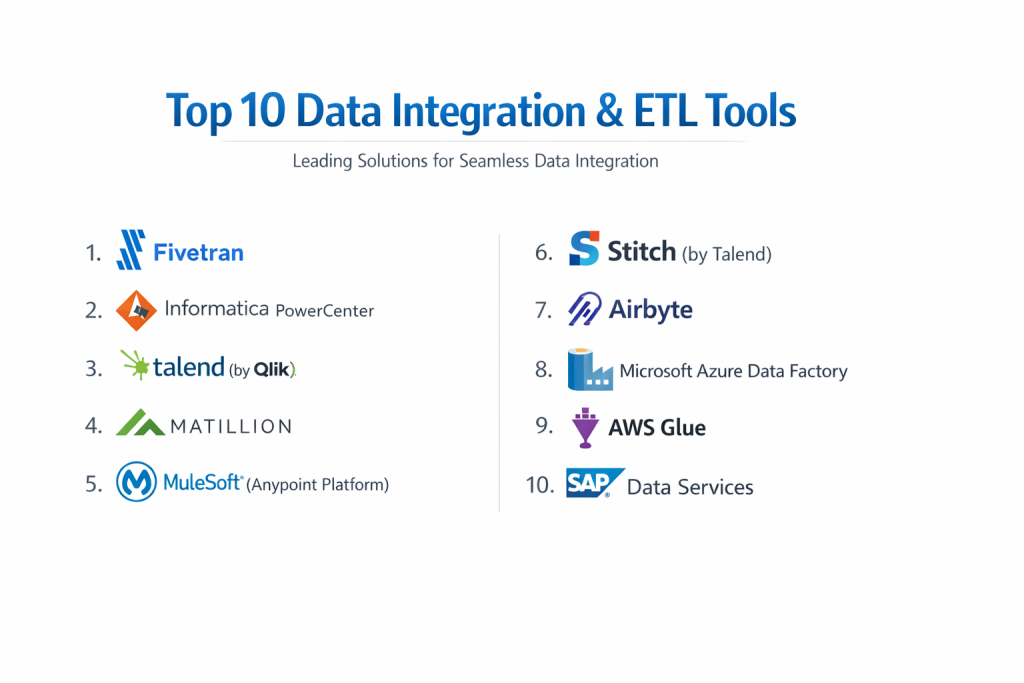
Top 10 Data Integration & ETL Tools
1 — Fivetran
Fivetran is a modern, cloud-based tool designed for people who want the software to do all the work. It is famous for being “fully managed,” meaning you just tell it where the data is and where it should go, and it handles the rest.
- Key features:
- Fully automated data pipelines that fix themselves if they break.
- Hundreds of ready-to-use connectors for popular apps.
- Automatic “schema” updates (it notices if you add a new column to your data).
- No-code interface that anyone can understand.
- Very fast setup that usually takes minutes, not days.
- Pros:
- It requires almost zero maintenance from your tech team.
- Extremely reliable; the connections rarely fail.
- Cons:
- The pricing is based on “active rows,” which can get expensive as you grow.
- You have very little control over how the data is changed during the move.
- Security & compliance: SOC 2 Type II, ISO 27001, HIPAA, and GDPR compliant with full encryption.
- Support & community: Excellent documentation and very fast customer support for technical issues.
2 — Informatica PowerCenter
Informatica is one of the oldest and most trusted names in the data world. It is a “powerhouse” tool designed for giant corporations that have incredibly complex data needs.
- Key features:
- Highly advanced data transformation capabilities.
- Can handle massive amounts of data across global offices.
- Strong tools for data “governance” (keeping data clean and legal).
- Works on both cloud and old office servers.
- Includes high-level security and audit logs.
- Pros:
- There is almost no data task too big or too complex for this tool.
- It is a very stable choice for banks and healthcare companies.
- Cons:
- Very difficult to learn; you usually need a certified expert.
- It is one of the most expensive tools on the market.
- Security & compliance: Meets the highest global standards including FedRAMP, HIPAA, and GDPR.
- Support & community: Large network of professional consultants and deep enterprise support.
3 — Talend (by Qlik)
Talend offers a mix of free “open source” tools and paid “enterprise” versions. It is a great middle-ground for companies that want power but also want to keep an eye on their budget.
- Key features:
- Drag-and-drop interface for building data paths.
- Huge library of connectors to almost any database.
- Data quality tools that automatically find and fix mistakes.
- Support for “Big Data” technologies like Hadoop and Spark.
- Can be used as a simple tool or a complex coding platform.
- Pros:
- Very flexible; it can grow with your company from small to large.
- The open-source version allows you to try it before you buy it.
- Cons:
- The user interface can feel a bit old and clunky compared to newer tools.
- Setting up the more advanced features takes a lot of time.
- Security & compliance: SOC 2 and GDPR compliant with strong data masking features.
- Support & community: Large online community and various levels of paid support.
4 — Matillion
Matillion is built specifically for the cloud. It is designed to work inside your data warehouse (like Snowflake or BigQuery) to make the data move as fast as possible.
- Key features:
- Uses the power of your cloud warehouse to transform data (ELT).
- Simple visual builder for creating data workflows.
- Specific versions for Amazon, Google, and Microsoft clouds.
- Fast data loading from many different sources.
- Custom connectors can be built if they don’t have what you need.
- Pros:
- It is very fast because it doesn’t move data to a separate server to clean it.
- The pricing is based on “credits,” which can be cheaper for some users.
- Cons:
- You must already have a cloud data warehouse for it to work.
- It can be a bit more technical than “no-code” tools like Fivetran.
- Security & compliance: SOC 2 compliant; keeps data inside your own cloud for better safety.
- Support & community: Good documentation and an active user forum.
5 — MuleSoft (Anypoint Platform)
MuleSoft, owned by Salesforce, is more than just an ETL tool. It is an “integration platform” that connects everything in your business, from your small apps to your giant databases.
- Key features:
- Uses “APIs” to connect different software.
- Excellent for real-time data sharing between apps.
- Visual “Anypoint Design Center” for building connections.
- Strong focus on reusing connections so you don’t have to build them twice.
- Perfect integration with Salesforce.
- Pros:
- The best choice for connecting your internal apps for daily work.
- Extremely powerful for large companies with hundreds of different tools.
- Cons:
- Very expensive and often requires a long-term contract.
- Requires a specialized team of developers to get the most out of it.
- Security & compliance: Highly secure; used by government agencies and global banks.
- Support & community: Huge community and extensive training through “MuleSoft University.”
6 — Stitch (by Talend)
Stitch is the simpler, “younger brother” of Talend. It is a lightweight cloud tool meant for developers who want to move data quickly into a warehouse without any fuss.
- Key features:
- Simple, web-based setup that anyone can use.
- Focuses purely on moving data (Extract and Load).
- Connects to over 100 different data sources.
- Automatically handles many common data errors.
- Clear and simple dashboard to see your data status.
- Pros:
- Very affordable for small to mid-sized companies.
- No complex training is required to get started.
- Cons:
- It does not have many tools for “transforming” (changing) the data.
- If your data is very messy, you will need another tool to clean it.
- Security & compliance: SOC 2 Type II and HIPAA compliant.
- Support & community: Chat-based support and clear online guides.
7 — Airbyte
Airbyte is the leading “open-source” alternative to Fivetran. It is a newer tool that is becoming very popular because it allows you to see the code and build your own connectors for free.
- Key features:
- Open-source core that is free to use on your own servers.
- A “Connector Builder” that makes it easy to add new apps.
- Cloud version available for people who don’t want to manage servers.
- Very fast growing list of ready-made connections.
- Can handle both simple data moves and complex engineering tasks.
- Pros:
- No “vendor lock-in”—you always own your data pipelines.
- Potentially the cheapest option if you run it yourself.
- Cons:
- The “free” version requires your own technical team to manage.
- Some of the newer connectors can still have small bugs.
- Security & compliance: Varies by setup; Cloud version is SOC 2 compliant.
- Support & community: Very active Slack community and growing documentation.
8 — Microsoft Azure Data Factory
If your company is already using Microsoft Azure, this is the natural choice. It is a cloud-based service that handles all types of data integration within the Microsoft environment.
- Key features:
- Visual tools for building data “pipelines.”
- Connects perfectly to Azure SQL, Data Lake, and Synapse.
- Can run “SSIS” packages (for those using older Microsoft tools).
- Supports massive-scale data processing.
- Low-code environment with coding options for experts.
- Pros:
- Incredibly cheap if you are already inside the Azure cloud.
- It can handle both simple data moves and giant “Big Data” projects.
- Cons:
- The interface can be very confusing for people who don’t use Azure.
- It doesn’t connect as easily to non-Microsoft tools.
- Security & compliance: Top-tier Microsoft security; HIPAA, GDPR, and ISO compliant.
- Support & community: Huge network of Microsoft experts and official support.
9 — AWS Glue
AWS Glue is Amazon’s version of an ETL tool. It is “serverless,” which means you don’t have to set up any computers; you just write your data rules and Amazon runs them.
- Key features:
- “Data Catalog” that automatically finds and labels your files.
- Automatically generates code to move your data.
- Works perfectly with Amazon S3 and Redshift.
- You only pay for the seconds the tool is actually running.
- Supports Python and Spark for complex data jobs.
- Pros:
- Very powerful for companies that store their data in Amazon’s cloud.
- No servers to manage, which saves a lot of time for IT.
- Cons:
- It is quite technical; you usually need to know how to code.
- It is hard to use if your data is not stored in Amazon.
- Security & compliance: Standard AWS high-level security; SOC, PCI, and HIPAA compliant.
- Support & community: Extensive documentation and support through AWS plans.
10 — SAP Data Services
SAP is a giant in the business software world. Their data integration tool is built for companies that use SAP for their daily operations and need to move that data into other systems.
- Key features:
- Extreme detail in how data is cleaned and organized.
- Built-in tools for analyzing “data quality.”
- Can handle both real-time and “batch” (once-a-day) moves.
- Excellent for large-scale manufacturing and retail data.
- Deeply integrated with all other SAP products.
- Pros:
- The “best-in-class” choice for existing SAP customers.
- Handles very complex business rules easily.
- Cons:
- Very high cost and very complex setup.
- The interface looks older and is not very user-friendly.
- Security & compliance: Enterprise-grade; meets all international compliance rules.
- Support & community: Strong professional support and a global network of partners.
Comparison Table
| Tool Name | Best For | Platform(s) Supported | Standout Feature | Rating |
| Fivetran | Hands-off Automation | Cloud Only | Self-fixing Pipelines | 4.8 / 5 |
| Informatica | Large Corporations | Cloud & On-Prem | Enterprise Power | 4.4 / 5 |
| Talend | Flexible Teams | Cloud & On-Prem | Open Source Roots | 4.3 / 5 |
| Matillion | Cloud Warehouses | AWS, Azure, GCP | Fast Cloud Performance | 4.5 / 5 |
| MuleSoft | App Integration | Cloud & On-Prem | Salesforce Integration | 4.5 / 5 |
| Stitch | Small/Mid Teams | Cloud Only | Simple & Low Cost | 4.6 / 5 |
| Airbyte | Open Source Fans | Cloud & On-Prem | Custom Connectors | 4.7 / 5 |
| Azure Data Factory | Microsoft Users | Microsoft Azure | Low-cost Azure Links | 4.4 / 5 |
| AWS Glue | Amazon Users | AWS | Serverless Simplicity | 4.2 / 5 |
| SAP Data Services | SAP Customers | Cloud & On-Prem | Deep SAP Integration | 4.0 / 5 |
Evaluation & Scoring of Data Integration & ETL Tools
| Criteria | Weight | Purpose |
| Core Features | 25% | Can it move, clean, and load data reliably? |
| Ease of Use | 15% | Can a non-programmer use the tool effectively? |
| Integrations | 15% | Does it talk to all the most popular apps? |
| Security & Compliance | 10% | Is the data safe and following privacy laws? |
| Performance | 10% | Does it move data fast without crashing? |
| Support & Community | 10% | Is there help available when you get stuck? |
| Price / Value | 15% | Is the monthly bill fair for what you get? |
Which Data Integration & ETL Tool Is Right for You?
Solo users vs SMB vs mid-market vs enterprise
If you are a solo user or a tiny business, you might not even need an ETL tool yet. If you are a Small to Mid-sized Business (SMB), look at Stitch or Airbyte Cloud—they are affordable and simple. Mid-market companies usually love Fivetran or Matillion because they save time. Giant Enterprises almost always choose Informatica or MuleSoft because they need the highest level of power and security.
Budget-conscious vs premium solutions
If you want to save money, Airbyte (open source) or Stitch are your best friends. They have low starting prices. If you have a large budget and want the best “set-it-and-forget-it” experience, Fivetran is a premium solution that is worth every penny for the time it saves your team.
Feature depth vs ease of use
If you want a tool that “just works” with a simple dashboard, stick to Fivetran or Stitch. If you need to do very complex math or “clean” your data in very specific ways before it is stored, you will need the “feature depth” of Informatica or Talend, even if they are harder to use.
Integration and scalability needs
If your company is growing very fast, you need a tool that can scale. AWS Glue and Azure Data Factory are built to handle an almost infinite amount of data. If your main goal is to connect all your internal company apps (like HR and Sales), MuleSoft is the leader in integration.
Security and compliance requirements
For companies in banking or medicine, security is the #1 priority. Informatica and SAP are excellent because they have decades of experience in high-security industries. If you are a modern tech company, any of the “Big Three” cloud tools (Amazon, Google, Microsoft) offer excellent, up-to-date compliance features.
Frequently Asked Questions (FAQs)
1. What does ETL stand for?
It stands for Extract, Transform, and Load. It is the three-step process of taking data from one place, cleaning it up, and putting it somewhere else.
2. What is the difference between ETL and ELT?
ETL cleans the data before putting it in the warehouse. ELT puts the raw data in the warehouse first and then uses the warehouse’s power to clean it up.
3. Are these tools expensive?
They range from free (open source) to hundreds of thousands of dollars for giant corporations. Most mid-sized companies spend between $500 and $2,000 a month.
4. Do I need to know how to code?
Not necessarily. Many modern tools like Fivetran and Stitch are “no-code,” meaning you just click buttons to move your data.
5. How long does it take to set up?
A simple tool can be set up in 15 minutes. A complex enterprise system like Informatica can take months to fully configure.
6. Can these tools move data in real-time?
Some can, like MuleSoft. Most ETL tools move data in “batches” (every hour or every day), but many are moving toward real-time features.
7. Is my data safe while it is moving?
Yes, modern tools use “encryption,” which is like a secret code that protects your data so no one can read it while it travels across the internet.
8. What happens if a data move fails?
Most tools will send you an email or alert. The best tools like Fivetran will automatically try again until it works.
9. Can I build my own connectors?
Yes, tools like Airbyte and Talend allow you to write your own code to connect to any app that doesn’t already have a built-in button.
10. What is the most common mistake when choosing?
Buying a tool that is too complex for your team to use. It is better to start with a simple tool and grow into a complex one later.
Conclusion
Choosing a Data Integration or ETL tool is about finding the right “pipes” to move your business information. There is no single “best” tool for everyone; there is only the best tool for your specific situation. If you want something that requires zero effort, Fivetran is a winner. If you are already using Microsoft or Amazon for everything, their built-in tools are usually the cheapest and easiest to connect.
The most important thing to remember is that data is only useful if it is organized and accessible. By picking one of these tools, you are giving your business a clean, reliable foundation for making decisions. Take your time, try a few free trials, and choose the one that makes your life easier, not more complicated.