Introduction
Privacy Management Tools are specialized software platforms designed to help organizations oversee, organize, and protect the personal information they collect. At its core, this software acts as a central command center for data. It allows a business to see exactly what kind of personal details they have—such as names, home addresses, or credit card numbers—and where that information is stored across various servers, cloud apps, and physical files. Instead of relying on manual spreadsheets that quickly become outdated, these tools provide a live, automated view of a company’s data footprint.
The importance of these tools stems from the growing complexity of how information moves through a business. When a person shares their data with a company, it rarely stays in one place; it might move from a website form to a marketing database, then to a customer support tool, and finally to a cloud storage provider. Privacy management software tracks these movements to ensure that the data is handled safely and only used for the reasons the customer originally agreed to.
Key Real-World Use Cases
- Data Mapping and Inventory: Automatically creating a visual map of where every piece of sensitive data lives within a company’s digital ecosystem.
- Fulfilling Individual Rights: Managing “Subject Access Requests,” which occur when a person asks a company to show them, change, or delete all the personal data the business holds about them.
- Consent Management: Running the banners on websites that ask users if they are okay with being tracked by cookies, and keeping a legal record of those choices.
- Vendor Risk Assessment: Evaluating third-party partners (like payroll providers or email services) to ensure they have high enough security standards before the company shares any data with them.
What to Look For (Evaluation Criteria)
When selecting a tool, the most important factor is its ability to integrate with the software you already use. A tool that cannot “talk” to your databases will require a lot of manual data entry, which leads to mistakes. You should also look for a clean user interface that non-technical staff can navigate, as well as a strong reporting system that can produce proof of compliance for auditors or government officials.
Best for:
These tools are most beneficial for Privacy Officers, Legal Counsel, and IT Managers who work in data-heavy industries like healthcare, banking, e-commerce, and insurance. They are essential for any organization that operates across multiple regions with different sets of rules.
Not ideal for:
Small businesses or local shops that only store basic contact information in one or two places. If your data never leaves a single, simple system and you do not have a large volume of customers, the cost and complexity of a full privacy suite might be unnecessary.
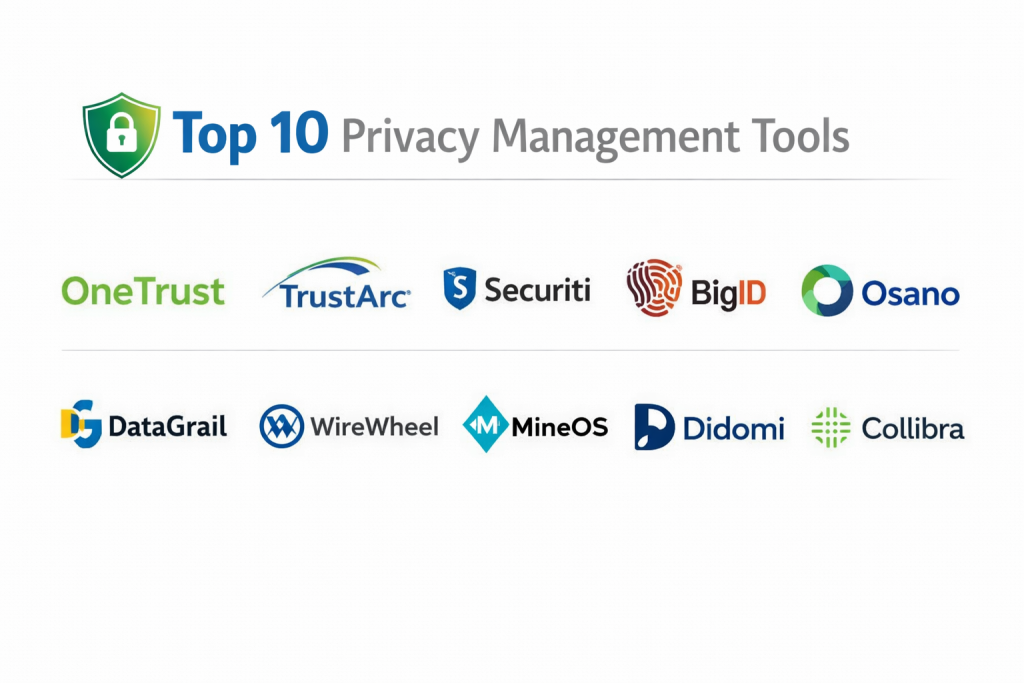
Top 10 Privacy Management Tools
1 — OneTrust
OneTrust is a very large and comprehensive platform. It is designed to be a “one-stop shop” for everything related to privacy, security, and social responsibility. It is particularly well-suited for massive organizations that need to manage thousands of different data flows at once.
- Key features:
- Deep data discovery that finds sensitive info in hidden places.
- Automated workflows for handling thousands of data deletion requests.
- Customizable website banners for managing user consent.
- A massive library of legal research covering laws globally.
- Tools to manage internal company ethics and risk.
- Visual maps that show how data moves between different countries.
- Pros:
- Extremely powerful and can handle the most complex business structures.
- The most widely recognized name in the industry with the most features.
- Cons:
- Can be very difficult to learn and set up without specialized training.
- The pricing can be high for companies that only need a few features.
- Security & compliance: Supports SSO, multi-factor authentication, and is compliant with GDPR, SOC 2, and ISO standards.
- Support & community: Offers a massive online knowledge base, a dedicated user community, and 24/7 technical support for large accounts.
2 — TrustArc
TrustArc focuses on the legal and structural side of privacy. It is built by people with deep experience in privacy law, which makes it a very “smart” tool for teams that need to stay on top of changing regulations without hiring a dozen extra lawyers.
- Key features:
- Intelligence systems that alert you when a privacy law changes in your area.
- Templates for privacy impact assessments that guide you through the process.
- Cookie consent tools that work for both websites and mobile apps.
- Detailed risk scoring to help you prioritize which data is most at risk.
- Data inventory tools that help you catalog what you own.
- Pros:
- Excellent for building a formal privacy program from the ground up.
- Provides very high-quality legal guidance built into the software.
- Cons:
- The software interface can feel a bit older than some of its newer competitors.
- Certain advanced features can be slow to implement.
- Security & compliance: HIPAA, GDPR, and SOC 2 compliant; uses high-level encryption for all stored data.
- Support & community: Known for excellent customer success managers and very helpful educational webinars.
3 — Securiti
Securiti takes a modern approach by using artificial intelligence to do the heavy lifting. It is designed for companies that store most of their data in the cloud (like Google Drive or AWS) and want the software to find and protect that data automatically.
- Key features:
- “Autodiscovery” that finds personal data without needing to be told where to look.
- Bot-driven systems to fulfill data requests in seconds rather than days.
- Centralized controls for managing consent across different devices.
- Real-time monitoring for data leaks or unauthorized access.
- Automated classification to label data as “sensitive” or “public.”
- Pros:
- The level of automation significantly reduces the need for manual work.
- Very fast at finding data across complex cloud networks.
- Cons:
- The AI can sometimes be too sensitive, requiring humans to double-check labels.
- The feature set might be too technical for a strictly legal-focused team.
- Security & compliance: SOC 2 Type II, ISO 27001, and robust audit logging for every action.
- Support & community: Strong technical support and a library of video tutorials for new users.
4 — BigID
BigID is a specialized tool that focuses almost entirely on the data itself. While other tools focus on the “forms” and “legal” side, BigID goes deep into your servers to look at every file and database entry to ensure nothing is missed.
- Key features:
- Deep scanning for both “structured” (databases) and “unstructured” (emails, PDFs) data.
- Tools to help companies delete old data they no longer need.
- Correlation engines that connect different pieces of data to the same person.
- Breach impact analysis to see exactly whose data was lost if a leak happens.
- Detailed file cataloging for massive data centers.
- Pros:
- Unmatched ability to find and identify data in huge, messy environments.
- Helps companies actually reduce the amount of data they store, saving money.
- Cons:
- It is a heavy tool that requires a lot of server power and technical setup.
- Can be one of the more expensive options on the list.
- Security & compliance: Enterprise-grade security with support for all major global data standards.
- Support & community: Extensive professional services to help with the initial installation.
5 — Osano
Osano is widely considered the most user-friendly tool on the market. It is built for companies that want to be compliant without spending months in training. It is famous for its “No-Data-Log” approach to privacy.
- Key features:
- A very simple “copy and paste” cookie consent banner.
- Monitoring of thousands of vendors to see if their privacy scores change.
- Automated request handling that works with most common business apps.
- Privacy law summaries written in plain English, not “legalese.”
- Representative services for companies that need a legal presence in Europe.
- Pros:
- Extremely easy to set up; you can be running in a few hours.
- Clear, predictable pricing that is accessible for mid-sized companies.
- Cons:
- Lacks the deep AI-scanning features found in more expensive tools.
- Less customization for very specific, niche business needs.
- Security & compliance: Fully compliant with GDPR, CCPA, and SOC 2.
- Support & community: Very responsive email support and a straightforward documentation center.
6 — DataGrail
DataGrail is built for the modern office that uses hundreds of different SaaS apps like Salesforce, Slack, and Zendesk. It focuses on connecting these apps together so you can manage privacy from one central screen.
- Key features:
- A “Live Data Map” that updates automatically as the company buys new software.
- Direct connections to over 2,000 popular business applications.
- Automatic matching of data requests to ensure the right person gets the right info.
- Preference centers where customers can choose which emails they want to receive.
- No-code setup, meaning you don’t need a programmer to install it.
- Pros:
- The “Live Map” feature eliminates the need for annoying internal surveys.
- Very modern, clean design that is a pleasure to use.
- Cons:
- If you use very old, custom-built software, DataGrail might struggle to connect to it.
- Focuses more on popular apps than on deep, old-fashioned databases.
- Security & compliance: SOC 2 compliant and follows strict internal data protection protocols.
- Support & community: Excellent customer success teams that help with the initial “onboarding” process.
7 — WireWheel
WireWheel is designed to help companies build trust with their customers. It provides very professional-looking “Trust Centers” where users can go to manage their privacy choices without feeling like they are filling out a legal form.
- Key features:
- Branded portals that look like your company’s own website.
- Visual workflows to help your team process privacy assessments.
- Integration with technical systems for automated data deletion.
- Compliance reporting that is easy to read for executives.
- Developer-friendly tools for companies that want to build their own custom features.
- Pros:
- Makes the privacy process look very high-end and professional to the customer.
- Great balance between “easy to use” and “technically powerful.”
- Cons:
- The most advanced features require some technical knowledge to use correctly.
- Can become complex if you have many different brands under one company.
- Security & compliance: High standards for data encryption and user access control.
- Support & community: Good direct support and technical guides for developers.
8 — MineOS
MineOS focuses on a “people-first” approach. It is unique because it scans your company’s email and login systems to find every single app your employees have signed up for, helping you find “hidden” data you didn’t know existed.
- Key features:
- Discovery of apps via single-sign-on (SSO) logs.
- A simple dashboard that shows your company’s “Privacy Score.”
- One-click fulfillment for data deletion requests.
- AI risk assessments for every new app an employee tries to use.
- Very fast setup that doesn’t require deep technical integration.
- Pros:
- Best-in-class at finding “Shadow IT” (apps used without permission).
- Very fast and feels more like a modern app than a piece of enterprise software.
- Cons:
- Because it is newer, it may lack some of the very deep reporting of older tools.
- The email-scanning discovery might be a concern for some highly sensitive teams.
- Security & compliance: SOC 2 and GDPR compliant; uses strong security for all its scans.
- Support & community: Very active and helpful support team that responds quickly to questions.
9 — Didomi
Didomi is the specialist for consent and preferences. While they handle privacy management, they are the leaders in making sure that when a user says “No” to tracking, that choice is respected across every device they use.
- Key features:
- High-performance consent banners that don’t slow down your website.
- Preference centers for managing marketing choices across email, SMS, and web.
- Analytics to see how many people are accepting or declining your cookies.
- Support for “Connected TV” (CTV) and mobile app consent.
- Compliance settings for specific regions like Brazil, Europe, and California.
- Pros:
- The best choice for companies with massive website traffic.
- Excellent at helping marketing teams stay compliant without losing all their data.
- Cons:
- Does not focus on the “back-end” data discovery as much as other tools.
- Can be expensive if you have many different websites to manage.
- Security & compliance: ISO 27001 certified and strictly follows European privacy standards.
- Support & community: Top-tier support for developers and multi-language documentation.
10 — Collibra
Collibra is not just a privacy tool; it is a “Data Intelligence” platform. It is designed for the world’s largest companies that need to manage the quality, location, and privacy of their data all at the same time.
- Key features:
- A full catalog of every piece of data the company owns.
- “Data Lineage” which shows exactly how data was created and where it moved.
- Automated privacy impact assessments for new projects.
- Strict policy enforcement that can block data access automatically.
- Advanced reporting for global audits.
- Pros:
- The most “complete” way to manage data in a giant corporation.
- Perfectly connects privacy with general business data management.
- Cons:
- It is very complex and usually requires a dedicated team to run it.
- The initial setup is a major project that takes a long time.
- Security & compliance: Full enterprise-grade security including detailed audit trails and SSO.
- Support & community: Professional university-style training and extensive enterprise support.
Comparison Table
| Tool Name | Best For | Platform(s) Supported | Standout Feature | Rating |
| OneTrust | Global Enterprises | Cloud / Web | All-in-one compliance suite | 4.5/5 |
| TrustArc | Legal Focus | Cloud / Web | Law Change Intelligence | 4.2/5 |
| Securiti | Cloud-Native Co’s | Cloud / SaaS | AI-Driven Data Discovery | 4.7/5 |
| BigID | Deep Data Scanning | Hybrid / On-Prem | Unstructured Data Analysis | 4.6/5 |
| Osano | Mid-Market / SMB | Web / SaaS | Fast & Easy Implementation | 4.8/5 |
| DataGrail | SaaS-Heavy Orgs | Cloud / API | 2,000+ Native App Links | 4.7/5 |
| WireWheel | Consumer Trust | Cloud / API | Branded Trust Centers | 4.4/5 |
| MineOS | Finding Hidden Apps | Cloud / Web | Email-Based Discovery | 4.8/5 |
| Didomi | Marketing & Web | Web / Mobile / TV | Cross-Device Consent | 4.6/5 |
| Collibra | Large Data Orgs | Cloud / Enterprise | Data Lineage Tracking | 4.3/5 |
Evaluation & Scoring of Privacy Management Tools
This scoring rubric helps compare different types of software by looking at seven key areas. Each area is weighted based on its importance to a typical business user.
| Criteria | Weight | Evaluation Method |
| Core features | 25% | Presence of data mapping, DSR automation, and consent. |
| Ease of use | 15% | How quickly a new user can complete a task without help. |
| Integrations | 15% | Number and quality of “plug-and-play” connections to other apps. |
| Security & compliance | 10% | Internal security standards of the tool itself (e.g., SOC 2). |
| Performance | 10% | Speed of scans and lack of impact on website performance. |
| Support & community | 10% | Quality of documentation and speed of human support. |
| Price / value | 15% | Whether the features justify the total cost of ownership. |
Which Privacy Management Tool Is Right for You?
Selecting the correct tool requires looking at your specific company needs rather than just picking the most famous brand.
Small to Mid-Market vs. Enterprise
If you are a medium-sized company with a small team, you should prioritize ease of use and fast setup. Tools like Osano or MineOS are perfect because they don’t require you to hire a specialist just to run the software. Large enterprises with complex global offices will need the “heavy duty” features of OneTrust or Collibra, even if they take longer to learn.
Budget and Value
For those watching their budget, look for “modular” tools. This means you can buy just the “Cookie Consent” part today and add the “Data Mapping” part later. This is often much cheaper than buying a whole suite of tools that you aren’t ready to use yet.
Technical Depth vs. Simplicity
If your data is stored in modern apps like Salesforce or Google Workspace, a tool like DataGrail or Securiti is ideal because it connects via APIs. However, if you have very old “on-premise” servers in your own office, you will need a tool like BigID that can go deeper into the hardware.
Security and Compliance Requirements
Always verify that the tool you choose follows the laws of the regions where your customers live. If you have many customers in Europe, ensure the tool is built around GDPR. If you are mostly in the US, look for tools that emphasize the newer state-specific laws in California, Virginia, and elsewhere.
Frequently Asked Questions (FAQs)
1. What is the main purpose of a Privacy Management Tool?
It is designed to automate the hard work of following data laws. It helps you find where customer data is, lets people ask to be deleted, and keeps a record of who said “Yes” to your cookies.
2. Is this different from cybersecurity software?
Yes. Cybersecurity tools are like locks on your doors to keep hackers out. Privacy management tools are like a filing system that makes sure you are allowed to have the files you’ve collected and that you’re using them correctly.
3. Do I really need this if I am a small company?
If you only have a few dozen customers, you can probably manage with a simple spreadsheet. However, as soon as you have hundreds of customers or use many different apps, doing it manually becomes very risky.
4. How much do these tools usually cost?
Small tools can start at a few hundred dollars a month. Large enterprise systems can cost tens of thousands of dollars per year depending on how much data you have and how many people use the software.
5. Will the tool automatically make me compliant?
No tool can make you 100% compliant on its own. It provides the “engine” to do the work, but you still need to set the right policies and make sure your staff follows the rules.
6. Can I use more than one tool?
Some companies use a specialist tool like Didomi for their website and another tool like BigID for their internal databases. However, most companies prefer a single platform to keep things simple.
7. Do these tools store my customers’ data?
Usually, no. Most privacy tools just “look” at your data to identify it. They might store a “map” or a “record” of the data, but they don’t usually move all your customer files into their own servers.
8. How do I know if a tool is secure?
Look for “SOC 2 Type II” certification. This means an independent auditor has checked the tool’s security and confirmed it meets high standards for protecting information.
9. Can these tools help with employee data?
Yes. Privacy laws also protect the data of your workers. These tools can help you manage employee records just as easily as customer records.
10. What happens if I don’t use a privacy tool?
Without a tool, you risk missing a data deletion request or losing track of where sensitive info is kept. This can lead to legal fines and a loss of trust from your customers if a mistake is made.
Conclusion
Managing privacy is no longer a task that can be handled with simple notes or manual checks. The volume of information that businesses collect is simply too large. Using a dedicated tool is a practical way to ensure that you are respecting the rights of your customers while protecting your company from legal risks.
The best approach is to start with your most urgent need. If you are worried about your website, start with a consent manager. If you are worried about where your data is hidden, start with a discovery tool. There is no “one size fits all” answer, but by choosing a tool that fits your team’s technical skill level and budget, you can build a more trustworthy and organized business.