Introduction
In the current cybersecurity climate, being reactive is no longer enough. Threat Intelligence Platforms (TIPs) serve as the centralized command center for identifying, aggregating, and organizing data about emerging cyber threats. A TIP collects raw data from a multitude of sources—such as open-source feeds, commercial providers, and dark web monitoring—and transforms it into “actionable intelligence.” By correlating indicators of compromise (IOCs) like malicious IP addresses, file hashes, and suspicious URLs, a TIP allows security teams to understand who is attacking them, what tools they are using, and how to bolster defenses before an incident occurs.
The importance of a TIP lies in its ability to reduce “alert fatigue.” Modern enterprises are bombarded with millions of security data points; a TIP filters out the noise, providing the context necessary for rapid decision-making. Key real-world use cases include automated blocking of known malicious actors in firewalls, streamlining incident response investigations, and performing proactive threat hunting. When evaluating these tools, organizations should look for integration breadth, the quality of data deduplication, and the ability to map threats to the MITRE ATT&CK framework.
Best for: Threat Intelligence Platforms are essential for Security Operations Centers (SOCs), Cyber Threat Intelligence (CTI) analysts, and Incident Response (IR) teams in mid-market to enterprise-level organizations. They are a staple in sectors like finance, government, and critical infrastructure where the threat landscape is highly targeted.
Not ideal for: Small businesses with limited security budgets or teams that lack a dedicated security analyst. Without a professional to interpret the intelligence, a TIP becomes an expensive list of data. In such cases, a Managed Detection and Response (MDR) provider or simple automated firewall feeds are more appropriate alternatives.
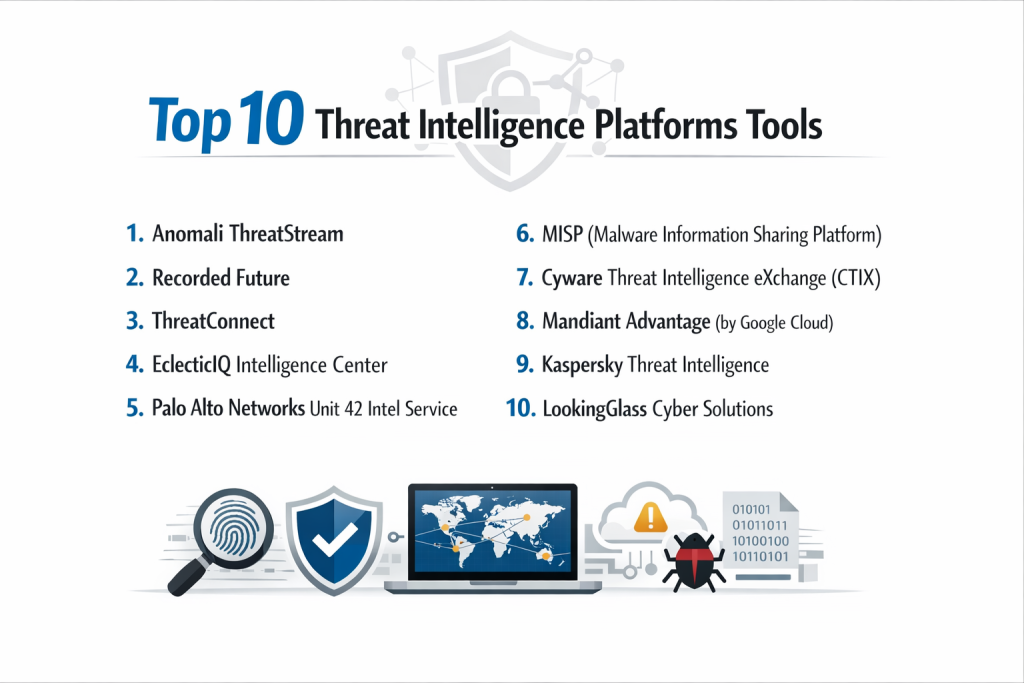
Top 10 Threat Intelligence Platforms Tools
1 — Anomali ThreatStream
Anomali ThreatStream is a premier enterprise TIP that excels at automating the lifecycle of threat intelligence, from collection to dissemination across security controls.
- Key Features:
- Global Intelligence Feed: Access to a massive repository of open-source and premium threat data.
- Automated Deduplication: Cleans and normalizes data from disparate sources to ensure accuracy.
- Anomali Match: Correlates billions of historical events with current threat intelligence to find hidden breaches.
- Precision Prioritization: Assigns confidence scores to threats to help analysts focus on what matters.
- Seamless Integration: Native connectors for almost all major SIEM, SOAR, and EDR platforms.
- Pros:
- Highly intuitive interface that simplifies complex threat data visualization.
- Excellent at converting raw data into actionable “machine-readable” intelligence for automated blocking.
- Cons:
- The cost of licensing can be prohibitive for smaller organizations.
- Advanced features require significant configuration time to yield maximum value.
- Security & Compliance: SOC 2 Type II, ISO 27001, GDPR compliant; features SSO and robust encryption.
- Support & Community: Comprehensive documentation, a dedicated customer success team, and an active user portal (Anomali University).
2 — Recorded Future
Recorded Future is famous for its “Security Intelligence Graph,” which uses machine learning to scan the entire internet, including the dark web, in real-time.
- Key Features:
- Real-time Threat Graph: Visualizes connections between entities like attackers, infrastructure, and targets.
- Dark Web Monitoring: Specialized collectors for underground forums and leaked credential databases.
- Brand Intelligence: Monitors for typosquatting, leaked secrets, and brand impersonation.
- Automated Triage: Integrates directly into browser extensions and SIEMs to provide instant context.
- Geopolitical Intelligence: Provides insights into nation-state actor movements and trends.
- Pros:
- Unmatched breadth of data collection across the “clear, deep, and dark” web.
- The automated “Intel Cards” provide instant, easy-to-read summaries for any IOC.
- Cons:
- One of the most expensive platforms on the market.
- The sheer volume of data can occasionally lead to information overload for smaller teams.
- Security & Compliance: SOC 2 Type II, GDPR, and HIPAA compliant.
- Support & Community: Top-tier enterprise support, specialized training modules, and frequent expert-led webinars.
3 — ThreatConnect
ThreatConnect is a highly flexible platform that combines threat intelligence with security orchestration (SOAR), allowing teams to act on intelligence automatically.
- Key Features:
- Intelligence-Driven Orchestration: Uses playbooks to automate responses based on incoming threat data.
- CAL (Collective Analytics Layer): Anonymous community-sourced insights to identify trending threats.
- Risk Quantification: Helps CISOs translate technical threats into financial risk scores.
- Case Management: Built-in tools for tracking investigations from start to finish.
- Multi-Environment Support: Works across cloud, on-premise, and hybrid infrastructures.
- Pros:
- Strong emphasis on the “Response” side of threat intelligence.
- Highly customizable dashboards that cater to both technical and executive audiences.
- Cons:
- The platform’s complexity results in a steeper learning curve for new users.
- Requires a mature security team to fully utilize the orchestration features.
- Security & Compliance: SOC 2 Type II, ISO 27001, and GDPR compliant; features FIPS-compliant encryption.
- Support & Community: Robust Knowledge Base, professional services for onboarding, and an active user community.
4 — EclecticIQ Intelligence Center
EclecticIQ is designed for “analyst-centric” workflows, following the STIX/TAXII standards closely to facilitate intelligence sharing.
- Key Features:
- Graph-Based Analysis: Allows analysts to manually pivot through data to uncover hidden links.
- Data Normalization: Translates multiple feed formats into a single, unified data model.
- Collaboration Tools: Enables team members to share notes and findings within the platform.
- Dissemination Engine: Pushes vetted intelligence to various security endpoints effortlessly.
- Custom Feed Ingestion: High flexibility in adding niche or industry-specific data feeds.
- Pros:
- Excellent for deep-dive forensic investigations and manual threat research.
- Adheres strictly to open standards, making it highly interoperable.
- Cons:
- Less emphasis on “automatic blocking” compared to some competitors.
- UI can feel a bit more “technical” and less “polished” than SaaS-first rivals.
- Security & Compliance: ISO 27001, GDPR compliant; supports role-based access control (RBAC).
- Support & Community: High-touch enterprise support and detailed technical documentation.
5 — Palo Alto Networks Unit 42 Intel Service
Unit 42 provides a TIP that is deeply integrated into the Palo Alto Networks ecosystem, fueled by their world-renowned threat research team.
- Key Features:
- Unit 42 Research Access: Direct access to findings from one of the world’s top research groups.
- Cortex XSOAR Integration: Designed to work perfectly with Palo Alto’s orchestration tools.
- WildFire Integration: Leverages sandboxing data from millions of global sensors.
- Actor Tracking: Detailed profiles on hundreds of active threat actor groups.
- Contextual Tagging: Automatically tags IOCs with relevant campaign and actor names.
- Pros:
- Exceptional data quality; the “intel” is vetted by human experts, not just algorithms.
- Ideal for organizations already using the Palo Alto “Security Fabric.”
- Cons:
- Standalone value is lower if you do not use other Palo Alto security products.
- Licensing can be complex as it is often bundled with other services.
- Security & Compliance: SOC 2, HIPAA, and FedRAMP authorized.
- Support & Community: Massive global support network and frequent high-level threat reports.
6 — MISP (Malware Information Sharing Platform)
MISP is the leading open-source threat intelligence platform, used by governments and military organizations worldwide for secure data sharing.
- Key Features:
- Community-Driven: Completely free and open-source with a massive global contributor base.
- Flexible Metadata: Allows for highly granular tagging of threat events.
- Synchronization: Easily sync data between different MISP instances across organizations.
- Expansion Modules: Support for importing/exporting data to almost any format.
- Privacy Controls: Sophisticated “distribution levels” to control who sees shared data.
- Pros:
- Zero licensing costs, making it accessible to any organization.
- Highly customizable; if you have the coding skills, you can make it do anything.
- Cons:
- Requires significant manual effort to set up, maintain, and secure the infrastructure.
- Lacks the polished, user-friendly dashboards of commercial SaaS platforms.
- Security & Compliance: Varies / N/A (Depends on user implementation).
- Support & Community: Very active GitHub community and extensive community-led documentation.
7 — Cyware Threat Intelligence eXchange (CTIX)
Cyware focuses on “cyber fusion,” breaking down silos between threat intel, SOC, and incident response teams.
- Key Features:
- Automated Ingestion: Supports over 100+ commercial and open-source feeds out of the box.
- Smart Aggregation: Scores and ranks intelligence to eliminate duplicate alerts.
- Mobile App: One of the few platforms offering a high-quality mobile experience for analysts.
- Trusted Circles: Facilitates secure, peer-to-peer intelligence sharing.
- Workflow Automation: Streamlines the process of vetting and publishing intelligence.
- Pros:
- Excellent at fostering collaboration across different security teams.
- The mobile interface is a game-changer for on-call security managers.
- Cons:
- Can be a heavy platform for smaller teams who only need basic feed management.
- Integration with legacy on-premise tools can sometimes be complex.
- Security & Compliance: SOC 2 Type II, ISO 27001, and GDPR compliant.
- Support & Community: Personalized onboarding and a responsive customer success team.
8 — Mandiant Advantage (by Google Cloud)
Now a part of Google Cloud, Mandiant provides intelligence that is historically famous for its nation-state actor tracking and frontline IR data.
- Key Features:
- Frontline Intelligence: Data collected from Mandiant’s actual incident response engagements.
- Adversary Profiles: Deep-dive reports on APT (Advanced Persistent Threat) groups.
- Vulnerability Intelligence: Contextual data on which bugs are actually being exploited in the wild.
- News Analysis: Human-curated summaries of the day’s most important security events.
- Operational Intel: Direct feeds to update firewalls and EDRs with active campaign data.
- Pros:
- Provides some of the most reliable and high-fidelity intelligence in the world.
- The integration with Google Cloud’s Chronicle provides massive scale for data analysis.
- Cons:
- The cost is high, reflecting the “boutique” nature of the intelligence.
- May feel “overpowered” for organizations not dealing with advanced targeted attacks.
- Security & Compliance: FedRAMP, SOC 2, and Google Cloud security standards.
- Support & Community: High-end professional services and executive-level threat briefings.
9 — Kaspersky Threat Intelligence
Kaspersky offers a globally diverse dataset, particularly strong in regions like Eastern Europe and Asia, where other providers may have blind spots.
- Key Features:
- Cloud Sandbox: Advanced behavioral analysis for suspicious files and URLs.
- APT Intelligence Reports: High-quality, long-form reports on complex cyber-espionage.
- Tailored Threat Reporting: Custom reports specifically for your organization’s digital footprint.
- Financial Threat Intel: Specialized data on banking trojans and ATM malware.
- Lookup Services: A web-based portal for instant IOC searching.
- Pros:
- Strong global reach and diversity in their malware sensing network.
- Very high-quality technical analysis of complex malware families.
- Cons:
- Geopolitical concerns have led to restrictions in certain government sectors.
- Integration with Western-centric SOAR tools can sometimes be less seamless.
- Security & Compliance: ISO 27001, GDPR compliant.
- Support & Community: Robust global support and a well-regarded technical research blog.
10 — LookingGlass Cyber Solutions
LookingGlass provides a unique perspective by combining threat intelligence with “external attack surface management” (EASM).
- Key Features:
- ScoutPrime: A visual map of the internet that identifies where your infrastructure intersects with threats.
- Data Normalization: Over 100+ sources aggregated into a single, unified view.
- Third-Party Risk: Monitors the threat landscape of your vendors and partners.
- Ransomware Tracking: Specialized monitors for ransomware leak sites and negotiation chats.
- Phishing Detection: Automated discovery of malicious domains targeting your brand.
- Pros:
- Excellent at identifying risks that exist outside of your immediate network perimeter.
- The visual map of infrastructure-to-threat relationships is highly unique and useful.
- Cons:
- The platform can be difficult to master without dedicated training.
- Focuses more on external risk than internal endpoint-level intelligence.
- Security & Compliance: SOC 2, HIPAA, and PCI-DSS compliant.
- Support & Community: Personalized account management and specialized threat research services.
Comparison Table
| Tool Name | Best For | Platform(s) Supported | Standout Feature | Rating (Gartner) |
| Anomali | Large Enterprises | SaaS, On-prem | Anomali Match (History) | 4.6 / 5 |
| Recorded Future | Comprehensive Data | SaaS | Security Intelligence Graph | 4.7 / 5 |
| ThreatConnect | SOAR & Automation | SaaS, On-prem | Risk Quantification | 4.5 / 5 |
| EclecticIQ | Analyst Research | On-prem, Cloud | Graph-Based Pivoting | 4.4 / 5 |
| Unit 42 | PANW Ecosystem | SaaS | unit 42 Human Intel | 4.6 / 5 |
| MISP | Governments / Budget | Self-Hosted | Open-Source Sharing | N/A |
| Cyware | Collaboration | SaaS, Hybrid | Mobile App for Analysts | 4.7 / 5 |
| Mandiant | Targeted Attacks | SaaS, Google Cloud | Frontline IR Data | 4.8 / 5 |
| Kaspersky | Malware Analysis | SaaS, API | Global Malware Sensing | 4.3 / 5 |
| LookingGlass | External Risk | SaaS | Internet Topology Mapping | 4.4 / 5 |
Evaluation & Scoring of Threat Intelligence Platforms
When selecting a TIP, organizations must weigh technical capabilities against the practical ability of the team to use them. Use the scoring rubric below for your internal evaluation.
| Category | Weight | Evaluation Criteria |
| Core Features | 25% | Feed ingestion variety, deduplication, and IOC correlation. |
| Ease of Use | 15% | Dashboard design, search speed, and visualization tools. |
| Integrations | 15% | Native connectors for SIEM, SOAR, EDR, and Firewalls. |
| Security & Compliance | 10% | Data encryption, RBAC, and international certifications. |
| Performance | 10% | Speed of data processing and platform uptime. |
| Support & Community | 10% | Quality of documentation and availability of expert help. |
| Price / Value | 15% | Licensing transparency and overall ROI for the security team. |
Which Threat Intelligence Platform Tool Is Right for You?
Solo Users vs SMB vs Mid-market vs Enterprise
- Solo/Small Teams: If you are just starting, MISP is the best way to learn the ropes without financial risk. For a paid solution, Recorded Future’s browser extension and basic tier offer great value.
- Mid-Market: Anomali or Cyware offer the best balance of automation and usability for teams of 3-10 analysts.
- Enterprise: Recorded Future, Mandiant, or ThreatConnect are built for the complexity and scale of global corporations.
Budget-conscious vs Premium Solutions
- Budget-conscious: MISP is free. EclecticIQ often offers competitive pricing for its core intelligence center.
- Premium: Recorded Future and Mandiant are the “Ferraris” of the industry; you pay for the highest fidelity data and human research.
Feature Depth vs Ease of Use
- If you want Ease of Use, Anomali and Recorded Future have the most polished, modern interfaces.
- If you want Feature Depth, EclecticIQ and ThreatConnect allow for much more granular control over data modeling and playbooks.
Frequently Asked Questions (FAQs)
1. What is the difference between a feed and a platform (TIP)?
A feed is just a list of data (e.g., a CSV of bad IPs). A platform (TIP) is the software that ingests, cleans, correlates, and pushes that data to your security tools.
2. Is threat intelligence only for big companies?
No, but big companies need TIPs more. Small companies can benefit from threat intelligence via built-in feeds in their firewalls or antivirus, but they usually don’t need a dedicated platform to manage it.
3. Does a TIP replace a SIEM?
No. A SIEM looks at your internal logs. A TIP looks at the external world. They work together: the TIP tells the SIEM what “bad things” to look for in the logs.
4. What are STIX and TAXII?
These are the industry-standard “languages” for threat intelligence. STIX is the format (how the data is structured), and TAXII is the transport (how the data is sent from one machine to another).
5. How much does a TIP cost?
Commercial TIPs generally range from $30,000 to $200,000+ per year, depending on the number of users and the amount of data feeds included.
6. Can a TIP automate blocking?
Yes. Most TIPs can be set up to automatically send high-confidence malicious IPs to your firewalls or EDR to block them without human intervention.
7. Is “Open Source” intelligence reliable?
It can be, but it often has “false positives” (labeling good things as bad). Commercial platforms add value by cleaning this data to ensure you don’t accidentally block legitimate traffic.
8. What is a “Confidence Score”?
This is a number (usually 0-100) that tells you how sure the platform is that an IOC is actually malicious. High confidence (90+) usually triggers automatic blocking.
9. How many feeds do I need?
More isn’t always better. Most experts recommend starting with 2-3 high-quality commercial feeds and 5-10 trusted open-source feeds to avoid information overload.
10. How long does it take to set up a TIP?
A SaaS-based TIP can be up and running in a few days, but “tuning” the data and building the integrations with your firewalls and SIEM usually takes 2-3 months.
Conclusion
The goal of a Threat Intelligence Platform is not to collect more data, but to gain more clarity. In an era where attackers move with incredible speed, a TIP provides the foresight necessary to stay one step ahead.
The “best” platform is the one that fits your organizational maturity. If you are a high-compliance enterprise, Recorded Future or Anomali are industry leaders for a reason. If you are a technical research lab with a tight budget, MISP is a powerful ally. Ultimately, the value of a TIP is measured by how many incidents it prevents and how much time it saves your analysts. Choose the tool that best translates “scary data” into “solid defense.”