Introduction
Exposure Management Platforms represent a fundamental shift in how organizations approach cybersecurity. Traditionally, teams focused on “vulnerability management”—the process of finding software bugs and patching them. However, as digital environments have become more complex, bug-patching alone isn’t enough. Exposure Management is a holistic discipline that identifies every way an attacker could potentially harm an organization. This includes not just unpatched software, but also misconfigured cloud buckets, exposed credentials on the dark web, weak passwords, and risky user permissions.
The importance of these platforms lies in their ability to provide “attack path analysis.” Instead of giving an IT team a list of 5,000 vulnerabilities to fix, an exposure management platform shows them the specific “bridge” an attacker would use to reach their most critical data. Key real-world use cases include identifying “Shadow IT” (assets owned by the company but unknown to the security team), securing remote workforces, and validating that security controls are actually working as intended. When evaluating these tools, users should look for continuous asset discovery, business-context prioritization, and the ability to simulate attack paths across hybrid-cloud environments.
Best for: Exposure Management Platforms are essential for CISOs, Security Architects, and Risk Officers at mid-to-large enterprises. They are particularly valuable for organizations with complex hybrid-cloud infrastructures, high-compliance requirements (like finance or healthcare), or those undergoing rapid digital transformation where traditional scanning cannot keep pace.
Not ideal for: Small businesses with simple, static environments or those with very limited security personnel. If an organization does not yet have a basic vulnerability management process in place, the depth and breadth of an exposure management platform may be overwhelming. In these cases, a simpler automated vulnerability scanner is often a better starting point.
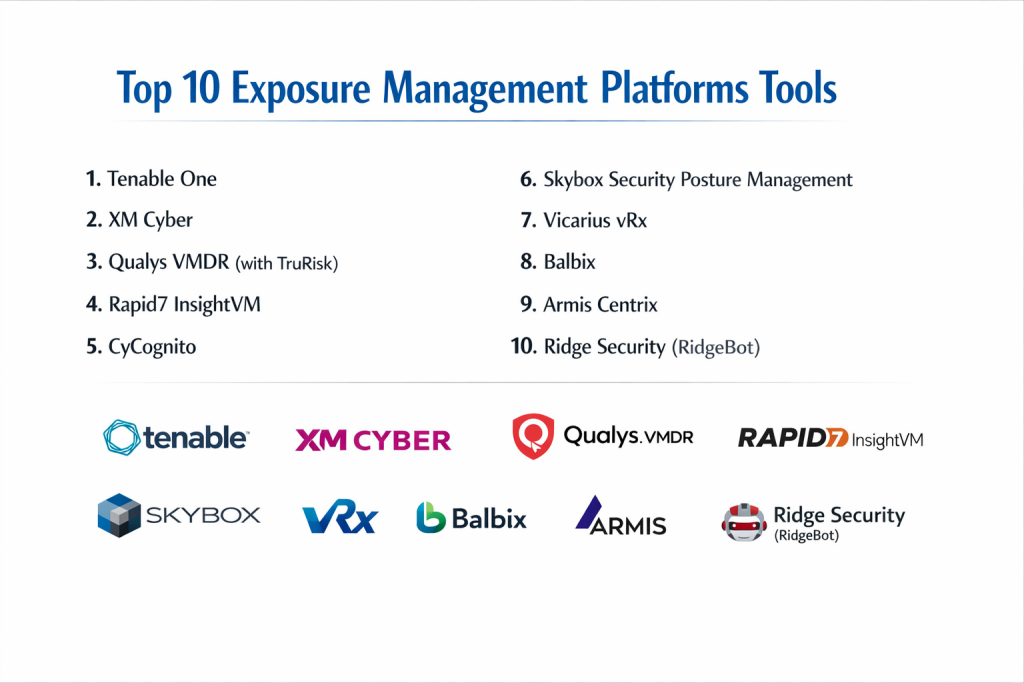
Top 10 Exposure Management Platforms Tools
1 — Tenable One
Tenable One is an “Exposure Management Platform” that unifies vulnerability management, cloud security, identity security, and attack surface management into a single risk-based view. It is designed for large organizations that need to see their entire risk posture in one dashboard.
- Key Features:
- Lumin Exposure View: Provides a high-level score of the organization’s overall risk compared to industry peers.
- Attack Path Analysis: Maps how an attacker could move from an initial entry point to a critical asset.
- Inventory Discovery: Continuously discovers internet-facing and internal assets, including IoT and OT.
- Unified Data Lake: Aggregates data from Tenable.io, Tenable.ad, and Tenable.cs for cross-domain analysis.
- Asset Criticality Rating: Automatically assigns value to assets based on their importance to the business.
- Pros:
- Exceptional data visualization that makes complex risks easy to explain to non-technical executives.
- Strongest technical pedigree in the industry for vulnerability accuracy.
- Cons:
- Licensing can be complex and expensive, especially for smaller deployments.
- Requires a significant time investment to tune the “criticality” of various business assets.
- Security & Compliance: SOC 2 Type II, ISO 27001, FedRAMP (authorized), and GDPR compliant.
- Support & Community: Comprehensive Tenable University training, a massive user community, and 24/7 enterprise support tiers.
2 — XM Cyber
XM Cyber is a leader in “Continuous Exposure Management,” focusing heavily on the concept of “Attack Path Management.” It identifies the hidden connections that allow attackers to pivot through a network.
- Key Features:
- Choke Point Identification: Focuses remediation on the few points where attack paths converge, maximizing efficiency.
- Hybrid Cloud Visibility: Seamlessly tracks paths between on-premise servers and cloud services like AWS and Azure.
- Active Directory Security: Specialized checks for misconfigured identities and permissions.
- Non-Disruptive Simulation: Runs continuous “virtual” attacks without ever touching production data or systems.
- Contextual Prioritization: Tells you exactly which 1% of vulnerabilities actually pose a threat to your “crown jewels.”
- Pros:
- The most effective tool for stopping lateral movement within a network.
- High ROI by reducing the total volume of “must-fix” tickets for IT teams.
- Cons:
- Focuses more on paths than on broad asset discovery compared to competitors.
- Can have a steep learning curve for teams not familiar with graph-based security.
- Security & Compliance: SOC 2, ISO 27001, and GDPR compliant; supports SAML/SSO.
- Support & Community: High-touch customer success, detailed technical documentation, and a specialized partner network.
3 — Qualys VMDR (with TruRisk)
Qualys has evolved its Vulnerability Management, Detection, and Response (VMDR) tool into a full exposure platform by adding advanced risk scoring and remediation capabilities.
- Key Features:
- TruRisk Scoring: Combines vulnerability data with threat intelligence to create a single risk score.
- Cloud Agent Technology: Lightweight agents provide continuous visibility across all endpoints and clouds.
- Automated Patching: Integrated patch management allows for one-click remediation of discovered exposures.
- External Attack Surface Management: Finds forgotten or rogue internet-facing assets.
- Configuration Management: Checks for misconfigurations that leave systems exposed.
- Pros:
- The “one-stop-shop” for discovery, assessment, and remediation.
- Excellent for global organizations with tens of thousands of distributed assets.
- Cons:
- The modular pricing can become confusing and costly as you add features.
- The user interface can feel dated and dense compared to more modern “SaaS-native” startups.
- Security & Compliance: ISO 27001, SOC 2, FedRAMP authorized, and HIPAA compliant.
- Support & Community: Qualys Training University (free), global technical support, and an active user forum.
4 — Rapid7 InsightVM
InsightVM is Rapid7’s flagship tool, recently expanded to include better cloud visibility and attack surface mapping, making it a strong contender for mid-market and enterprise exposure management.
- Key Features:
- Real-time Risk Feed: Constant updates on how new threats impact your specific environment.
- Remediation Projects: Integrated workflow tools to assign and track tasks within IT departments.
- Active Risk Score: Goes beyond CVSS to include how likely a vulnerability is to be exploited.
- Container Security: Scans container images and environments for exposures.
- Policy Assessment: Checks systems against benchmarks like CIS or NIST.
- Pros:
- Very user-friendly dashboards that prioritize actionable insights over raw data.
- Excellent integration with the broader Rapid7 “Insight” ecosystem (SIEM/SOAR).
- Cons:
- Reporting can be less flexible than Tenable for very complex, multi-national organizations.
- Heavy reliance on agents for the most granular level of data.
- Security & Compliance: SOC 2 Type II and GDPR compliant; features robust audit logging.
- Support & Community: High-quality technical support, an active blog, and a growing community of security practitioners.
5 — CyCognito
CyCognito takes an “outside-in” approach to exposure management, focusing on finding and testing the assets that an organization doesn’t even know it has.
- Key Features:
- Autonomous Discovery: Uses advanced graph algorithms to find assets based on brand name and subsidiary data.
- Automated Security Testing: Regularly “pokes” assets to see if vulnerabilities are actually exploitable.
- Risk Benchmarking: Compares your exposure levels against other companies in your industry.
- Subsidiary Monitoring: Provides clear visibility into the security of acquired companies or remote offices.
- Shadow IT Detection: Uncovers rogue cloud instances and forgotten marketing websites.
- Pros:
- Unrivaled for mapping the “external” attack surface and finding forgotten assets.
- No setup required—it scans from the perspective of an attacker.
- Cons:
- Less visibility into “internal” network exposures compared to Tenable or XM Cyber.
- The automated testing can occasionally trigger false alarms in SOC monitoring tools.
- Security & Compliance: SOC 2 Type II and GDPR compliant.
- Support & Community: Dedicated customer success managers and clear onboarding paths for new users.
6 — Skybox Security Posture Management
Skybox is an enterprise-grade platform that specializes in modeling complex networks, including firewalls, cloud, and physical infrastructure.
- Key Features:
- Network Model: Creates a “digital twin” of your entire network to test security policies.
- Vulnerability Control: Aggregates data from multiple scanners to provide a single view of risk.
- Firewall Management: Ensures firewall rules aren’t creating accidental exposures.
- Attack Simulation: Predicts how threats would move through your specific network architecture.
- Compliance Reporting: Automated reporting for PCI-DSS, SWIFT, and other major frameworks.
- Pros:
- The best tool for organizations with extremely complex, legacy network architectures.
- Superior firewall and policy management integration.
- Cons:
- Very high administrative overhead; requires dedicated staff to maintain the “network model.”
- Not as nimble as cloud-native platforms for fast-moving DevOps environments.
- Security & Compliance: ISO 27001, SOC 2, and various government certifications.
- Support & Community: Enterprise-grade support and specialized professional services for deployment.
7 — Vicarius vRx
Vicarius is a modern, unified exposure management platform that focuses on “remediation beyond patching,” offering unique ways to protect systems when patches aren’t available.
- Key Features:
- Patchless Protection: Can “wrap” vulnerable applications to block exploit attempts in real-time.
- Asset Prioritization: Uses a “Risk Score” based on asset context and threat intelligence.
- Consolidated Platform: Combines discovery, analysis, and deployment in a single interface.
- Scripting Engine: Allows users to create custom “remedies” for unique exposures.
- Community-Based Intel: Leverages findings from the Vicarius “Topia” community.
- Pros:
- Unique ability to protect “unpatchable” legacy systems or zero-day vulnerabilities.
- Clean, modern UI that is much easier to use than traditional legacy platforms.
- Cons:
- Smaller market presence than Tenable or Qualys, which may concern some enterprise buyers.
- The “patchless” agent technology requires deep trust and installation on every critical endpoint.
- Security & Compliance: SOC 2 Type II, HIPAA, and GDPR compliant.
- Support & Community: Active Slack community for users and fast-responding technical support.
8 — Balbix
Balbix uses Artificial Intelligence and Machine Learning to quantify cyber risk in monetary terms, making it a favorite for risk-focused CISOs.
- Key Features:
- Cyber Risk Quantification: Translates security exposures into “dollars at risk.”
- AI-Driven Prioritization: Automatically ranks tasks based on the likelihood of a breach and potential impact.
- Gamification: Provides scores for different departments to encourage better security hygiene.
- Broad Connector Library: Ingests data from hundreds of third-party security and IT tools.
- Asset Inventory: Maintains a real-time, deduplicated inventory of every asset.
- Pros:
- The best platform for reporting security progress to the Board of Directors.
- Highly automated; it reduces the need for manual data analysis.
- Cons:
- “Black box” AI scoring can sometimes be hard for technical staff to trust or explain.
- Requires a large amount of clean data from other tools to be truly effective.
- Security & Compliance: SOC 2 Type II and ISO 27001 compliant.
- Support & Community: Strong customer success focus and enterprise-level technical assistance.
9 — Armis Centrix
Armis focuses on the “unmanaged” side of exposure management—IoT, OT, Medical Devices, and anything that can’t run a traditional security agent.
- Key Features:
- Passive Discovery: Finds assets by analyzing network traffic without “pinging” or disrupting them.
- Device Fingerprinting: Identifies the exact make, model, and OS of every connected device.
- Behavioral Monitoring: Alerts when a device starts acting strangely (e.g., a smart fridge talking to a server).
- Vulnerability Mapping: Matches unmanaged devices to known CVEs and exposures.
- Air-Gap Support: Can manage assets in highly secure, disconnected environments.
- Pros:
- The gold standard for securing manufacturing, healthcare, and critical infrastructure.
- Truly agentless; it has zero impact on device performance.
- Cons:
- Less focus on traditional IT “software vulnerabilities” compared to Tenable.
- Can be expensive to deploy across very large, geographically dispersed networks.
- Security & Compliance: FedRAMP authorized, SOC 2, and ISO 27001 compliant.
- Support & Community: Specialized support for OT/ICS environments and a robust partner ecosystem.
10 — Ridge Security (RidgeBot)
RidgeBot provides automated “exposure validation” by acting as a virtual penetration tester that continuously hunts for vulnerabilities.
- Key Features:
- Automated Pentesting: Actually attempts to exploit vulnerabilities to prove they are real.
- Exploit Verification: Removes “false positives” by showing exactly how an asset can be compromised.
- Risk Mapping: Visualizes the successful “kill chain” used during a simulation.
- Asset Discovery: Scans networks to find IPs, web apps, and databases.
- Remediation Advice: Provides specific code or configuration changes to stop the exploit.
- Pros:
- Provides the ultimate “proof” of risk; no more arguing over whether a bug is fixable.
- Greatly reduces the workload for manual penetration testing teams.
- Cons:
- “Active” testing can be risky if not configured correctly (though safe modes exist).
- Focuses on “depth” of exploitation rather than “breadth” of asset management.
- Security & Compliance: Audit logs for all testing activity; GDPR compliant.
- Support & Community: Solid technical documentation and personalized onboarding services.
Comparison Table
| Tool Name | Best For | Platform(s) Supported | Standout Feature | Rating (Gartner) |
| Tenable One | Holistic Enterprise Risk | SaaS / Cloud | Unified Exposure View | 4.7 / 5 |
| XM Cyber | Attack Path Analysis | SaaS / On-Prem | Choke Point Remediation | 4.8 / 5 |
| Qualys VMDR | Scalable Discovery | Cloud (SaaS) | Integrated Patching | 4.6 / 5 |
| Rapid7 InsightVM | Mid-Market / IT Ops | SaaS / Hybrid | Real-Time Risk Feed | 4.5 / 5 |
| CyCognito | External / Shadow IT | SaaS | Autonomous Discovery | 4.6 / 5 |
| Skybox Security | Complex Networks | On-Prem / Cloud | Network Digital Twin | 4.3 / 5 |
| Vicarius vRx | Remediation / Legacy | SaaS / Agent | Patchless Protection | 4.8 / 5 |
| Balbix | Executive Reporting | SaaS | Risk Quantification ($) | 4.6 / 5 |
| Armis Centrix | IoT / OT / Medical | SaaS / Passive | Asset Behavior Tracking | 4.7 / 5 |
| RidgeBot | Risk Validation | Software / App | Automated Pentesting | 4.5 / 5 |
Evaluation & Scoring of Exposure Management Platforms
To choose the right platform, we evaluate these tools based on a weighted rubric that reflects the needs of a modern security team.
| Criteria | Weight | Evaluation Focus |
| Core Features | 25% | Asset discovery, attack path analysis, and risk scoring. |
| Ease of Use | 15% | Dashboard intuitiveness, setup speed, and reporting. |
| Integrations | 15% | Ability to ingest data from EDR, SIEM, and Cloud APIs. |
| Security & Compliance | 10% | Encryption, SSO, and global data certifications. |
| Performance | 10% | Scalability and impact on production systems. |
| Support & Community | 10% | Quality of documentation and availability of experts. |
| Price / Value | 15% | Transparency of cost and tangible ROI. |
Which Exposure Management Platform Is Right for You?
Solo Users vs SMB vs Mid-market vs Enterprise
- SMBs: Look at Vicarius vRx or Rapid7 InsightVM. They offer a lower barrier to entry and more “hands-on” help with fixing the problems they find.
- Mid-market: Qualys VMDR or CyCognito provide excellent coverage as your digital footprint starts to expand into the cloud.
- Enterprise: Tenable One, XM Cyber, or Balbix are the only tools capable of managing the sheer scale and complexity of a global corporation.
Budget-conscious vs Premium Solutions
- Budget-conscious: If you need a free/low-cost start, look into the “Community Editions” of some scanners, but for exposure management, Rapid7 often has more flexible entry pricing.
- Premium: Tenable One and XM Cyber are premium investments. You aren’t just buying software; you’re buying the ability to significantly reduce your insurance premiums and breach risk.
Feature Depth vs Ease of Use
- If you want Ease of Use, Balbix and Vicarius have modern, clean interfaces that automate most of the heavy lifting.
- If you want Feature Depth, Skybox and Tenable One allow you to “nerd out” on every possible data point and network configuration.
Frequently Asked Questions (FAQs)
1. Is Exposure Management different from Vulnerability Management?
Yes. Vulnerability Management finds bugs. Exposure Management finds every way you can be attacked, including misconfigurations, poor identities, and forgotten assets.
2. Do I need to install agents on all my servers?
It depends. Platforms like Armis are completely agentless, while others like Qualys or Vicarius work best with a small piece of software (an agent) installed on the system.
3. Can these tools find my “Shadow IT”?
Yes. Platforms like CyCognito and Tenable One specialize in scanning the entire internet to find assets that belong to your brand but aren’t in your official records.
4. How much do these platforms cost?
Pricing is typically based on the number of “assets” (IP addresses, cloud instances, or devices). For an enterprise, this can range from $20,000 to over $200,000 per year.
5. Will these tools slow down my network?
Most modern tools are designed to be “passive” or “low-impact.” However, “Active” tools like RidgeBot should be scheduled during maintenance windows just in case.
6. Do these tools fix the vulnerabilities automatically?
Some do. Qualys and Vicarius have integrated patch management, while others just provide the “instructions” for your IT team to follow.
7. Is Exposure Management required for compliance (SOC2/PCI)?
While not always explicitly called “Exposure Management,” these tools satisfy the “Vulnerability Management” and “Asset Inventory” requirements of almost every major framework.
8. Can I use these tools for my cloud (AWS/Azure) environment?
Yes. Almost all modern exposure platforms have “Cloud Connectors” that pull data directly from your cloud provider’s API.
9. What is “Attack Path Analysis”?
It is a visual map that shows how an attacker could hop from one system to another (e.g., from a weak laptop to a server, then to your database).
10. How often should I run these scans?
The modern standard is “Continuous.” These platforms are designed to run 24/7, alerting you the moment a new exposure is created.
Conclusion
The era of the “once-a-quarter” vulnerability scan is dead. In a world where a new exploit is released every few hours, organizations need a Continuous Exposure Management Platform to stay ahead of the curve.
When choosing your platform, focus on visibility. You cannot protect what you cannot see. If you are a heavy IoT/OT shop, Armis is your clear winner. If you are a risk-focused organization reporting to a board, Balbix will be your best friend. For those who want to see the exact paths a hacker would take, XM Cyber is unrivaled. Ultimately, the “best” tool is the one that fits your team’s skills and your company’s specific digital architecture.