Introduction
Endpoint Detection and Response (EDR) is a category of security software designed to monitor and collect data from endpoints—such as laptops, desktops, and servers—to identify and mitigate advanced threats that have bypassed initial perimeter defenses. Unlike traditional antivirus, which focuses on prevention at the point of entry, EDR acts as a continuous “security camera” for your devices. It records every process, file change, and network connection, providing security teams with the visibility needed to hunt for hackers who are already lurking inside the network.
The importance of EDR cannot be overstated in a world where “zero-day” attacks and fileless malware are common. EDR is critical because it provides the response capability; it doesn’t just alert you to a problem—it gives you the tools to isolate an infected machine, kill a malicious process, and investigate the “patient zero” of an infection. Real-world use cases include identifying lateral movement (where an attacker jumps from one PC to another), detecting credential theft, and forensic investigation after a breach. When evaluating EDR tools, users should look for high-fidelity data collection, automated remediation playbooks, and a low “false positive” rate to avoid overwhelming security staff.
Best for: EDR tools are best suited for organizations with at least a small dedicated security team or a Managed Security Service Provider (MSSP). It is essential for mid-market to enterprise-level companies in sectors like finance, healthcare, and technology where data sensitivity is high.
Not ideal for: Very small businesses without technical staff may find EDR too “noisy” and complex. For these users, an Endpoint Protection Platform (EPP) with high automation and “set-and-forget” settings is usually a better fit than a deep-dive EDR tool.
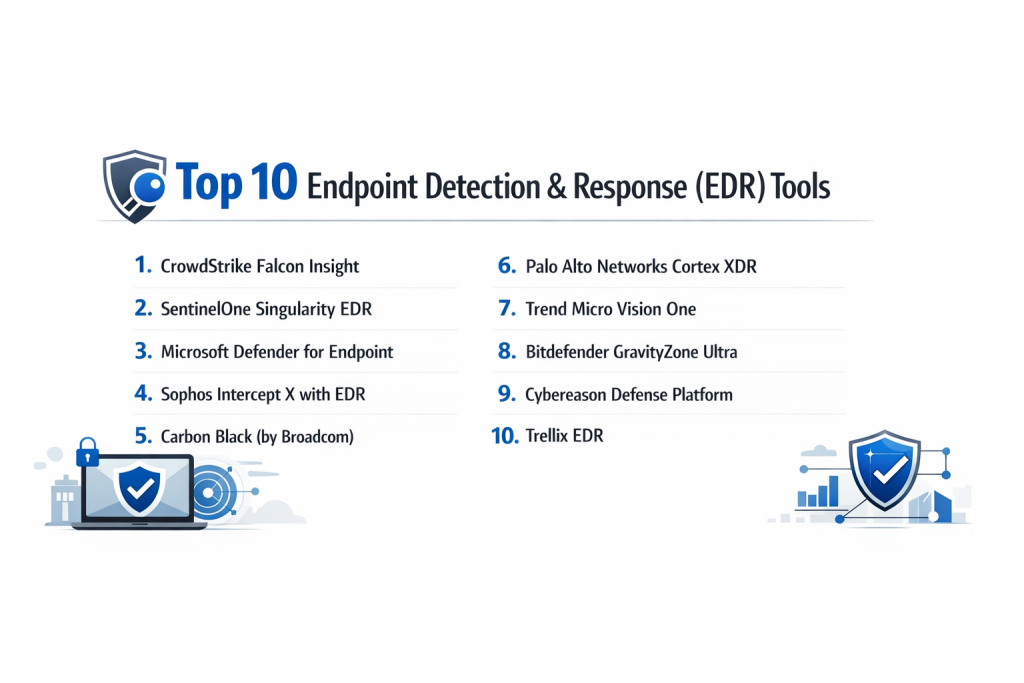
Top 10 Endpoint Detection & Response (EDR) Tools
1 — CrowdStrike Falcon Insight
CrowdStrike is a pioneer in cloud-native EDR. Falcon Insight provides continuous visibility and “flight recorder” capabilities for endpoints, designed for organizations that want deep forensic data without slowing down their hardware.
- Key Features:
- Threat Graph: Analyzes trillions of events in real-time across the global customer base.
- Cloud-Native Architecture: No on-premise servers to maintain; everything is managed via a single cloud console.
- Real-time Response: Allows administrators to remotely access a terminal on an endpoint to delete files or kill processes.
- Managed Threat Hunting: Integration with the Falcon OverWatch team for proactive alerts.
- Single Lightweight Agent: Combines EPP and EDR into one sensor that uses minimal CPU.
- Pros:
- Exceptional visibility into the “how” and “why” of an attack.
- The single agent architecture is incredibly easy to deploy at scale.
- Cons:
- Can be expensive for organizations on a tight budget.
- The sheer amount of data can be overwhelming for junior analysts without training.
- Security & Compliance: SOC 2 Type II, ISO 27001, FedRAMP, HIPAA, and GDPR compliant.
- Support & Community: Industry-leading documentation, a robust user portal, and 24/7 global enterprise support.
2 — SentinelOne Singularity EDR
SentinelOne is known for its focus on AI-driven automation. Its Singularity platform aims to minimize the “human” element of security by automating the detection and rollback of malicious activity.
- Key Features:
- ActiveEDR: Automatically correlates related events into a single “Storyline” for easier investigation.
- One-Click Rollback: Automatically reverses changes made by ransomware, restoring encrypted files.
- Deep Visibility: Allows for searching of historical data across the entire fleet in seconds.
- Ranger IoT: Discovers and secures unmanaged devices on the network.
- Autonomous Agent: The AI engine works even when the device is offline.
- Pros:
- The rollback feature is a lifesaver for ransomware recovery.
- Highly automated, which reduces the workload for smaller security teams.
- Cons:
- Occasional “false positives” due to the aggressive behavioral AI.
- Advanced forensic hunting can be slightly less granular than CrowdStrike.
- Security & Compliance: FIPS 140-2, SOC 2, ISO 27001, and HIPAA compliant.
- Support & Community: Excellent support response times and a very helpful technical knowledge base.
3 — Microsoft Defender for Endpoint
Microsoft has turned its built-in security tool into a top-tier enterprise EDR solution. It is the natural choice for organizations already utilizing the Microsoft 365 E5 ecosystem.
- Key Features:
- Seamless OS Integration: Deep visibility into the Windows kernel that third-party agents can’t always match.
- Automated Investigation & Remediation (AIR): AI playbooks that automatically resolve common alerts.
- Threat & Vulnerability Management: Real-time discovery of unpatched software on endpoints.
- Attack Surface Reduction: Blocks common malware entry points at the hardware level.
- Unified Security Portal: Correlates endpoint data with email and identity data (XDR).
- Pros:
- If you have an E5 license, you likely already own it.
- Zero deployment friction for Windows-based fleets.
- Cons:
- Management console can be complex and fragmented across the Microsoft ecosystem.
- macOS and Linux support, while present, is not as feature-rich as the Windows version.
- Security & Compliance: Massive list of certifications including FedRAMP High, ISO 27001, and GDPR.
- Support & Community: Huge global community and extensive documentation on Microsoft Learn.
4 — Sophos Intercept X with EDR
Sophos focuses on making EDR accessible to the “all-rounder” IT professional. It provides a guided investigation approach that helps non-security experts understand threats.
- Key Features:
- Guided Incident Response: Step-by-step instructions on how to handle a detected threat.
- CryptoGuard: Specialized protection that stops unauthorized encryption in its tracks.
- Live Discover: SQL-based querying to find specific files or processes across the network.
- Live Response: Remote command line access for remediation.
- Synchronized Security: Shares info between the firewall and endpoint for instant isolation.
- Pros:
- One of the most intuitive user interfaces in the security market.
- Excellent balance of prevention (EPP) and response (EDR).
- Cons:
- Querying via SQL (Live Discover) requires a bit of a learning curve.
- Agent can be slightly more resource-heavy on older hardware.
- Security & Compliance: SOC 2, GDPR, and HIPAA compliant.
- Support & Community: Very active community forums and 24/7 technical support.
5 — Carbon Black (by Broadcom)
Carbon Black (now part of VMware/Broadcom) is one of the “founding fathers” of EDR. It is built for the high-end security professional who wants total control over their data.
- Key Features:
- Enterprise EDR: Unfiltered data collection for exhaustive threat hunting.
- Custom Watchlists: Create specific alerts based on your own threat intelligence.
- Live Response: Highly secure remote shell for advanced remediation.
- Audit & Remediation: Real-time visibility into the state of all endpoints.
- Workload Protection: Specialized security for virtualized environments and containers.
- Pros:
- Deepest data collection available for forensic experts.
- Highly flexible and customizable for niche security needs.
- Cons:
- Requires a high level of expertise to manage effectively.
- Can be data-intensive, which may lead to higher storage costs.
- Security & Compliance: SOC 2, ISO 27001, and GDPR compliant.
- Support & Community: Extensive enterprise support, though response times can vary by tier.
6 — Palo Alto Networks Cortex XDR
Cortex XDR is unique because it doesn’t just look at endpoints—it correlates that data with network and cloud logs to give a complete picture of an attack.
- Key Features:
- Cross-Data Correlation: Links endpoint events to network traffic automatically.
- Managed Threat Hunting: Direct access to the Unit 42 research team.
- Smart Score: Uses AI to prioritize the most dangerous alerts, reducing alert fatigue.
- Forensic Artifact Collection: Gathers all necessary data for legal or compliance investigations.
- Device Control: Granular control over USB and peripheral devices.
- Pros:
- Best-in-class for organizations that also use Palo Alto firewalls.
- Reduces the time to “connect the dots” during a complex breach.
- Cons:
- Pricing is complex and usually requires a larger security budget.
- The interface can be daunting for beginner users.
- Security & Compliance: FedRAMP, SOC 2, and GDPR compliant.
- Support & Community: High-end enterprise support and a professional user base.
7 — Trend Micro Vision One
Trend Micro provides a robust EDR solution that is particularly strong for hybrid environments that still maintain significant on-premise infrastructure alongside the cloud.
- Key Features:
- Workbench: A unified view that shows the entire attack life cycle.
- Virtual Patching: Protects vulnerable systems even before a patch is applied.
- Risk Insights: Provides a score for the overall security posture of the company.
- Email & Server Correlation: Sees how a threat moved from an inbox to a laptop.
- Sandbox Analysis: Automatically executes suspicious files in a safe environment.
- Pros:
- Excellent for large enterprises with diverse, global infrastructure.
- Very strong threat intelligence backing from the Trend Micro team.
- Cons:
- The management console can feel “heavy” compared to modern SaaS startups.
- Integration with third-party (non-Trend) tools can be complex.
- Security & Compliance: ISO 27001, SOC 2, and HIPAA compliant.
- Support & Community: Global reach with 24/7 support in multiple languages.
8 — Bitdefender GravityZone Ultra
Bitdefender is often the top performer in independent lab tests for detection. Their EDR solution focuses on providing high-fidelity alerts with a very low false-positive rate.
- Key Features:
- Incident Visualizer: A clean, easy-to-read graph of every attack.
- Risk Management: Identifies misconfigured OS settings that attackers might exploit.
- Content Control: Integrated web and application filtering.
- Patch Management: Built-in ability to update vulnerable software.
- Low-Footprint Agent: Optimized for performance even on older systems.
- Pros:
- Consistently ranked #1 for pure detection accuracy.
- Very lightweight agent that won’t annoy end-users.
- Cons:
- Reporting features are not as visual as some competitors.
- Forensic hunting tools are slightly less advanced than CrowdStrike or Carbon Black.
- Security & Compliance: GDPR, HIPAA, and PCI-DSS compliance reporting.
- Support & Community: Solid documentation and reliable enterprise support.
9 — Cybereason Defense Platform
Cybereason uses a “Malop” (Malicious Operation) centric view, which groups thousands of tiny events into a single actionable story for security analysts.
- Key Features:
- Malop Visualization: Shows the entire attack tree, including root cause and timeline.
- Cross-Machine Correlation: Instantly sees how many machines are affected by one threat.
- Anti-Ransomware: Behavioral blocking specifically tuned for encryption patterns.
- Mobile EDR: Extends detection and response to iOS and Android devices.
- Managed EDR: 24/7 monitoring service for companies without a SOC.
- Pros:
- The visualization makes it very easy for analysts to explain threats to management.
- Highly scalable for massive, global deployments.
- Cons:
- Can be expensive for smaller organizations.
- The “Malop” view, while great, can occasionally hide granular details some hunters want.
- Security & Compliance: SOC 2, ISO 27001, and GDPR compliant.
- Support & Community: Highly rated for customer success and onboarding.
10 — Trellix EDR
Trellix (born from the merger of McAfee and FireEye) offers a powerful EDR solution that focuses on “Adaptive Security,” changing its defense posture based on the threat landscape.
- Key Features:
- Insights: Tells you which specific threat actors are targeting your industry right now.
- Guided Investigation: Automatically asks the right questions to help analysts find the root cause.
- Data Correlation: High-level integration between the legacy FireEye and McAfee tech stacks.
- Advanced Search: Real-time and historical searching across the entire environment.
- Forensic Snapshots: Captures the state of a machine at the moment an alert is triggered.
- Pros:
- Huge threat intelligence network.
- Excellent for legacy McAfee users who want a modern upgrade path.
- Cons:
- The transition from legacy brands has led to some platform inconsistency.
- Can be resource-intensive on certain OS versions.
- Security & Compliance: FedRAMP, SOC 2, ISO 27001, and HIPAA compliant.
- Support & Community: Massive global support infrastructure and partner network.
Comparison Table
| Tool Name | Best For | Platform(s) Supported | Standout Feature | Rating (Gartner) |
| CrowdStrike | Large Enterprises | Win, Mac, Lin, Mobile | Cloud-Native Scalability | 4.8 / 5 |
| SentinelOne | Automation-seekers | Win, Mac, Lin | One-Click Rollback | 4.7 / 5 |
| MS Defender | M365 Ecosystem | Win, Mac, Lin | OS Native Integration | 4.5 / 5 |
| Sophos | Mid-market / IT Pros | Win, Mac, Lin | Guided Response | 4.6 / 5 |
| Carbon Black | Forensic Hunters | Win, Mac, Lin | Unfiltered Data | 4.3 / 5 |
| Cortex XDR | Network + Endpoint | Win, Mac, Lin | Data Correlation | 4.5 / 5 |
| Trend Micro | Hybrid / Large Orgs | Win, Mac, Lin | Virtual Patching | 4.4 / 5 |
| Bitdefender | Performance/Speed | Win, Mac, Lin | Detection Accuracy | 4.7 / 5 |
| Cybereason | Visualization | Win, Mac, Lin, Mobile | Malop Visualization | 4.6 / 5 |
| Trellix | Global Enterprise | Win, Mac, Lin | Sector-specific Insights | 4.2 / 5 |
Evaluation & Scoring of [Endpoint Detection & Response (EDR)]
To help you decide, we have evaluated the general EDR category using the following weighted rubric. This reflects what the average security leader prioritizes in a modern deployment.
| Metric | Weight | Evaluation Criteria |
| Core Features | 25% | Detection accuracy, response tools (isolation/terminal), and forensic data. |
| Ease of Use | 15% | Intuitiveness of the dashboard and quality of alert grouping. |
| Integrations | 15% | API availability and native integration with SIEM/SOAR/Firewalls. |
| Security & Compliance | 10% | Certifications (SOC2/ISO) and quality of audit logs within the tool. |
| Performance | 10% | Impact on endpoint CPU/RAM and agent stability. |
| Support & Community | 10% | Documentation quality and 24/7 technical support availability. |
| Price / Value | 15% | Transparency of pricing and ROI for small vs large teams. |
Which [Endpoint Detection & Response (EDR)] Tool Is Right for You?
Choosing an EDR is a long-term commitment. Use this guide to match your organization’s profile:
Solo Users vs SMB vs Mid-Market vs Enterprise
- Solo/Micro SMB: You likely don’t need EDR. A high-quality EPP (Endpoint Protection) is enough.
- SMB (50-250 employees): Look at Sophos or SentinelOne. These provide high levels of automation so you don’t need a 24/7 security team.
- Enterprise: CrowdStrike, Microsoft Defender, and Trellix are built for the scale and complexity of thousands of seats.
Budget-Conscious vs Premium Solutions
- Budget: If you are already on Microsoft 365 E5, Defender is your most cost-effective path. Bitdefender also offers highly competitive pricing for its feature set.
- Premium: CrowdStrike and Cortex XDR are premium investments that pay off in deep visibility and elite threat hunting capabilities.
Feature Depth vs Ease of Use
- If you have expert “Threat Hunters,” they will want Carbon Black or CrowdStrike for the raw data access.
- If your IT team “wears many hats,” Sophos or SentinelOne will be much more manageable.
Integration and Scalability Needs
Check your current stack. If you use Palo Alto firewalls, Cortex XDR is a no-brainer. If you are a 100% cloud-based startup using Macs, CrowdStrike or SentinelOne are the easiest to deploy.
Frequently Asked Questions (FAQs)
1. Is EDR better than traditional Antivirus?
It is more advanced. Traditional antivirus stops “known” bad files. EDR monitors “behavior.” Even if a hacker uses a brand-new file, EDR will spot them because they are acting like a hacker (e.g., trying to steal passwords or scan the network).
2. What is the difference between EDR and XDR?
EDR focuses only on the endpoint (the PC/Server). XDR (Extended Detection and Response) looks at the endpoint plus network traffic, email logs, and cloud activity to see the big picture.
3. Does EDR slow down my computer?
Modern EDR agents (like CrowdStrike or Bitdefender) are designed to use less than 1-2% of your CPU. Older “legacy” tools can be heavier, but the industry has largely moved to lightweight “sensors.”
4. Can EDR stop Ransomware?
Yes. Most EDRs have specific behavioral rules to detect encryption. Some, like SentinelOne, can even “undo” the encryption using built-in file snapshots.
5. Do I need a SOC to run an EDR?
You don’t need one, but you need someone to look at the alerts. If you don’t have a security team, look for a “Managed EDR” (MDR) where the vendor monitors it for you.
6. Is Microsoft Defender enough for EDR?
The enterprise version (Defender for Endpoint) is a top-tier tool. The “consumer” version built into Windows 10/11 is great for prevention but lacks the deep “Response” and “Hunting” tools of a true EDR.
7. How much does EDR typically cost?
Expect to pay anywhere from $3 to $10 per endpoint, per month, depending on the volume and features (like managed hunting).
8. Can EDR protect macOS and Linux?
Yes. Most top vendors support Windows, Mac, and Linux, though the depth of response features can vary significantly between operating systems.
9. What is a “False Positive” in EDR?
This is when the EDR flags a legitimate program (like a custom internal accounting app) as malicious because it is performing “unusual” actions. Tuning these out is part of the initial setup.
10. How long does it take to implement EDR?
For cloud-based tools, you can deploy the agent to thousands of PCs in minutes using a tool like Intune or Jamf. The “tuning” process usually takes 2-4 weeks.
Conclusion
Selecting an Endpoint Detection and Response (EDR) tool is about finding the right balance between power and usability. There is no “universal winner,” but there is a “best fit” for your specific team. If you prioritize automation and ransomware protection, SentinelOne is a standout. If you need a cloud-native powerhouse with elite threat hunting, CrowdStrike remains the leader. For those already deep in the Microsoft world, Defender for Endpoint is incredibly hard to beat for its value and integration.
The most important step is to move beyond simple prevention. In today’s threat environment, it’s not a matter of if a threat will get past your antivirus, but when. Having a robust EDR ensures that when that moment happens, you have the visibility and the tools to stop a minor incident from becoming a headline-making breach.