Introduction
Multi-factor Authentication, commonly known as MFA, is a security process that requires you to provide two or more different proofs of your identity before you can log in to an account. Instead of just asking for a password, an MFA system might ask for something you know (like a password), something you have (like a code sent to your phone), or something you are (like a fingerprint). It acts as a double-check to make sure the person trying to get into an account is the actual owner.
MFA is extremely important because passwords alone are no longer enough to keep hackers out. Hackers use many tricks to steal passwords, but it is much harder for them to also steal your physical phone or copy your fingerprint. By using MFA, businesses can stop the vast majority of cyberattacks. In the real world, you see MFA when you log in to your bank and it texts you a code, or when you log in to your work email and have to tap “Approve” on a smartphone app. When choosing an MFA tool, you should look for how easy it is for employees to use, how many different ways it can verify identity, and how well it connects to your existing software.
Who is this for?
- Best for: Every business that handles digital data, especially those in healthcare, finance, and legal sectors. It is essential for IT managers protecting remote workers and for any company size that wants to prevent data breaches.
- Not ideal for: There are very few situations where MFA is not recommended, but it may not be needed for low-risk, public-facing information that does not require a login. Some very old “legacy” software might also be unable to support modern MFA tools.
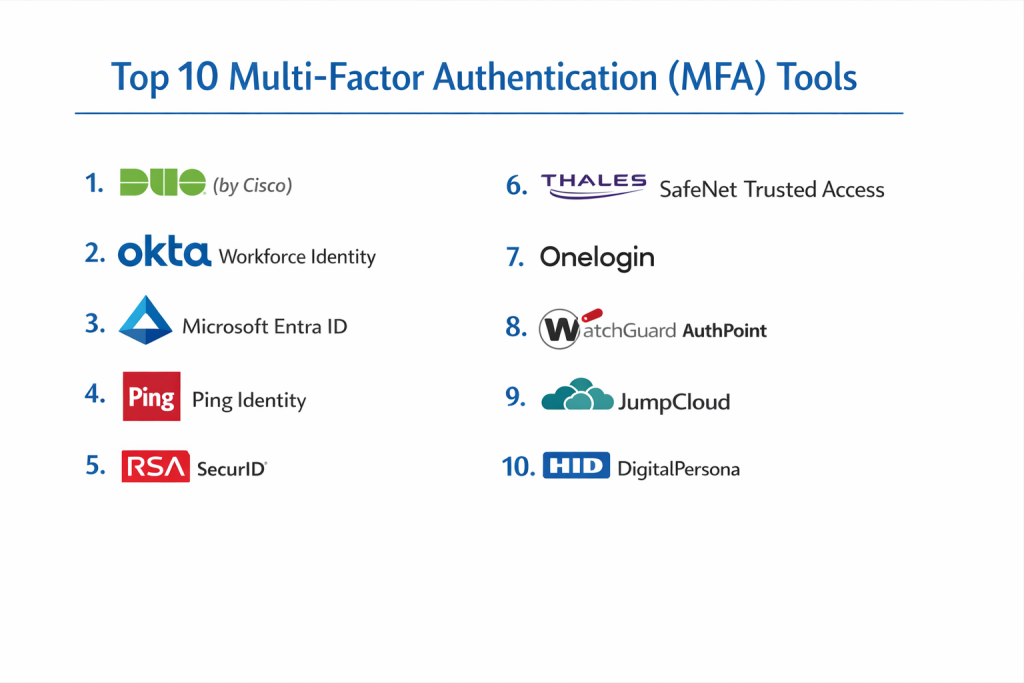
Top 10 Multi-factor Authentication (MFA) Tools
1 — Duo Security (by Cisco)
Duo is one of the most famous MFA tools because it is designed to be very friendly for the person using it. It focuses on a “one-tap” experience that makes security feel like a natural part of the workday rather than a chore.
- Key Features:
- Duo Push: Users just tap a button on their phone to log in.
- Support for hardware keys (like YubiKey) and smartwatches.
- Device health checks to see if a laptop is safe before it connects.
- Detailed maps showing where login attempts are coming from.
- “Verified Duo Push” which asks for a number to prevent accidental approvals.
- Support for phone calls and SMS text codes for those without smartphones.
- Pros:
- The easiest tool for employees to learn and use.
- Very fast to set up for a whole company.
- Cons:
- The best security features are locked behind the more expensive plans.
- Relies heavily on the mobile app for the best experience.
- Security & Compliance: SOC 2, HIPAA, GDPR, and ISO 27001. Uses strong encryption for all traffic.
- Support & Community: Excellent online guides, a helpful user community, and 24/7 technical support.
2 — Okta Workforce Identity
Okta is a powerful cloud platform that handles everything related to user identity. Its MFA tool is smart and “adaptive,” meaning it can change how much proof it asks for based on how safe a login attempt looks.
- Key Features:
- Adaptive MFA that uses risk scores to decide when to ask for extra ID.
- Integration with over 7,000 pre-made app connections.
- Support for “Okta FastPass” for passwordless logins.
- Context-aware rules (like blocking logins from unknown countries).
- Detailed audit logs that are great for security reports.
- Pros:
- Works with almost every software app a business might use.
- Extremely reliable with a great history of staying online.
- Cons:
- It can be more expensive than simpler MFA tools.
- Requires a bit more technical skill to set up the advanced rules.
- Security & Compliance: SOC 2 Type II, HIPAA, GDPR, and FedRAMP compliant.
- Support & Community: Large knowledge base, active forums, and enterprise-level support.
3 — Microsoft Entra ID (formerly Azure AD)
If your company uses Microsoft 365 or Windows, this is often the most logical choice. It is built directly into the Microsoft ecosystem, making it easy to protect Outlook, Teams, and Word.
- Key Features:
- Seamless integration with all Microsoft business tools.
- Support for the Microsoft Authenticator mobile app.
- Biometric support (face or fingerprint) via Windows Hello.
- Rules that can block access based on the user’s IP address.
- Self-service tools so users can manage their own security settings.
- Pros:
- Often included in the price of Microsoft business licenses.
- Very strong security that meets high government standards.
- Cons:
- The administration dashboard is very complex.
- It can be difficult to set up for software that is not made by Microsoft.
- Security & Compliance: Highly compliant with global standards like GDPR and HIPAA.
- Support & Community: Massive global support network and very deep technical documentation.
4 — Ping Identity
Ping Identity is designed for very large companies that have complicated needs. It is excellent at handling a mix of new cloud apps and very old office software that other tools might struggle to protect.
- Key Features:
- Highly customizable login paths for different types of employees.
- Can be used as a cloud service or installed on your own servers.
- Support for millions of users at the same time.
- “Zero Trust” features that check identity every step of the way.
- Advanced API security for developers building their own apps.
- Pros:
- Extremely flexible; it can be made to fit almost any business.
- Great for companies that aren’t ready to move 100% to the cloud.
- Cons:
- Too complex for a small business with a simple IT setup.
- It takes longer to learn and implement compared to Duo.
- Security & Compliance: ISO 27001, SOC 2, and FIDO2 certified.
- Support & Community: Professional enterprise support and expert setup services.
5 — RSA SecurID
RSA is one of the oldest and most trusted names in security. They are famous for the physical hardware tokens that show a changing code. It is a top choice for organizations that need the highest levels of trust, like banks.
- Key Features:
- Famous physical tokens that work without any internet connection.
- Modern mobile app for “Push” notifications.
- Strong “Risk-Based” security that learns user behavior.
- Support for on-premise, cloud, and hybrid environments.
- Governance tools to manage who has permission for sensitive data.
- Pros:
- Very stable and has been trusted for many decades.
- Perfect for environments where employees cannot carry phones.
- Cons:
- Physical tokens can be expensive to replace if lost.
- The look and feel can seem a bit older than modern cloud tools.
- Security & Compliance: Meets the strictest global security and banking standards.
- Support & Community: High-end technical support and a global reach.
6 — Thales SafeNet Trusted Access
Thales is a global leader in high-end security and encryption. Their SafeNet tool is built for businesses that want to automate their security and make it easy for IT managers to see everything from one screen.
- Key Features:
- Wide range of hardware and software authentication options.
- Policy-driven access that can be changed for each specific app.
- Automated workflows to reduce the workload on IT staff.
- Cloud-based management that works across different office locations.
- Strong encryption for all user credentials.
- Pros:
- Very strong focus on encryption and data protection.
- Good for companies that need to follow very strict legal rules.
- Cons:
- Not as well-known as Okta or Duo, so it has a smaller community.
- The setup process can be quite technical.
- Security & Compliance: ISO 27001, SOC 2, and GDPR compliant.
- Support & Community: Solid documentation and professional support teams.
7 — OneLogin
OneLogin provides a fast and modern MFA experience. It is a great competitor to Okta, offering many of the same features but often with a focus on simplicity and value for money.
- Key Features:
- “OneLogin Protect” mobile app for simple one-tap approvals.
- Risk-based MFA that uses machine learning to spot hackers.
- Integrated SSO (Single Sign-On) and MFA in one dashboard.
- Smart rules that only ask for extra ID when the risk is high.
- Easy reporting for security and compliance audits.
- Pros:
- The user screens are very clean and easy to navigate.
- Excellent value for the features provided.
- Cons:
- Fewer integrations than the biggest players like Okta.
- Support can sometimes be slower on the basic pricing plans.
- Security & Compliance: SOC 2 Type II, GDPR, and ISO 27001 compliant.
- Support & Community: Helpful help desk and a growing online community.
8 — WatchGuard AuthPoint
WatchGuard is well-known for office firewalls, and AuthPoint is their MFA solution. It is unique because it uses a special “Mobile Device DNA” to make sure the phone being used is actually the owner’s phone.
- Key Features:
- Mobile Device DNA to prevent hackers from copying your phone app.
- Simple QR code scanning for fast login.
- Cloud-based management that doesn’t need extra hardware.
- Offline mode so you can still log in without a data connection.
- Support for third-party apps like Google and Dropbox.
- Pros:
- Excellent for small and medium businesses that want good value.
- Very creative way of making the mobile app more secure.
- Cons:
- Works best if you already use other WatchGuard products.
- The list of pre-made integrations is smaller than some rivals.
- Security & Compliance: GDPR and HIPAA compliant.
- Support & Community: Good technical guides and a network of resellers for help.
9 — JumpCloud
JumpCloud is an all-in-one “Cloud Directory.” It doesn’t just do MFA; it manages the whole user and their computer. It is a fantastic choice for companies that want one tool to handle everything.
- Key Features:
- MFA for web apps, local computers (Mac/Win), and servers.
- Includes a password manager for the whole team.
- Support for Push notifications, TOTP codes, and security keys.
- Centralized management of Windows, macOS, and Linux laptops.
- Easy-to-use cloud console for IT managers.
- Pros:
- Perfect for small teams that don’t have many IT people.
- Very affordable pricing for smaller organizations.
- Cons:
- May not have the specialized depth that a tool like RSA offers.
- Not designed for massive, multi-national corporations.
- Security & Compliance: SOC 2 Type II, GDPR, and HIPAA compliant.
- Support & Community: Active user forums and responsive email support.
10 — HID DigitalPersona
HID is a famous name in physical security (like office door badges). Their DigitalPersona tool brings that same focus on physical identity to the digital world, with a heavy emphasis on biometrics.
- Key Features:
- Widest support for fingerprint, face, and even eye scanning.
- Works with many different types of physical ID cards.
- Support for both cloud and older “on-premise” systems.
- Very flexible rules for how users can verify themselves.
- Good for environments where employees share computers.
- Pros:
- The best choice for companies that want to use fingerprints or badges.
- Very reliable hardware and software that lasts a long time.
- Cons:
- Can be very expensive if you need to buy physical scanners.
- Not as “cloud-focused” as tools like Okta or OneLogin.
- Security & Compliance: Meets high international standards for physical and digital safety.
- Support & Community: Strong professional support for high-end enterprise clients.
Comparison Table
| Tool Name | Best For | Platform(s) Supported | Standout Feature | Rating |
| Duo Security | Ease of use | Cloud, Mobile | One-tap “Push” login | 4.5 / 5 |
| Okta | Growing teams | Cloud, Web, Mobile | 7,000+ app integrations | 4.6 / 5 |
| Microsoft Entra | Microsoft offices | Cloud, Hybrid | Part of Office 365 | 4.5 / 5 |
| Ping Identity | Huge corporations | Cloud, On-prem | Custom login journeys | 4.4 / 5 |
| RSA SecurID | Banks & High Trust | Cloud, On-prem | Physical hardware tokens | 4.3 / 5 |
| Thales SafeNet | Data protection | Cloud, Web | Automated security rules | 4.2 / 5 |
| OneLogin | Good value | Cloud, Web | Smart risk detection | 4.5 / 5 |
| WatchGuard | Small/Mid Business | Cloud, Mobile | Mobile Device DNA | 4.4 / 5 |
| JumpCloud | All-in-one IT | Cloud, Win/Mac/Linux | Manages laptops & users | 4.6 / 5 |
| HID Persona | Biometrics/Badges | Cloud, On-prem | Fingerprint/Card support | 4.2 / 5 |
Evaluation & Scoring of MFA Tools
We use a scoring system to compare these tools fairly. This ensures that the things that matter most—like security and how easy it is to use—receive the most attention.
| Category | Weight | What We Look For |
| Core Features | 25% | Does it have Push, SMS, Biometrics, and Hardware key support? |
| Ease of Use | 15% | Is it easy for a normal worker to use every morning? |
| Integrations | 15% | Does it connect to all the other software your company uses? |
| Security | 10% | Does it use strong protection and follow privacy laws? |
| Reliability | 10% | Is the system always working when users need to log in? |
| Support | 10% | Is there good help available if the system breaks? |
| Price / Value | 15% | Is the cost fair for the features you are getting? |
Which MFA Tool Is Right for You?
Choosing an MFA tool is a big step for your company. Here is a simple guide to help you decide based on your specific situation.
1. Small Business vs. Enterprise
If you are a small business with fewer than 50 people, you want something easy. Duo or JumpCloud are excellent because they are simple to set up and don’t require an expert. If you are a large enterprise with thousands of people, you need Ping Identity or Okta because they can handle massive complexity.
2. Budget vs. Premium
If you are on a tight budget, check your existing software. If you already use Microsoft Office, you might already have MFA included for free. If you want a premium experience with the best possible security and features, Okta is worth the extra cost.
3. Ease of Use vs. Custom Power
Do you want your employees to be able to log in with one tap and no training? Duo Security is the best choice for that. Do you want to build a very specific, custom login screen that does exactly what you want? Ping Identity or HID give you that extra power.
4. Special Industry Needs
If you work in a high-risk field like a bank or a hospital, you should look at RSA or CyberArk. These tools are built to meet the strictest laws and have been trusted for decades in high-security environments.
Frequently Asked Questions (FAQs)
1. Is MFA 100% hacker-proof?
No security tool is 100% perfect, but MFA is one of the closest. It stops over 99% of common attacks that rely on stolen passwords.
2. What if an employee loses their phone?
All MFA tools have a “backup” plan. An IT manager can give the employee a temporary code so they can still log in and then set up a new phone.
3. Does MFA work without an internet connection?
Yes. Tools like RSA tokens or “TOTP” codes (the six numbers that change every 30 seconds) work even if you are on a plane or have no signal.
4. Are SMS text codes safe?
Text codes are much better than just a password, but they are not the safest option. Modern “Push” apps or hardware keys are much more secure against advanced hackers.
5. How much does MFA typically cost?
Most MFA tools charge a small monthly fee per user, often between $3 and $9. Some basic versions are even included for free in other business software.
6. Can I use one MFA tool for all my apps?
Yes. Modern MFA tools are designed to be a “single hub” that protects your email, your chat apps, and your company files all at once.
7. Do employees hate using MFA?
If you choose a tool like Duo, most employees find it very easy. It only takes a second to tap a button on their phone, which is a small price to pay for security.
8. What are “biometrics”?
Biometrics are things like your fingerprint or a face scan. Many MFA tools allow you to use the scanner on your phone or laptop as your second proof of identity.
9. What is a “hardware key”?
A hardware key is a small device that looks like a USB drive. You plug it into your computer or tap it on your phone to prove you are there. It is the most secure form of MFA.
10. Is it hard to set up MFA for my whole team?
For most modern cloud tools, it is very fast. You can often have a small team protected in just a few hours.
Conclusion
Choosing the right Multi-factor Authentication (MFA) tool is one of the most important things you can do to protect your business today. By simply requiring a second form of ID, you can stop almost all common password-based attacks and keep your company’s private information safe.
There is no “one size fits all” winner. If you want simplicity and ease of use, Duo Security is a fantastic choice. If you want a powerful tool that can grow with any technology, Okta is the industry leader. For those already using Microsoft products, Entra ID offers great value and strong security.
The most important step is to simply start. Even a basic MFA setup is much safer than relying on passwords alone. Take a look at your budget, your team’s skills, and the apps you use every day, and pick the tool that makes your work life the most secure.