Introduction
Identity and Access Management, often called IAM, is a system used by businesses to manage digital identities. In simple terms, it is a way to make sure that the right people have access to the right office tools at the right time. When a company uses IAM, they create a digital profile for every worker. This profile tells the computer system who the person is and what files they are allowed to open.
IAM is important because it acts like a digital gatekeeper. Without it, anyone with a stolen password could enter a company’s private network and see sensitive information. By using IAM, a business can add extra layers of safety. For example, the system can ask for a code sent to a phone or a fingerprint scan to prove the person is really who they claim to be. This helps prevent data theft and keeps the company’s work private.
In the real world, IAM is used every day. When a new person starts a job, the IT team uses an IAM tool to give them an email and access to the company’s chat apps all at once. If an employee leaves the company, the IAM tool can turn off all their access with one click, which keeps the business safe. It is also used to let people work from home securely without needing to be in the physical office.
Who is this for?
- Best for: Companies of all sizes that use many different software apps, businesses that must follow strict privacy laws (like hospitals or banks), and IT teams that need to manage a large number of employees.
- Not ideal for: Very small businesses with only one or two workers who use just one shared computer, or people who only need to keep track of their own personal passwords for home use.
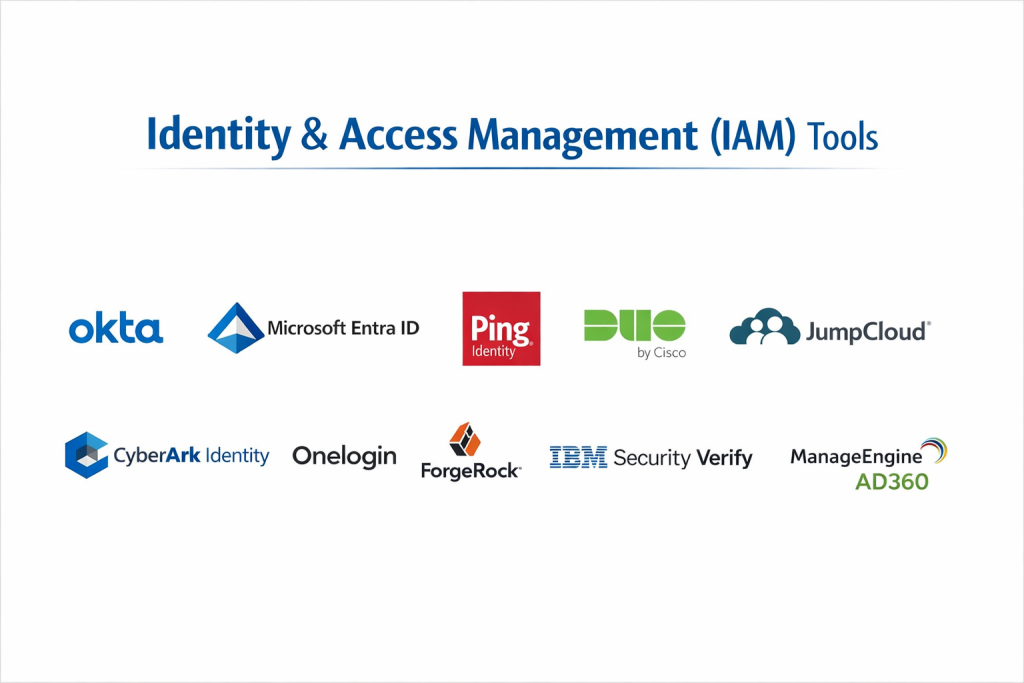
Top 10 Identity & Access Management (IAM) Tools
1 — Okta
Okta is a popular tool that works entirely in the cloud. It is designed to connect all of a company’s different apps into one main screen, making it very easy for workers to find what they need.
- Key Features:
- Single Sign-On (SSO) so you only need to remember one password.
- Adaptive MFA that only asks for extra ID when a login looks risky.
- Tools to automatically create accounts for new workers.
- Connections to thousands of different types of software.
- A central dashboard to see every app in one place.
- Pros:
- Very easy for regular employees to learn and use.
- It works well with almost every software brand.
- Cons:
- The price can be higher than other basic tools.
- Setting up the most advanced rules can take a lot of time.
- Security & Compliance: Meets high standards like SOC 2, GDPR, and HIPAA. It includes strong encryption for all data.
- Support & Community: Large community of users and 24/7 help for big businesses.
2 — Microsoft Entra ID
This tool is the best choice for companies that already use Microsoft 365 or Windows. It is built to work perfectly with tools like Teams, Outlook, and Excel.
- Key Features:
- Deep connection to all Microsoft business software.
- Rules that can block logins from certain countries or locations.
- A way for users to reset their own passwords without calling IT.
- Protection that spots when a hacker is trying to guess a password.
- Support for old office servers and new cloud apps at the same time.
- Pros:
- Usually comes included with Microsoft business plans.
- Very high security that is trusted by big government groups.
- Cons:
- The menus can be very large and hard to navigate for beginners.
- It is not as simple to use with non-Microsoft software.
- Security & Compliance: Highly compliant with global rules including GDPR and FedRAMP.
- Support & Community: Excellent technical guides and a global network of experts.
3 — Ping Identity
Ping Identity is made for very large companies that have complicated needs. It is famous for being able to handle millions of users and very old computer systems that other tools might not support.
- Key Features:
- A visual way to design how users log into the system.
- Support for both employees and regular customers.
- High-speed performance for very busy websites.
- Options to install the software on your own office servers.
- Tools to manage smart devices and sensors.
- Pros:
- Very flexible and can be changed to fit any business need.
- Handles very complex security rules better than most.
- Cons:
- It requires a lot of technical skill to set up and manage.
- The user interface is not as modern as some newer tools.
- Security & Compliance: ISO 27001 and SOC 2 compliant.
- Support & Community: Strong professional support for large enterprise clients.
4 — Duo Security (by Cisco)
Duo is focused on making the login process as simple as possible. Most users know Duo because of the “Push” notification on their phones, where they just tap a button to prove their identity.
- Key Features:
- Simple Multi-Factor Authentication (MFA) using a phone app.
- Checks if a computer is safe and updated before letting it connect.
- A simple portal for all company apps.
- Secure access for remote workers without needing a VPN.
- Easy-to-read reports for IT managers.
- Pros:
- The easiest tool for employees to use every day.
- Very fast to set up for small and medium businesses.
- Cons:
- It does not have as many advanced “identity” features as Okta.
- Some features require other Cisco products to work best.
- Security & Compliance: Complies with GDPR and HIPAA security standards.
- Support & Community: Very helpful documentation and a reliable support team.
5 — JumpCloud
JumpCloud is a modern tool that helps small and medium businesses manage their users and their computers from one place. It is a great alternative to old office servers.
- Key Features:
- Manages Windows, Mac, and Linux computers in the cloud.
- Includes a password manager for the whole company.
- Simple Single Sign-On (SSO) for cloud apps.
- Automated rules for keeping computers secure.
- A clear list of all users and their devices.
- Pros:
- Great for small teams that do not have many IT workers.
- Often more affordable than the big-name tools.
- Cons:
- It may not be powerful enough for massive global companies.
- There are fewer connections to outside apps compared to Okta.
- Security & Compliance: SOC 2 Type 2 and GDPR compliant.
- Support & Community: Active user forums and helpful email support.
6 — CyberArk Identity
CyberArk is known for protecting the most important accounts in a company. Their IAM tool brings that high level of safety to every regular worker, focusing on keeping hackers out of sensitive areas.
- Key Features:
- Extra protection for “Admin” accounts with a lot of power.
- AI tools that learn if a user is acting strangely.
- Secure ways to work from home without extra software.
- Detailed recording of what people do for safety audits.
- Strong password rules for the entire company.
- Pros:
- One of the safest choices for businesses that handle secret data.
- Good for teams that already use other CyberArk security tools.
- Cons:
- The system can feel slow or “heavy” for a regular office worker.
- Setup is very technical and takes a long time.
- Security & Compliance: Meets strict government and banking security rules.
- Support & Community: Enterprise-grade support with dedicated help for clients.
7 — OneLogin
OneLogin is a tool that offers many of the same features as Okta but often at a different price point. It is a reliable choice for businesses that want a simple cloud-based system.
- Key Features:
- A smart system that only asks for extra ID when it sees a risk.
- Real-time syncing with employee records.
- A simple portal for users to find all their work tools.
- Automated tools to remove access when someone leaves the job.
- Reports that show who logged in and from where.
- Pros:
- The design is clean and very easy for workers to use.
- Often a good value for the number of features you get.
- Cons:
- It cannot connect to as many different apps as the top leaders.
- There have been some security concerns in the past.
- Security & Compliance: ISO 27001 and SOC 2 Type 2 compliant.
- Support & Community: Solid library of help articles and 24/7 support for large plans.
8 — ForgeRock
ForgeRock is built for “Identity at Scale.” This means it is used by companies that have millions of customers, like a large bank or a global retail website.
- Key Features:
- A visual tool to build the exact path a user takes to log in.
- Can manage “Internet of Things” (IoT) devices like smart cameras.
- Strong tools for customer privacy and data consent.
- Built to handle a massive amount of logins at the same time.
- High customization for businesses building their own apps.
- Pros:
- The most flexible tool for developers who write code.
- Excellent for managing customer data safely.
- Cons:
- Too complicated for a small business that just needs SSO.
- Very expensive and takes a long time to implement.
- Security & Compliance: Meets international privacy and security standards.
- Support & Community: Strong support for technical teams and developers.
9 — IBM Security Verify
IBM is a famous name in business technology. Their tool uses artificial intelligence to help companies stay safe. It is a very stable choice for large organizations that want a trusted partner.
- Key Features:
- Uses “IBM Watson” AI to spot if a hacker is trying to enter.
- Allows users to log in with a fingerprint or face scan.
- Tools to make sure people do not have more access than they need.
- Can be used as a cloud service or on your own hardware.
- Detailed reports for legal and security audits.
- Pros:
- Very reliable and works well for companies with many rules.
- Includes great tools for finding security gaps in the system.
- Cons:
- The screens can feel a bit old and hard to use.
- It is often hard to find pricing without a sales call.
- Security & Compliance: Full suite of global security and privacy certifications.
- Support & Community: World-class support for large enterprise customers.
10 — ManageEngine AD360
ManageEngine is a helpful tool for IT teams that still rely on older Windows servers but want modern security. It helps automate the boring parts of managing user accounts.
- Key Features:
- Automates the creation and removal of user accounts.
- Tools for users to unlock their own accounts or reset passwords.
- Simple Multi-Factor Authentication (MFA) for logins.
- Detailed reports that show who has access to what files.
- Works with both cloud apps and local office software.
- Pros:
- Usually much more affordable than the high-end cloud tools.
- Solves common IT problems like “forgotten passwords” very well.
- Cons:
- It is not a “cloud-only” tool, so it can feel a bit older.
- The setup can require more manual work than newer tools.
- Security & Compliance: Good reporting for HIPAA and GDPR audits.
- Support & Community: Helpful support team and an active forum for users.
Comparison Table
| Tool Name | Best For | Platform(s) Supported | Standout Feature | Rating |
| Okta | Modern businesses | Cloud, Web, Mobile | 7,000+ pre-made connections | 4.5 / 5 |
| Microsoft Entra ID | Microsoft users | Cloud, Hybrid | Part of the Office 365 system | 4.4 / 5 |
| Ping Identity | Large global teams | Cloud, On-prem | Very flexible login design | 4.4 / 5 |
| Duo Security | Ease of use | Cloud, Mobile | One-tap “Push” login | 4.5 / 5 |
| JumpCloud | Small/Mid teams | Cloud, Win/Mac/Linux | Manages computers and users | 4.6 / 5 |
| CyberArk Identity | High security needs | Cloud, Web | Protects important admin users | 4.4 / 5 |
| OneLogin | Good value | Cloud, Web | Smart risk-based security | 4.3 / 5 |
| ForgeRock | Customer websites | Cloud, Hybrid | Built for millions of people | 4.4 / 5 |
| IBM Security Verify | Large audits | Cloud, On-prem | Watson AI threat detection | 4.2 / 5 |
| ManageEngine | Local IT groups | On-prem, Hybrid | Active Directory automation | 4.5 / 5 |
Evaluation & Scoring of IAM Tools
To find the best tools, we look at seven different areas. We give more importance to the things that affect your security and daily work the most.
| Category | Weight | What We Look For |
| Core Features | 25% | Does it have SSO, MFA, and account automation? |
| Ease of Use | 15% | Is it easy for a normal worker to use every day? |
| Integrations | 15% | Does it connect to all the other software you use? |
| Security | 10% | Does it use strong protection and follow the law? |
| Reliability | 10% | Is the system always working when you need it? |
| Support | 10% | Can you get help quickly if there is a problem? |
| Price / Value | 15% | Is the cost fair for the features you receive? |
Which IAM Tool Is Right for You?
Choosing the right tool is a big decision. Here is a simple guide to help you pick:
1. Check Your Current Tools
If your office mostly uses Microsoft Word, Teams, and Outlook, then Microsoft Entra ID is the best choice. It is built to work with those apps. If you use many different brands of software, a tool like Okta or OneLogin is better because they are more neutral.
2. Think About Your Company Size
- Small Teams: Look at Duo or JumpCloud. They are easier to set up and usually cost less.
- Medium Companies: Okta or OneLogin are great because they can handle more people and more apps.
- Very Large Companies: Ping Identity or IBM are built for the complicated needs of thousands of workers.
3. Consider Ease of Use
Do you want a tool that “just works” without training? Duo is the best for this. Do you want a tool that can be changed to do very specific things? ForgeRock or Ping Identity are the “power” choices, but they take more time to learn.
4. Set a Budget
Most of these tools charge a monthly fee for every user. A simple security app is affordable, but a full system that automates everything will cost more. Make sure you only pay for the features your team will actually use.
Frequently Asked Questions (FAQs)
1. What is the main goal of an IAM tool?
The goal is to make sure the right person can access the right office tools, and that hackers stay out.
2. Is IAM the same as a password manager?
No. A password manager just remembers your passwords. An IAM system controls who is allowed to see specific files based on their job.
3. Why do I need more than just a password?
Passwords can be easily stolen. Using a second step, like a code on your phone, makes your accounts much safer.
4. Can I use these tools on a Mac?
Yes. Most modern IAM tools work perfectly on Windows, Mac, and Linux computers.
5. What is Single Sign-On (SSO)?
SSO means you log in once to a main page, and then you can click on any of your work apps without typing your password again.
6. Do these tools work on phones?
Yes. Most have apps for iPhone and Android that let you approve logins with one tap.
7. How does IAM help with hiring new people?
It can automatically create all the accounts a new person needs on their first day, so they can start working right away.
8. Is it hard to switch to a new IAM tool?
It can be a big project to switch. It is best to choose a tool you can stay with for a long time as your company grows.
9. Does IAM help with privacy laws?
Yes. It keeps a clear record of who looked at what information, which helps prove you are keeping data safe.
10. What if I lose the phone I use for the security code?
Your IT team can give you a temporary code so you can get back into your account and set up a new phone.
Conclusion
Finding the right Identity and Access Management (IAM) tool is a great way to protect your business. It keeps your company safe from hackers and makes it easier for your team to do their jobs every day.
There is no one “perfect” tool for everyone. If you use Microsoft apps, Entra ID is a great fit. If you want the most features and the easiest screens, Okta is a top choice. For smaller teams, Duo or JumpCloud are helpful and cost less.
The most important step is to have a system in place. Even a simple security tool can stop most common attacks. Look at your budget and the software you use, and pick the tool that makes your work life the most secure.