Introduction
IP Address Management (IPAM) is a specialized suite of software tools used to plan, track, and manage the IP address space used in a network. In simple terms, it is a centralized database that tells you which IP addresses are assigned to which devices, which ones are available, and how your subnets are organized. Without IPAM, networks often suffer from “IP conflicts”—where two devices try to use the same address—leading to immediate outages.
The importance of IPAM lies in its ability to provide visibility and automation. In a modern environment, IPs are constantly being assigned and released by DHCP servers and cloud instances. IPAM ensures that this “churn” is documented in real-time. Key real-world use cases include troubleshooting network connectivity, preparing for IPv6 migration, and ensuring security compliance by identifying rogue devices. When choosing a tool, users should evaluate its DHCP/DNS integration (DDI), scanning frequency, API availability, and subnet visualization capabilities.
Best for: Network engineers, IT directors, and systems administrators in mid-sized to large enterprises. It is particularly essential for industries like finance, healthcare, and telecommunications, where network downtime is costly and compliance is strict.
Not ideal for: Small home offices or tiny businesses with fewer than 50 devices. In these cases, the basic management features built into a standard Wi-Fi router or a simple, well-maintained spreadsheet are usually enough.
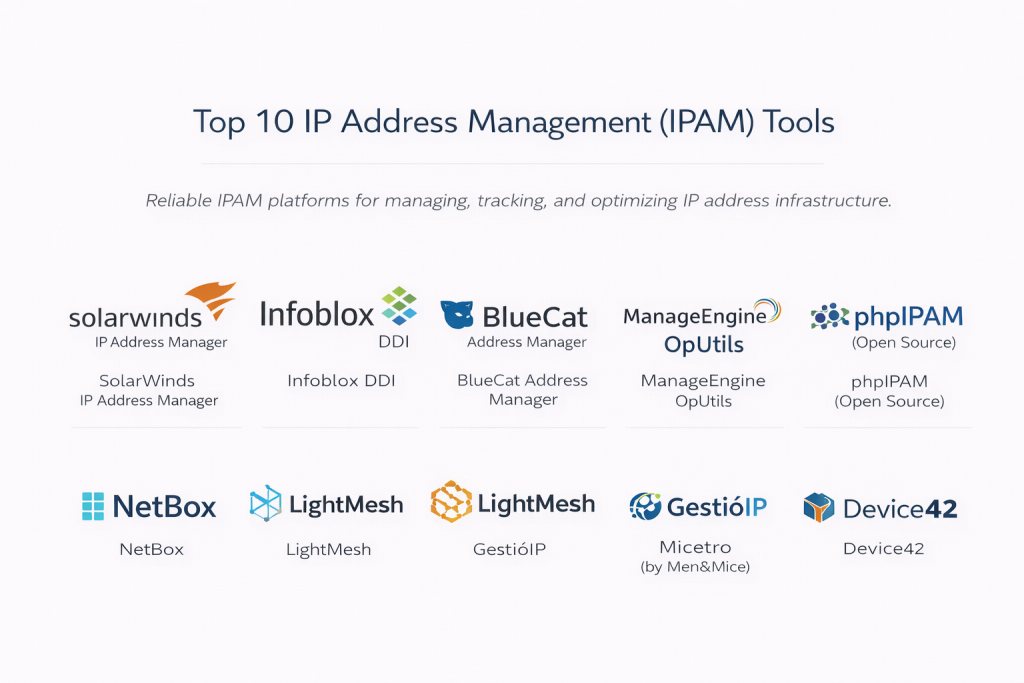
Top 10 IP Address Management (IPAM) Tools
1 — SolarWinds IP Address Manager
SolarWinds is a heavyweight in the IT management space, offering an IPAM solution that is designed for enterprise environments that need deep integration with DNS and DHCP services.
- Key Features:
- Automated IP Tracking: Automatically scans the network to update IP status and detect conflicts.
- Integrated DNS/DHCP Management: Manage Microsoft, Cisco, and ISC DHCP/DNS from a single console.
- IP Request Wizard: Allows users to request IP addresses through a guided workflow, reducing manual entry.
- Reporting and Alerting: Detailed alerts for subnet exhaustion and IP conflicts.
- Subnet Allocation Wizard: Simplifies the process of creating and resizing subnets.
- Role-Based Access Control: Granular permissions for different team members.
- Pros:
- The interface is highly professional and designed for high-stakes NOC environments.
- Excellent at identifying IP conflicts before they cause a major outage.
- Cons:
- Can be resource-heavy; requires a dedicated Windows server environment.
- The pricing model is better suited for large corporate budgets than small businesses.
- Security & Compliance: Supports SSO, SAML, and detailed audit logs for compliance with GDPR and HIPAA.
- Support & Community: Backed by the massive “Thwack” community and 24/7 technical support for active subscribers.
2 — Infoblox DDI
Infoblox is often considered the “gold standard” for DDI (DNS, DHCP, and IPAM). It is a premium, high-security solution designed for the world’s most complex networks.
- Key Features:
- Grid Technology: A patented architecture for high availability and disaster recovery across global sites.
- Discovery and Visibility: Deep discovery of physical, virtual, and cloud assets.
- Automated Provisioning: Speeds up the deployment of virtual machines and containers.
- Security Integration: Blocks malicious domains at the DNS level.
- Cloud-Native Support: Deep integration with AWS, Azure, and Google Cloud.
- Rich Reporting Engine: Hundreds of pre-built reports for audit and capacity planning.
- Pros:
- Unrivaled reliability; it is built for 99.999% uptime.
- The best tool for managing massive, global “hybrid-cloud” environments.
- Cons:
- Very high cost of entry; it is a significant investment.
- High complexity means it usually requires specialized training to master.
- Security & Compliance: FIPS 140-2, SOC 2, and ISO 27001 compliant. Features advanced encryption and secure administrative access.
- Support & Community: Professional services, dedicated account managers, and an extensive training certification program.
3 — BlueCat Address Manager
BlueCat focuses on “Adaptive DNS” and IPAM, providing a highly flexible platform for organizations that prioritize automation and software-defined networking.
- Key Features:
- Unified Management: Controls all IP, DNS, and DHCP data across the whole enterprise.
- API-First Design: Easily integrates with orchestration tools like Ansible and Terraform.
- Network Automation: Speeds up ticket resolution and service delivery.
- Role-Based Access: Sophisticated permission levels for global teams.
- Visual Subnet Maps: Clean, logical views of how your network is divided.
- IPv6 Readiness: Extensive tools for planning and executing an IPv6 migration.
- Pros:
- Extremely powerful for DevOps-focused organizations that use Infrastructure-as-Code.
- The platform is very flexible and grows well with the company.
- Cons:
- The learning curve is steep for teams used to traditional manual tools.
- Lacks some of the “out-of-the-box” simplicity found in SolarWinds.
- Security & Compliance: Supports SSO/SAML, audit trails, and encrypted data storage.
- Support & Community: Strong enterprise support and a proactive customer success team.
4 — ManageEngine OpUtils
ManageEngine offers OpUtils as a specialized tool for port and IP address management, making it perfect for engineers who need to manage physical switch ports along with IPs.
- Key Features:
- IP Address Tracker: Scans IPv4 and IPv6 subnets in real-time.
- Switch Port Mapper: Shows exactly which device is plugged into which physical port.
- Rogue Detection: Automatically identifies and alerts on unauthorized devices.
- DHCP Server Monitoring: Tracks the health and scope of multiple DHCP servers.
- History Tracking: Keeps a detailed log of who used which IP and when.
- Bandwidth Monitoring: Basic visibility into the traffic usage of specific IPs.
- Pros:
- Very affordable and great for mid-sized businesses.
- The Switch Port Mapper is a unique and incredibly helpful feature for field techs.
- Cons:
- The user interface can feel a bit dated compared to modern SaaS platforms.
- Not as robust for managing massive cloud-based IP environments.
- Security & Compliance: Includes basic audit logs and user permissions; GDPR ready.
- Support & Community: Responsive email support and a very helpful online knowledge base.
5 — phpIPAM (Open Source)
For those on a budget or who prefer open-source software, phpIPAM is the premier choice. It is a community-driven web application that is surprisingly powerful.
- Key Features:
- IPv4/IPv6 Support: Full support for both address types.
- Subnet Management: Visual displays of subnet usage and free space.
- Automatic Scanning: Can be configured to scan the network via ping or fping.
- VLAN Management: Track your VLAN IDs alongside your IP addresses.
- Custom Fields: Add your own data points (like “Owner” or “Hardware Type”) to any IP.
- API Support: Includes a REST API for integration with other scripts.
- Pros:
- Completely free to use with no licensing fees.
- Highly customizable; if you know PHP, you can modify it to suit any need.
- Cons:
- Requires manual setup and maintenance (Linux, Apache, MySQL, PHP).
- No official “24/7 phone support” if something goes wrong.
- Security & Compliance: Supports 2FA and LDAP/AD integration; however, compliance is the responsibility of the user.
- Support & Community: Very active community on GitHub and specialized forums.
6 — NetBox
NetBox is a newer “Source of Truth” for network infrastructure. It is not just an IPAM; it’s a documentation platform that models your entire physical and logical network.
- Key Features:
- IPAM Integration: Manages IPs, prefixes, and VRFs (Virtual Routing and Forwarding).
- DCIM Support: Tracks racks, cables, and power connections.
- Modern Interface: Built on Python/Django with a very clean, fast UI.
- Extensible Architecture: Supports a wide range of community plugins.
- Webhooks: Trigger external events when data in NetBox changes.
- GraphQL API: Very fast and efficient data retrieval for automation.
- Pros:
- Currently the most popular choice for modern “NetDevOps” teams.
- Forces good documentation habits by modeling the network logically.
- Cons:
- Not a “plug-and-play” scanner; it is a database that expects you to populate it.
- Can be complex to host and secure for teams without Linux experience.
- Security & Compliance: Supports SSO and granular permissions; SOC 2 (for the Cloud version).
- Support & Community: Massive Slack community and professional support available via NetBox Labs.
7 — LightMesh
LightMesh is a modern, cloud-focused IPAM that prioritizes a clean user experience and visual clarity above all else.
- Key Features:
- Visual Subnetting: Uses a “grid” view to show IP usage at a glance.
- History and Auditing: Tracks every change made to the IP database.
- Multi-Cloud Sync: Synchronizes data from AWS, Azure, and Google Cloud.
- Resource Tracking: Keeps tabs on DNS records and certificates.
- Role-Based Access: Simple management of user permissions.
- API Support: Full REST API for workflow automation.
- Pros:
- One of the most beautiful and easy-to-use interfaces in the industry.
- Excellent for companies that have most of their assets in the cloud.
- Cons:
- Does not have the “deep” hardware management features of Infoblox or SolarWinds.
- Smaller feature set overall compared to the industry giants.
- Security & Compliance: SOC 2 compliant; uses encryption for all data at rest.
- Support & Community: Responsive customer support and a well-structured help center.
8 — GestióIP
GestióIP is a professional-grade, web-based IPAM that excels in automated discovery and is designed for ease of use in diverse environments.
- Key Features:
- Automated Discovery: Powerful engine for finding and documenting new network devices.
- Integrated Search: A “Google-like” search bar for finding IPs, MACs, or hostnames.
- IPv6 Transition: Specialized tools for managing dual-stack environments.
- VLAN Management: Track VLANs across different physical sites.
- Dynamic Statistics: Real-time pie charts showing subnet usage.
- Customizable Reports: Generate PDF or CSV reports for management.
- Pros:
- Very fast to search; finding a specific device takes seconds.
- Offers a free version and a very affordable paid professional version.
- Cons:
- The interface is functional but lacks the modern “polish” of newer SaaS tools.
- Documentation is good but can be a bit technical for beginners.
- Security & Compliance: Supports HTTPS and basic audit logs.
- Support & Community: Direct support available for the “Pro” version users.
9 — Micetro (by Men&Mice)
Micetro is an overlay solution. Instead of replacing your existing DNS/DHCP servers, it sits on top of them to provide a unified management layer.
- Key Features:
- Multi-Platform Management: Manage Windows, Linux, and Cloud-native DNS/DHCP in one place.
- Workflow Management: Requires approvals before sensitive changes are made.
- Cloud-Native Integration: Full support for AWS, Azure, and Akamai.
- Error Checking: Prevents humans from making common configuration mistakes.
- Global Visibility: See your entire global IP space from a single screen.
- Non-Disruptive: Since it’s an overlay, you don’t have to rebuild your network to use it.
- Pros:
- Perfect for companies that don’t want to replace their existing Microsoft or Cisco infrastructure.
- Extremely stable and trusted by very large enterprises.
- Cons:
- Licensing is geared toward larger organizations.
- Requires an understanding of the underlying DNS/DHCP systems it manages.
- Security & Compliance: SOC 2 compliant; features advanced RBAC and audit logging.
- Support & Community: High-tier enterprise support and professional onboarding.
10 — Device42
Device42 is a full IT Infrastructure Management suite that includes a very powerful IPAM module along with asset and cable management.
- Key Features:
- Auto-Discovery: One of the most aggressive discovery engines for finding IPs and hardware.
- Subnet Visualization: Clearly see how subnets are nested and used.
- Dependency Mapping: Shows which applications are running on which IPs.
- Integrations: Connects with Jira, ServiceNow, and Slack.
- VLAN and VRF Tracking: Comprehensive tracking of logical network segments.
- Password Management: Securely store credentials for the devices you are managing.
- Pros:
- If you need more than just IPAM (like asset tracking), this is an all-in-one winner.
- The discovery engine is incredibly thorough.
- Cons:
- Can be “too much” software if you only want to manage IP addresses.
- Setup takes longer because the tool discovers so much data.
- Security & Compliance: SOC 2 and HIPAA compliant; features robust encryption.
- Support & Community: Excellent customer success teams and detailed training documentation.
Comparison Table
| Tool Name | Best For | Platform(s) Supported | Standout Feature | Rating (Gartner) |
| SolarWinds IPAM | Enterprise Teams | Windows / On-Prem | Conflict Detection | 4.4 / 5 |
| Infoblox DDI | Global / High Security | Hardware / Cloud | Grid Reliability | 4.6 / 5 |
| BlueCat | Automation / DevOps | Virtual / SaaS | Adaptive DNS | 4.5 / 5 |
| ManageEngine | Mid-Market / Field | Windows / Linux | Switch Port Mapper | 4.4 / 5 |
| phpIPAM | Budget / Open Source | Linux (Web) | Free & Customizable | N/A |
| NetBox | NetDevOps | Linux / SaaS | Network Modeling | 4.8 / 5 |
| LightMesh | Cloud-First / SMB | SaaS | Visual Simplicity | N/A |
| GestióIP | Fast Search / Value | Linux (Web) | Search-centric UI | N/A |
| Micetro | Legacy / Overlay | Win, Linux, SaaS | Non-disruptive Overlay | 4.6 / 5 |
| Device42 | Full Asset Tracking | Virtual / SaaS | Dependency Mapping | 4.5 / 5 |
Evaluation & Scoring of IPAM Tools
We evaluated these tools based on a weighted rubric to ensure that technical power is balanced with practical business value.
| Category | Weight | Evaluation Criteria |
| Core Features | 25% | Scanning, conflict detection, IPv6 support, and subnetting. |
| Ease of Use | 15% | Interface design, search speed, and setup complexity. |
| Integrations | 15% | Support for DNS/DHCP, cloud APIs, and ITSM tools. |
| Security & Compliance | 10% | RBAC, SSO, audit trails, and industry certifications. |
| Performance | 10% | Stability at scale and accuracy of scanning data. |
| Support & Community | 10% | Documentation, forums, and vendor responsiveness. |
| Price / Value | 15% | Cost relative to the depth of features provided. |
Which IPAM Tool Is Right for You?
Solo Users vs SMB vs Mid-Market vs Enterprise
- Solo Users/Small Labs: phpIPAM or the free tier of NetBox are perfect. They provide professional habits without a monthly bill.
- SMBs (50–500 devices): ManageEngine OpUtils or LightMesh are the best choices. They are easy to set up and won’t overwhelm your IT staff.
- Mid-Market (500–2,000 devices): SolarWinds or Micetro offer the stability and integration needed for growing corporate networks.
- Enterprise (2,000+ devices): Infoblox or BlueCat are necessary here. When you have thousands of devices across different countries, you need the rock-solid reliability they provide.
Budget-Conscious vs Premium Solutions
If you are watching every penny, phpIPAM is free, and GestióIP is very inexpensive. On the premium side, Infoblox costs a fortune but prevents outages that could cost even more.
Feature Depth vs Ease of Use
- Ease of Use: LightMesh and NetBox have the most modern, intuitive interfaces.
- Feature Depth: Device42 and SolarWinds offer the most “knobs and dials” for power users who want total control.
Frequently Asked Questions (FAQs)
1. Why shouldn’t I just use Excel for IP management?
Excel is static. It doesn’t know if a device is actually online, it can’t alert you to a conflict, and it’s very easy for two people to edit it at once and create errors.
2. What is “DDI”?
DDI stands for DNS, DHCP, and IPAM. Many top tools combine these three because they are the “trinity” of networking—if you change an IP in your IPAM, it should automatically update in your DNS.
3. Does IPAM help with IPv6?
Yes. IPv6 addresses are much longer and harder to remember than IPv4. Managing them manually is virtually impossible, so an IPAM tool is required for a successful transition.
4. Can IPAM tools find rogue devices?
Yes. Most tools scan the network periodically. If they find an active IP address that isn’t in their database, they can flag it as a “rogue” or unauthorized device.
5. Is open-source IPAM safe for business?
Yes, tools like NetBox are used by some of the biggest companies in the world. However, you must have the internal expertise to install and secure them yourself.
6. Do IPAM tools work in the cloud?
Modern ones do. Tools like LightMesh or BlueCat can “talk” to AWS and Azure to see which IPs are being used by your virtual servers.
7. What is an IP conflict?
An IP conflict happens when two devices are assigned the same IP. Usually, both devices will lose their internet connection, and it can be very hard to troubleshoot without an IPAM tool.
8. How does IPAM “scan” the network?
Most tools use ICMP (Ping) or SNMP to check if an address is active. Some can also pull data directly from your routers and switches via ARP tables.
9. What are “Webhooks” in IPAM?
Webhooks allow the IPAM to talk to other software. For example, when you delete an IP in NetBox, a webhook can automatically tell your firewall to remove that device’s access.
10. Do I need hardware for IPAM?
In the past, yes (like Infoblox appliances). Today, most tools are either “SaaS” (in the cloud) or virtual machines that run on your existing servers.
Conclusion
The “best” IPAM tool is the one that fits into your existing workflow without causing more work. For a modern, code-heavy team, NetBox is the clear winner. For a traditional enterprise that needs absolute reliability, Infoblox or SolarWinds are the industry leaders. For mid-sized companies that want a great balance of features and price, ManageEngine and LightMesh are fantastic.
Moving from a spreadsheet to a dedicated IPAM tool is one of the biggest upgrades an IT department can make. It reduces outages, improves security, and gives you back the most valuable resource of all: time.