Introduction
Network Monitoring Tools are software solutions designed to continuously track the health, performance, and availability of an organization’s IT infrastructure. These tools use protocols like SNMP (Simple Network Management Protocol), WMI, and Flow-based analysis to collect data from devices such as routers, switches, servers, and firewalls. By analyzing this data in real time, IT teams can detect bottlenecks, prevent outages, and optimize bandwidth usage.
The importance of these tools has spiked in 2026 as networks become more decentralized. Organizations now face the challenge of monitoring assets that live both on-premises and in multiple cloud environments (AWS, Azure, Google Cloud). Without centralized visibility, “blind spots” can lead to security vulnerabilities and undetected performance degradation that impacts the end-user experience.
Key Evaluation Criteria:
When selecting a tool, professionals typically prioritize:
- Auto-discovery: The ability to automatically find and map new devices.
- Scalability: How well the tool handles an increasing number of nodes or sensors.
- Alerting Intelligence: Reducing “alert fatigue” through threshold-based or AI-driven notifications.
- Visualization: Interactive maps and dashboards for quick troubleshooting.
Best for: IT Operations (ITOps) teams, Network Engineers, and Managed Service Providers (MSPs) in medium-to-large enterprises who need 24/7 visibility into complex, multi-vendor environments.
Not ideal for: Very small businesses with only a handful of devices that can be managed manually, or organizations looking for “pure” Application Performance Monitoring (APM) without any interest in the underlying hardware layer.
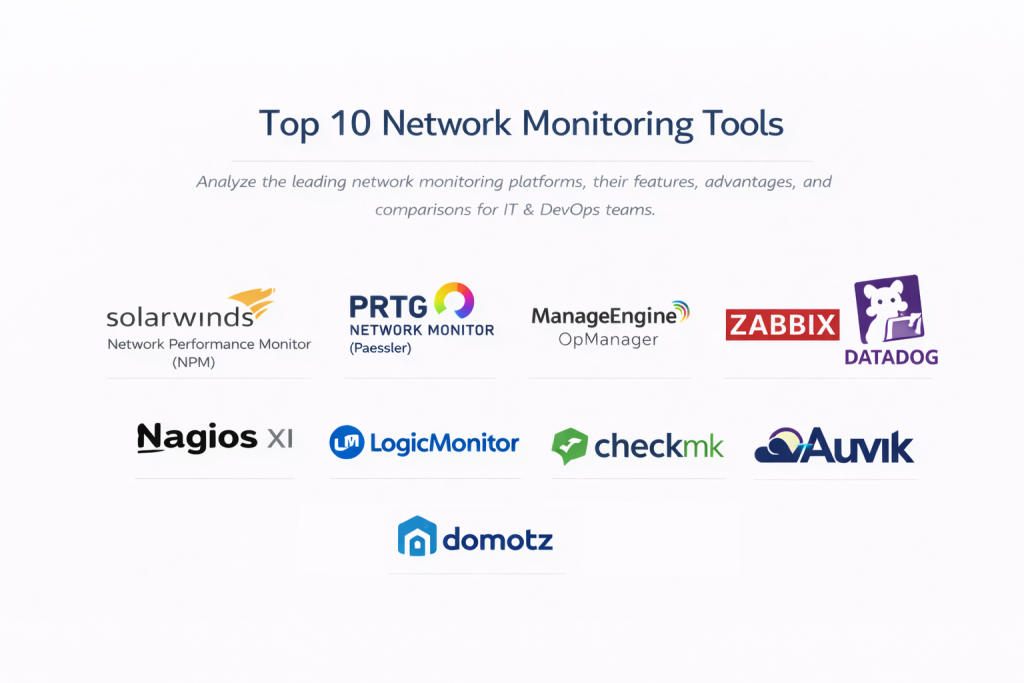
Top 10 Network Monitoring Tools
1 — SolarWinds Network Performance Monitor (NPM)
SolarWinds NPM is a cornerstone of enterprise network management, known for its multi-vendor support and powerful “NetPath” hop-by-hop analysis. It is designed for large-scale environments requiring deep visibility.
- Key Features:
- NetPath Analysis: Visualizes every hop in a network path, even outside your local network.
- PerfStack Dashboards: Drag-and-drop performance metrics onto a single timeline for correlation.
- Intelligent Maps: Automatically creates and updates topology maps based on device relationships.
- Advanced Alerting: Condition-based alerts to reduce noise and target root causes.
- Hardware Health Monitoring: Tracks temperature, fan speed, and power supply status.
- Pros:
- Unrivaled depth in multi-vendor hardware support.
- The “NetPath” feature is world-class for troubleshooting remote connectivity issues.
- Cons:
- High resource requirements for the hosting server and SQL database.
- Pricing can become steep as you scale to thousands of elements.
- Security & Compliance: SOC 2 Type II, FedRAMP authorized, HIPAA, and GDPR compliant; features robust audit logs and SSO.
- Support & Community: Extensive online “Thwack” community, 24/7 technical support, and comprehensive training via SolarWinds Academy.
2 — PRTG Network Monitor (Paessler)
PRTG is an all-in-one monitoring solution famous for its “sensor-based” licensing. It is a favorite for SMBs and mid-market companies due to its ease of setup.
- Key Features:
- Integrated Technologies: Supports SNMP, WMI, SSH, Flow, and Packet Sniffing out of the box.
- Sensor-Based Monitoring: One “sensor” monitors one aspect (e.g., CPU load, disk space).
- Distributed Monitoring: Remote Probes allow you to monitor multiple locations from one dashboard.
- Custom Maps: A drag-and-drop map designer for creating live infrastructure overviews.
- Native Mobile Apps: Push notifications and mobile-optimized dashboards for iOS and Android.
- Pros:
- Incredibly easy to install and start discovering devices within minutes.
- All features are included in every license; no “add-on” modules required.
- Cons:
- Scaling beyond 10,000 sensors can lead to performance degradation on a single core.
- Sensor-based pricing can be confusing for very dense server environments.
- Security & Compliance: Supports SSL/TLS encryption, granular user permissions, and 2FA; GDPR compliant.
- Support & Community: High-quality documentation, responsive email support, and an active knowledge base.
3 — ManageEngine OpManager
ManageEngine OpManager provides a comprehensive, integrated approach to network, server, and virtual machine monitoring with a strong emphasis on automation.
- Key Features:
- Real-Time Monitoring: 24/7 tracking of routers, switches, and firewalls with 2,000+ metrics.
- Workflow Automation: Automates first-level troubleshooting steps like service restarts.
- VoIP Monitoring: Specialized tracking for jitter, packet loss, and MOS scores.
- Virtualization Support: Deep monitoring for VMware, Hyper-V, and Nutanix environments.
- Network Configuration: Built-in tools for backing up and managing device configurations.
- Pros:
- Highly competitive pricing compared to other enterprise-tier solutions.
- Strong automation features that reduce manual intervention.
- Cons:
- The user interface can feel cluttered and less modern than competitors.
- Initial configuration of advanced features has a steeper learning curve.
- Security & Compliance: ISO 27001, SOC 2, HIPAA, and GDPR compliant; supports 2FA and SSO.
- Support & Community: Global 24/5 phone/email support, live chat, and a large user forum.
4 — Zabbix
Zabbix is the gold standard for open-source enterprise monitoring. It is infinitely customizable and designed to scale to massive, distributed networks without licensing costs.
- Key Features:
- Unlimited Scalability: Uses Zabbix Proxies to manage thousands of remote locations easily.
- Agentless & Agent-Based: Flexible data collection via SNMP, IPMI, or lightweight agents.
- Advanced Anomaly Detection: Uses machine learning for trend prediction and baseline analysis.
- Auto-Registration: New devices can be automatically added and configured via templates.
- Rich API: Full integration capabilities with external ITSM or automation tools.
- Pros:
- Completely free with no limit on the number of monitored devices.
- Extremely flexible—if it has an IP, Zabbix can monitor it.
- Cons:
- Requires significant Linux expertise to set up and maintain.
- The out-of-the-box dashboards are functional but lack the “polish” of paid tools.
- Security & Compliance: Encrypted communication, granular permissions, and LDAP/AD support; GDPR ready.
- Support & Community: Massive global community; professional support and training available via Zabbix LLC.
5 — Datadog Network Performance Monitoring
Datadog is a cloud-native observability platform that integrates network monitoring into a broader ecosystem of APM and log management.
- Key Features:
- Unified Observability: See network traffic alongside application traces and logs.
- Flow Visualization: Maps traffic between services, pods, and cloud regions.
- DNS Monitoring: Tracks DNS resolution performance and error rates.
- AI-Powered Alerts: “Watchdog” feature automatically detects anomalies in traffic patterns.
- Cloud-Native Focus: Excellent support for Kubernetes, Docker, and serverless environments.
- Pros:
- Superior UI and data visualization capabilities.
- Extremely fast time-to-value; no server infrastructure to maintain.
- Cons:
- Can become very expensive due to complex, tiered pricing and data ingestion costs.
- Less focus on legacy on-premise hardware compared to SolarWinds or PRTG.
- Security & Compliance: SOC 2 Type II, HIPAA, GDPR, and PCI DSS compliant.
- Support & Community: Extensive documentation, 24/7 chat support, and a highly active DevOps community.
6 — Nagios XI
Nagios XI is the commercial evolution of the legendary Nagios Core. It offers high reliability and a massive ecosystem of plugins for specialized monitoring.
- Key Features:
- Infrastructure Engine: Based on the battle-tested Nagios Core 4 monitoring engine.
- Configuration Wizards: Simplifies the process of adding complex devices via a GUI.
- Capacity Planning: Generates reports to help plan for future hardware upgrades.
- Snapshot Feature: Allows you to roll back configuration changes if an error occurs.
- Customizable Dashboards: Multi-user dashboards with individual preference settings.
- Pros:
- The largest library of community-developed plugins in the industry.
- Very low impact on network resources during data collection.
- Cons:
- The interface looks dated compared to modern SaaS solutions.
- Managing configurations can still feel “manual” even with the XI GUI.
- Security & Compliance: SSO, audit logs, and encrypted notifications; GDPR ready.
- Support & Community: Support tickets included with license, plus an enormous community forum.
7 — LogicMonitor
LogicMonitor is a fully automated, cloud-based monitoring platform that excels in hybrid environments where speed of deployment is a priority.
- Key Features:
- Collector-Based Architecture: Uses a small “collector” on-site to send data to the cloud.
- 3,000+ Pre-built Integrations: Instant monitoring for almost any modern hardware or software.
- Dynamic Topology Mapping: Automatically visualizes the dependencies between devices.
- AIOps Insights: Uses early-warning signals to predict outages before they happen.
- SaaS Delivery: Zero-maintenance backend managed by LogicMonitor.
- Pros:
- Fastest deployment time for large, distributed enterprise networks.
- Excellent balance between deep feature sets and modern user experience.
- Cons:
- High entry price point, making it less accessible for smaller SMBs.
- Reporting features, while good, can be less flexible than on-premise rivals.
- Security & Compliance: SOC 2 Type II, ISO 27001, HIPAA, and GDPR compliant.
- Support & Community: Dedicated Customer Success Managers for enterprise clients; 24/7 technical support.
8 — Checkmk
Checkmk is built for high-performance monitoring, using a unique “Micro Core” that allows it to handle massive amounts of data with minimal CPU usage.
- Key Features:
- High-Speed Monitoring: Proprietary core handles tens of thousands of checks per second.
- Rule-Based Configuration: Manage complex environments using rules instead of individual device settings.
- 1,900+ Smart Check Plugins: Automatically identifies and configures services on discovered hosts.
- Business Intelligence: Aggregates individual host statuses into high-level business service views.
- Synthetic Monitoring: Simulates user actions to check application availability.
- Pros:
- Incredibly efficient; can run on modest hardware even for large networks.
- Very powerful “Bulk Discovery” for rapid scaling.
- Cons:
- The initial setup is complex and requires a “Checkmk way” mindset.
- The learning curve for custom plugin development is high.
- Security & Compliance: GDPR compliant, supports SSO, and features granular RBAC.
- Support & Community: Active forum, annual user conference, and professional enterprise support.
9 — Auvik
Auvik is a cloud-based solution specifically optimized for MSPs and internal IT teams who need to manage multiple sites with ease.
- Key Features:
- Automated Topology Mapping: Real-time, interactive maps of the entire network.
- Config Backup & Recovery: Automatically backs up configurations for network devices.
- TrafficInsights: Deep visibility into traffic flows without needing expensive hardware probes.
- Secure Remote Access: Terminal access to devices directly from the Auvik dashboard.
- Multi-Tenant Dashboard: Manage hundreds of different customer sites from one screen.
- Pros:
- Best-in-class network visualization and mapping.
- Zero-touch configuration for many common network devices.
- Cons:
- Limited server and application monitoring compared to “full stack” tools.
- Pricing is based on “billed devices” (routers/switches), which can be high.
- Security & Compliance: SOC 2 Type II compliant, 2FA, and SSO support.
- Support & Community: Responsive live chat and a highly rated customer success team.
10 — Domotz
Domotz is an affordable, modern RMM (Remote Monitoring and Management) tool that specializes in network visibility for distributed sites and IoT.
- Key Features:
- Network Inventory: Automatically identifies make, model, and version of every device.
- Remote Power Management: Integration with PDUs and PoE switches to reboot devices.
- Speed Tests: Scheduled and on-demand ISP speed tests from multiple points.
- Customizable Alerts: Push, email, and Webhook notifications.
- VPN On-Demand: Securely access remote networks without configuring complex VPNs.
- Pros:
- Extremely affordable, flat-fee pricing per site.
- Perfect for managing hundreds of small remote offices or retail locations.
- Cons:
- Lacks the deep performance analytics of tools like SolarWinds.
- Reporting is basic compared to enterprise-grade platforms.
- Security & Compliance: SOC 2 Type II compliant, SSO support, and 2FA.
- Support & Community: Responsive live chat, helpful knowledge base, and growing MSP community.
Comparison Table
| Tool Name | Best For | Platform(s) Supported | Standout Feature | Rating (Gartner) |
| SolarWinds NPM | Large Enterprises | Windows / On-Prem | NetPath Hop Analysis | 4.4 / 5 |
| PRTG | SMBs / Mid-Market | Windows / On-Prem | Sensor-based Simplicity | 4.6 / 5 |
| ManageEngine | Budget Enterprises | Win / Linux / On-Prem | Workflow Automation | 4.3 / 5 |
| Zabbix | Scalability (Free) | Linux / On-Prem | Infinite Customization | 4.5 / 5 |
| Datadog | Cloud-Native / DevOps | SaaS | Unified Observability | 4.5 / 5 |
| Nagios XI | Legacy / Flexibility | Linux / On-Prem | Massive Plugin Library | 4.2 / 5 |
| LogicMonitor | Hybrid Enterprise | SaaS | AI-Driven Insights | 4.7 / 5 |
| Checkmk | Performance / High Density | Linux / On-Prem | High-Speed Micro Core | 4.6 / 5 |
| Auvik | MSPs / Visualization | SaaS | Auto Topology Mapping | 4.7 / 5 |
| Domotz | Distributed Sites / IoT | SaaS / Appliance | Remote Power Control | 4.8 / 5 |
Evaluation & Scoring of Network Monitoring Tools
To provide an objective ranking, we have applied a weighted scoring rubric based on industry standards and user priorities in 2026.
| Criteria | Weight | Evaluation Logic |
| Core Features | 25% | Depth of SNMP/WMI monitoring, discovery, and alerting capabilities. |
| Ease of Use | 15% | Time-to-value, UI intuitiveness, and dashboard customization. |
| Integrations | 15% | Native support for cloud providers, ITSM tools (Jira/ServiceNow), and APIs. |
| Security | 10% | Encryption, SSO, 2FA, and adherence to compliance (SOC2/GDPR). |
| Performance | 10% | System resource consumption and responsiveness at scale. |
| Support | 10% | Documentation quality, community activity, and vendor response times. |
| Price / Value | 15% | ROI, transparency of pricing, and cost per device/sensor. |
Which Network Monitoring Tool Is Right for You?
Choosing a tool depends heavily on your organization’s specific DNA and growth plans.
- Solo Users & Very Small Businesses: If you are a one-person IT shop, Domotz offers the best bang for your buck with a flat monthly fee per site. If you have Linux skills, Zabbix is free and powerful.
- Mid-Market (SMBs): PRTG is the traditional winner here due to its “set it and forget it” nature. If you want a more modern, cloud-first approach, Auvik provides incredible maps that make troubleshooting easier for junior staff.
- Large Enterprises: SolarWinds NPM remains the leader for deep, multi-vendor hardware visibility. However, for organizations moving aggressively to the cloud, LogicMonitor or Datadog provide a more integrated experience with modern stacks.
- Budget-Conscious Teams: ManageEngine OpManager provides an enterprise feature set at a fraction of the cost of SolarWinds. For those with zero budget for licensing, Zabbix or Nagios Core (if you like CLI) are the only serious options.
- Security & Compliance Heavy Industries: If you are in Finance or Healthcare, prioritize SolarWinds or LogicMonitor, as they have the most robust compliance certifications (FedRAMP, SOC 2, HIPAA) and audit trail features.
Frequently Asked Questions (FAQs)
1. What is the difference between Agentless and Agent-based monitoring?
Agentless monitoring (using SNMP/WMI) doesn’t require software installation on the target device, making it easier to deploy. Agent-based monitoring requires a small program on the device but can collect deeper data and work through firewalls more easily.
2. Can these tools monitor cloud environments like AWS or Azure?
Yes, most modern tools (especially Datadog and LogicMonitor) have native cloud integrations that pull data via APIs to monitor VPCs, instances, and serverless functions alongside on-premise hardware.
3. How does SNMP work in network monitoring?
SNMP (Simple Network Management Protocol) allows a monitoring tool to “poll” a device for information (like interface traffic) or receive “traps” (instant alerts) when a specific event occurs, such as a port going down.
4. What is “Alert Fatigue” and how do these tools prevent it?
Alert fatigue happens when IT teams receive too many irrelevant notifications. Top-tier tools use “root cause analysis” or “alert dependencies” to ensure that if a core switch goes down, you get one alert for the switch instead of 500 alerts for every device behind it.
5. Is open-source monitoring really “free”?
While there are no licensing fees for tools like Zabbix or Nagios Core, there is a “human cost” in terms of the time required for setup, maintenance, and the Linux expertise needed to keep them running.
6. Do I need a dedicated server to run these tools?
On-premise tools (SolarWinds, PRTG) require a dedicated Windows or Linux server. SaaS tools (Auvik, LogicMonitor, Datadog) only require a small “collector” or “agent” on your network, with the heavy lifting done in the cloud.
7. Can network monitoring help with cybersecurity?
While not a replacement for a firewall or SIEM, network monitoring tools can detect unusual traffic spikes, unauthorized device connections, and configuration changes that may indicate a security breach.
8. How often should a monitoring tool “poll” a device?
Standard polling is usually every 1–5 minutes. For mission-critical devices, some tools support “real-time” polling every few seconds, though this increases the load on both the network and the monitoring server.
9. What is Topology Mapping?
It is a visual diagram of your network that shows how devices are physically and logically connected. It is essential for understanding the “blast radius” of a device failure.
10. How do I justify the cost of a premium tool to management?
Focus on the “Cost of Downtime.” If a premium tool can reduce a network outage by just one hour a year, the productivity saved often pays for the entire annual license fee.
Conclusion
The “best” network monitoring tool isn’t the one with the most features; it’s the one that aligns with your team’s expertise and your company’s infrastructure. If you prioritize ease of use and rapid setup, PRTG or Auvik are excellent choices. If you need deep enterprise visibility and have the budget, SolarWinds and LogicMonitor stand at the top of the mountain. For those who demand total control and zero licensing fees, Zabbix remains the king of the open-source world.
Ultimately, your goal is to eliminate blind spots. A well-implemented monitoring strategy doesn’t just tell you when something is broken—it gives you the data to ensure it never breaks in the first place.