Introduction
Capacity planning tools are specialized software solutions designed to help organizations calculate the resources required to meet future demands. These resources can be digital (like CPU, memory, and storage in a data center) or human (like employee hours, skill sets, and project availability). At its core, capacity planning is about finding the “sweet spot” where you have enough resources to perform at high levels without overspending on excess that sits idle.
These tools are vital because they eliminate the “gut feeling” from business scaling. In the digital world, a capacity planning tool might alert an IT manager that their database will run out of space in three weeks based on current growth trends. In project management, it helps a director see that their engineering team is 120% booked for October, allowing them to hire freelancers before the burnout happens. Key use cases include cloud cost optimization, workforce scheduling, and manufacturing production leveling.
When evaluating these tools, look for forecasting accuracy, what-if scenario modeling, real-time data integration, and visualization quality. The best tool is one that pulls data from your actual operations to create a living, breathing model of your business potential.
Best for:
- IT Infrastructure Managers: To ensure servers and cloud environments stay ahead of user growth.
- Project Management Offices (PMO): For balancing human resources across multiple complex projects.
- Operations Leaders: In manufacturing or logistics to manage machine and floor capacity.
- C-Suite Executives: To align long-term hiring and purchasing with company growth goals.
Not ideal for:
- Very Small Businesses: If you have a team of five and a single server, a simple spreadsheet or basic calendar is usually enough.
- Short-Term Tasks: These tools are built for long-term strategy; they aren’t meant for daily “to-do” lists.
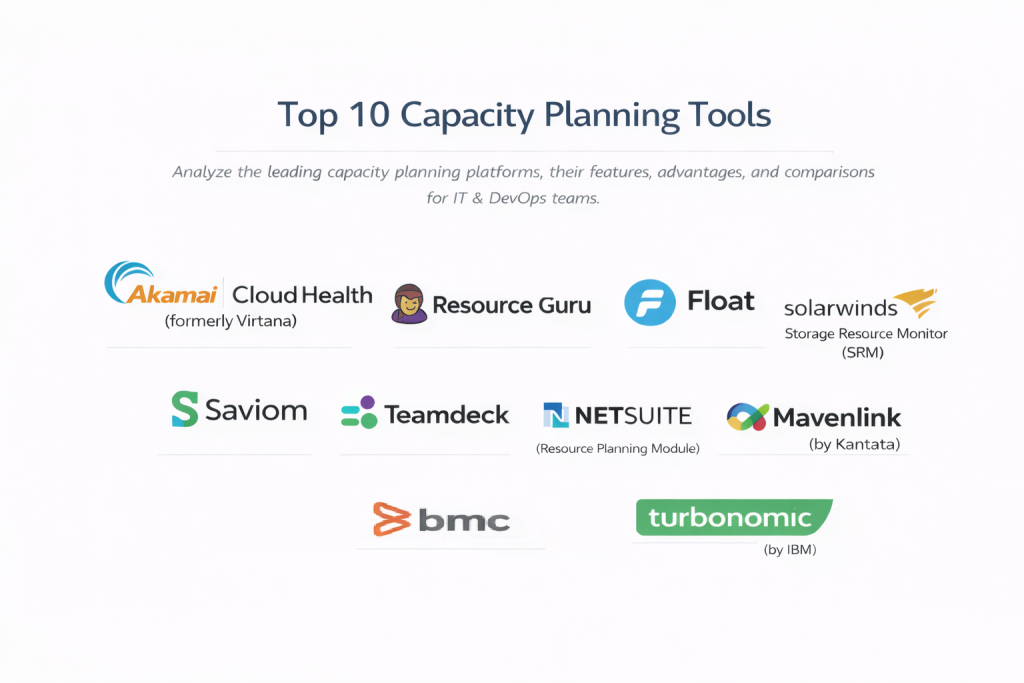
Top 10 Capacity Planning Tools
1 — Akamai Cloud Health (formerly Virtana)
Akamai Cloud Health is a powerhouse for IT infrastructure. It focuses heavily on hybrid cloud environments, helping companies understand exactly how their hardware and cloud instances are performing to prevent over-provisioning.
- Key features:
- High-definition monitoring of storage, compute, and network.
- AI-powered “What-If” analysis for cloud migrations.
- Automated right-sizing recommendations to lower monthly bills.
- Real-time capacity forecasting based on historical usage.
- Deep-dive visibility into hidden infrastructure bottlenecks.
- Pros:
- Incredible depth of data for technical environments.
- Proven track record of saving enterprises thousands in unnecessary cloud costs.
- Cons:
- Very high learning curve; requires a technical background.
- Pricing is geared toward large enterprise budgets.
- Security & compliance: SOC 2 Type II, GDPR, and HIPAA compliant.
- Support & community: High-end enterprise support, dedicated technical account managers, and robust training webinars.
2 — Resource Guru
Resource Guru is the leader in human-centric capacity planning. It replaces the messy spreadsheets used by agencies and studios to track who is working on what and when they are free.
- Key features:
- Simple drag-and-drop team scheduling interface.
- “Clash management” to prevent double-booking people or equipment.
- Leave management integration to see vacations in the planning view.
- High-level reports on team utilization and billable hours.
- Specialized views for “Non-human resources” like meeting rooms or vehicles.
- Pros:
- Extremely easy to use; teams can start in an afternoon.
- Very visual, making it easy to spot “gaps” in the schedule.
- Cons:
- Lacks deep financial forecasting for hardware/IT assets.
- Not designed for automated technical infrastructure scaling.
- Security & compliance: ISO 27001 certified, GDPR compliant, and SSO support.
- Support & community: Excellent fast-response email support and a very helpful blog on resource management.
3 — BMC Helix Capacity Optimization
BMC Helix is an AI-driven platform designed for large-scale IT operations. it is one of the most mature tools on the market, helping companies manage resources across containers, cloud, and on-premise data centers.
- Key features:
- Automated correlation between business drivers and IT resources.
- Reservation tracking to “hold” capacity for future projects.
- Multi-cloud cost transparency dashboards.
- Predictive analytics that suggest the exact date resources will run out.
- Integration with major ITSM tools like ServiceNow.
- Pros:
- One of the few tools that can handle truly massive, “legacy” IT environments.
- AI insights are highly accurate for long-term hardware planning.
- Cons:
- The interface can feel overwhelming due to the sheer number of options.
- Implementation usually requires a dedicated consultant.
- Security & compliance: Federal-grade security, FIPS 140-2, SOC 2, and GDPR compliant.
- Support & community: Massive global support network and a very active user forum for enterprise customers.
4 — Float
Float is a premium resource planner for agencies and creative teams. It combines project management with capacity planning to ensure that deadlines are realistic based on team availability.
- Key features:
- Real-time resource availability tracking.
- Ability to set custom work hours and public holidays for global teams.
- Logged time vs. Scheduled time comparisons.
- Budget tracking to see if you are overspending on hours.
- Native integrations with Jira, Asana, and Slack.
- Pros:
- Beautiful, modern user interface that creative teams actually enjoy using.
- Very fast performance, even with hundreds of team members.
- Cons:
- Limited features for manufacturing or IT hardware planning.
- Higher price point compared to basic calendar-based tools.
- Security & compliance: SOC 2 Type II, GDPR compliant, and 256-bit SSL encryption.
- Support & community: Great self-service Help Center and responsive chat support.
5 — SolarWinds Storage Resource Monitor (SRM)
SolarWinds focuses specifically on the “storage” side of capacity planning. In a world of big data, this tool is essential for ensuring your servers don’t suddenly run out of room.
- Key features:
- Multi-vendor storage monitoring (EMC, NetApp, Dell, etc.).
- Automated storage capacity forecasting.
- Identification of “orphaned” or wasted storage space.
- Performance hotspots detection to prevent system lag.
- Unified view of physical and virtual storage layers.
- Pros:
- Incredibly deep features for data center and storage admins.
- Excellent alerting system that warns you months before a crisis.
- Cons:
- Very narrow focus (primarily storage).
- Requires local installation (mostly Windows-based).
- Security & compliance: Varies; supports secure SNMP and encrypted communication.
- Support & community: Backed by the famous “Thwack” community of over 150,000 IT pros.
6 — Saviom
Saviom is an enterprise-level resource management tool that specializes in “Resource Leveling.” It is designed for large corporations that need to optimize thousands of employees across global locations.
- Key features:
- Multi-dimensional resource viewing (by skill, location, or department).
- “What-if” analysis for hiring and project bidding.
- Real-time vacancy tracking to identify where more staff are needed.
- Advanced forecasting of “bench time” (employees without projects).
- Integration with ERP and CRM systems.
- Pros:
- The most powerful tool for analyzing “skills” as a resource.
- Helps large companies save significantly on recruitment costs.
- Cons:
- Setup can be very time-consuming.
- The UI looks a bit more like a traditional enterprise database.
- Security & compliance: SOC 2, GDPR, and HIPAA ready.
- Support & community: Personalized onboarding and dedicated customer success managers.
7 — Teamdeck
Teamdeck is an all-in-one resource management tool that is built specifically for software houses and digital agencies that need to track capacity, time, and leave in one spot.
- Key features:
- Resource scheduling with a simple calendar view.
- Built-in time tracking and timesheet management.
- Public holiday calendars for different countries.
- Custom reporting API for data-savvy teams.
- Mobile app for team members to check their schedule.
- Pros:
- Great balance of price and features for mid-sized agencies.
- Having time-tracking and capacity in one tool makes reports much more accurate.
- Cons:
- Lacks the advanced “AI” forecasting found in more expensive IT tools.
- Custom report builder has a slight learning curve.
- Security & compliance: GDPR compliant and hosted on secure AWS servers.
- Support & community: Detailed documentation and responsive email support.
8 — NetSuite (Resource Planning Module)
For companies already using NetSuite for their accounting, their Resource Planning module is a logical choice. It ties your human resource capacity directly to your company’s financial records.
- Key features:
- Automatic syncing of project sales with resource needs.
- Unified view of project accounting and resource utilization.
- Global resource search based on skills and availability.
- Drill-down reports into project profitability.
- Seamless connection with NetSuite’s HR and Payroll modules.
- Pros:
- Eliminates data silos; your planners see what the accountants see.
- Excellent for global, multi-currency resource management.
- Cons:
- Extremely expensive if you aren’t already a NetSuite user.
- Very complex to customize.
- Security & compliance: Top-tier global compliance, including SOC 1/SOC 2, PCI, and HIPAA.
- Support & community: Massive corporate support infrastructure and global partner network.
9 — Mavenlink (by Kantata)
Mavenlink is designed for “Professional Services Automation” (PSA). It is highly sophisticated and aimed at companies that sell their team’s time as their primary product.
- Key features:
- Dynamic resource forecasting based on the sales pipeline.
- Automated “Resource Recommendations” based on skills.
- Scenario modeling to see how a new project affects the whole team.
- Task-level resource planning.
- Deep financial integration with revenue recognition.
- Pros:
- Best-in-class for connecting “sales” to “capacity.”
- Very detailed financial insights for project-based businesses.
- Cons:
- It is a “heavy” tool that might be too much for small creative shops.
- The pricing is on the higher end of the spectrum.
- Security & compliance: SOC 2 Type II and GDPR compliant.
- Support & community: Extensive training materials, Kantata University, and 24/7 support.
10 — Turbonomic (by IBM)
Turbonomic is an AI-powered tool for “Application Resource Management.” It doesn’t just plan capacity; it automatically adjusts your cloud and on-premise resources in real-time.
- Key features:
- Continuous automated “right-sizing” for VMs and Containers.
- AI that ensures apps get the resources they need exactly when they need them.
- Capacity planning for future data center expansions.
- Compliance-aware placement (keeping data in certain regions).
- Integration with Kubernetes and public clouds (AWS/Azure/GCP).
- Pros:
- The closest thing to “self-driving” infrastructure.
- Helps prevent performance issues before they happen, not just after.
- Cons:
- Focused entirely on technical IT resources, not human teams.
- Can be scary for teams not ready to let an AI make changes automatically.
- Security & compliance: SOC 2, ISO 27001, and IBM’s global security standards.
- Support & community: Backed by IBM’s global support and R&D divisions.
Comparison Table
| Tool Name | Best For | Platform(s) Supported | Standout Feature | Rating |
| Akamai Cloud Health | Hybrid Cloud IT | Web (SaaS) | Deep technical forecasting | 4.6 / 5 |
| Resource Guru | Human Teams/Agencies | Web (SaaS) | Clash management | 4.7 / 5 |
| BMC Helix | Global Enterprise IT | Web & On-Prem | Business-IT correlation | 4.4 / 5 |
| Float | Creative Agencies | Web, iOS, Android | Visual simplicity | 4.8 / 5 |
| SolarWinds SRM | Storage Admins | Windows (Local) | Multi-vendor storage view | 4.3 / 5 |
| Saviom | Large Workforce | Web (SaaS) | Skills-based forecasting | 4.5 / 5 |
| Teamdeck | Mid-size agencies | Web, iOS, Android | Integrated time tracking | 4.4 / 5 |
| NetSuite | Integrated Finance | Web (SaaS) | Accounting-level sync | 4.2 / 5 |
| Mavenlink | Prof. Services | Web (SaaS) | Sales pipeline integration | 4.6 / 5 |
| Turbonomic | Modern DevOps/K8s | Web (SaaS) | Automated right-sizing | 4.7 / 5 |
Evaluation & Scoring of Capacity Planning Tools
To provide a fair assessment, we used a weighted rubric that reflects what matters most in a business environment.
| Criteria | Weight | What We Look For |
| Core Features | 25% | Ability to forecast, model scenarios, and track current usage. |
| Ease of Use | 15% | Intuitiveness of the UI and how fast teams can be onboarded. |
| Integrations | 15% | How well it talks to Jira, Slack, Cloud APIs, or ERPs. |
| Security & Compliance | 10% | Data protection, SSO, and meeting industry standards. |
| Performance | 10% | Speed of the platform and accuracy of the data. |
| Support | 10% | Quality of documentation and customer service response. |
| Price / Value | 15% | Does the ROI justify the monthly cost? |
Which Capacity Planning Tool Is Right for You?
Selecting the right tool depends on your “Resource Type” and your company’s “Maturity Level.”
Solo Users vs SMB vs Mid-Market vs Enterprise
- Solo Users/Freelancers: You likely don’t need these tools. A simple Google Calendar or Trello board is sufficient.
- SMBs (5–50 People): Resource Guru or Teamdeck are excellent. They are affordable and prevent the chaos of over-scheduling.
- Mid-Market (50–500 People): Float or Mavenlink work well here. They provide the professional reporting needed to justify new hires.
- Enterprise (500+ People): BMC Helix or Saviom are the winners. They handle the complexity of global regulations and thousands of assets.
Budget-Conscious vs Premium Solutions
- Budget-Conscious: Teamdeck offers the most “bang for your buck” by combining time tracking and capacity planning.
- Premium: Turbonomic and NetSuite are expensive, but for a large company, the efficiency they create pays for the software many times over.
Feature Depth vs Ease of Use
If you want something that your team will actually use without complaining, Resource Guru and Float are the best. If you need 100% data accuracy for a mission-critical server room, you must sacrifice ease of use for the depth of SolarWinds or Akamai.
Integration and Scalability Needs
If you live in Jira, look for tools like Float that sync perfectly. If you are an AWS/Azure shop, Turbonomic or AWS Native Tools (not on this list but relevant) should be your first look.
Frequently Asked Questions (FAQs)
1. What is the difference between resource management and capacity planning?
Resource management is about moving pieces on a board today (short-term). Capacity planning is about making sure you have enough pieces for the game next month (long-term).
2. Can I just use Excel for capacity planning?
You can, but it is dangerous. Excel doesn’t update in real-time, it’s prone to human error, and it can’t automatically pull data from your servers or project management tools.
3. How far in advance should I plan capacity?
Most businesses plan in 3, 6, and 12-month blocks. IT teams often plan 18–24 months ahead because hardware procurement can take a long time.
4. What is “Over-provisioning”?
This is a common IT mistake where you buy way more server power than you need “just in case.” Capacity planning tools stop this waste, saving companies up to 30% on cloud bills.
5. Does capacity planning work for remote teams?
Yes. In fact, it is more important for remote teams because you can’t see who looks “busy” in the office. The tool becomes your eyes and ears.
6. What is “What-if” analysis?
This is a feature that lets you simulate a scenario. For example: “What if we sign this huge new client? Do we have enough staff, or will the project fail?”
7. Are these tools secure?
Top-tier tools (like those on our list) use enterprise-grade encryption and often meet SOC 2 standards. If you are in healthcare or finance, always check for HIPAA or ISO certifications.
8. Can these tools help with employee burnout?
Absolutely. By seeing that an employee is booked at 110% capacity, a manager can move tasks to someone else before that employee gets stressed and quits.
9. How long does it take to see an ROI?
Most companies see an ROI within 3 to 6 months through reduced “bench time” (idle staff) or lowered cloud infrastructure costs.
10. Do I need an expert to run these tools?
For agency tools like Float, no. For IT tools like Turbonomic or BMC Helix, you will likely need a trained systems administrator to manage the data.
Conclusion
The “best” capacity planning tool is not the one with the most features; it is the one that gives your leadership team the confidence to make big decisions. If you are constantly surprised by server crashes or team resignations, it is time to stop guessing.
To choose correctly, first decide if your biggest pain is people or machines. If it’s people, look at Float or Resource Guru. If it’s machines, look at Akamai or Turbonomic. Start with a small pilot program, get your data clean, and you will find that growth becomes much less stressful when you have the right map to follow.