Introduction
Incident management tools are specialized software platforms designed to help organizations respond to technical glitches, system outages, or service disruptions. When a website goes down or a server fails, these tools act as the “emergency dispatch center” for the technology team. They collect alerts from various monitoring systems, decide how urgent the problem is, and notify the right people to fix it. Instead of a chaotic rush of emails and phone calls, incident management software provides a structured way to track a problem from the moment it starts until it is completely resolved.
These tools are incredibly important because every minute of downtime can cost a business money and trust. By using a dedicated tool, teams can reduce the “Mean Time to Repair” (MTTR), ensure that the same person isn’t always woken up in the middle of the night, and keep a record of what happened so they can prevent the same mistake in the future. Real-world use cases include managing a major database failure, coordinating a response to a security breach, or handling a sudden surge in traffic that slows down a web application.
When choosing a tool, you should look for reliable alerting, easy-to-set-up on-call schedules, deep integrations with your existing software, and the ability to automate repetitive tasks.
Best for:
These tools are most beneficial for IT operations teams, DevOps engineers, site reliability engineers (SREs), and customer support departments. They are essential for mid-sized to large enterprises, especially those in fast-moving industries like finance, e-commerce, and software-as-a-service (SaaS) where high availability is required.
Not ideal for:
Small businesses with very simple websites or teams that do not have a dedicated technical staff might find these tools too complex. If your “incident” is just a broken link on a personal blog, a simple email notification is usually enough.
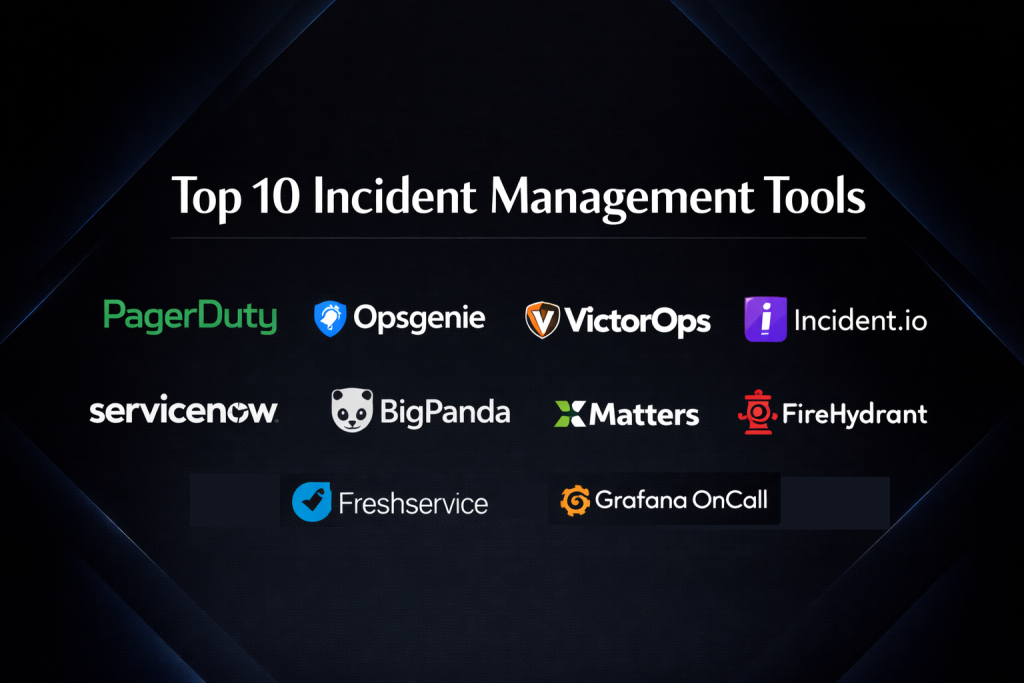
Top 10 Incident Management Tools
1 — PagerDuty
PagerDuty is widely considered the industry leader in incident response. It is a powerful platform that turns data from monitoring tools into actionable alerts, ensuring that the right person is notified at the right time.
- Key features:
- Automated on-call scheduling and rotations for teams.
- Smart alert grouping to reduce “notification fatigue.”
- Mobile app with “override” settings to wake you up during emergencies.
- Incident “war rooms” for real-time collaboration.
- Extensive library of over 700 integrations.
- Live call routing to connect customers with on-call staff.
- Post-incident reports to analyze what went wrong.
- Pros:
- Extremely reliable; it is the “gold standard” for making sure alerts get through.
- Very flexible scheduling for complex, global teams.
- Cons:
- Can be very expensive as your team grows.
- The interface has a steep learning curve for new users.
- Security & compliance: Includes SSO, advanced encryption, SOC 2 Type II, GDPR, and HIPAA compliance.
- Support & community: Excellent documentation, a massive user community, and 24/7 enterprise-grade support.
2 — Opsgenie (by Atlassian)
Opsgenie is a modern incident management tool that works perfectly with the Jira ecosystem. It focuses on making sure alerts are never missed and that teams can communicate easily during a crisis.
- Key features:
- Deep integration with Jira and Confluence.
- Highly customizable alert routing rules.
- Voice, SMS, and push notification alerts.
- Built-in bridge for video conferencing during incidents.
- Tracking of “heartbeats” to ensure monitoring tools are actually working.
- Analytics on team productivity and on-call health.
- Pros:
- Great value for money, especially for teams already using Atlassian products.
- Very powerful logic for deciding who gets an alert and when.
- Cons:
- Some users find the interface feels a bit dated compared to newer tools.
- Setting up complex routing rules can be confusing at first.
- Security & compliance: SOC 2, ISO 27001, GDPR, and HIPAA compliant.
- Support & community: Strong community support through Atlassian and extensive online training.
3 — VictorOps (Splunk On-Call)
Now part of Splunk, this tool focuses on the “human side” of incident response, emphasizing collaboration and reducing the stress of being on-call.
- Key features:
- A “timeline” view that shows all incident activity in one place.
- Transmits context-rich alerts including graphs and notes.
- Chat-based collaboration within the incident ticket.
- Advanced reporting on incident frequency and team load.
- Automated “manual” tasks through incident playbooks.
- Pros:
- Excellent mobile experience for engineers on the move.
- Very strong integration with Splunk’s data analysis tools.
- Cons:
- Since being bought by Splunk, some users feel the focus has shifted toward larger customers.
- The setup process can be more technical than other tools.
- Security & compliance: SOC 2, GDPR, and strong audit logging features.
- Support & community: Backed by Splunk’s large enterprise support team and documentation.
4 — Incident.io
Incident.io is a newer, fast-growing tool that lives entirely inside Slack. It is designed to make incident management feel like a natural part of the conversation.
- Key features:
- Entirely managed through Slack commands.
- Automatically creates incident channels and Zoom links.
- Guided workflows to help people follow the right steps.
- Generates high-quality post-incident reports automatically.
- Tracks “actions” and “follow-ups” so nothing is forgotten.
- Pros:
- Easiest tool to adopt because people don’t have to leave Slack.
- Very clean, modern, and user-friendly design.
- Cons:
- Entirely dependent on Slack; if Slack is down, the tool is hard to use.
- Fewer integrations with legacy hardware systems compared to older tools.
- Security & compliance: SOC 2 Type II, GDPR, and private data residency options.
- Support & community: Excellent customer success teams and a growing Discord community.
5 — FireHydrant
FireHydrant is an incident management platform that focuses on “the whole lifecycle.” It helps with everything from the first alert to the final post-mortem report.
- Key features:
- Customizable “Runbooks” that automate the response process.
- Service catalog to track which team owns which piece of software.
- Automatic status page updates for customers.
- Deep Slack and Microsoft Teams integrations.
- Retrospective tools to help teams learn from mistakes.
- Pros:
- Very strong at helping teams build a consistent process.
- Great for companies that have many different microservices.
- Cons:
- Can feel a bit “heavy” or over-engineered for small, simple teams.
- The pricing structure can be a bit confusing.
- Security & compliance: SOC 2, GDPR, and SSO support.
- Support & community: Great blog resources and helpful technical support for onboarding.
6 — BigPanda
BigPanda is an AIOps (Artificial Intelligence for IT Operations) tool. It is designed for very large companies that get thousands of alerts every day and need AI to find the real problems.
- Key features:
- AI-driven correlation to group thousands of alerts into one incident.
- “Root Cause Analysis” to help find why something broke.
- Real-time dashboards for executives and IT managers.
- Open integration hub to connect almost any data source.
- Automation of manual ticketing in tools like ServiceNow.
- Pros:
- Excellent at stopping “alert storms” that overwhelm teams.
- Provides a very high-level view for large organizations.
- Cons:
- Very expensive and usually out of reach for smaller companies.
- Requires a lot of time and expertise to set up the AI rules.
- Security & compliance: Enterprise-grade security including SOC 2 and ISO certifications.
- Support & community: High-touch enterprise support and professional service options.
7 — xMatters (by Everbridge)
xMatters is a reliable platform that focuses on “service resilience.” It is built to help large businesses automate their response to technical and physical incidents.
- Key features:
- Workflow builder that requires no coding.
- Multi-channel messaging (Voice, SMS, App, Email).
- Integration with CI/CD tools to track if a code change caused the crash.
- Smart on-call scheduling for large global departments.
- Detailed audit trails for every action taken.
- Pros:
- Very stable and reliable for large-scale operations.
- The visual workflow builder is very powerful for non-coders.
- Cons:
- The user interface can feel a bit more corporate and complex.
- Onboarding can take longer than modern, chat-based tools.
- Security & compliance: HIPAA, SOC 2, GDPR, and ISO compliant.
- Support & community: Comprehensive documentation and strong enterprise support.
8 — Freshservice (by Freshworks)
Freshservice is a full IT Service Management (ITSM) suite that includes incident management. It is a great choice for companies that want one tool for their helpdesk and their server alerts.
- Key features:
- Combined helpdesk and incident management in one place.
- Simple on-call management and alerting.
- AI-powered “virtual agent” to help employees fix small issues.
- Automated task assignments and reminders.
- Public and private status pages.
- Pros:
- Very easy to use with a friendly, clean interface.
- Great if you want to keep your internal employee support and IT alerts in one app.
- Cons:
- The incident response features are not as “deep” as specialized tools like PagerDuty.
- Not built for high-speed DevOps environments as its primary focus.
- Security & compliance: SOC 2, ISO 27001, GDPR, and HIPAA.
- Support & community: Excellent 24/7 support and a very large user base.
9 — ServiceNow (ITOM)
ServiceNow is the giant of the IT world. Its IT Operations Management (ITOM) module is used by the world’s largest companies to manage massive, complex systems.
- Key features:
- Massive ecosystem that connects to every part of a business.
- AI and machine learning to predict and prevent incidents.
- Deep integration with hardware tracking and financial records.
- Highly customizable dashboards for every role.
- Cloud-based platform that scales to millions of users.
- Pros:
- There is almost nothing this tool cannot do if you have the budget.
- It is the standard for very large global enterprises.
- Cons:
- Extremely expensive and requires full-time employees just to manage it.
- Can be very slow to implement and change.
- Security & compliance: Highest levels of security including FedRAMP, SOC 1 & 2, and ISO.
- Support & community: Global network of partners, consultants, and a huge community.
10 — Grafana OnCall
Grafana OnCall is a newer tool built by the team behind the famous Grafana dashboards. It is perfect for teams who already use Grafana to look at their data and charts.
- Key features:
- Built directly into the Grafana interface.
- Simple on-call scheduling and escalations.
- Open-source version available for those who want to host it themselves.
- Integration with Telegram, Slack, and Microsoft Teams.
- Easy setup for engineers who already know Grafana.
- Pros:
- Very cost-effective, especially for teams using the Grafana Cloud.
- Simplifies the workflow by keeping charts and alerts in one place.
- Cons:
- Still a younger product with fewer advanced enterprise features.
- Most useful only if you are already using Grafana.
- Security & compliance: SOC 2 Type II and GDPR compliant.
- Support & community: Very strong open-source community and professional support for cloud users.
Comparison Table
| Tool Name | Best For | Platform(s) Supported | Standout Feature | Rating (Gartner) |
| PagerDuty | Reliability | Web, Mobile | 700+ Integrations | 4.5 / 5 |
| Opsgenie | Atlassian Users | Web, Mobile | Jira Integration | 4.4 / 5 |
| VictorOps | Collaboration | Web, Mobile | Live Timeline | 4.3 / 5 |
| Incident.io | Slack-First Teams | Slack, Web | Slack Workflow | N/A |
| FireHydrant | Process Control | Web, Slack | Automated Runbooks | N/A |
| BigPanda | Alert Noise | Web, Cloud | AI Correlation | 4.2 / 5 |
| xMatters | Service Resilience | Web, Mobile | Workflow Builder | 4.4 / 5 |
| Freshservice | ITSM / Helpdesk | Web, Mobile | Unified Helpdesk | 4.5 / 5 |
| ServiceNow | Mega Enterprise | Web, Mobile | Total Ecosystem | 4.3 / 5 |
| Grafana OnCall | Monitoring users | Web, Mobile | Integrated Charts | N/A |
Evaluation & Scoring
We have evaluated these tools based on the following weighted criteria to help you understand their strengths and weaknesses.
| Criteria | Weight | Evaluation Focus |
| Core Features | 25% | On-call, alerting, and incident tracking capability. |
| Ease of Use | 15% | Speed of setup and daily user experience. |
| Integrations | 15% | How well it talks to monitoring and chat tools. |
| Security | 10% | Compliance standards and data safety. |
| Performance | 10% | Reliability of notifications during critical outages. |
| Support | 10% | Documentation and human help availability. |
| Price / Value | 15% | Fairness of cost relative to the features provided. |
Which Incident Management Tool Is Right for You?
Choosing the right tool is a big decision. Here is how to navigate the choices:
- For Small Teams (SMBs): If you need something simple and affordable, Opsgenie or Grafana OnCall are excellent. They offer great value without requiring a huge budget.
- For Slack-Centric Teams: If your team lives in Slack and hates switching tabs, Incident.io is a clear winner. It makes incident management feel like a conversation.
- For Complex Tech Teams: If you have many engineers and complicated shifts, PagerDuty is the safest choice because of its unmatched reliability and flexibility.
- For Large Enterprises: If you are a massive company with thousands of employees, ServiceNow or BigPanda are likely the only tools that can handle your scale and complexity.
- For Existing Helpdesks: If you already use Freshworks or Atlassian for other things, sticking with Freshservice or Opsgenie will save you a lot of time on integrations.
Frequently Asked Questions (FAQs)
What is an incident management tool?
It is software that helps IT teams respond to system failures. It gathers alerts, notifies the right people on call, and provides a platform for them to work together to fix the problem.
Do I really need a tool for this?
If you have a website or service that people depend on, yes. Relying on manual emails or phone calls during a crisis leads to mistakes, slow response times, and burned-out employees.
What is “notification fatigue”?
This happens when a tool sends too many alerts for small things. People start ignoring them, and then they miss the one alert that actually matters. Good tools use AI or grouping to prevent this.
How much do these tools cost?
Pricing varies widely. Some have free tiers for 2-3 users, while enterprise tools can cost thousands of dollars per month based on the number of people on the team.
Can I use these tools for non-technical emergencies?
Yes. Some companies use tools like xMatters or PagerDuty for physical security incidents or building management because the alerting systems are so reliable.
What is a “Post-Mortem”?
It is a document written after an incident is fixed. It explains what happened, why it happened, and what the team will do to make sure it never happens again.
What is an “Escalation Policy”?
This is a set of rules that says: “If the first person doesn’t answer the alert in 5 minutes, call their boss. If the boss doesn’t answer in 10 minutes, call the Director.”
How long does it take to set these up?
Simple tools like Incident.io can be set up in an hour. Complex systems like ServiceNow can take months of planning and professional installation.
Are these tools secure?
Most are very secure. Since they handle information about your company’s weaknesses, they use high-level encryption and follow strict laws like GDPR and SOC 2.
What if the incident management tool itself goes down?
Most top tools like PagerDuty have “redundant” systems. They are built to stay online even if major parts of the internet are failing.
Conclusion
Incident management is about more than just software; it is about being prepared for the unexpected. Whether you choose a modern, Slack-based tool like Incident.io or a reliable industry giant like PagerDuty, the goal remains the same: to turn chaos into a calm, structured response.
The best tool for your organization is the one that your team will actually use. If a tool is too hard to understand, people will find ways to work around it, which is dangerous during a crisis. Start by looking at where your team spends their time—if they are always in Slack, start there. If they are already using Jira, look at Opsgenie.
By investing in the right incident management tool, you aren’t just buying software; you are buying time, protecting your revenue, and ensuring that your engineering team stays happy and focused. No system is perfect, but with the right tools in place, you can handle any challenge that comes your way.