Introduction
Release Management Tools are specialized platforms designed to oversee the planning, design, scheduling, testing, and deployment of software releases. Unlike basic CI/CD tools that focus solely on the technical pipeline of moving code, Release Management focuses on the broader orchestration of the delivery process. It brings together cross-functional teams—Product, Dev, QA, and Ops—under a single source of truth to ensure that every release meets quality standards and business requirements.
The importance of these tools lies in their ability to reduce “deployment anxiety” and minimize the risk of failure. Real-world use cases include managing complex microservices dependencies, coordinating “Big Bang” releases for legacy enterprise systems, and automating compliance gates in highly regulated industries. When evaluating tools in this category, users should look for orchestration capabilities, environment management, deployment automation, visibility/dashboards, and automated rollback triggers.
- Best for: Release Managers, DevOps Leads, and Product Owners in mid-sized to enterprise organizations. They are especially critical for companies managing multiple products, complex cloud architectures, or strict regulatory requirements like HIPAA or PCI-DSS.
- Not ideal for: Solo developers or small startups with a single application and a simple “git push to deploy” workflow. For these users, basic integrated CI/CD tools like GitHub Actions or GitLab are usually more than sufficient.
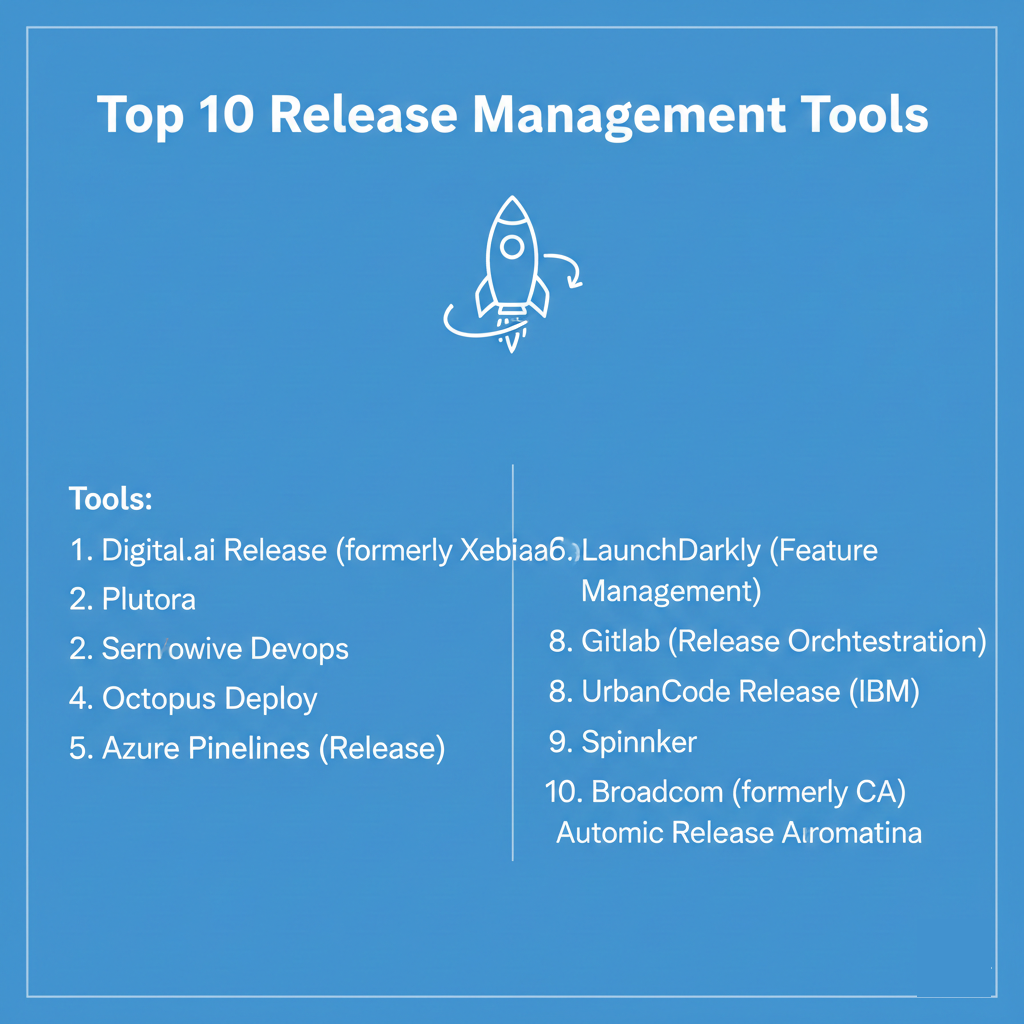
Top 10 Release Management Tools
1 — Digital.ai Release (formerly XebiaLabs)
Digital.ai Release is an enterprise-grade orchestration platform designed to provide end-to-end visibility into the software delivery process. It is built for complex, multi-team environments that need to bridge the gap between legacy systems and modern cloud-native apps.
- Key Features:
- Visual Release Pipelines: Drag-and-drop interface to model complex release workflows.
- Release Orchestration: Coordinates tasks across Jira, ServiceNow, Jenkins, and Kubernetes.
- Automated Risk Assessment: Uses historical data to predict the risk level of a release.
- Compliance Reporting: Automatically generates audit trails for every step of the release.
- Environment Management: Tracks which version of a service is in which environment.
- Template Management: standardizes release processes across the entire organization.
- Pros:
- Exceptional at managing hybrid environments (Mainframe to Cloud).
- Provides the best high-level “executive view” of the entire release portfolio.
- Cons:
- High cost and complexity can be a barrier for smaller teams.
- Requires a significant initial investment in configuration and training.
- Security & compliance: SOC 2, GDPR, and ISO 27001 compliant. Features robust RBAC and SAML/SSO integration.
- Support & community: Extensive documentation; professional services available; 24/7 enterprise-level global support.
2 — Plutora
Plutora is a dedicated Value Stream Management and Release Management platform that focuses on giving enterprises control over their diverse and distributed release pipelines.
- Key Features:
- Enterprise Release Calendar: A centralized view of all planned releases across the company.
- Deployment Plan Orchestration: Detailed, minute-by-minute plans for “Go-Live” events.
- Environment Booking: Manages and schedules the use of shared test environments.
- Quality Gates: Defines mandatory criteria that must be met before code moves to the next stage.
- Insights & Analytics: Deep reporting on delivery velocity and bottleneck identification.
- Integration Hub: Connects seamlessly with the entire DevOps toolchain.
- Pros:
- Unrivaled for managing shared resources and environment conflicts.
- Strong focus on the “business” side of releases, not just the technical bits.
- Cons:
- The UI can feel overwhelming due to the massive amount of data presented.
- Can be seen as “process-heavy” by smaller, agile-only teams.
- Security & compliance: SOC 2 Type II compliant; data encryption at rest and in transit; detailed audit logs.
- Support & community: Strong onboarding program; dedicated customer success managers; comprehensive knowledge base.
3 — ServiceNow DevOps
ServiceNow DevOps extends the power of the ServiceNow platform into the development cycle, focusing heavily on automating the Change Management process.
- Key Features:
- Automated Change Requests: Automatically creates and closes changes based on pipeline data.
- Data Normalization: Maps data from various tools (Jira, Jenkins, etc.) into a unified view.
- Policy Engine: Automates approvals based on risk scores and test results.
- Audit Readiness: Maintains a perfect record of the “Who, What, When” for every release.
- Service Graph Integration: Connects releases to the broader IT Service Management (ITSM) ecosystem.
- Pros:
- If your company uses ServiceNow for ITSM, the integration is seamless and powerful.
- Dramatically reduces the time developers spend manually filling out change tickets.
- Cons:
- Highly dependent on the broader ServiceNow platform; not a great standalone tool.
- Customization can be complex and often requires specialized ServiceNow developers.
- Security & compliance: Highly regulated industry standard; HIPAA, FedRAMP, and SOC 2 compliant.
- Support & community: Massive global community; extensive partner network; 24/7 technical support.
4 — Octopus Deploy
Octopus Deploy is a powerhouse in the deployment automation space, specifically built to handle complex release patterns across diverse environments.
- Key Features:
- Release Branching: Manages different versions of releases for different customers or regions.
- Tenanted Deployments: Ideal for SaaS providers who need to deploy to multiple “tenants” simultaneously.
- Variable Management: Handles environment-specific configurations with ease.
- Runbooks: Automates infrastructure maintenance tasks alongside deployments.
- Dashboarding: High-level view of which versions are in Dev, Test, and Prod.
- Pros:
- Extremely user-friendly and easy to set up compared to enterprise orchestrators.
- The best tool on the market for managing “Tenanted” or customer-specific deployments.
- Cons:
- Historically Windows-centric, though Linux support is now robust.
- Lacks some of the “Release Planning” features found in Plutora or Digital.ai.
- Security & compliance: SOC 2 compliant; supports sensitive variable masking; detailed audit logging.
- Support & community: Active user forum; excellent “Octopus Insider” newsletter; responsive email support.
5 — Azure Pipelines (Release)
Part of the Azure DevOps suite, Azure Pipelines provides a robust, cloud-native release management solution that works across any cloud provider.
- Key Features:
- Multi-stage Pipelines: Define complex deployment sequences in YAML or a GUI.
- Approval Gates: Pause releases for manual approval or automated checks (e.g., Azure Monitor).
- Artifact Tracking: Directly links every release to the specific build and commit that triggered it.
- Library Management: Centralized storage for variables and secure files.
- Native Azure Integration: Seamless deployments to Web Apps, AKS, and Functions.
- Pros:
- If you are in the Microsoft ecosystem, it is likely already paid for and integrated.
- Extremely flexible; handles Linux, Windows, and macOS builds/releases with ease.
- Cons:
- The transition from the “Classic” UI to YAML-based pipelines can be confusing.
- Managing releases across non-Azure clouds requires more manual setup.
- Security & compliance: ISO 27001, SOC 2, and GDPR compliant. Integrated with Azure Active Directory.
- Support & community: Massive community; deep integration with Microsoft Learn; extensive third-party extension marketplace.
6 — LaunchDarkly (Feature Management)
While primarily a Feature Flagging tool, LaunchDarkly has become a vital part of modern Release Management by decoupling “Deployment” from “Release.”
- Key Features:
- Feature Flags: Toggle features on or off without redeploying code.
- Canary Releases: Gradually roll out features to a small percentage of users.
- Kill Switches: Instantly disable a buggy feature in production.
- Targeting Rules: Release features based on user attributes (e.g., “Beta testers only”).
- Experimentation: Measure the impact of a new feature on business metrics.
- Pros:
- Empowers Product Managers to control the “Release” while Engineers handle the “Deployment.”
- Reduces the stress of deployments because any issue can be instantly toggled off.
- Cons:
- Not a traditional “orchestration” tool; it doesn’t move code or manage environments.
- Requires careful management to avoid “Technical Debt” from stale flags.
- Security & compliance: SOC 2 Type II, HIPAA, and GDPR compliant. Detailed audit logs of flag changes.
- Support & community: Excellent documentation; active developer community; 24/7 support for enterprise tiers.
7 — GitLab (Release Orchestration)
GitLab offers an “all-in-one” DevOps platform where Release Management is built directly into the same tool used for source control and CI.
- Key Features:
- Release Post Generation: Automates the creation of release notes from Git data.
- Environments Dashboard: Tracks the health and version of every deployment target.
- Protected Environments: Restricts who can deploy to production using GitLab roles.
- Incremental Rollouts: Built-in support for blue/green and canary deployments.
- Binary Assets: Attach binaries and packages directly to a Release object.
- Pros:
- No integration work required; everything from code to release is in one place.
- The “Single Application” approach significantly reduces tool-sprawl.
- Cons:
- Can be less flexible than standalone orchestrators for legacy, non-Git systems.
- The UI can be complex because it tries to do everything in one sidebar.
- Security & compliance: ISO 27001, SOC 2, and HIPAA compliant. Strong focus on “Shift Left” security.
- Support & community: Massive open-source community; transparent roadmap; professional enterprise support.
8 — UrbanCode Release (IBM)
A veteran in the space, IBM UrbanCode Release is designed for the most demanding enterprise environments where coordination is needed across hundreds of teams.
- Key Features:
- Release Train Management: Coordinates multiple applications moving toward a common release date.
- Deployment Automation Integration: Works natively with UrbanCode Deploy.
- Lifecycle Management: Tracks the status of a release from “Development” to “Retired.”
- Collaboration Tools: Built-in messaging and task tracking for release events.
- Advanced Reporting: High-level metrics on release success rates and lead times.
- Pros:
- Built for the “Fortune 500” scale; handles massive complexity with ease.
- Strong stability and reliability for legacy enterprise environments.
- Cons:
- The interface feels dated compared to modern SaaS tools like Doppler or Octopus.
- High cost of ownership and complex licensing models.
- Security & compliance: FIPS 140-2 compliant; SOC 2 and GDPR support. Enterprise-grade RBAC.
- Support & community: Backed by IBM’s global support network; mature documentation; professional services.
9 — Spinnaker
Originally developed by Netflix, Spinnaker is an open-source, multi-cloud continuous delivery platform that excels at high-velocity deployment patterns.
- Key Features:
- Pipeline Management: Supports complex parallel executions and conditional logic.
- Cloud-Native Focus: Deep integrations with AWS, GCP, Azure, and Oracle Cloud.
- Canary Analysis (Kayenta): Automatically evaluates the health of a canary release.
- Blue/Green Deployments: Native support for zero-downtime updates.
- Infrastructure Management: Allows you to manage cloud resources directly from the tool.
- Pros:
- The industry standard for high-scale, cloud-native “Canary” rollouts.
- Entirely free and open-source (community version).
- Cons:
- Extremely difficult to set up and maintain; requires a dedicated team.
- Overkill for organizations that don’t deploy to the cloud multiple times a day.
- Security & compliance: Varies by implementation; supports OAuth, SAML, and LDAP for authentication.
- Support & community: Strong community on Slack and GitHub; commercial support available via Armory.
10 — Broadcom (formerly CA) Automic Release Automation
Automic is a comprehensive automation platform that focuses on the “Continuous Delivery” aspect of large-scale enterprise transformation.
- Key Features:
- Unified Automation: Combines workload automation with release management.
- Dependency Mapping: Visualizes how different app components depend on each other.
- Cross-Platform: Supports everything from Windows and Linux to Mainframe.
- Deployment Blueprints: Reusable models for infrastructure and application code.
- Self-Service: Allows dev teams to trigger authorized releases independently.
- Pros:
- Strongest choice for companies with heavy “Workload Automation” needs.
- Very reliable for large-scale, automated infrastructure provisioning.
- Cons:
- Very steep learning curve; requires specialized “Automic” knowledge.
- High price point makes it inaccessible for small to mid-market companies.
- Security & compliance: SOC 2 and ISO 27001 compliant. Robust audit and security controls.
- Support & community: Global enterprise support; mature documentation; large user base in traditional enterprise sectors.
Comparison Table
| Tool Name | Best For | Platform(s) Supported | Standout Feature | Rating (Gartner) |
| Digital.ai Release | Hybrid Enterprise | Cloud, On-Prem, Mainframe | Visual Orchestration | 4.6 / 5 |
| Plutora | Release Planning | SaaS | Shared Env Booking | 4.5 / 5 |
| ServiceNow DevOps | ITSM/Compliance | SaaS | Auto Change Requests | 4.4 / 5 |
| Octopus Deploy | SaaS / Tenanted Apps | Windows, Linux | Tenanted Deployments | 4.8 / 5 |
| Azure Pipelines | Microsoft Shops | Azure, Hybrid | Native MS Integration | 4.5 / 5 |
| LaunchDarkly | Progressive Delivery | SaaS | Feature Flagging | 4.7 / 5 |
| GitLab | All-in-One DevOps | SaaS, Self-Host | Unified Platform | 4.5 / 5 |
| UrbanCode Release | Legacy Enterprise | On-Prem, Hybrid | Release Train Mgmt | 4.3 / 5 |
| Spinnaker | Cloud-Native High Scale | AWS, GCP, Azure | Automated Canaries | N/A (OSS) |
| Broadcom Automic | Workload Automation | All (incl. Mainframe) | Cross-platform Automation | 4.4 / 5 |
Evaluation & Scoring of Release Management Tools
To provide an objective view, we have scored these tools based on seven critical factors that define success in release orchestration.
| Category | Weight | Evaluation Criteria |
| Core Features | 25% | Orchestration, deployment automation, and environment tracking. |
| Ease of Use | 15% | Intuitiveness of the UI and speed of initial setup. |
| Integrations | 15% | Support for the existing DevOps toolchain (Jira, Jenkins, K8s). |
| Security & Compliance | 10% | RBAC, SSO, audit logging, and regulatory certifications. |
| Performance | 10% | Tool reliability, scalability, and response times. |
| Support & Community | 10% | Quality of documentation and availability of technical support. |
| Price / Value | 15% | Transparency of pricing and overall ROI for the organization. |
Which Release Management Tool Is Right for You?
Solo Users vs. SMB vs. Mid-Market vs. Enterprise
- Solo Users: You likely don’t need a dedicated tool. Stick with GitLab or Azure DevOps‘ built-in features.
- SMBs: Octopus Deploy is the “sweet spot” for SMBs—powerful enough to handle complexity but simple enough for a small team to manage.
- Mid-Market: GitLab or Azure DevOps are excellent because they consolidate the stack and provide good-enough release orchestration.
- Enterprise: If you have Mainframes, hundreds of microservices, or thousands of developers, you need Digital.ai, Plutora, or ServiceNow DevOps.
Budget-Conscious vs. Premium Solutions
If budget is the primary driver, GitLab (free tier) or Spinnaker (open-source) are your best bets, though Spinnaker’s “hidden cost” is the engineering time required to run it. If you have a budget and want to reduce risk, Octopus Deploy offers incredible value, while Plutora and Digital.ai are premium solutions for high-stakes environments.
Feature Depth vs. Ease of Use
If you want ease of use, LaunchDarkly (for feature management) and Octopus Deploy (for deployment) are the winners. If you need feature depth (complex dependency mapping and legal/audit readiness), you will have to sacrifice ease of use for the power of UrbanCode or Digital.ai.
Frequently Asked Questions (FAQs)
1. What is the difference between CI/CD and Release Management?
CI/CD is the technical process of building and deploying code. Release Management is the “human and business” process of planning, coordinating, and governing those deployments across a business.
2. Does a Release Management tool replace Jenkins?
No. Most Release Management tools orchestrate Jenkins. They tell Jenkins when to run a build and what to do if that build succeeds or fails within a larger business workflow.
3. What are “Quality Gates”?
Quality Gates are automated checkpoints. For example, a release might be blocked from production unless it has a 90% code coverage score and a “Passed” status from a security scan.
4. How do these tools help with compliance?
They provide a “Chain of Custody.” If an auditor asks who approved a specific change to production, these tools provide an unalterable log showing the code, the tests, and the person who clicked “Approve.”
5. Can I use these tools for on-premise deployments?
Yes. Tools like Octopus Deploy, Digital.ai, and UrbanCode were built specifically to handle the complexities of on-premise and hybrid-cloud deployments.
6. Is Spinnaker too hard for a small team?
Generally, yes. Spinnaker is a complex distributed system. Unless you are deploying to multiple clouds at high frequency, the maintenance overhead usually outweighs the benefits.
7. What is “Blue/Green Deployment”?
It’s a technique where you have two identical production environments. You deploy the new version to “Green” while “Blue” handles live traffic. Once verified, you switch the traffic to Green.
8. Why is “Environment Management” important?
In large companies, teams often fight over who gets to use the “Staging” or “UAT” environment. Tools like Plutora help schedule these resources to prevent conflicts.
9. How does ServiceNow DevOps work with Jira?
It pulls data from Jira tickets and links it to the deployment pipeline. When a developer moves a Jira ticket to “Done,” ServiceNow can automatically trigger a change request for that code.
10. What is a “Canary Release”?
It’s a way to test a new version by rolling it out to a very small subset of users (e.g., 1%) to see if it causes errors before rolling it out to everyone.
Conclusion
The “best” Release Management tool is the one that removes the most friction from your specific delivery process. If your team is struggling with manual change tickets and auditor requests, ServiceNow DevOps is a lifesaver. If you are struggling with the coordination of hundreds of microservices, Digital.ai or Plutora are the right choices.
Success in release management isn’t just about the software you buy; it’s about the visibility and trust you build between your teams. By centralizing your release process, you move away from “heroic efforts” to get code out the door and toward a predictable, automated, and stress-free delivery machine.