Introduction
Secrets Management Tools are specialized security solutions designed to centrally store, manage, and audit digital authentication credentials. A “secret” can be anything from a database password or an SSH key to a TLS certificate or an AWS IAM credential. These tools replace the dangerous practice of hardcoding secrets in source code or storing them in unencrypted environment variables. Instead, they provide a secure vault where applications and developers can programmatically fetch credentials at runtime using secure APIs.
The importance of these tools cannot be overstated. With the rise of “Secret Sprawl,” where credentials accidentally leak into GitHub repositories or CI/CD logs, secrets management has become a cornerstone of the Zero Trust security model. Key real-world use cases include automating database password rotation, providing temporary access tokens for short-lived cloud functions, and centralizing encryption services so that developers don’t have to handle raw cryptographic keys. When choosing a tool, you should evaluate the ease of integration with your existing stack, the robustness of the audit logs, the ability to perform dynamic secret generation, and the high-availability capabilities of the platform.
Best for: Security engineers, DevOps professionals, and Site Reliability Engineers (SREs). These tools are essential for mid-market to enterprise-level organizations, particularly in regulated industries like finance, healthcare, and e-commerce, where protecting customer data and maintaining compliance is mandatory.
Not ideal for: Solo hobbyists or very small teams with minimal infrastructure who might find the configuration overhead and cost of a dedicated secrets manager to be overkill. In these cases, simple encrypted password managers or built-in repository secrets (like GitHub Secrets) may suffice.
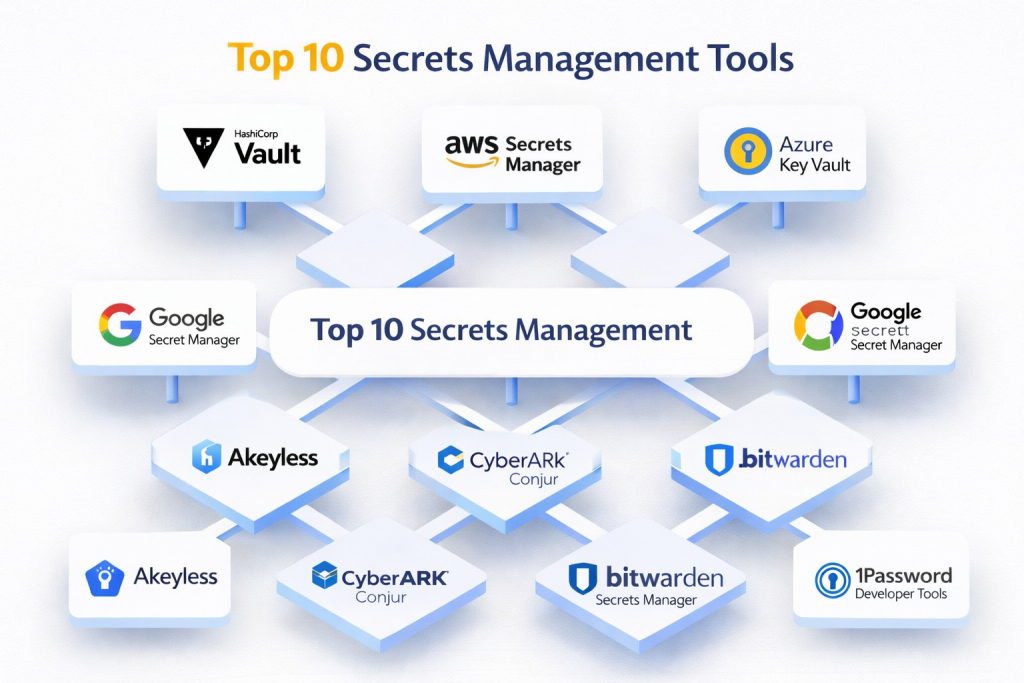
Top 10 Secrets Management Tools
1 — HashiCorp Vault
HashiCorp Vault is widely considered the industry standard for secrets management. It is a highly flexible, platform-agnostic tool that handles everything from basic secret storage to complex identity-based access and data encryption.
- Key Features:
- Dynamic Secrets: Generates credentials on-the-fly for platforms like AWS or SQL databases that expire after use.
- Data Encryption: Provides a transit secret engine that allows applications to encrypt/decrypt data without storing the keys.
- Leasing and Renewal: Every secret has a Time-to-Live (TTL) to ensure credentials don’t last forever.
- Multiple Auth Methods: Integrates with LDAP, GitHub, Kubernetes, and cloud IAM providers.
- Seal/Unseal Mechanism: Uses Shamir’s Secret Sharing to ensure no single person can access the vault alone.
- Sentinal Policies: Fine-grained, policy-as-code framework for access control.
- Pros:
- Extremely mature ecosystem with the most comprehensive feature set on the market.
- Works across any cloud provider and on-premise environment.
- Cons:
- Significant learning curve and operational complexity for self-hosted versions.
- The enterprise tier can be very expensive for smaller organizations.
- Security & compliance: FIPS 140-2, SOC 2 Type II, GDPR, HIPAA, and ISO 27001 compliant. Detailed audit logs for every request.
- Support & community: Massive community; industry-leading documentation; HashiCorp University training; 24/7 enterprise support.
2 — AWS Secrets Manager
AWS Secrets Manager is a fully managed service designed specifically for the Amazon Web Services ecosystem. it makes it easy to rotate, manage, and retrieve database credentials, API keys, and other secrets throughout their lifecycle.
- Key Features:
- Native AWS Integration: Seamlessly works with RDS, Redshift, and DocumentDB.
- Automatic Rotation: Built-in Lambda templates to rotate secrets without application downtime.
- Pay-as-you-go: No upfront costs; you pay per secret per month and per API call.
- IAM Integration: Uses standard AWS Identity and Access Management policies for permissions.
- Replication: Can replicate secrets across multiple AWS regions for disaster recovery.
- CloudTrail Logging: Every access is automatically logged in AWS CloudTrail for auditing.
- Pros:
- Nearly zero configuration for teams already heavily invested in the AWS ecosystem.
- Managed service means no servers to patch or maintain.
- Cons:
- Strong “vendor lock-in”; not ideal for multi-cloud or on-premise strategies.
- Can become surprisingly expensive if your application makes frequent API calls for secrets.
- Security & compliance: SOC 1/2/3, PCI DSS, ISO 27001, HIPAA, and FedRAMP compliant. All data is encrypted with AWS KMS.
- Support & community: Backed by AWS Support; vast documentation; deep integration with AWS developer community.
3 — Azure Key Vault
Azure Key Vault is Microsoft’s answer to secrets management. It provides a centralized repository for secrets, encryption keys, and certificates, tightly integrated with the Microsoft Azure cloud platform.
- Key Features:
- Separation of Concerns: Distinct roles for “Vault Owners” and “Vault Consumers.”
- Certificate Management: Simplifies the process of enrolling and renewing SSL/TLS certificates.
- Hardware Security Modules (HSM): Option to store keys in FIPS 140-2 Level 2 and Level 3 validated HSMs.
- Managed Identities: Allows Azure resources to authenticate to the vault without needing to manage credentials.
- Soft Delete: Protects against accidental deletion by allowing for secret recovery.
- Virtual Network Integration: Restrict vault access to specific Azure VNets.
- Pros:
- Best-in-class integration for Windows-centric environments and .NET developers.
- Cost-effective for standard secret storage needs.
- Cons:
- The management portal can be cluttered and confusing for new users.
- Limited automation for rotation compared to AWS or HashiCorp Vault.
- Security & compliance: FIPS 140-2, SOC 2, HIPAA, and GDPR compliant. Uses Azure Active Directory (Entra ID) for RBAC.
- Support & community: Excellent Microsoft documentation; deep integration with Microsoft Learn and professional support.
4 — Google Secret Manager
Google Secret Manager is a secure and resilient storage system for sensitive information, designed to be the “source of truth” for secrets within the Google Cloud Platform (GCP).
- Key Features:
- Global by Default: Secrets are globally accessible but stored in specific regions for compliance.
- Versioned Secrets: Easily manage multiple versions of a secret and roll back if needed.
- Pub/Sub Integration: Can trigger notifications or actions when a secret is created or rotated.
- IAM-based Access: Uses GCP’s unified IAM system for simple, consistent permissioning.
- Secret Values are Immutable: Once a version is created, the content cannot be changed, only a new version can be added.
- VPC Service Controls: Ability to define a security perimeter around your secrets.
- Pros:
- Very simple and intuitive API and user interface.
- Fast performance and high availability with low latency across the globe.
- Cons:
- Lacks some of the advanced “dynamic secret” capabilities found in HashiCorp Vault.
- Primarily focused on the GCP ecosystem.
- Security & compliance: SOC 2, ISO 27001, HIPAA, and FedRAMP compliant. Full audit logs integrated with Cloud Audit Logs.
- Support & community: Strong Google Cloud support; growing community of GCP developers; clear documentation.
5 — Doppler
Doppler is a modern, developer-centric secrets manager that focuses on ease of use and developer experience. It aims to eliminate the need for .env files across the entire development lifecycle.
- Key Features:
- Universal CLI: A single tool to inject secrets into any environment, from local dev to production.
- Secret Syncing: Automatically syncs secrets to platforms like Vercel, Netlify, Heroku, and AWS.
- Branching & Environments: Manage secrets per developer branch or staging/prod environments effortlessly.
- Audit Trails: See exactly who changed a secret and when.
- Rollbacks: Instant rollback to previous secret versions if a change breaks the build.
- Secret Leak Prevention: Scans your code to prevent secrets from being committed to Git.
- Pros:
- Probably the best developer experience (DX) of any tool on this list.
- Reduces the “it works on my machine” problem by centralizing dev secrets.
- Cons:
- Newer to the market; may lack some niche enterprise integrations.
- Being a SaaS-first tool, it might not suit air-gapped or strictly on-premise needs.
- Security & compliance: SOC 2 Type II compliant. All data is encrypted at rest using AES-256.
- Support & community: Very active Slack community; modern, searchable documentation; responsive support.
6 — Akeyless
Akeyless is a “Vaultless” secrets management platform that uses a unique distributed fragment cryptographic technology to eliminate the need for a master key.
- Key Features:
- DKMS Technology: Distributed Key Management Service ensures no single entity (not even Akeyless) holds the full encryption key.
- Universal Secrets Management: Handles static and dynamic secrets, certificates, and encryption keys.
- Akeyless Gateway: A lightweight component that sits in your network to facilitate secure communication.
- Just-in-Time (JIT) Access: Provides temporary access to resources on-demand.
- Zero-Knowledge Architecture: Ensures total privacy of your secrets.
- Multi-Cloud Support: Native integrations across AWS, Azure, and GCP.
- Pros:
- No master key to lose or have stolen, which is a major security differentiator.
- SaaS convenience with the security level of an on-premise HSM.
- Cons:
- The “fragment” concept can be difficult for traditional security teams to wrap their heads around.
- Gateway maintenance is still required for certain high-security features.
- Security & compliance: FIPS 140-2 Level 3, SOC 2 Type II, ISO 27001, and HIPAA compliant.
- Support & community: High-touch enterprise support; white-glove onboarding; comprehensive documentation.
7 — CyberArk Conjur
CyberArk is a giant in the Privileged Access Management (PAM) space. Conjur is their developer-focused secrets management solution, designed specifically for CI/CD pipelines and containerized environments.
- Key Features:
- Machine Identity: Assigns unique identities to containers, scripts, and nodes.
- Policy-as-Code: Define access rules in human-readable YAML files.
- CyberArk PAM Integration: Bridges the gap between traditional enterprise IT and modern DevOps teams.
- Secretless Broker: Allows applications to connect to databases without ever seeing a password.
- High Availability: Supports robust clustering for mission-critical uptime.
- Kubernetes Native: Deep integration with K8s sidecars and secrets.
- Pros:
- Ideal for large enterprises that already use CyberArk for human password management.
- Very strong focus on the “Machine Identity” aspect of security.
- Cons:
- Can be overly complex for smaller, agile-focused teams.
- Documentation has improved but can still be dense and corporate-oriented.
- Security & compliance: SOC 2, GDPR, HIPAA, and ISO 27001 compliant. Enterprise-grade auditing and reporting.
- Support & community: Massive enterprise support infrastructure; professional services available; active open-source community for the “Maintainers” edition.
8 — Bitwarden Secrets Manager
Building on their success as a consumer password manager, Bitwarden Secrets Manager is an open-source solution designed for developers to securely store and share machine secrets.
- Key Features:
- Open Source: The code is fully auditable by anyone, increasing trust and transparency.
- Centralized Dashboard: A clean, easy-to-use UI for managing both human and machine secrets.
- CLI & SDKs: Broad support for various programming languages and terminal workflows.
- Project-based Access: Organize secrets by project and assign permissions to specific service accounts.
- Infinite Secret History: Tracks every change made to a secret since its creation.
- End-to-End Encryption: All data is encrypted locally before being sent to the cloud.
- Pros:
- Excellent value for money, especially for smaller teams.
- Familiar interface for those who already use Bitwarden for personal passwords.
- Cons:
- Lacks some of the complex “dynamic secret” and “rotation” features of HashiCorp or AWS.
- Relatively new entry in the developer-secrets space.
- Security & compliance: SOC 2 Type II, HIPAA, and GDPR compliant. Regular third-party security audits.
- Support & community: Huge global community; very active forums; professional support for enterprise users.
9 — Infisical
Infisical is an open-source, end-to-end encrypted secrets management platform that focuses on being the easiest tool to set up for modern engineering teams.
- Key Features:
- Self-Hosting: Can be easily deployed via Docker or Kubernetes on your own infrastructure.
- Secret Scanning: Automatically detects if you are trying to push secrets to GitHub.
- Integrations: Out-of-the-box support for Vercel, AWS, GitHub Actions, and many more.
- Native SDKs: Simplifies fetching secrets directly in your application code.
- Access Requests: Workflow for developers to request temporary access to production secrets.
- User-friendly Web UI: Makes secret management accessible to non-DevOps team members.
- Pros:
- Highly flexible with both SaaS and self-hosted options.
- Transparent, developer-first roadmap and community.
- Cons:
- Smaller feature set compared to the “big three” cloud providers or HashiCorp.
- As a younger tool, the ecosystem of third-party plugins is still growing.
- Security & compliance: SOC 2 Type II compliant. End-to-end encryption using industry-standard libraries.
- Support & community: Very active Discord server; quick-response support; clear, modern documentation.
10 — 1Password Developer Tools
1Password, a leader in the password management space, has expanded into developer workflows with its “Secrets Automation” and “SSH Key Management” features.
- Key Features:
- 1Password CLI: Manage your vault, inject secrets into scripts, and more from the terminal.
- SSH Key Manager: Generate, store, and use SSH keys without them ever leaving the 1Password app.
- Shell Plugins: Automatically authenticate with various CLIs (like AWS or Heroku) using biometric unlock.
- Connect Server: A self-hosted bridge to allow your applications to fetch secrets securely.
- Secret References: Use placeholders in your config files that get replaced with real secrets at runtime.
- VS Code Extension: Access your secrets directly inside your code editor.
- Pros:
- The absolute best biometric and hardware key integration for developers.
- Consolidates human and machine secrets into a single, trusted platform.
- Cons:
- Best suited for “developer workstations” rather than complex, automated server environments.
- The “Connect Server” adds an extra layer of infrastructure to manage.
- Security & compliance: SOC 2 Type II, HIPAA, and GDPR compliant. Unique “Secret Key” architecture for master password protection.
- Support & community: World-class customer support; very large user base; detailed developer portal.
Comparison Table
| Tool Name | Best For | Platform(s) Supported | Standout Feature | Rating (Gartner) |
| HashiCorp Vault | Multi-Cloud/Hybrid | All Platforms | Dynamic Secrets | 4.8 / 5 |
| AWS Secrets Mgr | AWS-only Teams | AWS | Native RDS Rotation | 4.6 / 5 |
| Azure Key Vault | Azure-only Teams | Azure | Certificate Lifecycle | 4.5 / 5 |
| GCP Secret Mgr | GCP-only Teams | Google Cloud | Global Reach/Simplicity | 4.6 / 5 |
| Doppler | Developer Experience | SaaS / Multi-env | Auto-syncing to Vercel | 4.8 / 5 |
| Akeyless | High Security SaaS | Multi-Cloud | Vaultless (DKMS) | 4.7 / 5 |
| CyberArk Conjur | Large Enterprise | On-Prem / Cloud | Machine Identity | 4.4 / 5 |
| Bitwarden Secrets | Open Source Fans | SaaS / On-Prem | Price-to-Value | 4.7 / 5 |
| Infisical | Modern Startups | SaaS / Self-Host | E2E Encrypted CLI | 4.8 / 5 |
| 1Password Dev | Dev Workstations | All Platforms | SSH Key Management | 4.7 / 5 |
Evaluation & Scoring of Secrets Management Tools
To choose the right tool, we have evaluated these solutions against a weighted rubric that reflects current industry demands for security, ease of use, and cost.
| Category | Weight | Evaluation Criteria |
| Core Features | 25% | Dynamic secrets, rotation, versioning, and certificate management. |
| Ease of Use | 15% | Developer experience, CLI quality, and UI intuitiveness. |
| Integrations | 15% | Support for CI/CD, K8s, Cloud Providers, and local dev tools. |
| Security & Compliance | 10% | Encryption standards, SOC 2/ISO certs, and audit log robustness. |
| Performance | 10% | API latency, high availability, and disaster recovery. |
| Support & Community | 10% | Documentation quality, active forums, and enterprise support. |
| Price / Value | 15% | Licensing transparency and ROI for the organization. |
Which Secrets Management Tool Is Right for You?
Choosing the “best” tool is highly subjective and depends on your specific infrastructure and team size.
Solo Users vs. SMB vs. Mid-Market vs. Enterprise
- Solo Users/Small Teams: Look at Doppler or Bitwarden Secrets Manager. They are easy to set up, affordable, and solve 90% of secret management headaches without requiring a PhD in security.
- Mid-Market: Infisical or 1Password Developer Tools are excellent. They offer professional-grade security with enough flexibility to grow as your team expands.
- Enterprise: HashiCorp Vault or CyberArk Conjur are the primary choices. Large organizations need the complex policy engines, multi-cloud capabilities, and high-availability clusters that only these tools provide.
Budget-Conscious vs. Premium Solutions
If budget is your primary constraint, Infisical and Bitwarden offer fantastic free or low-cost tiers. If money is no object and you need “the best,” HashiCorp Vault is the most feature-complete, though you will pay for that power in both licensing fees and engineering time.
Feature Depth vs. Ease of Use
If you need Dynamic Secrets (generating a new DB password for every request), you almost certainly need HashiCorp Vault, Akeyless, or AWS Secrets Manager. If you just need a secure place to store static API keys and want your developers to stop using .env files, Doppler will make your team much happier due to its superior ease of use.
Integration and Scalability Needs
For teams 100% committed to a single cloud, the native providers (AWS/Azure/GCP) are usually the most logical choice. However, if you are planning a hybrid-cloud strategy or move between providers, a neutral tool like Vault or Akeyless is a better long-term investment.
Frequently Asked Questions (FAQs)
1. What is “Secret Sprawl”?
Secret sprawl refers to the accidental distribution of sensitive credentials across various locations, such as hardcoded in source code, stored in Slack messages, or left in unencrypted config files. Secrets management tools eliminate this by centralizing them.
2. Can’t I just use GitHub Secrets?
GitHub Secrets are great for CI/CD pipelines, but they aren’t designed for your application to fetch at runtime in production. A dedicated secrets manager provides rotation, auditing, and dynamic generation that GitHub does not.
3. What are “Dynamic Secrets”?
Dynamic secrets are credentials created on-demand that only exist for a short period. For example, instead of a static DB password, the tool creates a temporary user in the database that expires after 15 minutes.
4. How do applications authenticate to the Secrets Manager?
Most tools use “Machine Identities.” In AWS, this is an IAM Role; in Kubernetes, it’s a Service Account. The application proves its identity to the secrets manager, which then hands over the requested secret.
5. What happens if the Secrets Manager goes down?
This is a critical risk. Most enterprise tools use high-availability (HA) clusters and local caching to ensure that if the main server is unreachable, the application can still function for a short time.
6. Is self-hosting safer than SaaS?
Not necessarily. While self-hosting gives you total control over the data, it also makes you responsible for patching, backups, and physical security. For most companies, a SOC 2 compliant SaaS provider is actually safer.
7. How often should secrets be rotated?
It depends on the sensitivity, but best practices suggest rotating high-value secrets (like database master passwords) every 30 to 90 days. Dynamic secrets rotate essentially every time they are used.
8. What is a “Master Key” or “Unseal Key”?
In many vaults, the data is encrypted with a master key. For security, this key is often split into fragments. You need a certain number of fragments (e.g., 3 out of 5) to “unseal” the vault after a restart.
9. Can these tools manage SSL/TLS certificates?
Yes, many top-tier tools like HashiCorp Vault and Azure Key Vault can act as a Certificate Authority (CA), automatically issuing and renewing certificates for your web servers.
10. What is the biggest mistake people make with these tools?
Treating them as just a “password manager.” The real power of these tools comes from automation—integrating them into your build pipelines and using dynamic rotation to reduce the lifespan of any leaked credential.
Conclusion
The “best” secrets management tool is the one that fits into your developers’ existing workflow without causing friction. If a tool is too hard to use, developers will revert to old, insecure habits like hardcoding keys in their code.
For pure AWS or Azure shops, the native cloud tools are often the path of least resistance. However, for organizations looking for a platform-agnostic, future-proof solution, HashiCorp Vault remains the undisputed king. For those who prioritize developer speed and simplicity above all else, Doppler and Infisical are changing the game.
Ultimately, choosing a secrets management tool is about reducing your attack surface. By centralizing your sensitive data, implementing strict rotation policies, and maintaining a clear audit trail, you can significantly reduce the risk of a catastrophic data breach.