Introduction
An Integrated Development Environment (IDE) is a powerful software application that combines all the essential tools a programmer needs into a single graphical user interface (GUI). Instead of using separate programs for writing code, checking for errors, and converting code into a runnable app, an IDE puts everything in one place. It typically includes a code editor, automation tools, and a debugger.
The importance of an IDE lies in its ability to maximize developer productivity. It helps catch “syntax errors” as you type, suggests ways to finish a line of code, and provides a visual way to see how different parts of a massive project connect. Real-world use cases range from building high-frequency trading platforms for banks to developing the mobile apps on your smartphone or managing the massive databases used by hospitals.
When choosing an IDE, you should evaluate it based on its language support, memory usage, debugging capabilities, and how well it integrates with team tools like GitHub or cloud providers.
- Best for: Full-stack developers, mobile app creators, and enterprise software engineers working on large, multi-file projects. It is ideal for professional teams in industries like finance, healthcare, and technology where code quality and speed are critical.
- Not ideal for: Simple tasks like editing a single configuration file, writing basic HTML for a blog, or systems with very limited RAM. In these cases, a lightweight text editor is usually a better, faster choice.
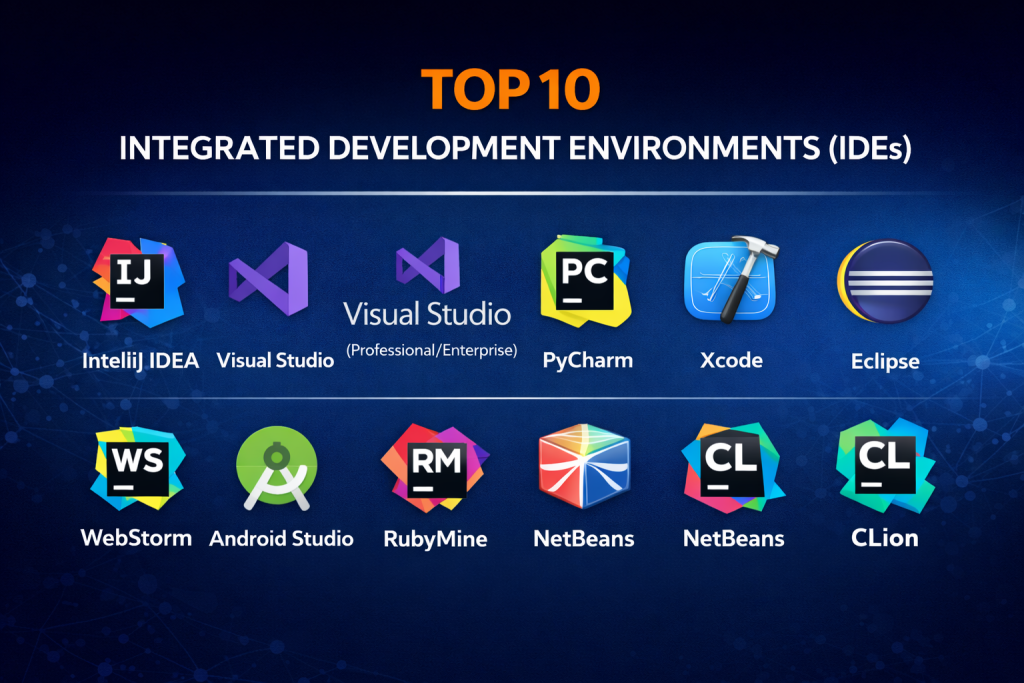
Top 10 Integrated Development Environments (IDEs) Tools
1 — IntelliJ IDEA
IntelliJ IDEA is widely considered the smartest IDE for Java development, though it has expanded to support many other languages. Created by JetBrains, it is famous for its “deep” understanding of code, which allows it to suggest improvements that other tools miss.
- Key Features:
- Smart Code Completion: Predicts what you want to type based on the context.
- Advanced Refactoring: Safely renames or moves code across thousands of files.
- Built-in Static Code Analysis: Detects potential bugs before you run the code.
- Framework-specific Assistance: Specialized tools for Spring, Jakarta EE, and more.
- Integrated Version Control: Seamless support for Git, SVN, and Mercurial.
- Database Tools: Access and edit SQL databases directly inside the IDE.
- Pros:
- Incredible productivity gains through automation and smart shortcuts.
- Excellent “out-of-the-box” experience with very little setup required.
- Cons:
- It is very “heavy” and requires a lot of RAM to run smoothly.
- The professional version is quite expensive for individual developers.
- Security & compliance: SOC 2 Type II compliant; features include secure credential storage and audit logs.
- Support & community: Professional 24/7 help desk for paid users; massive community of plugin developers.
2 — Visual Studio (Professional/Enterprise)
Not to be confused with VS Code, the full Visual Studio is Microsoft’s flagship IDE. It is the powerhouse behind most Windows applications and large-scale .NET projects.
- Key Features:
- IntelliCode: AI-assisted coding that learns from thousands of open-source projects.
- Live Share: Real-time collaborative editing and debugging with teammates.
- Azure Integration: One-click deployment to the Microsoft cloud.
- Diagnostic Tools: Advanced profiling to see how your app uses memory and CPU.
- Xamarin/MAUI: Tools for building cross-platform mobile apps.
- Visual Studio Installer: Heavily customizable installation to save disk space.
- Pros:
- The absolute best tool for C# and .NET development.
- Handles incredibly large enterprise solutions with hundreds of sub-projects.
- Cons:
- Only runs natively on Windows (the Mac version has different features).
- The installation process can be slow and take up significant disk space.
- Security & compliance: ISO 27001, SOC 2, and GDPR compliant; features strong enterprise governance tools.
- Support & community: Backed by Microsoft’s professional support; huge library of tutorials and documentation.
3 — PyCharm
PyCharm is a specialized IDE from JetBrains designed specifically for Python. It is the go-to choice for professional Python developers, data scientists, and web backend engineers.
- Key Features:
- Python Profiler: Shows exactly which lines of code are slowing down your app.
- Scientific Stack Support: Deep integration with Jupyter Notebooks, NumPy, and Matplotlib.
- Web Framework Support: First-class tools for Django, Flask, and Pyramid.
- Remote Development: Run and debug code on remote servers or Docker.
- Smart Navigation: Jump to any class or symbol with simple keyboard shortcuts.
- Testing Integration: Supports popular testing frameworks like pytest and nosetests.
- Pros:
- Deeply understands Python’s unique structure and “PEP 8” style rules.
- Saves hours of time for data scientists managing complex environments.
- Cons:
- Can feel slow when opening very large data files.
- The “Community” version lacks the best web development features.
- Security & compliance: SOC 2 compliant; supports encrypted environment variables and secret management.
- Support & community: Huge presence in the data science community; excellent professional support.
4 — Xcode
Xcode is the essential IDE for anyone building software for the Apple ecosystem. If you want to put an app on an iPhone, iPad, Mac, or Apple Watch, you will likely spend your life in Xcode.
- Key Features:
- SwiftUI Canvas: Design your app’s look with code and see it update instantly.
- iOS Simulators: Run virtual iPhones on your Mac to test touch and GPS.
- Instruments: High-level analysis of battery life and graphics performance.
- Asset Catalog: Simple management of images, icons, and colors for all screen sizes.
- App Store Connect: Direct path to submit your app for review and sale.
- Metal Support: Specialized tools for high-performance 3D graphics and gaming.
- Pros:
- Deeply optimized for Apple hardware and the Swift programming language.
- Completely free for any Mac user.
- Cons:
- Only available on macOS; you cannot develop in Xcode on Windows or Linux.
- Known for being “buggy” after major system updates.
- Security & compliance: Backed by Apple’s strict internal security; GDPR and ISO compliant.
- Support & community: Official Apple Developer Forums; massive amount of Swift-specific tutorials.
5 — Eclipse
Eclipse is one of the oldest and most famous open-source IDEs. While it started as a Java tool, its “plugin” architecture allows it to do almost anything, from C++ to embedded systems programming.
- Key Features:
- Plugin Marketplace: Thousands of community-made tools to add new features.
- Language Support: Extensive tools for Java, C/C++, PHP, and Rust.
- Project Management: Excellent tools for managing massive “monolith” codebases.
- Modeling Tools: Support for UML and architectural design.
- Cloud Edition: Eclipse Theia allows you to run the IDE in a browser.
- Pros:
- Completely free and open-source forever.
- Highly flexible; you can build your own customized version of the tool.
- Cons:
- The user interface looks very dated and can be confusing.
- Setting up the “perfect” environment with plugins can be frustrating.
- Security & compliance: Varies; as an open-source project, it relies on community audits and local configuration.
- Support & community: Massive legacy community; decades of forum posts and documentation.
6 — WebStorm
WebStorm is a specialized JetBrains IDE for JavaScript and web technologies. It is built for those who find basic code editors too simple for modern, complex web apps.
- Key Features:
- Modern Framework Support: Deep understanding of React, Vue, Angular, and Svelte.
- JavaScript Debugger: Debug your web app directly inside the IDE, not just the browser.
- Testing Tools: Integrated support for Jest, Mocha, and Karma.
- Refactoring for JS: Safely change variable names across HTML, CSS, and JS files.
- Terminal & Git: All your web development tools in one window.
- Pros:
- Much more “intelligent” than VS Code when it comes to auto-completing complex web code.
- Excellent at finding unused code or CSS, helping keep your website fast.
- Cons:
- Unlike many web tools, this is a paid subscription product.
- Requires a decent computer to run both the IDE and a browser simultaneously.
- Security & compliance: SOC 2 compliant; features secure package management and vulnerability scanning.
- Support & community: Strong community in the professional web development world.
7 — Android Studio
Based on IntelliJ IDEA, Android Studio is the official IDE for Android development. It is maintained by Google and contains everything needed to build apps for billions of devices.
- Key Features:
- Layout Editor: Drag-and-drop UI design with XML or Jetpack Compose.
- Android Emulator: Fast, virtual Android phones with camera and sensor support.
- APK Analyzer: Helps reduce your app’s size to save user data.
- Firebase Integration: Easy connection to Google’s cloud database and analytics.
- Kotlin First: Optimized for the modern Kotlin language.
- Pros:
- The only “official” way to get the latest Android features and updates.
- Very powerful debugging tools for mobile-specific issues like battery drain.
- Cons:
- Known for being one of the most resource-hungry IDEs in existence.
- Gradle (the build system) can be very slow on older laptops.
- Security & compliance: Backed by Google’s security standards; SOC and ISO compliant.
- Support & community: Official Google training courses; massive global community.
8 — NetBeans
Apache NetBeans is another venerable open-source IDE. It is the official IDE for the Java language and is praised for its “cleaner” and simpler feel compared to Eclipse.
- Key Features:
- Maven/Gradle Support: Native handling of Java project dependencies.
- GUI Builder (Matisse): A famous “drag-and-drop” tool for designing desktop apps.
- Cross-Language Support: Good tools for PHP, C++, and HTML5.
- Code Templates: Snippets that help you write common code blocks fast.
- Versioning: Integrated support for Git and Subversion.
- Pros:
- Very stable and easy for beginners to understand.
- The best “out-of-the-box” Java desktop design tool.
- Cons:
- Smaller plugin library compared to IntelliJ or Eclipse.
- Update cycle can be slower than commercial competitors.
- Security & compliance: Open-source security model; supports SSL/TLS and standard Git security.
- Support & community: Strong academic and professional community; well-maintained documentation.
9 — CLion
CLion is a JetBrains IDE focused on C and C++. It is widely used in systems programming, robotics, and game development where performance and memory management are everything.
- Key Features:
- CMake Support: Deep integration with the industry-standard build system.
- Memory Leak Detection: Helps find dangerous bugs that crash computers.
- Embedded Development: Specialized tools for programming microchips and sensors.
- Vim Emulation: Allows “Vim” power-users to work inside a graphical IDE.
- Data Flow Analysis: Shows how variables move through your code to find errors.
- Pros:
- Makes the “difficult” languages of C and C++ much easier to manage.
- Excellent for modern C++ standards (C++20 and beyond).
- Cons:
- Expensive for students or hobbyists.
- Setup can be complex depending on your computer’s compiler.
- Security & compliance: SOC 2 compliant; features audit logs and secure code analysis.
- Support & community: Highly specialized community of systems engineers; professional support.
10 — RubyMine
For fans of the Ruby on Rails framework, RubyMine is the definitive IDE. It automates much of the “boilerplate” work associated with building modern web applications.
- Key Features:
- Rails Navigation: Jump between your database model and your web view instantly.
- Ruby Debugger: A high-quality tool for stopping and inspecting running Ruby code.
- Database Support: Top-tier SQL and NoSQL management tools.
- JavaScript/CSS Support: Includes all the web tools from WebStorm.
- Automated Testing: Run RSpec or Minitest with a single click.
- Pros:
- Provides a level of “intelligence” for Ruby that basic editors can’t match.
- Excellent at finding errors in “dynamic” code that usually only shows up at runtime.
- Cons:
- Ruby is a niche language, so the community is smaller than Java or Python.
- Requires a subscription, which might be hard for small freelance Rubyists.
- Security & compliance: SOC 2 compliant; features secure credential management.
- Support & community: Dedicated, high-quality support from JetBrains; strong niche community.
Comparison Table
| Tool Name | Best For | Platform(s) Supported | Standout Feature | Rating (Gartner) |
| IntelliJ IDEA | Java / General | Win, Mac, Linux | Deep Code Intelligence | 4.8 / 5 |
| Visual Studio | .NET / Windows | Win, Mac | Enterprise Debugging | 4.6 / 5 |
| PyCharm | Python / Science | Win, Mac, Linux | Scientific Stack Integration | 4.7 / 5 |
| Xcode | Apple Ecosystem | Mac | iOS Simulator | 4.2 / 5 |
| Eclipse | Java / Open Source | Win, Mac, Linux | Massive Plugin Library | 4.0 / 5 |
| WebStorm | Modern Web JS | Win, Mac, Linux | JS-Specific Refactoring | 4.6 / 5 |
| Android Studio | Mobile Android | Win, Mac, Linux | Google Device Emulation | 4.5 / 5 |
| NetBeans | Java Desktop | Win, Mac, Linux | Matisse GUI Builder | 4.1 / 5 |
| CLion | C++ / Embedded | Win, Mac, Linux | Memory Analysis | 4.6 / 5 |
| RubyMine | Ruby on Rails | Win, Mac, Linux | Rails-Aware Navigation | 4.6 / 5 |
Evaluation & Scoring of IDEs
We have scored these tools based on a weighted rubric that reflects the priorities of modern development teams.
| Category | Weight | Evaluation Criteria |
| Core Features | 25% | Ability to build, test, and debug across various environments. |
| Ease of Use | 15% | Intuitiveness of the interface and the learning curve for new users. |
| Integrations | 15% | Support for Git, Docker, Cloud providers, and databases. |
| Security & Compliance | 10% | Support for SSO, encryption, and meeting global standards. |
| Performance | 10% | Speed of the build system and responsiveness of the UI. |
| Support & Community | 10% | Quality of documentation and availability of community help. |
| Price / Value | 15% | Fairness of the cost relative to the features provided. |
Which IDE Tool Is Right for You?
Choosing an IDE is a long-term commitment. Here is how to decide:
- Solo Users & Students: Start with Eclipse, NetBeans, or the Community Editions of JetBrains tools. They are free and provide more than enough power to learn the basics.
- Small-to-Medium Businesses (SMBs): If you are a web-focused shop, WebStorm or PyCharm will pay for themselves in weeks by reducing the time spent on debugging.
- Enterprises: If you have 100+ developers, Visual Studio Enterprise or IntelliJ Ultimate are the industry standards. They provide the “governance” and deep analysis tools needed to keep massive codebases healthy.
- Budget-Conscious: If you need professional power for zero dollars, Eclipse remains the king of the open-source world, though it takes more time to configure.
- Ecosystem-Driven: If you are building for Apple, you use Xcode. If you are building for Android, you use Android Studio. If you are building for Windows/.NET, you use Visual Studio. These choices are often made for you by the platform.
Frequently Asked Questions (FAQs)
1. Is an IDE the same as a Code Editor?
No. A code editor (like Notepad++) is a lightweight tool for writing text. An IDE (like IntelliJ) is a full “toolbox” that includes a compiler, debugger, and project management tools in one app.
2. Why do IDEs use so much RAM?
IDEs “index” your entire project. They keep a map of every variable, function, and file in your computer’s memory so they can give you instant suggestions and find errors as you type.
3. Can I use one IDE for all languages?
Some, like IntelliJ or Eclipse, can handle many languages via plugins. However, specialized IDEs like PyCharm or CLion are usually better because they have deeper “intelligence” for their specific language.
4. Are IDEs free?
Some are completely free (Eclipse, NetBeans, Xcode). Others have a free “Community” version and a paid “Professional” version (IntelliJ, PyCharm, Visual Studio).
5. Do I need an IDE to learn to code?
Not necessarily. Many beginners start with a simple code editor to learn the basics. However, moving to an IDE is highly recommended once you start building projects with more than one or two files.
6. Which IDE is best for Web Development?
WebStorm is widely considered the best full IDE for web work, but many web developers actually prefer using VS Code because it is lighter and has a massive community.
7. Can I run an IDE on a cheap laptop?
It will be difficult. Most modern IDEs require at least 8GB of RAM (16GB is better) and a fast SSD to work without frustrating lag.
8. What is a “Debugger”?
A debugger is a tool inside the IDE that lets you “pause” your program while it is running. You can then look at the variables and see exactly where things are going wrong.
9. Is JetBrains the only company that makes IDEs?
No, but they are a leader. Other major players include Microsoft, Google, Apple, and the Apache Foundation.
10. What is a common mistake when choosing an IDE?
Choosing the “most powerful” one when you don’t need it. If you are just writing a simple script, a heavy IDE will just slow you down. Always match the tool to the size of the project.
Conclusion
The “best” IDE is the one that allows you to focus on your logic rather than your tools. For Java and general-purpose development, IntelliJ IDEA is currently the industry leader. For those in the Microsoft ecosystem, Visual Studio is indispensable.
If you are a professional, don’t be afraid to pay for your tools—the time saved by a smart IDE usually far outweighs the monthly subscription cost. If you are a student or a hobbyist, the open-source world of Eclipse and NetBeans offers incredible power for free.