Introduction
Source Code Management (SCM) tools are software systems that track and manage changes to a project’s code over time. Think of it as a detailed “history book” for your software. Every time a developer makes an update, the tool records who made the change, what exactly was changed, and why. This process is often called version control.
These tools are vital because they allow multiple developers to work on the same project simultaneously without overwriting each other’s work. If a new update causes the software to crash, SCM tools allow the team to “roll back” to an older, working version in seconds. Beyond just saving code, they provide a platform for code reviews, where team members can check each other’s work for errors before it becomes part of the final product.
Real-world use cases include managing the vast codebases of mobile apps, tracking different versions of a website (like a “testing” version vs. the “live” version), and coordinating global teams of thousands of developers working on open-source projects. When choosing an SCM tool, you should evaluate its ease of use, how well it integrates with other tools (like those used for testing), the security features it offers to protect your intellectual property, and whether it is cloud-based or self-hosted.
- Best for: Software developers, DevOps engineers, and project managers. These tools are essential for any company that writes software, from tiny three-person startups to massive global corporations like banks or tech giants.
- Not ideal for: Individuals working on simple, static documents that don’t involve programming, or very small, one-time projects where the overhead of setting up a repository might outweigh the benefits.
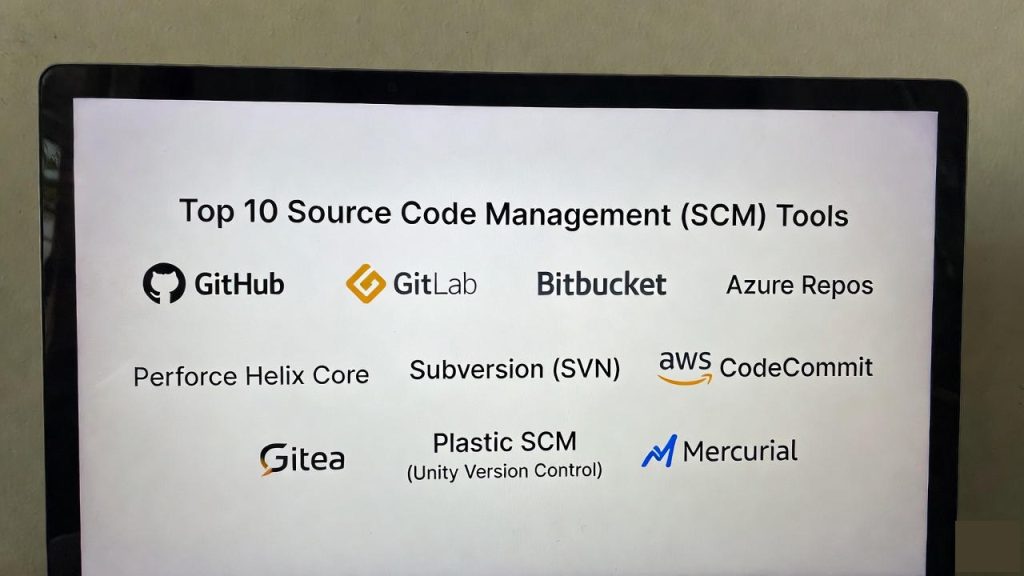
Top 10 Source Code Management (SCM) Tools
1 — GitHub
GitHub is the most popular SCM platform in the world. It is built on top of “Git,” a distributed version control system. GitHub is famous for hosting millions of open-source projects and providing a highly social environment for developers to collaborate.
- Key Features:
- Pull Requests: A system for proposing and reviewing code changes.
- GitHub Actions: Built-in automation for testing and deploying code.
- GitHub Copilot: An AI assistant that helps write code faster.
- Issues & Projects: Integrated tools for tracking bugs and project tasks.
- Advanced Security: Scans code for passwords and known vulnerabilities.
- Codespaces: Cloud-based environments that let you code in your browser.
- Pros:
- The largest community of developers, making it easy to find help and talent.
- Excellent documentation and a very clean, user-friendly interface.
- Cons:
- Can be expensive for large private teams.
- Heavy reliance on a single provider (Microsoft).
- Security & compliance: SOC 1/2, ISO 27001, GDPR, and HIPAA compliant. Features include SSO, 2FA, and encrypted data at rest.
- Support & community: Unbeatable community; massive marketplace for integrations; professional enterprise support available for paid tiers.
2 — GitLab
GitLab is a direct competitor to GitHub but takes a more “all-in-one” approach. It aims to provide every tool a developer needs—from planning and coding to security and deployment—within a single application.
- Key Features:
- Built-in CI/CD: Industry-leading automation pipelines.
- Self-Hosting: You can run GitLab on your own servers for total control.
- Security Dashboards: Centralized view of all code vulnerabilities.
- Value Stream Management: Tracks how long it takes to move from idea to production.
- Container Registry: Built-in storage for your software “images.”
- Auto DevOps: Automatically sets up the entire development lifecycle.
- Pros:
- Great for companies that want to keep their data on their own hardware.
- Powerful built-in features mean you don’t need to buy extra third-party tools.
- Cons:
- The interface can feel cluttered because it does so many different things.
- Requires more technical knowledge to set up and maintain if self-hosted.
- Security & compliance: SOC 2 Type II, GDPR, and ISO 27001 compliant. Offers granular role-based access control (RBAC).
- Support & community: Strong community; excellent documentation; 24/7 support for enterprise customers.
3 — Bitbucket
Bitbucket is Atlassian’s version of a Git repository manager. It is specifically designed to work seamlessly with other Atlassian products like Jira and Confluence, making it a favorite for corporate teams.
- Key Features:
- Jira Integration: Link code changes directly to project tasks.
- Bitbucket Pipelines: Integrated CI/CD that lives inside the code repo.
- Smart Mirroring: Speeds up clone times for teams distributed globally.
- IP Whitelisting: Restricts access to specific office locations.
- Built-in Code Insights: Shows test results directly in the code review screen.
- Pros:
- If your company already uses Jira, Bitbucket is the most logical choice.
- Very competitive pricing for small to medium teams.
- Cons:
- Smaller community compared to GitHub.
- Less focus on open-source projects.
- Security & compliance: SOC 2, ISO 27001, and HIPAA ready. Supports SAML SSO and forced two-factor authentication.
- Support & community: Deep technical support through Atlassian; extensive documentation and user forums.
4 — Azure Repos
Azure Repos is a part of the Microsoft Azure DevOps suite. It provides both Git and a more traditional centralized system called Team Foundation Version Control (TFVC).
- Key Features:
- Support for Git and TFVC: Flexibility for different types of teams.
- Branch Policies: Enforce rules like “two people must review this” before code is saved.
- Semantic Search: Finds code by understanding what the code actually does.
- Integration with Azure Pipelines: Native connection to Microsoft’s cloud.
- Web-based Code Editor: Make quick fixes directly in the portal.
- Pros:
- Deeply integrated with the Microsoft ecosystem (Visual Studio, Azure).
- Unlimited private repositories for small teams.
- Cons:
- Can be confusing if you aren’t using the rest of Azure DevOps.
- Interface feels very “corporate” and less modern than competitors.
- Security & compliance: ISO 27001, SOC 1/2, and GDPR compliant. Integrated with Azure Active Directory for security.
- Support & community: Backed by Microsoft’s professional support teams; large enterprise user base.
5 — Perforce Helix Core
Perforce Helix Core is different from the tools above because it is designed for scale. It is the standard for the gaming and automotive industries, where projects involve massive files and thousands of developers.
- Key Features:
- Handles Massive Files: Easily versions gigabytes of art and 3D assets.
- Centralized Control: A “single source of truth” model rather than distributed.
- Exclusive File Locking: Prevents two people from editing the same file at once.
- Helix Streams: A powerful way to manage different versions (branches) of code.
- High Performance: Optimized for incredibly fast data transfer.
- Pros:
- The only choice for teams working with huge “binary” files (like video or 3D models).
- Extremely secure and stable for enterprise-level projects.
- Cons:
- Much steeper learning curve than Git.
- Expensive and complex to manage.
- Security & compliance: Extensive audit logs, SOC 2, and high-level encryption. Used in highly regulated industries.
- Support & community: Specialized enterprise support; smaller but very expert community.
6 — Subversion (SVN)
Apache Subversion, or SVN, is a “centralized” version control system. While many modern teams have moved to Git, SVN remains popular because of its simplicity and the control it gives administrators.
- Key Features:
- Centralized Architecture: One main server holds all the data.
- Directory-Level Permissions: Control who can see specific folders in a project.
- Atomic Commits: Ensures that a set of changes either all succeed or all fail.
- Native Support for Large Files: Better at handling non-text files than standard Git.
- Stable and Proven: Has been used reliably for decades.
- Pros:
- Easier for non-technical users to understand than Git.
- Open-source and completely free to use.
- Cons:
- Requires a constant connection to the server to work.
- Branching and merging code is much more difficult than in Git.
- Security & compliance: Varies; depends on how the server is configured. Supports SSL/TLS and SSH.
- Support & community: Large legacy community; plenty of books and online tutorials; no formal corporate support.
7 — AWS CodeCommit
AWS CodeCommit is Amazon’s managed Git service. It is designed for teams that are already running their applications on Amazon Web Services (AWS) and want to keep their code in the same place.
- Key Features:
- Serverless: You don’t have to manage any infrastructure or servers.
- AWS IAM Integration: Uses your existing Amazon accounts for security.
- High Availability: Code is stored across multiple locations automatically.
- Encrypted at Rest: Data is scrambled while it sits on Amazon’s disks.
- Notifications: Integrates with Amazon SNS to alert you of code changes.
- Pros:
- Very low cost, especially for companies already paying for AWS.
- Extremely high reliability and uptime.
- Cons:
- The user interface is very basic and lacks social features.
- Can feel “locked in” to the Amazon ecosystem.
- Security & compliance: HIPAA, PCI DSS, SOC, ISO, and FedRAMP compliant. Uses AWS KMS for encryption keys.
- Support & community: Professional AWS support; documentation is clear but technical.
8 — Gitea
Gitea is an open-source, self-hosted Git service that is designed to be lightweight. It is popular with individual developers and small teams who want a “private GitHub” that can run on a very cheap computer.
- Key Features:
- Very Low Resource Usage: Can run on a Raspberry Pi.
- Simple Installation: Just a single file to run.
- GitHub-like Interface: Users will feel familiar right away.
- Built-in Issue Tracker: Simple tools for managing tasks.
- Support for Many Databases: Works with MySQL, PostgreSQL, and more.
- Pros:
- Completely free and very fast.
- Great for people who want privacy without the complexity of GitLab.
- Cons:
- Lacks the advanced enterprise features of GitHub or GitLab.
- The community is smaller, so fewer third-party plugins.
- Security & compliance: Varies / N/A. Depends entirely on how you secure your own server.
- Support & community: Active open-source community on Discord and GitHub; no formal phone support.
9 — Plastic SCM (Unity Version Control)
Plastic SCM, now often called Unity Version Control, is a tool that blends the best parts of Git and Perforce. It is a favorite for game developers who need to manage both code and large art assets.
- Key Features:
- Visual Branch Explorer: A clear map showing how different versions of code relate.
- Support for Both Centralized and Distributed: Teams can choose their style.
- Gluon: A simplified interface designed specifically for artists.
- Semantic Merging: Understands the code structure to resolve conflicts better.
- Native Unity Integration: Built directly into the Unity game engine.
- Pros:
- Excellent for hybrid teams of programmers and artists.
- One of the best visual tools for seeing the history of a project.
- Cons:
- The pricing can be high for large teams.
- Not as widely used outside of the gaming industry.
- Security & compliance: SOC 2 and GDPR compliant. Supports SSO and granular permissions.
- Support & community: Strong documentation; specialized support for game development teams.
10 — Mercurial
Mercurial is a distributed version control system similar to Git. While Git eventually became the industry standard, many developers prefer Mercurial because it is more intuitive and less likely to let you “break” your code history.
- Key Features:
- Consistency: Commands are simple and logical.
- Performance: Designed to handle very large projects efficiently.
- Extensibility: A powerful plugin system to add new features.
- Safety: It is harder to accidentally delete your work history in Mercurial.
- Platform Independent: Works exactly the same on Windows, Mac, and Linux.
- Pros:
- Easier to learn than Git for beginners.
- Very stable; used by some major tech companies for their internal code.
- Cons:
- Declining popularity means fewer tools and services support it.
- Finding developers who know Mercurial is getting harder.
- Security & compliance: Varies / N/A. Typically relies on the hosting platform (like SourceForge) for security.
- Support & community: Small but loyal community; good documentation but fewer modern tutorials.
Comparison Table
| Tool Name | Best For | Platform(s) Supported | Standout Feature | Rating (Gartner) |
| GitHub | Open Source & Collaboration | Cloud, Desktop | Social Coding & AI Copilot | 4.8 / 5 |
| GitLab | All-in-one DevOps | Cloud, Self-Hosted | Built-in CI/CD Pipelines | 4.6 / 5 |
| Bitbucket | Jira Users | Cloud, Self-Hosted | Jira & Trello Integration | 4.4 / 5 |
| Azure Repos | Microsoft Ecosystem | Cloud | Git & TFVC Support | 4.4 / 5 |
| Perforce | Game Dev & Large Assets | Self-Hosted, Cloud | Massive Binary Support | 4.5 / 5 |
| SVN | Centralized Control | Self-Hosted | Directory Permissions | N/A |
| AWS CodeCommit | AWS Users | Cloud | Secure AWS Integration | 4.2 / 5 |
| Gitea | Small Private Teams | Self-Hosted | Lightweight & Simple | N/A |
| Plastic SCM | Game Developers | Cloud, Hybrid | Visual Branch Explorer | 4.5 / 5 |
| Mercurial | Performance & Simplicity | Desktop | Intuitive Command Set | N/A |
Evaluation & Scoring of SCM Tools
To help you decide, we have evaluated these tools using a weighted rubric that reflects what matters most to software teams today.
| Category | Weight | Why It Matters |
| Core Features | 25% | Branching, merging, and basic version control performance. |
| Ease of Use | 15% | How quickly new hires can start using the tool without errors. |
| Integrations | 15% | Connection to project management, testing, and cloud tools. |
| Security & Compliance | 10% | Protection against hackers and meeting legal standards (GDPR). |
| Performance | 10% | Speed of uploading/downloading code, especially for large projects. |
| Support & Community | 10% | Availability of help when things go wrong. |
| Price / Value | 15% | Total cost versus the productivity gains the tool provides. |
Which SCM Tool Is Right for You?
Choosing an SCM tool is a big decision that will affect your team every day. Here is a guide to help you choose:
Solo Users vs. Small Businesses (SMBs)
If you are working alone or with a small team, GitHub or Gitea are often the best choices. GitHub gives you access to a huge world of integrations, while Gitea allows you to keep everything private on a cheap home server.
Mid-Market vs. Large Enterprise
Larger companies often need more “control.” GitLab is excellent here because you can host it yourself. If you are a “Microsoft shop,” Azure Repos is the natural winner because it connects to everything your IT department already uses.
Budget-Conscious vs. Premium Solutions
If you want to spend the least amount of money, SVN and Gitea are free. AWS CodeCommit is also extremely cheap for AWS users. On the premium side, Perforce and GitHub Enterprise offer advanced security and scale but come with a higher price tag.
Special Needs: Game Development & Large Files
If your project includes more than just text files—like high-resolution textures, videos, or 3D models—standard Git tools will struggle. In this case, you should look specifically at Perforce Helix Core or Plastic SCM.
Frequently Asked Questions (FAQs)
1. Is “Git” the same thing as “GitHub”?
No. Git is the underlying technology (the engine), and GitHub is the website or platform where you store and manage that technology (the garage).
2. Can I switch from one SCM tool to another later?
Yes, but it can be difficult. Most modern tools allow you to import your history from competitors, but you will have to retrain your team on the new interface.
3. What is a “Commit”?
A commit is like a “save point.” It records all the changes you have made to the files since the last time you saved, along with a note explaining what you did.
4. Why is branching important?
Branching allows you to create a “copy” of the project to test a new idea without breaking the version that is currently working and live.
5. Is cloud storage safe for my code?
Most major providers like GitHub and GitLab use world-class security. However, if your code is highly sensitive, a self-hosted option like GitLab or Gitea may be safer.
6. Do I have to pay for these tools?
Most offer a free version for small teams or open-source projects. You typically only start paying when you need advanced security, more storage, or have a large number of users.
7. What is a “Merge Conflict”?
This happens when two people edit the same line of code in different ways. The SCM tool will stop and ask you to manually choose which version is correct.
8. Can SCM tools be used for non-code files?
Yes, but they are designed for text. Tools like SVN or Perforce are better at handling images and videos than standard Git-based tools.
9. What is “Distributed” vs. “Centralized”?
In a distributed system (like Git), every developer has a full copy of the project history. In a centralized system (like SVN), the history stays on one main server.
10. How do I start learning?
Most people start by creating a free account on GitHub and following a basic “Git tutorial.” It only takes about an hour to learn the basics.
Conclusion
The “best” Source Code Management tool is the one that fits your team’s workflow and doesn’t get in the way of your creativity. For most people, GitHub or GitLab will be the perfect starting point. However, if you are building a massive video game, Perforce might be your only real option.
What matters most is that you choose a tool and use it consistently. Having a reliable history of your code is the single best way to protect your work and ensure your team can grow without chaos.