Introduction
CI/CD stands for Continuous Integration and Continuous Delivery (or Deployment). In simple terms, these tools act like an automated assembly line for your software. Whenever a developer makes a change to the code, the CI/CD tool automatically checks if the code works, runs tests to find bugs, and then moves the updated version to the website or app where users can see it.
The importance of these tools cannot be overstated. They allow teams to catch errors early, save hours of manual labor, and ensure that new features reach customers safely. Common real-world uses include updating a mobile app without crashing it, automatically checking if a new piece of code is secure, and managing complex cloud systems.
When choosing a tool, you should look for several key things: how easy it is to set up, how well it talks to your current code storage (like GitHub or GitLab), the speed of the “runners” (the computers that do the work), and the cost.
- Best for: Software engineers, DevOps teams, and companies ranging from tiny startups to massive global banks. Anyone who wants to release software more than once a month will benefit from these.
- Not ideal for: Very small projects where you only change the code once a year, or simple static websites that do not have any complex logic. In those cases, the setup time might be more work than it is worth.
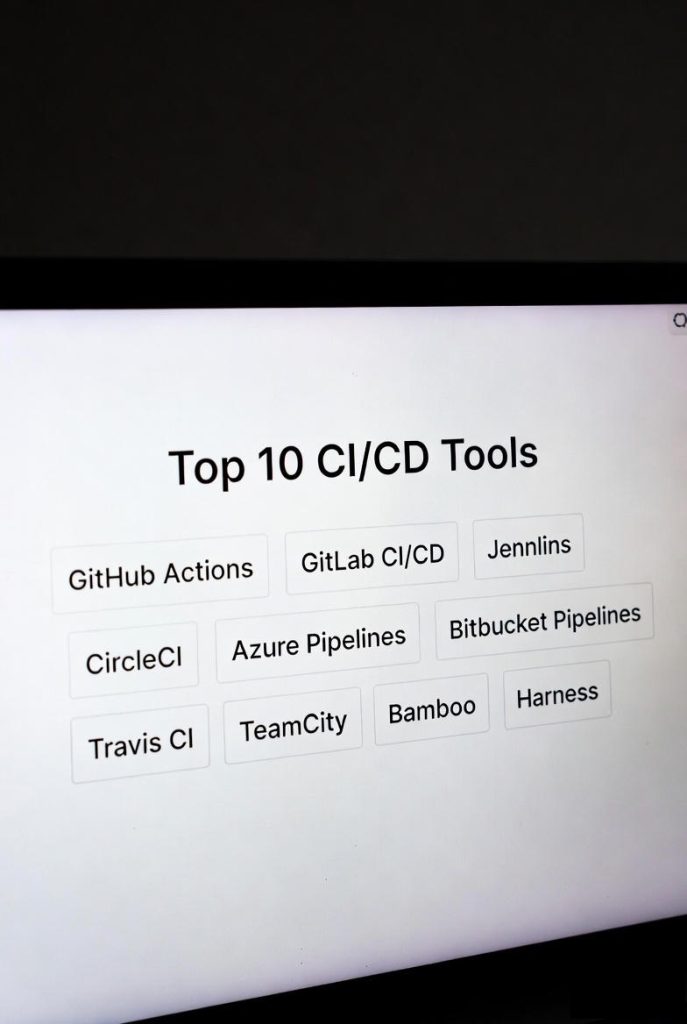
Top 10 CI/CD Tools
1 — GitHub Actions
GitHub Actions is a tool built directly into GitHub. It allows you to automate your workflow right where your code lives. Because it is native to the world’s most popular code hosting site, it has become a top choice for millions of developers.
- Key Features:
- Works directly within your GitHub repository.
- Uses a huge library of “Actions” created by the community.
- Supports Linux, Windows, and macOS environments.
- Triggers automation based on events like “Pull Requests.”
- Built-in secret management for passwords and keys.
- Offers “Matrix builds” to test code on many versions at once.
- Pros:
- Extremely easy to start if your code is already on GitHub.
- Very generous free tier for public and private projects.
- Cons:
- Only works with GitHub repositories; you cannot use it with GitLab or Bitbucket.
- Complex workflows can sometimes be hard to debug.
- Security & compliance: SOC 2, ISO 27001, GDPR compliant; features SSO and encrypted secrets.
- Support & community: Massive community; excellent documentation; large marketplace for help.
2 — GitLab CI/CD
GitLab is often seen as the biggest rival to GitHub. Its CI/CD tool is famous for being a “complete package.” Instead of needing many different tools for security and testing, GitLab tries to do it all in one place.
- Key Features:
- “Auto DevOps” feature that sets up your pipeline for you.
- Built-in container registry to store your app images.
- Strong focus on security with built-in vulnerability scanning.
- Supports Kubernetes-native deployments.
- Powerful “Runner” system that can run on any server.
- Integrated monitoring to see how your app is performing.
- Pros:
- All-in-one platform means you do not have to glue different tools together.
- Excellent for teams with very high security and compliance needs.
- Cons:
- The interface can feel “heavy” and overwhelming for beginners.
- The paid versions can become quite expensive for large teams.
- Security & compliance: GDPR, SOC 2, HIPAA, and ISO 27001 compliant; comprehensive audit logs.
- Support & community: High-quality enterprise support; very active developer community.
3 — Jenkins
Jenkins is the most famous open-source tool for automation. It is a tool you download and run on your own computers. It is highly flexible because it has been around for a long time and has thousands of add-ons.
- Key Features:
- Over 1,800 plugins to connect to almost any technology.
- Completely free to use (no monthly subscription).
- “Pipeline as Code” using a file called a Jenkinsfile.
- Distributes work across many different machines for speed.
- Highly customizable—you can make it do almost anything.
- Pros:
- Total control over your data and how the tool works.
- No cost for the software itself, which is great for budget-conscious teams.
- Cons:
- It requires a lot of “babysitting” and maintenance.
- The user interface looks older and can be confusing.
- Security & compliance: Varies; depends on how you set it up; supports SSO and RBAC via plugins.
- Support & community: The largest community in the world, but no official “customer support” line unless using a paid vendor.
4 — CircleCI
CircleCI is a modern, cloud-based tool known for its incredible speed. It is designed to stay out of the developer’s way and just work. It is particularly popular with startups that need to move fast.
- Key Features:
- “Orbs” system—reusable chunks of code to set up pipelines fast.
- Top-tier caching to make builds run much quicker.
- SSH debugging, allowing you to “log in” to a failing build to fix it.
- Native support for Docker and Kubernetes.
- Insights dashboard to see which tests are slow or failing often.
- Pros:
- One of the fastest tools on the market for running tests.
- Very easy to set up for standard web applications.
- Cons:
- Pricing is based on “credits,” which can be hard to predict.
- The free tier has limits that growing teams might hit quickly.
- Security & compliance: SOC 2 Type II and FedRAMP certified; supports OIDC.
- Support & community: Very responsive support team; great documentation.
5 — Azure Pipelines
Part of the Microsoft Azure DevOps suite, this tool is the best choice for companies that already use Microsoft products. It works well with any cloud, but its integration with Azure is seamless.
- Key Features:
- Works with any language (Python, Java, Node, etc.).
- Supports Windows, Linux, and macOS.
- Can deploy to any cloud provider, not just Microsoft.
- Includes a “visual” editor for those who do not want to write code.
- Tight integration with Azure Kubernetes Service.
- Pros:
- Best-in-class support for Windows-based applications.
- Great for large enterprises that need strict “gates” before code is released.
- Cons:
- The setup can be complex if you are not using the rest of the Azure suite.
- The user interface can feel a bit corporate and “dry.”
- Security & compliance: ISO 27001, SOC 1/2, HIPAA compliant; strong enterprise governance.
- Support & community: Professional Microsoft support; massive enterprise user base.
6 — Bitbucket Pipelines
If your team uses Bitbucket for code storage (another Atlassian product, like Jira), this is the natural choice. It is simple, integrated, and gets the job done without extra bells and whistles.
- Key Features:
- Built directly into the Bitbucket interface.
- Uses a simple YAML file for configuration.
- “Pipes” feature allows for easy integrations with AWS or Slack.
- Shows deployment status directly on your Jira tickets.
- Completely cloud-based—nothing to install.
- Pros:
- Great for teams that live in Jira and Bitbucket.
- Low cost for small teams.
- Cons:
- Lacks some advanced power features of GitLab or CircleCI.
- Only works with Bitbucket.
- Security & compliance: SOC 2 and GDPR compliant; uses Atlassian’s security stack.
- Support & community: Standard Atlassian support; good documentation.
7 — Travis CI
Travis CI was one of the first cloud CI tools and remains a favorite for open-source projects. It is famous for its “clean” approach—every time it runs, it starts with a brand-new, fresh computer environment.
- Key Features:
- Very simple setup with a file named
.travis.yml. - Supports over 30 different programming languages.
- Automatically runs tests whenever you push code.
- Great for testing across different versions of an OS.
- Easy integration with GitHub and Bitbucket.
- Very simple setup with a file named
- Pros:
- Zero-maintenance; you do not have to manage any servers.
- Historically very supportive of the open-source community.
- Cons:
- The pricing for private projects is higher than some newer competitors.
- Fewer advanced features like AI-driven failure prediction.
- Security & compliance: SOC 2 compliant; supports encrypted environment variables.
- Support & community: Solid documentation; helpful community forums.
8 — TeamCity
Built by JetBrains, TeamCity is a “smart” CI/CD server. It is powerful and focused on giving developers very detailed information about their code and why builds might be failing.
- Key Features:
- Detects “flaky” tests that fail randomly.
- Provides very detailed reports on build history.
- Reuses previous build parts to save time.
- Excellent support for .NET and Java environments.
- On-premise and cloud versions available.
- Pros:
- The most detailed reporting of any tool on this list.
- Very stable and reliable for large-scale enterprise use.
- Cons:
- The license costs can be high.
- The learning curve is steeper than GitHub Actions.
- Security & compliance: Strong RBAC; audit logs; integration with security scanners.
- Support & community: Excellent professional support from JetBrains.
9 — Bamboo
Bamboo is Atlassian’s older, more “enterprise” version of a CI/CD tool. While Bitbucket Pipelines is for the cloud, Bamboo is often used by companies that want to run their own servers in-house.
- Key Features:
- Deep integration with Jira and Confluence.
- Dedicated “Deployment Projects” to manage releases.
- Built-in “agents” to handle the work of building code.
- Visual representation of the path from code to production.
- Pros:
- Perfect for big companies that already use Jira and need to stay on-premise.
- Very organized way of handling multiple release environments.
- Cons:
- Requires manual setup and server management.
- It is not updated as frequently as newer cloud tools.
- Security & compliance: ISO 27001; SOC 2; fine-grained permissions.
- Support & community: Professional Atlassian support.
10 — Harness
Harness is a newer player that uses automation and machine learning to help manage your pipelines. It is designed to make the “Delivery” part of CI/CD much safer.
- Key Features:
- Automated “Canary” deployments (testing on a few users first).
- Automated rollbacks if a problem is detected after deployment.
- Cloud cost management built right into the pipeline.
- “GitOps” approach for managing infrastructure.
- Focuses on reducing “deployment toil” for engineers.
- Pros:
- Takes the “fear” out of deploying to production.
- Excellent tool for companies using modern cloud-native (Kubernetes) tech.
- Cons:
- Can be “overkill” for a simple website.
- Pricing can be complex for smaller teams.
- Security & compliance: SOC 2 Type II; GDPR; includes secret management.
- Support & community: Growing community; strong dedicated support.
Comparison Table
| Tool Name | Best For | Platform(s) Supported | Standout Feature | Rating (Gartner) |
| GitHub Actions | GitHub Users | Cloud / Hybrid | Native Event Triggers | 4.5 / 5 |
| GitLab CI/CD | All-in-one DevOps | Cloud / On-Prem | Built-in Security Scans | 4.5 / 5 |
| Jenkins | Customization | On-Prem | 1,800+ Plugins | 4.4 / 5 |
| CircleCI | Performance/Speed | Cloud / Hybrid | Reusable “Orbs” | 4.6 / 5 |
| Azure Pipelines | Microsoft Ecosystem | Cloud / Hybrid | Visual Pipeline Editor | 4.4 / 5 |
| Bitbucket Pipes | Atlassian Users | Cloud | Jira Integration | 4.4 / 5 |
| Travis CI | Open Source | Cloud | Zero-Config Setup | N/A |
| TeamCity | Build Quality | Cloud / On-Prem | Flaky Test Detection | 4.6 / 5 |
| Bamboo | Enterprise Release | On-Prem | Deployment Traceability | 4.4 / 5 |
| Harness | Advanced Automation | Cloud | Automated Rollbacks | 4.6 / 5 |
Evaluation & Scoring of CI/CD Tools
The following table evaluates these tools based on a weighted scoring rubric designed for a typical modern engineering team.
| Category | Weight | Evaluation Criteria |
| Core Features | 25% | Ability to build, test, and deploy across various environments. |
| Ease of Use | 15% | How quickly a new developer can learn the tool. |
| Integrations | 15% | How well it talks to other tools like Slack, Jira, and AWS. |
| Security & Compliance | 10% | Encryption, SSO, and compliance certifications. |
| Performance | 10% | Speed of the builds and reliability of the service. |
| Support & Community | 10% | Quality of documentation and help from the company. |
| Price / Value | 15% | Fairness of the cost relative to the features provided. |
Which CI/CD Tool Is Right for You?
Choosing the right tool is not about finding the “best” one; it is about finding the best one for your specific situation.
- Solo Users & Small Startups: Go with GitHub Actions. It is free for many users, lives where your code lives, and requires almost no maintenance. If you are not on GitHub, Travis CI is a great, simple alternative.
- Small to Mid-Sized Businesses (SMBs): If you need speed and your developers are complaining about slow tests, look at CircleCI. It can save money by saving your developers’ time.
- Enterprises with Strict Rules: If you are in banking, healthcare, or government, GitLab or Azure Pipelines are often the best. They offer the “governance” and audit trails that big companies need.
- Budget-Conscious Teams: If you have zero dollars to spend on software but you have a spare server sitting in the corner, Jenkins is a classic choice. Just be prepared to spend time fixing it yourself.
- Modern Cloud-Native Teams: If you are using Kubernetes and complex microservices, Harness is worth the investment because its automation can prevent expensive production outages.
Frequently Asked Questions (FAQs)
1. Is CI/CD the same as DevOps?
No. DevOps is a “culture” or a way of working. CI/CD tools are the specific “engines” that make that culture possible by automating the work.
2. Can I use more than one CI/CD tool?
Yes. Some companies use Jenkins for complex builds but GitHub Actions for simple deployments. However, using just one tool is usually easier to manage.
3. Do I need to be a coding expert to use these?
Most modern tools use a language called “YAML.” It is easy to read and looks like a list. You do not need to be a master coder, but you do need to understand the basics of how software is built.
4. How much do these tools cost?
It varies. Many have a free tier. Paid plans for small teams usually start around $15–$30 per month. Large companies can spend significantly more based on their needs.
5. What is a “Runner” in CI/CD?
A runner is the actual computer (often a virtual one in the cloud) that carries out the instructions in your pipeline, like “run the test” or “compress the image.”
6. Is Jenkins still relevant?
Yes. Even though it is older, its massive library of plugins means it can do things newer tools simply cannot. Many large companies still rely on it for their most complex tasks.
7. How do these tools improve security?
They can automatically scan your code for passwords you accidentally left behind or find “vulnerabilities” (weak spots) in the libraries you are using.
8. What is “Pipeline as Code”?
It means your automation instructions are written in a text file and stored with your code. This allows you to track changes to your automation just like you track changes to your software.
9. Can CI/CD help with mobile apps?
Absolutely. Tools like CircleCI and GitHub Actions have special settings to build and test apps for iPhones (iOS) and Android devices.
10. What is a common mistake when starting with CI/CD?
Making the pipeline too complex too quickly. Start small—just automate your tests first. Once that works, then worry about automating the deployment.
Conclusion
Choosing a CI/CD tool is one of the most important decisions an engineering team can make. It transforms the way you work by removing manual errors and speeding up your releases.
If you want the easiest path, GitHub Actions is likely your winner. If you want a complete platform that handles security and monitoring in one place, GitLab is the way to go. For those who need complete control and have the time to manage it, Jenkins remains a powerful choice.
Ultimately, the “best” tool depends on your team’s skills, your budget, and the software you are building. Start with a simple test, and see which one fits your workflow best.