Performance testing is a way to check how well a website or an app works when many people use it at the same time. Think of it like a stress test for a bridge. Before you let thousands of cars drive across it, you want to be sure it won’t shake, slow down traffic, or fall apart. In the world of software, these tools act as “virtual crowds.” They simulate thousands of users clicking buttons, searching for items, or buying products to see if the system stays fast and stable.
This process is important because today, people have very little patience for slow technology. If a page takes more than a few seconds to load, most users will leave and never come back. Performance testing helps developers find “bottlenecks”—the digital equivalent of a narrow road that causes a traffic jam. By finding these spots early, teams can fix them before the public ever sees a problem.
Common real-world uses include preparing for a big sale (like Black Friday), making sure a new banking app can handle thousands of logins every minute, or checking if a video streaming service can play movies smoothly for everyone at once. When looking for a tool, you should consider how easy it is to write tests, whether it works with your specific technology, and if it can grow as your needs grow.
Best for:
- Software Developers and Testers: People who build apps and want to make sure their code is fast.
- Large Enterprises: Companies that run massive websites where even a tiny bit of slowdown costs a lot of money.
- Small Businesses: Teams launching new products who want to avoid a “crash” on day one.
Not ideal for:
- Static Websites: If you have a simple site that just shows text and photos with very few visitors, you probably don’t need heavy-duty testing.
- Manual Testing Teams: These tools require some technical setup; they aren’t a replacement for a human checking if a button looks the right color.
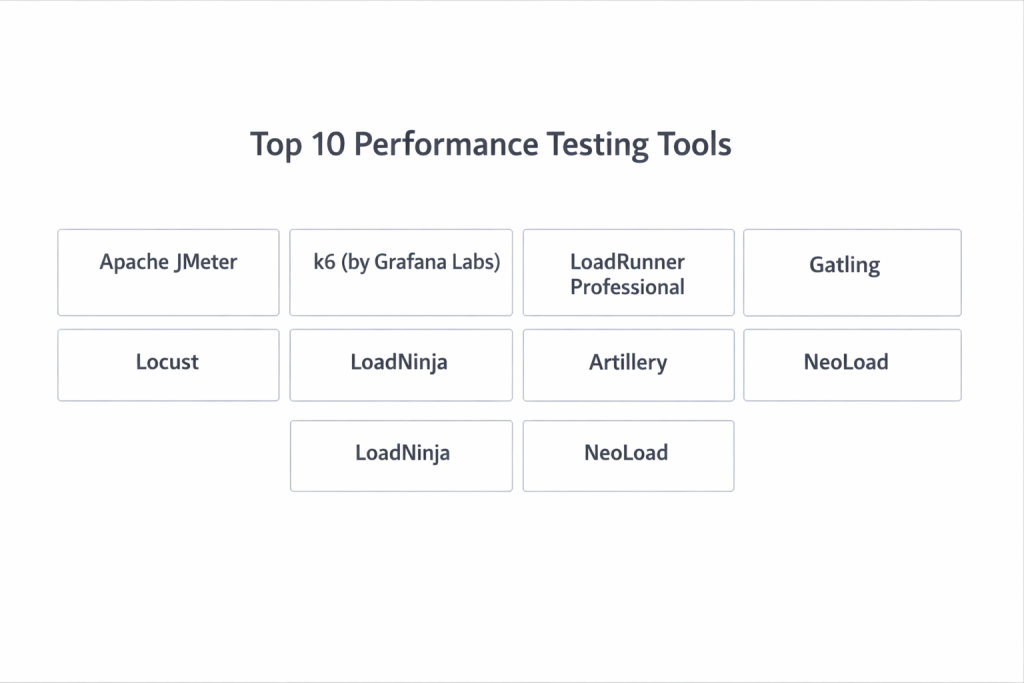
Top 10 Performance Testing Tools
1 — Apache JMeter
This is one of the most famous tools in the world. It is a free, open-source application that can test the performance of many different types of web services and databases.
- Key features:
- Works on any computer that can run Java.
- Has a visual interface to build tests without writing much code.
- Supports many different protocols like HTTP, FTP, and TCP.
- Can show results in charts, tables, and logs.
- Has a huge library of extra “plugins” created by other users.
- Allows you to run tests from many computers at once to create a huge load.
- Pros:
- It is completely free to use for any purpose.
- There is a massive community of people who can help if you get stuck.
- Cons:
- It uses a lot of computer memory, which can make it slow on older machines.
- The interface looks a bit old-fashioned and can be confusing at first.
- Security & compliance: Varies / N/A (Since it is a local tool, security depends on your own computer setup).
- Support & community: Excellent. There are thousands of tutorials and forums online.
2 — k6 (by Grafana Labs)
k6 is a modern tool built for people who like to write code. It is very fast and uses less computer power than many older tools.
- Key features:
- Tests are written in JavaScript, a very popular language.
- It is very lightweight and runs quickly.
- It can be easily added to a “pipeline” that runs tests automatically.
- The cloud version offers beautiful dashboards.
- Focuses on the “developer experience” with easy-to-read commands.
- Pros:
- Very efficient; you can simulate many users with just a little bit of hardware.
- Great for modern teams who want to test their code every single day.
- Cons:
- You need to know how to write some code to use it effectively.
- The free version doesn’t have the advanced reporting of the paid version.
- Security & compliance: SOC 2, GDPR, and ISO 27001 compliant (Cloud version).
- Support & community: Very strong. There is a dedicated Slack channel and great documentation.
3 — LoadRunner Professional
This is the “gold standard” for large corporations. It has been around for a long time and can test almost any kind of technology, even very old systems.
- Key features:
- Supports hundreds of different technologies and protocols.
- Can simulate extremely complex user behaviors.
- Includes a tool that records what you do on a website and turns it into a test.
- Provides very detailed data on exactly why a system is slow.
- Pros:
- It can handle the most complicated enterprise apps that other tools can’t touch.
- Highly reliable and backed by a major company.
- Cons:
- It is very expensive compared to other options.
- It takes a long time to learn how to use all of its features.
- Security & compliance: SOC 2, ISO 27001, HIPAA, and GDPR compliant.
- Support & community: Enterprise-level support with 24/7 help available.
4 — Gatling
Gatling is known for being “asynchronous,” which is just a fancy way of saying it can handle a lot of work without getting bogged down.
- Key features:
- Uses a special language that makes it easy to describe user paths.
- Produces colorful and easy-to-understand reports.
- Very good at testing APIs (the “connectors” between different software).
- Runs very fast on standard computers.
- Pros:
- Excellent for high-scale testing where you need to simulate millions of users.
- The reports are some of the best in the industry.
- Cons:
- The scripting language (Scala) can be hard for beginners to learn.
- The free version is missing some of the best team-sharing features.
- Security & compliance: SOC 2 Type II and GDPR compliant (Enterprise version).
- Support & community: Good documentation and an active user forum.
5 — BlazeMeter
BlazeMeter is like a “power-up” for other tools. It lives in the cloud and makes it easy to run tests that you already built in JMeter or k6.
- Key features:
- Works seamlessly with open-source tools.
- Allows you to run tests from different parts of the world (like London or New York).
- Can test both web and mobile apps.
- Includes “Mock Services” to simulate parts of an app that aren’t finished yet.
- Pros:
- Very easy to scale up from 10 users to 1,000,000 users.
- No need to set up your own servers to run the tests.
- Cons:
- The costs can add up quickly if you run a lot of tests.
- It requires an internet connection to work.
- Security & compliance: SOC 2 Type II, ISO 27001, and GDPR compliant.
- Support & community: Offers “BlazeMeter University” for free training.
6 — NeoLoad
NeoLoad is designed for teams that move fast. It uses smart automation to help you build and update your tests much faster than traditional methods.
- Key features:
- A “drag-and-drop” interface that requires very little coding.
- Uses AI to help maintain tests when the app changes.
- Integrates with tools that monitor how your servers are feeling.
- Supports modern tech like WebSockets and HTTP/2.
- Pros:
- You can create tests much faster than with manual scripting.
- Very user-friendly for people who aren’t experts in coding.
- Cons:
- The license can be pricey for smaller teams.
- The interface can feel heavy with too many options.
- Security & compliance: SOC 2 Type II and GDPR compliant.
- Support & community: Strong professional support and training certifications.
7 — Locust
Locust is a favorite for people who love the Python programming language. It is unique because it is “event-based,” making it very efficient.
- Key features:
- Everything is written in plain Python code.
- Has a simple web-based dashboard to watch tests live.
- Can be spread across many computers easily.
- Very easy to customize for “weird” or unique testing needs.
- Pros:
- If you know Python, you can do almost anything with this tool.
- It is completely free and very lightweight.
- Cons:
- The built-in reports are a bit basic.
- Requires a good understanding of Python to get the most out of it.
- Security & compliance: Varies / N/A (Security depends on your environment).
- Support & community: Active community on GitHub and Discord.
8 — LoadNinja
LoadNinja is built by SmartBear and focuses on testing within a real web browser. This makes the results more accurate to what a human actually experiences.
- Key features:
- Uses real browsers (not just “scripts”) to run tests.
- No coding or scripting required; just record your actions.
- Provides real-time looks at what the users are seeing.
- Identifies exactly which line of code is slowing things down.
- Pros:
- Extremely fast to set up and start testing.
- The results are very realistic.
- Cons:
- Running real browsers is expensive and uses a lot of resources.
- Not as flexible for testing things that aren’t websites.
- Security & compliance: SOC 2 and GDPR compliant.
- Support & community: Good enterprise support and documentation.
9 — Artillery
Artillery is a tool designed for the modern “cloud-native” world. It is simple, powerful, and built to work with modern web tech.
- Key features:
- Uses simple text files (YAML) to define how a test should run.
- Focuses on testing APIs and microservices.
- Can be run from your own computer or from the cloud.
- Integrates with monitoring tools like Grafana.
- Pros:
- Very easy for developers to pick up and use quickly.
- The “Pro” version is great for large-scale cloud testing.
- Cons:
- The free version has limited reporting.
- It’s not ideal for testing very old or “legacy” software.
- Security & compliance: GDPR compliant; Pro version has secure AWS integration.
- Support & community: Active GitHub community and direct help for paid users.
10 — WebLOAD
WebLOAD is an enterprise tool that balances power with ease of use. It is great for companies that have complex web apps but want a clear way to manage them.
- Key features:
- Supports a wide range of web technologies.
- Has a smart “correlation” engine that automatically fixes broken scripts.
- Can run on-site or in the cloud.
- Provides very deep analytics into server performance.
- Pros:
- Excellent at handling dynamic data (like session IDs) that often breaks other tools.
- Strong reporting that is easy to share with bosses.
- Cons:
- The visual interface looks a bit dated.
- Learning all the advanced features takes time.
- Security & compliance: SOC 2 and ISO 27001 compliant.
- Support & community: Professional technical support and a solid knowledge base.
Comparison Table
| Tool Name | Best For | Platform(s) Supported | Standout Feature | Rating |
| Apache JMeter | Versatile Open Source | Windows, Mac, Linux | Massive Plugin Ecosystem | 4.3 / 5 |
| k6 | Developers / DevOps | Cloud, On-Premise | High Resource Efficiency | 4.7 / 5 |
| LoadRunner | Giant Enterprises | Windows, Cloud | Widest Protocol Support | 4.5 / 5 |
| Gatling | Scalable API Testing | Cloud, On-Premise | High-Perf Async Engine | 4.6 / 5 |
| BlazeMeter | Cloud Scaling | Cloud (SaaS) | One-Click Scaling | 4.4 / 5 |
| NeoLoad | Fast Agile Teams | Windows, Linux, Cloud | AI-Powered Maintenance | 4.5 / 5 |
| Locust | Python Users | Linux, Mac, Windows | Python-Based Scripts | 4.2 / 5 |
| LoadNinja | No-Code Testing | Cloud (Browser-based) | Real Browser Playback | 4.0 / 5 |
| Artillery | Modern Web / APIs | Node.js, Cloud | YAML Configuration | 4.3 / 5 |
| WebLOAD | Complex Web Apps | Windows, Cloud | Smart Correlation Engine | 4.1 / 5 |
Evaluation & Scoring of Performance Testing Tools
To choose the best tool, we look at different factors. Here is how we score them based on what matters most to most people:
| Category | Weight | What it Means |
| Core Features | 25% | Can it do load, stress, and spike testing? Does it support your tech? |
| Ease of Use | 15% | How fast can a new person learn to use it? |
| Integrations | 15% | Does it talk to your other tools (like Jenkins or Slack)? |
| Security & Compliance | 10% | Does it follow rules like GDPR or SOC 2? |
| Performance | 10% | Does the tool itself run fast without crashing? |
| Support & Community | 10% | Is there help available when things go wrong? |
| Price / Value | 15% | Is the cost worth what you get in return? |
Which Performance Testing Tool Is Right for You?
Choosing the “best” tool is like choosing the best car; it depends on where you are going.
- For Solo Users & Beginners: If you are just starting out, Apache JMeter is great because it is free and has tons of tutorials. If you know a little coding, Locust or k6 are excellent choices because they are simple and don’t require expensive hardware.
- For Small & Medium Businesses: If you have a small team, you probably want something that saves you time. LoadNinja or BlazeMeter are good because they handle the hard work of setting up servers, letting you focus on testing.
- For Large Enterprises: If you work at a massive company with old and new systems mixed together, LoadRunner or NeoLoad are the safest bets. They are built to handle complexity and offer the best security.
- Budget vs. Power: If you have no budget, stick with JMeter, Gatling, or Locust. If you have a budget but want ease of use, look at NeoLoad or WebLOAD.
- Security Needs: If you work in a field like healthcare or banking, make sure you choose a tool like LoadRunner or k6 Cloud that has high-level security certifications.
Frequently Asked Questions (FAQs)
1. What is the difference between load testing and stress testing?
Load testing checks how the app works under a “normal” or “expected” amount of users. Stress testing pushes the app until it actually breaks to see where the limit is.
2. Do I need to know how to code to use these tools?
Not necessarily. Tools like LoadNinja and NeoLoad are designed to be used without coding. However, knowing a little bit of code helps you do more complex things.
3. Why should I use a cloud-based tool?
Cloud tools are great because you don’t have to buy or manage your own servers. They also let you test how your app looks to people in different countries.
4. Is JMeter still good even though it’s old?
Yes! Because it is free and has so many plugins, it is still one of the most used tools in the world. It works for almost any standard web test.
5. How many virtual users should I test with?
You should start with your average daily traffic and then slowly increase it to your “peak” traffic (like during a big sale) to see what happens.
6. Can these tools test mobile apps?
Most of them can. Some, like BlazeMeter and LoadRunner, have special features specifically for testing how apps perform on phones.
7. What is “Shift-Left” testing?
This is a fancy term for testing as early as possible in the building process. It’s much cheaper to fix a speed problem on day one than on the day you launch.
8. Are open-source tools secure?
The tools themselves are usually safe, but because you manage them yourself, you are responsible for keeping your data and servers secure.
9. How long does a performance test take to run?
A simple test can take a few minutes. A “soak test,” which checks for problems that only happen over a long time, might run for 24 hours or more.
10. What is a “bottleneck”?
A bottleneck is the specific part of your system that is slowing everything else down. It could be a slow database, a weak server, or a poorly written piece of code.
Conclusion
Performance testing is no longer “optional.” In a world where every second counts, knowing that your website can handle a crowd is vital for success. Whether you choose a free tool like Apache JMeter or a powerful enterprise solution like LoadRunner, the most important thing is to start testing early and often.
Remember, there is no single “perfect” tool. The best one for you is the one that fits your team’s skills, your company’s budget, and your technical needs. Start small, learn how your system behaves under pressure, and you will be well on your way to providing a fast, reliable experience for all your users.