Introduction
Virtual Desktop Infrastructure (VDI) is a technology that uses virtual machines to provide and manage virtual desktops. VDI hosts desktop environments on a centralized server and deploys them to end-users on request. This means the actual “computing” happens in a data center or the cloud, while the user interacts with their desktop through a “thin client” or a standard laptop, tablet, or smartphone. Unlike simple remote desktop software, VDI creates a sophisticated, isolated environment for each user, ensuring that one person’s heavy workload doesn’t slow down their colleague’s session.
The importance of VDI has skyrocketed in the era of hybrid work and high-security requirements. It allows organizations to maintain absolute control over sensitive data, as the data never actually leaves the server; only a visual stream of the desktop is sent to the user’s device. Key real-world use cases include financial institutions managing remote traders, healthcare providers accessing patient records securely across multiple clinics, and engineering firms providing high-performance GPU power to remote designers. When evaluating VDI tools, users should look for display protocol efficiency, GPU acceleration support, simplicity of image management, and integration with existing cloud ecosystems.
Best for: Large enterprises, highly regulated industries (Finance, Healthcare, Government), and organizations with a high volume of contract or remote workers. It is ideal for IT managers who need to secure data while providing a consistent desktop experience across thousands of global endpoints.
Not ideal for: Small businesses with fewer than 10 employees who don’t have complex security needs; for them, simple Remote Desktop (RDP) or DaaS (Desktop as a Service) is often more cost-effective. It is also not ideal for users with zero internet connectivity, as VDI requires a persistent connection to the host.
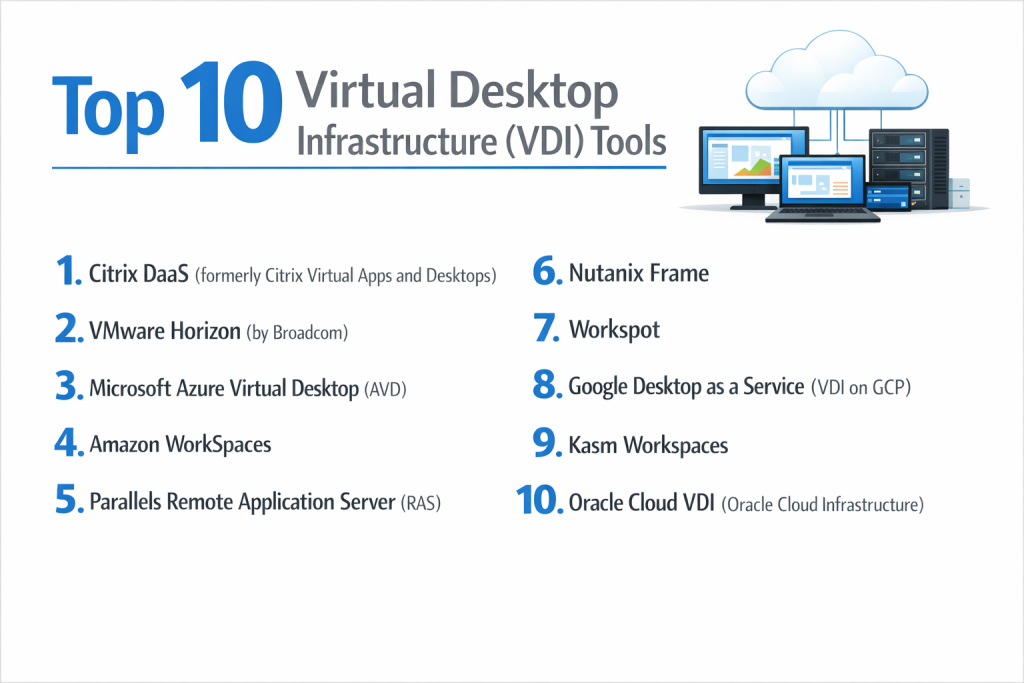
Top 10 Virtual Desktop Infrastructure (VDI) Tools
1 — Citrix DaaS (formerly Citrix Virtual Apps and Desktops)
Citrix is the long-standing industry leader in VDI, known for its high-performance HDX protocol that delivers a crisp user experience even over high-latency connections.
- Key Features:
- HDX Protocol: Optimizes voice, video, and high-res graphics for low-bandwidth environments.
- Multi-Cloud Flexibility: Can be deployed on AWS, Azure, Google Cloud, or on-premises.
- App Layering: Separates applications from the OS for easier patching and management.
- Citrix Gateway: Provides secure remote access without the need for a traditional VPN.
- Workspace Environment Management (WEM): Uses AI to optimize system resources for better performance.
- Comprehensive Analytics: Tracks user behavior and system health to preemptively fix issues.
- Pros:
- Unmatched user experience for high-demand applications like 3D modeling.
- Extremely granular administrative controls for complex global deployments.
- Cons:
- High complexity requires certified experts to set up and maintain.
- Licensing costs are among the highest in the industry.
- Security & compliance: SSO, Multi-Factor Authentication (MFA), FIPS 140-2, SOC 2, HIPAA, and GDPR.
- Support & community: World-class enterprise support, extensive certification programs, and a massive global user community.
2 — VMware Horizon (by Broadcom)
VMware Horizon is the primary competitor to Citrix, offering deep integration with the vSphere ecosystem, making it the natural choice for organizations already invested in VMware virtualization.
- Key Features:
- Blast Extreme Protocol: An adaptive protocol that supports H.264 and H.265 hardware encoding.
- Instant Clones: Create hundreds of desktops in seconds from a single master image.
- App Volumes: Delivers applications to desktops in real-time as virtual disks.
- Dynamic Environment Manager (DEM): Persists user settings across non-persistent desktops.
- vSAN Integration: Simplifies storage management by pooling local disks into a virtual SAN.
- Unified Endpoint Management: Manage mobile devices and VDI from a single console.
- Pros:
- Excellent performance and stability for Windows and Linux desktops.
- Seamless transition for teams already comfortable with VMware vCenter.
- Cons:
- Recent changes in Broadcom’s licensing model have caused budget uncertainty for some users.
- Initial hardware investment for on-premises deployments can be significant.
- Security & compliance: AES-256 encryption, SSO, SOC 2, ISO 27001, HIPAA, and FedRAMP (for Horizon Cloud).
- Support & community: Robust professional services, active forums, and extensive third-party documentation.
3 — Microsoft Azure Virtual Desktop (AVD)
AVD is a cloud-native VDI service that provides the only multi-session Windows 10/11 experience, significantly reducing costs for Microsoft 365 users.
- Key Features:
- Windows 10/11 Multi-session: Allows multiple users on a single virtual machine without losing the “client” feel.
- FSLogix Profile Containers: Lightning-fast load times for user profiles and Outlook data.
- Native Microsoft 365 Integration: Optimized for Teams, OneDrive, and Office apps.
- Autoscaling: Automatically shuts down unused VMs to save on consumption costs.
- Azure Portal Management: Managed entirely through the familiar Azure interface.
- RDP Shortpath: Establishes a direct UDP connection for lower latency.
- Pros:
- The most cost-effective solution for organizations already on Microsoft 365 E3/E5 licenses.
- Virtually zero hardware maintenance as it is a fully managed cloud service.
- Cons:
- Limited to the Azure cloud; not a viable option for pure on-premises requirements.
- Troubleshooting network latency can be difficult without deep Azure knowledge.
- Security & compliance: Microsoft Entra ID (formerly Azure AD) integration, SSO, SOC 1/2/3, HIPAA, and GDPR.
- Support & community: Integrated with Azure support tiers; massive documentation library and Microsoft Tech Community.
4 — Amazon WorkSpaces
Amazon WorkSpaces is a fully managed Desktop-as-a-Service (DaaS) solution that provides a simple, persistent desktop experience on the AWS cloud.
- Key Features:
- Choice of Protocol: Supports both PCoIP and the high-performance WSP (WorkSpaces Streaming Protocol).
- Persistent Storage: Data is automatically saved and backed up within the AWS environment.
- Monthly or Hourly Billing: Pay only for the hours users are actually connected.
- BYOL (Bring Your Own License): Allows use of existing Windows licenses to lower costs.
- WorkSpaces Web: A low-cost browser-only version for accessing internal web apps.
- Active Directory Integration: Connects to your existing on-premises or cloud AD.
- Pros:
- Extremely fast to deploy; you can spin up a desktop in minutes.
- No minimum commitment makes it ideal for startups and trial projects.
- Cons:
- The “persistent” model can be more expensive at scale compared to multi-session models.
- Customization of the management console is limited compared to Citrix or VMware.
- Security & compliance: AES-256 encryption, MFA, SOC 1/2/3, HIPAA, PCI DSS, and ISO 27001.
- Support & community: Standard AWS support plans; excellent documentation for developers and IT admins.
5 — Parallels Remote Application Server (RAS)
Parallels RAS is praised for its simplicity and ease of use, providing a high-quality VDI experience without the steep learning curve of its larger competitors.
- Key Features:
- Universal Printing/Scanning: Works out-of-the-box without manual driver installation.
- Cross-Platform Client: Excellent clients for macOS, iOS, ChromeOS, and Android.
- Automated Image Deployment: Simplifies the creation of VDI clones and RDSH hosts.
- Smart Load Balancing: Distributes traffic based on server resource availability.
- HTML5 Portal: Access applications and desktops via any modern browser.
- Simplified Console: A single pane of glass for all administrative tasks.
- Pros:
- Much faster to learn and deploy than Citrix or VMware.
- Very affordable and transparent all-in-one licensing model.
- Cons:
- May lack some of the extreme high-end graphics optimizations found in Citrix HDX.
- Smaller third-party ecosystem compared to the “Big Three.”
- Security & compliance: FIPS 140-2, SSO, MFA, GDPR, and HIPAA compliance.
- Support & community: 24/7 technical support, comprehensive training videos, and a dedicated partner network.
6 — Nutanix Frame
Nutanix Frame is a cloud-first, browser-centric VDI platform that eliminates the need for any client-side software, running entirely in HTML5.
- Key Features:
- Browser-Based: No apps or plugins needed; just a modern web browser.
- Multi-Cloud/Hybrid: Run on AWS, Azure, Google Cloud, or Nutanix AHV on-premises.
- Frame Remoting Protocol (FRP): High-efficiency protocol based on H.264/H.265.
- Nutanix Files Integration: Seamlessly connect cloud desktops to centralized file storage.
- Sandbox Management: Test app updates in a sandbox before pushing to production.
- GPU Support: Excellent performance for heavy graphical workloads in the browser.
- Pros:
- The best “zero-client” experience on the market.
- Extremely flexible deployment across virtually any infrastructure.
- Cons:
- Requires a Nutanix ecosystem to get the most out of on-premises deployments.
- Browser-based printing can sometimes be less robust than native client printing.
- Security & compliance: SOC 2, HIPAA, GDPR, and ISO 27001.
- Support & community: Highly rated Nutanix support team and an active “Nutanix Next” community.
7 — Workspot
Workspot is a modern DaaS platform that uses a unique architecture to separate the control plane from the data plane, resulting in lower latency and higher security.
- Key Features:
- Global Desktop Fabric: Deploy desktops across multiple cloud regions globally.
- Cloud-Native Architecture: Built from the ground up for Azure and Google Cloud.
- Instant Power: Spin up thousands of desktops in any global data center in minutes.
- Real-Time Monitoring: Integrated dashboard for performance and security alerts.
- Flat-Rate Pricing: Simplifies budgeting with predictable monthly costs per user.
- Zero Trust Security: Enforces strict access controls for every session.
- Pros:
- Lower latency for global teams by placing desktops near the user.
- Simple “as-a-service” consumption model removes IT complexity.
- Cons:
- Less established than Citrix or VMware in legacy on-premises environments.
- Not ideal for companies that refuse to use public cloud providers.
- Security & compliance: SOC 2 Type II, HIPAA, and GDPR. Data never resides in the Workspot control plane.
- Support & community: Proactive customer success model and dedicated technical account managers.
8 — Google Desktop as a Service (VDI on GCP)
While Google often partners with Citrix and Nutanix, its native capabilities for providing secure virtual desktops on Google Cloud Platform (GCP) are highly efficient for developers.
- Key Features:
- ChromeOS Integration: Optimized for organizations using Chromebooks.
- Pre-emptible VMs: Significant cost savings for non-critical developer tasks.
- Global Load Balancing: Uses Google’s high-speed global fiber network.
- Identity-Aware Proxy (IAP): Control access to VMs without a VPN.
- VPC Service Controls: Define security perimeters around sensitive data.
- Shielded VMs: Hardened virtual machines to prevent rootkits and boot-level attacks.
- Pros:
- The fastest network speeds for data-heavy workloads.
- Integration with Google Workspace and BigQuery is a massive advantage.
- Cons:
- Lacks a single “packaged” VDI console like Azure Virtual Desktop.
- Often requires third-party brokers (like Itopia) for easier management.
- Security & compliance: FedRAMP, HIPAA, SOC 2, GDPR, and ISO 27001.
- Support & community: Part of Google Cloud Support; active developer communities on Stack Overflow and Reddit.
9 — Kasm Workspaces
Kasm is a unique “Container Streaming” platform that uses Docker containers instead of full virtual machines to deliver applications and desktops.
- Key Features:
- Containerized Desktops: Faster and more resource-efficient than traditional VMs.
- Web-Native: Everything is delivered via a high-performance web browser.
- Disposable Desktops: Every session is created from scratch and destroyed afterward.
- Browser Isolation: Protects the local network from malware by isolating web activity.
- Open Source Version: A community edition is available for smaller projects.
- Developer Friendly: Highly customizable via Dockerfiles and APIs.
- Pros:
- Incredibly fast session startup times.
- Perfect for “secure browsing” and temporary developer environments.
- Cons:
- Not suitable for persistent, long-term Windows desktop use.
- Requires a shift in IT mindset toward containerization.
- Security & compliance: SOC 2 (Varies by provider), GDPR, and HIPAA.
- Support & community: Active Discord and GitHub community; professional support available for enterprise tiers.
10 — Oracle Cloud VDI (Oracle Cloud Infrastructure)
Oracle provides a specialized VDI environment on OCI that is highly tuned for running Oracle Applications and database-heavy software.
- Key Features:
- Oracle Linux Optimization: The best VDI experience for Linux-heavy dev environments.
- OCI High-Performance Computing: Leverages bare-metal instances for VDI.
- Secure Desktops Service: A managed service for low-cost, secure desktop access.
- Flexible Shapes: Adjust CPU and memory independently to match user needs.
- VCN Integration: Deep networking control through Oracle Virtual Cloud Networks.
- Oracle Cloud Marketplace: One-click deployment for partner VDI solutions.
- Pros:
- Excellent performance for users of Oracle E-Business Suite or Peoplesoft.
- Competitive “aggressive” pricing for high-RAM instances.
- Cons:
- The management console is less refined than Azure or AWS.
- Smaller community of VDI experts compared to Citrix or VMware.
- Security & compliance: HIPAA, FedRAMP, SOC 1/2/3, and GDPR.
- Support & community: Integrated with Oracle Support; extensive “Oracle University” training resources.
Comparison Table
| Tool Name | Best For | Platform(s) Supported | Standout Feature | Rating (Gartner/True) |
| Citrix DaaS | Enterprise / Graphics | Multi-Cloud, On-Prem | HDX Protocol | 4.6 / 5 |
| VMware Horizon | VMware Shops | Multi-Cloud, On-Prem | Instant Clones | 4.5 / 5 |
| Azure Virtual Desktops | Microsoft 365 Users | Azure Only | Multi-session Win 11 | 4.7 / 5 |
| Amazon WorkSpaces | Fast Cloud Deployment | AWS Only | Hourly Billing | 4.4 / 5 |
| Parallels RAS | SMB / Ease of Use | Multi-Cloud, On-Prem | Simple Management | 4.5 / 5 |
| Nutanix Frame | Browser-Only Access | Multi-Cloud, Hybrid | Zero-Client HTML5 | 4.6 / 5 |
| Workspot | Global Scale / DaaS | Azure, GCP | Global Desktop Fabric | 4.7 / 5 |
| Google DaaS | Google Workspace Users | GCP Only | Global Fiber Network | 4.3 / 5 |
| Kasm Workspaces | Secure Browsing/Dev | Container-Based | Disposable Sessions | 4.8 / 5 |
| Oracle Cloud VDI | Oracle App Users | OCI Only | Oracle Linux Tuning | N/A |
Evaluation & Scoring of Virtual Desktop Infrastructure (VDI)
We evaluated the top solutions using the following weighted scoring rubric to reflect the priorities of modern IT decision-makers.
| Category | Weight | Description |
| Core Features | 25% | Reliability, protocol efficiency, and desktop performance. |
| Ease of Use | 15% | Intuitiveness of the admin console and speed of deployment. |
| Integrations | 15% | Compatibility with existing clouds (AWS/Azure) and SaaS. |
| Security & Compliance | 10% | Encryption, MFA, and industry-specific certifications. |
| Performance | 10% | Latency, frame rates, and handling of heavy apps. |
| Support & Community | 10% | Documentation quality and community troubleshooting. |
| Price / Value | 15% | ROI, transparency of pricing, and cost per user. |
Which Virtual Desktop Infrastructure (VDI) Tool Is Right for You?
Solo Users vs SMB vs Mid-Market vs Enterprise
- Solo Users: VDI is usually overkill. Look at simple Amazon WorkSpaces or even a high-end Remote Desktop app.
- SMBs: Parallels RAS is the winner here. It offers professional-grade VDI without the need for a full-time Citrix administrator.
- Mid-Market: Azure Virtual Desktop is perfect for mid-sized firms already using Microsoft 365, as it simplifies licensing and security.
- Enterprise: Citrix and VMware remain the gold standard for large-scale, complex needs, particularly if you have an on-premises data center.
Budget-Conscious vs Premium Solutions
- Budget: Azure Virtual Desktop (using multi-session) and Parallels RAS are the most cost-effective.
- Premium: Citrix and BeyondTrust (if using for support) are premium tools that justify their price through extreme optimization and support.
Feature Depth vs Ease of Use
- Feature Depth: Citrix offers the most “knobs and dials” for IT pros.
- Ease of Use: Nutanix Frame and Workspot offer the most streamlined “as-a-service” experience.
Integration and Scalability Needs
If you need to scale globally and instantly, Workspot and AVD are superior because they leverage the massive global footprint of the public cloud. If you need to integrate with on-premises legacy hardware, VMware Horizon is hard to beat.
Frequently Asked Questions (FAQs)
1. What is the difference between VDI and DaaS?
VDI is the technology itself, often managed by your own IT team on your own servers. Desktop-as-a-Service (DaaS) is VDI hosted and managed by a third party (like AWS or Azure), where you just pay a monthly fee.
2. Does VDI work without an internet connection?
Generally, no. VDI relies on a constant connection to the server. If your internet goes out, you lose access to your desktop. However, some tools allow for “offline” modes where a VM is temporarily cached locally.
3. Is VDI more secure than a standard laptop?
Yes. In a VDI environment, the data stays in the data center. If a user loses their laptop or thin client, no data is lost because nothing was ever stored on the device itself.
4. Can I play games or edit video on a VDI?
Yes, but you need a VDI instance with GPU acceleration (like NVIDIA GRID). Citrix and Splashtop are particularly well-known for handling these heavy graphical tasks.
5. Why is VDI so expensive?
The cost comes from the server hardware, storage (IOPS are expensive), and licensing. However, many companies save money on “endpoint” hardware by using $200 thin clients instead of $1,500 laptops.
6. What is a “Thin Client”?
A thin client is a low-cost, low-power computer that has just enough hardware to connect to a VDI server. It has no hard drive and very little local processing power.
7. Can I use my existing Windows licenses for VDI?
It depends on your Microsoft agreement. Generally, you need VDA (Virtual Desktop Access) rights, which are included in most Microsoft 365 E3 and E5 enterprise plans.
8. What is “Persistent” vs. “Non-Persistent” VDI?
Persistent VDI means the user gets the same desktop every time, and their files/shortcuts stay put. Non-persistent means the desktop is wiped and reset every time the user logs out, which is better for security and storage.
9. How many users can one VDI server handle?
This depends entirely on the hardware and the user “profile.” A task worker (data entry) might only need 2GB of RAM, while a power user needs 16GB. A modern server can often handle 50-100 task workers.
10. What is the biggest mistake companies make with VDI?
Underestimating the “Storage IOPS.” If 500 people all log in at 9:00 AM (a “boot storm”), the storage must be fast enough to handle 500 operating systems starting at once, or the system will crash.
Conclusion
The transition to Virtual Desktop Infrastructure (VDI) is no longer just about remote access; it’s about creating a secure, scalable, and manageable digital workplace. Whether you choose the high-performance sophistication of Citrix, the ecosystem-native efficiency of Azure Virtual Desktop, or the browser-based simplicity of Nutanix Frame, the goal remains the same: empowering users to work from anywhere without compromising on data security.
What matters most when choosing a VDI tool is your existing infrastructure and your end-user requirements. A “perfect” tool on paper is useless if your IT team can’t manage its complexity or if your users find it too slow for their daily tasks. Always begin with a small Proof of Concept (PoC) to test your network latency and application compatibility before committing to a full-scale rollout. VDI is a journey toward IT flexibility, and choosing the right partner will ensure that your organization is ready for whatever the future of work brings.