Introduction
Data Backup Tools are specialized software solutions designed to create secure copies of digital information, ensuring that data can be restored in the event of loss, corruption, or hardware failure. In a world where digital assets are the lifeblood of business, these tools act as an insurance policy against the unpredictable. They automate the process of duplicating files, applications, and entire system configurations, storing them either locally on physical hardware or remotely in the cloud.
The importance of data backup cannot be overstated. Modern organizations face a constant barrage of threats, from sophisticated ransomware attacks that encrypt primary data to simple human errors like accidental deletion. Key real-world use cases include recovering from a server crash in minutes to maintain business continuity, protecting remote workers’ laptops from local hardware failure, and meeting strict regulatory compliance mandates for long-term data retention. When choosing a tool, evaluators should focus on Recovery Time Objectives (RTO), encryption standards, automation capabilities, and the ability to manage hybrid-cloud environments.
Best for: IT Administrators, Security Operations teams, and small business owners who need to safeguard intellectual property. It is particularly critical for sectors like healthcare, finance, and legal services where data loss has legal and life-altering consequences.
Not ideal for: Individual users with non-critical data who might find free, built-in OS tools (like Windows File History or macOS Time Machine) sufficient, or organizations that lack the internet bandwidth required for off-site cloud replication.
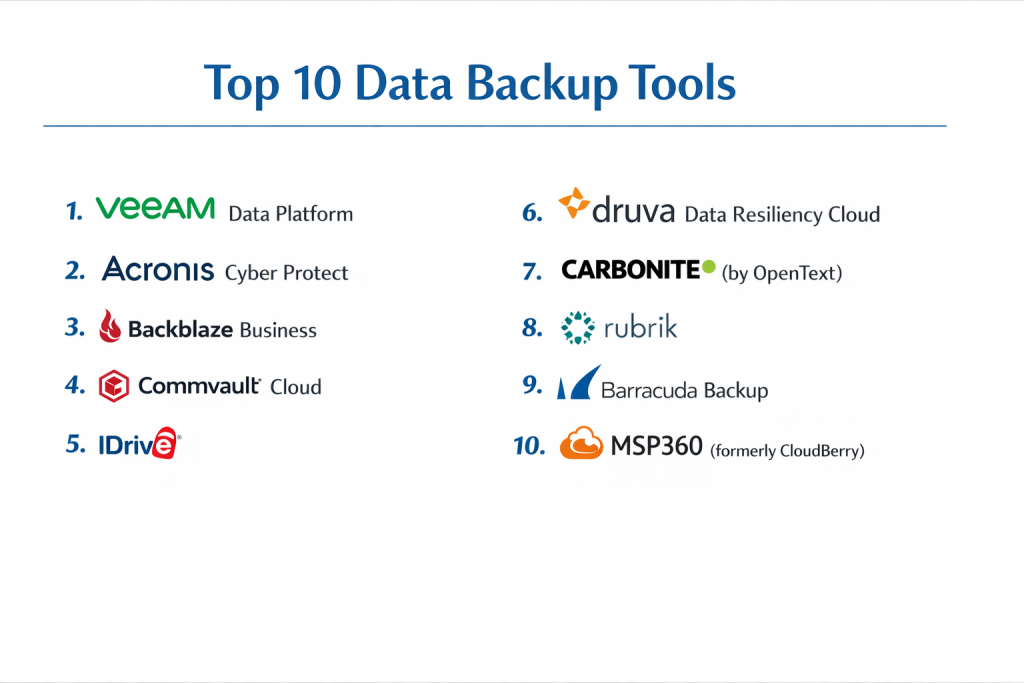
Top 10 Data Backup Tools
1 — Veeam Data Platform
Veeam is a market leader known for its “Veeam Availability Suite,” providing a comprehensive backup, recovery, and data management solution for virtual, physical, and cloud-based workloads.
- Key Features:
- Instant VM Recovery: Restores failed virtual machines directly from the backup file to minimize downtime.
- Cloud-Native Integration: Native backup for AWS, Azure, and Google Cloud.
- SureBackup: Automatically tests and verifies every backup for recoverability.
- Immutable Backups: Protects against ransomware by making backups unchangeable in S3 storage.
- Granular Recovery: Allows for the restoration of individual emails, database records, or files.
- Veeam ONE: Advanced monitoring and reporting for the entire backup infrastructure.
- Pros:
- Highly reliable for complex virtualized environments (VMware and Hyper-V).
- Extremely fast recovery times that meet aggressive enterprise SLAs.
- Cons:
- The licensing model can be complex and expensive for smaller organizations.
- Requires a certain level of technical expertise to configure optimally.
- Security & compliance: FIPS 140-2, SOC 2, GDPR, HIPAA, and ISO 27001 compliant. Supports AES-256 encryption.
- Support & community: Extensive knowledge base, a massive “Veeam Legends” community, and 24/7 enterprise-grade support.
2 — Acronis Cyber Protect
Acronis is unique because it combines traditional data backup with advanced artificial intelligence-based cybersecurity features in a single agent.
- Key Features:
- All-in-One Protection: Integrates backup, disaster recovery, and malware protection.
- Active Protection: AI-based behavioral detection that stops ransomware in real-time.
- Universal Restore: Restores systems to entirely different hardware without driver issues.
- Cloud-to-Cloud Backup: Specialized protection for Microsoft 365 and Google Workspace.
- Vulnerability Assessment: Scans systems for security holes before backups occur.
- Blockchain Notarization: Uses Acronis ASign to ensure data integrity for legal audits.
- Pros:
- The best choice for users who want to consolidate their security and backup stacks.
- Intuitive web-based management console that is easy for SMBs to navigate.
- Cons:
- The sheer number of features can make the agent feel “heavy” on older hardware.
- Some advanced security features require higher-tier subscriptions.
- Security & compliance: ISO 27001, SOC 2, HIPAA, GDPR, and PCI DSS compliance.
- Support & community: Comprehensive documentation, active user forums, and 24/7 global support via phone and chat.
3 — Backblaze Business
Backblaze is famous for its simplicity and “unlimited” workstation backup model, making it a favorite for small businesses and creative professionals.
- Key Features:
- Unlimited Workstation Backup: No caps on data for Mac and PC laptops/desktops.
- B2 Cloud Storage: S3-compatible object storage for servers and developers.
- Rapid Restore: Options to download files, or have a physical drive shipped to you.
- Silent Background Operation: Designed to work without interrupting the user’s workflow.
- Centrally Managed Admin Console: Allows admins to manage all company accounts from one spot.
- Extended Version History: Options to keep deleted files for a year or forever.
- Pros:
- Incredibly easy to deploy; literally a “set and forget” solution.
- One of the most cost-effective storage-per-gigabyte options on the market.
- Cons:
- Lacks the deep “image-based” server recovery features of Veeam or Acronis.
- Initial large backups can take a long time depending on internet upload speeds.
- Security & compliance: SOC 2 Type II, GDPR, HIPAA (with BAA), and private encryption key options.
- Support & community: High-quality help center, active Reddit presence, and dedicated business support teams.
4 — Commvault Cloud
Commvault is an enterprise-grade platform designed for massive, heterogeneous environments that require deep data governance and legal discovery tools.
- Key Features:
- Metallic AI: An intelligent engine that identifies threats and optimizes data placement.
- Heterogeneous Support: Covers legacy mainframes, modern Kubernetes, and SaaS apps.
- Data Isolation: Creates “air-gapped” copies of data to ensure recovery from total network wipes.
- eDiscovery: Powerful search tools to find specific data for legal or compliance requests.
- Automated Tiering: Moves older data to cheaper “cold” storage automatically.
- Global Deduplication: Reduces storage costs by eliminating redundant data across the enterprise.
- Pros:
- Unmatched scalability for companies with petabytes of data across multiple continents.
- Exceptionally deep security and auditing features for highly regulated industries.
- Cons:
- Very steep learning curve; often requires a dedicated Commvault engineer to manage.
- The pricing is strictly at the enterprise level and can be opaque.
- Security & compliance: FedRAMP High, ISO 27001, SOC 2, HIPAA, and GDPR.
- Support & community: Extensive Commvault University training, global support centers, and a robust partner ecosystem.
5 — IDrive
IDrive is a versatile backup solution that excels at cross-platform protection, allowing users to back up PCs, Macs, iPhones, and Androids into a single account.
- Key Features:
- Multi-Device Backup: Protect an unlimited number of devices under one storage quota.
- IDrive Express: A physical drive shipping service to speed up large initial backups.
- Snapshots and Versioning: Maintains up to 30 versions of all backed-up files.
- Remote Management: Manage backups on all your computers from a single web browser.
- Disk Image Backup: Creates a sector-level backup of your entire hard drive.
- Continuous Data Protection: Automatically detects changes and backs them up in real-time.
- Pros:
- Excellent value for money, especially for small teams with many devices.
- Includes mobile backup, which many “business-first” tools ignore.
- Cons:
- The desktop user interface feels a bit dated compared to modern SaaS tools.
- Customer support response times can be slower than premium enterprise rivals.
- Security & compliance: AES-256 encryption with a private key option, HIPAA, and GDPR.
- Support & community: 24/7 chat support, email assistance, and a comprehensive FAQ library.
6 — Druva Data Resiliency Cloud
Druva is a 100% SaaS-based backup platform built on AWS, eliminating the need for on-premise hardware or management servers.
- Key Features:
- Serverless Architecture: No hardware to buy, maintain, or update.
- Unified Console: Manage endpoints, data centers, and SaaS apps in one place.
- Ransomware Recovery: Integrated scans to find the last “clean” recovery point.
- Automated Scaling: The backend scales automatically as your data grows.
- Legal Hold: Easily preserve data for legal investigations without interrupting users.
- Disaster Recovery as a Service (DRaaS): Spin up virtual machines in the cloud during an outage.
- Pros:
- Lowest administrative overhead of any tool on this list.
- Predictable, consumption-based pricing that scales with your actual usage.
- Cons:
- Completely dependent on internet connectivity; no “local-only” mode.
- Can become expensive if data egress or large-scale cloud restores are frequent.
- Security & compliance: FedRAMP authorized, HIPAA, SOC 2, ISO 27001, and GDPR.
- Support & community: Cloud-native documentation, 24/7 technical support, and a growing user community.
7 — Carbonite (by OpenText)
Carbonite is a veteran in the space, providing reliable, “set-and-forget” backup solutions specifically tailored for small businesses and home offices.
- Key Features:
- Automated Cloud Backup: Scans folders and uploads changes without user intervention.
- External Drive Backup: Included in most business plans to protect secondary storage.
- Mirror Image Backup: Creates a local copy for fast restores and a cloud copy for safety.
- Courier Recovery: Physical delivery of your data on a drive if you suffer a total loss.
- Remote Access: Log into your Carbonite account from any device to download files.
- Ransomware Protection: Ability to roll back to a point in time before an infection.
- Pros:
- Very high ease-of-use; perfect for non-technical employees.
- Consistent and reliable performance for Windows-centric environments.
- Cons:
- The entry-level plan does not automatically back up video files (requires manual selection).
- Not as “deep” in Linux or specialized database support as Veeam or Commvault.
- Security & compliance: 128-bit or 256-bit AES encryption, HIPAA, GDPR, and SOC 2.
- Support & community: US-based phone support, extensive webinars, and a professional services team for larger migrations.
8 — Rubrik
Rubrik is a modern “Security Cloud” that focuses on data immutability and rapid recovery for the hybrid cloud enterprise.
- Key Features:
- Zero Trust Architecture: Data is stored in a proprietary, non-browsable format.
- SLA-Based Policies: Assign a policy (e.g., “Backup every 4 hours”) and Rubrik automates the rest.
- Anomaly Detection: Machine learning identifies unusual file activity that suggests ransomware.
- Sensitive Data Discovery: Finds PII (Personally Identifiable Information) within backups for GDPR compliance.
- Live Mount: Boots a VM or database directly from the Rubrik appliance in seconds.
- API-First Design: Easily integrates with DevOps tools and automation scripts.
- Pros:
- The most modern and intuitive interface in the enterprise backup sector.
- Exceptional at reducing “Recovery Time Objectives” to nearly zero.
- Cons:
- Requires specific Rubrik hardware or cloud instances, which can lead to vendor lock-in.
- Generally carries a high price tag suited for larger budgets.
- Security & compliance: FIPS 140-2 Level 2, SOC 2 Type II, HIPAA, and GDPR.
- Support & community: Premium support model, “Rubrik Build” community for developers, and high-quality training.
9 — Barracuda Backup
Barracuda offers an integrated appliance-based solution that is popular in education and local government sectors due to its all-in-one simplicity.
- Key Features:
- Integrated Appliance: Hardware and software come together for a “turnkey” experience.
- Inline Deduplication: Shrinks the data footprint before it is even stored.
- Cloud Replication: Automatically syncs the local appliance to Barracuda’s secure cloud.
- LiveBoot: Boots virtual machines directly from the appliance to save time during failure.
- Centralized Management: Manage multiple geographic locations from one web portal.
- No-Per-Server Fees: Pricing is based on storage capacity, not the number of devices.
- Pros:
- Excellent for organizations that want a physical device on-site for fast local restores.
- Transparent pricing with no “hidden” fees for agents or applications.
- Cons:
- The local appliance represents a single point of failure if not replicated to the cloud.
- The user interface is functional but lacks the “slickness” of newer SaaS rivals.
- Security & compliance: SOC 2 Type II, HIPAA, GDPR, and ISO 27001 readiness.
- Support & community: 24/7 technical support and a massive library of deployment guides.
10 — MSP360 (formerly CloudBerry)
MSP360 is a unique “bring-your-own-storage” tool. It provides the management software, but lets you choose where to store the data (AWS, Azure, Backblaze, etc.).
- Key Features:
- Storage Independence: Connects to over 20 different cloud storage providers.
- Image-Based Backup: Full system snapshots for Windows, Mac, and Linux.
- Deduplication and Compression: Minimizes data size before it leaves your network.
- Centralized Dashboard: Designed for Managed Service Providers to monitor many clients.
- M365/Google Workspace Backup: Direct cloud-to-cloud protection.
- Ransomware Protection: Prevents unauthorized deletion of backup sets.
- Pros:
- Unrivaled flexibility; you only pay for the software you use and the storage you need.
- Perfect for technical users who want to optimize their storage costs at the “bucket” level.
- Cons:
- Requires more setup than “all-in-one” tools; you have to manage your own storage keys.
- Support is primarily for the software, not the underlying storage provider.
- Security & compliance: FIPS 140-2, AES-256 encryption, HIPAA, and GDPR.
- Support & community: Highly active user forums, Slack community, and a detailed technical blog.
Comparison Table
| Tool Name | Best For | Platform(s) Supported | Standout Feature | Rating (Gartner) |
| Veeam | Virtualized Enterprise | Win, Linux, Cloud | SureBackup Verification | 4.8 / 5 |
| Acronis | Integrated Security | Win, Mac, M365 | AI Ransomware Defense | 4.5 / 5 |
| Backblaze | SMB Workstations | Win, Mac | Unlimited Workstation Data | 4.6 / 5 |
| Commvault | Global Enterprises | Everything | Deep Data Governance | 4.4 / 5 |
| IDrive | Multi-Device Users | Win, Mac, Mobile | All-in-One Device Pool | 4.3 / 5 |
| Druva | SaaS-First Orgs | Cloud-Native | Serverless Architecture | 4.7 / 5 |
| Carbonite | Small Office Ease | Win, Mac | Set-and-Forget UI | 4.1 / 5 |
| Rubrik | Rapid Recovery | Cloud & Virtual | Zero Trust Immutability | 4.7 / 5 |
| Barracuda | Appliance-Based | Win, Mac, Linux | Integrated Hardware/Cloud | 4.2 / 5 |
| MSP360 | IT Power Users | Win, Mac, Linux | Storage Provider Choice | 4.5 / 5 |
Evaluation & Scoring of Data Backup Tools
| Category | Weight | Evaluation Criteria |
| Core Features | 25% | Immutability, RTO/RPO speed, and application-aware backups. |
| Ease of Use | 15% | Intuitiveness of the dashboard and simplicity of the setup process. |
| Integrations | 15% | Multi-cloud support and ability to handle legacy vs. modern apps. |
| Security & Compliance | 10% | Encryption standards, MFA, and regulatory certifications (HIPAA/GDPR). |
| Performance | 10% | Deduplication efficiency and impact on system resources. |
| Support & Community | 10% | Availability of documentation, training, and 24/7 support. |
| Price / Value | 15% | Transparency of the pricing model and overall ROI. |
Which Data Backup Tool Is Right for You?
Choosing the right tool depends on your technical environment, your budget, and the “cost of downtime” for your business.
Solo Users vs. SMB vs. Mid-Market vs. Enterprise
- Solo/Freelancers: Backblaze or IDrive are the winners. They are cheap, offer unlimited or high-capacity data, and require almost zero maintenance.
- SMBs (10–100 employees): Acronis or Carbonite are ideal. They offer enough control to satisfy an IT manager without needing a dedicated backup engineer.
- Mid-Market & Enterprise: Veeam, Rubrik, or Druva are necessary. These tools handle the “complexity of scale” and offer the rapid recovery features required to keep hundreds of employees productive.
Budget-Conscious vs. Premium Solutions
- Budget: MSP360 (paired with cheap storage like Backblaze B2) is the most cost-effective “pro” choice. For workstations, Backblaze’s flat fee is unbeatable.
- Premium: Rubrik and Commvault are the Ferraris of the backup world. You are paying for advanced AI, legal search tools, and high-speed “Live Mount” capabilities.
Feature Depth vs. Ease of Use
If you want to control every setting (bandwidth throttling, compression ratios, specific file paths), choose Veeam or MSP360. If you want to install the software and forget it exists, choose Carbonite or Backblaze.
Frequently Asked Questions (FAQs)
1. What is the “3-2-1 Rule” of data backup?
This is the gold standard of data protection: Keep 3 copies of your data, on 2 different types of media (e.g., local drive and cloud), with 1 copy stored off-site. Most modern backup tools automate this by syncing local backups to the cloud.
2. How long does the first backup take?
The first “seed” backup can take several days depending on your data size and upload speed. Many vendors (like Backblaze or IDrive) offer a “Courier Service” where they ship you a physical drive to fill up and mail back to speed up the process.
3. Is cloud storage (like Google Drive) a backup?
No. Cloud storage is for syncing and collaboration. If you delete a file on your computer, it often deletes in Google Drive immediately. A true backup tool maintains “version history,” allowing you to restore a file from 30 days ago even if you deleted it today.
4. What is “Immutable” backup?
Immutability means the data cannot be changed, deleted, or overwritten for a set period. This is the ultimate defense against ransomware, as the hacker cannot delete your backups even if they gain administrative access to your network.
5. Do I need to back up Microsoft 365 or Google Workspace?
Yes. Microsoft and Google follow a “Shared Responsibility Model.” They guarantee the infrastructure (the servers), but they do not guarantee the data. If an employee accidentally wipes their OneDrive, Microsoft is not obligated to recover it for you.
6. Can I back up my phone?
Certain tools like IDrive and Acronis include mobile backup apps. Others, like Veeam, are strictly focused on servers and workstations. If you need mobile protection, check the “Platform Support” in our comparison table.
7. What are RTO and RPO?
RTO (Recovery Time Objective) is how long it takes to get back online after a crash. RPO (Recovery Point Objective) is how much data you lose (e.g., an RPO of 1 hour means you lose at most the last hour of work).
8. Is encryption necessary?
Absolutely. You should look for “AES-256 bit encryption” at rest and in transit. For the highest privacy, choose a tool with a “Private Encryption Key” option, which ensures that even the backup company cannot see your data.
9. Why is deduplication important?
Deduplication identifies identical chunks of data (like the same OS file on 50 different laptops) and only saves one copy. This can reduce your storage costs by 50% to 90%, especially in large businesses.
10. What is the most common backup mistake?
The most common mistake is not testing the restore. Many people assume their backups are working until they try to restore a file and find it’s corrupted. Always choose a tool that includes “verification” or “automated testing” features.
Conclusion
Data backup is no longer a luxury; it is a fundamental requirement for operating in the digital age. As cyber threats become more sophisticated and data footprints continue to explode, the “best” tool is the one that aligns with your specific technical needs and your tolerance for downtime.
If you are a small business owner, prioritize simplicity and cost with tools like Backblaze or IDrive. If you are an IT professional managing a complex virtualized data center, the power and reliability of Veeam or Rubrik are worth the investment.
Ultimately, the best backup tool is the one you actually use. Whichever solution you choose from this top 10 list, ensure you set it to automatic, enable encryption, and test your restores regularly.