Introduction
Archiving Tools are specialized software solutions designed to identify, move, and store inactive or secondary data into long-term, searchable storage repositories. Unlike backup tools, which are intended for short-term disaster recovery, archiving tools focus on data preservation, regulatory compliance, and storage optimization. These tools index data to ensure it remains accessible for years, providing a “single source of truth” for legal teams and auditors without cluttering high-performance production servers.
In an era where “data is the new oil,” archiving has become a critical business function. Key real-world use cases include managing email retention for FINRA or HIPAA compliance, preserving social media and Slack communications for legal “eDiscovery,” and offloading legacy database records to reduce cloud storage costs. When evaluating these tools, users should prioritize searchability (indexing), data immutability (WORM storage), retention policy automation, and ease of retrieval.
Best for: Legal and Compliance officers, IT Directors, and Records Managers in mid-to-large enterprises. It is essential for industries like Finance, Healthcare, Government, and Law where long-term data retention is a statutory requirement.
Not ideal for: Individual users or micro-businesses with minimal data footprints. If you only need to keep a copy of a few documents, a simple external hard drive or basic cloud storage (like a personal Dropbox) is a more cost-effective alternative to a professional enterprise archiving suite.
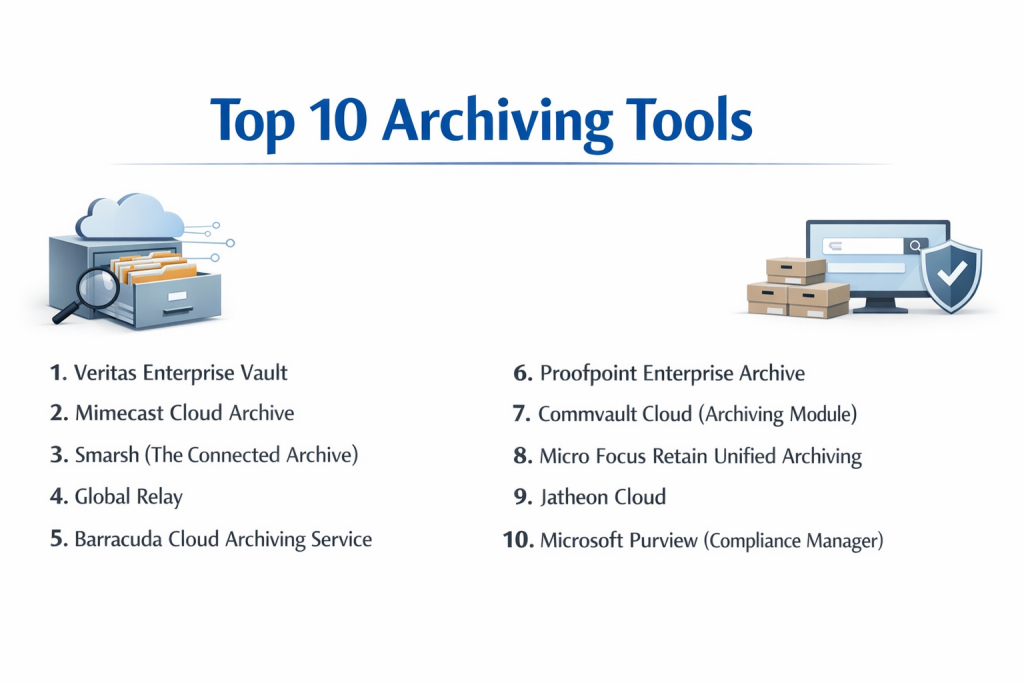
Top 10 Archiving Tools
1 — Veritas Enterprise Vault
Veritas Enterprise Vault is one of the most established names in the industry, providing a comprehensive on-premise and hybrid archiving platform for emails, files, and social media.
- Key Features:
- Automated Retention: Moves data from primary storage to archived storage based on age or file type.
- Advanced Indexing: Provides powerful search capabilities across petabytes of data.
- Classification Engine: Automatically tags data to determine its regulatory importance.
- Flexible Deployment: Available on-premise, in the cloud, or as a hybrid configuration.
- eDiscovery Integration: Works seamlessly with the Veritas eDiscovery Platform for legal holds.
- Wide Content Support: Archives over 100 content types, including Slack, Teams, and Bloomberg.
- Pros:
- Extremely mature product with deep features for highly regulated financial institutions.
- Excellent deduplication technology that significantly reduces storage costs.
- Cons:
- Can be complex to set up and requires significant administrative overhead.
- The user interface for administrators can feel dated compared to newer SaaS rivals.
- Security & compliance: SOC 2, GDPR, HIPAA, and FIPS 140-2. Supports SSO and immutable WORM storage.
- Support & community: Extensive documentation, Veritas University for training, and a massive global network of certified engineers.
2 — Mimecast Cloud Archive
Mimecast is a leader in cloud-native archiving, specifically focused on securing and preserving communication data like email, IM, and SMS.
- Key Features:
- 7-Second Search: Famous for its incredibly fast search speed for end-users and admins.
- Sync & Recover: Combines archiving with mailbox recovery features.
- Mobile App: Allows employees to search their personal archive from their smartphone.
- Immutable Storage: Ensures that data cannot be altered or deleted before its retention period ends.
- Folder Sync: Maintains the user’s original Outlook folder structure within the archive.
- Case Management: Tools for legal teams to manage early case assessments.
- Pros:
- 100% SaaS model means no hardware to manage and no software to patch.
- Excellent end-user experience, reducing the number of “help desk” tickets for lost emails.
- Cons:
- Primarily focused on communication; not ideal for archiving large, unstructured file shares or databases.
- Pricing can be higher than competitors if you add multiple security modules.
- Security & compliance: ISO 27001, SOC 2 Type II, HIPAA, GDPR, and FedRAMP authorized.
- Support & community: Robust online community (“The Hub”), 24/7 global support, and extensive video tutorials.
3 — Smarsh (The Connected Archive)
Smarsh specializes in “modern” communications, making it the go-to choice for companies that need to archive Slack, Microsoft Teams, Zoom, and social media.
- Key Features:
- Capture at Source: Captures messages in their native format to preserve context (likes, edits, emojis).
- Unified Search: Search across 100+ channels from a single dashboard.
- AI-Powered Supervision: Uses machine learning to flag problematic language or policy violations.
- E-Discovery Ready: Built-in legal hold and export tools for various legal formats.
- Cloud-Native Scale: Built on a microservices architecture to handle massive data bursts.
- Personal Archive: Provides users with access to their own communication history.
- Pros:
- Best-in-class for managing non-email communications (Slack/Teams).
- Highly rated for regulatory compliance in the financial services sector.
- Cons:
- The interface for complex searches can have a bit of a learning curve.
- Implementation for very large, multi-national firms can take considerable time.
- Security & compliance: SOC 2, FINRA/SEC 17a-4, GDPR, HIPAA, and ISO 27001.
- Support & community: Dedicated account managers for enterprise clients and a comprehensive knowledge base.
4 — Global Relay
Global Relay is a veteran in the financial archiving space, known for its high-security private cloud and its focus on the “Compliance-as-a-Service” model.
- Key Features:
- Private Cloud Infrastructure: Owns and operates its own data centers for maximum security control.
- Compliance Supervision: Specialized tools for broker-dealer oversight and trade reconstruction.
- Global Relay Message: A secure, compliant alternative to WhatsApp for business communication.
- Audit Trails: Unalterable logs of every action taken within the system.
- Massive Scalability: Currently manages petabytes of data for some of the world’s largest banks.
- Data Migration: Specialized services to move data from legacy systems into Global Relay.
- Pros:
- Unrivaled reputation in the financial sector for meeting SEC and FINRA requirements.
- Very high data “durability” and reliability.
- Cons:
- Can be very expensive for smaller firms without high regulatory needs.
- The “Private Cloud” approach makes it less flexible than some public cloud SaaS tools.
- Security & compliance: SOC 2, ISO 27001, HIPAA, GDPR, and FIPS-compliant encryption.
- Support & community: 24/7/365 live support and specialized compliance consulting services.
5 — Barracuda Cloud Archiving Service
Barracuda offers a straightforward, easy-to-manage archiving solution that is highly popular with small-to-midsized businesses (SMBs) and educational institutions.
- Key Features:
- Journaling Support: Captures emails the moment they are sent or received to prevent deletion.
- Cloud-to-Cloud Backup: Integrated with Microsoft 365 for easy setup.
- PST Discovery: Finds and ingests old “hidden” PST files from user laptops.
- Flexible Pricing: Often billed per-user with no storage limits.
- Mobile Access: User-friendly app for searching archives on the go.
- Granular Retention: Set different rules for different departments or individuals.
- Pros:
- Very easy to deploy; an IT generalist can have it running in an hour.
- Predictable cost model that is attractive to budget-conscious organizations.
- Cons:
- Lacks the deep AI-supervision features found in Smarsh or Global Relay.
- Search results for very large, complex queries can be slower than Mimecast.
- Security & compliance: SOC 2, HIPAA, GDPR, and ISO 27001.
- Support & community: 24/7 technical support and a very large, active user base.
6 — Proofpoint Enterprise Archive
Proofpoint is a security giant that uses its threat intelligence to enhance its archiving platform, focusing on risk mitigation and legal discovery.
- Key Features:
- Double-Blind Encryption: Ensures even Proofpoint cannot access your data without your keys.
- eDiscovery Analytics: Visualizes data patterns to help legal teams find “the smoking gun.”
- Automated Supervision: Flags potential insider threats or compliance breaches.
- Social Media Archiving: Robust support for LinkedIn, Twitter, and Facebook.
- Intelligent Export: Speeds up the process of handing data over to outside counsel.
- Content Capture: Integrates with Content-Grabber technology for web-based data.
- Pros:
- Excellent integration if you already use Proofpoint for email security.
- Highly praised for its eDiscovery and legal workflow efficiency.
- Cons:
- High cost of entry; strictly an enterprise-level solution.
- The administrative interface can be complex and requires formal training.
- Security & compliance: SOC 2 Type II, ISO 27001, HIPAA, GDPR, and FedRAMP.
- Support & community: Premium support tiers, Proofpoint University, and global user conferences.
7 — Commvault Cloud (Archiving Module)
Commvault is a data management powerhouse. Its archiving tool is part of a broader platform that handles backup, recovery, and data protection in one place.
- Key Features:
- Unified Platform: Manage backups and archives from a single console.
- Storage Tiering: Automatically moves old data to “cold” storage like AWS Glacier or Azure Archive.
- Cross-Platform Search: Search across files, emails, and databases simultaneously.
- Deduplication: Industry-leading technology to minimize the footprint of archived data.
- Data Sovereignty: Tools to ensure data stays within specific geographic borders for GDPR.
- API-First: Highly customizable for developers and large IT shops.
- Pros:
- The most powerful option for companies that want one tool for everything data-related.
- Incredible flexibility in choosing where data is physically stored (Cloud, On-prem, Hybrid).
- Cons:
- Significant “learning curve”; it is a very complex system.
- Licensing can be confusing due to the sheer number of modules and options.
- Security & compliance: FIPS 140-2, SOC 2, HIPAA, GDPR, and ISO 27001.
- Support & community: Extensive Commvault community, global support network, and “Commvault Academy.”
8 — Micro Focus (OpenText) Retain Unified Archiving
Retain is known for its “agnostic” approach, archiving almost any communication platform including legacy systems like Novell GroupWise.
- Key Features:
- Unified Archive: Stores email, mobile, and social media in one central repository.
- Mobile Communication: Archives SMS, MMS, and call logs (via specialized apps).
- Retain Router: Efficiently moves data from the source to the archive with minimal load.
- Multi-Tenant Support: Ideal for large conglomerates with multiple subsidiaries.
- Legal Access: Provides a dedicated portal for external auditors.
- Web-Access: Browser-based archive access for all employees.
- Pros:
- Best choice for companies that still maintain legacy email or database systems.
- Strong mobile device archiving capabilities compared to many rivals.
- Cons:
- The company has undergone several acquisitions (now OpenText), which can lead to branding confusion.
- The user interface is functional but lacks the “slickness” of newer SaaS competitors.
- Security & compliance: SOC 2, HIPAA, GDPR, and ISO 27001.
- Support & community: Standard enterprise support through OpenText’s global service network.
9 — Jatheon Cloud
Jatheon is a specialized archiving vendor that focuses on providing high-performance, easy-to-use cloud and appliance-based archiving for healthcare and education.
- Key Features:
- Jatheon Care: A proactive monitoring service where Jatheon engineers check your archive health.
- Social Media & IM: Full support for modern communication channels.
- Custom Retention Policies: Highly granular rules based on metadata or content.
- Redaction Tools: Built-in tools to hide sensitive info before exporting data for legal requests.
- Legacy Data Migration: High success rate in ingesting data from older competitors.
- Simple Search: Designed for non-technical users in HR or Legal.
- Pros:
- Known for providing a very high level of “white-glove” customer service.
- Pricing is very competitive and often includes migration assistance.
- Cons:
- Smaller market presence than giants like Veritas or Mimecast.
- Fewer integrations with third-party security stacks compared to Proofpoint.
- Security & compliance: SOC 2 Type II, HIPAA, GDPR, and CJIS (Criminal Justice Information Services).
- Support & community: Direct access to technical engineers and a personalized onboarding process.
10 — Microsoft Purview (Compliance Manager)
For companies already fully invested in Microsoft 365, Purview provides native archiving and compliance tools that are already “built-in.”
- Key Features:
- In-Place Archiving: Users see their archive as just another folder in Outlook.
- Auto-Expansion: Automatically adds more storage to a user’s archive as it fills up.
- Communication Compliance: AI-based detection of bullying, harassment, or sensitive info.
- Sensitivity Labels: Automatically encrypts or restricts data based on its content.
- Content Search: Powerful search across all of M365 (Teams, SharePoint, OneDrive, Mail).
- Legal Hold: Simple toggle to prevent any data from being deleted during a lawsuit.
- Pros:
- No additional software or agents to install if you are already on M365.
- Seamless user experience; employees don’t have to learn a new interface.
- Cons:
- Does not easily archive data from outside the Microsoft ecosystem (e.g., non-MS databases).
- Requires the more expensive E5 license tier for the best features.
- Security & compliance: FedRAMP High, ISO 27001, HIPAA, GDPR, and SOC 1/2/3.
- Support & community: World-class Microsoft support and a nearly infinite online community.
Comparison Table
| Tool Name | Best For | Platform(s) Supported | Standout Feature | Rating (Gartner) |
| Veritas EV | Large Enterprise / Hybrid | On-prem, Hybrid, Cloud | Mature Indexing Engine | 4.3 / 5 |
| Mimecast | Email-Centric SaaS | Cloud-Native | 7-Second Search Speed | 4.5 / 5 |
| Smarsh | Slack / Teams / Social | Cloud-Native | Native Context Capture | 4.6 / 5 |
| Global Relay | Financial Services | Private Cloud | Compliance-as-a-Service | 4.4 / 5 |
| Barracuda | SMBs / Education | Cloud | Ease of Deployment | 4.1 / 5 |
| Proofpoint | Security-Conscious Ent. | Cloud | Legal Case Analytics | 4.4 / 5 |
| Commvault | Unified Data Mgmt. | On-prem, Cloud, Hybrid | Intelligent Tiering | 4.3 / 5 |
| Retain (OpenText) | Legacy Systems / Mobile | Cloud, On-prem | GroupWise & SMS Support | 4.0 / 5 |
| Jatheon | Healthcare / Education | Cloud, Appliance | White-Glove Support | 4.8 / 5 |
| MS Purview | 100% Microsoft Shops | SaaS (M365) | Native Integration | 4.2 / 5 |
Evaluation & Scoring of Archiving Tools
| Category | Weight | Evaluation Criteria |
| Core Features | 25% | Multi-channel capture, search speed, legal hold, and data immutability. |
| Ease of Use | 15% | Admin dashboard intuitiveness, end-user archive access, and UI modernness. |
| Integrations | 15% | Ability to ingest data from 3rd party apps (Slack, Teams, Zoom, CRM). |
| Security & Compliance | 10% | Certifications (SOC2/GDPR), encryption standards, and WORM storage. |
| Performance | 10% | Scalability under massive data loads and export speed. |
| Support & Community | 10% | Documentation quality, response times, and training availability. |
| Price / Value | 15% | Transparent pricing, ROI on storage savings, and tiered options. |
Which Archiving Tool Is Right for You?
Solo Users vs. SMB vs. Mid-Market vs. Enterprise
- Solo/Micro: Stick to basic cloud storage or built-in email “archive” folders.
- SMB (1-250 users): Barracuda or Jatheon are ideal. They offer professional protection without requiring a dedicated “Archiver Administrator.”
- Mid-Market: Mimecast or MS Purview are great fits, balancing powerful features with manageable cloud costs.
- Enterprise: Veritas, Commvault, or Proofpoint are the only tools with the architectural “muscle” to manage multi-petabyte global archives.
Budget-Conscious vs. Premium Solutions
- Budget: MS Purview is often the “cheapest” if you already pay for M365 licenses. Barracuda offers very competitive flat-rate pricing.
- Premium: Global Relay and Smarsh are premium investments. You are paying for high-tier regulatory peace of mind and specialized legal tools.
Feature Depth vs. Ease of Use
If your primary goal is satisfying an auditor, choose Global Relay. If your primary goal is helping employees find old files, choose Mimecast. If you want a tool that does everything (backup and archive), choose Commvault.
Frequently Asked Questions (FAQs)
1. What is the difference between a Backup and an Archive?
A backup is a short-term copy used to restore data after a crash. An archive is a long-term, indexed repository used for data preservation, legal discovery, and space-saving. You “restore” a backup, but you “search” an archive.
2. Why do I need an archiving tool if I have Microsoft 365?
While M365 has basic archiving, many organizations use 3rd-party tools for “redundancy.” If your Microsoft account is compromised or goes down, a 3rd-party archive ensures you still have access to your data. Also, native tools may not handle non-Microsoft data (like Slack) well.
3. What is WORM storage?
WORM stands for “Write Once, Read Many.” It is a technology that prevents data from being deleted or changed for a specific time. This is a requirement for many financial and legal regulations.
4. How long should I keep my archives?
This depends on your industry. Most financial firms keep data for 7 years. Healthcare often requires 7-10 years (or more for pediatric data). Government agencies may have “permanent” retention requirements.
5. Can archiving tools help with GDPR?
Yes. Modern tools can identify “Personal Identifiable Information” (PII), allowing you to respond to “Right to be Forgotten” requests by locating and purging specific data across your entire archive.
6. Do archiving tools slow down my network?
Generally, no. Most tools use “journaling” or “task-based” ingestion that runs in the background or during off-peak hours. In many cases, they actually speed up your network by offloading bulk data from primary servers.
7. Can I archive social media and text messages?
Yes, tools like Smarsh and Global Relay are specifically designed to capture messages from platforms like LinkedIn, WhatsApp, and SMS, ensuring they are searchable and compliant.
8. What is eDiscovery?
eDiscovery (Electronic Discovery) is the process of finding and producing electronic information as evidence in a legal case. Archiving tools make this easy by providing advanced search and “Legal Hold” features.
9. Can I migrate my old archive to a new tool?
Yes, though it can be a complex process. Most top-tier vendors offer migration services or work with partners (like TransVault) to move data from legacy systems into their new platform.
10. Is an archive searchable by the end-user?
Most modern tools (Mimecast, Barracuda, MS Purview) provide a “Personal Archive” for employees, allowing them to search their own history without needing to contact IT.
Conclusion
Choosing an Archiving Tool is not just about storage—it’s about risk management. The right tool acts as an insurance policy against legal disputes, regulatory fines, and the “data rot” that can slow down a modern business.
If you are a highly regulated financial firm, the specialization of Smarsh or Global Relay is worth the premium. If you are an SMB looking for a safety net, Barracuda or Jatheon will serve you well. For those who want to minimize their software stack, the built-in power of Microsoft Purview is a logical choice.