Introduction
Backup & Recovery Tools are specialized software solutions designed to create copies of data and store them in secure locations, allowing for the restoration of that data in the event of a loss. In the modern digital landscape, data is the lifeblood of any organization. These tools protect against a wide array of threats, including hardware failure, accidental deletion, malicious insider activity, and—most notably in recent years—ransomware attacks. By maintaining “immutable” copies of information, backup tools ensure that business operations can continue even when the primary data source is compromised.
The importance of these tools cannot be overstated for business continuity. Key real-world use cases include recovering a server after a critical drive failure, restoring an entire database to a point in time before a corruption event, and ensuring that SaaS data (like Microsoft 365 or Google Workspace) is archived independently of the service provider. When choosing a tool, users should evaluate Recovery Time Objectives (RTO)—how fast you need the data back—and Recovery Point Objectives (RPO)—how much data loss is acceptable. Additionally, modern buyers must prioritize ransomware protection, cloud-native integration, and ease of management.
Best for: IT Administrators, Security Officers, and Business Owners across all industries, particularly those in Finance, Healthcare, and Government where data retention is legally mandated.
Not ideal for: Organizations with exclusively non-persistent data or those who rely entirely on “manual” copies of files to external drives, although even for very small teams, the lack of an automated tool represents a high risk.
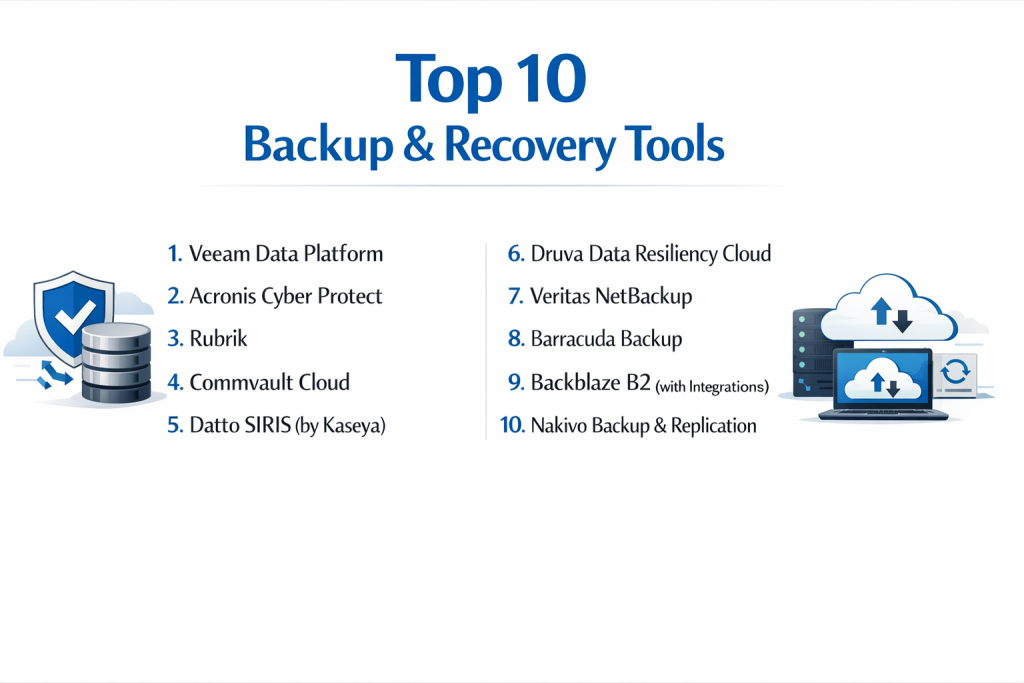
Top 10 Backup & Recovery Tools
1 — Veeam Data Platform
Veeam is the industry heavyweight in the backup space, originally built for virtualized environments and now a comprehensive platform for cloud, virtual, and physical workloads.
- Key Features:
- Instant VM Recovery: Start a failed virtual machine directly from a backup file to minimize downtime.
- SureBackup: Automated testing and verification of every backup to ensure it is actually recoverable.
- Direct Restore to Cloud: Seamlessly move on-premise backups to AWS, Azure, or Google Cloud.
- Immutable Backups: Protect against ransomware by storing data in “locked” S3-compatible storage.
- Veeam Explorers: Granular recovery for Microsoft Exchange, SQL, SharePoint, and AD.
- Centralized Management: A single “pane of glass” for hybrid-cloud environments.
- Pros:
- Widely considered the most reliable and feature-rich tool for VMware and Hyper-V environments.
- Extremely flexible architecture that works with almost any storage hardware.
- Cons:
- The pricing model (Veeam Universal Licensing) can be complex and expensive for larger fleets.
- Requires a high level of technical expertise to configure for maximum performance.
- Security & compliance: SOC 2, GDPR, HIPAA, FIPS 140-2, and ISO 27001 compliant. Supports multi-factor authentication (MFA).
- Support & community: Massive global user group (VUG), extensive technical documentation, and 24/7 premium enterprise support.
2 — Acronis Cyber Protect
Acronis is unique because it integrates backup with AI-based cybersecurity features, creating a “cyber protection” suite that stops threats before they require a restore.
- Key Features:
- Active Protection: AI-based behavioral detection that stops ransomware and wipes unauthorized changes.
- Universal Restore: Restore a system to entirely different hardware without driver issues.
- Cloud-to-Cloud Backup: Specialized protection for Microsoft 365 and Google Workspace.
- Vulnerability Assessment: Scans machines for security gaps that could lead to data loss.
- Remote Desktop: Built-in tools for IT teams to access managed machines for troubleshooting.
- Forensic Backup: Collects metadata and system snapshots for post-incident investigations.
- Pros:
- The best “all-in-one” solution for SMBs who want security and backup in a single agent.
- Very fast recovery times due to highly optimized image-based technology.
- Cons:
- The interface can feel cluttered due to the sheer number of security and management features.
- Advanced features can significantly increase the cost per endpoint.
- Security & compliance: ISO 27001, SOC 2, HIPAA, GDPR, and PCI DSS. Features AES-256 encryption.
- Support & community: High-quality documentation, 24/7 chat/email support, and an active partner portal.
3 — Rubrik
Rubrik is a cloud-native platform that pioneered the “Security Cloud” concept, focusing heavily on data immutability and rapid recovery at massive scale.
- Key Features:
- Zero Trust Data Security: Data is never available over standard network protocols, making it invisible to hackers.
- SLA-Based Policies: Set a policy once (e.g., “Keep for 7 years, backup every hour”) and Rubrik automates the rest.
- Anomaly Detection: Uses machine learning to detect unusual data patterns that indicate a ransomware attack.
- Sensitive Data Discovery: Automatically finds PII (Personally Identifiable Information) within backups.
- Global Search: Find a specific file across millions of snapshots instantly.
- API-First Design: Entirely automatable for DevOps-heavy organizations.
- Pros:
- Incredibly simple “set and forget” management interface.
- Exceptional at handling massive amounts of data across multiple cloud providers.
- Cons:
- Price is significantly higher than traditional backup software; it is a premium enterprise tool.
- Requires Rubrik-certified hardware or specific cloud instances for deployment.
- Security & compliance: FIPS 140-2 Level 2, SOC 2 Type II, HIPAA, and GDPR.
- Support & community: High-touch enterprise support and a growing community of “Data Management” experts.
4 — Commvault Cloud
Commvault is a veteran in the space, known for supporting the widest range of legacy and modern platforms. It is recently rebranded to emphasize its cloud-first future.
- Key Features:
- Broadest Support: Manages everything from 30-year-old mainframes to modern Kubernetes clusters.
- Metallic AI: New AI-driven engine for threat detection and data recovery.
- Intelligent Data Isolation: Creates “air-gapped” copies of data to ensure recovery after a total network breach.
- E-Discovery & Search: Deep search capabilities for legal and compliance requirements.
- Automated Tiering: Moves older data to cheaper storage (like Glacier) automatically.
- Deduplication: Industry-leading data reduction to save on storage costs.
- Pros:
- The only choice for massive, heterogeneous enterprises with complex “legacy” tech debt.
- Extremely granular control over every aspect of the backup lifecycle.
- Cons:
- The learning curve is very steep; often requires a dedicated Commvault engineer.
- The software can be resource-heavy on the servers running the management console.
- Security & compliance: FedRAMP High, SOC 2, ISO 27001, HIPAA, and GDPR.
- Support & community: Extensive Commvault University training and a global support network.
5 — Datto SIRIS (by Kaseya)
Datto SIRIS is a purpose-built backup and disaster recovery (BDR) solution designed specifically for Managed Service Providers (MSPs) and their small-to-medium business clients.
- Key Features:
- Inverse Chain Technology: Eliminates the need for “incremental” chains, making every backup a full, independent copy.
- Cloud Virtualization: Run a failed server in Datto’s cloud in seconds if the local hardware is destroyed.
- Screenshot Verification: Automatically boots a backup and emails you a photo of the login screen to prove it works.
- Ransomware Detection: Built-in alerts for signs of data encryption during the backup process.
- Hardware-Cloud Hybrid: Includes a physical appliance that syncs to a secure private cloud.
- Infinite Cloud Retention: Keeps data for the life of the contract, regardless of size.
- Pros:
- The most reliable “all-in-one” appliance for SMBs who can’t afford a full-time IT staff.
- Disaster recovery is simplified into a few clicks.
- Cons:
- Locked into Datto’s hardware and cloud; limited flexibility to use your own storage.
- Only available through MSP partners, which can be a hurdle for direct buyers.
- Security & compliance: SOC 2 Type II, HIPAA, and GDPR readiness.
- Support & community: 24/7/365 support for MSPs and an active community of IT service providers.
6 — Druva Data Resiliency Cloud
Druva is a 100% SaaS-based backup solution. There is no hardware to buy and no software to install; it runs entirely in the cloud.
- Key Features:
- True SaaS Model: Scale up or down instantly without managing servers or storage.
- Single Console: Manage endpoints, data centers, and SaaS apps (Microsoft 365) in one place.
- Automatic Scaling: The backend (AWS-based) scales automatically based on your data growth.
- Security Posture Monitoring: Insights into how secure your backup environment is.
- Direct-to-Cloud: No local storage required; backups go straight to the cloud.
- Governance & Compliance: Built-in legal hold and data residency controls.
- Pros:
- The lowest administrative overhead of any tool on this list.
- Eliminates the cost and complexity of maintaining on-premise backup hardware.
- Cons:
- Heavily reliant on internet bandwidth; initial large backups can take a long time.
- Cost is based on “credits” or gigabytes, which can become expensive for data-heavy firms.
- Security & compliance: FedRAMP, HIPAA, SOC 2, ISO 27001, and GDPR.
- Support & community: Excellent cloud documentation and responsive technical support.
7 — Veritas NetBackup
Veritas is an enterprise titan, focusing on high-availability and data management for the world’s largest data centers and financial institutions.
- Key Features:
- CloudScale Technology: Microservices architecture for modern, multi-cloud scalability.
- Predictive Operations: Uses AI to identify and resolve backup failures before they happen.
- Recovery Vault: A fully managed, air-gapped storage-as-a-service for ransomware protection.
- Wide App Support: Deep integration with Oracle, SAP, and SQL Server.
- Instant Access: Mount backups of databases and VMs instantly for testing or dev/test use.
- Elastic Backup: Dynamically provisions backup resources only when needed.
- Pros:
- Proven reliability for massive databases and enterprise-scale workloads.
- Strongest market presence in the Fortune 500.
- Cons:
- Complex licensing and management require specialized expertise.
- Can feel “heavy” and slow to update compared to younger SaaS rivals.
- Security & compliance: ISO 27001, SOC 2, HIPAA, and GDPR.
- Support & community: Extensive Veritas University training and high-tier global support.
8 — Barracuda Backup
Barracuda offers an easy-to-use, integrated solution that is highly popular among school districts and local governments for its straightforward pricing.
- Key Features:
- Cloud-Integrated Appliances: Physical or virtual appliances that sync to the Barracuda Cloud.
- Inline Deduplication: Reduces storage and bandwidth needs by removing duplicates before transmission.
- Offsite Vaulting: Move older backups to cold storage for long-term retention.
- LiveBoot: Boot a VM directly from the Barracuda appliance for quick recovery.
- Centralized Management: Manage multiple sites from a single web-based portal.
- Email Protection: Seamlessly integrates with Barracuda’s email security tools.
- Pros:
- Excellent for businesses that want a simple, hardware-plus-cloud solution.
- Predictable pricing with no “per-server” or “per-application” fees.
- Cons:
- Lacks the advanced AI and “Cyber” features found in Rubrik or Acronis.
- Performance can be a bottleneck for very large, high-transaction databases.
- Security & compliance: SOC 2 Type II, HIPAA, and GDPR compliant.
- Support & community: 24/7 technical support and an easy-to-navigate knowledge base.
9 — Backblaze B2 (with Integrations)
Backblaze B2 is primarily a cloud storage provider, but when paired with tools like MSP360 or Veeam, it provides the most cost-effective backup solution for budget-conscious users.
- Key Features:
- Object Lock: S3-compatible immutability to prevent data from being deleted by ransomware.
- B2 Reserve: Simple, predictable capacity-based pricing with no egress fees.
- Cloud Replication: Automatically move data between regions for disaster recovery.
- Hardware Snapshot: Backblaze can ship you a physical drive for large-scale data recovery.
- Partner Ecosystem: Integrates with dozens of backup software vendors.
- Simple API: Easy for developers to build into custom applications.
- Pros:
- The most affordable cloud storage option for backups on the market.
- Extremely transparent pricing with no hidden “gotcha” fees for moving data.
- Cons:
- Not a “full-service” backup tool on its own; requires third-party software (like MSP360).
- Fewer built-in AI/security features than integrated platforms.
- Security & compliance: SOC 2, HIPAA, GDPR, and ISO 27001.
- Support & community: Great developer documentation and active community support.
10 — Nakivo Backup & Replication
Nakivo is a fast-growing, lean backup solution that focuses on high performance and lower total cost of ownership (TCO).
- Key Features:
- Global Deduplication: Save space across all backup jobs simultaneously.
- Direct NAS Deployment: Can be installed directly on Synology, QNAP, or ASUSTOR NAS devices.
- Site Recovery: Orchestrate complex disaster recovery workflows with one click.
- Policy-Based Automation: Automatically include new VMs in backup jobs based on their name.
- Microsoft 365 Support: Dedicated module for Exchange, OneDrive, and Teams.
- Fast Recovery: Flash VM Boot and granular file-level recovery.
- Pros:
- Very low resource requirements; runs on almost any hardware.
- Much more affordable than Veeam or Veritas while offering similar core features.
- Cons:
- Community and third-party support are not as vast as the industry leaders.
- Lacks some of the deep “Forensic” and “Search” features of enterprise tools.
- Security & compliance: ISO 27001, SOC 2, HIPAA, and GDPR readiness.
- Support & community: Excellent documentation and responsive support via chat/email.
Comparison Table
| Tool Name | Best For | Platform(s) Supported | Standout Feature | Rating (Gartner) |
| Veeam | Virtualized Environments | Win, Mac, Linux, Cloud | SureBackup Verification | 4.8 / 5 |
| Acronis | SMBs / Edge Security | Win, Mac, Linux, Mobile | Integrated AI Antivirus | 4.5 / 5 |
| Rubrik | Enterprise Cloud | Cloud, Virtual, DBs | Zero Trust Immutability | 4.7 / 5 |
| Commvault | Large Legacy Fleets | Mainframe to Cloud | Broadest Platform Support | 4.4 / 5 |
| Datto SIRIS | MSPs / SMBs | Win, Mac, Linux | Screenshot Verification | N/A |
| Druva | SaaS-First Companies | Cloud, M365, Endpoints | 100% Serverless/SaaS | 4.7 / 5 |
| Veritas | High-Value Enterprise | Win, Linux, Unix, Cloud | CloudScale Microservices | 4.3 / 5 |
| Barracuda | Schools / Government | Win, Mac, Cloud | Simple Appliance Model | 4.1 / 5 |
| Backblaze | Budget Cloud Storage | Cloud, S3-Compatible | Lowest Cost Storage | 4.6 / 5 |
| Nakivo | High-Performance SMB | Virtual, Cloud, NAS | Direct NAS Installation | 4.8 / 5 |
Evaluation & Scoring of Backup & Recovery Tools
| Category | Weight | Evaluation Criteria |
| Core Features | 25% | Immutability, Granular Recovery, Instant Boot, and Application Awareness. |
| Ease of Use | 15% | Dashboard intuitiveness, setup speed, and automation/policy engine. |
| Integrations | 15% | Multi-cloud support (AWS/Azure), API availability, and platform breadth. |
| Security & Compliance | 10% | Encryption, MFA, SSO, and Audit logging for regulatory compliance. |
| Performance | 10% | Recovery Time Objective (RTO) speed and impact on system resources. |
| Support & Community | 10% | Availability of 24/7 support and depth of technical documentation. |
| Price / Value | 15% | Transparency of pricing and overall Total Cost of Ownership (TCO). |
Which Backup & Recovery Tool Is Right for You?
Solo Users vs. SMB vs. Mid-Market vs. Enterprise
- Solo Users/Freelancers: Backblaze (Personal or B2) is the champion. It is cheap, invisible, and “just works.”
- SMBs (10-100 employees): Acronis or Datto (via an MSP) are ideal because they provide “security + backup” in one package, reducing the need for multiple vendors.
- Mid-Market: Veeam or Nakivo offer the flexibility to build your own storage while providing enterprise-grade reliability.
- Enterprise: Commvault or Veritas are necessary if you have legacy hardware, while Rubrik is the modern choice for cloud-native enterprises.
Budget-Conscious vs. Premium Solutions
- Budget: Nakivo and Backblaze B2 offer the lowest entry costs. Nakivo often costs 50% less than its competitors for similar features.
- Premium: Rubrik and Druva are premium services. You are paying for the “SaaS experience” where you don’t have to manage any infrastructure yourself.
Feature Depth vs. Ease of Use
If you want total control, go with Commvault. It can do anything, but it is hard to drive. If you want total simplicity, go with Druva or Rubrik. They handle the “messy parts” behind the scenes.
Frequently Asked Questions (FAQs)
1. What is the 3-2-1 backup rule?
This is the industry standard: Keep 3 copies of your data, on 2 different types of media, with 1 copy stored offsite (like in the cloud). Modern pros add a “1-0” to this: 1 copy should be offline/immutable, and there should be 0 errors during recovery testing.
2. What is “Immutable” backup?
Immutability means the data cannot be changed, deleted, or overwritten for a set period. This is the only way to protect against ransomware that tries to delete your backups before encrypting your primary data.
3. Is cloud storage (like OneDrive or Dropbox) a backup?
No. These are “Sync and Share” tools. If you accidentally delete a file or a virus encrypts it, the “sync” will replicate that damage to the cloud immediately. A backup keeps historical versions you can roll back to.
4. How often should I backup?
It depends on your “Recovery Point Objective” (RPO). If losing more than 1 hour of work is unacceptable, you should backup every hour. For most firms, daily is the minimum.
5. What is the difference between an “Image” and “File” backup?
A file backup only saves specific documents. An image backup saves everything—the OS, settings, apps, and files—allowing you to restore the entire computer to a new drive exactly as it was.
6. Do I need to backup Microsoft 365 or Google Workspace?
Yes. Microsoft operates on a “Shared Responsibility Model.” They guarantee the service stays up, but you are responsible for the data. If an employee deletes their inbox, Microsoft is not obligated to recover it for you.
7. What is RTO and RPO?
RTO (Recovery Time Objective) is how long you can afford to be down. RPO (Recovery Point Objective) is how much data you can afford to lose (e.g., “we can’t lose more than 4 hours of data”).
8. Can I backup a physical server to the cloud?
Yes, most modern tools (like Veeam or Acronis) allow you to send local physical server data directly to a cloud repository like Azure Blob or Amazon S3.
9. Why is deduplication important?
Deduplication identifies identical chunks of data (like the same OS file on 50 different laptops) and only saves one copy. This can reduce your storage costs by 50% to 90%.
10. How do I test if my backups work?
You must perform a “Restoration Test.” Tools like Veeam’s SureBackup do this automatically by booting the backup in an isolated sandbox and checking for a “Heartbeat” from the OS.
Conclusion
Data is the most valuable asset in the modern world, and a Backup & Recovery Tool is the ultimate insurance policy. As threats like ransomware become more sophisticated, the “best” tool is no longer just the one that copies data the fastest; it is the one that can guarantee recovery when everything else fails.
For those in highly regulated industries, Rubrik and Commvault provide the auditing and immutability required to sleep at night. For smaller teams, Acronis and Nakivo offer a balance of power and simplicity that won’t break the bank. Ultimately, the tool you choose matters less than the policy you put in place: automate your backups, use the 3-2-1 rule, and test your restores regularly.