Introduction
BYOD (Bring Your Own Device) Management Tools are specialized software solutions designed to secure corporate data on employee-owned devices like smartphones, tablets, and laptops. Unlike traditional management that controls the entire hardware, BYOD tools focus on “containerization”—creating a secure, encrypted bubble for business applications (like email and CRM) while leaving the employee’s personal photos, texts, and apps completely private. This balance is critical in the modern workspace where employees value privacy but companies must adhere to strict security standards.
The importance of these tools has skyrocketed with the rise of remote and hybrid work. Without a BYOD management strategy, a single lost personal phone could result in a massive corporate data breach. Key real-world use cases include a salesperson accessing a client database from their personal iPad, an engineer checking Slack on their Android phone, or a contractor using their own MacBook to access a secure corporate portal. When choosing a tool, users should evaluate privacy-first features, ease of enrollment, app-level security, and the ability to perform an “Enterprise Wipe” (deleting business data without touching personal files).
Best for: IT Managers, Security Architects, and HR departments in mid-sized to large enterprises, especially in highly regulated sectors like healthcare, law, and finance. It is also a lifesaver for organizations that rely heavily on contractors or temporary staff.
Not ideal for: Small businesses with minimal data risk or organizations that provide 100% company-owned hardware. If your team only uses public-facing web tools with no sensitive local data, a full management suite may be unnecessary overhead.
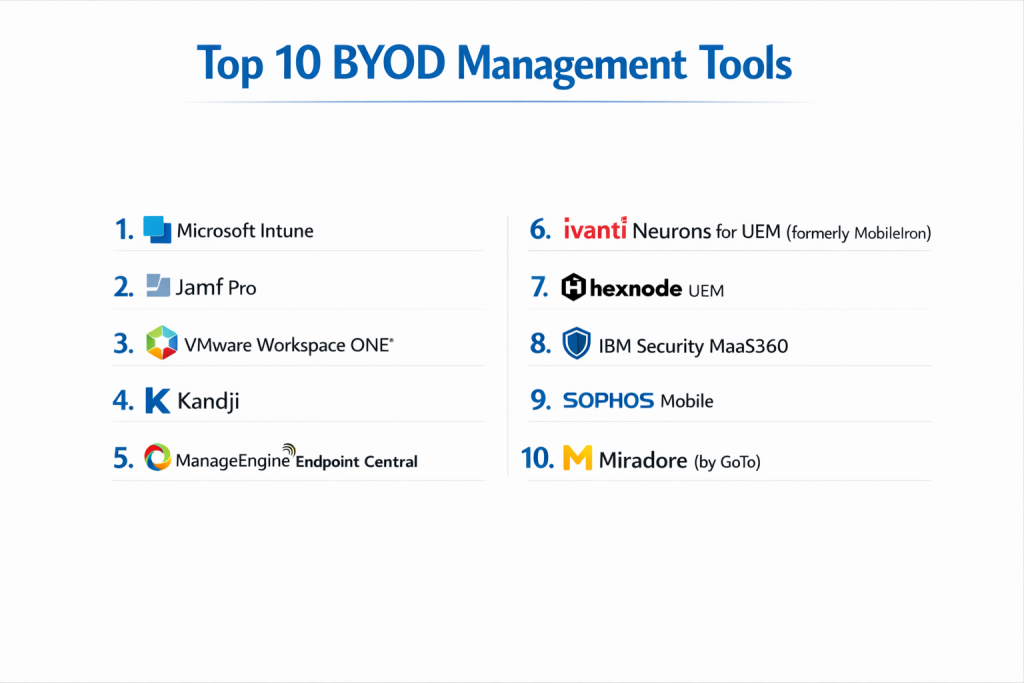
Top 10 BYOD Management Tools
1 — Microsoft Intune
Microsoft Intune is the market leader for BYOD, largely because of its “App Protection Policies” which allow for management without requiring the user to “enroll” their entire device.
- Key Features:
- MAM (Mobile Application Management): Secure data within apps like Outlook and Teams without managing the whole phone.
- Conditional Access: Only allows devices with a specific security posture to access Microsoft 365 data.
- Selective Wipe: Remove corporate data from a personal device while leaving personal photos intact.
- App Layer Encryption: Ensures data at rest within business apps is encrypted.
- Copy/Paste Restrictions: Prevents users from copying work emails into personal notes or social media.
- Multi-Identity Support: Allows users to have a personal and work account in the same app (like Outlook) with different rules.
- Pros:
- Deepest integration with the Microsoft 365 ecosystem.
- Offers the best “privacy-first” experience for employees through agentless management.
- Cons:
- The administrative console can be complex and slow to navigate.
- Requires a Microsoft 365 license (E3 or E5), which can be expensive for some.
- Security & compliance: SOC 2, ISO 27001, GDPR, HIPAA, and FedRAMP compliant. Features robust audit logs and SSO.
- Support & community: Extensive Microsoft Learn documentation, global support network, and a massive community of IT pros.
2 — Jamf Pro
Jamf Pro is the premier choice for organizations that utilize a high volume of Apple devices. Its BYOD-specific workflow, “User Enrollment,” is built directly on Apple’s native privacy frameworks.
- Key Features:
- User Enrollment: Creates a separate, cryptographically distinct volume on the device for work data.
- Self-Service App Store: A branded portal where employees download approved work apps.
- Privacy-First Profiles: Admins cannot see personal apps, messages, or location data.
- Automated Patching: Keeps Mac and iOS business apps updated without user intervention.
- Jamf Connect: Simplifies the login process using cloud identity providers like Okta.
- Inventory Tracking: Tracks work-related apps and hardware specs while ignoring personal data.
- Pros:
- Best-in-class user experience for Mac and iPhone enthusiasts.
- Leverages Apple’s native security features more effectively than any other tool.
- Cons:
- Strictly Apple-only; no support for Windows or Android.
- Higher price point compared to generic multi-platform tools.
- Security & compliance: SOC 2, GDPR, HIPAA, and ISO 27001. Supports SSO and encrypted communication.
- Support & community: “Jamf Nation” is the world’s largest community of Apple IT admins; excellent official training.
3 — VMware Workspace ONE
Workspace ONE is an enterprise-grade platform that excels at managing “any app on any device.” It is particularly strong for organizations with a diverse mix of hardware and legacy applications.
- Key Features:
- Unified App Catalog: One place for SaaS, native mobile, and virtualized Windows apps.
- Intelligent Hub: A sleek employee app for onboarding, notifications, and resource access.
- Containerized Workspace: Keeps personal and work life strictly separated on Android and iOS.
- Per-App VPN: Automatically triggers a secure connection only for business apps.
- Compliance Engine: Automatically locks out a user if they disable their phone’s passcode.
- Identity Integration: Built-in MFA and SSO for all managed applications.
- Pros:
- Excellent for large enterprises with very complex security requirements.
- The “Hub” app provides a very professional onboarding experience for new hires.
- Cons:
- Can be overkill for SMBs due to its complexity and price.
- Recent corporate changes have led to some uncertainty regarding long-term support.
- Security & compliance: ISO 27001, SOC 2, HIPAA, GDPR, and FedRAMP authorized.
- Support & community: Tiered enterprise support, global training centers, and comprehensive knowledge base.
4 — Kandji
Kandji is a modern, cloud-native Apple management tool designed for the “remote-first” era. It emphasizes automation and a clean, Apple-like interface for admins.
- Key Features:
- Kandji Blueprints: Pre-configured templates for security and app deployment.
- Self-Healing Agent: Automatically fixes security settings if a user accidentally changes them.
- One-Click Compliance: Ready-made profiles for CIS, NIST, and other security standards.
- Auto-Apps: Kandji maintains a library of common apps (Chrome, Slack) and keeps them patched.
- User Enrollment Support: Native support for Apple’s privacy-focused BYOD framework.
- Zero-Touch Setup: Streamlined process for getting employees onto the platform.
- Pros:
- Extremely fast to set up; ideal for high-growth startups.
- The most modern and intuitive UI in the Apple management space.
- Cons:
- No support for Windows or Android.
- Less “custom scripting” flexibility compared to Jamf Pro.
- Security & compliance: SOC 2 Type II, GDPR, and HIPAA readiness.
- Support & community: High-touch customer success teams and excellent technical documentation.
5 — ManageEngine Endpoint Central
ManageEngine provides a comprehensive and budget-friendly solution that is available both on-premise and in the cloud. It is a “Swiss Army Knife” for IT admins.
- Key Features:
- Logical Containerization: Separates work apps from personal apps on Android Enterprise.
- App Wrapping: Add a security layer to internal apps without writing new code.
- Kiosk Mode: Lock personal devices into specific apps for temporary work use.
- Geo-Fencing: Trigger security alerts if a device leaves a specific area.
- Remote Troubleshooting: View the screen of employee devices to help with tech issues.
- Email Management: Configure secure access to Exchange, Office 365, and Gmail.
- Pros:
- Exceptional value for the price; includes features usually reserved for premium tools.
- Supports a massive range of platforms including Windows, Linux, and ChromeOS.
- Cons:
- The user interface can feel cluttered and dated.
- Initial setup can be tedious due to the sheer number of configuration options.
- Security & compliance: ISO 27001, SOC 2, HIPAA, and GDPR compliant.
- Support & community: Large user base, extensive video tutorials, and 24/5 technical support.
6 — Ivanti Neurons for UEM (formerly MobileIron)
Ivanti Neurons is a security-focused platform that specializes in “Zero Trust” mobility. It is built to protect devices that are constantly moving between untrusted networks.
- Key Features:
- Zero Sign-On: Uses the device as the identity, eliminating the need for passwords.
- Mobile Threat Defense: Built-in protection against phishing and malicious Wi-Fi.
- App Tunnel: Secure per-app connectivity to data behind the firewall.
- Secure Content Locker: A managed “vault” for corporate documents.
- Automated Remediation: AI-driven bots that fix security flaws in real-time.
- Separation of Data: Strong visual indicators on the device for “Work” vs “Personal.”
- Pros:
- Industry-leading security for highly regulated environments (Gov, Fin, Health).
- Excellent at handling Android Enterprise “Work Profile” deployments.
- Cons:
- The platform can feel fragmented due to various company acquisitions.
- Higher learning curve for junior IT staff.
- Security & compliance: FedRAMP, SOC 2, ISO 27001, HIPAA, and GDPR.
- Support & community: Professional certification programs and global enterprise support.
7 — Hexnode UEM
Hexnode is a highly versatile tool that has gained popularity for its excellent “Kiosk” mode and its support for niche hardware like Fire TVs and Apple TVs.
- Key Features:
- Dynamic Groups: Automatically apply BYOD policies based on user department or location.
- Expense Management: Monitor data usage to ensure employees aren’t exceeding limits.
- Messenger Integration: Send broadcast messages directly to all employee devices.
- App Store Management: Manage and distribute apps from VPP and Managed Play Store.
- Remote Wipe: Ability to wipe only the “work” container if an employee leaves.
- Web Filtering: Block malicious or unproductive websites within the business browser.
- Pros:
- Known for having one of the best customer support teams in the industry.
- Very competitive and transparent pricing tiers.
- Cons:
- Lacks the deep AI analytics found in Workspace ONE or IBM MaaS360.
- Reporting features are functional but not as visually detailed as others.
- Security & compliance: ISO 27001, SOC 2, HIPAA, and GDPR.
- Support & community: Award-winning 24/5 live chat support and dedicated account managers.
8 — IBM Security MaaS360
MaaS360 is unique because it integrates IBM’s Watson AI to provide “Cognitive Insights” into your device fleet, helping you spot risks before they become breaches.
- Key Features:
- Watson Advisor: AI that alerts you to security threats and industry trends.
- MaaS360 Productivity Suite: A secure, all-in-one app for email, calendar, and browser.
- Identity Management: Built-in SSO and conditional access workflows.
- Rapid Deployment: Can get a fleet managed in minutes via cloud-based setup.
- Threat Management: Detects jailbroken devices and OS vulnerabilities.
- Content Suite: Securely view and edit documents (Word, PPT, PDF) on the go.
- Pros:
- The AI advisor is great for small teams that need a “virtual security analyst.”
- The integrated productivity app is excellent for users who want a clean work/life split.
- Cons:
- The UI can feel a bit industrial and less “modern” than SaaS-native tools.
- Some users find the advanced AI insights to be “noisy” at times.
- Security & compliance: SOC 2, ISO 27001, HIPAA, and GDPR. FIPS 140-2 encryption.
- Support & community: IBM X-Force threat intelligence and 24/7 global support.
9 — Sophos Mobile
Sophos is a cybersecurity company first, and their BYOD tool reflects that. It is designed for IT admins who want to manage device security and endpoint protection in one place.
- Key Features:
- Synchronized Security: Automatically isolates a device if it detects a threat.
- Intercept X for Mobile: Award-winning anti-malware and anti-ransomware protection.
- Containerized Workspaces: Secure email and document apps that keep data local and encrypted.
- Web Filtering: Protects users from malicious links in any mobile browser.
- Unified Console: Manage your firewall, antivirus, and BYOD from one screen.
- App Control: Whitelist or blacklist apps for the corporate container.
- Pros:
- The best choice for organizations that already use Sophos for their firewalls or antivirus.
- Offers a “Security-First” approach that is very reassuring for risk-averse businesses.
- Cons:
- Not as “feature-rich” in terms of fleet management compared to ManageEngine.
- macOS management is slightly more basic than specialized tools like Jamf.
- Security & compliance: ISO 27001, SOC 2, HIPAA, and GDPR.
- Support & community: Global partner network and 24/7 technical support.
10 — Miradore (by GoTo)
Miradore is an “entry-level” but powerful cloud MDM that is perfect for companies that need to get their BYOD policy off the ground without a massive budget.
- Key Features:
- Work Profiles: Native support for Android Enterprise to keep work/personal separate.
- Location Tracking: Find lost devices (with privacy safeguards for BYOD).
- Software Deployment: Easily push apps to mobile and desktop devices.
- Compliance Reporting: See at a glance which devices are encrypted and patched.
- Security Actions: Remote lock, wipe, and password reset.
- Business Policies: “Set and forget” rules for new employee onboarding.
- Pros:
- Offers a very generous free tier for basic device tracking and security.
- Incredibly simple to use; you can be up and running in 15 minutes.
- Cons:
- Lacks the advanced automation and “Identity” features of Intune or Okta.
- Support is primarily via email and ticket for the lower tiers.
- Security & compliance: ISO 27001 and GDPR compliant.
- Support & community: Growing knowledge base and a friendly, responsive support team.
Comparison Table
| Tool Name | Best For | Platform(s) Supported | Standout Feature | Rating (Gartner) |
| Microsoft Intune | M365 Ecosystem | Win, Mac, iOS, Android | MAM (Agentless) | 4.4 / 5 |
| Jamf Pro | Apple-Heavy Teams | macOS, iOS, iPadOS | User Enrollment | 4.7 / 5 |
| Workspace ONE | Large Enterprises | All + Virtual Apps | Intelligent Hub | 4.1 / 5 |
| Kandji | High-Growth Startups | macOS, iOS, iPadOS | Self-Healing Agent | 4.8 / 5 |
| ManageEngine | Budget-Conscious | All + Linux/Chrome | Value for Money | 4.4 / 5 |
| Ivanti Neurons | Zero Trust Security | All Platforms | Zero Sign-On | 4.2 / 5 |
| Hexnode UEM | SMBs / Kiosks | All Platforms | 24/5 Live Support | 4.6 / 5 |
| IBM MaaS360 | AI-Driven Insights | All Platforms | Watson AI Advisor | 4.3 / 5 |
| Sophos Mobile | Security-First | All Platforms | Intercept X Mobile | 4.4 / 5 |
| Miradore | Basic / Entry Level | All Platforms | Simple Cloud Setup | 4.5 / 5 |
Evaluation & Scoring of BYOD Management Tools
| Category | Weight | Evaluation Criteria |
| Core Features | 25% | Containerization, Enterprise Wipe, MAM, and App Packaging. |
| Ease of Use | 15% | Admin UI Modernity, Search speed, and Enrollment UX. |
| Integrations | 15% | API quality, SSO hooks, and M365/Google Workspace sync. |
| Security & Compliance | 10% | Encryption, Audit logs, and Industry certifications (SOC2). |
| Performance | 10% | Agent battery impact and system reliability. |
| Support & Community | 10% | Documentation depth and community responsiveness. |
| Price / Value | 15% | Predictable pricing and “True” ROI. |
Which BYOD Management Tool Is Right for You?
Solo Users vs. SMB vs. Mid-Market vs. Enterprise
- SMBs (1-100 users): Start with Miradore or Kandji. You need something that won’t take a week to configure.
- Mid-Market (100-1,000 users): Hexnode or ManageEngine are the sweet spots for price and power.
- Enterprise (1,000+ users): Microsoft Intune or Workspace ONE are the only tools with the global infrastructure to handle this scale.
Budget-Conscious vs. Premium Solutions
- On a Budget: ManageEngine or the free version of Miradore are your best bets.
- Premium: Jamf Pro and Workspace ONE are premium for a reason; they provide the most polished user experience.
Feature Depth vs. Ease of Use
If your primary pain point is security/audits, choose Ivanti or Sophos. If your primary pain point is employee onboarding/UX, choose Kandji or Intune.
Frequently Asked Questions (FAQs)
1. Can my employer see my personal photos through BYOD management?
No. Modern tools (like Intune or Jamf) use “containerization” or “User Enrollment,” which creates a digital wall. The company can see business apps, but they cannot access your personal photos, messages, or browser history.
2. Does BYOD management drain my battery?
Modern management agents are very lightweight. You shouldn’t notice more than a 1-2% difference in daily battery life.
3. What is an “Enterprise Wipe”?
This is a command that deletes only the business apps, emails, and files from your phone. It leaves your personal data, apps, and photos completely untouched.
4. Why can’t I just use a password on my phone instead?
A password protects the hardware, but it doesn’t protect the data if the device is unencrypted or if a user accidentally shares a corporate file to a public cloud. BYOD tools ensure the data stays in a secure “bubble.”
5. How long does it take to set up a BYOD tool?
Cloud-native tools like Kandji or Miradore can be set up in an afternoon. Large enterprise rollouts like Workspace ONE can take 3-6 months.
6. Do I need to “enroll” my phone to check work email?
With Microsoft Intune MAM, you don’t have to enroll your whole phone. You just sign into the Outlook app, and the company manages only that specific app.
7. Can the company track my GPS location?
While the feature exists in many MDMs, most corporate BYOD policies disable it for privacy reasons. Usually, location tracking is only used for “company-owned” devices, not BYOD.
8. What happens if I leave the company?
The IT admin will perform an Enterprise Wipe. Your work email and apps will disappear from your phone, and you can keep using it as your personal device.
9. Can BYOD management block apps like TikTok or Facebook?
On a personal (BYOD) device, IT usually cannot block your personal apps. They can only control what happens inside the business container.
10. Is BYOD management mandatory for HIPAA or GDPR?
In many cases, yes. If your employees are handling patient or customer data on their personal phones, you must prove to auditors that the data is encrypted and managed.
Conclusion
The “best” BYOD Management Tool isn’t the one with the most checkboxes; it’s the one that your employees actually agree to use. If a tool is too invasive, employees will find ways to bypass it, creating “Shadow IT” risks.
If you are a Microsoft-centric shop, Intune is the clear winner for its agentless simplicity. If you are an Apple-only creative agency, Jamf Pro or Kandji will provide the most native experience. And if you are a large enterprise with a “messy” mix of hardware, Workspace ONE or Ivanti offer the granular control you need.
Focus on the balance between Security and Privacy. By choosing a tool that respects the employee’s personal life while locking down the company’s digital assets, you create a culture of trust that makes hybrid work successful.