Introduction
Enterprise Mobility Management (EMM) is a comprehensive set of technologies, processes, and policies used to secure and manage corporate data on employees’ mobile devices. While many people use the term interchangeably with Mobile Device Management (MDM), EMM is actually a broader evolution. It combines MDM (device control), Mobile Application Management (MAM), Mobile Content Management (MCM), and Identity and Access Management (IAM) into a single cohesive framework. In essence, EMM isn’t just about locking down a phone; it’s about creating a secure, productive digital workspace that travels with the employee.
The importance of EMM in 2026 cannot be overstated. With the permanent shift toward hybrid work and the proliferation of “Bring Your Own Device” (BYOD) cultures, the corporate perimeter has effectively vanished. EMM tools allow IT departments to ensure that sensitive company emails, proprietary apps, and confidential documents remain protected, even if they are accessed from a personal device in a public space. Key real-world use cases include the automated deployment of specialized medical apps for healthcare workers, secure document sharing for legal teams, and “Zero-Touch” provisioning for global sales forces. When choosing an EMM tool, evaluators should prioritize multi-OS support, containerization capabilities, identity integration, and ease of user enrollment.
Best for: IT Directors, Security Architects, and System Administrators in mid-market to enterprise-scale organizations. It is particularly vital for highly regulated sectors such as Finance, Healthcare, Government, and Logistics.
Not ideal for: Micro-businesses or retail shops with 1–5 static devices. For these users, a basic, free MDM or simple manual configuration is usually more cost-effective than a full-scale EMM suite.
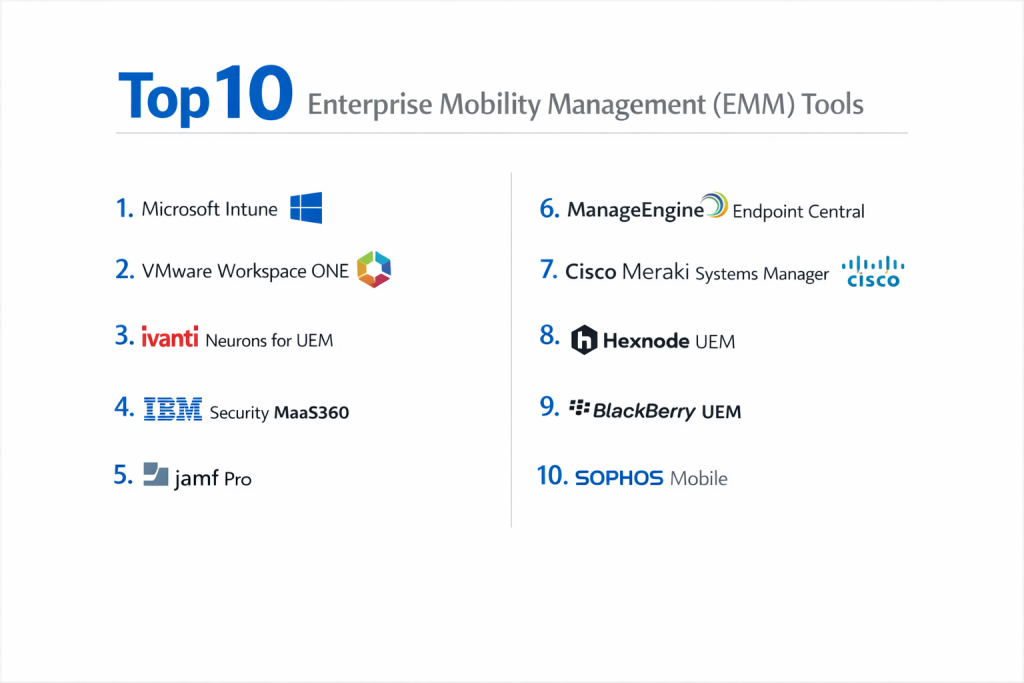
Top 10 Enterprise Mobility Management (EMM) Tools
1 — Microsoft Intune
Microsoft Intune is the market leader in the EMM/UEM (Unified Endpoint Management) space, primarily because of its deep integration with the Microsoft 365 ecosystem and Entra ID (formerly Azure AD).
- Key Features:
- App Protection Policies: Secure corporate data at the app level without requiring full device enrollment (MAM).
- Conditional Access: Integration with Microsoft Entra to ensure only compliant devices access resources.
- Windows Autopilot: Zero-touch deployment for Windows laptops alongside mobile devices.
- Microsoft 365 Integration: Seamless deployment and configuration of Outlook, Teams, and Office.
- Multi-Platform Support: Robust management for iOS, Android, macOS, Windows, and Linux.
- Endpoint Analytics: Proactive insights into device health and performance.
- Pros:
- Often “free” for organizations already paying for Microsoft 365 E3/E5 licenses.
- The gold standard for securing corporate data on personal devices (BYOD) via MAM.
- Cons:
- The administrative interface is vast and can be overwhelming for new users.
- Certain advanced features require the more expensive “Intune Suite” add-on.
- Security & compliance: SOC 1/2/3, ISO 27001, HIPAA, GDPR, FedRAMP High, and FIPS 140-2.
- Support & community: Massive global community, extensive Microsoft Learn documentation, and premier enterprise support tiers.
2 — VMware Workspace ONE
Workspace ONE, built on the AirWatch foundation, is a high-end EMM platform that emphasizes the “anywhere workspace” experience, combining device management with virtualized app delivery.
- Key Features:
- Unified Endpoint Management: A single console for all mobile, desktop, and even IoT devices.
- Workspace ONE Hub: A centralized employee app for notifications, apps, and corporate directory.
- Intelligence Analytics: AI-driven insights to predict security threats and performance issues.
- Horizon Integration: Native support for virtual desktops (VDI) alongside physical mobile devices.
- Rugged Device Management: Industry-leading support for warehouse scanners and POS systems.
- Secure Email Gateway: Specialized proxy to ensure mobile email remains within the corporate perimeter.
- Pros:
- Exceptionally scalable; used by some of the largest global fleets in the world.
- Provides the most “holistic” employee experience through the Hub application.
- Cons:
- Corporate changes (Broadcom acquisition) have led to some pricing and support uncertainty.
- It is a complex product that often requires specialized training or consultants to implement.
- Security & compliance: ISO 27001, SOC 2, HIPAA, GDPR, and FedRAMP authorized.
- Support & community: Extensive VMware Knowledge Base, global user groups, and 24/7 enterprise support.
3 — Ivanti Neurons for UEM
Ivanti Neurons (incorporating the legacy MobileIron platform) focuses on “self-healing” mobility, using AI to automate the discovery and securing of every device in an organization.
- Key Features:
- Mobile Threat Defense (MTD): Built-in protection against phishing, device exploits, and malicious networks.
- Self-Healing Bots: Automated scripts that detect and fix device issues before the user reports them.
- App Tunnel: Secure per-app VPN that connects mobile apps to behind-the-firewall data.
- Zero Trust Access: Uses device posture and identity to grant access rather than just passwords.
- Zero Touch Enrollment: Full support for Apple Business Manager and Android Zero Touch.
- Content Docs: Secure container for distributing and managing corporate files on mobile.
- Pros:
- Very strong security posture for companies prioritizing “Zero Trust” architectures.
- Excellent at managing Android Enterprise in complex, high-security environments.
- Cons:
- The migration from older MobileIron versions to the new Neurons platform can be tricky.
- The UI can feel fragmented across different modules.
- Security & compliance: FedRAMP, SOC 2, ISO 27001, HIPAA, and GDPR.
- Support & community: Ivanti Global Support, professional certification programs, and active forums.
4 — IBM Security MaaS360
IBM MaaS360 is a veteran in the EMM space, distinguished by its use of “Watson” AI to provide cognitive insights into security vulnerabilities and device management.
- Key Features:
- Watson Advisor: AI that analyzes your device fleet to find security gaps and offer remediations.
- Secure Container: A localized, encrypted sandbox for email, web, and documents on the device.
- Identity Management: Native integration with SSO and directory services.
- Mobile Expense Management: Track data usage to prevent cellular bill shock.
- Threat Management: Detects jailbroken devices and malware in real-time.
- Cloud-First Architecture: Easy to scale from 10 to 10,000 devices without on-premise hardware.
- Pros:
- The AI advisor is genuinely helpful for small IT teams who need help prioritizing tasks.
- Known for being relatively quick to deploy compared to Workspace ONE or Ivanti.
- Cons:
- The user interface feels slightly dated compared to modern “SaaS-native” competitors.
- Advanced AI features can sometimes produce “noise” that requires manual filtering.
- Security & compliance: ISO 27001, SOC 2, HIPAA, GDPR, and FIPS 140-2.
- Support & community: IBM X-Force threat intelligence, 24/7 global support, and a vast partner network.
5 — Jamf Pro
While Jamf Pro is often called an MDM, its “Pro” tier is a full EMM solution for the Apple ecosystem. It is the gold standard for organizations that are 100% committed to Mac, iPad, and iPhone.
- Key Features:
- Apple-First Design: Supports every new Apple feature on the day it is released.
- Self-Service: A corporate app store where users can download apps and run maintenance.
- Smart Groups: Automated tasking based on device criteria (e.g., “All iPads with low storage”).
- Jamf Connect: Synchronizes local Mac accounts with cloud identity providers like Okta.
- App Installers: Automatically manages the packaging and patching of third-party Mac apps.
- Apple TV Management: Specialized tools for managing conference room displays.
- Pros:
- Unrivaled depth of control over macOS and iOS; does things no other tool can.
- Incredible user community (Jamf Nation) for sharing scripts and best practices.
- Cons:
- It does not manage Windows or Android, which creates a “two-tool” problem for many.
- It is a premium-priced solution compared to multi-platform rivals.
- Security & compliance: SOC 2 Type II, ISO 27001, GDPR, and HIPAA readiness.
- Support & community: “Jamf Nation” is the world’s largest Apple IT community; excellent official training.
6 — ManageEngine Endpoint Central
ManageEngine provides a highly comprehensive and affordable UEM/EMM suite. It is widely praised for its massive feature set that covers both traditional and mobile endpoints.
- Key Features:
- Remote Troubleshooting: Built-in remote desktop control for mobile and PC.
- Kiosk Mode: Lock devices down to a single app for public use or dedicated workflows.
- Geofencing: Apply security policies or alerts based on the device’s physical location.
- Software Metering: Track mobile app usage to optimize license spending.
- Email Management: Configure and secure corporate email across various clients.
- Automated Patching: Handle OS and third-party app updates from a single console.
- Pros:
- One of the best “feature-per-dollar” ratios on the market.
- Available as both a Cloud/SaaS offering and an On-Premise installation.
- Cons:
- The interface is dense and can be confusing for casual administrators.
- Support response times can be slow for customers on lower-tier plans.
- Security & compliance: ISO 27001, SOC 2, GDPR, HIPAA, and PCI DSS.
- Support & community: Large library of video tutorials, active forums, and global user conferences.
7 — Cisco Meraki Systems Manager
Cisco Meraki SM is a cloud-based EMM that shines brightest for organizations already using Meraki’s networking hardware (Wi-Fi, Switches, Security Appliances).
- Key Features:
- Sentry Security: Automatically grants or denies Wi-Fi/VPN access based on device posture.
- Dynamic Groups: Apply policies based on tags, location, or security status.
- Rapid Provisioning: Links directly with Apple, Google, and Microsoft enrollment programs.
- Integrated Network Topology: See where your mobile devices are within your network map.
- App Management: Seamless deployment of public and private enterprise apps.
- Backpack: A feature to push documents and folders to mobile devices securely.
- Pros:
- Single-pane-of-glass management if you already use the Meraki Dashboard for networking.
- “Sentry” features provide the best network-level security in the EMM category.
- Cons:
- Less granular “deep” device control compared to Jamf (for Apple) or Intune (for Windows).
- Can be expensive if you aren’t already invested in the Cisco Meraki ecosystem.
- Security & compliance: SOC 2 Type 2, ISO 27001, HIPAA, and GDPR.
- Support & community: 24/7 Meraki Support and an extremely helpful online community.
8 — Hexnode UEM
Hexnode is a modern, high-growth EMM platform that has gained significant traction for its user-friendly interface and its specialized “Kiosk” and digital signage features.
- Key Features:
- Advanced Kiosk Management: Lock devices into specific apps, websites, or functions.
- Digital Signage: Turn iPads or Android tablets into interactive displays.
- Geofencing: Create “safe zones” where certain apps or features are disabled.
- Technician Roles: Granular administrative permissions for different IT team members.
- Peripheral Control: Manage Bluetooth, Wi-Fi, and camera usage on mobile devices.
- Expense Management: Monitor data usage and set limits to avoid overages.
- Pros:
- The most flexible and powerful “Kiosk Mode” capabilities in the industry.
- Transparent, tiered pricing that is accessible for small to mid-market companies.
- Cons:
- Lacks some of the AI-driven “self-healing” features found in Ivanti or IBM.
- Automation capabilities are strong but not quite as deep as Jamf’s scripting.
- Security & compliance: ISO 27001, SOC 2, HIPAA, and GDPR. Supports major SSO providers like Okta.
- Support & community: Frequently cited as having some of the best 24/5 live chat support in the space.
9 — Blackberry UEM
The pioneer of mobile security, Blackberry remains a top choice for government and high-security financial institutions that require “defense-grade” EMM.
- Key Features:
- Blackberry Dynamics: A highly secure SDK for building encrypted enterprise apps.
- Single Console: Management for iOS, Android, Windows, Mac, and ChromeOS.
- Blackberry Work: A dedicated, hyper-secure productivity suite (Email, Calendar, Docs).
- Bylocations: Secure connectivity that doesn’t require a traditional VPN.
- Flexible Deployment: Available on-premise, in the cloud, or as a hybrid.
- Government-Grade Security: Long history of meeting the highest security certifications globally.
- Pros:
- Still the gold standard for high-security containerization (separating work/personal).
- “Blackberry Work” is arguably the most secure mobile productivity app in existence.
- Cons:
- Often perceived as “legacy,” and the user interface can be less intuitive than modern SaaS tools.
- The administrative overhead is high; it requires a disciplined IT team.
- Security & compliance: FIPS 140-2, FedRAMP, SOC 2, ISO 27001, HIPAA, and GDPR.
- Support & community: Professional enterprise support and specialized consulting services.
10 — Sophos Mobile
Sophos Mobile is an EMM solution that integrates directly into the “Sophos Central” security platform, making it the best choice for organizations focusing on “Synchronized Security.”
- Key Features:
- Synchronized Security: Automatically disconnects a device from the network if it detects a threat.
- Sophos Intercept X: Award-winning mobile anti-malware and ransomware protection.
- Containerized Apps: Secure workspace for email and documents on BYOD devices.
- Secure Unified Console: Manage mobile, server, and endpoint security from one place.
- Managed Google Play: Seamless integration with Android Enterprise.
- Compliance Actions: Automatic lock or wipe if a device becomes non-compliant.
- Pros:
- The best integration between “Device Management” and “Endpoint Security.”
- Simple, flat-rate pricing that makes budgeting easy for SMBs.
- Cons:
- macOS management is basic compared to Jamf or Kandji.
- It doesn’t have the deep IoT or “Rugged” device support of Workspace ONE.
- Security & compliance: ISO 27001, SOC 2, HIPAA, and GDPR.
- Support & community: Strong partner network and 24/7 technical support for business customers.
Comparison Table
| Tool Name | Best For | Platform(s) Supported | Standout Feature | Rating (Gartner) |
| Microsoft Intune | Microsoft 365 Shops | Win, Mac, iOS, Android, Linux | MAM (App Protection) | 4.4 / 5 |
| Workspace ONE | Large Global Enterprise | Win, Mac, iOS, Android, Rugged | Intelligence Analytics | 4.2 / 5 |
| Ivanti Neurons | Zero Trust Security | Win, Mac, iOS, Android, IoT | Self-Healing Bots | 4.3 / 5 |
| IBM MaaS360 | Small IT Teams (AI Help) | Win, Mac, iOS, Android | Watson AI Advisor | 4.3 / 5 |
| Jamf Pro | 100% Apple Shops | macOS, iOS, iPadOS, tvOS | Day-Zero Apple Support | 4.7 / 5 |
| Endpoint Central | Budget-Conscious / SMB | Win, Mac, iOS, Android, Linux | Remote Troubleshooting | 4.4 / 5 |
| Cisco Meraki SM | Meraki Network Users | Win, Mac, iOS, Android, Chrome | Network “Sentry” | 4.0 / 5 |
| Hexnode UEM | Kiosks & Signage | Win, Mac, iOS, Android, FireTV | Geofencing Kiosk | 4.6 / 5 |
| Blackberry UEM | High-Security (Gov/Fin) | Win, Mac, iOS, Android | Blackberry Dynamics | 4.1 / 5 |
| Sophos Mobile | Security-First SMBs | Win, Mac, iOS, Android | Synchronized Security | 4.4 / 5 |
Evaluation & Scoring of Enterprise Mobility Management (EMM)
| Category | Weight | Evaluation Criteria |
| Core Features | 25% | Containerization, App Management, Zero-Touch Enrollment, and Remote Wipe. |
| Ease of Use | 15% | Dashboard intuitiveness, admin learning curve, and mobile agent UX. |
| Integrations | 15% | API quality, Identity provider (SSO) support, and Cloud (M365/Google) sync. |
| Security & Compliance | 10% | Encryption standards, Certifications (SOC 2/FedRAMP), and Audit logging. |
| Performance | 10% | Scalability, agent battery impact, and real-time command latency. |
| Support & Community | 10% | Documentation quality, community forums, and vendor response times. |
| Price / Value | 15% | ROI, transparency of pricing tiers, and “hidden” cost overheads. |
Which EMM Tool Is Right for You?
Solo Users vs. SMB vs. Mid-Market vs. Enterprise
- SMB (under 250 users): Look for Hexnode or Sophos. They provide easy setup and pre-configured security templates that don’t require a PhD in mobility to manage.
- Mid-Market (250–1,000 users): Microsoft Intune or ManageEngine are the sweet spots. They offer a professional depth of features that scale with your growing fleet.
- Enterprise (1,000+ users): Workspace ONE or Ivanti Neurons are designed for this scale. They handle the complexity of global regulations and millions of diverse devices.
Budget-Conscious vs. Premium Solutions
- On a Budget: ManageEngine or Microsoft Intune (if you already have M365) are unbeatable for value.
- Premium: Jamf Pro (for Apple) and Blackberry UEM are premium choices. You are paying for specialized expertise and “defense-grade” reliability.
Feature Depth vs. Ease of Use
If your primary goal is security above all else, go with Blackberry or Ivanti. If your primary goal is employee productivity and happiness, the polished interfaces of Jamf or Kandji (for Apple) and Workspace ONE are the winners.
Frequently Asked Questions (FAQs)
1. What is the difference between MDM and EMM?
MDM (Mobile Device Management) is about the hardware (lock/wipe/password). EMM (Enterprise Mobility Management) adds layers for apps (MAM), content (MCM), and identity, managing the entire workspace rather than just the device.
2. Can EMM tools see my personal text messages?
No. Modern EMM platforms (especially those using Android Enterprise or Apple’s User Enrollment) use “containerization” to separate work and personal data. Admins can see your device model and apps, but not your private photos or texts.
3. Does EMM drain my phone’s battery?
Modern EMM agents are highly optimized. They remain dormant until a command is sent or a security scan is triggered. You should notice less than a 1–2% difference in daily battery life.
4. Why do I need EMM if I only use SaaS apps?
Even if your data is in the cloud, the device itself can be compromised. EMM ensures the device is encrypted, patched, and has a passcode, which prevents unauthorized people from accessing those SaaS apps if the phone is stolen.
5. How long does an EMM rollout take?
For an SMB, a cloud rollout can take 1–2 weeks. For a global enterprise with complex integrations, expect a phased rollout over 3–6 months.
6. What is “Zero-Touch” provisioning?
It’s a feature where you buy a phone from a vendor (like Apple or Verizon), ship it directly to the employee’s house, and the moment they turn it on, it automatically downloads your corporate security profiles.
7. Can EMM block apps like TikTok or Facebook?
Yes. On corporate-owned devices, admins can “blacklist” specific apps. On personal (BYOD) devices, they usually can’t block personal apps, but they can prevent you from using work apps if the personal ones are present.
8. What happens if I leave the company?
The IT admin will send an “Enterprise Wipe” command. This removes all corporate emails, apps, and documents from your phone but leaves your personal photos, contacts, and apps completely untouched.
9. Do I need EMM for remote work compliance?
Yes. For industries like Healthcare (HIPAA) or Finance (FINRA), having an EMM is often the only way to legally prove that your remote workers are handling data on encrypted, secure devices.
10. Can EMM track my GPS location?
Technically, yes, but most companies have policies against it for privacy reasons. “Lost Mode” is the standard, where tracking is only enabled after the employee reports the device as stolen.
Conclusion
The “best” Enterprise Mobility Management (EMM) tool isn’t the one with the most checkboxes—it’s the one that aligns with your existing technology stack and your security culture.
If you are a Microsoft-heavy shop, Intune is almost certainly your best path. If you want the absolute best for your creative team on Mac, Jamf Pro is the answer. And if you are a global enterprise managing everything from warehouse scanners to executive iPhones, Workspace ONE remains the titan.
Mobility is the engine of modern business, but security is the brakes that keep you from crashing. By choosing one of these top 10 tools, you can empower your employees to work from anywhere while ensuring your company’s most valuable data remains under your control.