Introduction
Endpoint Management Tools are centralized software platforms that allow IT administrators to oversee, manage, and secure every device that connects to a corporate network. In the modern workspace, an “endpoint” is no longer just a desktop computer; it includes laptops, smartphones, tablets, virtual machines, and even IoT devices. These tools provide a “single pane of glass” view, allowing IT teams to push software updates, enforce security policies, and troubleshoot issues remotely, regardless of where the device or the user is located.
As hybrid work becomes the standard in 2026, endpoint management has shifted from a convenience to a critical security requirement. Without these tools, organizations face massive risks from unpatched software, lost devices, and data breaches. Key real-world use cases include onboarding new employees by “zero-touch” provisioning of their laptops, automatically deploying security patches to thousands of machines overnight, and remotely wiping sensitive company data from a stolen mobile phone. When evaluating tools, users should look for cross-platform support (Windows, macOS, Linux, iOS, Android), automation capabilities, security integrations, and ease of deployment.
Best for: IT Managers, SysAdmins, and Security Operations (SecOps) teams in organizations of all sizes. They are particularly vital for industries with strict regulatory requirements, such as healthcare, finance, and legal services, where device encryption and audit trails are mandatory.
Not ideal for: Very small businesses (under 10 employees) where devices can be managed manually, or companies that operate entirely on a “Bring Your Own Device” (BYOD) model without any desire to control corporate data on those devices.
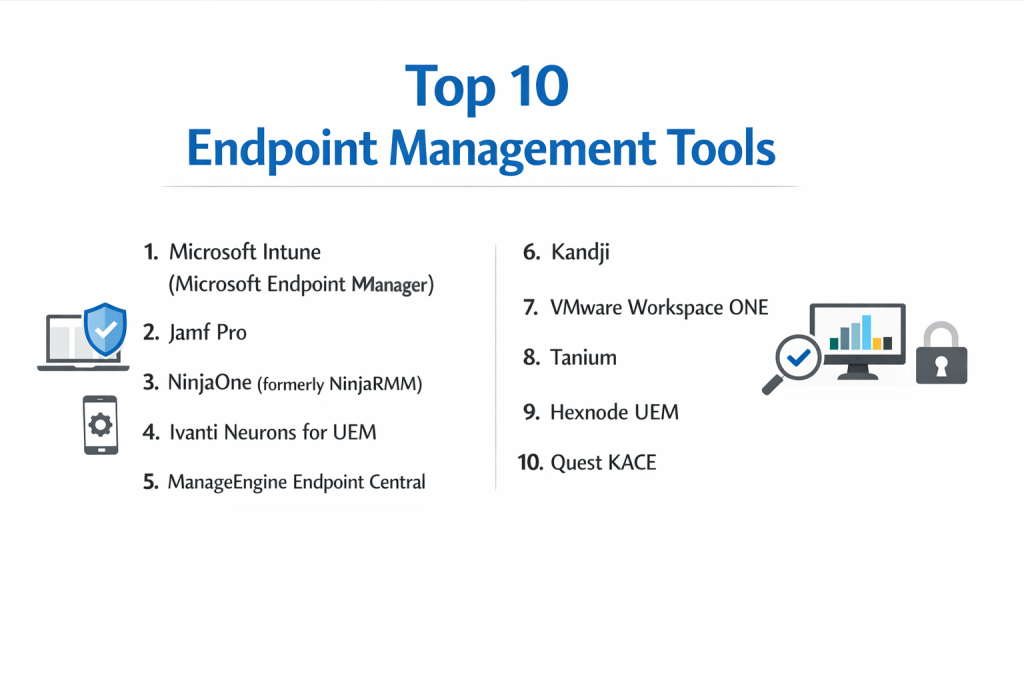
Top 10 Endpoint Management Tools
1 — Microsoft Intune (Microsoft Endpoint Manager)
Microsoft Intune is the market-leading cloud-based Unified Endpoint Management (UEM) solution. It is designed for organizations heavily invested in the Microsoft 365 ecosystem, offering deep integration with Azure AD and Office apps.
- Key Features:
- Zero-Touch Provisioning: Use Windows Autopilot to ship devices directly to users and have them self-configure.
- Conditional Access: Integration with Entra ID to ensure only healthy, compliant devices can access company data.
- Mobile Application Management (MAM): Secure corporate data within apps like Outlook without managing the user’s personal phone.
- Cross-Platform Support: Robust management for Windows, macOS, iOS, Android, and Linux.
- Endpoint Analytics: Proactive insights into device performance and startup times.
- Configuration Profiles: Granular control over OS settings via a web-based interface.
- Pros:
- Seamlessly integrated with Microsoft 365 licenses, often making it “free” for existing customers.
- Best-in-class security features for Windows-heavy environments.
- Cons:
- The administrative interface is notoriously complex and has a steep learning curve.
- macOS management, while improving, is still not as deep as specialized Mac tools like Jamf.
- Security & compliance: SOC 1, 2, and 3, ISO 27001, HIPAA, GDPR, FedRAMP, and FIPS 140-2.
- Support & community: Massive global community, extensive Microsoft Learn documentation, and premier enterprise support.
2 — Jamf Pro
Jamf Pro is the undisputed gold standard for Apple device management. It is designed specifically for organizations that want to provide an elite Mac, iPad, and iPhone experience for their employees.
- Key Features:
- Apple-First Design: Supports new Apple features and OS updates the same day they are released.
- Self-Service App Store: Create a customized corporate app store for employees to download approved software.
- Smart Groups: Automatically categorize devices based on specific criteria for targeted policy deployment.
- Jamf Connect: Simplify Mac login using cloud identity credentials (like Okta or Google).
- Advanced Scripting: Deep control over macOS via shell scripts and configuration profiles.
- Inventory Management: Detailed hardware and software reporting for Apple fleets.
- Pros:
- Provides the deepest level of control over macOS and iOS available on the market.
- The user experience for the end employee is exceptionally polished and “Apple-like.”
- Cons:
- It only manages Apple devices; you will need a separate tool for Windows and Android.
- Pricing is on the higher end compared to multi-platform UEM solutions.
- Security & compliance: SOC 2 Type II, ISO 27001, GDPR, and HIPAA readiness.
- Support & community: “Jamf Nation” is the world’s largest community of Apple IT admins, offering incredible peer support.
3 — NinjaOne (formerly NinjaRMM)
NinjaOne is a modern, cloud-native platform that combines endpoint management with IT monitoring. It is a favorite for both MSPs and internal IT teams who prioritize speed and a modern user interface.
- Key Features:
- Automated Patching: Automate OS and third-party application patching for over 120 apps.
- Remote Control Integration: Built-in tools like Splashtop and TeamViewer for instant troubleshooting.
- Powerful Scripting Engine: Support for PowerShell, VBScript, Batch, and Shell scripts.
- Cloud-First Architecture: No on-premise servers required; manage devices anywhere in the world.
- Integrated Backup: Native cloud backup built directly into the endpoint management agent.
- Endpoint Security: Integrated management for Bitdefender, Webroot, and SentinelOne.
- Pros:
- The interface is incredibly intuitive and fast, requiring very little training.
- Customer support is consistently ranked as some of the best in the IT industry.
- Cons:
- Lacks some of the deep MDM features for iOS and Android found in Intune or Ivanti.
- Reporting, while good, may not be as granular as high-end enterprise platforms.
- Security & compliance: SOC 2 Type II, GDPR, HIPAA compliant, and 2FA/SSO support.
- Support & community: Highly rated “Ninja Dojo” documentation, active user groups, and responsive live support.
4 — Ivanti Neurons for UEM
Ivanti Neurons is an AI-powered platform designed for the “Everywhere Work” era. It focuses on self-healing and proactive device management.
- Key Features:
- Self-Healing Bots: AI bots that detect and fix common device issues before the user notices.
- Unified Management: Manage Windows, Mac, iOS, Android, Linux, and even IoT from one console.
- Application Control: Prevent unauthorized software from running on corporate endpoints.
- Patch Management: Advanced vulnerability-based patching that prioritizes the most critical risks.
- Real-Time Intelligence: Query any endpoint for live data (e.g., “show all laptops with low disk space”).
- Digital Employee Experience (DEX): Tools to measure and improve how users feel about their tech.
- Pros:
- The AI-driven “self-healing” features significantly reduce the number of help desk tickets.
- Excellent for very large, complex global enterprises with thousands of diverse devices.
- Cons:
- The setup and configuration can be complex, often requiring professional services.
- The platform is a result of many acquisitions, which can lead to a fragmented UI in some modules.
- Security & compliance: SOC 2, ISO 27001, GDPR, and FedRAMP authorized.
- Support & community: Extensive Ivanti Global Support and a professional certification program.
5 — ManageEngine Endpoint Central
ManageEngine provides a highly comprehensive and affordable UEM solution that is available both on-premise and in the cloud. It is known for its massive feature set that covers every aspect of the device lifecycle.
- Key Features:
- Automated OS Deployment: Remote imaging and deployment of operating systems.
- Mobile Device Management (MDM): Deep profiles for iOS, Android, and Windows tablets.
- USB Device Management: Control which USB drives can be plugged into corporate machines.
- Browser Management: Manage and secure corporate browsers (Chrome, Edge, etc.).
- Remote Troubleshooting: Integrated remote desktop with chat and file transfer.
- Software Metering: Track software usage to identify and reclaim unused licenses.
- Pros:
- One of the best “feature-per-dollar” ratios in the industry.
- Offers a “Free Edition” for up to 25 devices, making it perfect for small startups.
- Cons:
- The user interface can feel cluttered and overwhelming due to the sheer number of menus.
- Support responsiveness can be inconsistent depending on your time zone.
- Security & compliance: ISO 27001, SOC 2, GDPR, HIPAA, and PCI DSS.
- Support & community: Large user base, extensive YouTube tutorials, and annual user conferences.
6 — Kandji
Kandji is a modern, high-growth Apple MDM solution built for companies that want “Apple-level” design and automation. It is often seen as a more modern, cloud-first alternative to Jamf.
- Key Features:
- Kandji Lifeline: Offline MFA for macOS that works even without an internet connection.
- Zero-Touch Deployment: Fully automated setup via Apple Business Manager.
- The Blueprints System: Unique way to organize settings and apps and deploy them to groups.
- Auto-Apps: Kandji maintains a library of common apps (like Chrome and Slack) and keeps them updated automatically.
- Self-Service: A branded app for users to install software and run maintenance scripts.
- Compliance Templates: One-click deployment of security standards (like CIS or NIST).
- Pros:
- Incredibly fast to set up; a new company can be configured in hours.
- The “Auto-Apps” feature saves IT admins hundreds of hours on packaging software.
- Cons:
- Like Jamf, it is Apple-only; no support for Windows or Android.
- Advanced customization can sometimes be more restricted than Jamf’s “open” scripting.
- Security & compliance: SOC 2 Type II, ISO 27001, and GDPR.
- Support & community: Excellent documentation and a very high-quality customer success team.
7 — VMware Workspace ONE
Workspace ONE is an enterprise platform that focuses on “Anywhere Workspace” goals. It is particularly strong in virtual desktop (VDI) environments and secure application delivery.
- Key Features:
- Unified Endpoint Management: Strong support for Windows, macOS, Android, and iOS.
- Hub Services: A centralized “employee hub” for notifications, apps, and people search.
- Horizon Integration: Native integration with VMware’s world-class VDI solution.
- Intelligence & Automation: Data-driven insights to automate security workflows.
- Secure Email Gateway: Specialized tools for securing mobile email access.
- Rugged Device Support: Advanced management for warehouse scanners and POS systems.
- Pros:
- Ideal for organizations that need to manage both physical devices and virtual desktops.
- Highly scalable, capable of managing hundreds of thousands of endpoints.
- Cons:
- Licensing is complex and can become very expensive for small and mid-sized teams.
- Recent changes in VMware ownership (Broadcom acquisition) have created some uncertainty in the roadmap.
- Security & compliance: FedRAMP, SOC 2, ISO 27001, and GDPR.
- Support & community: Comprehensive enterprise support and a global partner network.
8 — Tanium
Tanium is an endpoint management and security platform built on a unique linear-chain architecture. It is designed for the world’s largest and most security-conscious organizations.
- Key Features:
- Real-Time Visibility: Query thousands of endpoints and get answers in seconds.
- Threat Response: Detect and remediate security threats across the fleet instantly.
- Vulnerability Management: Identify missing patches and security misconfigurations.
- Asset Discovery: Find “unmanaged” devices hiding on your network.
- Performance Monitoring: Identify which apps are slowing down user machines.
- Endpoint Risk Scoring: Assign a risk score to every device based on its security posture.
- Pros:
- Speed is Tanium’s superpower; it can manage a 100,000-device fleet in seconds.
- Combines “Security” and “Management” more tightly than almost any other tool.
- Cons:
- It is an “Expert” tool; it requires a high level of technical skill to manage.
- Pricing is generally out of reach for SMBs; it is a true enterprise solution.
- Security & compliance: SOC 2, ISO 27001, HIPAA, and GDPR.
- Support & community: High-touch technical account managers (TAMs) for most customers.
9 — Hexnode UEM
Hexnode is a highly versatile UEM that is popular for its “Kiosk Mode” capabilities and its support for a wide range of specialized devices like Fire TVs and Apple TVs.
- Key Features:
- Advanced Kiosk Management: Lock down devices into a single app or a specific set of functions.
- Geofencing: Trigger specific security policies based on the physical location of the device.
- Zero-Touch Enrollment: Supports Apple, Android (Zero Touch), and Windows (Autopilot).
- Remote View & Control: Remote troubleshooting for both mobile and desktop.
- Expense Management: Track data usage on mobile devices to prevent bill shock.
- Digital Signage: Turn devices into interactive digital displays.
- Pros:
- The best tool for organizations that use “specialized” devices (Kiosks, Signage, Tablets).
- Very affordable and flexible pricing tiers.
- Cons:
- The interface is functional but not as modern or sleek as NinjaOne or Kandji.
- Documentation, while thorough, can occasionally be difficult to navigate.
- Security & compliance: HIPAA, GDPR, ISO 27001, and SOC 2.
- Support & community: Highly praised 24/5 live chat support and dedicated account managers.
10 — Quest KACE
Quest KACE (specifically the K1000 and K2000) is a veteran in the endpoint space. It is often sold as a “systems management appliance” (physical, virtual, or cloud) for a comprehensive, all-in-one feel.
- Key Features:
- Asset Discovery: Automatically finds and inventories everything on the network.
- Software Distribution: Schedule and push software installs to specific groups.
- Service Desk Integration: Built-in ticketing system that links tickets to specific assets.
- Disk Imaging: Advanced tools for capturing and deploying OS images (K2000).
- Power Management: Track and manage the energy consumption of your PC fleet.
- Reporting Engine: Highly granular reporting for compliance and auditing.
- Pros:
- Excellent for “closed” networks or companies that prefer an appliance-based model.
- The integration between the inventory and the service desk is very strong.
- Cons:
- The user interface feels dated and “heavy” compared to modern SaaS alternatives.
- Development of new features can feel slower than cloud-native competitors.
- Security & compliance: FIPS 140-2, GDPR, and ISO 27001.
- Support & community: Well-established user base and a massive library of “how-to” videos.
Comparison Table
| Tool Name | Best For | Platform(s) Supported | Standout Feature | Rating (Gartner) |
| Microsoft Intune | Microsoft 365 Shops | Win, Mac, iOS, Android, Linux | Conditional Access | 4.4 / 5 |
| Jamf Pro | Apple Power Users | macOS, iOS, iPadOS, tvOS | Day-Zero Apple Support | 4.7 / 5 |
| NinjaOne | Ease of Use / MSPs | Win, Mac, Linux | Modern, Fast UI | 4.8 / 5 |
| Ivanti Neurons | AI-Driven Healing | Win, Mac, iOS, Android, IoT | Self-Healing Bots | 4.2 / 5 |
| ManageEngine | Feature Depth / Value | Win, Mac, iOS, Android, Linux | OS Deployment | 4.4 / 5 |
| Kandji | Modern Apple Teams | macOS, iOS, iPadOS, tvOS | Auto-App Patching | 4.8 / 5 |
| VMware Workspace | VDI / Hybrid Users | Win, Mac, iOS, Android, Rugged | Horizon VDI Sync | 4.1 / 5 |
| Tanium | Global Enterprise | Win, Mac, Linux | Real-Time Querying | 4.6 / 5 |
| Hexnode UEM | Kiosks & Signage | Win, Mac, iOS, Android, FireTV | Geofencing/Kiosk | 4.6 / 5 |
| Quest KACE | On-Prem Appliance | Win, Mac, Linux | Integrated Service Desk | 4.0 / 5 |
Evaluation & Scoring of Endpoint Management Tools
The following rubric shows how we weighted the criteria to determine the rankings in this post.
| Category | Weight | Evaluation Criteria |
| Core Features | 25% | Patching, Remote Access, MDM capabilities, and OS Deployment. |
| Ease of Use | 15% | Dashboard design, agent installation, and admin learning curve. |
| Integrations | 15% | API availability, support for SSO/Identity, and Security tools. |
| Security | 10% | Encryption standards, compliance certifications, and MFA. |
| Performance | 10% | Agent resource usage, network impact, and real-time response. |
| Support | 10% | Quality of documentation, community size, and vendor response. |
| Price / Value | 15% | Transparency of pricing and overall ROI for the organization. |
Which Endpoint Management Tool Is Right for You?
Solo Users vs. SMB vs. Mid-Market vs. Enterprise
- Small Businesses (under 50 devices): NinjaOne or ManageEngine (Free tier) are the best choices. They are easy to set up without needing a certification.
- Mid-Market (50–500 devices): Microsoft Intune or Kandji are excellent. They scale well and integrate with the cloud tools you are already using.
- Enterprise (500+ devices): Ivanti Neurons, Tanium, or VMware are built for this scale, providing the deep audit trails and automation needed for global operations.
Budget-Conscious vs. Premium Solutions
- Budget: ManageEngine and Hexnode offer the most features for the lowest monthly cost.
- Premium: Jamf Pro and Tanium represent premium investments. You are paying for the “best-in-class” specialization in their respective fields.
Feature Depth vs. Ease of Use
If your IT team is small, prioritize Ease of Use (NinjaOne, Kandji). If you have a dedicated 10-person “Device Management Team,” you can handle the Feature Depth and complexity of Microsoft Intune or Quest KACE.
Frequently Asked Questions (FAQs)
1. What is the difference between RMM and UEM?
RMM (Remote Monitoring and Management) is focused on monitoring hardware health and running scripts. UEM (Unified Endpoint Management) is focused on the device lifecycle—identity, profiles, and application management across all OS types.
2. Can endpoint tools monitor what my employees are doing?
Technically, some can track active windows or keystrokes, but modern UEMs like Intune and Jamf focus on device health and security, not “spying.” Most organizations use them for patching and compliance.
3. Do I need an agent on the device?
Most desktop management (Windows/Mac) requires a small “agent” to be installed. Mobile management (iOS/Android) usually uses “agentless” MDM profiles built into the operating system.
4. How does “Zero-Touch” provisioning work?
A company buys a laptop from a vendor (like Apple or Dell). The vendor registers the serial number to the company’s account. When the user opens the box and connects to Wi-Fi, the laptop automatically pulls its configuration from the cloud.
5. Is Microsoft Intune free?
It is included in many Microsoft 365 licenses (like Business Premium, E3, and E5). If you already pay for these, Intune is essentially “free” to use.
6. Can I manage personal phones with these tools?
Yes, via “BYOD” (Bring Your Own Device) policies. This allows you to manage the corporate apps (like Outlook) without having access to the user’s personal photos or texts.
7. Do these tools help with HIPAA or GDPR compliance?
Yes. They ensure that all devices are encrypted (BitLocker/FileVault), have passcodes, and are patched, which are core requirements for most security audits.
8. What is “Self-Healing”?
It is an AI feature (found in tools like Ivanti) where the agent detects a problem—like a disabled antivirus—and automatically re-enables it without a technician ever knowing.
9. Can these tools deploy software?
Yes. You can upload a file (like an .msi or .pkg) and tell the tool to install it on every “Marketing Department” laptop at 2:00 PM on Friday.
10. What happens if a device is stolen?
If the device is managed, you can send a “Remote Wipe” command. The next time the device connects to the internet, it will erase all data and factory reset itself.
Conclusion
Choosing an endpoint management tool is one of the most important infrastructure decisions an IT department will make. In 2026, the “best” tool isn’t just about features—it’s about how it fits into your existing ecosystem. If you are an all-Apple shop, Jamf or Kandji are the obvious choices. If you are a Windows-centric enterprise, Microsoft Intune is hard to beat. And for those who want the easiest possible experience, NinjaOne is the current industry darling.
Remember, the goal of endpoint management is to make technology “invisible” for the employee while keeping it “bulletproof” for the organization. Start with a clear inventory of your devices and a list of your must-have compliance goals, then take advantage of the free trials offered by these top 10 providers to find the interface that feels most natural to your team.