Introduction
A Configuration Management Database (CMDB) is a centralized repository that acts as the “single source of truth” for an organization’s IT infrastructure. Unlike a simple asset tracker, a CMDB doesn’t just list hardware and software; it maps the complex relationships and dependencies between them. These individual components are known as Configuration Items (CIs). By understanding how a specific server supports a particular database, which in turn powers a critical business application, IT teams can navigate the complexities of modern digital environments with precision.
The importance of a CMDB lies in its ability to bring order to chaos. In an era of cloud scaling and microservices, knowing the downstream impact of a change is vital. Key real-world use cases include incident management (identifying the root cause of an outage), change management (predicting the impact of a server migration), and compliance auditing. When evaluating CMDB tools, users should look for automated discovery, service mapping, data federation capabilities, and the ability to maintain data hygiene through automated health checks.
Best for: IT Operations Managers, SysAdmins, and CIOs in mid-market to enterprise-level organizations. It is essential for companies managing complex hybrid-cloud environments or those following ITIL frameworks to ensure service stability.
Not ideal for: Small businesses with static, simple IT setups where a basic asset management list is sufficient. If your “infrastructure” consists of ten laptops and a single SaaS subscription, the administrative overhead of a CMDB will outweigh the benefits.
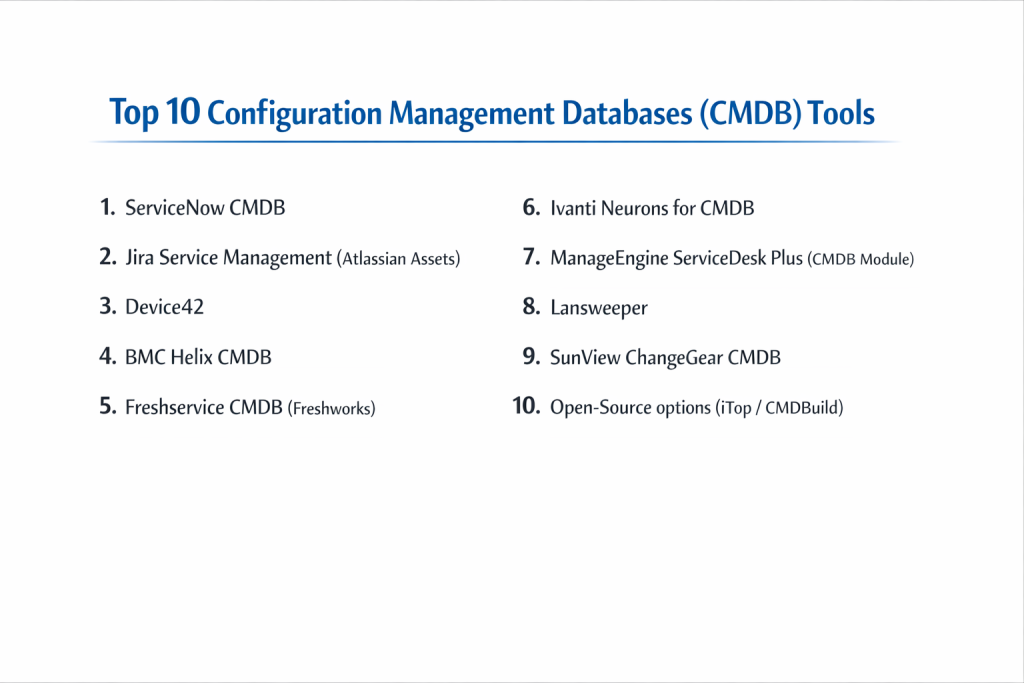
Top 10 Configuration Management Databases (CMDB) Tools
1 — ServiceNow CMDB
ServiceNow is the industry heavyweight, offering a cloud-native CMDB that serves as the foundation for its massive IT Service Management (ITSM) and IT Operations Management (ITOM) ecosystem.
- Key Features:
- Service Graph Connectors: A modern way to integrate data from third-party tools with high integrity.
- Automated Service Mapping: Visually maps high-level business services to underlying infrastructure.
- Health Dashboards: Monitors the correctness, compliance, and completeness of CI data.
- Multisource CMDB: Allows multiple discovery sources to populate the same CI with automated reconciliation.
- Identification and Reconciliation Engine (IRE): Prevents duplicate records by using standardized rules.
- Cloud Insights: Deep visibility into AWS, Azure, and Google Cloud Resources.
- Pros:
- Unmatched scalability and integration with the broader ServiceNow platform.
- The most robust ecosystem for automating complex ITIL processes.
- Cons:
- High total cost of ownership (TCO) and complex implementation.
- Requires specialized, often expensive, administrative talent to maintain.
- Security & compliance: SOC 1 & 2, ISO 27001, HIPAA, FedRAMP, and GDPR compliant.
- Support & community: Massive global community, extensive “Now Learning” platform, and premier enterprise support tiers.
2 — Jira Service Management (Atlassian Assets)
Formerly known as Insight, “Assets” is the CMDB functionality integrated into Jira Service Management. it is highly favored by teams who want to bridge the gap between Development (Jira) and Operations.
- Key Features:
- Flexible Schema: Allows you to define any type of asset, from servers to employee contracts.
- Native Jira Integration: Link CIs directly to Jira issues, bugs, or change requests.
- Automation Engine: Trigger Jira workflows based on changes in the CMDB.
- Discovery Tool: Agentless scanning to find network assets and bring them into the schema.
- Dependency Mapping: Visual graph view to see how objects are interconnected.
- Open API: Robust REST API for custom integrations and data imports.
- Pros:
- Excellent value for money, especially for existing Atlassian customers.
- Highly flexible; you aren’t forced into a rigid, pre-defined ITIL structure.
- Cons:
- Can become “messy” if not governed strictly, as users can create infinite object types.
- Visualization of very large-scale service maps can be less performant than ServiceNow.
- Security & compliance: SOC 2, ISO 27001, GDPR, and HIPAA (on Enterprise Cloud plans).
- Support & community: Large community forum, vast marketplace for add-ons, and Atlassian University training.
3 — Device42
Device42 is an “all-in-one” IT infrastructure management tool that provides deep, automated discovery and a highly visual CMDB, often used as a more agile alternative to the legacy giants.
- Key Features:
- Auto-Discovery: Robust agentless discovery for physical, virtual, and cloud assets.
- Application Dependency Mapping: Automatically identifies which apps are talking to which servers.
- IP Address Management (IPAM): Integrated tracking of your IP space alongside your CIs.
- Data Center Infrastructure Management (DCIM): Visualizes rack layouts and power consumption.
- Certificate Management: Tracks SSL/TLS certificates to prevent unexpected expirations.
- Webhooks: Triggers external actions based on CI changes.
- Pros:
- Very fast time-to-value; discovery is powerful and relatively easy to set up.
- Provides deep technical details (like port-to-port connectivity) that many ITSM-focused CMDBs miss.
- Cons:
- The user interface can feel more technical and less “polished” than SaaS-first competitors.
- Reporting capabilities are strong but can have a steep learning curve to customize.
- Security & compliance: SOC 2, GDPR, and supports encryption at rest/in transit.
- Support & community: Detailed technical documentation, responsive email support, and a growing user base.
4 — BMC Helix CMDB
BMC is a pioneer in the CMDB space. Its Helix platform is a cognitive, cloud-ready solution designed for the world’s largest and most complex infrastructures.
- Key Features:
- Cognitive Automation: Uses AI to assist in CI identification and data reconciliation.
- Dynamic Service Modeling: Real-time updates to service maps as infrastructure changes.
- Single Source of Truth: High-performance reconciliation from dozens of external data sources.
- Rest API First: Designed for modern DevOps pipelines and automated CI/CD integration.
- Audit History: Extremely granular tracking of every change made to a configuration item.
- Multi-Cloud Discovery: Specialized patterns for complex hybrid environments.
- Pros:
- Best-in-class for strict ITIL compliance and enterprise governance.
- Capable of handling millions of CIs with high performance and reliability.
- Cons:
- Significant complexity; usually requires a dedicated CMDB manager.
- The transition from legacy BMC systems to Helix can be a long journey.
- Security & compliance: FedRAMP authorized, SOC 2, ISO 27001, and HIPAA.
- Support & community: Professional “BMC Communities,” global support centers, and extensive partner networks.
5 — Freshservice CMDB (Freshworks)
Freshservice offers a “right-sized” CMDB that prioritizes user experience and ease of use, making it an excellent choice for mid-market companies that find ServiceNow too daunting.
- Key Features:
- Unified Inventory: Combines asset management and CMDB into a single view.
- Relationship Mapping: Visual drag-and-drop tool to link CIs.
- Freshservice Discovery: Both agent-based and agentless options to populate data.
- Contract Management: Link CIs to their specific maintenance contracts and warranties.
- SaaS Management: Integrated tracking of SaaS app usage alongside hardware CIs.
- Mobile App: Access and update CI information from the data center floor.
- Pros:
- Exceptionally intuitive interface; requires very little training for technicians.
- Rapid implementation compared to enterprise competitors.
- Cons:
- Relationship mapping is less “automated” and deep as ServiceNow or Device42.
- May lack the extreme granular control needed by massive global financial institutions.
- Security & compliance: ISO 27001, SOC 2 Type II, HIPAA, and GDPR.
- Support & community: 24/7 email support, Freshservice Academy, and a helpful user community.
6 — Ivanti Neurons for CMDB
Ivanti focuses on “Everywhere Work,” providing a CMDB that excels at discovering and managing assets that are not always connected to the corporate network.
- Key Features:
- Self-Healing AI: Neurons bots can detect and fix CI inconsistencies automatically.
- Spend Governance: Integrated view of the costs associated with your configuration items.
- Real-Time Intelligence: Provides a live look at the state of endpoints.
- Data Normalization: Cleanses and standardizes data from multiple discovery sources.
- ITIL 4 Alignment: Built natively to support the latest ITIL standards.
- Connector Library: Extensive pre-built links to SCCM, Intune, and AWS.
- Pros:
- Strongest choice for companies with a highly mobile or remote workforce.
- AI features genuinely reduce the manual burden of data cleanup.
- Cons:
- Navigating the various Ivanti “Neurons” modules can be confusing for new buyers.
- Some legacy components still exist within the UI, leading to occasional inconsistencies.
- Security & compliance: SOC 2, ISO 27001, GDPR, and HIPAA.
- Support & community: Ivanti Global Support, user forums, and an extensive partner ecosystem.
7 — ManageEngine ServiceDesk Plus (CMDB Module)
ManageEngine provides an affordable, robust CMDB module within its ServiceDesk Plus platform, offering a comprehensive feature set without the “enterprise tax.”
- Key Features:
- Business Service Mapping: Visualizes the relationship between IT assets and business units.
- Impact Analysis: Automated heat maps to show what fails when a CI goes down.
- Asset Explorer Integration: Deep hardware and software discovery out of the box.
- CI Lifecycle Tracking: Manage the state of a CI from “Requested” to “Retired.”
- Audit Logs: Full transparency into CI attribute changes.
- Custom CI Types: Flexibility to create unique configuration item categories.
- Pros:
- One of the most cost-effective professional CMDBs on the market.
- Very easy to set up for teams already using the Zoho/ManageEngine ecosystem.
- Cons:
- The interface can feel a bit cluttered compared to modern SaaS-first tools.
- Automation capabilities are good but not as “intelligent” as AI-driven competitors.
- Security & compliance: ISO 27001, SOC 2, and GDPR compliant.
- Support & community: Large user base, extensive YouTube tutorials, and 24/5 technical support.
8 — Lansweeper
While often categorized as an IT Asset Management tool, Lansweeper’s deep, agentless discovery engine makes it a formidable foundation for a CMDB, particularly for hardware-heavy environments.
- Key Features:
- Agentless Deep Scan: Finds everything from servers to smart switches without installing software.
- OT Discovery: Unique ability to discover Industrial/OT assets.
- Vulnerability Mapping: Links discovered CIs to known security vulnerabilities (CVEs).
- Cloud Federation: Aggregates data from multiple cloud tenants into one view.
- Relationship API: Allows users to programmatically define CI relationships.
- Custom Diagrams: Build visual maps based on discovered data.
- Pros:
- Best-in-class discovery engine; if it’s on the network, Lansweeper finds it.
- Extremely lightweight and does not require agents to be deployed across the fleet.
- Cons:
- Lacks built-in, native ITIL change/incident management (requires integration with another tool).
- Defining complex “Service Maps” is more manual than ServiceNow.
- Security & compliance: SOC 2 Type II, ISO 27001, and GDPR.
- Support & community: Comprehensive knowledge base, active user forum, and responsive support.
9 — SunView ChangeGear CMDB
ChangeGear is a specialized tool that focuses heavily on the “Change” part of the CMDB, providing advanced grid-based views of infrastructure dependencies.
- Key Features:
- Grid-Based Service Mapping: A unique visual approach to viewing complex architectures.
- Machine Learning Analysis: Identifies patterns in CI changes to predict future failures.
- Compliance Dashboards: Specifically designed for regulated industries (NIST, HIPAA).
- Auto-Discovery Integration: Links to various discovery engines to stay updated.
- Role-Based Views: Tailors the CMDB interface for different stakeholders.
- Advanced Reconciliation: Smart rules to merge data from multiple sources.
- Pros:
- Very strong for organizations where “Change Management” is the primary driver for the CMDB.
- Good balance between enterprise power and a relatively modern UI.
- Cons:
- Smaller market share means a smaller community and fewer third-party integrations.
- Can be expensive compared to mid-market alternatives.
- Security & compliance: SOC 2, GDPR, and HIPAA ready.
- Support & community: Professional technical support and dedicated account management.
10 — Open-Source options (iTop / CMDBuild)
For organizations with high technical skills and low budgets, open-source platforms like iTop or CMDBuild provide a fully customizable CMDB framework.
- Key Features:
- Full Customization: Modify the source code to fit your exact business logic.
- ITIL-Centric Design: (Specifically for iTop) Built from the ground up for ITIL.
- External Data Integration: Flexible frameworks for importing data via CSV or API.
- Impact Analysis: Built-in logic to show dependency chains.
- Document Linking: Attach manuals and contracts directly to CIs.
- Workflow Engine: Create custom processes for CI approvals.
- Pros:
- No licensing fees; ideal for technical teams on a strict budget.
- Total control over data residency and privacy.
- Cons:
- No official “support desk” unless you pay for a commercial version.
- Requires significant manual effort to build and maintain the system.
- Security & compliance: Varies based on deployment (Community driven).
- Support & community: Active GitHub and forum communities.
Comparison Table
| Tool Name | Best For | Platform(s) Supported | Standout Feature | Rating (Gartner) |
| ServiceNow | Large Enterprise | Cloud / SaaS | Service Graph Ecosystem | 4.5 / 5 |
| Jira Service Mgmt | DevOps Teams | Cloud / Data Center | Atlassian Ecosystem Sync | 4.5 / 5 |
| Device42 | Deep Tech Discovery | Cloud / On-Prem | App Dependency Mapping | 4.6 / 5 |
| BMC Helix | Legacy Enterprise | Cloud / Hybrid | Cognitive Automation | 4.3 / 5 |
| Freshservice | Mid-Market Ease | Cloud / SaaS | Intuitive User Experience | 4.5 / 5 |
| Ivanti Neurons | Remote Workforce | Cloud / SaaS | AI Self-Healing Bots | 4.3 / 5 |
| ManageEngine | Budget Conscious | Cloud / On-Prem | Business Service Mapping | 4.3 / 5 |
| Lansweeper | Hardware Visibility | Cloud / On-Prem | Agentless Deep Scan | 4.4 / 5 |
| SunView | Change Management | Cloud / On-Prem | Grid-Based Service Maps | N/A |
| iTop (Open Source) | Technical Budgeters | On-Prem | Total Customization | N/A |
Evaluation & Scoring of CMDB Tools
The following table evaluates these tools based on a weighted scoring rubric designed to identify a “high-performing” CMDB in 2026.
| Category | Weight | Evaluation Criteria |
| Core Features | 25% | Discovery, Reconciliation, Relationship Mapping, Service Modeling. |
| Ease of Use | 15% | UI Modernity, Search speed, Mobile accessibility, Learning curve. |
| Integrations | 15% | API quality, Pre-built connectors (AWS, Azure, SCCM, Intune). |
| Security & Compliance | 10% | MFA, SSO, Audit trails, GDPR/HIPAA readiness, Data encryption. |
| Performance | 10% | Scalability (millions of CIs), System uptime, API latency. |
| Support & Community | 10% | Documentation quality, Community activity, Vendor response time. |
| Price / Value | 15% | License transparency, Implementation costs, ROI potential. |
Which CMDB Tool Is Right for You?
Solo Users vs. SMB vs. Mid-Market vs. Enterprise
- SMB / Solo Admins: If you are a small team, look at Lansweeper or Freshservice. You need a tool that populates itself with minimal effort. Don’t over-engineer relationships.
- Mid-Market: Jira Service Management or Device42 are the sweet spots. They offer professional-grade dependency mapping without the million-dollar price tag of ServiceNow.
- Enterprise: ServiceNow or BMC Helix are the standards for a reason. When you have thousands of employees and millions of assets, you need the governance and reconciliation engines these giants provide.
Budget-Conscious vs. Premium Solutions
- Budget: ManageEngine or open-source options like iTop provide the best “feature-per-dollar” ratio.
- Premium: ServiceNow is a premium investment. It is not just a database; it is a platform that transforms how the entire company interacts with IT.
Feature Depth vs. Ease of Use
- If your primary goal is Asset Discovery (knowing what you have), Lansweeper or Device42 win.
- If your primary goal is Service Management (fixing what is broken), ServiceNow or Freshservice are better due to their integrated ticketing.
Integration and Scalability Needs
If your organization is strictly DevOps-focused, the integration of Atlassian Assets with Jira is an unbeatable advantage. For Global Hybrids (On-prem + Cloud + Edge), Ivanti Neurons offers specialized capabilities.
Frequently Asked Questions (FAQs)
1. What is the difference between an Asset Database and a CMDB?
An asset database tracks the “financial” life of a device (cost, warranty, owner). A CMDB tracks the “operational” life (how it’s configured and what it’s connected to).
2. Is a CMDB necessary for a small business?
Usually no. Most small businesses can manage with a simple asset list. A CMDB becomes necessary when your infrastructure is complex enough that a change in one area causes unexpected failures in another.
3. What is “Data Normalization” in a CMDB?
It is the process of ensuring that data from different sources is standardized. For example, making sure “Microsoft Inc,” “Microsoft,” and “MSFT” are all recorded as the same vendor.
4. How long does a CMDB implementation take?
For a small setup, 2–4 weeks. For a global enterprise using ServiceNow or BMC, it can take 6–12 months to achieve a fully mature, reconciled database.
5. What is the biggest reason CMDB projects fail?
“Data Rot.” Organizations try to track too many CIs without a plan for keeping the data updated, leading to a database that no one trusts because it’s out of date.
6. Do CMDBs work with Cloud resources?
Yes. Modern CMDBs have “Cloud Connectors” that use APIs to track AWS, Azure, and GCP resources as they spin up and down in real-time.
7. Can a CMDB help with security?
Absolutely. If a vulnerability is found on a specific server version, the CMDB tells you exactly which business applications are at risk and who owns them.
8. What are “Configuration Items” (CIs)?
A CI is any component that needs to be managed to deliver an IT service. This includes hardware, software, documentation, and even personnel roles.
9. What is “Federated CMDB”?
It is an approach where data is not all stored in one place, but rather pulled in real-time from other specialized databases (like a dedicated database for network gear) when needed.
10. Do I need an agent to populate my CMDB?
Most modern tools offer “Agentless” discovery for your office network, but “Agent-based” discovery is still better for remote laptops that aren’t always on the company VPN.
Conclusion
A CMDB is more than just a list of servers; it is the digital map of your organization. In 2026, the “best” tool is no longer just the one that can hold the most data, but the one that can automatically maintain its own accuracy through AI and robust discovery.
For the enterprise looking for the absolute peak of ITIL governance, ServiceNow remains the titan. For the agile, developer-centric team, Jira Service Management is a natural extension of their existing workflow. And for the mid-market hero, Freshservice or Device42 offer the perfect balance of power and simplicity.
Remember: start small. Focus on your most critical business services first, map those dependencies, and grow your CMDB maturity only as fast as your ability to keep the data clean. A small, accurate CMDB is infinitely more valuable than a massive, outdated one.