Introduction
Software Asset Management (SAM) tools are specialized business solutions designed to track, manage, and optimize an organization’s software applications throughout their entire lifecycle. In an era where “software is eating the world,” these platforms act as the financial and operational control center for every digital license a company owns. A SAM tool provides a comprehensive view of what software is installed, who is using it, how often they are using it, and whether the company is adhering to the complex legal terms of its licensing agreements.
The importance of SAM tools has intensified with the explosion of SaaS (Software as a Service) and hybrid cloud environments. Without these tools, companies often fall victim to “shelfware”—software that is paid for but never used—or face multi-million dollar penalties during vendor audits. Key real-world use cases include audit defense, where a company must prove compliance to vendors like Microsoft or Oracle; cost optimization, which involves identifying and canceling redundant subscriptions; and security management, ensuring no unauthorized or “shadow IT” software is running on the network. When evaluating tools, users should prioritize deep discovery capabilities, a robust “Product Recognition Library,” and seamless integration with existing IT Service Management (ITSM) systems.
Best for: IT Asset Managers, Procurement Officers, and CIOs in mid-sized to large enterprises. They are essential for organizations in highly regulated industries like finance, healthcare, and government that manage thousands of seats.
Not ideal for: Small startups with fewer than 50 employees or businesses with a very limited software stack that can be managed effectively through simple spreadsheets or basic accounting software.
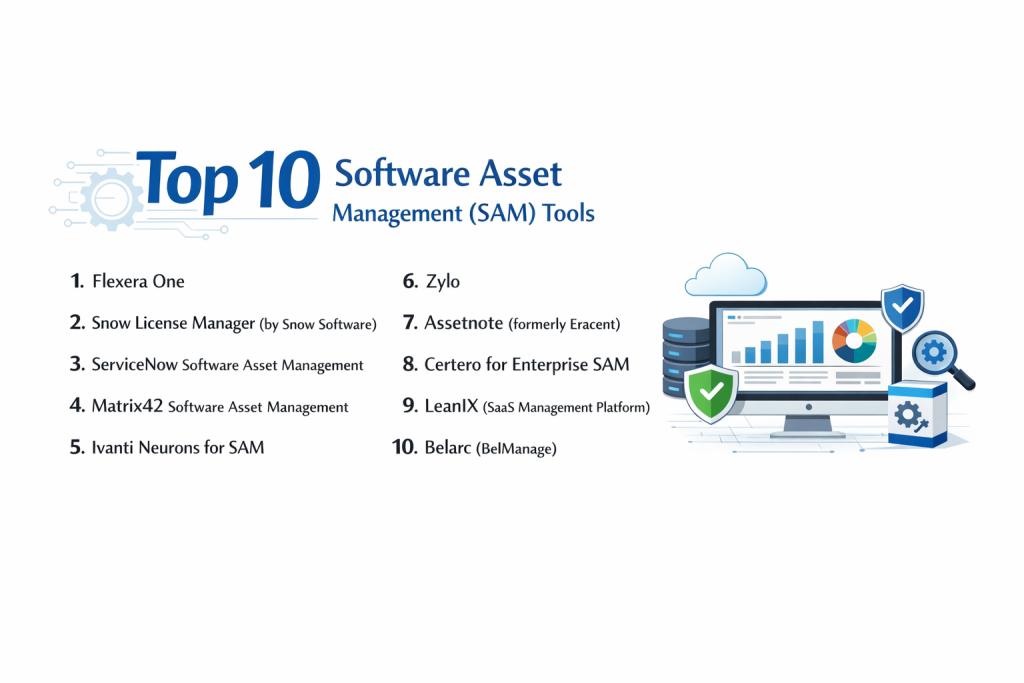
Top 10 Software Asset Management (SAM) Tools
1 — Flexera One
Flexera One (incorporating FlexNet Manager) is widely considered the industry leader for large-scale enterprise SAM. It is designed for complex organizations with massive software spends across on-premise, SaaS, and cloud environments.
- Key Features:
- License Differentiation: Deep logic for managing complex IBM, SAP, Oracle, and Microsoft license models.
- SaaS Management: Granular visibility into SaaS usage to identify and reclaim underutilized seats.
- Audit Readiness: Automated reports designed to satisfy the strict requirements of major software auditors.
- Vulnerability Mapping: Connects software inventory to known security risks for proactive patching.
- Cloud Cost Optimization: Advanced tools to manage and reduce public cloud (AWS/Azure) spending.
- Extensive PURL: A massive Product Unique Recognition Library for identifying over 500,000 software titles.
- Pros:
- Unmatched ability to handle the “Big 4” vendors and their complex contractual nuances.
- Provides the highest level of ROI for enterprises with software budgets in the millions.
- Cons:
- Significant learning curve and requires a highly skilled team to operate.
- Implementation is a major project that can take several months to complete.
- Security & compliance: SOC 2 Type II, ISO 27001, GDPR, and HIPAA compliance; supports SSO and encrypted data transfers.
- Support & community: Enterprise-grade support, a vast library of technical whitepapers, and a dedicated customer success portal.
2 — Snow License Manager (by Snow Software)
Snow Software is a dedicated SAM specialist that provides high visibility across all platforms. It is highly regarded for its user-friendly interface and its ability to bridge the gap between IT and Finance.
- Key Features:
- Unified View: A single dashboard for mobile, desktop, datacenter, and cloud software.
- Automatic Normalization: Cleans up messy data into a standardized format for clear reporting.
- License Entitlement: Compares purchased licenses against actual usage to show compliance “gaps.”
- Oracle Management Option: Specialized module specifically for navigating Oracle’s difficult licensing rules.
- Financial Forecasting: Predicts future software costs based on current usage trends.
- App Discovery: Identifies unauthorized software installations across the entire network.
- Pros:
- More intuitive and “visual” than many other enterprise-level competitors.
- Excellent at identifying and removing “shelfware” quickly to save costs.
- Cons:
- The on-premise version can be resource-intensive to maintain.
- Some users find the reporting customization to be less flexible than Flexera.
- Security & compliance: ISO 27001, SOC 2, GDPR, and encryption at rest/in transit.
- Support & community: Active user community, “Snow Globe” learning platform, and global 24/7 technical support.
3 — ServiceNow Software Asset Management
ServiceNow SAM is a powerful module within the broader ServiceNow EAM/ITSM ecosystem. It is the best choice for organizations that already use ServiceNow for their help desk or IT operations.
- Key Features:
- Single Platform: No data silo; SAM data lives right next to your incident and change management data.
- SaaS License Management: Direct integrations with tools like Salesforce, Zoom, and Adobe.
- License Change Projection: Calculates the cost impact of infrastructure changes (e.g., adding a CPU) before they happen.
- Automated Reclamation: Automatically uninstalls software from a user’s machine if they haven’t used it for 30 days.
- Content Service: An anonymous, crowd-sourced library that helps the system recognize new software.
- Spend Detection: Analyzes financial records to find hidden software subscriptions purchased via employee credit cards.
- Pros:
- Built-in workflows allow for “one-click” license approvals and deployments.
- Seamless integration with the CMDB (Configuration Management Database).
- Cons:
- Can be prohibitively expensive if you are not already a ServiceNow customer.
- Configuration requires a certified ServiceNow administrator to reach full potential.
- Security & compliance: FedRAMP authorized, SOC 1 & 2, ISO 27001, HIPAA, and GDPR.
- Support & community: Massive global community, extensive “Now Learning” certifications, and tiered support plans.
4 — Matrix42 Software Asset Management
Matrix42 is a European leader in Digital Workspace Management. Their SAM tool is highly integrated with their Endpoint Management, making it a “one-stop-shop” for managing the user experience and compliance.
- Key Features:
- Automated Contract Management: Centralizes all software contracts with automated renewal alerts.
- Combined SAM/UEM: Manage the license and the actual deployment from a single console.
- Usage Monitoring: Deep tracking of how long an application is actually the “active window” on a PC.
- Compliance Dashboard: Red/Yellow/Green indicators for instant audit risk assessment.
- Standardized Catalog: A self-service portal where employees can “shop” for pre-approved software.
- Cloud Usage Tracking: Detailed insights into IaaS and PaaS consumption.
- Pros:
- Excellent for companies that want to consolidate SAM and Device Management into one tool.
- Very strong adherence to European data privacy and GDPR standards.
- Cons:
- Smaller market presence in North America compared to Flexera or ServiceNow.
- The interface can feel slightly rigid for organizations with non-standard workflows.
- Security & compliance: ISO 27001, GDPR, SOC 2, and SSO integration.
- Support & community: Strong European presence, dedicated account managers, and comprehensive documentation.
5 — Ivanti Neurons for SAM
Ivanti Neurons focuses on the “self-healing” enterprise. Their SAM solution is designed to provide actionable insights that help IT teams move faster through automation.
- Key Features:
- License Optimizer: Specifically strong at managing complex server-based licensing.
- Actionable Insights: Suggests exactly how to re-harvest licenses to avoid new purchases.
- What-If Analysis: Simulates different licensing scenarios to find the most cost-effective path.
- Unified Discovery: Combines agent-based and agentless scanning for 100% visibility.
- Reclamation Workflows: Automated emails to users asking if they still need a specific software.
- Vendor Specific Wizards: Step-by-step guides for reconciling Microsoft, Adobe, and VMWare.
- Pros:
- Very strong at uncovering hidden software in remote or “off-network” devices.
- The “Neurons” AI layer helps prioritize which licensing issues to fix first.
- Cons:
- The product suite can feel fragmented due to various acquisitions (Landesk, Cherwell, etc.).
- Some of the more advanced features require additional modules within the Neurons platform.
- Security & compliance: SOC 2, HIPAA, GDPR, and ISO 27001.
- Support & community: 24/7 global support, Ivanti University training, and active user forums.
6 — Zylo
Zylo is a modern, SaaS-first management platform. Unlike legacy tools that focus on installed desktop software, Zylo is purpose-built for the “SaaS Explosion” and decentralized software spending.
- Key Features:
- Discovery Engine: Scans accounts payable and expense data to find every SaaS app in the company.
- Utilization Tracking: Direct API integrations to see who is actually logging into SaaS tools.
- App Catalog: A centralized place for employees to see what software is already available.
- Renewal Calendar: A visual timeline of every upcoming SaaS renewal and notice period.
- Sentiment Surveys: Asks employees how they feel about the software they use.
- Negotiation Service: Optional service where Zylo experts negotiate contracts on your behalf.
- Pros:
- The best tool for identifying “Shadow IT” (software bought without IT’s knowledge).
- Very fast implementation compared to traditional desktop SAM tools.
- Cons:
- Does not manage on-premise software (like legacy Windows Server or CAD tools).
- Not suitable for businesses that need to defend against a physical desktop audit.
- Security & compliance: SOC 2 Type II, GDPR, and SSO support.
- Support & community: High-touch customer success, regular industry benchmarking reports, and SaaS webinars.
7 — Assetnote (formerly Eracent)
Assetnote focuses on “Data Quality Management.” It is designed for large organizations that struggle with messy, inaccurate data across vast, heterogeneous networks.
- Key Features:
- Continuous Monitoring: Real-time updates to the software inventory as changes occur.
- License Reconciliation: Automatically maps discovered software to purchased entitlements.
- Normalization Engine: Highly accurate at identifying version numbers and editions.
- Cloud Infrastructure Sync: Tracks software running in Docker, Kubernetes, and virtual machines.
- Contract Lifecycle: Tracks everything from the initial quote to the final disposal of the asset.
- Audit Defense Exports: Generates vendor-specific ELPs (Effective License Positions).
- Pros:
- Extremely high data accuracy, which is critical for avoiding audit penalties.
- Very flexible deployment options (Cloud, On-prem, or Hybrid).
- Cons:
- The user interface is more “technical” and less polished than ServiceNow or Snow.
- Requires a significant amount of manual effort during the initial setup phase.
- Security & compliance: ISO 27001, SOC 2, and GDPR; supports audit logs and SSO.
- Support & community: Dedicated technical support and personalized onboarding for enterprise clients.
8 — Certero for Enterprise SAM
Certero is a “pure-play” SAM provider that emphasizes its architecture: a single pane of glass with no “bolted-on” modules. It is designed for high performance and ease of deployment.
- Key Features:
- Universal Discovery: A single agent to manage Windows, Mac, Linux, and Unix.
- App Virtualization Tracking: Monitors software used through Citrix and App-V.
- Standardized Reporting: Pre-built reports for all major software vendors.
- Scalability: Built to handle millions of assets without performance degradation.
- SaaS Optimization: Includes specialized modules for Microsoft 365 and Adobe Creative Cloud.
- Automated ELP: Real-time Effective License Position for constant audit readiness.
- Pros:
- Known for being very fast to deploy compared to other enterprise-scale tools.
- Excellent customer support with direct access to SAM experts.
- Cons:
- Smaller third-party marketplace/ecosystem than the industry giants.
- Limited visibility into non-IT assets (if that is a requirement for your organization).
- Security & compliance: ISO 27001, SOC 2, GDPR, and HIPAA.
- Support & community: Strong reputation for responsive support and a clear product roadmap.
9 — LeanIX (SaaS Management Platform)
LeanIX is primarily known for Enterprise Architecture, but their SaaS Management platform is world-class for companies looking to align their software stack with their overall business strategy.
- Key Features:
- Business Mapping: Connects software apps to the specific business capabilities they support.
- Automated Discovery: Integrates with ERPs (like SAP) and SSO providers to find apps.
- Cost Transparency: Clearly shows which departments are spending the most on software.
- Redundancy Identification: Flags apps that do the same thing (e.g., having both Zoom and Webex).
- Renewal Management: Proactive alerts to prevent “auto-renewals” of unwanted software.
- Security Risk Assessment: Evaluates the compliance status of SaaS vendors.
- Pros:
- Perfect for organizations that want to “rationalize” their stack, not just count licenses.
- Excellent visualization tools for showing the “web” of software across the company.
- Cons:
- Not a traditional SAM tool; it will not help you count physical desktop licenses.
- Highly dependent on the quality of your SSO (Okta/Azure) data.
- Security & compliance: SOC 2 Type II, ISO 27001, GDPR, and SSO.
- Support & community: LeanIX Academy, extensive online documentation, and regular user summits.
10 — Belarc (BelManage)
Belarc is the “venerable” choice in the industry. It is a lightweight, highly accurate tool that is used extensively by government agencies and the military due to its security and simplicity.
- Key Features:
- Centralized Repository: A single database for all software and hardware data.
- Detailed Version Tracking: Identifies exact build numbers and security patches.
- NIST Compliance: Built-in checks for government security standards.
- Cloud/SaaS Tracking: Basic modules to track web-based application usage.
- Low Bandwidth Design: The agent uses minimal network resources, ideal for remote sites.
- WAN Support: Specifically designed to work over slow or unreliable wide-area networks.
- Pros:
- Incredible accuracy; it often finds software that other tools miss.
- Extremely lightweight and easy to install on older or limited hardware.
- Cons:
- The user interface looks like it belongs in the early 2000s.
- Lacks the advanced “AI” and “FinOps” features of modern SaaS management tools.
- Security & compliance: FIPS 140-2, NIST, SOC 2, and GDPR.
- Support & community: High-quality technical support and a long history of serving federal clients.
Comparison Table
| Tool Name | Best For | Platform(s) Supported | Standout Feature | Rating (Gartner) |
| Flexera One | Massive Enterprises | Cloud, On-Prem, SaaS | Complex Vendor Logic | 4.7 / 5 |
| Snow Software | High Visibility SAM | Cloud, On-Prem, Mobile | Data Normalization | 4.5 / 5 |
| ServiceNow | ServiceNow Users | Cloud, SaaS | Integrated Workflows | 4.6 / 5 |
| Matrix42 | European Markets | Cloud, On-Prem | SAM + Endpoint Mgmt | 4.3 / 5 |
| Ivanti Neurons | Remote/Hybrid Work | Cloud, Endpoints | AI-Driven Automation | 4.4 / 5 |
| Zylo | SaaS-Only Companies | SaaS | Finance-Led Discovery | 4.8 / 5 |
| Assetnote | Data Accuracy | Cloud, Hybrid | Real-Time Monitoring | N/A |
| Certero | Fast Deployment | Cloud, SaaS | Single Pane Architecture | 4.9 / 5 |
| LeanIX | Stack Rationalization | SaaS | Business Capability Mapping | 4.6 / 5 |
| Belarc | Gov/High-Security | On-Prem, Cloud | Lightweight Accuracy | N/A |
Evaluation & Scoring of SAM Tools
We have evaluated these tools based on a weighted rubric to help you identify which category of tool fits your specific maturity level.
| Category | Weight | Evaluation Criteria |
| Core Features | 25% | License reconciliation, audit defense reports, and PURL depth. |
| Ease of Use | 15% | Dashboard clarity, report builder, and mobile access. |
| Integrations | 15% | API availability, SSO hooks, and ITSM connectivity. |
| Security & Compliance | 10% | Encryption, GDPR status, and role-based access control. |
| Performance | 10% | Impact of agents on devices and speed of the web UI. |
| Support & Community | 10% | Documentation quality and responsiveness of technical help. |
| Price / Value | 15% | Predictability of cost and potential for software cost savings. |
Which SAM Tool Is Right for You?
Solo Users vs. SMB vs. Mid-Market vs. Enterprise
- SMB (1-200 Employees): At this stage, a dedicated SAM tool is often overkill. Consider a SaaS-management-only tool like Zylo or LeanIX to keep your subscriptions in check.
- Mid-Market (200-1,000 Employees): Snow Software or Ivanti provide the right balance. They offer enterprise features without requiring a five-person team to manage the software.
- Enterprise (1,000+ Employees): Flexera One and ServiceNow are the standard. You need the deep logic they provide to manage multi-million dollar agreements with Microsoft and Oracle.
Budget-Conscious vs. Premium Solutions
- Budget: Belarc or Snipe-IT (open source) are the most cost-effective. They give you the “inventory” without the expensive automation features.
- Premium: Flexera and ServiceNow represent a high upfront cost but often pay for themselves 5x over in found “shelfware” and avoided audit fines.
Feature Depth vs. Ease of Use
If your primary pain point is defending an audit, prioritize Flexera. If your primary pain point is reducing SaaS waste, prioritize Zylo. If you want a tool that anyone on the IT team can use, Freshservice (which has basic SAM) or Snow are much easier to learn.
Frequently Asked Questions (FAQs)
1. What is the difference between ITAM and SAM?
ITAM (IT Asset Management) is the “umbrella” term covering all assets (hardware, software, mobile, cloud). SAM (Software Asset Management) is a specialized subset focusing purely on software licenses and compliance.
2. How does a SAM tool find “Shadow IT”?
It typically scans financial records (ERPs), browser extensions, or SSO logs (like Okta) to see what software employees are logging into that hasn’t been officially approved by IT.
3. Do I need an agent installed on every computer?
Most modern tools offer “agentless” scanning for the office network, but “agent-based” scanning is much better for remote workers who aren’t always connected to the corporate VPN.
4. Can a SAM tool prevent a vendor audit?
No tool can stop a vendor like Microsoft from asking for an audit. However, a SAM tool ensures you are ready for it, turning a three-month nightmare into a one-week automated report.
5. Is open-source SAM software a good idea?
Open-source tools (like Snipe-IT) are great for tracking what you have, but they lack the complex “Product Recognition Libraries” needed to calculate compliance for enterprise vendors.
6. How long does it take to implement a SAM tool?
For a SaaS-only tool, it can take 48 hours. For a full enterprise tool like Flexera, expect a 3-to-6 month project to clean your data and set up all your entitlements.
7. Can SAM tools manage Cloud costs (AWS/Azure)?
The high-end tools (Flexera, ServiceNow) have “FinOps” modules that manage cloud spend. SaaS-focused tools (Zylo) manage the cloud apps (Office 365), but not the cloud infrastructure.
8. What is a “PURL”?
PURL stands for Product Unique Recognition Library. It is the “brain” of a SAM tool that allows it to look at a file like excel.exe and know exactly which version and license it belongs to.
9. Why is Oracle licensing so hard to manage?
Oracle licenses are often based on the power of the hardware they run on. If you move an Oracle database to a more powerful server, your bill could triple instantly. SAM tools monitor this “vCPU” count.
10. Do SAM tools save money?
Yes. Most organizations find that 20% to 30% of their software licenses are unused. By identifying and canceling these, the tool usually pays for itself in the first year.
Conclusion
Choosing a Software Asset Management (SAM) tool is a strategic decision that goes far beyond simple inventory. In 2026, the right tool acts as a bridge between your IT department, your Finance team, and your legal counsel.
If you are a massive, global organization with a heavy on-premise footprint, Flexera One remains the gold standard. For those already living in the “ServiceNow world,” the ServiceNow SAM module offers unmatched workflow efficiency. Meanwhile, modern SaaS-heavy companies will find the greatest ROI in nimble platforms like Zylo or LeanIX.
The “best” tool is the one that matches your company’s digital maturity. Before buying, conduct a “data audit” on your current spreadsheets—if you can’t account for more than 70% of your software spend today, it’s time to invest in a dedicated SAM solution.