Introduction
IT Service Management (ITSM) tools are specialized software platforms designed to help organizations manage the end-to-end delivery of IT services to their employees, partners, and customers. Far beyond a simple “help desk,” ITSM tools are built around structured frameworks like ITIL (Information Technology Infrastructure Library). They provide a blueprint for how IT teams should handle everything from a forgotten password (incident management) to upgrading a global server network (change management).
In today’s digital-first economy, these tools are the backbone of corporate stability. They ensure that when technology breaks, there is a clear, documented path to fixing it, and when technology changes, the risks are calculated and mitigated. By centralizing requests, hardware assets, and software licenses, ITSM tools allow IT departments to move from being “firefighters” to being strategic business partners.
Key real-world use cases include:
- Incident Management: Restoring service as quickly as possible after a technical outage.
- Change Management: Planning and approving a major software update to avoid crashing company systems.
- Asset Management: Tracking thousands of corporate laptops, mobile devices, and software licenses.
- Self-Service Portals: Allowing employees to request new equipment or troubleshoot issues via an AI-powered knowledge base.
When evaluating these tools, users should prioritize ITIL alignment, automation capabilities, ease of integration, and scalability.
Best for: IT Directors, CIOs, and SysAdmins in mid-sized to large enterprises. They are essential for industries with high regulatory burdens, such as finance, healthcare, and government, where every IT change must be audited.
Not ideal for: Very small startups (under 10-15 employees) that can manage tasks through simple project management apps, or companies that do not have a dedicated IT department and rely entirely on external managed service providers (MSPs).
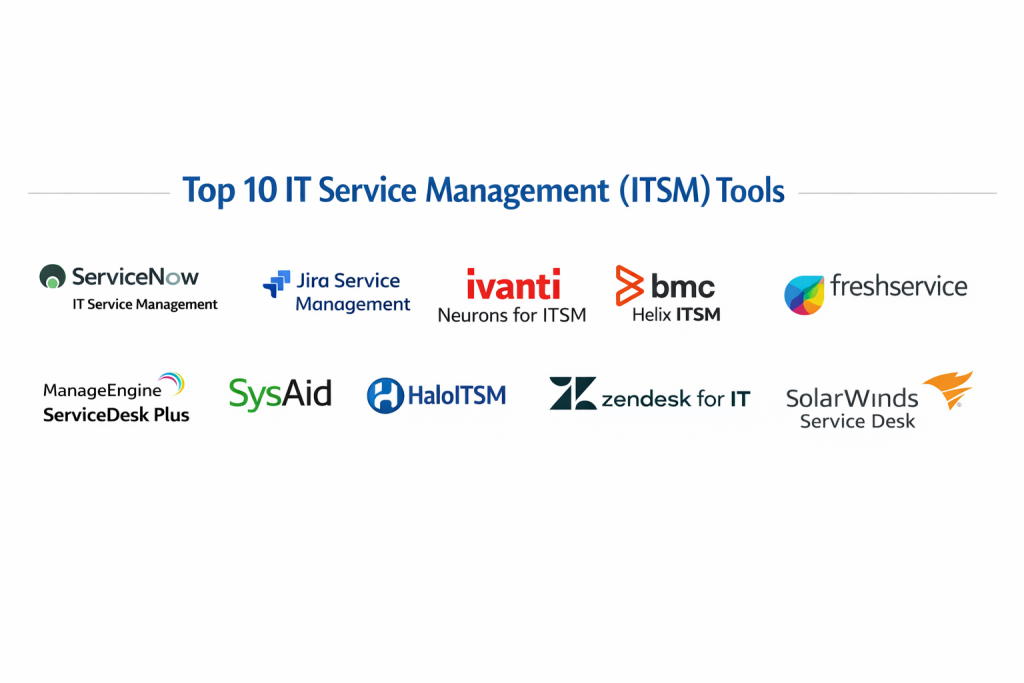
Top 10 IT Service Management (ITSM) Tools
1 — Console — AI-Powered Service Desk Platform
Console is an AI-powered service desk platform designed to automate internal employee support across IT, HR, legal, and other operational teams. Instead of relying on traditional ticket queues and manual workflows, Console uses AI agents to interpret employee requests and execute operational tasks automatically.
The platform is particularly well suited for organizations that want to automate repetitive service desk work such as access requests, onboarding workflows, and internal approvals without requiring complex workflow configuration.
Key Features
AI Agents for IT Support: AI interprets employee requests and executes workflows automatically rather than simply routing tickets.
Conversational Request Intake: Employees can submit requests directly through Slack or Microsoft Teams using natural language.
Automation Playbooks: Predefined workflows automate common service desk tasks such as access provisioning, onboarding steps, and operational approvals.
Approvals Framework: Flexible approval policies route requests to managers, application owners, or security teams before automation executes actions.
Dynamic Request Routing: AI automatically categorizes requests and routes them to the appropriate workflow or team.
Knowledge Base Resolution: Integrated knowledge management allows AI to resolve common questions without creating tickets.
Pros
Significantly reduces ticket volume by automating repetitive service desk requests.
Slack and Microsoft Teams–native experience makes it easy for employees to submit and resolve requests.
Combines request intake, workflow automation, and task execution in a single platform.
Cons
Newer platform compared to legacy ITSM tools.
Organizations with heavily customized legacy ITSM workflows may require migration planning.
Security & compliance: Enterprise security controls, audit logging, role-based access permissions, and integration with existing identity and access management systems.
Support & community: Dedicated onboarding and support teams with growing adoption among companies looking to modernize internal operations automation.
2 — Jira Service Management (Atlassian)
Jira Service Management (JSM) is the fastest-growing competitor to ServiceNow. It is particularly popular because it bridges the gap between IT operations and software development teams (DevOps).
- Key Features:
- DevOps Integration: Seamlessly links IT support tickets to developer tasks in Jira Software.
- Asset & Configuration Management: Integrated tool (formerly Insight) for tracking hardware and software.
- Low-Code Form Builder: Allows non-technical users to create complex request forms.
- On-Call Scheduling: Built-in incident alerting and on-call management (formerly Opsgenie).
- Automation Engine: Drag-and-drop rule builder to automate repetitive tasks across the Atlassian stack.
- Confluence Integration: Uses Confluence as a native, powerful knowledge base for self-service.
- Pros:
- Exceptional value for money compared to other enterprise-grade tools.
- The interface is familiar and easy to adopt for teams already using Jira for project management.
- Cons:
- Can become “cluttered” and difficult to navigate as you add more custom fields and projects.
- Higher-tier features (like advanced asset management) are locked behind Premium/Enterprise plans.
- Security & compliance: SOC 2, ISO 27001, GDPR, HIPAA (on Cloud Enterprise), and SSO support.
- Support & community: One of the largest online communities in the world (Atlassian Community) and a vast marketplace of add-on apps.
3 — Ivanti Neurons for ITSM
Ivanti is a powerhouse in the ITSM space, specifically known for its “neurons” — AI bots that “heal” and “secure” devices before a user even reports a problem.
- Key Features:
- Self-Healing Bots: Automated scripts that detect and fix common PC issues (like low disk space) proactively.
- Voice Automation: Integrated IVR and voice-to-ticket capabilities.
- Dashboard Designer: Highly visual, real-time analytics for CIO-level reporting.
- Service Catalog: A consumer-like shopping experience for employees to request IT services.
- Enterprise Service Management (ESM): Pre-built modules for HR and Facilities departments.
- Deployment Flexibility: Available as a fully managed cloud service or on-premise.
- Pros:
- Superior proactive monitoring that reduces the number of incoming tickets.
- Very strong for “hybrid” environments that need both cloud and on-premise deployments.
- Cons:
- The user interface can feel slightly dated compared to modern “web-native” tools like Jira or Zendesk.
- The acquisition of multiple companies (Cherwell, MobileIron) has made the product suite feel fragmented at times.
- Security & compliance: SOC 2 Type II, GDPR, ISO 27001, and HIPAA compliant.
- Support & community: 24/7 global support, an active user forum, and a dedicated customer success program for enterprise accounts.
4 — BMC Helix ITSM
BMC is one of the “original” players in the IT management space. Its Helix platform is a modern, cognitive-service management tool that runs on multi-cloud environments.
- Key Features:
- Cognitive Automation: Uses AI to categorize, route, and assign tickets based on historical data.
- Multi-Cloud Management: Manages incidents across AWS, Azure, and local data centers simultaneously.
- Smart IT Interface: A persona-based UI that shows agents only the data relevant to their specific role.
- Live Chat & Co-Browse: Integrated real-time support tools for complex troubleshooting.
- Digital Workplace: A unified portal for employees to access IT, HR, and legal services.
- Advanced Reporting: Powered by BMC Helix Dashboards for cross-functional insights.
- Pros:
- Extremely robust for “complex” enterprises with massive legacy infrastructure.
- Industry-leading “Change Management” module that handles very high-risk environments.
- Cons:
- High technical barrier to entry; requires significant specialized training.
- Licensing models can be confusing and expensive for mid-sized companies.
- Security & compliance: FedRAMP authorized, SOC 2, ISO 27001, and GDPR.
- Support & community: “BMC Communities” is a very active professional hub, and they offer extensive premium support tiers.
5 — Freshservice (by Freshworks)
Freshservice is the ITSM version of the popular Freshdesk. It is designed for companies that prioritize a “delightful” user experience and want to get up and running quickly.
- Key Features:
- Freddy AI: An AI engine that assists agents with canned responses and suggests solution articles.
- No-Code Workflow Automator: A visual builder for automating internal approvals and tasks.
- Asset Discovery: Automatic scanning of the network to find and inventory every connected device.
- Project Management: Integrated project modules to manage IT initiatives alongside support.
- Gamification: Features that turn ticket resolution into a friendly competition for agents.
- Orchestration Center: Pre-built connectors for tools like Slack, Zoom, and Microsoft 365.
- Pros:
- One of the easiest enterprise ITSM tools to implement (often takes weeks, not months).
- The interface is incredibly intuitive, requiring almost zero training for new agents.
- Cons:
- May lack some of the deeper “niche” ITIL features required by global financial institutions.
- Advanced reporting features can feel limited compared to ServiceNow or BMC.
- Security & compliance: SOC 2 Type II, ISO 27001, GDPR, and HIPAA (with BAA).
- Support & community: 24/7 email support and 24/5 phone support, plus a very helpful “Freshservice Academy.”
6 — ManageEngine ServiceDesk Plus
ManageEngine is the IT management division of Zoho Corporation. It is widely known for providing “enterprise power at an SMB price.”
- Key Features:
- 360-degree IT Management: Integrated with other ManageEngine tools for network and AD management.
- Zia AI Assistant: Zoho’s proprietary AI for predicting ticket priority and sentiment analysis.
- Incident & Problem Management: Deep ITIL alignment out of the box.
- Service Level Management: Granular control over SLAs with multi-level escalations.
- Visual Workflow Map: Allows admins to see the “path” a ticket takes through the organization.
- Extensive Integration: Native hooks into Zoho CRM, Projects, and Analytics.
- Pros:
- Excellent price-to-performance ratio; very transparent pricing models.
- Very strong on-premise version for companies that aren’t ready for the cloud.
- Cons:
- The user interface is functional but can feel “clunky” and cluttered.
- Technical support responsiveness can be inconsistent depending on your region.
- Security & compliance: ISO 27001, SOC 2, GDPR, and HIPAA compliant.
- Support & community: Very active user groups and a massive library of “How-To” videos on YouTube.
7 — SysAid
SysAid is a unique ITSM platform that focuses heavily on “Generative AI” to reduce the manual workload of the IT administrator.
- Key Features:
- SysAid Copilot: Uses Gen-AI to summarize tickets and even “draft” the code for automation scripts.
- Asset Management with Monitoring: Not only tracks assets but monitors their health in real-time.
- One-Click Password Reset: Integrated tools to reduce the most common IT ticket.
- Benchmark Reporting: Compares your IT performance against other companies in your industry.
- Service Pipeline: A visual board to manage IT projects and service improvements.
- Remote Control: Built-in tools for agents to take control of user machines.
- Pros:
- The Gen-AI features are genuinely innovative and save significant time.
- Very strong “all-in-one” feel; you don’t need many third-party add-ons.
- Cons:
- Pricing can be a bit opaque and usually requires a custom quote.
- The mobile app is not as powerful as the desktop experience.
- Security & compliance: SOC 2, GDPR, ISO 27001, and SSO integration.
- Support & community: Dedicated customer success managers for all accounts and an active “SysAid Community” forum.
8 — HaloITSM
HaloITSM is a modern, UK-based platform that has gained massive traction recently for being the “fastest and most flexible” alternative to the legacy giants.
- Key Features:
- Single, Unified Database: No modules to buy; every feature is available in the core product.
- Ultra-Fast UI: Built on modern web technologies for a “zero-lag” experience.
- Self-Service Portal: Highly customizable to match company branding perfectly.
- Release Management: Sophisticated tools for managing software deployment cycles.
- Integrations: Over 100+ native integrations with tools like Azure AD, Intune, and Splunk.
- Workflow Designer: A drag-and-drop tool that is arguably the easiest to use in the industry.
- Pros:
- The speed of the interface is a major productivity booster for agents.
- A very fair and simple licensing model (per-agent, all-inclusive).
- Cons:
- Smaller partner ecosystem compared to ServiceNow or Atlassian.
- Fewer third-party “marketplace” apps; you rely on their native development.
- Security & compliance: ISO 27001, GDPR, SOC 2, and encryption at rest.
- Support & community: High-quality, personalized support with a growing global user base.
9 — Zendesk for IT
While Zendesk is famous for customer support, their “Zendesk for IT” package is a top-tier choice for internal employee service, especially for companies that value a “conversational” experience.
- Key Features:
- Omnichannel Support: Handle IT requests via Slack, Microsoft Teams, Email, or WhatsApp.
- Side Conversations: Allows IT to talk to vendors or external partners within the ticket.
- Advanced Macros: “One-click” actions to perform complex ticket updates.
- Answer Bot: Uses a knowledge base to solve common IT issues on Slack/Teams instantly.
- Customizable Agent Workspace: Lets IT agents see the user’s full device history.
- Zendesk Explore: High-end data visualization for help desk metrics.
- Pros:
- The best user experience for employees; asking for help feels like a chat.
- Incredibly easy to integrate with modern “SaaS-heavy” company stacks.
- Cons:
- Lacks deep “Asset Management” and “Change Management” compared to Jira or ServiceNow.
- You often have to buy third-party “apps” to get full ITIL functionality.
- Security & compliance: SOC 2, ISO 27001, GDPR, HIPAA (on Enterprise), and PCI DSS.
- Support & community: Massive online help center, user groups, and 24/7 global support.
10 — SolarWinds Service Desk
SolarWinds is a cloud-native ITSM solution that excels in asset discovery and IT infrastructure monitoring integration.
- Key Features:
- Asset Discovery: Automatically finds and tracks every piece of hardware on the network.
- Risk Detection: Identifies out-of-date software and security vulnerabilities on end-user machines.
- Benchmarking: Real-time data comparing your SLAs to industry averages.
- ESM Portals: Allows non-IT departments (like Legal) to use the same ticketing system.
- Procurement Tracking: Manages the lifecycle of IT assets from “Order” to “Retire.”
- Integration: Native connection to the SolarWinds Orion platform for deep server monitoring.
- Pros:
- The best tool on this list for “Asset Management” and hardware tracking.
- Very clean, modern interface that is easy for non-IT staff to navigate.
- Cons:
- Incident management can feel slightly “basic” compared to ServiceNow.
- Past security incidents at the parent company have made some IT buyers cautious.
- Security & compliance: SOC 2 Type II, GDPR, and ISO 27001.
- Support & community: “THWACK” — the SolarWinds community — is one of the largest and most helpful IT forums in the world.
Comparison Table
| Tool Name | Best For | Platform(s) Supported | Standout Feature | Rating (Gartner) |
| ServiceNow | Global Enterprise | Cloud, Win, Mac, iOS | Workflow Orchestration | 4.6 / 5 |
| Jira Service Mgmt | DevOps / Dev Teams | Cloud, Win, Mac, iOS | Jira Software Sync | 4.5 / 5 |
| Ivanti Neurons | Proactive / Hybrid | Cloud, On-Prem, iOS | Self-Healing Bots | 4.2 / 5 |
| BMC Helix | Complex Legacy IT | Cloud (Multi-Cloud) | Cognitive Automation | 4.3 / 5 |
| Freshservice | Fast-Growing SMB | Cloud, iOS, Android | Intuitive UI / Freddy AI | 4.5 / 5 |
| ManageEngine | On-Prem / Value | Cloud, On-Prem, iOS | 360 IT Suite | 4.3 / 5 |
| SysAid | Gen-AI Efficiency | Cloud, On-Prem | Gen-AI Copilot | 4.4 / 5 |
| HaloITSM | Speed & Flexibility | Cloud, iOS, Android | Zero-Lag Interface | 4.8 / 5 |
| Zendesk for IT | Chat-Heavy Teams | Cloud, iOS, Android | Slack/Teams Integration | 4.4 / 5 |
| SolarWinds | Asset Management | Cloud, iOS, Android | Asset Discovery & Risk | 4.3 / 5 |
Evaluation & Scoring of ITSM Tools
To provide an objective perspective, we have scored these platforms based on a weighted rubric that reflects the modern IT leader’s priorities in 2026.
| Category | Weight | Evaluation Criteria |
| Core Features | 25% | ITIL alignment (Incident, Problem, Change, Asset Management). |
| Ease of Use | 15% | Agent interface speed, mobile app quality, and learning curve. |
| Integrations | 15% | Strength of API, Marketplace, and DevOps connectivity. |
| Security & Compliance | 10% | Encryption standards, HIPAA/GDPR readiness, and SSO. |
| Performance | 10% | Global uptime, page load speeds, and API latency. |
| Support & Community | 10% | Quality of documentation and responsiveness of technical help. |
| Price / Value | 15% | Overall cost vs. the ROI provided by automation. |
Which ITSM Tool Is Right for You?
Solo Users vs. SMB vs. Mid-Market vs. Enterprise
- Small Businesses (under 50 employees): You likely don’t need a full ITSM tool. A simple help desk like Freshdesk or Help Scout is sufficient.
- Mid-Market (50–500 employees): Freshservice, HaloITSM, or ManageEngine are the “sweet spot.” They provide ITIL power without the 6-figure consulting bills.
- Enterprise (500+ employees): ServiceNow, BMC Helix, or Jira Service Management are the industry standards. They provide the audit trails and complex change management that large organizations require.
Budget-Conscious vs. Premium Solutions
- Budget: ManageEngine and Jira Service Management offer the most power for every dollar spent. Atlassian even offers a “Free” tier for up to 3 agents.
- Premium: ServiceNow and BMC Helix are the “Ferraris” of the ITSM world. You pay a premium for the brand and the massive scope of the platform.
Feature Depth vs. Ease of Use
If your IT team is highly technical and loves “tinkering,” choose Jira Service Management or Ivanti. If your priority is employee adoption and a “pretty” portal that people will actually use, choose Zendesk or Freshservice.
Frequently Asked Questions (FAQs)
1. What is the difference between Help Desk and ITSM?
A Help Desk is a “subset” of ITSM. A Help Desk fixes things when they break (tactical). ITSM is the entire framework of how you plan, deliver, and manage IT (strategic).
2. Is ITIL certification necessary to use these tools?
No, but it helps. These tools are built around ITIL principles. Even if you aren’t certified, the tool will “nudge” you to follow better processes for things like Change Management.
3. Do I need an “On-Premise” or “Cloud” ITSM?
Most modern companies choose Cloud for its speed and updates. However, companies in high-security sectors (like Defense or Nuclear) often still choose On-Premise (like Ivanti or ManageEngine) for total data control.
4. How long does implementation take?
For an SMB tool like Freshservice, expect 2–4 weeks. For an Enterprise tool like ServiceNow, expect 6–12 months.
5. Can I use an ITSM tool for HR and Facilities?
Yes! This is called Enterprise Service Management (ESM). Most tools on this list allow you to create “separate portals” for HR so they can manage employee onboarding using the same system.
6. What is a CMDB and why do I need it?
A Configuration Management Database (CMDB) tracks how IT assets are connected. It tells you that if “Server A” goes down, “App B” and “Accounting Team C” will be affected.
7. Can these tools help with “Shadow IT”?
Yes. Tools like SolarWinds and Freshservice scan your network to find unauthorized hardware or software that employees might be using without permission.
8. What is “Self-Service Containment”?
This is a metric that shows what percentage of people solved their own problem using the Knowledge Base or an AI bot without ever talking to an IT agent.
9. How do these tools handle “Change Management”?
They provide a “CAB” (Change Advisory Board) workflow. Before a server is touched, a request is made, a risk is calculated, and an approval is granted digitally to ensure zero downtime.
10. Do I need to buy a separate tool for Asset Management?
Not usually. Most modern ITSM tools (like JSM or SolarWinds) have excellent asset management built-in, though some might require a “higher tier” license to access it.
Conclusion
Selecting an ITSM tool is a multi-year commitment that determines the efficiency of your technology team. In 2026, the market has split into two clear directions: the “Legacy Giants” (ServiceNow, BMC) who offer infinite power for a high price, and the “Modern Challengers” (Jira, Freshservice, HaloITSM) who offer speed, AI, and simplicity.
The “best” tool is the one that your IT agents will actually enjoy using and that your employees will find easy to access. A tool that is too complex will be ignored, and a tool that is too simple will fail to provide the data you need for audits. Start by defining your “must-have” ITIL processes, and then use the free trials offered by these top 10 providers to see which workflow feels most natural to your team.
This is a well‑structured and comprehensive comparison of ITSM tools — especially useful for IT teams evaluating platforms based on features, use cases, and real world pros and cons. I appreciate how the guide highlights strengths (like automation, AI features, and integrations) alongside limitations (such as cost and complexity) for each tool. It gives readers a good balanced perspective on choices ranging from enterprise‑grade options like ServiceNow to more agile, user‑friendly tools like Freshservice. Great resource for anyone planning ITSM adoption or migration.