Introduction
A Business Phone System based on VoIP (Voice over Internet Protocol) is a modern technology that allows you to make and receive phone calls using the internet instead of traditional copper wires or cellular towers. Unlike old-fashioned desk phones that require expensive hardware in a closet, VoIP turns your computer, smartphone, or specialized internet-connected desk phone into a powerful communication hub.
This technology is essential in today’s world because it provides professional features—like automated receptionists, call routing, and hold music—at a fraction of the cost of traditional landlines. It allows teams to stay connected regardless of their physical location, making it the backbone of remote and hybrid work environments.
Key real-world use cases include:
- Virtual Receptionist: Automatically greeting callers and directing them to the right department without needing a full-time staff member.
- Remote Work: Letting employees use their personal cell phones to make business calls while showing the office caller ID.
- Customer Support: Tracking call volumes and recording conversations to improve how agents talk to clients.
- International Presence: Getting a local phone number in another country to build trust with global customers.
When evaluating these tools, you should prioritize voice quality, mobile app reliability, and third-party integrations with the tools you already use, such as your email or CRM software.
Best for: Small businesses wanting a professional image, growing startups, mid-market companies needing scalability, and enterprises with global offices. It is especially useful for industries like real estate, healthcare, law, and e-commerce.
Not ideal for: Very small businesses in rural areas with unreliable internet connections, or shops that only need a single physical phone line and never travel or work remotely.
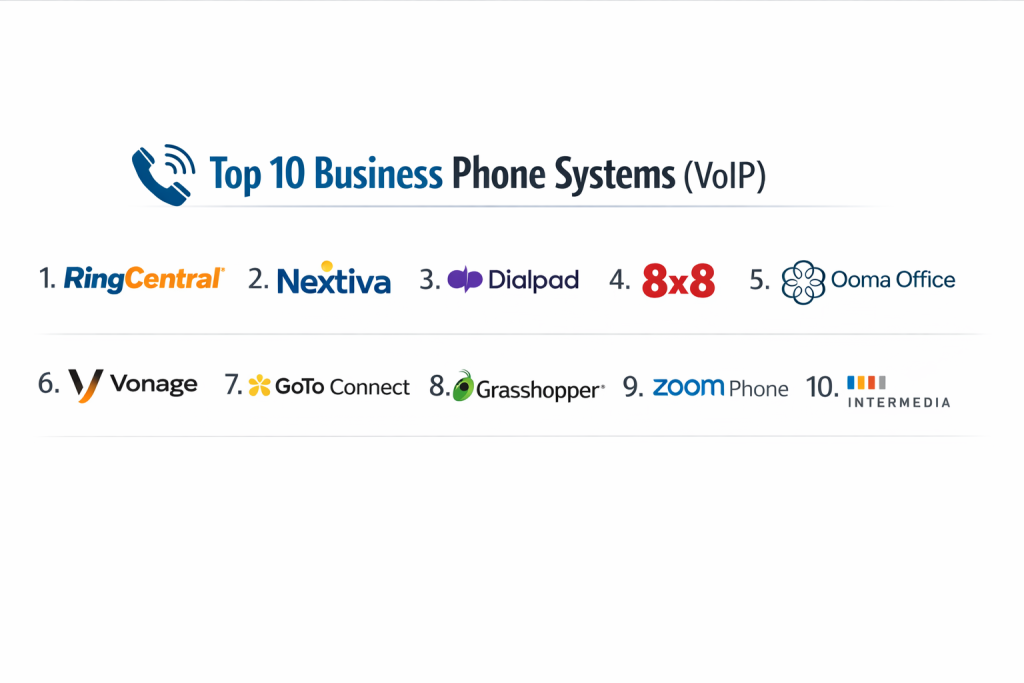
Top 10 Business Phone Systems (VoIP) Tools
1 — RingCentral
RingCentral is a powerhouse in the VoIP industry, offering a massive suite of tools that go far beyond simple calling. It is designed for businesses that want a highly reliable, all-in-one communication platform.
- Key Features:
- Unlimited calling and SMS within the US and Canada.
- AI-powered call summaries and real-time transcriptions.
- Advanced call handling (flip calls between devices instantly).
- Detailed analytics and reporting for team performance.
- Over 300 integrations including Salesforce, Microsoft, and Google.
- Professional video conferencing and team messaging built-in.
- Pros:
- Industry-leading 99.999% uptime guarantee ensures you never miss a call.
- Extremely scalable; it works just as well for 5 people as it does for 5,000.
- Cons:
- The interface can feel complex and cluttered for very basic users.
- The best features and integrations are locked behind higher-priced tiers.
- Security & compliance: SOC 2 Type II, SOC 3, HIPAA, GDPR, and HITRUST certified.
- Support & community: 24/7 phone and chat support, specialized onboarding for larger teams, and a deep knowledge base.
2 — Nextiva
Nextiva focuses on “Unified Experience Management.” It is designed for businesses that want to merge their phone system with customer management tools to build better relationships.
- Key Features:
- Unlimited voice and video calling on all plans.
- Nextiva app for desktop and mobile with a very clean design.
- Visual call flow builder to map out how callers reach you.
- Threaded conversations showing all interactions with a customer.
- Auto-attendant (multi-level) to greet and route callers professionally.
- Built-in surveys to collect feedback after calls.
- Pros:
- Outstanding customer support that is consistently rated highly by users.
- The platform is very intuitive and requires very little training to get started.
- Cons:
- Integration with third-party software is not as extensive as RingCentral.
- Some advanced automation features can be difficult for small teams to configure.
- Security & compliance: ISO 27001, SOC 2, HIPAA, and PCI compliance.
- Support & community: Famous for “Amazing Service” with 24/7 support across multiple channels.
3 — Ooma Office
Ooma Office is the go-to choice for small businesses that want a “plug-and-play” experience. It provides high-end features without the enterprise complexity.
- Key Features:
- Virtual receptionist to handle incoming calls professionally.
- Multi-ring feature to ring your desk phone and mobile app at once.
- Virtual faxes and pro-grade music on hold.
- Extension dialing for easy internal communication.
- Ring groups to ensure a specific team (like Sales) is notified of a call.
- Call blocking for annoying spam and telemarketers.
- Pros:
- Very simple to set up; most users are active within 15 minutes.
- Pricing is very competitive and transparent for small teams.
- Cons:
- Lacks the deep AI features found in modern competitors like Dialpad.
- The desktop app is more basic than the enterprise-focused tools.
- Security & compliance: Encrypted voice traffic and GDPR compliance.
- Support & community: 24/7 customer support and a very helpful “getting started” guide for non-tech users.
4 — Dialpad
Dialpad is a modern, AI-first phone system. It is designed for tech-forward companies that want to use Artificial Intelligence to take notes and analyze sales calls.
- Key Features:
- Ai Recaps: Summarizes every call and lists action items automatically.
- Real-time transcription so you can read what a caller is saying.
- Live coaching: AI gives agents tips on their screen during a call.
- Work from any device with a unified, fast-loading app.
- Native integration with Google Workspace and Microsoft 365.
- Sentiment analysis to see if a caller is happy or frustrated.
- Pros:
- The AI features save hours of manual note-taking and data entry.
- The system is very lightweight and runs smoothly on almost any hardware.
- Cons:
- The AI transcriptions are great but not always 100% accurate.
- Support response times can be slower on the basic plans.
- Security & compliance: SOC 2 Type II, HIPAA, GDPR, and CSA STAR.
- Support & community: Web-based help center, community forums, and 24/7 support for higher tiers.
5 — 8×8
8×8 is an excellent choice for businesses with international employees. It is one of the few providers that offers affordable, unlimited international calling to dozens of countries.
- Key Features:
- Unlimited calling to up to 48 countries on select plans.
- Integrated contact center for larger support teams.
- Frontdesk tool for receptionists handling high call volumes.
- HD video meetings with screen sharing and recording.
- Advanced speech analytics to find keywords in conversations.
- Multi-level auto-attendant with customizable greetings.
- Pros:
- Significant cost savings for companies doing business across borders.
- All-in-one app for phone, video, chat, and contact center.
- Cons:
- The administrative dashboard can be complex and hard to navigate.
- The user interface is functional but feels a bit dated.
- Security & compliance: FISMA, HIPAA, GDPR, ISO 27001, and ISO 9001.
- Support & community: Global support centers and 8×8 University for user training.
6 — Vonage Business Communications
Vonage is a flexible system that allows businesses to “pick and choose” exactly which features they need. It is great for businesses that want to customize their communication stack.
- Key Features:
- Mobile and desktop apps that sync perfectly.
- Vonage App Center with 20+ plugins for extra features.
- Virtual Assistant for AI-driven customer interactions.
- Call flip, call park, and call transfer.
- Company-wide messaging and group chat.
- Integration with popular CRM tools like HubSpot and Zoho.
- Pros:
- Very flexible; you only pay for the “add-on” features you use.
- The mobile app is highly reliable for people on the move.
- Cons:
- The base price can be misleading as add-ons increase the monthly cost.
- Some users report that initial technical setup can be tricky.
- Security & compliance: SOC 2, HIPAA-ready, and GDPR compliant.
- Support & community: 24/7 phone and chat support with a developer-friendly API community.
7 — Grasshopper
Grasshopper is not a full VoIP system in the traditional sense; it is a “virtual phone system” that runs on top of your existing cell phone service. It is designed for solo entrepreneurs and very small teams.
- Key Features:
- Professional business number for your personal smartphone.
- Custom greetings to make your small business sound larger.
- Business texting (SMS) from your business number.
- Voicemail transcription sent directly to your email.
- Inbound call routing (press 1 for Sales, 2 for Support).
- Desktop and mobile apps for calling and texting.
- Pros:
- Zero hardware needed; everything runs on the phones you already have.
- Extremely simple pricing with no per-user fees on most plans.
- Cons:
- Lacks advanced features like call recording or video conferencing.
- Not a good choice for companies that want to grow beyond a few people.
- Security & compliance: Varies / N/A (Standard encryption applies).
- Support & community: 24/7 US-based phone support and a very clear online help center.
8 — GoTo Connect
GoTo Connect (formerly Jive) is a robust and reliable system known for its visual approach to managing a phone system. It’s perfect for businesses that want total control over their call flows.
- Key Features:
- Visual Dial Plan Editor (drag-and-drop your call routing map).
- Integrated video meetings (via GoToMeeting).
- Personal meeting rooms and screen sharing.
- Real-time queue management for support teams.
- Over 80 premium features included in the base price.
- Virtual fax and unlimited extensions.
- Pros:
- Setting up complex call routing is incredibly easy with the visual editor.
- Pricing is very straightforward and inclusive of most features.
- Cons:
- The mobile app is good but occasionally syncs slower than competitors.
- It doesn’t have the “cutting edge” AI features of Dialpad.
- Security & compliance: SOC 2 Type II, GDPR, and HIPAA-ready.
- Support & community: 24/7 phone support and a large library of video tutorials.
9 — Phone.com
Phone.com is a budget-friendly option for small businesses that don’t make a high volume of calls. They offer “pay-per-minute” plans that can save money for very light users.
- Key Features:
- HIPAA-compliant video conferencing included.
- Address book to sync contacts across the whole team.
- Customized “Schedules” for when your phones should ring.
- Call recording and automated menus.
- Text messaging and virtual faxing.
- Works with physical IP phones or software apps.
- Pros:
- One of the few providers offering a low-cost plan for low-volume users.
- Easy to stay compliant with healthcare privacy laws (HIPAA).
- Cons:
- Minutes can add up quickly if your business grows and starts calling more.
- The interface feels a bit dated compared to modern apps.
- Security & compliance: HIPAA, SOC 2, and PCI compliance.
- Support & community: 24/7 US-based customer support.
10 — Zoom Phone
Zoom Phone is a relatively new addition but has grown rapidly because so many people already use Zoom for video. It is a modern, simple-to-use cloud phone system.
- Key Features:
- Single app for video, phone, and chat.
- Seamlessly elevate a phone call into a full Zoom video meeting.
- Global presence in over 40 countries.
- AI Companion to help summarize phone conversations.
- Call delegation (letting an assistant answer your calls).
- Integration with Salesforce, Slack, and ServiceNow.
- Pros:
- Employees already know how to use it because it’s just the Zoom app.
- Highly reliable video and audio quality, even on mediocre internet.
- Cons:
- The phone features are newer and less deep than legacy tools like 8×8.
- Customer support can be harder to reach for small “pro” accounts.
- Security & compliance: SOC 2 Type II, HIPAA, GDPR, and ISO 27001.
- Support & community: Massive online help center and community forums.
Comparison Table
| Tool Name | Best For | Platform(s) Supported | Standout Feature | Rating (Gartner) |
| RingCentral | Enterprise Reliability | Win, Mac, iOS, Android | 99.999% Uptime SLA | 4.6 / 5 |
| Nextiva | Customer Service SMBs | Win, Mac, iOS, Android | Integrated CRM | 4.5 / 5 |
| Ooma Office | Micro-Businesses | Win, iOS, Android | Easiest Setup | 4.4 / 5 |
| Dialpad | AI & Productivity | Win, Mac, iOS, Android | Real-time AI Recaps | 4.5 / 5 |
| 8×8 | International Calling | Win, Mac, iOS, Android | Global Unlimited Plans | 4.7 / 5 |
| Vonage | Customizable Apps | Win, Mac, iOS, Android | Vonage App Center | 4.2 / 5 |
| Grasshopper | Solopreneurs | Web, iOS, Android | Uses Mobile Network | 4.0 / 5 |
| GoTo Connect | Visual Management | Win, Mac, iOS, Android | Visual Dial Plan Editor | 4.3 / 5 |
| Phone.com | Healthcare / Budget | Web, iOS, Android | Pay-per-minute plans | 4.1 / 5 |
| Zoom Phone | Zoom Users | Win, Mac, iOS, Android | Video-to-Phone flip | 4.5 / 5 |
Evaluation & Scoring of Business Phone Systems (VoIP)
We evaluated these tools based on a weighted scoring rubric to show which systems provide the best overall value for a modern business.
| Criteria | Weight | What We Looked For |
| Core Features | 25% | Quality of voice, SMS, and basic phone features. |
| Ease of Use | 15% | How quickly a non-tech person can learn the app. |
| Integrations | 15% | Connectivity with Salesforce, Google, and Microsoft. |
| Security | 10% | Compliance standards (HIPAA, SOC 2) and encryption. |
| Reliability | 10% | Uptime records and sound quality on weak Wi-Fi. |
| Support | 10% | Availability of 24/7 help and clear documentation. |
| Price / Value | 15% | Transparent pricing and “bang for your buck.” |
Which Business Phone System (VoIP) Tool Is Right for You?
1. Solo Users vs. SMB vs. Enterprise
- Solo Users: If you are a one-person shop, Grasshopper is usually the best bet. It’s cheap and runs on your phone.
- Small Businesses (2-20 employees): Ooma or GoTo Connect offer the best balance of features and simplicity.
- Enterprise: RingCentral or 8×8 are the clear winners because they can handle thousands of users across the globe.
2. Budget vs. Premium Solutions
- Budget: Phone.com is great if you don’t talk much. Ooma is great if you want a flat, low monthly fee.
- Premium: Dialpad and RingCentral cost more but give you massive productivity boosts through AI and deep integrations.
3. Feature Depth vs. Ease of Use
- If you want the smartest system: Go with Dialpad.
- If you want the easiest system: Go with Zoom Phone or Ooma.
4. Integration and Scalability
If you plan to grow quickly, pick a system that integrates with your CRM from day one. RingCentral has the most integrations, while Nextiva has its own built-in tools for growth.
Frequently Asked Questions (FAQs)
1. Is VoIP reliable enough for a business?
Yes. In 2026, VoIP is just as reliable as a landline, provided you have a stable internet connection. Most top providers now offer a 99.999% uptime guarantee.
2. Can I keep my existing business phone number?
Yes. This process is called “porting.” Your new provider will work with your old carrier to move your number over, usually within 1-2 weeks.
3. Do I need special phones to use VoIP?
No. You can use a headset with your computer, a mobile app on your smartphone, or you can buy specialized “IP phones” that look like traditional desk phones.
4. What happens if the power goes out?
Since VoIP runs on the internet, if your office loses power, your desk phones will stop working. However, the system will automatically forward calls to your mobile app or a backup number.
5. How much does a VoIP system usually cost?
Most businesses pay between $20 and $35 per user per month. Small business plans start lower, while enterprise plans with more features are on the higher end.
6. Is VoIP secure?
Top-tier providers use encryption to protect your calls. If you are in healthcare or law, make sure to choose a provider that specifically offers a HIPAA-compliant plan.
7. Can I send text messages from my business number?
Yes, most modern VoIP systems include “Business SMS,” allowing you to text customers from your professional number instead of your personal cell.
8. Do I need a technician to come to my office to set it up?
Almost never. Because it is cloud-based, you just sign up online, download an app, or plug in a pre-configured phone to your internet router.
9. What internet speed do I need for clear calls?
VoIP calls don’t use much data. A standard broadband connection can usually handle dozens of simultaneous calls without any drop in quality.
10. Can I use a VoIP phone at home and in the office?
Yes. One of the best parts of VoIP is that your “extension” follows you. You can have a phone at home and one at work, and both will ring at the same time.
Conclusion
Choosing the right Business Phone System (VoIP) is no longer just about making calls; it is about choosing a communication partner that helps your team work smarter. Whether you need the global reach of 8×8, the AI-intelligence of Dialpad, or the simple reliability of Ooma, there is a solution on this list for every business size and budget.
The “best” tool isn’t necessarily the one with the most features, but the one that your team will actually use without getting frustrated. We recommend starting with a free trial of at least two different systems to see which interface feels most natural for your daily workflow.