Introduction
Unified Communications as a Service (UCaaS) is a modern way for businesses to handle all their talking, messaging, and meeting in one place. In the past, a company might have a phone system from one company, a video meeting tool from another, and a chat app from a third. UCaaS takes all of those separate pieces and puts them into a single piece of software that lives on the internet (the “cloud”).
This technology is important because it removes the “walls” between employees. Whether someone is sitting in an office in New York or working from a coffee shop in London, they can answer their office phone, join a team meeting, and share files as if they were sitting next to each other. It makes a business much more flexible and faster at solving problems.
Key real-world use cases include:
- The Hybrid Office: Teams that spend three days in the office and two days at home need a phone system that follows them without needing extra hardware.
- Customer Service Excellence: Support teams can see a customer’s history and chat with teammates for help while they are still on a live call with the client.
- Project Management: Teams can create “chat rooms” for specific projects, where they can store files and start a video call instantly whenever they hit a roadblock.
When choosing a tool, you should look for uptime reliability (how often the service stays online), security certifications, and mobile app quality. If the mobile app is hard to use, your team will simply stop using it.
Best for: Small businesses that want to look like big corporations, global companies with dispersed teams, and any business that wants to stop paying for physical desk phones and expensive maintenance.
Not ideal for: Very small businesses with only 1 or 2 employees who only use personal cell phones, or companies in rural areas where the internet is too slow to support high-quality voice and video calls.
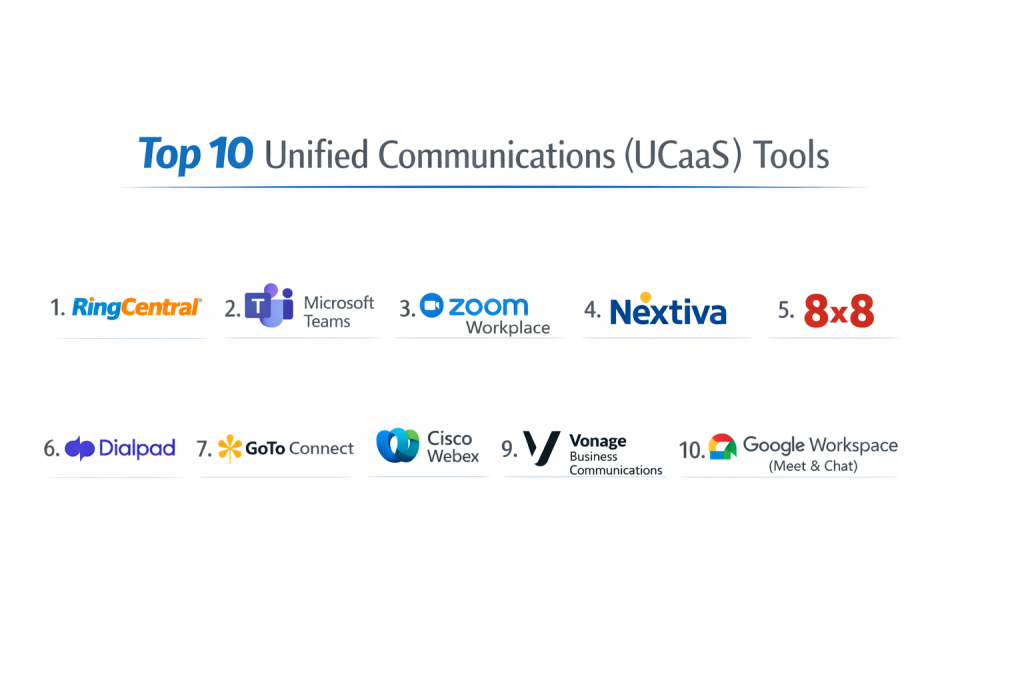
Top 10 Unified Communications (UCaaS) Tools
1 — RingCentral
RingCentral is often considered the “gold standard” of cloud communications. It is a massive platform that covers everything from basic phone calls to complex contact center needs. It is built for businesses that cannot afford to miss a single call.
- Key Features:
- Global MVP: A single app for Message, Video, and Phone available in over 40 countries.
- 99.999% Uptime: This is the highest reliability standard in the industry, meaning almost zero downtime.
- AI-Powered Meetings: Automatically creates summaries and action items from your video calls.
- Advanced Call Routing: Easily set up “if-then” rules for how calls should be handled during and after business hours.
- Visual Voicemail: Reads your voicemails and sends them to your email or chat as text.
- Analytics Portal: Real-time data on how many calls are being missed or how long people are waiting on hold.
- Pros:
- The most reliable system available, which is critical for businesses that rely on phone sales.
- It integrates with almost every other software (like Salesforce, Zendesk, and Google).
- Cons:
- The pricing is higher than many other tools on this list.
- It has so many settings that it can be confusing for a beginner to set up.
- Security & compliance: SOC 2, HIPAA, GDPR, HITRUST, and ISO 27001/27017/27018.
- Support & community: 24/7 phone support, a massive library of “how-to” videos, and dedicated account managers for larger clients.
2 — Microsoft Teams
Microsoft Teams has become a giant in the UCaaS space because it is already built into the Microsoft 365 environment. If your company uses Word, Excel, and Outlook, Teams is the “glue” that holds everything together.
- Key Features:
- Deep Integration: Open and edit a PowerPoint file directly inside a chat window.
- Channels: Organize your company into specific “rooms” for different departments or projects.
- Large-Scale Webinars: Host virtual events for up to 10,000 attendees.
- Teams Phone: Turn your Teams app into a full business phone system with local numbers.
- Background Effects: Professional blur and virtual backgrounds for video meetings.
- Live Translation: Real-time captions in dozens of languages during live meetings.
- Pros:
- If you already pay for Microsoft 365, the basic version of Teams is “free.”
- It is excellent for internal collaboration and file sharing.
- Cons:
- The phone system features (outbound calling) require extra licenses that can be expensive.
- The app can be “heavy” and slow down your computer if you have many tabs open.
- Security & compliance: HIPAA, GDPR, FedRAMP, and advanced data encryption at rest and in transit.
- Support & community: A huge global network of IT partners and a very detailed Microsoft Learn community.
3 — Zoom Workplace
Zoom became a household name for video calls, but it has expanded into a full UCaaS platform. It is designed for businesses that value “one-click” simplicity over everything else.
- Key Features:
- Zoom Phone: A high-quality cloud phone system that works on the same app as your meetings.
- AI Companion: A free AI tool that helps you write chat replies and summarizes meetings.
- Whiteboards: A digital canvas where teams can draw and brainstorm in real-time.
- Zoom Rooms: Specialized software that makes it easy to use conference room cameras and mics.
- Huddles: Quick, informal video spaces for fast “face-to-face” check-ins.
- Pros:
- The video quality is consistently better than competitors, even on weak Wi-Fi.
- It is very easy to use; almost everyone already knows how to join a Zoom meeting.
- Cons:
- Chat features are not as organized or powerful as Microsoft Teams or Slack.
- Adding features like “Phone” or “Webinars” can quickly increase your monthly bill.
- Security & compliance: AES 256-bit GCM encryption, SOC 2 Type II, and HIPAA compliance options.
- Support & community: Excellent self-service help center and a very responsive technical support team.
4 — Nextiva
Nextiva is built for businesses that care deeply about customer service. They don’t just provide a phone; they provide a “view” of the customer. It is ideal for mid-sized businesses that want to grow their sales.
- Key Features:
- NextOS Platform: Combines communication with customer relationship management (CRM).
- Survey Tools: Automatically send a text survey to a customer after a call ends.
- Workflow Automation: Set up “rules” like “Send an email automatically after a missed call.”
- Threaded Conversations: See every text, email, and call with one person in a single timeline.
- Call Pop: See a customer’s name and details on your screen before you even pick up the phone.
- Pros:
- Their customer support is legendary (they call it “Amazing Service”).
- The interface is very clean and easy for non-tech people to understand.
- Cons:
- Some of the best automation features are only available in the top-tier plans.
- The mobile app sometimes lacks the advanced reporting found on the desktop.
- Security & compliance: ISO 27001, SOC 2, and HIPAA.
- Support & community: 24/7 phone, chat, and email support with very low wait times.
5 — 8×8
8×8 is the best choice for companies that do a lot of business overseas. While other companies charge high fees for international calls, 8×8 includes them in many of their standard plans.
- Key Features:
- International Calling: Unlimited calling to up to 48 countries.
- Contact Center Integration: Easily switch between a regular office phone and a call center agent role.
- Frontdesk: A special interface for receptionists to handle many calls at once.
- Video Interaction: Secure, high-definition video meetings with no “time-outs.”
- Speech Analytics: Automatically scan calls for specific words to see how customers are feeling.
- Pros:
- Huge savings for businesses with international offices or clients.
- Very strong security standards that make it popular with government agencies.
- Cons:
- The user interface can feel a bit old-fashioned compared to modern tools like Dialpad.
- The administrative dashboard is complex and usually requires an IT person to manage.
- Security & compliance: FISMA, HIPAA, GDPR, ISO 27001, and ISO 9001.
- Support & community: Online training through “8×8 University” and global tech support.
6 — Dialpad
Dialpad is the “smartest” tool on the list. It was built from the ground up with Artificial Intelligence (AI) as its core. It is perfect for teams that want to spend less time taking notes and more time talking.
- Key Features:
- Dialpad Ai: Real-time transcription that is surprisingly accurate.
- Post-Call Summaries: Immediately after a call, you get a list of “Action Items” and a summary.
- Live Coaching: If a salesperson says something wrong, the AI can pop up a “hint” on their screen.
- Sentiment Analysis: Tells you if a caller is getting angry or happy in real-time.
- Global Connectivity: Works seamlessly across any device without a drop in quality.
- Pros:
- The AI features are a game-changer for sales and support teams.
- It is very easy to add new users—it takes just a few seconds.
- Cons:
- The video meeting tool is not as robust as Zoom or Teams.
- Some users find the AI “coaching” to be distracting during live calls.
- Security & compliance: SOC 2 Type II, HIPAA, GDPR, and CSA STAR.
- Support & community: 24/7 support for Pro and Enterprise users; a very modern online help portal.
7 — GoTo Connect
GoTo Connect (part of the GoTo family, formerly LogMeIn) is known for its simplicity and the “Visual Dial Plan Editor.” It is the best choice for small businesses that want to manage their own phone system.
- Key Features:
- Visual Dial Plan: A drag-and-drop map of how your phones ring (e.g., “Ring Front Desk, if no answer, ring Manager”).
- Integrated Meetings: Uses the GoToMeeting engine for reliable video calls.
- Virtual Fax: Send and receive faxes through your computer (great for law or medical offices).
- Paging and Intercom: Easy to use for physical offices or warehouses.
- Simplified Billing: Very clear monthly statements without “mystery fees.”
- Pros:
- The easiest system to configure without hiring a consultant.
- The video meeting quality is very stable for large groups.
- Cons:
- It doesn’t have as many advanced integrations as RingCentral.
- The mobile app can sometimes be slow to sync call history.
- Security & compliance: SOC 2, GDPR, and HIPAA-ready options.
- Support & community: 24/7 phone support and a very large community of small business users.
8 — Cisco Webex
Cisco is a giant in networking, and Webex is their professional communication platform. It is the preferred choice for large-scale enterprises that need the highest possible security.
- Key Features:
- Advanced Noise Removal: AI that removes the sound of a lawnmower or a barking dog from your audio.
- Webex Devices: High-end hardware like the Webex Board for boardrooms.
- Slido Integration: Built-in tools for live polling and audience interaction.
- Real-Time Translation: Can translate your voice into 100+ languages for international listeners.
- End-to-End Encryption: Your data is encrypted before it even leaves your computer.
- Pros:
- The “gold standard” for security and government-level compliance.
- Excellent audio quality, even if you are in a noisy environment.
- Cons:
- Can be much more expensive than the other options.
- The software can be a bit “clunky” and uses a lot of computer memory.
- Security & compliance: FedRAMP, ISO 27001, SOC 2, HIPAA, and GDPR.
- Support & community: Dedicated enterprise support teams and specialized certified training.
9 — Vonage Business Communications
Vonage is highly flexible. While other companies try to sell you a big “bundle,” Vonage allows you to start with the basics and add specific “plugins” as you need them.
- Key Features:
- Vonage App Center: Over 20 “add-on” features you can turn on or off.
- Smart Numbers: Add features like “Business SMS” to your existing office number.
- Virtual Assistant: AI that can answer common questions before a human picks up.
- CRM Integration: Works very well with tools like Zoho and HubSpot.
- Mobile-First Design: One of the best mobile apps for staying connected on the go.
- Pros:
- You only pay for the extra features you actually use.
- Very fast to set up for small businesses.
- Cons:
- The price can go up quickly if you add too many “plugins.”
- Customer support can sometimes be a bit slower than Nextiva.
- Security & compliance: SOC 2, HIPAA, and GDPR.
- Support & community: Online forums, video tutorials, and 24/7 phone support.
10 — Google Workspace (Meet & Chat)
For companies that are already “Google-native” (using Gmail and Drive), Google’s communication tools are the most logical choice. It is simple, fast, and lives entirely in your browser.
- Key Features:
- Google Meet: High-speed video calling with no software downloads needed.
- Google Chat: Modern messaging that works like Slack but is integrated with Drive.
- Google Voice: A simple business phone system that integrates into your Gmail.
- Collaboration: Chat directly inside a Google Doc while you are editing it.
- Jamboard: A digital whiteboard tool for brainstorming.
- Pros:
- There is zero software to install; everything works in Chrome or Safari.
- If you know how to use Gmail, you already know how to use these tools.
- Cons:
- The phone features (Google Voice) are a bit basic for large call centers.
- It lacks some of the advanced desk-phone hardware support of RingCentral.
- Security & compliance: ISO 27001, SOC 2/3, and HIPAA (with a signed BAA).
- Support & community: Massive online help database and Workspace administrator support.
Comparison Table
| Tool Name | Best For | Platform(s) Supported | Standout Feature | Rating (Gartner) |
| RingCentral | Total Reliability | Win, Mac, iOS, Android | 99.999% Uptime | 4.6 / 5 |
| Microsoft Teams | Office 365 Users | Win, Mac, iOS, Android | Deep File Collab | 4.4 / 5 |
| Zoom Workplace | Easy Video Meetings | Win, Mac, iOS, Android | User-Friendly UI | 4.5 / 5 |
| Nextiva | Customer Growth | Win, Mac, iOS, Android | Integrated CRM | 4.5 / 5 |
| 8×8 | Global Calling | Win, Mac, iOS, Android | Int’l Plans | 4.7 / 5 |
| Dialpad | AI & Productivity | Win, Mac, iOS, Android | Real-time AI notes | 4.5 / 5 |
| GoTo Connect | Small Business DIY | Win, Mac, iOS, Android | Visual Dial Plan | 4.3 / 5 |
| Cisco Webex | Large Corp Security | Win, Mac, iOS, Android | Audio Noise Removal | 4.4 / 5 |
| Vonage | Customizable Setup | Win, Mac, iOS, Android | App Center Plugins | 4.2 / 5 |
| Google Workspace | Fast-Moving Startups | Web, iOS, Android | Zero-Install App | 4.5 / 5 |
Evaluation & Scoring of UCaaS Tools
To help you understand how we ranked these tools, we used a weighted scoring rubric. This ensures that a tool isn’t just “good at one thing,” but is a solid overall choice for a business.
| Criteria | Weight | Explanation |
| Core Features | 25% | Does the voice/video/chat actually work perfectly every time? |
| Ease of Use | 15% | Can a new employee use it without a 2-hour training session? |
| Integrations | 15% | Does it connect to Salesforce, Hubspot, and Email? |
| Security | 10% | Does it meet legal standards like HIPAA and GDPR? |
| Reliability | 10% | How often does the system go down or have glitches? |
| Support | 10% | Is there a human you can call if something breaks? |
| Price / Value | 15% | Is the cost fair for what you are getting? |
Which UCaaS Tool Is Right for You?
Choosing a tool is a big decision because your whole team will use it every day. Use this guide to narrow down your choices:
1. Solo Users vs. SMB vs. Enterprise
- Solo/Micro: If it’s just you, Google Voice or Zoom is usually enough. You don’t need complex routing.
- Small Business (5–50 employees): You need something professional but easy. Nextiva or GoTo Connect are perfect because they help you set it up.
- Enterprise (500+ employees): You need RingCentral, Microsoft Teams, or Cisco Webex. These tools have the “admin” controls your IT team will require.
2. Budget vs. Premium
- Budget: 8×8 and Vonage often have lower starting prices. Microsoft Teams is also a great value if you are already paying for Microsoft 365.
- Premium: RingCentral and Cisco are the “luxury cars” of this world—they cost more, but they are incredibly reliable and powerful.
3. Feature Depth vs. Ease of Use
- If you want features, pick RingCentral or Dialpad.
- If you want simplicity, pick Zoom or Google Workspace.
Frequently Asked Questions (FAQs)
1. What does UCaaS actually mean?
It stands for Unified Communications as a Service. “Unified” means it puts everything in one app. “As a Service” means you pay a monthly fee to use it over the internet instead of buying a big machine for your office.
2. Is my internet fast enough for UCaaS?
If you can watch a YouTube video or a Netflix movie without it buffering, your internet is likely fast enough. For a whole office, you usually need a business-grade fiber or cable connection.
3. Do I have to buy expensive desk phones?
No! Most companies today use “Softphones.” This just means the app on your computer or mobile phone. If you really like having a physical phone on your desk, you can buy one that is “SIP compatible.”
4. Can I keep my current phone numbers?
Yes. Every major provider has a team that helps you “port” your numbers. It usually takes about 7 to 10 days to move them over.
5. Is UCaaS safe for talking about private things?
Yes, as long as you pick a provider with end-to-end encryption. This means nobody (not even the phone company) can listen to your calls.
6. What is “99.999% Uptime”?
This is known as “Five Nines.” It means the system is only down for about 5 minutes per year. This is what big businesses look for.
7. Can I use these tools on my personal cell phone?
Yes. You just download the app. When you call a customer from the app, they see your business number, not your personal cell phone number.
8. Do these tools work for international offices?
Yes, but check the provider. 8×8 and RingCentral are the best for international work. Some smaller providers only work in the US and Canada.
9. What happens if I miss a call?
Most systems will send you a text or email with a transcription of the voicemail. You can also set it up so the call “follows” you to your mobile phone.
10. How much does it cost?
Most providers charge between $20 and $45 per user, per month. The price depends on how many features you need (like call recording or AI).
Conclusion
The world of business communication has changed. You no longer need to be tied to a desk or a physical phone line to do great work. Unified Communications (UCaaS) gives your business the power to work from anywhere, look more professional, and serve your customers better.
When you are ready to choose, remember that the “best” tool isn’t the one with the most features—it’s the one your team will actually enjoy using. Start with a list of your 3 “must-have” features, try a few demos, and pick the one that feels the most natural to your workflow.