Introduction
Video conferencing tools are digital platforms that allow people to meet, talk, and work together in real-time through the internet using video and audio. Unlike a standard phone call, these tools let you see the person you are talking to, share your computer screen, and use interactive features like chat or digital whiteboards. In 2026, these tools have moved beyond simple video calls; they now act as “virtual offices” that use artificial intelligence (AI) to take notes, summarize meetings, and translate languages instantly.
These tools are important because they break down the barriers of distance. They allow businesses to hire the best talent from anywhere in the world and help teams stay connected without the high cost of travel. Whether it is a quick 5-minute “huddle” or a 1,000-person company webinar, video conferencing is the backbone of modern work.
Key real-world use cases include:
- Remote & Hybrid Work: Connecting employees who work from home with those in the office.
- Education: Allowing teachers to host virtual classrooms with students globally.
- Healthcare (Telehealth): Enabling doctors to consult with patients securely from a distance.
- Sales & Demos: Giving sales teams a way to show products to customers through screen sharing.
When choosing a tool, you should look at video/audio stability, security standards, and how well the tool integrates with your existing email or project management software.
Best for: Remote teams of any size, educational institutions, healthcare providers, and global corporations that need to reduce travel costs.
Not ideal for: Very small local businesses where everyone is in the same room every day, or companies in locations with extremely low-speed internet that cannot support video.
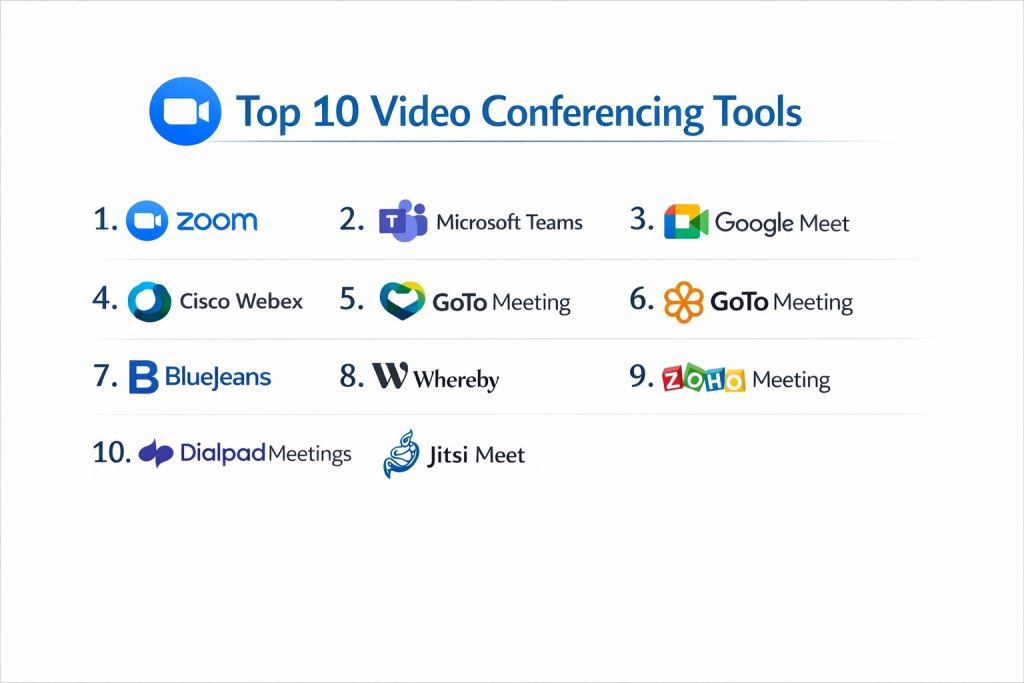
Top 10 Video Conferencing Tools
1 — Zoom Workplace
Zoom remains the most recognized name in the industry. Known for its “one-click” simplicity, it has evolved into a complete collaboration hub that includes phone, chat, and AI-powered productivity tools.
- Key Features:
- One-click join for guests without needing an account.
- AI Companion that summarizes meetings and writes chat replies.
- Zoom Phone integration for a unified business line.
- High-quality breakout rooms for smaller group discussions.
- Virtual whiteboards and team chat for ongoing projects.
- Advanced “Gallery View” that handles up to 49 participants on one screen.
- Pros:
- Works exceptionally well even on low-bandwidth or unstable internet.
- Large ecosystem of third-party apps and integrations.
- Cons:
- The free version has a 40-minute limit on group meetings.
- Adding advanced features like webinars can become expensive quickly.
- Security & compliance: AES-256 encryption, SSO, SOC 2 Type II, GDPR, HIPAA, and ISO 27001.
- Support & community: Extensive online knowledge base, 24/7 chat/phone support, and a massive community of developers and users.
2 — Microsoft Teams
Microsoft Teams is the go-to solution for businesses already using Microsoft 365. It is much more than a video tool; it is a space for files, chats, and apps to live together.
- Key Features:
- Deep integration with Word, Excel, PowerPoint, and Outlook.
- Microsoft Copilot for real-time AI meeting assistance.
- Together Mode for a more natural “stadium-style” view of participants.
- Large-scale “Town Hall” events for up to 10,000 attendees.
- Cloud storage and real-time document editing during calls.
- Live captions and translation in over 30 languages.
- Pros:
- Cost-effective because it is usually included in your existing Microsoft subscription.
- Best-in-class security features for large organizations.
- Cons:
- The software can feel “heavy” and slow down older computers.
- The user interface can be overwhelming for first-time users.
- Security & compliance: ISO 27001, HIPAA, GDPR, SOC 2, and FedRAMP (for government).
- Support & community: Enterprise-grade support, global partner network, and a deep technical library.
3 — Google Meet
Google Meet is the definition of simplicity. It runs entirely in your web browser, meaning there is no software to download or install, which makes it perfect for fast-moving teams.
- Key Features:
- Fully browser-based experience (no downloads needed).
- Automatic noise cancellation and light adjustment.
- Integration with Google Calendar and Gmail.
- Live captions powered by Google’s advanced speech recognition.
- Simple, secure “knocking” feature to control who enters a meeting.
- Low-latency video streaming even on mobile devices.
- Pros:
- The easiest tool for external guests and clients to join.
- Very lightweight and does not drain laptop battery as much as other apps.
- Cons:
- Fewer advanced features compared to Zoom or Webex.
- Most of the best features require a paid Google Workspace account.
- Security & compliance: SOC 2, ISO 27001, GDPR, HIPAA, and data encryption by default.
- Support & community: 24/7 admin support for Workspace users and a simple online help center.
4 — Cisco Webex
Webex is the oldest player in the game and is known for extreme security and high-quality hardware. It is the preferred choice for banks, governments, and hospitals.
- Key Features:
- Industry-leading background noise removal (mutes dogs, lawnmowers).
- Slido integration for live polls and Q&A.
- Webex Assistant for voice-activated meeting commands.
- Immersive Share allows you to put your video over your presentation.
- Native integration with professional Cisco conference room hardware.
- End-to-end encryption that the user can control.
- Pros:
- Highest level of security and administrative control.
- Excellent audio quality during large calls.
- Cons:
- The setup and administration can be complex for small businesses.
- Can be more expensive than rivals if you need high participant counts.
- Security & compliance: ISO 27001, SOC 2, HIPAA, GDPR, FIPS, and FedRAMP.
- Support & community: Global 24/7 technical support and specialized enterprise training.
5 — Zoho Meeting
Zoho Meeting is an affordable, browser-based solution that is perfect for small businesses and startups that already use the Zoho suite of apps.
- Key Features:
- Browser-based meetings with no installation for hosts or guests.
- Comprehensive webinar tools with registration pages and polls.
- Moderator controls like “lock meeting” and “mute all.”
- Integration with Zoho CRM and Projects.
- Simple screen sharing and meeting recording.
- Pros:
- One of the most budget-friendly options on the market.
- Very focused on privacy; they do not sell user data.
- Cons:
- Lacks the “bells and whistles” (like advanced AI) of larger competitors.
- Video quality can sometimes struggle on slower connections.
- Security & compliance: GDPR, HIPAA, SOC 2, and TLS 1.2/AES 256-bit encryption.
- Support & community: Solid documentation and email/phone support based on plan level.
6 — GoTo Meeting
GoTo Meeting is built for speed and reliability. It is a no-nonsense tool that focuses on high-quality video for professional business settings.
- Key Features:
- Smart Meeting Assistant that creates transcriptions.
- Unlimited cloud recording on most paid plans.
- Drawing tools and “Hand Over Control” for interactive demos.
- Commuter Mode for stable meetings while on the move.
- Custom meeting links that never change.
- Pros:
- Known for very high reliability and fewer “dropped” calls.
- The mobile app is one of the most stable in the industry.
- Cons:
- The interface looks a bit dated compared to modern tools.
- Doesn’t have a strong “free” version for casual users.
- Security & compliance: SOC 2 Type II, GDPR, and HIPAA-ready.
- Support & community: 24/7 phone and web support with a long-standing user base.
7 — BlueJeans (by Verizon)
BlueJeans focuses on “Dolby Voice” audio quality. It is designed for businesses that care most about hearing every word clearly during a meeting.
- Key Features:
- Dolby Voice audio for crystal-clear sound.
- “Smart Meetings” that let you tag key moments during a call.
- Command Center for IT teams to monitor call quality in real-time.
- Interoperability with other tools like Teams and Zoom.
- Virtual backgrounds and high-definition video.
- Pros:
- The best audio quality of any tool on this list.
- Excellent for large-scale “all-hands” meetings.
- Cons:
- Verizon has recently changed how they support the product, leading to some uncertainty.
- Fewer “fun” or social features (like emojis) for creative teams.
- Security & compliance: SOC 2 Type II, SOC 3, HIPAA, and GDPR.
- Support & community: Professional customer success managers for large clients.
8 — Whereby
Whereby is the choice for creative teams and small startups. It is extremely beautiful, simple, and requires absolutely zero login for guests.
- Key Features:
- Custom branded meeting rooms with unique URLs.
- “Embed” feature allows you to put a video room inside your own website.
- No downloads or registrations required for anyone.
- Integrations with Miro (whiteboards) and Trello.
- Small, intimate group focus (up to 100 people).
- Pros:
- The most beautiful and “clean” design of all the tools.
- Setting up a meeting takes less than 10 seconds.
- Cons:
- Not built for large webinars or giant corporations.
- Limited advanced security controls compared to Webex.
- Security & compliance: GDPR compliant and ISO 27001.
- Support & community: Mostly email-based support with a helpful FAQ section.
9 — RingCentral Video
RingCentral is a leader in business phone systems, and their video tool is a professional, secure platform that works across all devices.
- Key Features:
- Switch from a call to a video meeting with one button.
- Switch between your phone and laptop during a live meeting.
- AI-powered meeting insights and transcriptions.
- Unlimited meeting duration on most plans.
- Advanced analytics to see how your team is using the tool.
- Pros:
- Perfect if you already use RingCentral for your office phones.
- Very high uptime and reliability record.
- Cons:
- Can be pricey if you only need video and not the phone system.
- The app can feel complex because it does so many things.
- Security & compliance: SOC 2, HIPAA, GDPR, and HITRUST.
- Support & community: 24/7 support and a very large network of business partners.
10 — Discord
While originally for gamers, Discord has become a popular video conferencing tool for tech startups and online communities because it is “always on.”
- Key Features:
- “Voice Channels” you can drop in and out of without a call link.
- Low-latency screen sharing (Go Live) for code or design reviews.
- Powerful “Role” system to manage who can speak or share video.
- Integration with bots for automation and scheduling.
- Permanent chat history that stays around after the meeting.
- Pros:
- Completely free for the vast majority of features.
- Feels more like a “community” than a boring business tool.
- Cons:
- Not professional enough for meetings with high-end corporate clients.
- Lacks formal compliance (like HIPAA) for regulated industries.
- Security & compliance: SSO available; GDPR compliant.
- Support & community: Massive community-driven support and a standard help ticket system.
Comparison Table
| Tool Name | Best For | Platform(s) Supported | Standout Feature | Rating (Gartner) |
| Zoom | Overall ease of use | Win, Mac, iOS, Android | AI Companion | 4.4 / 5 |
| Microsoft Teams | Microsoft 365 Users | Win, Mac, iOS, Android | Deep Office Collab | 4.5 / 5 |
| Google Meet | Browser-only needs | Web, iOS, Android | Zero-install joining | 4.5 / 5 |
| Cisco Webex | High Security/Enterprise | Win, Mac, iOS, Android | Noise Removal AI | 4.4 / 5 |
| Zoho Meeting | Budget-conscious SMBs | Web, iOS, Android | CRM Integration | 4.3 / 5 |
| GoTo Meeting | Reliable Business Pro | Win, Mac, iOS, Android | Commuter Mode | 4.2 / 5 |
| BlueJeans | High-quality Audio | Win, Mac, iOS, Android | Dolby Voice | 4.1 / 5 |
| Whereby | Creative / Embeds | Web, iOS, Android | Branded Rooms | 4.6 / 5 |
| RingCentral | Integrated Phone/Video | Win, Mac, iOS, Android | Live Call Switching | 4.4 / 5 |
| Discord | Communities/Tech Teams | Win, Mac, iOS, Android | Always-on Channels | N/A |
Evaluation & Scoring of Video Conferencing Tools
To rank these tools, we used a weighted scoring system. This helps separate the “fancy” features from what truly matters for a productive business meeting.
| Criteria | Weight | What We Measured |
| Core Features | 25% | Stability of HD video, audio clarity, and screen sharing. |
| Ease of Use | 15% | How many clicks it takes to join or host a meeting. |
| Integrations | 15% | How well it works with Google, Microsoft, and CRMs. |
| Security & Compliance | 10% | Presence of HIPAA, GDPR, and end-to-end encryption. |
| Performance | 10% | Battery drain and performance on slow internet. |
| Support | 10% | Speed of help desk and quality of documentation. |
| Price / Value | 15% | Comparing the free tier vs. the cost of paid plans. |
Which Video Conferencing Tool Is Right for You?
1. By Company Size
- Solo Users & Freelancers: Stick with the free versions of Zoom or Google Meet. They offer everything you need for 1-on-1 client calls without costing a dime.
- SMBs (Small Businesses): Zoho Meeting or Whereby are great because they are easy to manage without an IT department.
- Large Enterprise: Microsoft Teams or Cisco Webex are the only real choices due to their massive security and administrative controls.
2. By Budget
- Free-First: Google Meet and Discord offer the most value for $0.
- Mid-Range: Zoom and GoTo Meeting offer solid professional features for around $15–$20 per month.
- Premium: Cisco Webex and RingCentral are higher-priced but include enterprise phone systems and hardware support.
3. By Industry Needs
- Healthcare/Legal: You must choose a tool that is HIPAA or SOC 2 compliant, like Webex, Zoom, or Teams.
- Creative/Design: Whereby or Discord are better because they focus on visual sharing and a relaxed atmosphere.
- Tech/Software Dev: Discord or Slack huddles allow for fast, “always-on” collaboration.
Frequently Asked Questions (FAQs)
1. Do I really need to download an app to join a meeting?
Not necessarily. Tools like Google Meet, Whereby, and Zoho Meeting work entirely in your web browser. Others, like Zoom, prefer an app but usually have a “join via browser” link if you look closely.
2. Why do meetings sometimes lag or freeze?
This is usually caused by “bandwidth” issues. If your internet is slow, or if too many people in your house are using the Wi-Fi, the video will struggle. Turning off your camera can often fix audio lag.
3. Is my meeting private?
Most professional tools use encryption, but for the highest privacy, look for “End-to-End Encryption” (E2EE). This ensures that not even the software company can “see” into your meeting.
4. Can I record meetings for later?
Yes, most paid plans allow you to record to the “cloud.” Some free plans allow you to record to your computer’s hard drive, but check the settings first.
5. How many people can join a video call?
This depends on your plan. Free plans usually allow 100 people, while high-end enterprise plans for tools like Webex or Teams can handle 1,000 to 10,000 people.
6. What is the difference between a “Meeting” and a “Webinar”?
A Meeting is where everyone can talk and show their video. A Webinar is where a few “panelists” speak to a large audience who can only listen and type questions.
7. Can I use these on my smartphone?
Yes, all the tools on this list have mobile apps for iOS and Android. They work great, but they do use quite a bit of battery and data.
8. Can I change my background if my room is messy?
Almost all modern tools (Zoom, Teams, Meet) allow you to “blur” your background or replace it with a professional-looking office photo.
9. What happens if I miss a meeting?
If the meeting was recorded, you can watch the video later. Newer tools like Zoom and Teams now use AI to give you a written summary of what you missed.
10. Do I need a special camera or microphone?
Most laptop cameras and microphones are “good enough” for daily work. However, if you are in sales or teaching, a $50 external USB microphone will make you sound much more professional.
Conclusion
The “best” video conferencing tool isn’t the one with the most features—it is the one that your team actually enjoys using. If you use Microsoft 365, Teams is a natural fit. If you want something that just “works” every time, Zoom is hard to beat. And if you hate installing software, Google Meet is your best friend.
When making your final choice, remember that security and reliability are the two things you will care about most when a big meeting is on the line. Take advantage of free trials, test the mobile app, and pick the partner that helps your team communicate without getting in the way.