Introduction
Chat apps are software applications that allow people to send messages, photos, videos, and files to one another over the internet. Unlike traditional text messaging (SMS) which relies on cellular networks, these apps use data or Wi-Fi to transmit information instantly. They have evolved from simple text boxes into powerful platforms that support voice calls, video conferencing, and even business project management.
Why It Is Important
Communication is the heartbeat of any relationship or business. Chat apps are vital because they provide instant feedback. In a world that moves fast, waiting for an email reply can slow down progress. These tools allow for “real-time” collaboration, meaning you can get answers, share updates, and make decisions in seconds rather than hours.
Key Real-World Use Cases
- Personal Connection: Staying in touch with friends and family through group chats and video calls.
- Workplace Collaboration: Teams using dedicated channels to discuss projects and share documents.
- Customer Service: Businesses chatting directly with customers to solve problems or take orders.
- Community Building: Large groups or “servers” where people with shared hobbies can gather and talk.
What to Look For
When evaluating a chat app, you should look for ease of use, as the tool is useless if your team or family finds it too hard to navigate. Privacy and security are also top priorities; you want to ensure your private conversations stay private. Finally, consider platform support—can you use it on your phone, your tablet, and your computer seamlessly?
Best for: Remote workers, distributed families, small to large businesses, and social communities. It is ideal for anyone who needs to send information quickly and wants a record of that conversation to refer back to later.
Not ideal for: Situations requiring formal, legal, or “official” documentation where a signed letter or a formal email chain is the industry standard. It may also not be ideal for those in areas with extremely poor internet connectivity, where traditional phone calls are more reliable.
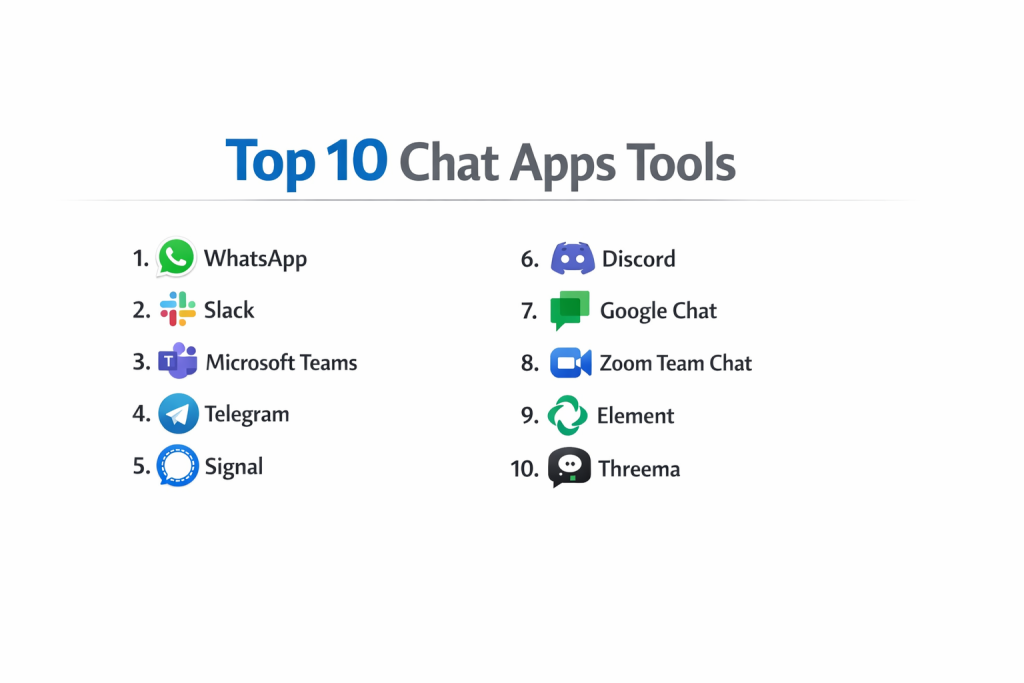
Top 10 Chat Apps Tools
1 — WhatsApp
WhatsApp is perhaps the most well-known chat app in the world. It is designed for simple, reliable, and secure messaging and is used by billions of people for both personal and small business communication.
- End-to-End Encryption: Ensures that only you and the person you are communicating with can read what is sent.
- Voice and Video Calls: High-quality calling features that work even on slower internet connections.
- WhatsApp Web/Desktop: Syncs all of your chats to your computer so you can type on a full keyboard.
- Status Updates: Share photos and text that disappear after 24 hours, similar to “Stories.”
- Group Chats: Create groups for up to 1,024 people with admin controls.
- Document Sharing: Send PDFs, spreadsheets, and slideshows up to 2GB in size.
Pros
- Extremely easy to set up using just a phone number.
- Completely free to use for personal messaging with no ads.
Cons
- Requires a mobile phone number to create an account, which some see as a privacy drawback.
- File management and searching through old messages can be difficult in large groups.
Security & compliance: End-to-end encryption by default; GDPR compliant; Two-step verification available.
Support & community: Extensive online help center; massive global user base; limited direct human support for free users.
2 — Slack
Slack is the gold standard for office communication. It is designed to replace internal email by organizing conversations into “channels” based on projects, departments, or topics.
- Channel-Based Organization: Keeps work organized so you don’t have to search through one long thread.
- Huddles: Quick, audio-first ways to start a conversation with a teammate without a formal meeting.
- Workflow Builder: Allows you to automate routine tasks and communications within the app.
- Slack Connect: Securely collaborate with people outside your company in the same space.
- File Search: A powerful search engine that finds text within uploaded documents and messages.
- Extensive Integrations: Connects with over 2,400 apps like Google Drive, Zoom, and Trello.
Pros
- Excellent for keeping work talk separate from personal life.
- The “search” function is world-class, making it easy to find old decisions.
Cons
- The notification volume can become overwhelming if not managed properly.
- The free version hides older messages once a certain limit is reached.
Security & compliance: SOC 2, SOC 3, ISO 27001, HIPAA (Enterprise plan), GDPR, and SSO support.
Support & community: 24/7 priority support for paid tiers; massive library of “how-to” guides; active developer community.
3 — Microsoft Teams
Teams is a heavy-duty communication tool built for organizations that already use Microsoft 365. It combines chat, video meetings, and deep document collaboration.
- Deep Office 365 Integration: Edit Word, Excel, and PowerPoint files directly inside the chat window.
- Large Scale Meetings: Host video calls for up to 300 participants (and many more in “Live Events”).
- Together Mode: A digital view that places participants in a shared background to make meetings feel more natural.
- Recording and Transcription: Automatically record meetings and generate text transcripts for later review.
- Task Management: Integrates with Microsoft Planner to assign and track work within the chat.
- Multi-tenant Access: Switch between different company accounts without logging out.
Pros
- Incredible value if your company already pays for a Microsoft subscription.
- Provides a very high level of security for corporate data.
Cons
- The interface can feel heavy and slow on older computers.
- The setup process is complex and usually requires an IT professional.
Security & compliance: ISO 27001, HIPAA, GDPR, SOC 1/2, FedRAMP, and advanced data loss prevention.
Support & community: Professional enterprise-grade support; vast network of certified consultants and trainers.
4 — Telegram
Telegram is a chat app known for its speed and its focus on large-scale communities. It allows for massive groups and has a very open “bot” ecosystem.
- Massive Groups: Support for up to 200,000 members in a single group.
- Channels: A tool for broadcasting messages to an unlimited number of subscribers.
- Secret Chats: Optional self-destructing messages with end-to-end encryption.
- Large File Sharing: Send files of any type up to 2GB each.
- Folders: Organize your many chats into custom folders to keep the interface clean.
- Bot Platform: Allows developers to create tools for everything from checking weather to playing games.
Pros
- The app is incredibly fast and responsive on all devices.
- Features like “Edit Message” and “Delete for Everyone” are very flexible.
Cons
- Standard chats are not end-to-end encrypted by default (you must use “Secret Chats”).
- Can sometimes be a home for unmoderated or spammy content due to its large group sizes.
Security & compliance: MTProto protocol; GDPR compliant; Secret Chats provide end-to-end encryption.
Support & community: Large volunteer-led support; extensive API documentation for developers.
5 — Signal
Signal is widely considered the most secure chat app available. It is run by a non-profit foundation and is designed to collect as little data about its users as possible.
- State-of-the-Art Encryption: Uses the open-source Signal Protocol for all communications.
- No Data Harvesting: The app does not track your location, your contacts, or your metadata.
- Disappearing Messages: Set a timer for messages to vanish from both devices after they are read.
- Screen Security: Blocks screenshots of your chats to ensure visual privacy.
- Incognito Keyboard: Prevents your phone’s keyboard from “learning” what you type in the app.
- Group Calls: Secure video and audio calls for small to medium groups.
Pros
- The highest level of privacy available; even Signal cannot read your messages.
- No advertisements, no trackers, and no “pro” versions.
Cons
- Lacks some of the “fun” features like animated stickers or large-scale community tools.
- Requires a phone number to sign up, though you can hide it from others now.
Security & compliance: Open-source encryption; GDPR compliant; zero-knowledge architecture.
Support & community: Community-driven help center; small but dedicated support team.
6 — Discord
Originally built for gamers, Discord has turned into a general-purpose community app. It uses “Servers” which are divided into various text and voice channels.
- Server Structure: Create a home for your community with different rooms for different topics.
- Always-on Voice Channels: Walk into a room and start talking without having to “call” anyone.
- Screen Sharing: High-quality streaming of your screen to others in the channel.
- Roles and Permissions: Highly detailed control over who can see, type, or speak in each room.
- Integrations: Connects with Spotify, Twitch, YouTube, and other entertainment platforms.
- Custom Emojis: Communities can create their own unique visual language.
Pros
- The best app for casual “hanging out” and community building.
- Works perfectly on desktop, browser, and mobile simultaneously.
Cons
- The interface can be very confusing for new users who aren’t used to gaming apps.
- Privacy is lower than other apps; Discord can monitor content to enforce safety rules.
Security & compliance: SSO available for enterprise (Discord Nitro/Business); GDPR compliant; Two-factor authentication.
Support & community: Extensive safety center; massive user-run communities; help tickets for technical issues.
7 — Google Chat
Google Chat is the successor to “Hangouts” and is designed primarily for businesses using Google Workspace. It is simple, clean, and built for quick collaboration.
- Google Drive Integration: Easily share and set permissions for Docs, Sheets, and Slides.
- Spaces: Dedicated areas for topic-based collaboration and project tracking.
- Smart Reply: AI-suggested short responses to save you time typing.
- Side-by-Side View: Open a Google Doc and a chat window at the same time to work while you talk.
- Search Integration: Uses Google’s powerful search tech to find people and messages across your history.
- PWA Support: Works as a Progressive Web App so it doesn’t slow down your computer like a traditional app.
Pros
- Seamless if your life or business is already built around Gmail and Google Calendar.
- Included for free with most Google Workspace accounts.
Cons
- Lacks the advanced “fun” features found in Telegram or Discord.
- The mobile app can sometimes feel a bit basic compared to Slack.
Security & compliance: SOC 1/2/3, ISO 27001, HIPAA, GDPR, and vault-based archiving.
Support & community: Enterprise support via Google Workspace; massive online documentation.
8 — Zoom Team Chat
While most people know Zoom for video calls, they have built a powerful “Team Chat” tool to keep conversations going before and after meetings.
- Continuous Collaboration: Move a chat from a text thread directly into a video meeting with one click.
- Presence Status: See at a glance if someone is in a meeting, on a call, or away from their desk.
- File Storage: A dedicated “Files” tab to see everything shared in a specific group.
- Screen Capture: Built-in tool to take screenshots, blur sensitive info, and share them instantly.
- Public and Private Channels: Organize chats similar to the Slack model.
- Message Archiving: Keep records for legal or compliance reasons.
Pros
- Reduces “app fatigue” by keeping your chat and your video calls in one place.
- The file-sharing experience is very smooth and reliable.
Cons
- People often forget it exists because they only use Zoom for video.
- The chat interface can feel a bit “corporate” and stiff.
Security & compliance: SOC 2, HIPAA, GDPR, and optional end-to-end encryption for chats.
Support & community: Global support team; 24/7 phone support for higher tiers; Zoom Learning Center.
9 — Element
Element is a unique, “decentralized” chat app. It is built on the Matrix protocol, meaning you own your data and can even talk to people on different apps through “bridges.”
- Decentralized Hosting: You can choose to host your own server so no big company owns your data.
- Bridges: Connect your Element chat to your WhatsApp, Signal, or Slack threads.
- End-to-End Encryption: Secured by default for all private and group rooms.
- No Central Authority: No one can shut down your communications because there is no single “owner.”
- Customizable Interface: Can be themed and branded for specific organizations.
- Cross-signing: Verify your own devices to ensure no one is eavesdropping.
Pros
- The ultimate choice for those who want total control over their communication.
- Allows you to consolidate many different apps into one place.
Cons
- Can be very technical to set up if you want to host your own server.
- The user experience is not as polished or “smooth” as WhatsApp or Slack.
Security & compliance: ISO 27001 (for Element hosting); GDPR compliant; open-source audits.
Support & community: Strong open-source community; paid support available for enterprise customers.
10 — Threema
Threema is a paid chat app from Switzerland that focuses on “anonymous” messaging. You don’t even need a phone number or an email to use it.
- Anonymity: You are identified by a random “ID” rather than a piece of personal info.
- Local Data Storage: Messages are deleted from the server as soon as they are delivered.
- Polls: Create quick votes within a group to make decisions.
- Status Indicators: Agree or disagree with a message without sending a notification.
- QR Code Verification: Verify a contact’s identity by scanning their phone in person.
- Private Chats: Hide specific chats and protect them with a separate password.
Pros
- Probably the best app for true anonymity.
- The “agree/disagree” feature is very helpful for quick team feedback.
Cons
- It is a paid app, which can make it hard to convince friends to join you.
- The user base is much smaller than the “big name” apps.
Security & compliance: GDPR compliant; Swiss-based servers (very strong privacy laws); Audit logs.
Support & community: High-quality documentation; direct support via email; active in the privacy community.
Comparison Table
| Tool Name | Best For | Platform(s) Supported | Standout Feature | Rating (Gartner) |
| Personal Use | Web, iOS, Android, Desktop | Ease of Use | 4.7 / 5 | |
| Slack | Office Work | Web, iOS, Android, Desktop | App Integrations | 4.5 / 5 |
| MS Teams | Large Corporations | Web, iOS, Android, Desktop | Office 365 Sync | 4.4 / 5 |
| Telegram | Large Communities | Web, iOS, Android, Desktop | 200k Group Size | N/A |
| Signal | Total Privacy | Web, iOS, Android, Desktop | Zero Data Collection | N/A |
| Discord | Hobbies/Gaming | Web, iOS, Android, Desktop | Voice Channels | 4.6 / 5 |
| Google Chat | Google Workspace | Web, iOS, Android | Drive Integration | N/A |
| Zoom Chat | Video Callers | Web, iOS, Android, Desktop | Video/Chat Sync | 4.5 / 5 |
| Element | Tech-Savvy Teams | Web, iOS, Android, Desktop | Decentralization | N/A |
| Threema | Anonymity | Web, iOS, Android | No Phone Number Needed | N/A |
Evaluation & Scoring of Chat Apps
| Metric (Weight) | Slack | MS Teams | Signal | Discord | |
| Core Features (25%) | 9/10 | 10/10 | 10/10 | 7/10 | 9/10 |
| Ease of Use (15%) | 10/10 | 9/10 | 6/10 | 9/10 | 7/10 |
| Integrations (15%) | 5/10 | 10/10 | 10/10 | 4/10 | 8/10 |
| Security (10%) | 8/10 | 9/10 | 10/10 | 10/10 | 6/10 |
| Performance (10%) | 10/10 | 9/10 | 7/10 | 9/10 | 10/10 |
| Support (10%) | 7/10 | 10/10 | 10/10 | 6/10 | 8/10 |
| Price / Value (15%) | 10/10 | 7/10 | 8/10 | 10/10 | 9/10 |
| Total Weighted Score | 8.6 | 9.1 | 8.6 | 7.7 | 8.3 |
Which Chat Apps Tool Is Right for You?
Choosing the right app depends on who you are talking to and what you need to share. Here is a practical guide:
Solo users vs SMB vs mid-market vs enterprise
- Solo Users & Families: Stick with WhatsApp or Signal. They are free, easy for parents and children to understand, and work on almost every phone.
- SMB (Small Business): Slack is usually the best starting point. It grows with you and keeps your work life organized.
- Mid-Market to Enterprise: Microsoft Teams is often the default choice due to its security features and its inclusion in the Office 365 package.
Budget-conscious vs premium solutions
- Budget: Tawk.to (for businesses) or Signal (for personal) provide incredible power for zero cost.
- Premium: Slack and Intercom (for customer chat) require an investment but provide automation that can save your team hours of work every week.
Feature depth vs ease of use
- If you need a tool that “just works” without a manual, go with WhatsApp.
- If you need a tool that can be a full project management suite, go with Microsoft Teams.
Integration and scalability needs
- If you use 50 different apps and want them all to send notifications to one place, Slack is the only real choice.
- If you need to scale to 50,000 employees, Microsoft Teams is built for that exact scenario.
Frequently Asked Questions (FAQs)
1. Is it safe to send passwords through a chat app?
Even with encryption, it is generally a bad idea. If you must, use a “disappearing message” feature in Signal or Telegram so the password is deleted after it is read.
2. Can my boss read my private messages in Slack?
On Enterprise plans, administrators can request exports of data that include private messages, though it usually requires a legal or HR reason. Always assume work chats are not private.
3. Do chat apps use a lot of battery?
Apps that are constantly checking for messages (like Discord or Teams) can drain your battery faster. Closing the app when not in use or managing notifications can help.
4. What happens to my messages if I delete the app?
For apps like WhatsApp, your messages stay on the server (or your backup) and will reappear when you reinstall. For Signal, if you don’t have a backup, they are gone forever.
5. Can I use these apps without a smartphone?
Most require a smartphone for the initial setup, but apps like Telegram and Discord can be used almost entirely on a computer desktop thereafter.
6. Why do some apps cost money?
Apps like Threema or Slack charge for either total privacy (no ads) or advanced business features (unlimited history and integrations).
7. Is Signal really more secure than WhatsApp?
Yes, because Signal does not collect “metadata” (who you talked to and when), whereas WhatsApp (owned by Meta) does track some of this information.
8. Can I use one app to talk to someone on a different app?
Generally, no. You both need to be on the same app. However, a tool called Element is working to change this through “bridging” technology.
9. What is “End-to-End Encryption”?
It means the message is scrambled on your device and only unscrambled on the receiver’s device. No one in the middle (not even the app company) can read it.
10. How do I stop getting so many notifications?
Most apps have a “Do Not Disturb” mode. In Slack and Teams, you can set “Notification Schedules” so you only get alerts during work hours.
Conclusion
The “best” chat app is simply the one that the people you need to talk to are actually using. If your friends are all on WhatsApp, that is the best app for you. if your office uses Microsoft 365, then Teams is your best choice.
However, if you have the freedom to choose, prioritize what matters most to you:
- Privacy? Choose Signal.
- Work Productivity? Choose Slack.
- Community? Choose Discord.
- Simple and Global? Choose WhatsApp.
Communication is about building connections. The right tool shouldn’t get in the way of the message; it should make the conversation feel natural, safe, and productive.