Introduction
Survey tools are digital platforms that allow users to create, distribute, and analyze questionnaires. Unlike the paper surveys of the past, modern survey tools are sophisticated ecosystems that offer interactive features, complex logic, and real-time data visualization. They allow you to reach thousands of respondents across the globe through email, social media, web embeds, or mobile apps, ensuring that you can collect feedback wherever your audience happens to be.
The importance of these tools lies in their ability to eliminate guesswork. Businesses use them for market research, customer satisfaction (NPS) tracking, and product testing. HR departments use them to measure employee engagement and company culture. Academics and non-profits use them to gather social data and validate hypotheses. When evaluating survey tools, users should prioritize logic and branching capabilities, mobile responsiveness, data security, and the depth of analytical reporting.
Best for:
- Market Researchers: Who need deep statistical data and large respondent pools.
- Customer Success Managers: Who want to track Net Promoter Scores (NPS) and satisfaction.
- HR Professionals: Who need to conduct anonymous internal feedback rounds.
- Product Designers: Who require quick user feedback on features or prototypes.
Not ideal for:
- Simple One-to-One Communication: If you just need a quick answer from a single colleague, a chat app or email is faster.
- Complex Data Modeling: While survey tools collect data, they aren’t a replacement for heavy-duty statistical software like SPSS or R for complex longitudinal studies.
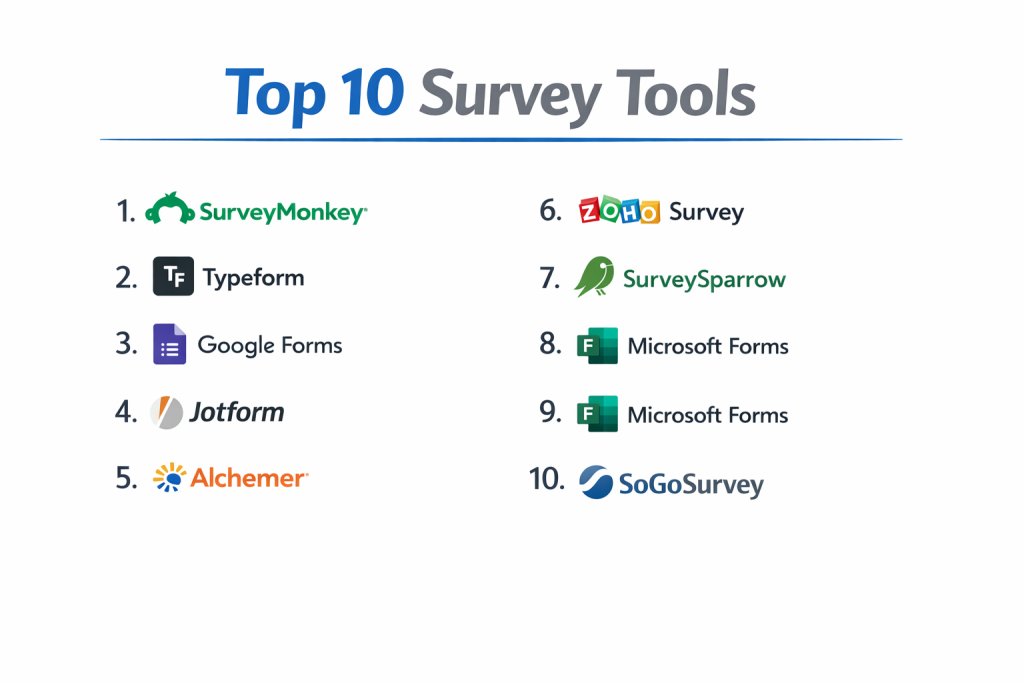
Top 10 Survey Tools
1 — SurveyMonkey
SurveyMonkey is one of the oldest and most established players in the market. It offers a massive range of features that cater to everyone from small business owners to global enterprise corporations.
- Key Features:
- Over 250 expert-written survey templates to help you get started.
- AI-powered “SurveyMonkey Genius” that estimates the success of your survey.
- Advanced skip logic and question piping for personalized paths.
- Multi-channel distribution (email, web, social, SMS).
- Robust data visualization and custom reporting dashboards.
- “SurveyMonkey Audience” to buy responses from targeted demographics.
- Pros:
- Incredible ease of use; you can launch a professional survey in minutes.
- Massive library of resources and best practices for writing better questions.
- Cons:
- The free tier is quite restrictive, limiting the number of questions and responses.
- Pricing can scale up very quickly for professional or enterprise features.
- Security & Compliance: HIPAA compliant, GDPR, SOC 2, ISO 27001, SSO, and encryption.
- Support & Community: 24/7 email support, priority phone support for higher tiers, and a vast online help center.
2 — Typeform
Typeform famously disrupted the industry by focusing on “the experience.” Instead of a long list of checkboxes, it presents one question at a time in a conversational, highly visual format.
- Key Features:
- Conversational UI that shows only one question at a time.
- Integration with Unsplash and video libraries for a beautiful design.
- “Hidden Fields” to personalize surveys with data you already have.
- Logic jumps that feel like a natural conversation flow.
- Native integrations with Slack, HubSpot, and Google Sheets.
- Built-in calculator for quizzes and scoring.
- Pros:
- High completion rates due to the engaging and non-intimidating design.
- Works exceptionally well on mobile devices.
- Cons:
- Not suitable for very long, complex scientific surveys.
- Customization of the layout is limited to the Typeform “style.”
- Security & Compliance: GDPR, SOC 2 Type II, and data encryption at rest and in transit.
- Support & Community: Detailed documentation, a dedicated community forum, and email-based support.
3 — Qualtrics CoreXM
Qualtrics is the heavy-duty engine of the survey world. It is an “Experience Management” (XM) platform designed for massive enterprises that require deep statistical analysis and cross-departmental data.
- Key Features:
- 100+ different question types, including heat maps and pick-group-rank.
- “ExpertReview” tool that uses AI to analyze survey design for bias.
- Sophisticated text analytics using Natural Language Processing (NLP).
- Integration with almost every major CRM and ERP (Salesforce, SAP).
- Offline survey capabilities for field research in remote areas.
- Multi-language support with automated translation management.
- Pros:
- The most powerful analytical reporting available on the market today.
- Highly secure and capable of managing millions of responses.
- Cons:
- Extremely high learning curve; often requires a dedicated “Power User.”
- Very expensive; usually requires annual contracts and high implementation fees.
- Security & Compliance: FedRAMP authorized, HIPAA, ISO 27001, SOC 2, GDPR, and SSO.
- Support & Community: 24/7 technical support, dedicated account managers, and “Qualtrics Basecamp” training.
4 — Google Forms
Google Forms is the go-to solution for those who need a 100% free, straightforward tool. It is part of the Google Workspace ecosystem and is perfect for simple tasks.
- Key Features:
- Completely free for anyone with a Google account.
- Real-time collaboration with other team members.
- Automatic data sync with Google Sheets for analysis.
- Basic skip logic and section branching.
- File upload question types.
- Add-ons from the Google Workspace Marketplace for extra functionality.
- Pros:
- Unbeatable price (free) and zero learning curve.
- Reliable and fast performance within the Google ecosystem.
- Cons:
- Very limited design options; all Google Forms look roughly the same.
- Missing advanced features like NPS scoring, complex randomization, or offline modes.
- Security & Compliance: GDPR, HIPAA (with BAA), and standard Google Workspace encryption.
- Support & Community: Massive community of users and extensive documentation; no direct phone support.
5 — Jotform
Jotform is more than a survey tool; it is a full-fledged form builder that excels in automation, payment processing, and document generation.
- Key Features:
- 10,000+ templates for every imaginable industry.
- Built-in payment integrations with PayPal, Stripe, and Square.
- “Jotform Tables” for database-style management of responses.
- Conditional logic that can hide fields, perform calculations, or change thank-you pages.
- Electronic signature widgets for legal or consent forms.
- Mobile app builder to turn your survey into a standalone app.
- Pros:
- Extremely versatile for business workflows (not just surveys).
- Excellent for collecting payments alongside survey data.
- Cons:
- The interface can feel a bit cluttered due to the massive number of options.
- Pricing is based on “monthly submissions,” which can be tricky to predict.
- Security & Compliance: SOC 2, GDPR, HIPAA (Gold/Enterprise), and PCI DSS Level 1.
- Support & Community: 24/7 support, extensive video tutorials, and a very active user forum.
6 — Alchemer (formerly SurveyGizmo)
Alchemer bridges the gap between the ease of SurveyMonkey and the power of Qualtrics. It is designed for businesses that want professional-grade tools without the enterprise complexity.
- Key Features:
- Sophisticated “Action” triggers (send emails or update CRMs based on answers).
- Advanced reporting with cross-tabulation and TURF analysis.
- Custom CSS and HTML for complete control over survey branding.
- Diagnostic tools to check for accessibility (Section 508) compliance.
- URL variables to track where respondents are coming from.
- Pros:
- More flexibility for developers and technical researchers than most mid-market tools.
- Very strong integration capabilities with internal business systems.
- Cons:
- The UI feels slightly more “technical” and less “modern” than Typeform.
- Customer support response times can vary on lower-priced plans.
- Security & Compliance: GDPR, SOC 2 Type II, HIPAA, and data residency options.
- Support & Community: Online training, knowledge base, and phone support for higher tiers.
7 — Zoho Survey
As part of the Zoho suite, this tool is the best choice for companies already using Zoho CRM or Zoho Projects. It offers a very high feature-to-price ratio.
- Key Features:
- 250+ templates and 25+ question types.
- Seamless integration with the Zoho ecosystem.
- Multilingual surveys with automatic translation.
- White-labeling to use your own domain name and branding.
- Offline survey app for mobile devices.
- Password protection for sensitive surveys.
- Pros:
- Very affordable compared to other tools with similar feature sets.
- Excellent reporting features for a mid-tier price point.
- Cons:
- Design customization is a bit more rigid than Jotform or Alchemer.
- Some advanced logic features are only available in the top-tier plan.
- Security & Compliance: GDPR, SOC 2, HIPAA (with BAA), and data encryption.
- Support & Community: 24/5 support, webinars, and a comprehensive user guide.
8 — QuestionPro
QuestionPro is a direct competitor to Qualtrics, offering a very robust suite for market research, employee experience, and customer insights.
- Key Features:
- Advanced logic including conjoin analysis and max-diff scaling.
- “Insights Hub” for qualitative data and sentiment analysis.
- Panel management tools for long-term community feedback.
- Mobile offline app for fieldwork.
- Specialized features for healthcare and pharmaceutical research.
- Pros:
- Offers a “Free for Life” version that is surprisingly generous with features.
- Strong emphasis on academic and non-profit research.
- Cons:
- The interface can feel overwhelming for a casual user.
- Advanced analytics tools require a paid subscription that is relatively expensive.
- Security & Compliance: ISO 27001, HIPAA, GDPR, SOC 2, and data centers in several regions.
- Support & Community: 24/7 live chat and phone support, plus a dedicated customer success manager for enterprise.
9 — Survicate
Survicate is built specifically for digital product teams and marketers. It focuses on the “customer journey,” allowing you to trigger surveys based on website behavior.
- Key Features:
- Targeted in-app and website surveys based on user actions.
- One-click email surveys (embed the first question in the body of the email).
- NPS, CSAT, and CES specialized modules.
- Integration with Intercom, HubSpot, and Mailchimp.
- Analysis of respondent profiles to link feedback to specific users.
- Pros:
- Best-in-class for gathering feedback while users are interacting with your site.
- High response rates due to the “one-click” email feature.
- Cons:
- Not designed for long-form, multi-page research surveys.
- Limited offline capabilities.
- Security & Compliance: GDPR, SOC 2, and SSO.
- Support & Community: Fast live chat support and a helpful library of templates.
10 — Microsoft Forms
For organizations that live in the Microsoft 365 world, Microsoft Forms is the natural alternative to Google Forms. It is clean, fast, and secure.
- Key Features:
- Deep integration with Excel, Teams, and OneNote.
- Automatic branching logic.
- Multilingual support.
- Built-in “Themes” that use AI to suggest background designs.
- Real-time data visualization.
- Quiz mode for educational purposes with automated grading.
- Pros:
- Included in most Microsoft 365 business and education subscriptions.
- Very simple and clean user interface that anyone can understand.
- Cons:
- Lacks the advanced data analysis found in specialized tools.
- No offline response mode and very few question types.
- Security & Compliance: HIPAA, GDPR, SOC 2, and FERPA.
- Support & Community: Large Microsoft support network and community forums.
Comparison Table
| Tool Name | Best For | Platform(s) Supported | Standout Feature | Rating (Gartner/TrueReview) |
| SurveyMonkey | All-purpose / SMBs | Web, iOS, Android | “Monkey Genius” AI Advisor | 4.6/5 |
| Typeform | UX/High Completion | Web, Mobile | Conversational One-at-a-time UI | 4.5/5 |
| Qualtrics | Global Enterprise | Web, iOS, Android | Predictive Analytics (NLP) | 4.8/5 |
| Google Forms | Quick/Free Tasks | Web | 100% Free / Sheets Sync | 4.4/5 |
| Jotform | Payments/Workflow | Web, iOS, Android | 10,000+ Templates / Payments | 4.7/5 |
| Alchemer | Technical Flexibility | Web | Deep Logic & Action Triggers | 4.5/5 |
| Zoho Survey | Zoho Ecosystem | Web, iOS, Android | Value for Money / Zoho Sync | 4.4/5 |
| QuestionPro | Academic Research | Web, iOS, Android | Conjoint Analysis Tools | 4.5/5 |
| Survicate | Product Feedback | Web, Email | One-click Email Embeds | 4.6/5 |
| MS Forms | Microsoft Users | Web | Microsoft 365 Integration | 4.3/5 |
Evaluation & Scoring of Survey Tools
We evaluated the top contenders based on a weighted scoring rubric to reflect the diverse needs of professional organizations.
| Criteria | Weight | Evaluation Highlights |
| Core Features | 25% | Logic, question types, branching, and analysis tools. |
| Ease of Use | 15% | Interface intuitiveness and time-to-launch. |
| Integrations | 15% | CRM, Slack, and data warehouse connectivity. |
| Security & Compliance | 10% | HIPAA, GDPR, SOC 2, and SSO requirements. |
| Performance | 10% | Uptime, mobile responsiveness, and load speeds. |
| Support | 10% | Documentation, chat response, and phone support quality. |
| Price / Value | 15% | Free tiers, seat costs, and ROI for business needs. |
Which Survey Tool Is Right for You?
Selecting a tool requires balancing your technical needs with your budget and the expectations of your respondents.
Solo Users vs. SMBs vs. Enterprises
- Solo Users: If you just need information once, Google Forms is the best starting point. If you want to build a brand, a basic Typeform plan will make you look professional.
- SMBs (10-500 employees): SurveyMonkey is the standard for a reason. It scales well and has enough features to satisfy most HR and Marketing needs. Zoho Survey is a great budget alternative.
- Enterprises: Large organizations with strict security and a need for complex data should look at Qualtrics or QuestionPro. The ability to have dedicated account management and SOC 2/HIPAA compliance is non-negotiable at this level.
Budget vs. Premium Solutions
If money is the primary constraint, Google Forms or the “Free for Life” plan from QuestionPro are the clear winners. If you have a budget and want to increase completion rates, the premium cost of Typeform is often justified by the higher quantity and quality of data you receive.
Feature Depth vs. Ease of Use
If you are doing academic research that requires “Conjoint Analysis,” you must sacrifice ease of use for the power of Qualtrics or Alchemer. However, if you are a busy manager who needs a 5-question survey by Friday, SurveyMonkey’s ease of use is your biggest asset.
Integration and Scalability
Ask yourself: Where does the data go? If you need the data to automatically trigger a ticket in Salesforce, ensure the tool has a native integration. If you are growing quickly, choose a tool like Jotform or SurveyMonkey that has tiered pricing so you don’t have to migrate to new software next year.
Frequently Asked Questions (FAQs)
1. Is Google Forms truly free?
Yes, Google Forms is completely free with no limits on the number of questions or responses. It is funded by being part of the broader Google ecosystem, making it the most cost-effective tool on this list.
2. What is the difference between “Logic” and “Branching”?
Branching typically refers to sending a user to a different page or section based on an answer. Logic can be more complex, such as “Piping” (using the answer from Question 1 inside the text of Question 2) or hiding specific fields based on multiple criteria.
3. Can I use these tools for HIPAA-compliant research?
Yes, but you must be on a specific plan. Tools like Qualtrics, SurveyMonkey (Enterprise), and Jotform (Enterprise/Gold) offer HIPAA compliance and will sign a Business Associate Agreement (BAA).
4. Why are my survey completion rates so low?
Most users quit because surveys are too long or poorly designed on mobile. To fix this, try using a tool with a conversational UI like Typeform, or keep your survey under 5 minutes.
5. Can I collect payments through a survey?
Yes. Jotform is the leader in this area, allowing you to integrate with Stripe or PayPal directly. This is useful for event registrations or selling small digital products alongside a questionnaire.
6. Do I need an LMS to run a quiz?
Not necessarily. Many survey tools like Typeform, QuestionPro, and MS Forms have a “Quiz Mode” that can automatically grade answers and show results to the respondent immediately.
7. Can I white-label my survey?
“White-labeling” means removing the software’s logo and using your own URL .Most tools offer this, but it is usually reserved for higher-tier paid plans.
8. What is “NPS” and do I need a special tool for it?
NPS stands for Net Promoter Score. Most professional survey tools have a specific NPS question type that automatically calculates your score (Percentage of Promoters minus Percentage of Detractors).
9. How do I prevent people from taking my survey twice?
Professional tools use cookies, IP tracking, or unique email links to ensure that each person can only submit one response. This is vital for the integrity of your data.
10. Can I conduct surveys offline?
Yes. Tools like Qualtrics, Zoho Survey, and QuestionPro have dedicated mobile apps that allow you to collect data without an internet connection and sync it once you are back online.
Conclusion
The “best” survey tool is subjective; it depends entirely on your goals. If you want beautiful design and high engagement, Typeform is your best bet. If you need unrivaled power for an enterprise-level study, Qualtrics stands alone. For daily business tasks on a budget, Google Forms and Zoho Survey offer incredible utility.
When choosing, don’t just look at the price tag—look at the integrity of the data and the time saved through automation. A well-designed survey is an investment in your company’s future