Introduction
A Digital Adoption Platform is a software layer that sits on top of another application to provide on-screen guidance, automated walkthroughs, and self-service support. Imagine you are using a complex new CRM or HR system for the first time. A DAP would act as a digital coach, showing you exactly where to click and what information to enter. This is often called “Just-in-Time” learning because the help appears exactly when the user needs it, rather than weeks before in a training classroom.
These platforms are important because they protect a company’s investment in technology. When employees cannot use software correctly, data quality drops, productivity stalls, and frustration grows. Key use cases include onboarding new hires, introducing new features to existing staff, and reducing the number of support tickets sent to the IT department. By providing step-by-step instructions and “tooltips,” companies can ensure that software is used the way it was intended.
Evaluation Criteria
When choosing a DAP, you should look for ease of content creation (can you build guides without coding?), analytical depth (can you see exactly where users are getting stuck?), and cross-application support (can the guidance follow a user from one app to another?). Security is also vital, as these tools interact directly with your company’s private data.
Best for:
- Large Enterprises: Companies with complex software stacks and thousands of employees.
- HR and IT Teams: Departments responsible for training and internal technical support.
- Customer Success Managers: Software companies that want to help their clients learn their products faster.
Not ideal for:
- Simple, Intuitive Apps: If your software is already very easy to use, a DAP might just get in the way.
- Very Small Teams: If you can simply hop on a quick call to train your five employees, the cost of a DAP may not be justified.
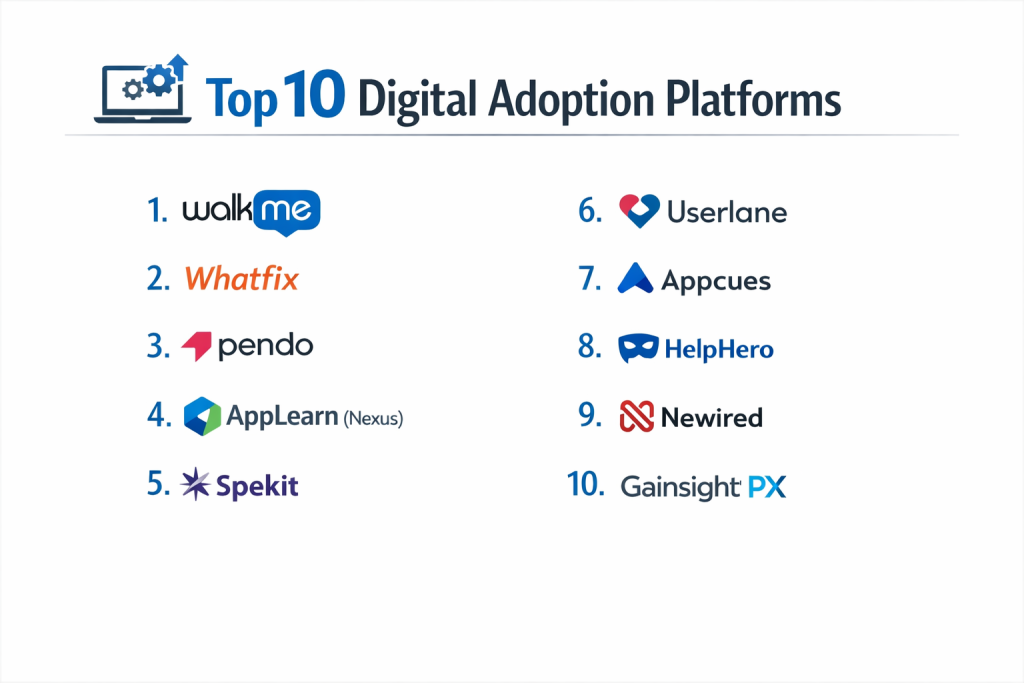
Top 10 Digital Adoption Platforms
1 — WalkMe
WalkMe is the pioneer of the DAP industry and remains the most powerful platform for large-scale enterprise needs. It offers a massive suite of tools designed to manage the “Digital Experience” across an entire company.
- Key Features:
- Smart Walk-Thrus that guide users through complex processes.
- ActionBot that allows users to complete tasks via a chat interface.
- Comprehensive analytics to track user behavior and identify bottlenecks.
- Workstation, a desktop app that centralizes company resources.
- Data validation to ensure users enter information correctly.
- UI intelligence that uses AI to predict where users will struggle.
- Pros:
- Extremely deep feature set that can handle almost any technical requirement.
- Works across web, mobile, and desktop applications.
- Cons:
- High price point makes it difficult for smaller companies to afford.
- The platform is complex and requires significant time to master.
- Security & Compliance: ISO 27001, SOC 2 Type II, GDPR, HIPAA, and FedRAMP authorized.
- Support & Community: Extensive knowledge base, dedicated account managers for enterprise, and a large global user community.
2 — Whatfix
Whatfix focuses on personalized learning and ease of use. It is highly regarded for its ability to integrate with various Learning Management Systems (LMS) and its user-friendly content creator.
- Key Features:
- Real-time interactive walkthroughs and task lists.
- Self-help widgets that search through existing FAQs and documents.
- Multilingual support for global workforces.
- Integration with LMS platforms via SCORM and xAPI.
- Smart content aggregation to pull help from various sources.
- No-code editor for building guides quickly.
- Pros:
- Very fast implementation time compared to other enterprise tools.
- Excellent balance between advanced features and a simple user interface.
- Cons:
- Analytics are good but not as deep as WalkMe’s high-end reporting.
- Mobile app support is slightly less robust than the web experience.
- Security & Compliance: SOC 2 Type II, ISO 27001, GDPR, and HIPAA compliant.
- Support & Community: 24/7 technical support and a structured onboarding program.
3 — Pendo
Pendo is unique because it combines digital adoption with product management tools. It is the top choice for software companies that want to understand how customers use their products while providing them with guidance.
- Key Features:
- In-app guides, polls, and announcements.
- Detailed product usage analytics (click-tracking and paths).
- Feedback management to collect and rank feature requests.
- Roadmap planning tools for product teams.
- “NPS” (Net Promoter Score) surveys built into the guides.
- Multi-app support to track users across a suite of products.
- Pros:
- Best-in-class analytics for understanding user behavior.
- Excellent for “Product-Led Growth” strategies.
- Cons:
- Some of the guidance features are less “step-by-step” than traditional DAPs.
- Can be expensive if you have a very high number of monthly active users.
- Security & Compliance: SOC 2 Type II, GDPR, and HIPAA compliant.
- Support & Community: Active user community, “Pendo Academy” for training, and responsive support teams.
4 — AppLearn (Nexus)
AppLearn’s Nexus platform is built with a focus on data. It helps organizations understand the “why” behind adoption issues, providing clear evidence of where software ROI is being lost.
- Key Features:
- Global search that finds help across all company applications.
- Detailed “Adoption Readiness” assessments.
- Task-based analytics to measure how long users take to finish a process.
- Multi-language and multi-currency support.
- Feedback loops to capture user sentiment at the point of work.
- Templates for common enterprise apps like Workday and Salesforce.
- Pros:
- Very strong focus on business outcomes and financial ROI.
- The “Nexus” hub provides a great bird’s-eye view for executives.
- Cons:
- Smaller community than WalkMe or Whatfix.
- Customizing highly complex, non-standard apps can take extra effort.
- Security & Compliance: ISO 27001, SOC 2, and GDPR compliant.
- Support & Community: High-touch customer success and detailed documentation.
5 — Spekit
Spekit is designed for “Knowledge Management” in the flow of work. It is particularly popular for sales teams because it acts like a digital playbook that lives inside tools like Salesforce.
- Key Features:
- “Speks”—bite-sized knowledge cards that appear when you hover over a field.
- Automated notifications for process changes.
- Content “cloning” to quickly move help guides between different apps.
- Wiki-style search for finding company processes instantly.
- Analytics to see which knowledge cards are used most.
- Excellent integration with CRM and LinkedIn.
- Pros:
- Extremely easy for employees to use; it feels very “lightweight.”
- Great for teams that need to communicate constant process changes.
- Cons:
- Not as powerful for building long, complex “click-here” walkthroughs.
- Primarily focused on web browsers; limited desktop/mobile depth.
- Security & Compliance: SOC 2 Type II and GDPR compliant.
- Support & Community: Known for a very friendly and helpful customer success team.
6 — Userlane
Userlane focuses on “The Human Side” of technology. Their platform is designed to make software feel natural, reducing the anxiety that often comes with learning new digital tools.
- Key Features:
- Interactive “Lead-Throughs” that guide users in real-time.
- An automated “Virtual Assistant” for 24/7 support.
- Multi-language support with easy translation management.
- Analytics that track “Task Completion Rates.”
- A very simple, no-code editor for creating content.
- Custom branding to make guides look like part of the original app.
- Pros:
- The interface is very modern and visually appealing.
- Great for companies that prioritize a smooth “user experience.”
- Cons:
- Lacks some of the heavy-duty automation features of WalkMe.
- Reporting is clean but might lack the deep data-slicing needed by giant corporations.
- Security & Compliance: GDPR compliant (EU based), SOC 2, and ISO 27001.
- Support & Community: High-quality onboarding and a reliable technical support desk.
7 — Appcues
Appcues is a favorite for SaaS companies. It is famously easy to set up, allowing marketing and product teams to launch beautiful onboarding flows without asking developers for help.
- Key Features:
- “Flows” (Walkthroughs), “Checklists,” and “Modals.”
- Simple “point-and-click” editor for building guides.
- Audience segmentation to show different help to different users.
- A/B testing for guides to see which one works better.
- Events explorer to track how users are moving through the app.
- Native integration with tools like Slack, Hubspot, and Segment.
- Pros:
- Very fast to go live; you can build a guide in minutes.
- Design options are excellent, making guides look very professional.
- Cons:
- Mostly focused on web-based products; not a fit for internal legacy desktop apps.
- Pricing can scale quickly based on your user count.
- Security & Compliance: SOC 2 Type II and GDPR compliant.
- Support & Community: Large library of “inspiration” examples and active chat support.
8 — HelpHero
HelpHero provides a cost-effective alternative for companies that need a solid DAP without the enterprise price tag. It is built for simplicity and getting the job done.
- Key Features:
- Interactive tours with multi-step guidance.
- Checklists to give users a sense of progress.
- Customizable themes to match your brand.
- Simple analytics for tour completion and drop-off points.
- User segmentation based on behavior or attributes.
- Automated triggers to start tours based on specific actions.
- Pros:
- Very affordable for startups and small-to-medium businesses.
- Extremely straightforward to install (one small code snippet).
- Cons:
- Lacks advanced AI, chatbots, or cross-app logic.
- Support is primarily through email and documentation.
- Security & Compliance: GDPR compliant and uses secure SSL encryption.
- Support & Community: Good online documentation and helpful email-based support.
9 — Newired
Newired is a “Privacy-First” DAP. Unlike many other tools that live entirely in the cloud, Newired offers options that appeal to companies with very strict data residency requirements.
- Key Features:
- 100% no-code editor for creating on-screen guidance.
- Contextual “Tips” and interactive “Journeys.”
- Multi-language support with easy export for translators.
- Feedback collection at the end of every journey.
- Overlay design that doesn’t slow down the underlying app.
- Support for “on-premise” installations.
- Pros:
- Excellent for highly regulated industries (Finance, Gov) because of data privacy.
- Does not require a heavy browser extension to work.
- Cons:
- Lacks the advanced “product feedback” modules found in Pendo.
- The user community is smaller than the top-tier competitors.
- Security & Compliance: GDPR, SOC 2, and options for full local data hosting.
- Support & Community: Professional services for implementation and training.
10 — Gainsight PX
Gainsight PX (Product Experience) is part of the larger Gainsight “Customer Success” ecosystem. It is designed to link digital adoption directly to customer retention and lifetime value.
- Key Features:
- Detailed “Product Mapping” to see every feature used.
- In-app engagements like guides, sliders, and emails.
- Retention and cohort analysis.
- Integration with Gainsight CS (Customer Success) for a 360-degree view.
- AI-powered “Knowledge Center” bot.
- Multi-product tracking for complex software companies.
- Pros:
- The best tool for teams that are already using Gainsight for customer success.
- Very deep analytics regarding user retention and “churn” risk.
- Cons:
- The platform has a steep learning curve.
- Can feel like “overkill” if you only need simple employee walkthroughs.
- Security & Compliance: SOC 2 Type II, ISO 27001, and GDPR compliant.
- Support & Community: Extensive training through “Gainsight University” and a massive community of CS professionals.
Comparison Table
| Tool Name | Best For | Platform(s) Supported | Standout Feature | Rating |
| WalkMe | Large Enterprises | Web, Mobile, Desktop | AI-Driven UI Intelligence | 4.5/5 |
| Whatfix | Personalized Training | Web, Mobile, Desktop | LMS/SCORM Integration | 4.6/5 |
| Pendo | Product Teams | Web, Mobile | Product Usage Analytics | 4.4/5 |
| AppLearn | Measuring ROI | Web, Mobile, Desktop | Adoption Readiness Hub | 4.2/5 |
| Spekit | Sales/CRM Teams | Web, Browser Ext. | Bite-sized Knowledge “Speks” | 4.8/5 |
| Userlane | Smooth UX/UI | Web | Leading-edge Virtual Assistant | 4.7/5 |
| Appcues | SaaS Onboarding | Web, Mobile | Fast “No-Code” Flow Builder | 4.6/5 |
| HelpHero | SMBs / Startups | Web | High Value for Low Cost | 4.0/5 |
| Newired | Regulated Industries | Web | On-Premise Privacy Options | 4.1/5 |
| Gainsight PX | Customer Success | Web, Mobile | Retention/Cohort Analysis | 4.3/5 |
Evaluation & Scoring of Digital Adoption Platforms
To provide an objective look at these tools, we have evaluated them using the following weighted rubric based on the needs of a typical professional organization.
| Category | Weight | What We Evaluated |
| Core Features | 25% | Walkthroughs, tooltips, analytics, and automation bots. |
| Ease of Use | 15% | How simple it is for a non-coder to build and launch a guide. |
| Integrations | 15% | Connectivity with CRMs (Salesforce), LMS platforms, and HRIS. |
| Security | 10% | Certifications like SOC 2, ISO, and GDPR compliance. |
| Performance | 10% | Stability and whether the overlay slows down the host app. |
| Support | 10% | Quality of documentation and speed of the help desk. |
| Price / Value | 15% | Is the cost justified by the feature set and scalability? |
Which Digital Adoption Platform Tool Is Right for You?
Choosing a DAP is a significant decision. If the tool is too hard to use, your administrators will stop building guides. If it is too simple, it won’t be able to handle your complex business processes.
Solo Users vs. SMB vs. Mid-Market vs. Enterprise
- Solo Users/Freelancers: You likely do not need a DAP unless you are building a product for others.
- SMB (1–200 employees): Look for HelpHero or Appcues. You need something that you can set up in an afternoon without a specialized IT team.
- Mid-Market (200–1,000 employees): Whatfix or Userlane are great choices. They offer enterprise-level features but remain easy enough for a small HR or training team to manage.
- Enterprise (1,000+ employees): WalkMe or AppLearn are the standard. You need the ability to manage hundreds of different apps and thousands of users across the globe.
Budget-Conscious vs. Premium Solutions
If budget is your main concern, start with HelpHero. It provides the core “walkthrough” functionality at a fraction of the cost of the big players. If you have a large budget and need “Digital Transformation” across the whole company, WalkMe is the premium choice that offers the most long-term power.
Feature Depth vs. Ease of Use
If you need deep data on why a product is failing, Pendo is the best. If you just want to make sure your sales team knows how to fill out a new field in Salesforce, Spekit is much easier to implement and use daily.
Integration and Scalability Needs
For companies using many different types of software (Desktop, Web, and Legacy), you must choose a tool that uses a Browser Extension or a Desktop Agent (like WalkMe). If you are only guiding users through a website you own, a simple JavaScript snippet (like Appcues) is much easier to manage.
Frequently Asked Questions (FAQs)
1. Does a DAP slow down my website or software?
Most modern DAPs are designed to be “lightweight.” They load as an overlay and typically do not interfere with the speed of the underlying application. However, poorly built guides with too many large images can cause slight delays.
2. Do I need to know how to code to use these tools?
No. Almost all the top DAPs use “No-Code” editors. You simply click on the element of your screen you want to explain, and the software builds the guide for you.
3. What is the difference between a DAP and an LMS?
An LMS (Learning Management System) is for formal training (watching a video, taking a quiz). A DAP is for “in-the-moment” help while you are actually doing the work. Many companies use both together.
4. How much do these platforms typically cost?
Enterprise tools like WalkMe can cost tens of thousands of dollars per year. Smaller tools like HelpHero might start at around $200 per month. Pricing is usually based on how many users you have.
5. Can a DAP work on mobile phones?
Yes, but you must check if the tool supports “Mobile Web” (browser) or “Native Mobile” (apps like Instagram or Workday). Not all DAPs handle both equally well.
6. Is user data safe when using a DAP?
DAPs interact with your screens, so security is vital. Look for “SOC 2 Type II” and “GDPR” compliance. Most tools allow you to “mask” sensitive data so the DAP never sees private information like passwords or credit card numbers.
7. How long does it take to see results?
Most companies see a drop in support tickets and an increase in data accuracy within the first 30 to 60 days of launching their first few guides.
8. Can I use a DAP for my customers and my employees?
Yes, but the goals are different. For customers, you want to help them find value in your product. For employees, you want to help them follow company rules and stay productive.
9. Do I need a browser extension?
If you own the website (like a SaaS founder), you can just add a line of code. If you are trying to guide employees through a site you don’t own (like Salesforce), you will usually need a browser extension.
10. What is the most common mistake when using a DAP?
Creating too many guides. If a user sees a pop-up every five seconds, they will get annoyed and close the tool. The best guides are invisible until the user actually looks stuck.
Conclusion
A Digital Adoption Platform is no longer a “luxury” for big companies; it is a necessary tool for anyone who wants to ensure their software is actually being used. The “best” tool depends entirely on your specific situation. If you are a giant corporation with a complex setup, WalkMe is the power-user’s choice. If you are a nimble startup looking to onboard customers, Appcues or Pendo will likely serve you better.
When making your choice, remember that the software is only half the battle. You also need a clear plan for what you want to teach your users. Start small, fix the most common mistakes first, and use the data to grow your adoption strategy over time.