Introduction
Workforce Management Software is an integrated set of tools designed to optimize the productivity of employees. It encompasses a broad range of functions, including staff scheduling, time and attendance tracking, leave management, labor requirement forecasting, and regulatory compliance. Unlike simple HR systems that store employee data, WFM software is deeply operational—it deals with the hour-by-hour reality of getting work done.
The importance of WFM software has surged alongside the rise of flexible work and strict labor laws. In the real world, these tools are vital for a retail manager trying to predict foot traffic for a holiday sale, a hospital administrator ensuring nursing ratios meet legal requirements, or a call center director managing agent shifts across multiple time zones. When evaluating WFM tools, users should prioritize forecasting accuracy, mobile accessibility for field staff, compliance automation, and seamless payroll integration.
Best for: Operations managers, HR directors, and business owners in shift-based industries like retail, hospitality, healthcare, manufacturing, and logistics. It is essential for mid-market to enterprise-level organizations with complex scheduling needs.
Not ideal for: Very small businesses with fewer than 10 employees where scheduling is static, or purely white-collar creative agencies where work is project-based rather than shift-based. In those cases, a basic project management or time-tracking tool is usually sufficient.
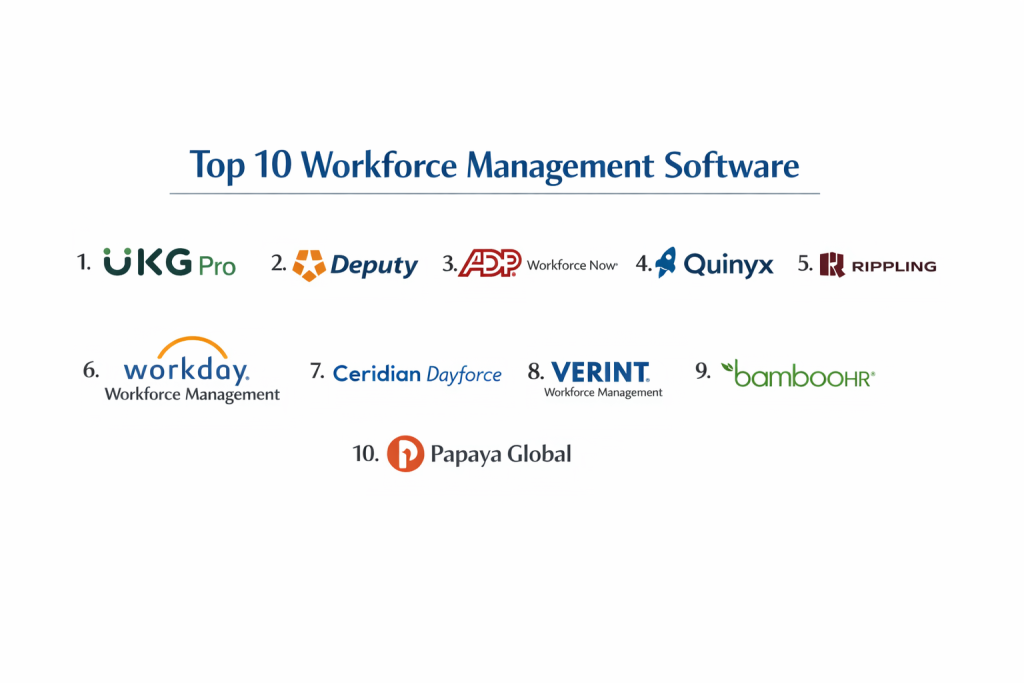
Top 10 Workforce Management Software Tools
1 — UKG Pro (formerly Kronos & Ultimate Software)
UKG is a global powerhouse in the WFM space, offering one of the most comprehensive suites for large-scale labor management and “Life-work” technology.
- Key features:
- AI-Driven Forecasting: Uses historical data to predict future labor needs with high precision.
- Global Compliance: Automatically applies local labor laws, overtime rules, and union requirements.
- Strategic Scheduling: Balances employee preferences with business requirements.
- Advanced Analytics: Provides deep insights into labor trends, turnover risks, and productivity.
- UKG Talk: Built-in communication platform for frontline workers.
- Touchless Time Clocks: Modern hardware options including facial recognition and thermal sensing.
- Pros:
- Unrivaled scalability for massive, global workforces.
- The most robust compliance engine in the industry, reducing legal risk significantly.
- Cons:
- The implementation process is long, expensive, and usually requires professional consultants.
- The user interface can feel “heavy” and corporate compared to newer SaaS competitors.
- Security & compliance: SOC 2 Type II, ISO 27001, GDPR, HIPAA, and FedRAMP compliant.
- Support & community: Extensive global support, “UKG Community” forums, and dedicated executive relationship managers.
2 — Deputy
Deputy is a modern, mobile-first WFM solution that has become the gold standard for small to mid-market businesses in the hospitality and retail sectors.
- Key features:
- Auto-Scheduling: Generates optimized schedules with one click based on budget and demand.
- Shift Swapping: Allows employees to trade shifts via mobile app with manager approval.
- News Feed: Centralized hub for team announcements and document sharing.
- Time Clock App: Turns any tablet into a photo-verified punch clock.
- Task Management: Assign specific duties to shifts to ensure operational standards are met.
- Compliance Library: Pre-loaded fair work and overtime rules for various regions.
- Pros:
- Extremely intuitive; employees usually need zero training to use the mobile app.
- Excellent value for money for growing businesses that need “enterprise-lite” features.
- Cons:
- Lacks the deep financial forecasting needed for heavy manufacturing.
- Integration with legacy on-premise payroll systems can be challenging.
- Security & compliance: SOC 2, GDPR, and HIPAA compliant. Uses SSO and data encryption at rest.
- Support & community: 24/7 chat support, a comprehensive help center, and a vibrant community of small business owners.
3 — Quinyx
Quinyx is a cloud-based WFM tool that specializes in “Frontline Intelligence,” focusing heavily on employee engagement and AI-driven optimization.
- Key features:
- AI-Optimized Scheduling: Factors in weather, sales data, and employee fatigue.
- Mobile Engagement: Features pulse surveys and “rewards” to boost employee morale.
- Budget Tracking: Real-time visibility into labor spend vs. revenue.
- Time & Attendance: Geofenced clock-ins to ensure workers are actually on-site.
- Strategic Planning: Long-term capacity planning for seasonal industries.
- Open API: Highly flexible for connecting to custom business stacks.
- Pros:
- The focus on “Employee Experience” helps reduce turnover in high-churn industries.
- The AI engine is exceptionally good at identifying inefficiencies in the schedule.
- Cons:
- Not as well-known in North America; support is more robust in European time zones.
- Reporting can be complex to customize for non-technical users.
- Security & compliance: ISO 27001, SOC 2, and GDPR compliant.
- Support & community: Strong documentation, dedicated customer success managers, and European user groups.
4 — ADP Workforce Now
ADP is a household name in payroll, and their WFM module is designed to provide a seamless “Hire to Retire” experience for mid-market and enterprise firms.
- Key features:
- Unified Platform: Scheduling, time, payroll, and HR all in one database.
- Compliance Dashboards: Visual alerts for potential overtime or labor law violations.
- Executive Reporting: High-level labor cost data for CFOs and CEOs.
- Employee Self-Service: Portal for viewing paystubs, requesting leave, and checking schedules.
- Mobile App: Comprehensive features for both managers and employees.
- Marketplace Integrations: Access to hundreds of third-party apps and benefits.
- Pros:
- Eliminates data “silos” since time and payroll live in the same system.
- Backed by ADP’s massive legal and compliance research team.
- Cons:
- Can be very expensive as you add modules (payroll, WFM, benefits).
- Customer service can be inconsistent due to the sheer size of the company.
- Security & compliance: SOC 2, ISO 27001, GDPR, and HIPAA. One of the most secure platforms globally.
- Support & community: 24/7 phone support, local account reps, and a massive network of payroll professionals.
5 — Rippling
Rippling is the newcomer that has taken the industry by storm. It treats WFM as part of a larger “Employee Management” system that includes IT and Finance.
- Key features:
- Unified Truth: One employee record controls their schedule, computer access, and pay.
- Custom Workflows: Automate almost anything (e.g., “If someone works 40 hours, send them a bonus”).
- Global Employment: Manage contractors and employees in 100+ countries.
- Mobile Punch-In: Uses GPS and facial recognition to prevent “buddy punching.”
- Inventory Management: Track hardware (laptops) alongside human shifts.
- App Management: Automatically provision software access based on shift roles.
- Pros:
- The most modern, “fast” user interface on this list.
- Automates the technical side of WFM (IT access) better than anyone else.
- Cons:
- The scheduling module is not yet as “deep” as specialized tools like UKG or Quinyx.
- Rapid feature growth means the platform can sometimes feel like a “work in progress.”
- Security & compliance: SOC 2, GDPR, HIPAA, and ISO 27001.
- Support & community: Fast email and chat support, though it lacks the “human” local rep feel of ADP.
6 — Paylocity
Paylocity is a mid-market leader that focuses on the “modern workforce,” blending traditional WFM features with social collaboration tools.
- Key features:
- Social Collaboration: A “community” feed for company-wide engagement.
- Peer Recognition: Allow employees to give “shout-outs” and rewards.
- On-Demand Pay: Let employees access earned wages before payday.
- Expense Management: Integrated timesheet and expense reimbursement.
- Learning Management (LMS): Link shift requirements to completed training certifications.
- Data Insights: Predictive analytics for employee retention.
- Pros:
- Excellent for building a modern, digital company culture.
- Highly rated mobile app that employees actually enjoy using.
- Cons:
- The “social” features can feel like clutter for industries that just want a simple schedule.
- Reporting tools require some learning to get the most out of them.
- Security & compliance: SOC 2, HIPAA, and GDPR.
- Support & community: Strong implementation support and a dedicated service model for each client.
7 — Ceridian Dayforce
Dayforce is an enterprise-scale platform known for its “Continuous Calculation” engine, which calculates pay and taxes in real-time as shifts are completed.
- Key features:
- Real-time Payroll: See exactly what a shift will cost in taxes and net pay before it ends.
- Global WFM: Manage diverse workforces across multiple countries and currencies.
- Predictive Scheduling: AI that balances labor costs against employee well-being.
- Task Management: Integrate operational task lists directly into employee shifts.
- Benefit Administration: Link work hours directly to benefit eligibility.
- Safety Tracking: Log incidents and safety compliance within the WFM module.
- Pros:
- The real-time pay calculation is a massive advantage for complex tax jurisdictions.
- Exceptional for multi-national corporations with complex union rules.
- Cons:
- Requires a significant IT and HR effort to maintain and configure.
- High price point makes it inaccessible for smaller businesses.
- Security & compliance: ISO 27001, SOC 2, GDPR, and HIPAA.
- Support & community: Global enterprise support and a large annual user conference (Dayforce Insights).
8 — 7shifts
7shifts is a niche WFM tool built specifically for the restaurant industry. It is designed to handle the high-turnover, high-intensity environment of food service.
- Key features:
- POS Integration: Connects to Toast, Square, and others to schedule based on sales.
- Tip Management: Integrated tool for calculating and distributing tips.
- Compliance Alerts: Notifies managers about break violations and “clopening” shifts.
- Team Chat: Instant messaging to fill empty shifts fast.
- Labor Budgeting: Real-time labor vs. sales percentages on the dashboard.
- Manager Log Book: Digital journal for daily shift notes and performance logs.
- Pros:
- Tailor-made for restaurants; there is zero “bloat” from other industries.
- The mobile app is incredibly fast for picking up or dropping shifts.
- Cons:
- Not suitable for any industry outside of hospitality/food service.
- Lacks advanced HR features like benefit administration or LMS.
- Security & compliance: GDPR compliant, uses SSL encryption and AWS security.
- Support & community: Exceptional customer service and a community of restaurant owners.
9 — Paycom
Paycom is a comprehensive HR and WFM suite that focuses on a “Single Database” architecture, meaning there are never any integrations to break.
- Key features:
- Beti: A tool that allows employees to do their own payroll to ensure accuracy.
- Manager on-the-go: Full WFM functionality on mobile for busy managers.
- Direct Data Exchange: Tracks how much time employees spend “correcting” their own data.
- Position Management: Track shift openings and labor needs across the organization.
- Time & Attendance: Hardware and software options for all work environments.
- Compensation Management: Link shift performance to annual raises and bonuses.
- Pros:
- One of the few companies that truly has zero external integrations—it’s all built in-house.
- “Beti” dramatically reduces the administrative burden on HR departments.
- Cons:
- The sales process is known to be very aggressive.
- The system is rigid; if you want to use external tools, it’s not the best fit.
- Security & compliance: ISO 27001, SOC 2, HIPAA, and GDPR.
- Support & community: One-to-one service model with a dedicated representative for every client.
10 — Workday HCM (Workforce Management)
Workday is the enterprise choice for the Fortune 500. Their WFM module is part of a massive ecosystem that includes finance and human capital management.
- Key features:
- Unified HCM: Seamless flow from recruiting to shift scheduling.
- Global Regulatory Compliance: Handles the most complex international labor rules.
- Self-Service Tasks: Employees manage their entire work life from a single portal.
- Advanced Workforce Planning: Model future labor needs based on corporate strategy.
- Integrated Payroll: Global payroll processing for 100+ countries.
- Learning & Skills Tracking: Ensure shift workers have the necessary credentials.
- Pros:
- The most “strategic” tool on the list; it’s built for long-term corporate planning.
- Extremely high security and data integrity.
- Cons:
- Prohibitively expensive for anyone outside of the enterprise market.
- Users often report that the system is complex and requires extensive training.
- Security & compliance: SOC 2, ISO 27001, HIPAA, GDPR, and FedRAMP.
- Support & community: Premier enterprise support and an elite community of “Workday” professionals.
Comparison Table
| Tool Name | Best For | Platform(s) Supported | Standout Feature | Rating (Gartner) |
| UKG Pro | Global Enterprises | Web, Mobile, Hardware | Advanced Labor AI | 4.3 / 5 |
| Deputy | SMB Retail/Hospitality | Web, iOS, Android | Ease of Use / Swapping | 4.7 / 5 |
| Quinyx | Frontline Engagement | Web, iOS, Android | Frontline Intelligence | 4.4 / 5 |
| ADP WFN | Mid-market All-in-one | Web, iOS, Android | Compliance Confidence | 4.1 / 5 |
| Rippling | Modern Tech Companies | Web, Mobile | IT/HR Unified Automation | 4.8 / 5 |
| Paylocity | Culture-focused SMBs | Web, iOS, Android | Social/On-demand Pay | 4.4 / 5 |
| Dayforce | Global Real-time Pay | Web, iOS, Android | Continuous Payroll Calc | 4.2 / 5 |
| 7shifts | Restaurants | Web, iOS, Android | POS Shift Integration | 4.7 / 5 |
| Paycom | Automated Payroll | Web, iOS, Android | Beti (Employee Payroll) | 4.2 / 5 |
| Workday | Fortune 500 | Web, iOS, Android | Strategic HR Alignment | 4.3 / 5 |
Evaluation & Scoring of Workforce Management Software
Selecting a WFM tool involves more than just checking features; it’s about weighing the impact on your specific operations. We evaluate these tools using the following weighted rubric:
| Category | Weight | Evaluation Criteria |
| Core Features | 25% | Scheduling, time tracking, forecasting, and leave management. |
| Ease of Use | 15% | Mobile app intuitiveness and manager dashboard clarity. |
| Integrations | 15% | Native connectivity to Payroll, POS, ERP, and IT systems. |
| Security & Compliance | 10% | Labor law automation and enterprise security certifications. |
| Performance | 10% | Uptime, mobile speed, and hardware reliability (time clocks). |
| Support & Community | 10% | Implementation speed and ongoing customer success quality. |
| Price / Value | 15% | Total cost of ownership vs. ROI in labor cost reduction. |
Which Workforce Management Software Tool Is Right for You?
Solo Users vs. SMB vs. Mid-market vs. Enterprise
Solo users or teams under 5 people do not need WFM software; a free calendar app is usually sufficient. Small Businesses (SMB) should look at Deputy or 7shifts for their ease of use and low barrier to entry. Mid-market companies benefit most from Rippling or Paylocity, which automate the “boring” parts of HR. Large Enterprises require the compliance depth of UKG Pro, Dayforce, or Workday.
Budget-conscious vs. Premium Solutions
If budget is your primary concern, Deputy offers a very affordable per-user model that still feels premium. If you are a premium buyer where the cost of a single labor lawsuit outweighs the software fee, the investment in UKG Pro or ADP is a form of business insurance.
Feature Depth vs. Ease of Use
If you need feature depth (e.g., managing 10 different union contracts), you must accept the complexity of Workday or Ceridian. If your goal is high user adoption and speed, Rippling and Deputy are the winners.
Integration and Scalability Needs
For companies that use many different tools, Rippling has the best integration hub. For companies that want to buy one tool and never think about integrations again, Paycom’s single-database approach is the most reliable long-term strategy.
Frequently Asked Questions (FAQs)
1. What is the difference between HRIS and WFM?
An HRIS (Human Resources Information System) is a database of employee records. WFM (Workforce Management) is an operational tool that manages the daily “doing” of work, such as shifts and hours.
2. Can WFM software reduce my labor costs?
Yes. By using AI to forecast exactly how many people you need, you can eliminate “over-scheduling” and drastically reduce unnecessary overtime pay.
3. Is mobile access important for WFM?
It is critical. Frontline workers rarely sit at desks; they need to check schedules, swap shifts, and clock in via their smartphones to ensure the system is accurate.
4. What is “Buddy Punching” and how do these tools stop it?
Buddy punching is when one employee clocks in for another. WFM tools prevent this using GPS geofencing, facial recognition, or photo-verification upon clock-in.
5. Do these tools handle international labor laws?
The enterprise tools (UKG, Dayforce, Workday) are designed for this. They automatically apply the correct local rules for breaks, overtime, and holiday pay based on the employee’s location.
6. How long does implementation take?
For a tool like Deputy, it can take a few days. For an enterprise suite like UKG or Dayforce, it can take 6 to 12 months to configure all the rules and integrations.
7. Can I integrate my Point of Sale (POS) system?
Yes, tools like 7shifts and Deputy integrate with POS systems to pull in sales data, allowing you to schedule staff based on how much money you are actually making.
8. Is “On-Demand Pay” safe for my business?
Most modern WFM tools (like Paylocity and Dayforce) offer this. It allows employees to access earned wages early, which can improve retention without impacting your corporate cash flow.
9. What is “Clopening” and why do I need to track it?
Clopening is when an employee works a late closing shift and then an early opening shift the next day. Many regions now have laws requiring a minimum number of hours between shifts.
10. Do I need special hardware for clocking in?
Not necessarily. Most modern WFM tools allow employees to clock in via their own phones or a shared tablet. However, hardware clocks are still popular in manufacturing environments.
Conclusion
The “best” Workforce Management Software is the one that solves your biggest labor headache. If you are a restaurant owner struggling with tip splits and shift swaps, 7shifts is your answer. If you are a CTO tired of manually giving software access to new hires, Rippling is a game-changer. For global giants managing thousands of people across borders, UKG Pro and Dayforce remain the industry standard-bearers.
Ultimately, WFM software is about more than just efficiency—it’s about creating a fair, predictable, and compliant workplace. When your team knows exactly when they are working and that they will be paid accurately for every minute, morale goes up, and turnover goes down.