Introduction
Time Tracking Software refers to a category of digital tools designed to record the duration spent on specific tasks, projects, or client work. At its most basic level, it allows users to start and stop a timer; however, top-tier modern solutions go much further. They provide automated activity tracking, GPS location tagging for field workers, detailed reporting for payroll, and direct integration with invoicing systems. These tools eliminate the guesswork and human error inherent in manual timesheets, providing a “single source of truth” for labor data.
The importance of these platforms cannot be overstated. For agencies, it ensures every billable minute is captured, maximizing revenue. For managers, it highlights bottlenecks where projects are dragging, allowing for better resource redistribution. Real-world use cases include law firms tracking billable hours for clients, construction companies monitoring site attendance, and software teams analyzing the “cost of delay” for specific features. When choosing a tool, users should evaluate ease of use (to ensure team adoption), reporting depth, integration capabilities, and privacy/security standards.
Best for: Freelancers, law firms, consulting agencies, remote-first companies, and enterprise-level project management offices. It is essential for any business model based on billable hours or those looking to optimize operational efficiency.
Not ideal for: Fixed-salary small businesses with highly repetitive, non-project-based tasks where time data doesn’t drive decision-making. If your work culture is built on strictly task-completion metrics rather than hourly output, the overhead of tracking might outweigh the benefits.
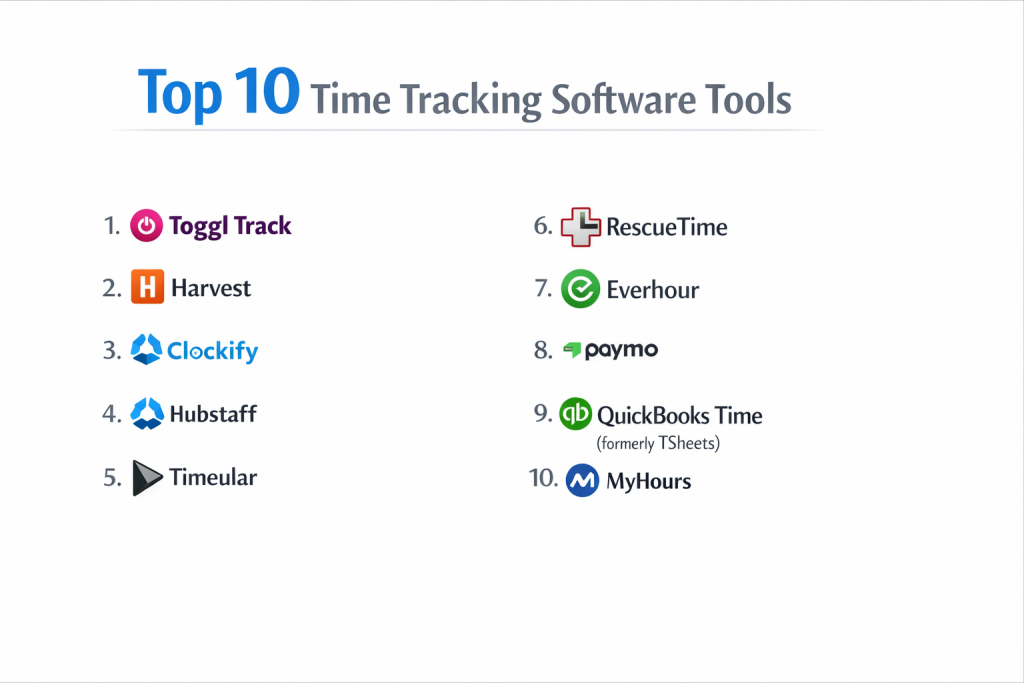
Top 10 Time Tracking Software Tools
1 — Toggl Track
Toggl Track is widely considered the most user-friendly time tracker on the market. It focuses on removing friction, allowing users to track time across web, desktop, and mobile with a single click.
- Key features:
- One-Click Timers: Start tracking instantly without navigating through complex menus.
- Idle Detection: Notifies you when you’ve left the timer running while away from your computer.
- Pomodoro Timer: Built-in functionality to encourage focused work intervals.
- Project Estimates: Compare real-time progress against your initial time budgets.
- Reporting Dashboards: Exportable, colorful charts for client presentations.
- Browser Extension: Track time directly inside tools like Trello, Jira, or Asana.
- Audit Logs: Track changes made to time entries for transparency.
- Pros:
- Exceptional ease of use ensures high adoption rates among team members who hate tracking time.
- The free tier is remarkably generous for small teams and individuals.
- Cons:
- Lacks native invoicing and advanced payroll features found in more comprehensive suites.
- Professional reporting features are locked behind higher-priced tiers.
- Security & compliance: SOC 2 Type II, GDPR compliant, 256-bit SSL encryption, and Google SSO support.
- Support & community: High-quality documentation, responsive email support, and a massive community of enthusiasts who create custom workflows.
2 — Harvest
Harvest is the “all-in-one” choice for agencies that need to move seamlessly from tracking time to sending invoices and getting paid. It is highly structured and professional.
- Key features:
- Integrated Invoicing: Automatically turn tracked hours and expenses into professional invoices.
- Expense Tracking: Capture receipts and link costs directly to specific projects.
- Team Capacity View: Visual heatmaps showing who is over-allocated or under-utilized.
- Online Payments: Integrates with PayPal and Stripe for faster client collections.
- Detailed Analysis: Filters for analyzing time by person, task, or client.
- Approval Workflows: Allows managers to review and lock timesheets before billing.
- Pros:
- The workflow from timer to invoice is the smoothest in the industry.
- Provides excellent visibility into project profitability and budget burn rates.
- Cons:
- The interface feels a bit more “rigid” and administrative than Toggl.
- Customizing the look of invoices is somewhat limited compared to dedicated accounting software.
- Security & compliance: GDPR, SOC 2, HIPAA (on request/specific setup), and data encryption at rest.
- Support & community: Comprehensive “Harvest Help” center, webinars for onboarding, and reliable customer success teams.
3 — Clockify
Clockify disrupted the market by offering 100% free time tracking for unlimited users and projects. It is the go-to solution for budget-conscious companies that need enterprise-level features.
- Key features:
- Unlimited Everything: No caps on users, projects, or tasks in the free version.
- Timesheet Mode: Weekly input for teams that prefer manual entry over live timers.
- Kiosk Mode: Use a shared tablet as a “punch clock” for physical office locations.
- Billable Rates: Assign different hourly rates to different employees or roles.
- GPS Tracking: Monitor the location of field staff while they are on the clock.
- Calendar Integration: Sync with Google or Outlook to see your scheduled day.
- Pros:
- Unbeatable value; it provides for free what most competitors charge $10+ per user for.
- Scalability is effortless; you can add 500 users today without checking your credit card.
- Cons:
- The UI can feel slightly “industrial” and less polished than Toggl or Harvest.
- The free version excludes some advanced features like private entries and targets.
- Security & compliance: GDPR, ISO 27001, SOC 2, and 2FA support. Data hosting in specific regions (EU, US, AU) is available.
- Support & community: Active user forum, 24/7 support for paid users, and a vast library of “How-to” videos.
4 — Hubstaff
Hubstaff is designed for remote and distributed teams that require proof of work. It offers more monitoring features than simple trackers, including activity levels and screenshots.
- Key features:
- Activity Monitoring: Tracks keyboard and mouse usage frequency to gauge engagement.
- Optional Screenshots: Randomly captures user screens (can be blurred for privacy).
- App & URL Tracking: See which websites and applications were used during work hours.
- Automatic Payroll: Integrates with Wise, Gusto, and PayPal to pay employees based on time.
- Geofencing: Automatically starts/stops timers when a worker enters a specific job site.
- Fleet Tracking: Real-time GPS location tracking for mobile teams.
- Pros:
- Best-in-class for managing remote contractors where “proof of work” is required.
- Automates the entire cycle from tracking to payroll, saving HR hours of manual work.
- Cons:
- The monitoring features can be controversial and may negatively impact team morale if not used transparently.
- Can feel “intrusive” compared to trust-based trackers.
- Security & compliance: HIPAA, GDPR, SOC 2, and ISO 27001. Robust data encryption and privacy controls.
- Support & community: Excellent onboarding, 24/7 global support, and a wealth of remote work management resources.
5 — Timeular
Timeular is unique because it combines a physical tracking device with powerful software. It is built for people who find digital timers too distracting or easy to forget.
- Key features:
- Physical Tracker: An 8-sided die you flip on your desk to change the task you are tracking.
- Automatic Tracking: “Context” feature that suggests entries based on what apps you were using.
- Instant Analytics: Beautifully designed reports that highlight “time thieves.”
- Leave Management: Track time off, sick days, and holidays in the same app.
- Tags and Mentions: Deep categorization for granular data analysis.
- Mobile App with Bluetooth: Seamlessly connects the hardware to your phone or computer.
- Pros:
- The physical device makes tracking an tactile, unconscious habit that is hard to forget.
- The cleanest, most visually appealing reporting dashboards in the category.
- Cons:
- Requires an upfront investment in hardware for every team member.
- Not ideal for teams that are 100% mobile and don’t work from a desk.
- Security & compliance: GDPR compliant, SSL encryption, and data hosted on secure European servers.
- Support & community: Very responsive founder-led support, active Slack community, and great documentation.
6 — RescueTime
RescueTime is an automated productivity assistant. Unlike other trackers that focus on billing, RescueTime focuses on how much “Deep Work” you are actually doing.
- Key features:
- Automatic Recording: No start/stop buttons; it runs in the background and logs all app usage.
- FocusWork Goal: Sets a daily target for undistracted, high-value work.
- Focus Sessions: Block distracting websites (social media, news) while you are in a flow state.
- Productivity Scoring: Categorizes apps as “Very Productive,” “Distracting,” etc.
- Offline Time: Allows for manual entry of meetings, calls, and errands.
- Weekly Insights: Email reports summarizing your productivity trends.
- Pros:
- Zero effort required; you don’t have to remember to click a single button.
- Excellent for individuals looking to improve their personal work habits and focus.
- Cons:
- Not designed for client billing or granular project management.
- Automated categorization can sometimes get it wrong (e.g., using a “distracting” app for a “productive” task).
- Security & compliance: GDPR compliant, 256-bit encryption, and strict “no-sell” data privacy policy.
- Support & community: Knowledge base, email support, and a popular blog focused on productivity science.
7 — Everhour
Everhour is designed to live inside your existing project management tools. It offers the deepest native integrations for platforms like Asana, ClickUp, and Notion.
- Key features:
- Embedded Timer: Adds a “Start Timer” button directly into the interface of other apps.
- Budget Tracking: Set budgets for specific tasks or entire projects.
- Resource Planning: View team availability and schedule future work within the same app.
- Live View: See exactly what every team member is working on right now.
- Custom Reports: Build detailed tables using data pulled from your PM tool.
- Invoicing: Create bills based on the time tracked within your external tasks.
- Pros:
- Eliminates the need to switch tabs; your time tracker is your project management tool.
- Pulls in task names and metadata automatically, making data entry more accurate.
- Cons:
- Highly dependent on other software; if you don’t use a supported PM tool, it loses its value.
- Pricing is per-user and can be higher than standalone trackers.
- Security & compliance: GDPR, SOC 2, and secure SSO integrations.
- Support & community: High-touch customer success for enterprise, detailed technical docs, and active help desk.
8 — Paymo
Paymo is a full-featured project management platform with time tracking at its core. It is built for small agencies that want to manage the entire lifecycle of a project in one place.
- Key features:
- Desktop Plus: An automated tracker that records every app you use for retroactive logging.
- Kanban & Gantt Views: Move from time tracking to visual project planning instantly.
- Resource Scheduling: Assign tasks based on team workload and availability.
- Built-in Invoicing: Professional billing with multiple currency support.
- File Management: Keep project files and discussions alongside the time data.
- Profitability Tracking: Real-time view of costs vs. income.
- Pros:
- Replaces 3-4 other tools (Trello, Toggl, InvoiceNinja, etc.), creating a unified workflow.
- The automated “Desktop Plus” tracker is excellent for forgetful users.
- Cons:
- Can be “overkill” if you only need time tracking and nothing else.
- The mobile app is not quite as feature-rich as the desktop version.
- Security & compliance: GDPR, SOC 2 Type II, and data encryption.
- Support & community: 24/5 support, video tutorials, and a very helpful onboarding wizard.
9 — QuickBooks Time (formerly TSheets)
Owned by Intuit, QuickBooks Time is the gold standard for mobile workforces and companies that need a direct, unbreakable link to their accounting software.
- Key features:
- GPS Tracking & Maps: See a “Who’s Working” map of your entire field team.
- Biometric Facial Recognition: Prevents “buddy punching” on shared tablets.
- Job Costing: Direct sync with QuickBooks for incredibly accurate labor cost analysis.
- Scheduling: Create shifts and notify employees via text or email.
- Time-Off Management: Handle accruals and approvals within the tracker.
- Mobile App: One of the most robust and reliable mobile apps for field use.
- Pros:
- The integration with QuickBooks is flawless, making payroll a 30-second task.
- Best-in-class for construction, landscaping, and other mobile industries.
- Cons:
- One of the most expensive options on the list.
- The interface feels corporate and less “agile” than modern SaaS competitors.
- Security & compliance: HIPAA (on specific setups), GDPR, SOC 2, and ISO 27001.
- Support & community: Phone support (rare in this industry), massive help center, and a global network of “ProAdvisors.”
10 — MyHours
MyHours is a straightforward project time tracker that focuses on simplicity and affordability. It is specifically built for small teams that need to coordinate client projects without the fuss.
- Key features:
- Task-Based Tracking: Clear organization of clients, projects, and specific tasks.
- Billable vs. Non-Billable: One-click toggle to distinguish work for the client vs. internal work.
- Labor Costs: Track how much you are paying your team vs. how much you are billing.
- Budget Alerts: Get notified when a project reaches 50%, 75%, or 100% of its budget.
- Flexible Reporting: Group data by any metric to see where the time is going.
- Team Approvals: A simple workflow for reviewing timesheets at the end of the week.
- Pros:
- One of the cleanest interfaces on the market; anyone can learn it in 5 minutes.
- The “all features included” free plan for individuals is excellent.
- Cons:
- Lacks advanced automation like RescueTime or hardware like Timeular.
- Reporting is functional but lacks the high-end visual “polish” of Toggl.
- Security & compliance: GDPR compliant, 256-bit SSL encryption, and hosted on secure AWS servers.
- Support & community: Responsive chat support, extensive knowledge base, and helpful blog content.
Comparison Table
| Tool Name | Best For | Platform(s) Supported | Standout Feature | Rating (Gartner) |
| Toggl Track | Ease of Use | Web, Desktop, Mobile | One-click tracking | 4.7 / 5 |
| Harvest | Agency Invoicing | Web, Desktop, Mobile | Integrated billing cycle | 4.6 / 5 |
| Clockify | Budget/Large Teams | Web, Desktop, Mobile | Unlimited free users | 4.7 / 5 |
| Hubstaff | Remote Monitoring | Web, Desktop, Mobile | Proof of work/Screenshots | 4.5 / 5 |
| Timeular | Habit Building | Hardware + Software | Physical 8-sided tracker | 4.8 / 5 |
| RescueTime | Personal Productivity | Web, Desktop, Mobile | Fully automated logging | 4.4 / 5 |
| Everhour | Integration/PMs | Web / Browser Ext. | Native inside Asana/Jira | 4.6 / 5 |
| Paymo | Small Agency PM | Web, Desktop, Mobile | Project lifecycle suite | 4.5 / 5 |
| QuickBooks Time | Field/Mobile Teams | Web, Mobile | QuickBooks Ecosystem | 4.4 / 5 |
| MyHours | Simple Client Work | Web, Mobile | Clean Task/Project UI | 4.7 / 5 |
Evaluation & Scoring of Time Tracking Software
To help you make an objective choice, we have evaluated the market using a weighted scoring rubric based on what matters most to real buyers in 2026.
| Category | Weight | Description |
| Core Features | 25% | Timers, timesheets, project/task organization, and billable status. |
| Ease of Use | 15% | Intuitiveness of the UI and the friction involved in starting a timer. |
| Integrations | 15% | Connectivity with PM tools, accounting software, and browser extensions. |
| Security & Compliance | 10% | Encryption, GDPR/SOC 2 status, and data privacy controls. |
| Performance | 10% | App stability, offline tracking capabilities, and sync speed. |
| Support & Community | 10% | Quality of documentation and responsiveness of the help team. |
| Price / Value | 15% | Cost per user relative to the features offered and free tier viability. |
Which Time Tracking Software Tool Is Right for You?
Choosing the right tool depends heavily on your specific workflow and the “why” behind your tracking.
Solo Users vs. SMB vs. Mid-market vs. Enterprise
For solo users, Toggl Track or MyHours are perfect; they are light, often free, and focus on simple organization. SMBs (Small to Medium Businesses) often find the most value in Harvest or Clockify, as they balance cost with team-wide visibility. Enterprises and mid-market firms usually require the deep compliance and payroll automation of Hubstaff or the robust ecosystem of QuickBooks Time.
Budget-conscious vs. Premium Solutions
If your budget is zero, Clockify is the clear winner. You get professional features without a monthly bill. If you are willing to pay for a premium experience, Timeular provides a high-end tactile experience, while Forecast (an honorable mention) uses AI to provide deep business intelligence.
Feature Depth vs. Ease of Use
If you want ease of use, Toggl Track is unbeatable. If you need feature depth (Gantt charts, invoicing, resource planning), a tool like Paymo is a better choice as it handles the entire project, not just the timer.
Integration and Scalability Needs
If your team already uses a project management tool religiously, Everhour is the best choice because it doesn’t force your team to learn a new interface. For companies planning to scale rapidly, Clockify’s unlimited user model makes it the most scalable choice from a financial perspective.
Frequently Asked Questions (FAQs)
1. Is time tracking software intrusive?
It depends on the tool. Apps like Toggl and Harvest rely on trust and manual timers. Monitoring tools like Hubstaff track activity and screenshots, which can feel intrusive if not implemented with a transparent, “privacy-first” policy.
2. Does time tracking improve productivity?
Yes, primarily through the “observer effect.” When people know their time is being tracked, they tend to stay more focused on a single task and spend less time on “micro-distractions.”
3. Can I track time without an internet connection?
Most desktop and mobile apps (like Paymo and Toggl) allow for offline tracking. They will cache the data locally and sync it to the cloud as soon as you reconnect.
4. How do I get my team to actually use the software?
Choose a tool with low friction (like Toggl) and focus on the benefits (e.g., “This helps us get you paid correctly” or “This shows we are overworking you”) rather than using it as a surveillance tool.
5. What is “Billable vs. Non-Billable” time?
Billable time is work you can charge directly to a client. Non-billable time includes internal meetings, training, and administration. Good software tracks both to calculate your true hourly “cost.”
6. Can I automate time tracking completely?
Tools like RescueTime and the “Desktop Plus” feature in Paymo record your app usage in the background. You still usually have to spend 2 minutes at the end of the day assigning those blocks to projects.
7. Is my data safe with these cloud providers?
Top-tier tools are SOC 2 and GDPR compliant, meaning they undergo regular security audits. Your data is typically encrypted with the same standards used by banks.
8. Do these tools handle payroll?
Some (like Hubstaff and QuickBooks Time) handle it directly. Most others export data to CSV or integrate with platforms like Gusto or ADP to facilitate payroll.
9. Can I use time tracking for physical work (e.g., construction)?
Yes, QuickBooks Time and Hubstaff have “Kiosk” modes and Geofencing, which are designed specifically for workers who don’t sit at a desk.
10. What is a “Pomodoro” timer in these apps?
It’s a technique where you work for 25 minutes and break for 5. Many trackers have this built-in to help users avoid burnout and maintain high focus.
Conclusion
The “best” time tracking software isn’t the one with the most features; it’s the one your team will actually use every day. If you prioritize simplicity, Toggl Track is your best bet. If you need payroll automation, Hubstaff or QuickBooks Time are the industry leaders. For those seeking personal focus, RescueTime stands alone.
Ultimately, time tracking is about data. It provides the clarity needed to stop guessing and start growing. By choosing a tool that fits your culture and your workflow, you aren’t just tracking minutes—you are reclaiming your most precious resource.